[Pharo-project] fun with NBOpenGL

Igor coded with me one hour to show me step by step how to produce a rotating pyramid in Pharo :) Have fun (igor will update the configurationOfNBOpenGL to load the latest file).

Thanks for that code, Stéphane. I'll work up a video tutorial on it once Igor gets his next configuration* set. L. On 2/22/12 2:11 PM, Stéphane Ducasse wrote:
Igor coded with me one hour to show me step by step how to produce a rotating pyramid in Pharo :)
Have fun (igor will update the configurationOfNBOpenGL to load the latest file).
On Feb 22, 2012, at 11:22 PM, Lawson English wrote:
Thanks for that code, Stéphane. I'll work up a video tutorial on it once Igor gets his next configuration* set.
Excellent i was planning to do it but I'm flooded by work What I want is that every single person with zero knowledge can do it by following the videos. So if you can do that this is great. Then I would like to have a 3 min videos showing live modification of openGL objects on the fly. You write in the browser and boom you see it on the screen. Here are my notes. MCHttpRepository location: 'http://www.squeaksource.com/NBOpenGL' user: '' password: '' ConfigurationOfNBOpenGL project lastVersion load GLTTRenderingDemo new openInWorld GLViewportMorph subclass: #GLStef instanceVariableNames: '' classVariableNames: '' poolDictionaries: '' category: 'NBOpenGL-Stef' GLStef new openInWorld render | gl | self checkSession. gl := display gl. display clear: Color white. + refresh gluperspective glfrustum http://nehe.gamedev.net/article/replacement_for_gluperspective/21002/ perspectiveFovY: fovY aspect: aspect zNear: zNear zFar: zFar "Replaces gluPerspective. Sets the frustum to perspective mode. // fovY - Field of vision in degrees in the y direction // aspect - Aspect ratio of the viewport // zNear - The near clipping distance // zFar - The far clipping distance " perspectiveFovY: fovY aspect: aspect zNear: zNear zFar: zFar "Replaces gluPerspective. Sets the frustum to perspective mode. // fovY - Field of vision in degrees in the y direction // aspect - Aspect ratio of the viewport // zNear - The near clipping distance // zFar - The far clipping distance " | fW fH | fH := (fovY / (360 * Float pi)) tan * zNear. "fH = tan( fovY / 360 * pi ) * zNear;" fW := fH * aspect. display gl frustum_left: fW negated right: fW bottom: fH negated top: fH zNear: zNear zFar: zFar openGL cube tutorial http://nehe.gamedev.net/tutorial/3d_shapes/10035/ glMatrixMode(GL_PROJECTION); // Select The Projection Matrix glLoadIdentity(); // Reset The Projection Matrix // Calculate The Aspect Ratio Of The Window gluPerspective(45.0f,(GLfloat)width/(GLfloat)height,0.1f,100.0f); glMatrixMode(GL_MODELVIEW); // Select The Modelview Matrix glLoadIdentity(); render | gl | self checkSession. gl := display gl. display clear: Color white. gl matrixMode: GL_PROJECTION; loadIdentity. self perspectiveFovY: 45.0 aspect: (self width /self height) asFloat zNear: 0.1 zFar: 100.0. gl matrixMode: GL_MODELVIEW. gl loadIdentity. glClear(GL_COLOR_BUFFER_BIT | GL_DEPTH_BUFFER_BIT); // Clear Screen And Depth Buffer glLoadIdentity(); // Reset The Current Modelview Matrix glTranslatef(-1.5f,0.0f,-6.0f); // Move Left 1.5 Units And Into The Screen 6.0 glRotatef(rtri,0.0f,1.0f,0.0f); // Rotate The Triangle On The Y axis ( NEW ) glBegin(GL_TRIANGLES); // Start Drawing A Triangle glColor3f(1.0f,0.0f,0.0f); // Red glVertex3f( 0.0f, 1.0f, 0.0f); // Top Of Triangle (Front) glColor3f(0.0f,1.0f,0.0f); // Green glVertex3f(-1.0f,-1.0f, 1.0f); // Left Of Triangle (Front) glColor3f(0.0f,0.0f,1.0f); // Blue glVertex3f( 1.0f,-1.0f, 1.0f); // Right Of Triangle (Front) glColor3f(1.0f,0.0f,0.0f); // Red glVertex3f( 0.0f, 1.0f, 0.0f); // Top Of Triangle (Right) glColor3f(0.0f,0.0f,1.0f); // Blue glVertex3f( 1.0f,-1.0f, 1.0f); // Left Of Triangle (Right) glColor3f(0.0f,1.0f,0.0f); // Green glVertex3f( 1.0f,-1.0f, -1.0f); // Right Of Triangle (Right) glColor3f(1.0f,0.0f,0.0f); // Red glVertex3f( 0.0f, 1.0f, 0.0f); // Top Of Triangle (Back) glColor3f(0.0f,1.0f,0.0f); // Green glVertex3f( 1.0f,-1.0f, -1.0f); // Left Of Triangle (Back) glColor3f(0.0f,0.0f,1.0f); // Blue glVertex3f(-1.0f,-1.0f, -1.0f); // Right Of Triangle (Back) glColor3f(1.0f,0.0f,0.0f); // Red glVertex3f( 0.0f, 1.0f, 0.0f); // Top Of Triangle (Left) glColor3f(0.0f,0.0f,1.0f); // Blue glVertex3f(-1.0f,-1.0f,-1.0f); // Left Of Triangle (Left) glColor3f(0.0f,1.0f,0.0f); // Green glVertex3f(-1.0f,-1.0f, 1.0f); // Right Of Triangle (Left) glEnd(); // Done Drawing The Pyramid glLoadIdentity(); // Reset The Current Modelview Matrix glTranslatef(1.5f,0.0f,-7.0f); // Move Right 1.5 Units And Into The Screen 7.0 glRotatef(rquad,1.0f,1.0f,1.0f); // Rotate The Quad On The X axis ( NEW ) glBegin(GL_QUADS); // Draw A Quad glColor3f(0.0f,1.0f,0.0f); // Set The Color To Green glVertex3f( 1.0f, 1.0f,-1.0f); // Top Right Of The Quad (Top) glVertex3f(-1.0f, 1.0f,-1.0f); // Top Left Of The Quad (Top) glVertex3f(-1.0f, 1.0f, 1.0f); // Bottom Left Of The Quad (Top) glVertex3f( 1.0f, 1.0f, 1.0f); // Bottom Right Of The Quad (Top) glColor3f(1.0f,0.5f,0.0f); // Set The Color To Orange glVertex3f( 1.0f,-1.0f, 1.0f); // Top Right Of The Quad (Bottom) glVertex3f(-1.0f,-1.0f, 1.0f); // Top Left Of The Quad (Bottom) glVertex3f(-1.0f,-1.0f,-1.0f); // Bottom Left Of The Quad (Bottom) glVertex3f( 1.0f,-1.0f,-1.0f); // Bottom Right Of The Quad (Bottom) glColor3f(1.0f,0.0f,0.0f); // Set The Color To Red glVertex3f( 1.0f, 1.0f, 1.0f); // Top Right Of The Quad (Front) glVertex3f(-1.0f, 1.0f, 1.0f); // Top Left Of The Quad (Front) glVertex3f(-1.0f,-1.0f, 1.0f); // Bottom Left Of The Quad (Front) glVertex3f( 1.0f,-1.0f, 1.0f); // Bottom Right Of The Quad (Front) glColor3f(1.0f,1.0f,0.0f); // Set The Color To Yellow glVertex3f( 1.0f,-1.0f,-1.0f); // Top Right Of The Quad (Back) glVertex3f(-1.0f,-1.0f,-1.0f); // Top Left Of The Quad (Back) glVertex3f(-1.0f, 1.0f,-1.0f); // Bottom Left Of The Quad (Back) glVertex3f( 1.0f, 1.0f,-1.0f); // Bottom Right Of The Quad (Back) glColor3f(0.0f,0.0f,1.0f); // Set The Color To Blue glVertex3f(-1.0f, 1.0f, 1.0f); // Top Right Of The Quad (Left) glVertex3f(-1.0f, 1.0f,-1.0f); // Top Left Of The Quad (Left) glVertex3f(-1.0f,-1.0f,-1.0f); // Bottom Left Of The Quad (Left) glVertex3f(-1.0f,-1.0f, 1.0f); // Bottom Right Of The Quad (Left) glColor3f(1.0f,0.0f,1.0f); // Set The Color To Violet glVertex3f( 1.0f, 1.0f,-1.0f); // Top Right Of The Quad (Right) glVertex3f( 1.0f, 1.0f, 1.0f); // Top Left Of The Quad (Right) glVertex3f( 1.0f,-1.0f, 1.0f); // Bottom Left Of The Quad (Right) glVertex3f( 1.0f,-1.0f,-1.0f); // Bottom Right Of The Quad (Right) glEnd(); // Done Drawing The Quad rtri+=0.2f; // Increase The Rotation Variable For The Triangle ( NEW ) rquad-=0.15f; // Decrease The Rotation Variable For The Quad ( NEW ) return TRUE; // Keep Going
L.
On 2/22/12 2:11 PM, Stéphane Ducasse wrote:
Igor coded with me one hour to show me step by step how to produce a rotating pyramid in Pharo :)
Have fun (igor will update the configurationOfNBOpenGL to load the latest file).
My smorgasbord of Smalltalk OpenGL videos: http://www.youtube.com/playlist?list=PLD60480623B5B1382&feature=view_all my live refactoring demo using OpenGL, which usually gets non-Smalltalk programmers going "huh? how did you do that?": http://www.youtube.com/watch?v=_QGAAOPC0kE&list=PLD60480623B5B1382&index=7&f... L. On 2/23/12 9:42 AM, Stéphane Ducasse wrote:
On Feb 22, 2012, at 11:22 PM, Lawson English wrote:
Thanks for that code, Stéphane. I'll work up a video tutorial on it once Igor gets his next configuration* set. Excellent i was planning to do it but I'm flooded by work What I want is that every single person with zero knowledge can do it by following the videos. So if you can do that this is great.
Then I would like to have a 3 min videos showing live modification of openGL objects on the fly. You write in the browser and boom you see it on the screen.

I haven't seen this video before: http://www.youtube.com/watch?v=yQHAoH8t8aM you doing crazy things, which i wouldn't recommend to do at all, but for the purpose of explaining the point it is right way :) Yes, it is really hard to explain to people that what they looking at is a tip of iceberg. -- Best regards, Igor Stasenko.
I was experimenting a little bit. What is the best way, using code, to put an GLViewportMorph into a scrollpane? the things I have tried so far seem to either crash Pharo or not work as I expect. L. On 2/23/12 1:09 PM, Igor Stasenko wrote:
I haven't seen this video before: http://www.youtube.com/watch?v=yQHAoH8t8aM
you doing crazy things, which i wouldn't recommend to do at all, but for the purpose of explaining the point it is right way :)
Yes, it is really hard to explain to people that what they looking at is a tip of iceberg.

Hi, is this ready for Linux ? I tried loading NBOpenGL-X after but I got This package depends on the following classes:
NBXLibConstants You must resolve these dependencies before you will be able to load these definitions: NBGLXContextDriver supportsCurrentPlatform createContext:
Also, I remember in OpenCroquet Squeak could parse positional arguments of the form ogl glThis(x,y,x); glThat(x,y,z); -- doesn't it make sense to bring this back, since most of the OpenGL code examples on the internet are in this form ? On an unrelated note, I'm confused by this ConfigurationOf/Gofer/Montecello system. How do people new to Pharo find out what these URLs and special configuration loading code are ? Seems like everyone is just copying and pasting code from forums into workspaces. Couldn't these code fragments for loading configurations be loaded automatically via a URL or something ? On Fri, Feb 24, 2012 at 3:42 AM, Stéphane Ducasse <stephane.ducasse@inria.fr
wrote:
On Feb 22, 2012, at 11:22 PM, Lawson English wrote:
Thanks for that code, Stéphane. I'll work up a video tutorial on it once Igor gets his next configuration* set.
Excellent i was planning to do it but I'm flooded by work What I want is that every single person with zero knowledge can do it by following the videos. So if you can do that this is great.
Then I would like to have a 3 min videos showing live modification of openGL objects on the fly. You write in the browser and boom you see it on the screen.
Here are my notes.
MCHttpRepository location: 'http://www.squeaksource.com/NBOpenGL' user: '' password: ''
ConfigurationOfNBOpenGL project lastVersion load
GLTTRenderingDemo new openInWorld
GLViewportMorph subclass: #GLStef instanceVariableNames: '' classVariableNames: '' poolDictionaries: '' category: 'NBOpenGL-Stef'
GLStef new openInWorld
render
| gl | self checkSession. gl := display gl. display clear: Color white.
+ refresh
gluperspective glfrustum
http://nehe.gamedev.net/article/replacement_for_gluperspective/21002/
perspectiveFovY: fovY aspect: aspect zNear: zNear zFar: zFar "Replaces gluPerspective. Sets the frustum to perspective mode. // fovY - Field of vision in degrees in the y direction // aspect - Aspect ratio of the viewport // zNear - The near clipping distance // zFar - The far clipping distance "
perspectiveFovY: fovY aspect: aspect zNear: zNear zFar: zFar "Replaces gluPerspective. Sets the frustum to perspective mode. // fovY - Field of vision in degrees in the y direction // aspect - Aspect ratio of the viewport // zNear - The near clipping distance // zFar - The far clipping distance " | fW fH | fH := (fovY / (360 * Float pi)) tan * zNear. "fH = tan( fovY / 360 * pi ) * zNear;" fW := fH * aspect. display gl frustum_left: fW negated right: fW bottom: fH negated top: fH zNear: zNear zFar: zFar
openGL cube tutorial
http://nehe.gamedev.net/tutorial/3d_shapes/10035/
glMatrixMode(GL_PROJECTION); // Select The Projection Matrix glLoadIdentity(); // Reset The Projection Matrix
// Calculate The Aspect Ratio Of The Window gluPerspective(45.0f,(GLfloat)width/(GLfloat)height,0.1f,100.0f);
glMatrixMode(GL_MODELVIEW); // Select The Modelview Matrix glLoadIdentity();
render
| gl | self checkSession. gl := display gl. display clear: Color white.
gl matrixMode: GL_PROJECTION; loadIdentity.
self perspectiveFovY: 45.0 aspect: (self width /self height) asFloat zNear: 0.1 zFar: 100.0.
gl matrixMode: GL_MODELVIEW. gl loadIdentity.
glClear(GL_COLOR_BUFFER_BIT | GL_DEPTH_BUFFER_BIT); // Clear Screen And Depth Buffer glLoadIdentity(); // Reset The Current Modelview Matrix glTranslatef(-1.5f,0.0f,-6.0f); // Move Left 1.5 Units And Into The Screen 6.0 glRotatef(rtri,0.0f,1.0f,0.0f); // Rotate The Triangle On The Y axis ( NEW ) glBegin(GL_TRIANGLES); // Start Drawing A Triangle glColor3f(1.0f,0.0f,0.0f); // Red glVertex3f( 0.0f, 1.0f, 0.0f); // Top Of Triangle (Front) glColor3f(0.0f,1.0f,0.0f); // Green glVertex3f(-1.0f,-1.0f, 1.0f); // Left Of Triangle (Front) glColor3f(0.0f,0.0f,1.0f); // Blue glVertex3f( 1.0f,-1.0f, 1.0f); // Right Of Triangle (Front) glColor3f(1.0f,0.0f,0.0f); // Red glVertex3f( 0.0f, 1.0f, 0.0f); // Top Of Triangle (Right) glColor3f(0.0f,0.0f,1.0f); // Blue glVertex3f( 1.0f,-1.0f, 1.0f); // Left Of Triangle (Right) glColor3f(0.0f,1.0f,0.0f); // Green glVertex3f( 1.0f,-1.0f, -1.0f); // Right Of Triangle (Right) glColor3f(1.0f,0.0f,0.0f); // Red glVertex3f( 0.0f, 1.0f, 0.0f); // Top Of Triangle (Back) glColor3f(0.0f,1.0f,0.0f); // Green glVertex3f( 1.0f,-1.0f, -1.0f); // Left Of Triangle (Back) glColor3f(0.0f,0.0f,1.0f); // Blue glVertex3f(-1.0f,-1.0f, -1.0f); // Right Of Triangle (Back) glColor3f(1.0f,0.0f,0.0f); // Red glVertex3f( 0.0f, 1.0f, 0.0f); // Top Of Triangle (Left) glColor3f(0.0f,0.0f,1.0f); // Blue glVertex3f(-1.0f,-1.0f,-1.0f); // Left Of Triangle (Left) glColor3f(0.0f,1.0f,0.0f); // Green glVertex3f(-1.0f,-1.0f, 1.0f); // Right Of Triangle (Left) glEnd(); // Done Drawing The Pyramid
glLoadIdentity(); // Reset The Current Modelview Matrix glTranslatef(1.5f,0.0f,-7.0f); // Move Right 1.5 Units And Into The Screen 7.0 glRotatef(rquad,1.0f,1.0f,1.0f); // Rotate The Quad On The X axis ( NEW ) glBegin(GL_QUADS); // Draw A Quad glColor3f(0.0f,1.0f,0.0f); // Set The Color To Green glVertex3f( 1.0f, 1.0f,-1.0f); // Top Right Of The Quad (Top) glVertex3f(-1.0f, 1.0f,-1.0f); // Top Left Of The Quad (Top) glVertex3f(-1.0f, 1.0f, 1.0f); // Bottom Left Of The Quad (Top) glVertex3f( 1.0f, 1.0f, 1.0f); // Bottom Right Of The Quad (Top) glColor3f(1.0f,0.5f,0.0f); // Set The Color To Orange glVertex3f( 1.0f,-1.0f, 1.0f); // Top Right Of The Quad (Bottom) glVertex3f(-1.0f,-1.0f, 1.0f); // Top Left Of The Quad (Bottom) glVertex3f(-1.0f,-1.0f,-1.0f); // Bottom Left Of The Quad (Bottom) glVertex3f( 1.0f,-1.0f,-1.0f); // Bottom Right Of The Quad (Bottom) glColor3f(1.0f,0.0f,0.0f); // Set The Color To Red glVertex3f( 1.0f, 1.0f, 1.0f); // Top Right Of The Quad (Front) glVertex3f(-1.0f, 1.0f, 1.0f); // Top Left Of The Quad (Front) glVertex3f(-1.0f,-1.0f, 1.0f); // Bottom Left Of The Quad (Front) glVertex3f( 1.0f,-1.0f, 1.0f); // Bottom Right Of The Quad (Front) glColor3f(1.0f,1.0f,0.0f); // Set The Color To Yellow glVertex3f( 1.0f,-1.0f,-1.0f); // Top Right Of The Quad (Back) glVertex3f(-1.0f,-1.0f,-1.0f); // Top Left Of The Quad (Back) glVertex3f(-1.0f, 1.0f,-1.0f); // Bottom Left Of The Quad (Back) glVertex3f( 1.0f, 1.0f,-1.0f); // Bottom Right Of The Quad (Back) glColor3f(0.0f,0.0f,1.0f); // Set The Color To Blue glVertex3f(-1.0f, 1.0f, 1.0f); // Top Right Of The Quad (Left) glVertex3f(-1.0f, 1.0f,-1.0f); // Top Left Of The Quad (Left) glVertex3f(-1.0f,-1.0f,-1.0f); // Bottom Left Of The Quad (Left) glVertex3f(-1.0f,-1.0f, 1.0f); // Bottom Right Of The Quad (Left) glColor3f(1.0f,0.0f,1.0f); // Set The Color To Violet glVertex3f( 1.0f, 1.0f,-1.0f); // Top Right Of The Quad (Right) glVertex3f( 1.0f, 1.0f, 1.0f); // Top Left Of The Quad (Right) glVertex3f( 1.0f,-1.0f, 1.0f); // Bottom Left Of The Quad (Right) glVertex3f( 1.0f,-1.0f,-1.0f); // Bottom Right Of The Quad (Right) glEnd(); // Done Drawing The Quad
rtri+=0.2f; // Increase The Rotation Variable For The Triangle ( NEW ) rquad-=0.15f; // Decrease The Rotation Variable For The Quad ( NEW ) return TRUE; // Keep Going
L.
On 2/22/12 2:11 PM, Stéphane Ducasse wrote:
Igor coded with me one hour to show me step by step how to produce a
rotating pyramid in Pharo :)
Have fun (igor will update the configurationOfNBOpenGL to load the
latest file).

Hi, quick answer: almost, probably tomorrow. long answer: I have the changes on NBOpenGL-X needed to make it work on Linux in my image, but they are quite a few and I have to dedicate some time to upload them. Tomorrow I'll try to commit to the ss repo. Before loading NBOpenGL-X you have to load NBXLib package, which lives in www.squeaksource.com/NBXLib, and contains the wrappers for XLib which is needed by glX. And I also have to commit changes there too. Maybe I can even try to write a configuration to load it, but I have to learn of metacello first. On Thu, Feb 23, 2012 at 8:15 PM, chadwick <mathnoir@gmail.com> wrote:
Hi, is this ready for Linux ? I tried loading NBOpenGL-X after but I got
This package depends on the following classes:
NBXLibConstants You must resolve these dependencies before you will be able to load these definitions: NBGLXContextDriver supportsCurrentPlatform createContext:
Also, I remember in OpenCroquet Squeak could parse positional arguments of the form ogl glThis(x,y,x); glThat(x,y,z); -- doesn't it make sense to bring this back, since most of the OpenGL code examples on the internet are in this form ?
On an unrelated note, I'm confused by this ConfigurationOf/Gofer/Montecello system. How do people new to Pharo find out what these URLs and special configuration loading code are ? Seems like everyone is just copying and pasting code from forums into workspaces. Couldn't these code fragments for loading configurations be loaded automatically via a URL or something ?
Yes, I look at the code needed to load the package I want on the mailing list or the pharo book, paste it in a workspace and doit. It's a bit embarrassing but that's what we've got for now, I hope in the future we'll have an UI that let people browse packages and install them by clicking a button.
On Fri, Feb 24, 2012 at 3:42 AM, Stéphane Ducasse < stephane.ducasse@inria.fr> wrote:
On Feb 22, 2012, at 11:22 PM, Lawson English wrote:
Thanks for that code, Stéphane. I'll work up a video tutorial on it once Igor gets his next configuration* set.
Excellent i was planning to do it but I'm flooded by work What I want is that every single person with zero knowledge can do it by following the videos. So if you can do that this is great.
Then I would like to have a 3 min videos showing live modification of openGL objects on the fly. You write in the browser and boom you see it on the screen.
Here are my notes.
MCHttpRepository location: 'http://www.squeaksource.com/NBOpenGL' user: '' password: ''
ConfigurationOfNBOpenGL project lastVersion load
GLTTRenderingDemo new openInWorld
GLViewportMorph subclass: #GLStef instanceVariableNames: '' classVariableNames: '' poolDictionaries: '' category: 'NBOpenGL-Stef'
GLStef new openInWorld
render
| gl | self checkSession. gl := display gl. display clear: Color white.
+ refresh
gluperspective glfrustum
http://nehe.gamedev.net/article/replacement_for_gluperspective/21002/
perspectiveFovY: fovY aspect: aspect zNear: zNear zFar: zFar "Replaces gluPerspective. Sets the frustum to perspective mode. // fovY - Field of vision in degrees in the y direction // aspect - Aspect ratio of the viewport // zNear - The near clipping distance // zFar - The far clipping distance "
perspectiveFovY: fovY aspect: aspect zNear: zNear zFar: zFar "Replaces gluPerspective. Sets the frustum to perspective mode. // fovY - Field of vision in degrees in the y direction // aspect - Aspect ratio of the viewport // zNear - The near clipping distance // zFar - The far clipping distance " | fW fH | fH := (fovY / (360 * Float pi)) tan * zNear. "fH = tan( fovY / 360 * pi ) * zNear;" fW := fH * aspect. display gl frustum_left: fW negated right: fW bottom: fH negated top: fH zNear: zNear zFar: zFar
openGL cube tutorial
http://nehe.gamedev.net/tutorial/3d_shapes/10035/
glMatrixMode(GL_PROJECTION); // Select The Projection Matrix glLoadIdentity(); // Reset The Projection Matrix
// Calculate The Aspect Ratio Of The Window gluPerspective(45.0f,(GLfloat)width/(GLfloat)height,0.1f,100.0f);
glMatrixMode(GL_MODELVIEW); // Select The Modelview Matrix glLoadIdentity();
render
| gl | self checkSession. gl := display gl. display clear: Color white.
gl matrixMode: GL_PROJECTION; loadIdentity.
self perspectiveFovY: 45.0 aspect: (self width /self height) asFloat zNear: 0.1 zFar: 100.0.
gl matrixMode: GL_MODELVIEW. gl loadIdentity.
glClear(GL_COLOR_BUFFER_BIT | GL_DEPTH_BUFFER_BIT); // Clear Screen And Depth Buffer glLoadIdentity(); // Reset The Current Modelview Matrix glTranslatef(-1.5f,0.0f,-6.0f); // Move Left 1.5 Units And Into The Screen 6.0 glRotatef(rtri,0.0f,1.0f,0.0f); // Rotate The Triangle On The Y axis ( NEW ) glBegin(GL_TRIANGLES); // Start Drawing A Triangle glColor3f(1.0f,0.0f,0.0f); // Red glVertex3f( 0.0f, 1.0f, 0.0f); // Top Of Triangle (Front) glColor3f(0.0f,1.0f,0.0f); // Green glVertex3f(-1.0f,-1.0f, 1.0f); // Left Of Triangle (Front) glColor3f(0.0f,0.0f,1.0f); // Blue glVertex3f( 1.0f,-1.0f, 1.0f); // Right Of Triangle (Front) glColor3f(1.0f,0.0f,0.0f); // Red glVertex3f( 0.0f, 1.0f, 0.0f); // Top Of Triangle (Right) glColor3f(0.0f,0.0f,1.0f); // Blue glVertex3f( 1.0f,-1.0f, 1.0f); // Left Of Triangle (Right) glColor3f(0.0f,1.0f,0.0f); // Green glVertex3f( 1.0f,-1.0f, -1.0f); // Right Of Triangle (Right) glColor3f(1.0f,0.0f,0.0f); // Red glVertex3f( 0.0f, 1.0f, 0.0f); // Top Of Triangle (Back) glColor3f(0.0f,1.0f,0.0f); // Green glVertex3f( 1.0f,-1.0f, -1.0f); // Left Of Triangle (Back) glColor3f(0.0f,0.0f,1.0f); // Blue glVertex3f(-1.0f,-1.0f, -1.0f); // Right Of Triangle (Back) glColor3f(1.0f,0.0f,0.0f); // Red glVertex3f( 0.0f, 1.0f, 0.0f); // Top Of Triangle (Left) glColor3f(0.0f,0.0f,1.0f); // Blue glVertex3f(-1.0f,-1.0f,-1.0f); // Left Of Triangle (Left) glColor3f(0.0f,1.0f,0.0f); // Green glVertex3f(-1.0f,-1.0f, 1.0f); // Right Of Triangle (Left) glEnd(); // Done Drawing The Pyramid
glLoadIdentity(); // Reset The Current Modelview Matrix glTranslatef(1.5f,0.0f,-7.0f); // Move Right 1.5 Units And Into The Screen 7.0 glRotatef(rquad,1.0f,1.0f,1.0f); // Rotate The Quad On The X axis ( NEW ) glBegin(GL_QUADS); // Draw A Quad glColor3f(0.0f,1.0f,0.0f); // Set The Color To Green glVertex3f( 1.0f, 1.0f,-1.0f); // Top Right Of The Quad (Top) glVertex3f(-1.0f, 1.0f,-1.0f); // Top Left Of The Quad (Top) glVertex3f(-1.0f, 1.0f, 1.0f); // Bottom Left Of The Quad (Top) glVertex3f( 1.0f, 1.0f, 1.0f); // Bottom Right Of The Quad (Top) glColor3f(1.0f,0.5f,0.0f); // Set The Color To Orange glVertex3f( 1.0f,-1.0f, 1.0f); // Top Right Of The Quad (Bottom) glVertex3f(-1.0f,-1.0f, 1.0f); // Top Left Of The Quad (Bottom) glVertex3f(-1.0f,-1.0f,-1.0f); // Bottom Left Of The Quad (Bottom) glVertex3f( 1.0f,-1.0f,-1.0f); // Bottom Right Of The Quad (Bottom) glColor3f(1.0f,0.0f,0.0f); // Set The Color To Red glVertex3f( 1.0f, 1.0f, 1.0f); // Top Right Of The Quad (Front) glVertex3f(-1.0f, 1.0f, 1.0f); // Top Left Of The Quad (Front) glVertex3f(-1.0f,-1.0f, 1.0f); // Bottom Left Of The Quad (Front) glVertex3f( 1.0f,-1.0f, 1.0f); // Bottom Right Of The Quad (Front) glColor3f(1.0f,1.0f,0.0f); // Set The Color To Yellow glVertex3f( 1.0f,-1.0f,-1.0f); // Top Right Of The Quad (Back) glVertex3f(-1.0f,-1.0f,-1.0f); // Top Left Of The Quad (Back) glVertex3f(-1.0f, 1.0f,-1.0f); // Bottom Left Of The Quad (Back) glVertex3f( 1.0f, 1.0f,-1.0f); // Bottom Right Of The Quad (Back) glColor3f(0.0f,0.0f,1.0f); // Set The Color To Blue glVertex3f(-1.0f, 1.0f, 1.0f); // Top Right Of The Quad (Left) glVertex3f(-1.0f, 1.0f,-1.0f); // Top Left Of The Quad (Left) glVertex3f(-1.0f,-1.0f,-1.0f); // Bottom Left Of The Quad (Left) glVertex3f(-1.0f,-1.0f, 1.0f); // Bottom Right Of The Quad (Left) glColor3f(1.0f,0.0f,1.0f); // Set The Color To Violet glVertex3f( 1.0f, 1.0f,-1.0f); // Top Right Of The Quad (Right) glVertex3f( 1.0f, 1.0f, 1.0f); // Top Left Of The Quad (Right) glVertex3f( 1.0f,-1.0f, 1.0f); // Bottom Left Of The Quad (Right) glVertex3f( 1.0f,-1.0f,-1.0f); // Bottom Right Of The Quad (Right) glEnd(); // Done Drawing The Quad
rtri+=0.2f; // Increase The Rotation Variable For The Triangle ( NEW ) rquad-=0.15f; // Decrease The Rotation Variable For The Quad ( NEW ) return TRUE; // Keep Going
L.
On 2/22/12 2:11 PM, Stéphane Ducasse wrote:
Igor coded with me one hour to show me step by step how to produce a
rotating pyramid in Pharo :)
Have fun (igor will update the configurationOfNBOpenGL to load the
latest file).
-- Lic. Javier Pimás Ciudad de Buenos Aires
Also, I remember in OpenCroquet Squeak could parse positional arguments of the form ogl glThis(x,y,x); glThat(x,y,z); -- doesn't it make sense to bring this back, since most of the OpenGL code examples on the internet are in this form ?
I guess that you want to know since you ask: the answer is NO! It makes no sense to do that.
On an unrelated note, I'm confused by this ConfigurationOf/Gofer/Montecello system. How do people new to Pharo find out what these URLs and special configuration loading code are ?
Read the monticello and metacello chapters on pharo by example 2 and look at MetacelloRepository.
Seems like everyone is just copying and pasting code from forums into workspaces. Couldn't these code fragments for loading configurations be loaded automatically via a URL or something ?
On 25 February 2012 17:02, Stéphane Ducasse <stephane.ducasse@inria.fr> wrote:
Also, I remember in OpenCroquet Squeak could parse positional arguments of the form ogl glThis(x,y,x); glThat(x,y,z); -- doesn't it make sense to bring this back, since most of the OpenGL code examples on the internet are in this form ?
I guess that you want to know since you ask: the answer is NO! It makes no sense to do that.
When it was a time to decide what syntax to use we had a discussion about it, and Croquet guys said, that they prefer normal keyword based syntax, despite they having this syntax extension for positional arguments. NBOpenGL methods are generated from opengl specs. and its easy to change the output of generator, without doing monkey work of rewriting 2000+ methods. So, if you can't live without it, you can create own bindings with any other syntax you want by changing the code generator: http://www.squeaksource.com/OpenGLSpecs
On an unrelated note, I'm confused by this ConfigurationOf/Gofer/Montecello system. How do people new to Pharo find out what these URLs and special configuration loading code are ?
Read the monticello and metacello chapters on pharo by example 2
and look at MetacelloRepository.
Seems like everyone is just copying and pasting code from forums into workspaces. Couldn't these code fragments for loading configurations be loaded automatically via a URL or something ?
-- Best regards, Igor Stasenko.
ok I get it now, it doesn't make sense, and the generated method names in NBOpenGL are more descriptive than both their C and OpenCroquet equivalents: color3f_red: green: blue: vs glColour3f(?,?,?) & glColor3f: with: with:) . It would be easy to write code to transcribe C example code into NBOpenGL Smalltalk anyway if anyone really needed to copy-paste example code. On Mon, Feb 27, 2012 at 1:46 AM, Igor Stasenko <siguctua@gmail.com> wrote:
On 25 February 2012 17:02, Stéphane Ducasse <stephane.ducasse@inria.fr> wrote:
Also, I remember in OpenCroquet Squeak could parse positional arguments
of the form ogl glThis(x,y,x); glThat(x,y,z); -- doesn't it make sense to bring this back, since most of the OpenGL code examples on the internet are in this form ?
I guess that you want to know since you ask: the answer is NO! It makes no sense to do that.
When it was a time to decide what syntax to use we had a discussion about it, and Croquet guys said, that they prefer normal keyword based syntax, despite they having this syntax extension for positional arguments. NBOpenGL methods are generated from opengl specs. and its easy to change the output of generator, without doing monkey work of rewriting 2000+ methods. So, if you can't live without it, you can create own bindings with any other syntax you want by changing the code generator:
http://www.squeaksource.com/OpenGLSpecs
On an unrelated note, I'm confused by this
ConfigurationOf/Gofer/Montecello system. How do people new to Pharo find out what these URLs and special configuration loading code are ?
Read the monticello and metacello chapters on pharo by example 2
and look at MetacelloRepository.
Seems like everyone is just copying and pasting code from forums into
workspaces. Couldn't these code fragments for loading configurations be loaded automatically via a URL or something ?
-- Best regards, Igor Stasenko.
On 22 February 2012 23:22, Lawson English <lenglish5@cox.net> wrote:
Thanks for that code, Stéphane. I'll work up a video tutorial on it once Igor gets his next configuration* set.
I made new config for NativeBoost. So, in order to make things run on latest 1.4. after loading config of NBOpenGL, load last version of NB: NBInstaller install. because in 1.4. there are some methods were deprecated, so if you won't update you will be faced with clicking 'continue' dozens of times. I'd like to thank Stephane, who extracting the knowledge from my by pincers :) I usually forgetting that something which is completely trivial to me may be not-so trivial to others, and needs explanations and examples. We actually should try and translate more NeHe tutorials[1]. I hope, Stephane didn't found it hard to follow, because it is merely copy-pasting C code and rewriting the syntax. http://nehe.gamedev.net/tutorial/lessons_01__05/22004/ http://nehe.gamedev.net/tutorial/lessons_06__10/17010/ http://nehe.gamedev.net/tutorial/lessons_11__15/28001/ ... -- Best regards, Igor Stasenko.
My videos on Croquet OpenGL discuss the first 6. In fact, that GUI texture thing was done only using the techniques used in NeHe 6. I'll go back and recreate the NeHe code for 2-6 using NBOpenGL as soon as I get your updated code installed. L On 2/23/12 12:13 PM, Igor Stasenko wrote:
We actually should try and translate more NeHe tutorials[1]. I hope, Stephane didn't found it hard to follow, because it is merely copy-pasting C code and rewriting the syntax.
http://nehe.gamedev.net/tutorial/lessons_01__05/22004/ http://nehe.gamedev.net/tutorial/lessons_06__10/17010/ http://nehe.gamedev.net/tutorial/lessons_11__15/28001/ ...
Excellent. Could you use large fonts :) The idea is that we should be able to see the code and to follow. Stef On Feb 23, 2012, at 8:38 PM, Lawson English wrote:
My videos on Croquet OpenGL discuss the first 6. In fact, that GUI texture thing was done only using the techniques used in NeHe 6.
I'll go back and recreate the NeHe code for 2-6 using NBOpenGL as soon as I get your updated code installed.
L
On 2/23/12 12:13 PM, Igor Stasenko wrote:
We actually should try and translate more NeHe tutorials[1]. I hope, Stephane didn't found it hard to follow, because it is merely copy-pasting C code and rewriting the syntax.
http://nehe.gamedev.net/tutorial/lessons_01__05/22004/ http://nehe.gamedev.net/tutorial/lessons_06__10/17010/ http://nehe.gamedev.net/tutorial/lessons_11__15/28001/ ...

Hi, Ok crappy but working example how apply texture to surface with Native Boost (OpenGL). Next step conquer the world, Pinky. On Feb 22, 2012, at 10:11 PM, Stéphane Ducasse wrote:
Igor coded with me one hour to show me step by step how to produce a rotating pyramid in Pharo :)
Have fun (igor will update the configurationOfNBOpenGL to load the latest file).
<NBOpenGL-Stef.st><Screen Shot 2012-02-22 at 10.08.22 PM.pdf>
Regard Jean Baptiste Arnaud jbaptiste.arnaud@gmail.com

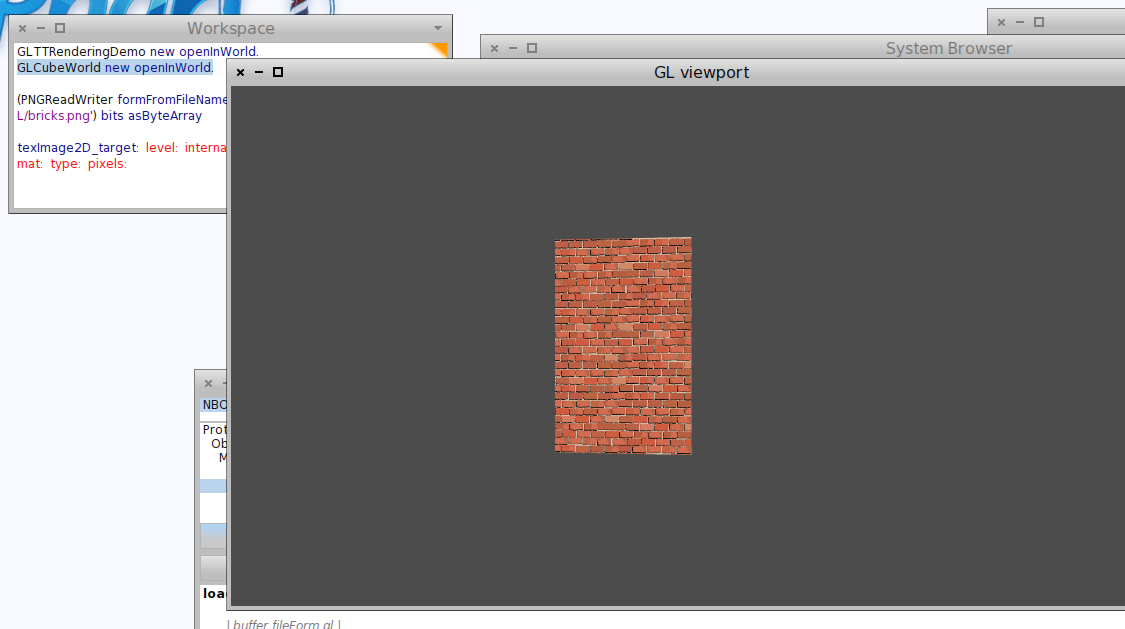
:D On 2012-02-29, at 19:30, Jean Baptiste Arnaud wrote:
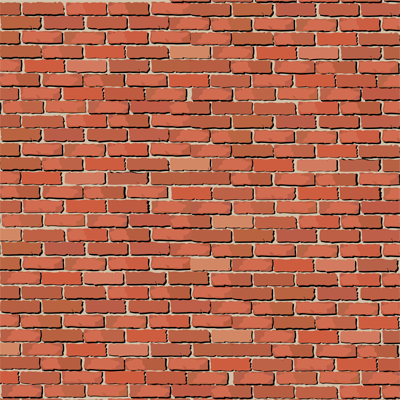
Hi, Ok crappy but working example how apply texture to surface with Native Boost (OpenGL). Next step conquer the world, Pinky.
<bricks.png> <NBOpenGL-JB.st>
On Feb 22, 2012, at 10:11 PM, Stéphane Ducasse wrote:
Igor coded with me one hour to show me step by step how to produce a rotating pyramid in Pharo :)
Have fun (igor will update the configurationOfNBOpenGL to load the latest file).
<NBOpenGL-Stef.st><Screen Shot 2012-02-22 at 10.08.22 PM.pdf>
Regard Jean Baptiste Arnaud jbaptiste.arnaud@gmail.com
small screenshot maybe ^^ On Feb 22, 2012, at 10:11 PM, Stéphane Ducasse wrote:
Igor coded with me one hour to show me step by step how to produce a rotating pyramid in Pharo :)
Have fun (igor will update the configurationOfNBOpenGL to load the latest file).
<NBOpenGL-Stef.st><Screen Shot 2012-02-22 at 10.08.22 PM.pdf>
Regard Jean Baptiste Arnaud jbaptiste.arnaud@gmail.com
so may be connecting to objective-C :) But the paperS first ;) Stef On Feb 29, 2012, at 8:37 PM, Jean Baptiste Arnaud wrote:
yes, ^^ ;-p
On Feb 29, 2012, at 7:51 PM, Stéphane Ducasse wrote:
:) you seems to have fun after the lantronix XP.
Stef
On Feb 29, 2012, at 7:33 PM, Jean Baptiste Arnaud wrote:
<Screen shot 2012-02-29 at 7.31.10 PM.png>
Regard Jean Baptiste Arnaud jbaptiste.arnaud@gmail.com

Hi ! I would like to know if it is possible to use texture with vertex3f. I didn't find anything in opengl bible :S 2012/2/29 Stéphane Ducasse <stephane.ducasse@inria.fr>
so may be connecting to objective-C :) But the paperS first ;)
Stef
On Feb 29, 2012, at 8:37 PM, Jean Baptiste Arnaud wrote:
yes, ^^ ;-p
On Feb 29, 2012, at 7:51 PM, Stéphane Ducasse wrote:
:) you seems to have fun after the lantronix XP.
Stef
On Feb 29, 2012, at 7:33 PM, Jean Baptiste Arnaud wrote:
<Screen shot 2012-02-29 at 7.31.10 PM.png>
Regard Jean Baptiste Arnaud jbaptiste.arnaud@gmail.com
-- Douaille Erwan <douaille.erwan@gmail.com>
On 29 February 2012 23:12, Erwan Douaille <douailleerwan@gmail.com> wrote:
Hi !
I would like to know if it is possible to use texture with vertex3f. I didn't find anything in opengl bible :S
vertex3f is for defining the vertex position and completely orthogonal to texture(s). for defining the texture coordinates for given vertex, you use one of: texCoord[1/2/3][i/f/d] http://www.opengl.org/sdk/docs/man/xhtml/glTexCoord.xml
2012/2/29 Stéphane Ducasse <stephane.ducasse@inria.fr>
so may be connecting to objective-C :) But the paperS first ;)
Stef
On Feb 29, 2012, at 8:37 PM, Jean Baptiste Arnaud wrote:
yes, Â ^^ ;-p
On Feb 29, 2012, at 7:51 PM, Stéphane Ducasse wrote:
:) you seems to have fun after the lantronix XP.
Stef
On Feb 29, 2012, at 7:33 PM, Jean Baptiste Arnaud wrote:
<Screen shot 2012-02-29 at 7.31.10 PM.png>
Regard Jean Baptiste Arnaud jbaptiste.arnaud@gmail.com
-- Douaille Erwan <douaille.erwan@gmail.com>
-- Best regards, Igor Stasenko.
It's really fun. I Promise, Steph i work on the paper tomorrow but it 's so fun ^^. Current step, MultiTexturing object use key for moving the cube (arrow for turn the cube). next Step Full Control of Camera (just add translation). And generate full land of cube. Textures by Kaeliss ^^ : http://kaeliss.deviantart.com/ Brain: We must prepare for tomorrow night. Pinky: Why? What are we going to do tomorrow night? Brain: The same thing we do every night, Pinky - try to take over the world! On Feb 29, 2012, at 10:28 PM, Igor Stasenko wrote:
On 29 February 2012 23:12, Erwan Douaille <douailleerwan@gmail.com> wrote:
Hi !
I would like to know if it is possible to use texture with vertex3f. I didn't find anything in opengl bible :S For texturing look at my code ^^.
vertex3f is for defining the vertex position and completely orthogonal to texture(s).
for defining the texture coordinates for given vertex, you use one of:
texCoord[1/2/3][i/f/d]
http://www.opengl.org/sdk/docs/man/xhtml/glTexCoord.xml
2012/2/29 Stéphane Ducasse <stephane.ducasse@inria.fr>
so may be connecting to objective-C :) But the paperS first ;)
Stef
On Feb 29, 2012, at 8:37 PM, Jean Baptiste Arnaud wrote:
yes, ^^ ;-p
On Feb 29, 2012, at 7:51 PM, Stéphane Ducasse wrote:
:) you seems to have fun after the lantronix XP.
Stef
On Feb 29, 2012, at 7:33 PM, Jean Baptiste Arnaud wrote:
<Screen shot 2012-02-29 at 7.31.10 PM.png>
Regard Jean Baptiste Arnaud jbaptiste.arnaud@gmail.com
-- Douaille Erwan <douaille.erwan@gmail.com>
-- Best regards, Igor Stasenko.
Regard Jean Baptiste Arnaud jbaptiste.arnaud@gmail.com
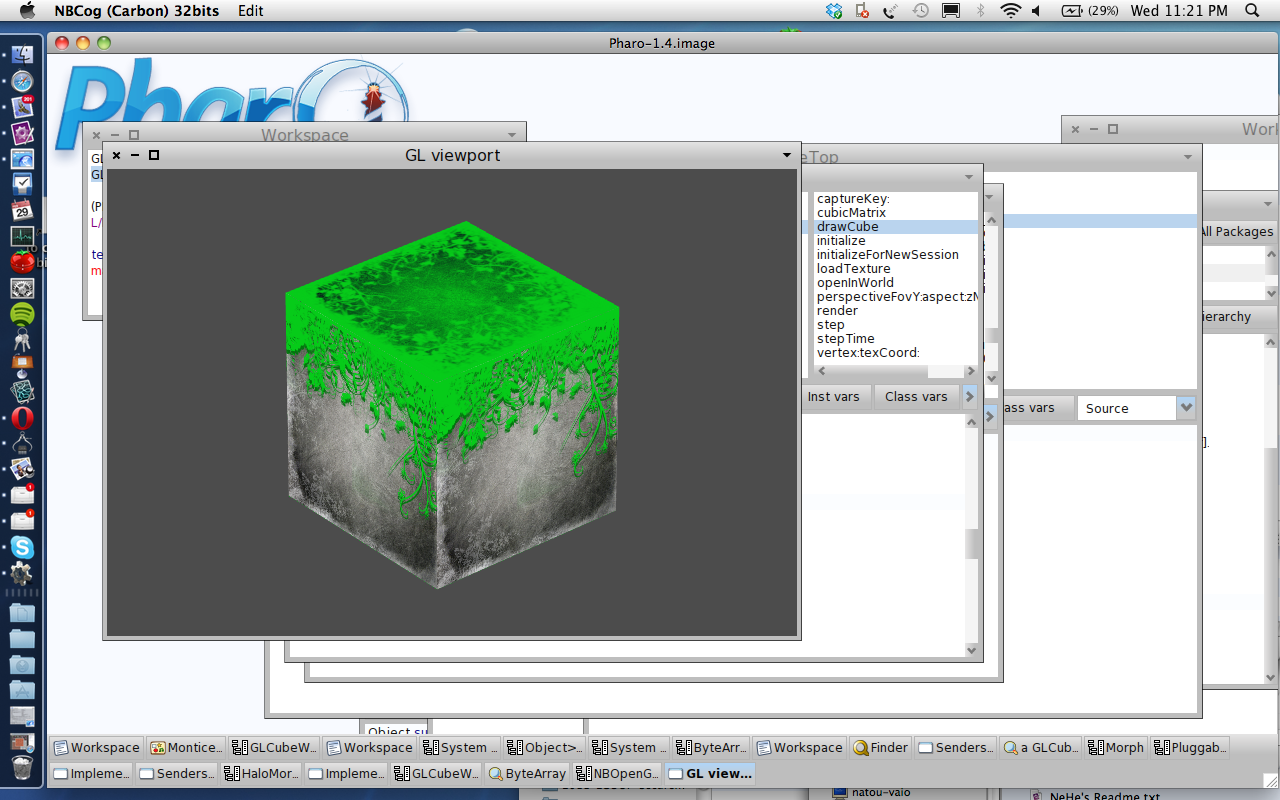
I forget the texture in my previous mail ^^. On Feb 29, 2012, at 10:28 PM, Igor Stasenko wrote:
On 29 February 2012 23:12, Erwan Douaille <douailleerwan@gmail.com> wrote:
Hi !
I would like to know if it is possible to use texture with vertex3f. I didn't find anything in opengl bible :S
vertex3f is for defining the vertex position and completely orthogonal to texture(s).
for defining the texture coordinates for given vertex, you use one of:
texCoord[1/2/3][i/f/d]
http://www.opengl.org/sdk/docs/man/xhtml/glTexCoord.xml
2012/2/29 Stéphane Ducasse <stephane.ducasse@inria.fr>
so may be connecting to objective-C :) But the paperS first ;)
Stef
On Feb 29, 2012, at 8:37 PM, Jean Baptiste Arnaud wrote:
yes, ^^ ;-p
On Feb 29, 2012, at 7:51 PM, Stéphane Ducasse wrote:
:) you seems to have fun after the lantronix XP.
Stef
On Feb 29, 2012, at 7:33 PM, Jean Baptiste Arnaud wrote:
<Screen shot 2012-02-29 at 7.31.10 PM.png>
Regard Jean Baptiste Arnaud jbaptiste.arnaud@gmail.com
-- Douaille Erwan <douaille.erwan@gmail.com>
-- Best regards, Igor Stasenko.
Regard Jean Baptiste Arnaud jbaptiste.arnaud@gmail.com
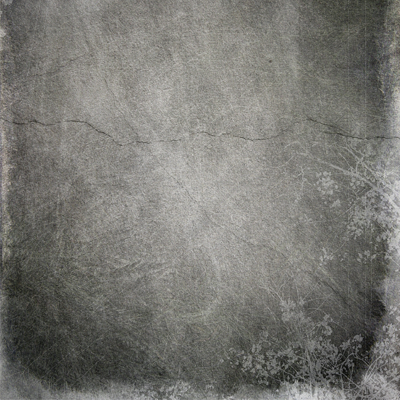
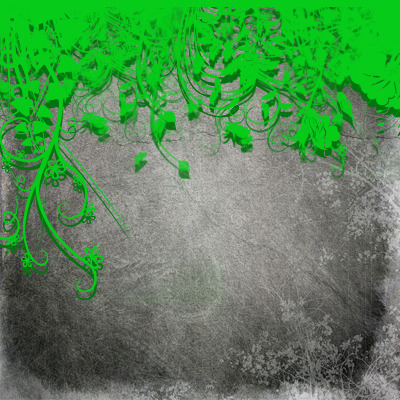
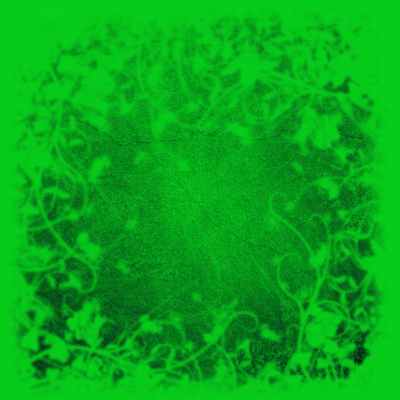
woow... it is always fun to see that something which looks like trash (who can be impressed by a stupid rotating cube today?) can be turned into piece of art with a few keystrokes, just by taking right pictures :) And that's why it is soo fun to work with graphics. -- Best regards, Igor Stasenko.
I really like do useless thing ;-p. The control for the cube x : increase by one the number of cube on the x axis y : increase by one the number of cube on the y axis z : increase by one the number of cube on the z axis X : decrease by one the number of cube on the x axis Y : decrease by one the number of cube on the y axis Z : decrease by one the number of cube on the z axis left arrow : turn left right arrow : turn right up arrow : turn up down arrow : turn down Shift left arrow : translate left Shift right arrow : translate right Shift up arrow : translate up Shift down arrow : translate down space move forward. ctrl space (because dont take shift space as specific keystroke and array dont take ctrl so i choose that): move backward. i search during half a hour but dont find a relevant quote from pinky and the brain. sad. What i really like Igor is, i don't need to close the morph for apply my change to the render method, i mean in addition to not recompile the whole project. On Feb 29, 2012, at 11:38 PM, Igor Stasenko wrote:
woow...
it is always fun to see that something which looks like trash (who can be impressed by a stupid rotating cube today?) can be turned into piece of art with a few keystrokes, just by taking right pictures :)
And that's why it is soo fun to work with graphics.
-- Best regards, Igor Stasenko.
Regards Jean Baptiste Arnaud jbaptiste.arnaud@gmail.com
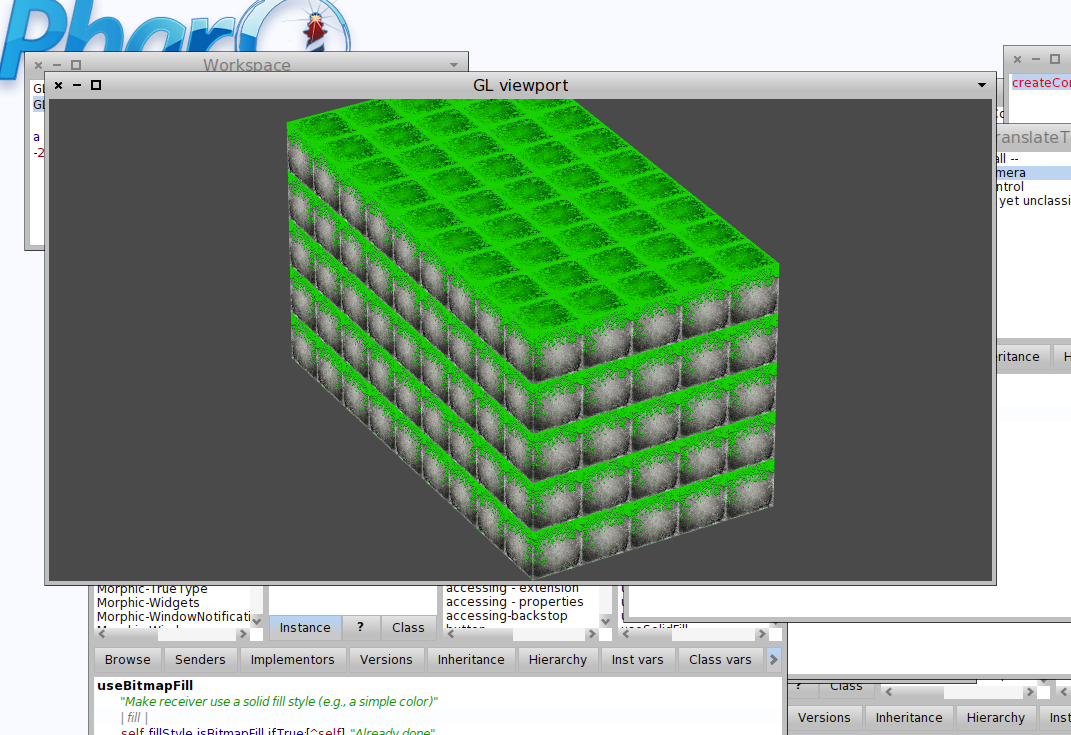

My first rotating cube i programmed in 1982, when i was 16. Today, Professors at Inria learn it to do from scratch. O tempora, o mores! What advance in informatics!!! B.t.w: Turbo Pascal 8086 Compiler, Editor was programmed within 3 weeks by Heilsberg, under control of a notary!!! Today, it takes 3 years with 5 people to get a simple Smalltalk compiler right. Have fun! Guido Stepken
I really like do useless thing ;-p.
The control for the cube x : increase by one the number of cube on the x axis y : increase by one the number of cube on the y axis z : increase by one the number of cube on the z axis X : decrease by one the number of cube on the x axis Y : decrease by one the number of cube on the y axis Z : decrease by one the number of cube on the z axis
left arrow : turn left right arrow : turn right up arrow : turn up down arrow : turn down
Shift left arrow : translate left Shift right arrow : translate right Shift up arrow : translate up Shift down arrow : translate down
space move forward. ctrl space (because dont take shift space as specific keystroke and array dont take ctrl so i choose that): move backward.
i search during half a hour but dont find a relevant quote from pinky and the brain. sad. What i really like Igor is, i don't need to close the morph for apply my change to the render method, i mean in addition to not recompile the whole project.
<NBOpenGL-JB end i am tired.st>
<Screen shot 2012-03-01 at 1.26.09 AM.png>
On Feb 29, 2012, at 11:38 PM, Igor Stasenko wrote:
woow...
it is always fun to see that something which looks like trash (who can be impressed by a stupid rotating cube today?) can be turned into piece of art with a few keystrokes, just by taking right pictures :)
And that's why it is soo fun to work with graphics.
-- Best regards, Igor Stasenko.
Regards Jean Baptiste Arnaud jbaptiste.arnaud@gmail.com
On 1 March 2012 03:00, Guido Stepken <gstepken@googlemail.com> wrote:
My first rotating cube i programmed in 1982, when i was 16. Today, Professors at Inria learn it to do from scratch. O tempora, o mores!
What advance in informatics!!!
B.t.w: Turbo Pascal 8086 Compiler, Editor was programmed within 3 weeks by Heilsberg, under control of a notary!!!
Today, it takes 3 years with 5 people to get a simple Smalltalk compiler right.
you make no sense. But i glad that you like it :)
Have fun!
Guido Stepken
I really like do useless thing ;-p.
The control for the cube x : increase by one the number of cube on the x axis y : increase by one the number of cube on the y axis z : increase by one the number of cube on the z axis X : decrease by one the number of cube on the x axis Y : decrease by one the number of cube on the y axis Z : decrease by one the number of cube on the z axis
left arrow : turn left right arrow : turn right up arrow : turn up down arrow : turn down
Shift left arrow : translate left Shift right arrow : translate right Shift up arrow : translate up Shift down arrow : translate down
space move forward. ctrl space (because dont take shift space as specific keystroke and array dont take ctrl so i choose that): move backward.
i search during half a hour but dont find a relevant quote from pinky and the brain. sad. What i really like Igor is, i don't need to close the morph for apply my change to the render method, i mean in addition to not recompile the whole project.
<NBOpenGL-JB end i am tired.st>
<Screen shot 2012-03-01 at 1.26.09 AM.png>
On Feb 29, 2012, at 11:38 PM, Igor Stasenko wrote:
woow...
it is always fun to see that something which looks like trash (who can be impressed by a stupid rotating cube today?) can be turned into piece of art with a few keystrokes, just by taking right pictures :)
And that's why it is soo fun to work with graphics.
-- Best regards, Igor Stasenko.
Regards Jean Baptiste Arnaud jbaptiste.arnaud@gmail.com
-- Best regards, Igor Stasenko.
On 1 March 2012 04:01, Igor Stasenko <siguctua@gmail.com> wrote:
On 1 March 2012 03:00, Guido Stepken <gstepken@googlemail.com> wrote:
My first rotating cube i programmed in 1982, when i was 16. Today, Professors at Inria learn it to do from scratch. O tempora, o mores!
What advance in informatics!!!
btw, you can train your speech on streets. Every time you will see a baby trying to stand and walk, you can say: O tempora, o mores! I was able to do that <your age> - 1 years back!
B.t.w: Turbo Pascal 8086 Compiler, Editor was programmed within 3 weeks by Heilsberg, under control of a notary!!!
Today, it takes 3 years with 5 people to get a simple Smalltalk compiler right.
you make no sense. But i glad that you like it :)
Have fun!
Guido Stepken
I really like do useless thing ;-p.
The control for the cube x : increase by one the number of cube on the x axis y : increase by one the number of cube on the y axis z : increase by one the number of cube on the z axis X : decrease by one the number of cube on the x axis Y : decrease by one the number of cube on the y axis Z : decrease by one the number of cube on the z axis
left arrow : turn left right arrow : turn right up arrow : turn up down arrow : turn down
Shift left arrow : translate left Shift right arrow : translate right Shift up arrow : translate up Shift down arrow : translate down
space move forward. ctrl space (because dont take shift space as specific keystroke and array dont take ctrl so i choose that): move backward.
i search during half a hour but dont find a relevant quote from pinky and the brain. sad. What i really like Igor is, i don't need to close the morph for apply my change to the render method, i mean in addition to not recompile the whole project.
<NBOpenGL-JB end i am tired.st>
<Screen shot 2012-03-01 at 1.26.09 AM.png>
On Feb 29, 2012, at 11:38 PM, Igor Stasenko wrote:
woow...
it is always fun to see that something which looks like trash (who can be impressed by a stupid rotating cube today?) can be turned into piece of art with a few keystrokes, just by taking right pictures :)
And that's why it is soo fun to work with graphics.
-- Best regards, Igor Stasenko.
Regards Jean Baptiste Arnaud jbaptiste.arnaud@gmail.com
-- Best regards, Igor Stasenko.
-- Best regards, Igor Stasenko.
Some good news about my demo. After updating my Lion from 10.0.2 to 10.0.3, i found that shader magically started working, allowing to enjoy the smoothing of bezier2 curves running completely on GPU.. Does anybody knows, if there any press-release of some sort, where i can find what actually was changed/fixed? Strangely enough, that same shader were working on snow leopard before.. so looks like temporal regression which is fixed. -- Best regards, Igor Stasenko.
can't wait to play with this at the weekend!.. On Thu, Mar 1, 2012 at 3:39 PM, Igor Stasenko <siguctua@gmail.com> wrote:
Some good news about my demo. After updating my Lion from 10.0.2 to 10.0.3, i found that shader magically started working, allowing to enjoy the smoothing of bezier2 curves running completely on GPU..
Does anybody knows, if there any press-release of some sort, where i can find what actually was changed/fixed? Strangely enough, that same shader were working on snow leopard before.. so looks like temporal regression which is fixed.
-- Best regards, Igor Stasenko.
At minimum as Pharo demo i expect to see data coming from a mysql database or csv file, flying around as bar graph on the pharo desktop. Such simple things i had in 1986 as demo in Turbo Pascal. See FreePascal, e.g. Any platform, stable compiler, plenty of libs, blazingly fast, good community support. Have fun, Guido Stepken Am 01.03.2012 03:06 schrieb "Igor Stasenko" <siguctua@gmail.com>:
On 1 March 2012 04:01, Igor Stasenko <siguctua@gmail.com> wrote:
On 1 March 2012 03:00, Guido Stepken <gstepken@googlemail.com> wrote:
My first rotating cube i programmed in 1982, when i was 16. Today, Professors at Inria learn it to do from scratch. O tempora, o mores!
What advance in informatics!!!
btw, you can train your speech on streets. Every time you will see a baby trying to stand and walk, you can say: O tempora, o mores! I was able to do that <your age> - 1 years back!
B.t.w: Turbo Pascal 8086 Compiler, Editor was programmed within 3 weeks
by
Heilsberg, under control of a notary!!!
Today, it takes 3 years with 5 people to get a simple Smalltalk compiler right.
you make no sense. But i glad that you like it :)
Have fun!
Guido Stepken
I really like do useless thing ;-p.
The control for the cube x : increase by one the number of cube on the x axis y : increase by one the number of cube on the y axis z : increase by one the number of cube on the z axis X : decrease by one the number of cube on the x axis Y : decrease by one the number of cube on the y axis Z : decrease by one the number of cube on the z axis
left arrow : turn left right arrow : turn right up arrow : turn up down arrow : turn down
Shift left arrow : translate left Shift right arrow : translate right Shift up arrow : translate up Shift down arrow : translate down
space move forward. ctrl space (because dont take shift space as specific keystroke and array dont take ctrl so i choose that): move backward.
i search during half a hour but dont find a relevant quote from pinky and the brain. sad. What i really like Igor is, i don't need to close the morph for apply my change to the render method, i mean in addition to not recompile the whole project.
<NBOpenGL-JB end i am tired.st>
<Screen shot 2012-03-01 at 1.26.09 AM.png>
On Feb 29, 2012, at 11:38 PM, Igor Stasenko wrote:
woow...
it is always fun to see that something which looks like trash (who can be impressed by a stupid rotating cube today?) can be turned into piece of art with a few keystrokes, just by taking right pictures :)
And that's why it is soo fun to work with graphics.
-- Best regards, Igor Stasenko.
Regards Jean Baptiste Arnaud jbaptiste.arnaud@gmail.com
-- Best regards, Igor Stasenko.
-- Best regards, Igor Stasenko.
On 1 March 2012 08:54, Guido Stepken <gstepken@googlemail.com> wrote:
At minimum as Pharo demo i expect to see data coming from a mysql database or csv file, flying around as bar graph on the pharo desktop.
Such simple things i had in 1986 as demo in Turbo Pascal. See FreePascal, e.g. Any platform, stable compiler, plenty of libs, blazingly fast, good community support.
Good. Now since you repeating same rhetoric, don't expect that you will get different reaction from me: - if everything is so perfect somewhere else but not here, my only question is: why you still here? and what you trying to prove? that there's always something better which can be found elsewhere? you don't have to prove it, i know it by myself already. But that's why i'm here.
Have fun, Guido Stepken
Am 01.03.2012 03:06 schrieb "Igor Stasenko" <siguctua@gmail.com>:
On 1 March 2012 04:01, Igor Stasenko <siguctua@gmail.com> wrote:
On 1 March 2012 03:00, Guido Stepken <gstepken@googlemail.com> wrote:
My first rotating cube i programmed in 1982, when i was 16. Today, Professors at Inria learn it to do from scratch. O tempora, o mores!
What advance in informatics!!!
btw, you can train your speech on streets. Every time you will see a baby trying to stand and walk, you can say: O tempora, o mores! I was able to do that <your age> - 1 years back!
B.t.w: Turbo Pascal 8086 Compiler, Editor was programmed within 3 weeks by Heilsberg, under control of a notary!!!
Today, it takes 3 years with 5 people to get a simple Smalltalk compiler right.
you make no sense. But i glad that you like it :)
Have fun!
Guido Stepken
I really like do useless thing ;-p.
The control for the cube x : increase by one the number of cube on the x axis y : increase by one the number of cube on the y axis z : increase by one the number of cube on the z axis X : decrease by one the number of cube on the x axis Y : decrease by one the number of cube on the y axis Z : decrease by one the number of cube on the z axis
left arrow : turn left right arrow : turn right up arrow : turn up down arrow : turn down
Shift left arrow : translate left Shift right arrow : translate right Shift up arrow : translate up Shift down arrow : translate down
space move forward. ctrl space (because dont take shift space as specific keystroke and array dont take ctrl so i choose that): move backward.
i search during half a hour but dont find a relevant quote from pinky and the brain. sad. What i really like Igor is, i don't need to close the morph for apply my change to the render method, i mean in addition to not recompile the whole project.
<NBOpenGL-JB end i am tired.st>
<Screen shot 2012-03-01 at 1.26.09 AM.png>
On Feb 29, 2012, at 11:38 PM, Igor Stasenko wrote:
woow...
it is always fun to see that something which looks like trash (who can be impressed by a stupid rotating cube today?) can be turned into piece of art with a few keystrokes, just by taking right pictures :)
And that's why it is soo fun to work with graphics.
-- Best regards, Igor Stasenko.
Regards Jean Baptiste Arnaud jbaptiste.arnaud@gmail.com
-- Best regards, Igor Stasenko.
-- Best regards, Igor Stasenko.
-- Best regards, Igor Stasenko.
Maybe don't feed the troll ... One day, the Grinch's small heart will grown of three sizes. On Mar 1, 2012, at 10:28 AM, Igor Stasenko wrote:
On 1 March 2012 08:54, Guido Stepken <gstepken@googlemail.com> wrote:
At minimum as Pharo demo i expect to see data coming from a mysql database or csv file, flying around as bar graph on the pharo desktop.
Such simple things i had in 1986 as demo in Turbo Pascal. See FreePascal, e.g. Any platform, stable compiler, plenty of libs, blazingly fast, good community support.
Good. Now since you repeating same rhetoric, don't expect that you will get different reaction from me: - if everything is so perfect somewhere else but not here, my only question is: why you still here? and what you trying to prove? that there's always something better which can be found elsewhere? you don't have to prove it, i know it by myself already. But that's why i'm here.
Have fun, Guido Stepken
Am 01.03.2012 03:06 schrieb "Igor Stasenko" <siguctua@gmail.com>:
On 1 March 2012 04:01, Igor Stasenko <siguctua@gmail.com> wrote:
On 1 March 2012 03:00, Guido Stepken <gstepken@googlemail.com> wrote:
My first rotating cube i programmed in 1982, when i was 16. Today, Professors at Inria learn it to do from scratch. O tempora, o mores!
What advance in informatics!!!
btw, you can train your speech on streets. Every time you will see a baby trying to stand and walk, you can say: O tempora, o mores! I was able to do that <your age> - 1 years back!
B.t.w: Turbo Pascal 8086 Compiler, Editor was programmed within 3 weeks by Heilsberg, under control of a notary!!!
Today, it takes 3 years with 5 people to get a simple Smalltalk compiler right.
you make no sense. But i glad that you like it :)
Have fun!
Guido Stepken
I really like do useless thing ;-p.
The control for the cube x : increase by one the number of cube on the x axis y : increase by one the number of cube on the y axis z : increase by one the number of cube on the z axis X : decrease by one the number of cube on the x axis Y : decrease by one the number of cube on the y axis Z : decrease by one the number of cube on the z axis
left arrow : turn left right arrow : turn right up arrow : turn up down arrow : turn down
Shift left arrow : translate left Shift right arrow : translate right Shift up arrow : translate up Shift down arrow : translate down
space move forward. ctrl space (because dont take shift space as specific keystroke and array dont take ctrl so i choose that): move backward.
i search during half a hour but dont find a relevant quote from pinky and the brain. sad. What i really like Igor is, i don't need to close the morph for apply my change to the render method, i mean in addition to not recompile the whole project.
<NBOpenGL-JB end i am tired.st>
<Screen shot 2012-03-01 at 1.26.09 AM.png>
On Feb 29, 2012, at 11:38 PM, Igor Stasenko wrote:
woow...
it is always fun to see that something which looks like trash (who can be impressed by a stupid rotating cube today?) can be turned into piece of art with a few keystrokes, just by taking right pictures :)
And that's why it is soo fun to work with graphics.
-- Best regards, Igor Stasenko.
Regards Jean Baptiste Arnaud jbaptiste.arnaud@gmail.com
-- Best regards, Igor Stasenko.
-- Best regards, Igor Stasenko.
-- Best regards, Igor Stasenko.
Regard Jean Baptiste Arnaud jbaptiste.arnaud@gmail.com
So, Erwan if you need to handle keyboard in your own project, just take JB's code and here you go :) -- Best regards, Igor Stasenko.
Excellent! Erwan should really look how we could use that to build a back end for Lumiere or Klotz. Alex :) Fernando :) It will be really fun. On Mar 1, 2012, at 1:47 AM, Jean Baptiste Arnaud wrote:
I really like do useless thing ;-p.
The control for the cube x : increase by one the number of cube on the x axis y : increase by one the number of cube on the y axis z : increase by one the number of cube on the z axis X : decrease by one the number of cube on the x axis Y : decrease by one the number of cube on the y axis Z : decrease by one the number of cube on the z axis
left arrow : turn left right arrow : turn right up arrow : turn up down arrow : turn down
Shift left arrow : translate left Shift right arrow : translate right Shift up arrow : translate up Shift down arrow : translate down
space move forward. ctrl space (because dont take shift space as specific keystroke and array dont take ctrl so i choose that): move backward.
i search during half a hour but dont find a relevant quote from pinky and the brain. sad. What i really like Igor is, i don't need to close the morph for apply my change to the render method, i mean in addition to not recompile the whole project.
<NBOpenGL-JB end i am tired.st>
<Screen shot 2012-03-01 at 1.26.09 AM.png>
On Feb 29, 2012, at 11:38 PM, Igor Stasenko wrote:
woow...
it is always fun to see that something which looks like trash (who can be impressed by a stupid rotating cube today?) can be turned into piece of art with a few keystrokes, just by taking right pictures :)
And that's why it is soo fun to work with graphics.
-- Best regards, Igor Stasenko.
Regards Jean Baptiste Arnaud jbaptiste.arnaud@gmail.com
That's what i do. Jean Baptiste send me his code, and show me how build a sphere and i'm reading it ... and try to unterstanding how do it ;) 2012/3/1 Stéphane Ducasse <stephane.ducasse@inria.fr>
Excellent! Erwan should really look how we could use that to build a back end for Lumiere or Klotz. Alex :) Fernando :) It will be really fun.
On Mar 1, 2012, at 1:47 AM, Jean Baptiste Arnaud wrote:
I really like do useless thing ;-p.
The control for the cube x : increase by one the number of cube on the x axis y : increase by one the number of cube on the y axis z : increase by one the number of cube on the z axis X : decrease by one the number of cube on the x axis Y : decrease by one the number of cube on the y axis Z : decrease by one the number of cube on the z axis
left arrow : turn left right arrow : turn right up arrow : turn up down arrow : turn down
Shift left arrow : translate left Shift right arrow : translate right Shift up arrow : translate up Shift down arrow : translate down
space move forward. ctrl space (because dont take shift space as specific keystroke and array dont take ctrl so i choose that): move backward.
i search during half a hour but dont find a relevant quote from pinky and the brain. sad. What i really like Igor is, i don't need to close the morph for apply my change to the render method, i mean in addition to not recompile the whole project.
<NBOpenGL-JB end i am tired.st>
<Screen shot 2012-03-01 at 1.26.09 AM.png>
On Feb 29, 2012, at 11:38 PM, Igor Stasenko wrote:
woow...
it is always fun to see that something which looks like trash (who can be impressed by a stupid rotating cube today?) can be turned into piece of art with a few keystrokes, just by taking right pictures :)
And that's why it is soo fun to work with graphics.
-- Best regards, Igor Stasenko.
Regards Jean Baptiste Arnaud jbaptiste.arnaud@gmail.com
-- Douaille Erwan <douaille.erwan@gmail.com>
Cool erwan. Have fun and learn. After we will see how we can play with lumber abstractions to avoid reinventing the wheel. Stef On Mar 1, 2012, at 9:51 PM, Erwan Douaille wrote:
That's what i do. Jean Baptiste send me his code, and show me how build a sphere and i'm reading it ... and try to unterstanding how do it ;)
2012/3/1 Stéphane Ducasse <stephane.ducasse@inria.fr> Excellent! Erwan should really look how we could use that to build a back end for Lumiere or Klotz. Alex :) Fernando :) It will be really fun.
On Mar 1, 2012, at 1:47 AM, Jean Baptiste Arnaud wrote:
I really like do useless thing ;-p.
The control for the cube x : increase by one the number of cube on the x axis y : increase by one the number of cube on the y axis z : increase by one the number of cube on the z axis X : decrease by one the number of cube on the x axis Y : decrease by one the number of cube on the y axis Z : decrease by one the number of cube on the z axis
left arrow : turn left right arrow : turn right up arrow : turn up down arrow : turn down
Shift left arrow : translate left Shift right arrow : translate right Shift up arrow : translate up Shift down arrow : translate down
space move forward. ctrl space (because dont take shift space as specific keystroke and array dont take ctrl so i choose that): move backward.
i search during half a hour but dont find a relevant quote from pinky and the brain. sad. What i really like Igor is, i don't need to close the morph for apply my change to the render method, i mean in addition to not recompile the whole project.
<NBOpenGL-JB end i am tired.st>
<Screen shot 2012-03-01 at 1.26.09 AM.png>
On Feb 29, 2012, at 11:38 PM, Igor Stasenko wrote:
woow...
it is always fun to see that something which looks like trash (who can be impressed by a stupid rotating cube today?) can be turned into piece of art with a few keystrokes, just by taking right pictures :)
And that's why it is soo fun to work with graphics.
-- Best regards, Igor Stasenko.
Regards Jean Baptiste Arnaud jbaptiste.arnaud@gmail.com
-- Douaille Erwan <douaille.erwan@gmail.com>
participants (9)
-
 Camillo Bruni
 -
 chadwick
 -
 Erwan Douaille
 -
 Guido Stepken
 -
 Igor Stasenko
 -
 Javier Pimás
 -
 Jean Baptiste Arnaud
 -
 Lawson English
 -
 Stéphane Ducasse