Experiment: New Download page based on Pharo Launcher

Hi, With Christoph we did a version of the download page that points users to the âPharo Launcherâ instead of the zips that just contained one vm and the last image. http://pharo.org/download <http://pharo.org/download> comments welcome⦠Marcus

On Fri, Mar 9, 2018 at 1:53 PM, Marcus Denker <marcus.denker@inria.fr> wrote:
Hi,
With Christoph we did a version of the download page that points users to the âPharo Launcherâ instead of the zips that just contained one vm and the last image.
comments welcomeâ¦
Hi! I am totally in favour of referencing Pharo Launcher in the Pharo download page, but I'm not sure it should totally replace the old page. In my opinion, it would be good to have both.
Marcus
-- Cyril Ferlicot https://ferlicot.fr
On 9 Mar 2018, at 13:58, Cyril Ferlicot <cyril.ferlicot@gmail.com> wrote:
On Fri, Mar 9, 2018 at 1:53 PM, Marcus Denker <marcus.denker@inria.fr> wrote:
Hi,
With Christoph we did a version of the download page that points users to the âPharo Launcherâ instead of the zips that just contained one vm and the last image.
comments welcomeâ¦
Hi! I am totally in favour of referencing Pharo Launcher in the Pharo download page, but I'm not sure it should totally replace the old page. In my opinion, it would be good to have both.
The problem is that things are getting *very* complex, and every new way to download Pharo makes things even more complex⦠I really do not know how to structure that page if the launcher is added as yet another way. Marcus
On 9 Mar 2018, at 14:01, Marcus Denker <marcus.denker@inria.fr> wrote:
On 9 Mar 2018, at 13:58, Cyril Ferlicot <cyril.ferlicot@gmail.com> wrote:
On Fri, Mar 9, 2018 at 1:53 PM, Marcus Denker <marcus.denker@inria.fr> wrote:
Hi,
With Christoph we did a version of the download page that points users to the âPharo Launcherâ instead of the zips that just contained one vm and the last image.
comments welcomeâ¦
Hi! I am totally in favour of referencing Pharo Launcher in the Pharo download page, but I'm not sure it should totally replace the old page. In my opinion, it would be good to have both.
The problem is that things are getting *very* complex, and every new way to download Pharo makes things even more complexâ¦
I really do not know how to structure that page if the launcher is added as yet another way.
Of course Linux package I kept (they are in the Linux Package section). What do you miss? The .zip files that have vm+sources+image? I think the launcher replaces the âthis is the easiest downloadâ aka the .zip files. For the âsingle downloadsâ (point the the last vm, the last image), maybe adding that section back is needed⦠Marcus

Marcus Denker-4 wrote
comments welcomeâ¦
IHMO the structure is a little confusing because the first heading "Usage" (Launcher implied) is on the same level as other methods like "Linux Packages". I think there needs to be something like a header one level higher like "Other Options" between these two sections. ----- Cheers, Sean -- Sent from: http://forum.world.st/Pharo-Smalltalk-Developers-f1294837.html

Additional portable versions would be nice too (based on a simple ZIP) instead of only the installable apps
On 9 Mar 2018, at 23:34, Torsten Bergmann <astares@gmx.de> wrote:
Additional portable versions would be nice too (based on a simple ZIP) instead of only the installable apps
Is there a deeper reason for this? If I look at âother systemsâ, they manage to have *one* download, *one* way of installing. For me, offering *a lot* of possible different ways means that the user has to choose without knowing why there is even the option to choose⦠Marcus
On mer. 14 mars 2018 at 18:18, Marcus Denker <marcus.denker@inria.fr> wrote:
On 9 Mar 2018, at 23:34, Torsten Bergmann <astares@gmx.de> wrote:
Additional portable versions would be nice too (based on a simple ZIP) instead of only the installable apps
Is there a deeper reason for this? If I look at âother systemsâ, they manage to have *one* download, *one* way of installing. For me, offering *a lot* of possible different ways means that the user has to choose without knowing why there is even the option to chooseâ¦
The problem is that Pharo is different from other systems. When you install eclipse, you'll use the installed eclipse for all your projects for a long time. Pharo images are more like a "disposable". You'll not use the same Pharo image for multiple big projects and you'll more easily throw away an image to take a new one from time to time. Actually I think I download and delete around 5 images/day sometime. This complicate a little things because sometime you want to directly download one image. Sometime you want to have one application to manage your images (Pharo launcher)
Marcus
-- Cyril Ferlicot https://ferlicot.fr
On 15 Mar 2018, at 00:08, Cyril Ferlicot <cyril.ferlicot@gmail.com> wrote:
On mer. 14 mars 2018 at 18:18, Marcus Denker <marcus.denker@inria.fr <mailto:marcus.denker@inria.fr>> wrote:
On 9 Mar 2018, at 23:34, Torsten Bergmann <astares@gmx.de <mailto:astares@gmx.de>> wrote:
Additional portable versions would be nice too (based on a simple ZIP) instead of only the installable apps
Is there a deeper reason for this? If I look at âother systemsâ, they manage to have *one* download, *one* way of installing. For me, offering *a lot* of possible different ways means that the user has to choose without knowing why there is even the option to chooseâ¦
The problem is that Pharo is different from other systems. When you install eclipse, you'll use the installed eclipse for all your projects for a long time.
Pharo images are more like a "disposable". You'll not use the same Pharo image for multiple big projects and you'll more easily throw away an image to take a new one from time to time.
Actually I think I download and delete around 5 images/day sometime.
This complicate a little things because sometime you want to directly download one image. Sometime you want to have one application to manage your images (Pharo launcher)
For me, the Launcher should be the âVM Downloadâ, that comes with a) a default template image of the release and b) the launcher too to discover images. *But* it should be done in a way that you can of course just download more images (and I would love to have images actually being âone fileâ) and, having Pharo installed, you can run them, using the âPharoâ that you have installed (the launcher). The âLauncherâ should feel more like âI have installed Pharo, now I can run imagesâ. As such, I think we should add back links that point to single image downloads on the download page. Marcus

On 15 March 2018 at 16:01, Marcus Denker <marcus.denker@inria.fr> wrote:
On 15 Mar 2018, at 00:08, Cyril Ferlicot <cyril.ferlicot@gmail.com> wrote:
On mer. 14 mars 2018 at 18:18, Marcus Denker <marcus.denker@inria.fr> wrote:
On 9 Mar 2018, at 23:34, Torsten Bergmann <astares@gmx.de> wrote:
Additional portable versions would be nice too (based on a simple ZIP) instead of only the installable apps
Is there a deeper reason for this? If I look at âother systemsâ, they manage to have *one* download, *one* way of installing. For me, offering *a lot* of possible different ways means that the user has to choose without knowing why there is even the option to chooseâ¦
The problem is that Pharo is different from other systems. When you install eclipse, you'll use the installed eclipse for all your projects for a long time.
Pharo images are more like a "disposable". You'll not use the same Pharo image for multiple big projects and you'll more easily throw away an image to take a new one from time to time.
Actually I think I download and delete around 5 images/day sometime.
This complicate a little things because sometime you want to directly download one image. Sometime you want to have one application to manage your images (Pharo launcher)
For me, the Launcher should be the âVM Downloadâ, that comes with a) a default template image of the release and b) the launcher too to discover images.
*But* it should be done in a way that you can of course just download more images (and I would love to have images actually being âone fileâ) and, having Pharo installed, you can run them, using the âPharoâ that you have installed (the launcher).
The âLauncherâ should feel more like âI have installed Pharo, now I can run imagesâ.
As such, I think we should add back links that point to single image downloads on the download page.
Marcus
I'm really glad PharoLauncher has been promoted to the download page, but it seems some people want to push PharoLauncher to *be* Pharo. To me this seems a poor strategy. The README file in the PharoLauncher zip downloads says... "Pharo 1.1-2018.01.16 This distribution was built January 16, 2018." This seems strange to me and highly likely to confuse newcomers. Pharo 1.1 more than a few years old. How can something built in 2018 be named "Pharo 1.1" ? And if PharoLauncher is instead published as Pharo 7, then it seems strange to use it to run Pharo 5 images and later Pharo 8 images. Why not have the Downloads page just say "The recommended way to manage Pharo downloads is with PharoLauncher" and allow PharoLauncher to exist as a separate entity. This would be similar similar to those applications where you download an initial 500kB installer, which then grabs the other 100MB from the net to complete the install. Also, when maybe one day we can use Pharo as a command line shell, how will that relate to PharoLauncher being presented "as" Pharo. cheers -ben P.S. Perhaps the idea of App Store has some similarities to PharoLauncher, since in an App Store you search for programs to download and run. A further evolution of PharoLauncher might become PharoStore Now Apple's app store is not called "OSX" and Microsoft's app store is not called "Windows". They are separate entities .
Ben Coman wrote
it seems some people want to push PharoLauncher to *be* Pharo. To me this seems a poor strategy⦠This seems strange to me and highly likely to confuse newcomers.
Yes, this was already discussed at length on the ML. The term Pharo already has a meaning: a vm + image containing both an OOP language (is it Smalltalk or Smalltalk inspired? Please don't actually answer that lol) and IDE written therein - or you could call it prototype Dynabook software. If we now try to redefine the above (or really overload, because the former definition will still coexist) to mean an app that manages images, it may just be the final straw to make sure that no one ever will be able to give any acceptable answer in less than 2038 hours to the question: What is Pharo? ;) But just in case we step into the quicksand even further, in this dystopian future you can just copy paste this definition: Pharo is a Pharo app that manages Pharo images, which can be used to make Pharo apps, which can be used to manage Pharo images, [which can be used to make Pharo apps, which can be used to manage Pharo images]* ----- Cheers, Sean -- Sent from: http://forum.world.st/Pharo-Smalltalk-Developers-f1294837.html

On 16 Mar 2018, at 17:59, Sean P. DeNigris <sean@clipperadams.com> wrote:
Ben Coman wrote
it seems some people want to push PharoLauncher to *be* Pharo. To me this seems a poor strategy⦠This seems strange to me and highly likely to confuse newcomers.
Yes, this was already discussed at length on the ML.
The term Pharo already has a meaning: a vm + image containing both an OOP language (is it Smalltalk or Smalltalk inspired? Please don't actually answer that lol) and IDE written therein - or you could call it prototype Dynabook software.
If we now try to redefine the above (or really overload, because the former definition will still coexist) to mean an app that manages images, it may just be the final straw to make sure that no one ever will be able to give any acceptable answer in less than 2038 hours to the question: What is Pharo? ;)
But just in case we step into the quicksand even further, in this dystopian future you can just copy paste this definition: Pharo is a Pharo app that manages Pharo images, which can be used to make Pharo apps, which can be used to manage Pharo images, [which can be used to make Pharo apps, which can be used to manage Pharo images]*
Haha, yes it is so fluid it cannot be described only be experienced through prolonged exposure, it is truly magical. Actually, that is not so far from the truth.
----- Cheers, Sean -- Sent from: http://forum.world.st/Pharo-Smalltalk-Developers-f1294837.html

On Fri, Mar 16, 2018 at 5:59 PM, Sean P. DeNigris <sean@clipperadams.com> wrote:
Ben Coman wrote
it seems some people want to push PharoLauncher to *be* Pharo. To me this seems a poor strategy⦠This seems strange to me and highly likely to confuse newcomers.
Yes, this was already discussed at length on the ML.
The term Pharo already has a meaning: a vm + image containing both an OOP language (is it Smalltalk or Smalltalk inspired? Please don't actually answer that lol) and IDE written therein - or you could call it prototype Dynabook software.
If we now try to redefine the above (or really overload, because the former definition will still coexist) to mean an app that manages images, it may just be the final straw to make sure that no one ever will be able to give any acceptable answer in less than 2038 hours to the question: What is Pharo? ;)
But just in case we step into the quicksand even further, in this dystopian future you can just copy paste this definition: Pharo is a Pharo app that manages Pharo images, which can be used to make Pharo apps, which can be used to manage Pharo images, [which can be used to make Pharo apps, which can be used to manage Pharo images]*
look like smurf (Schroumpf :)
----- Cheers, Sean -- Sent from: http://forum.world.st/Pharo-Smalltalk-Developers-f1294837.html
Hi,
I'm really glad PharoLauncher has been promoted to the download page, but it seems some people want to push PharoLauncher to *be* Pharo. To me this seems a poor strategy.
The README file in the PharoLauncher zip downloads says... "Pharo 1.1-2018.01.16 This distribution was built January 16, 2018."
This seems strange to me and highly likely to confuse newcomers. Pharo 1.1 more than a few years old. How can something built in 2018 be named "Pharo 1.1" ?
And if PharoLauncher is instead published as Pharo 7, then it seems strange to use it to run Pharo 5 images and later Pharo 8 images. Why not have the Downloads page just say "The recommended way to manage Pharo downloads is with PharoLauncher" and allow PharoLauncher to exist as a separate entity. This would be similar similar to those applications where you download an initial 500kB installer, which then grabs the other 100MB from the net to complete the install.
Also, when maybe one day we can use Pharo as a command line shell, how will that relate to PharoLauncher being presented "as" Pharo.
What is clear is that people use many images anyway. And the more machines get bigger, this will happen even more. So any download can only be âthe VM + a Template imageâ. => when you just start âPharoâ it starts the template (read only) => drag an image (or double click) -> opens that image. To make that work for real we would need to have one release per version (Pharo6, Pharo7, Pharo8) that you install⦠The launcher is a similar scheme that I think could be even better, it adds: - easy find images online - manage your images (you do not need to use it, you can just use the UI of your OS instead, too). - manage VMs in addition. - which means that it is just one download that people need to install to be able to run all old images, too. So I think if can be quite nice⦠it needs some iterations - simplify the UI so people know what todo when they see it the first time - make sure it works everywhere - Sign it so installation is easier - We need something that the images that end up on disk do not have the bit set that make drag-n-drop fail. - integrate command line: There should be a menu to write scripts to /usr/local/bin to run pharo images easily - Longterm: we need 1-file images⦠a container that has the image itself + auxiliary stuff on âdiskâ but that is one file. So for me this is a bit like docker: to use docker, you install docker on the mac. There is one way, it works. Marcus

If the launcher had a command line interface, I'd use it all the time :) On Tue, Mar 20, 2018 at 10:15 AM, Marcus Denker <marcus.denker@inria.fr> wrote:
Hi,
I'm really glad PharoLauncher has been promoted to the download page, but it seems some people want to push PharoLauncher to *be* Pharo. To me this seems a poor strategy.
The README file in the PharoLauncher zip downloads says... "Pharo 1.1-2018.01.16 This distribution was built January 16, 2018."
This seems strange to me and highly likely to confuse newcomers. Pharo 1.1 more than a few years old. How can something built in 2018 be named "Pharo 1.1" ?
And if PharoLauncher is instead published as Pharo 7, then it seems strange to use it to run Pharo 5 images and later Pharo 8 images. Why not have the Downloads page just say "The recommended way to manage Pharo downloads is with PharoLauncher" and allow PharoLauncher to exist as a separate entity. This would be similar similar to those applications where you download an initial 500kB installer, which then grabs the other 100MB from the net to complete the install.
Also, when maybe one day we can use Pharo as a command line shell, how will that relate to PharoLauncher being presented "as" Pharo.
What is clear is that people use many images anyway. And the more machines get bigger, this will happen even more.
So any download can only be âthe VM + a Template imageâ. => when you just start âPharoâ it starts the template (read only) => drag an image (or double click) -> opens that image.
To make that work for real we would need to have one release per version (Pharo6, Pharo7, Pharo8) that you installâ¦
The launcher is a similar scheme that I think could be even better, it adds:
- easy find images online - manage your images (you do not need to use it, you can just use the UI of your OS instead, too). - manage VMs in addition. - which means that it is just one download that people need to install to be able to run all old images, too.
So I think if can be quite nice⦠it needs some iterations
- simplify the UI so people know what todo when they see it the first time - make sure it works everywhere - Sign it so installation is easier - We need something that the images that end up on disk do not have the bit set that make drag-n-drop fail. - integrate command line: There should be a menu to write scripts to /usr/local/bin to run pharo images easily - Longterm: we need 1-file images⦠a container that has the image itself + auxiliary stuff on âdiskâ but that is one file.
So for me this is a bit like docker: to use docker, you install docker on the mac. There is one way, it works.
Marcus
-- Guille Polito Research Engineer Centre de Recherche en Informatique, Signal et Automatique de Lille CRIStAL - UMR 9189 French National Center for Scientific Research - *http://www.cnrs.fr <http://www.cnrs.fr>* *Web:* *http://guillep.github.io* <http://guillep.github.io> *Phone: *+33 06 52 70 66 13

CLI is cool too but it quickly becomes a mess for me ^^ Just loving the launcher on the Mac⦠+100 for me to push it. Still, the CLI should be available and probably the better way to launch one specific image. My 2 cents, Cédrick

On 15 Mar 2018, at 00:08, Cyril Ferlicot <cyril.ferlicot@gmail.com> wrote:
On mer. 14 mars 2018 at 18:18, Marcus Denker <marcus.denker@inria.fr <mailto:marcus.denker@inria.fr>> wrote:
On 9 Mar 2018, at 23:34, Torsten Bergmann <astares@gmx.de <mailto:astares@gmx.de>> wrote:
Additional portable versions would be nice too (based on a simple ZIP) instead of only the installable apps
Is there a deeper reason for this? If I look at âother systemsâ, they manage to have *one* download, *one* way of installing. For me, offering *a lot* of possible different ways means that the user has to choose without knowing why there is even the option to chooseâ¦
The problem is that Pharo is different from other systems. When you install eclipse, you'll use the installed eclipse for all your projects for a long time.
Pharo images are more like a "disposable". You'll not use the same Pharo image for multiple big projects and you'll more easily throw away an image to take a new one from time to time.
Actually I think I download and delete around 5 images/day sometime.
IMO this just strengthen Marcus argument :)
This complicate a little things because sometime you want to directly download one image. Sometime you want to have one application to manage your images (Pharo launcher)
Why? You have launcher: you download all images you want (btw⦠I still believe launcher UI needs love, but one thing at a time ;) ) And if you need more complex stuff, you always have the âotherâ section. but I side with Marcus here: we need ONE blessed way of manage pharo, otherwise is an un-managable mess. cheers, Esteban ps: btw, weâll need also - OBS for the launcher (to have linux packaging) - signing the launcher on mac (we already did this for the VM, we can do the same for launcher). And distribute it as dmg, not zip (a dmg is just a zip renamed so no problem here). - a windows installer pps: we are taking volunteers to tackle this stuff ;)
Marcus -- Cyril Ferlicot https://ferlicot.fr <https://ferlicot.fr/>
On 15 Mar 2018, at 09:27, Esteban Lorenzano <estebanlm@gmail.com> wrote:
On 15 Mar 2018, at 00:08, Cyril Ferlicot <cyril.ferlicot@gmail.com <mailto:cyril.ferlicot@gmail.com>> wrote:
On mer. 14 mars 2018 at 18:18, Marcus Denker <marcus.denker@inria.fr <mailto:marcus.denker@inria.fr>> wrote:
On 9 Mar 2018, at 23:34, Torsten Bergmann <astares@gmx.de <mailto:astares@gmx.de>> wrote:
Additional portable versions would be nice too (based on a simple ZIP) instead of only the installable apps
Is there a deeper reason for this? If I look at âother systemsâ, they manage to have *one* download, *one* way of installing. For me, offering *a lot* of possible different ways means that the user has to choose without knowing why there is even the option to chooseâ¦
The problem is that Pharo is different from other systems. When you install eclipse, you'll use the installed eclipse for all your projects for a long time.
Pharo images are more like a "disposable". You'll not use the same Pharo image for multiple big projects and you'll more easily throw away an image to take a new one from time to time.
Actually I think I download and delete around 5 images/day sometime.
IMO this just strengthen Marcus argument :)
This complicate a little things because sometime you want to directly download one image. Sometime you want to have one application to manage your images (Pharo launcher)
Why? You have launcher: you download all images you want (btw⦠I still believe launcher UI needs love, but one thing at a time ;) ) And if you need more complex stuff, you always have the âotherâ section.
but I side with Marcus here: we need ONE blessed way of manage pharo, otherwise is an un-managable mess.
cheers, Esteban
ps: btw, weâll need also - OBS for the launcher (to have linux packaging) - signing the launcher on mac (we already did this for the VM, we can do the same for launcher). And distribute it as dmg, not zip (a dmg is just a zip renamed so no problem here). - a windows installer
and I would love support for this: https://sparkle-project.org <https://sparkle-project.org/> to keep the âPharoâ app always up-to-date. Marcus
On 15 Mar 2018, at 09:34, Marcus Denker <marcus.denker@inria.fr> wrote:
On 15 Mar 2018, at 09:27, Esteban Lorenzano <estebanlm@gmail.com <mailto:estebanlm@gmail.com>> wrote:
On 15 Mar 2018, at 00:08, Cyril Ferlicot <cyril.ferlicot@gmail.com <mailto:cyril.ferlicot@gmail.com>> wrote:
On mer. 14 mars 2018 at 18:18, Marcus Denker <marcus.denker@inria.fr <mailto:marcus.denker@inria.fr>> wrote:
On 9 Mar 2018, at 23:34, Torsten Bergmann <astares@gmx.de <mailto:astares@gmx.de>> wrote:
Additional portable versions would be nice too (based on a simple ZIP) instead of only the installable apps
Is there a deeper reason for this? If I look at âother systemsâ, they manage to have *one* download, *one* way of installing. For me, offering *a lot* of possible different ways means that the user has to choose without knowing why there is even the option to chooseâ¦
The problem is that Pharo is different from other systems. When you install eclipse, you'll use the installed eclipse for all your projects for a long time.
Pharo images are more like a "disposable". You'll not use the same Pharo image for multiple big projects and you'll more easily throw away an image to take a new one from time to time.
Actually I think I download and delete around 5 images/day sometime.
IMO this just strengthen Marcus argument :)
This complicate a little things because sometime you want to directly download one image. Sometime you want to have one application to manage your images (Pharo launcher)
Why? You have launcher: you download all images you want (btw⦠I still believe launcher UI needs love, but one thing at a time ;) ) And if you need more complex stuff, you always have the âotherâ section.
but I side with Marcus here: we need ONE blessed way of manage pharo, otherwise is an un-managable mess.
cheers, Esteban
ps: btw, weâll need also - OBS for the launcher (to have linux packaging) - signing the launcher on mac (we already did this for the VM, we can do the same for launcher). And distribute it as dmg, not zip (a dmg is just a zip renamed so no problem here). - a windows installer
and I would love support for this: https://sparkle-project.org <https://sparkle-project.org/> to keep the âPharoâ app always up-to-date
dreams, dreams⦠maybe next year I will have time to do some of this? who knowsâ¦
.
Marcus

Le 15 mars 2018 à 09:27, Esteban Lorenzano <estebanlm@gmail.com> a écrit :
- OBS for the launcher (to have linux packaging)
yes, would be nice
- signing the launcher on mac (we already did this for the VM, we can do the same for launcher).
you sign the executable, so it mean signe the VM with another certificate => rebuild the VM
And distribute it as dmg, not zip (a dmg is just a zip renamed so no problem here).
It is already a dmg. Did you try it? ;)
- a windows installer
Here also, it is already like that. You forgot to mention: sign Windows app so that Windows Defender does not warn you that it is a malicious software and you should not install it Christophe

Marcus Denker <marcus.denker@inria.fr> wrote:
On 9 Mar 2018, at 23:34, Torsten Bergmann <astares@gmx.de> wrote:
Additional portable versions would be nice too (based on a simple ZIP) instead of only the installable apps
Is there a deeper reason for this? If I look at âother systemsâ, they manage to have *one* download, *one* way of installing. For me, offering *a lot* of possible different ways means that the user has to choose without knowing why there is even the option to chooseâ¦
Yes. I want the live usb stick experience Stephan
Ok, I will fix that in the next pass.
On 9 Mar 2018, at 18:10, Sean P. DeNigris <sean@clipperadams.com> wrote:
Marcus Denker-4 wrote
comments welcomeâ¦
IHMO the structure is a little confusing because the first heading "Usage" (Launcher implied) is on the same level as other methods like "Linux Packages". I think there needs to be something like a header one level higher like "Other Options" between these two sections.
----- Cheers, Sean -- Sent from: http://forum.world.st/Pharo-Smalltalk-Developers-f1294837.html
-> better structure -> simplified the large print (no need to talk about downloading zip files) TODO: - add back a section about downloading images.
On 14 Mar 2018, at 18:18, Marcus Denker <marcus.denker@inria.fr> wrote:
Ok, I will fix that in the next pass.
On 9 Mar 2018, at 18:10, Sean P. DeNigris <sean@clipperadams.com> wrote:
Marcus Denker-4 wrote
comments welcomeâ¦
IHMO the structure is a little confusing because the first heading "Usage" (Launcher implied) is on the same level as other methods like "Linux Packages". I think there needs to be something like a header one level higher like "Other Options" between these two sections.
----- Cheers, Sean -- Sent from: http://forum.world.st/Pharo-Smalltalk-Developers-f1294837.html
I do not see why this is a problem to have the launcher and Pharo. The launcher is an App and Pharo another. Yesterday the launcher crashed on Windows when I tried to pair program with someone so we downloaded the default Pharo version. Why do we want to make things complex. You want Pharo - donwload it You want to manage your pharo devs and access jenkins and other services - use the launcher. Stef On Thu, Mar 15, 2018 at 3:38 PM, Marcus Denker <marcus.denker@inria.fr> wrote:
-> better structure -> simplified the large print (no need to talk about downloading zip files)
TODO: - add back a section about downloading images.
On 14 Mar 2018, at 18:18, Marcus Denker <marcus.denker@inria.fr> wrote:
Ok, I will fix that in the next pass.
On 9 Mar 2018, at 18:10, Sean P. DeNigris <sean@clipperadams.com> wrote:
Marcus Denker-4 wrote
comments welcomeâ¦
IHMO the structure is a little confusing because the first heading "Usage" (Launcher implied) is on the same level as other methods like "Linux Packages". I think there needs to be something like a header one level higher like "Other Options" between these two sections.
----- Cheers, Sean -- Sent from: http://forum.world.st/Pharo-Smalltalk-Developers-f1294837.html
but thing is: default download should be the launcher. because this is the ânewbie-friendlyâ approach. All the rest can be in under a link (or a subtitle, doesnât matters). Esteban
On 16 Mar 2018, at 08:50, Stephane Ducasse <stepharo.self@gmail.com> wrote:
I do not see why this is a problem to have the launcher and Pharo. The launcher is an App and Pharo another. Yesterday the launcher crashed on Windows when I tried to pair program with someone so we downloaded the default Pharo version. Why do we want to make things complex.
You want Pharo - donwload it
You want to manage your pharo devs and access jenkins and other services - use the launcher.
Stef
On Thu, Mar 15, 2018 at 3:38 PM, Marcus Denker <marcus.denker@inria.fr> wrote:
-> better structure -> simplified the large print (no need to talk about downloading zip files)
TODO: - add back a section about downloading images.
On 14 Mar 2018, at 18:18, Marcus Denker <marcus.denker@inria.fr> wrote:
Ok, I will fix that in the next pass.
On 9 Mar 2018, at 18:10, Sean P. DeNigris <sean@clipperadams.com> wrote:
Marcus Denker-4 wrote
comments welcomeâ¦
IHMO the structure is a little confusing because the first heading "Usage" (Launcher implied) is on the same level as other methods like "Linux Packages". I think there needs to be something like a header one level higher like "Other Options" between these two sections.
----- Cheers, Sean -- Sent from: http://forum.world.st/Pharo-Smalltalk-Developers-f1294837.html
On 16 Mar 2018, at 16:41, Esteban Lorenzano <estebanlm@gmail.com> wrote:
but thing is: default download should be the launcher. because this is the ânewbie-friendlyâ approach.
All the rest can be in under a link (or a subtitle, doesnât matters).
It think that even that is a mistake: To give ânewbiesâ a different download than the âpeople that know better" is *wrong*. Marcus
On 16 Mar 2018, at 16:41, Esteban Lorenzano <estebanlm@gmail.com> wrote:
but thing is: default download should be the launcher. because this is the ânewbie-friendlyâ approach.
All the rest can be in under a link (or a subtitle, doesnât matters).
It think that even that is a mistake: To give ânewbiesâ a different download than the âpeople that know better" is *wrong*.
Marcus
What about having normal/advance mode to shore more or less images ? Official bistro + documentation/book images ? Then the whole stuff. Cheers, Cédrick
Hi, I just saw students and they still have some problem on windows with the launcher. First, the launcher has to be run in admin mode. Then, the image download starts but there is an error when uncompressing. Here is the stack. Any idea on how to fix that ? FileHandle>>streamError FileHandle>>writeStream FileSystem>>writeStreamOn: FileReference>>writeStream FileReference(AbstractFileReference)>>writeStreamDo: ZipFileMember(ZipArchiveMember)>>extractInDirectory:overwrite: [ :entry | | response | entry isDirectory ifFalse: [ bar ifNotNil: [ bar label: 'Extracting ' , entry fileName ]. response := entry extractInDirectory: aDirectory overwrite: overwriteAll. response == #retryWithOverwrite ifTrue: [ overwriteAll := true. response := entry extractInDirectory: aDirectory overwrite: overwriteAll ]. response == #abort ifTrue: [ ^ self ]. response == #failed ifTrue: [ (self confirm: 'Failed to extract ' , entry fileName , '. Proceed?') ifFalse: [ ^ self ] ] ] ] in ZipArchive>>extractAllTo:informing:overwrite: in Block: [ :entry | ... OrderedCollection>>do: ZipArchive>>extractAllTo:informing:overwrite: ZipArchive>>extractAllTo:informing: [ :bar | self extractAllTo: aDirectory informing: bar ] in ZipArchive>>extractAllTo: in Block: [ :bar | self extractAllTo: aDirectory informing: ...etc... [ :bar | aBlock value: bar ] in MorphicUIManager>>informUserDuring: in Block: [ :bar | aBlock value: bar ] BlockClosure>>cull: [ ^ block cull: self ] in [ self prepareForRunning. CurrentJob value: self during: [ ^ block cull: self ] ] in Job>>run in Block: [ ^ block cull: self ] [ activeProcess psValueAt: index put: anObject. aBlock value ] in CurrentJob(DynamicVariable)>>value:during: in Block: [ activeProcess psValueAt: index put: anObject.... BlockClosure>>ensure: CurrentJob(DynamicVariable)>>value:during: CurrentJob class(DynamicVariable class)>>value:during: [ self prepareForRunning. CurrentJob value: self during: [ ^ block cull: self ] ] in Job>>run in Block: [ self prepareForRunning.... BlockClosure>>ensure: Job>>run MorphicUIManager(UIManager)>>displayProgress:from:to:during: MorphicUIManager>>informUserDuring: ZipArchive>>extractAllTo: PhLRemoteTemplate(PhLAbstractTemplate)>>extractZipArchive:to: PhLRemoteTemplate(PhLAbstractTemplate)>>extractTo:named: PhLDirectoryBasedImageRepository>>extractTemplate:to: PhLCreateImageFromTemplateCommand>>execute PhLCreateImageFromTemplateCommand(PhLCommand)>>executeIfApplicable PhLCommandButton>>performAction Thanks Cédrick
On 23 March 2018 at 05:14, Cédrick Béler <cdrick65@gmail.com> wrote:
Hi,
I just saw students and they still have some problem on windows with the launcher.
First, the launcher has to be run in admin mode.
Then, the image download starts but there is an error when uncompressing. Here is the stack.
Any idea on how to fix that ?
FileHandle>>streamError FileHandle>>writeStream FileSystem>>writeStreamOn: FileReference>>writeStream FileReference(AbstractFileReference)>>writeStreamDo: ZipFileMember(ZipArchiveMember)>>extractInDirectory:overwrite:
btw, what is the directory here that its trying to write to? Now I notice... the Linux PharoLauncher download is a ZIP file and the Mac PharoLauncher download is a ZIP file so... can we make the Windows PharoLauncher download a ZIP file? Doing that, at least as an interim measure, would *immediately* make PharoLauncher usable to students on locked-down Windows machines in University student labs. I'd expect this will improve the success with this experiment to use PharoLauncher as the main user entry point. The problem with using an "Installer" for the Windows PharoLauncher is the large amount of testing required to work *reliably* with *all* the "different ways people work" under several different versions of Windows introduced different layers of user security intricacies. Lets move forward in small steps. A ZIP download/extract is simple, and consistent with other platforms. In the meantime while waiting for that to happen, you can... 1. Download/extract http://files.pharo.org/platform/Pharo6.1-win.zip 2. Rename Pharo6.1 folder to PharoLauncher Rename Pharo6.1.* files to PharoLauncher1.1.* 3. Metacello new smalltalkhubUser: 'Pharo' project: 'PharoLauncher'; configuration: 'PharoLauncher'; load. PhLDeploymentScript doAll. PharoLauncher open. Smalltalk snapshot: true andQuit: true. 4. Zip up the parent folder, test on another machine and provide a link to your students. cheers -ben P.S. I was going to suggest also renaming Pharo.exe to PharoLauncher.exe but with an empty Documents\Pharo\vms I get... "Error: Cannot detect Pharo executable in C:\Temp\MyPharoLauncher\PharoLauncher" in PhLVirtualMachine>>initializeOn: "File @ C:\Temp\MyPharoLauncher\PharoLauncher" since "executables := aFolder allChildrenMatching: self class executableName." is empty since "self class executableName" ==> "Pharo.exe" It would be nice for that to not be hard coded. I tried digging further but ran out of time. I am curious it mattered since using "Pharo.exe" the Launcher went on to download a VM anyway. P.S.2. I believe the best path forward for system-wide PharoLauncher installed under "C:\Program Files" would be to install there only... * the VM * PharoLauncher.ZIP * a tiny non-Pharo wrapper program as the shortcut linked from AllUsers > Start Menu > PharoLauncher that extracts PharoLauncher.ZIP to the user's data area and then starts that user specific PharoLauncher. Then regardless whether: * they individually download/extract PharoLauncher.ZIP * the system-wide-wrapper extracts PharoLauncher.ZIP its a similar experience for users which should aid reliability by reducing the number of "different " use cases.
Thx Ben for all. I will investigate further as most of the students use windows (still I ask them top bring their computer cause here itâs all virtualized windows with network user files mounted on the virtual system launch).
btw, what is the directory here that its trying to write to?
I donât know⦠I ask the student to send me the stack. I wonât see them until 2 weeks. But I will then try with some to make this stuff work more reliably and give/ask feedback here. Anyway, I still have the solution to launch the old way. So there is an alternative. But I really like the launcher. It really helps organizing (for me :)). For students, in a first approcach itâs not that important.
Now I notice... the Linux PharoLauncher download is a ZIP file and the Mac PharoLauncher download is a ZIP file so... can we make the Windows PharoLauncher download a ZIP file?
Doing that, at least as an interim measure, would *immediately* make PharoLauncher usable to students on locked-down Windows machines in University student labs. I'd expect this will improve the success with this experiment to use PharoLauncher as the main user entry point.
The problem with using an "Installer" for the Windows PharoLauncher is the large amount of testing required to work *reliably* with *all* the "different ways people work" under several different versions of Windows introduced different layers of user security intricacies.
Oh yeah⦠I can see that⦠and since I donât use windows since XP, I can tell you itâs a pain to just use it again. I (sadly) need a windows box to test. Iâm thinking also to prepare a linux virtual box image which is also interesting. But still, to get adoption (even for A or 2 student), its important that it works well on windows. Iâll give feedback (but in 2/3 weeks). Cheers, Cédrick
Lets move forward in small steps. A ZIP download/extract is simple, and consistent with other platforms.
In the meantime while waiting for that to happen, you can...
1. Download/extract http://files.pharo.org/platform/Pharo6.1-win.zip <http://files.pharo.org/platform/Pharo6.1-win.zip>
2. Rename Pharo6.1 folder to PharoLauncher Rename Pharo6.1.* files to PharoLauncher1.1.*
3. Metacello new smalltalkhubUser: 'Pharo' project: 'PharoLauncher'; configuration: 'PharoLauncher'; load. PhLDeploymentScript doAll. PharoLauncher open. Smalltalk snapshot: true andQuit: true.
4. Zip up the parent folder, test on another machine and provide a link to your students.
cheers -ben
P.S. I was going to suggest also renaming Pharo.exe to PharoLauncher.exe but with an empty Documents\Pharo\vms I get... "Error: Cannot detect Pharo executable in C:\Temp\MyPharoLauncher\PharoLauncher" in PhLVirtualMachine>>initializeOn: "File @ C:\Temp\MyPharoLauncher\PharoLauncher" since "executables := aFolder allChildrenMatching: self class executableName." is empty since "self class executableName" ==> "Pharo.exe"
It would be nice for that to not be hard coded. I tried digging further but ran out of time. I am curious it mattered since using "Pharo.exe" the Launcher went on to download a VM anyway.
P.S.2. I believe the best path forward for system-wide PharoLauncher installed under "C:\Program Files" would be to install there only... * the VM * PharoLauncher.ZIP * a tiny non-Pharo wrapper program as the shortcut linked from AllUsers > Start Menu > PharoLauncher that extracts PharoLauncher.ZIP to the user's data area and then starts that user specific PharoLauncher.
Then regardless whether: * they individually download/extract PharoLauncher.ZIP * the system-wide-wrapper extracts PharoLauncher.ZIP its a similar experience for users which should aid reliability by reducing the number of "different " use cases.
On 23 March 2018 at 11:31, Ben Coman <btc@openinworld.com> wrote:
On 23 March 2018 at 05:14, Cédrick Béler <cdrick65@gmail.com> wrote:
Hi,
I just saw students and they still have some problem on windows with the launcher.
First, the launcher has to be run in admin mode.
Then, the image download starts but there is an error when uncompressing. Here is the stack.
Any idea on how to fix that ?
Now I notice... the Linux PharoLauncher download is a ZIP file and the Mac PharoLauncher download is a ZIP file so... can we make the Windows PharoLauncher download a ZIP file?
Doing that, at least as an interim measure, would *immediately* make PharoLauncher usable to students on locked-down Windows machines in University student labs. I'd expect this will improve the success with this experiment to use PharoLauncher as the main user entry point.
The problem with using an "Installer" for the Windows PharoLauncher is the large amount of testing required to work *reliably* with *all* the "different ways people work" under several different versions of Windows introduced different layers of user security intricacies. Lets move forward in small steps. A ZIP download/extract is simple, and consistent with other platforms.
In the meantime while waiting for that to happen, you can...
1. Download/extract http://files.pharo.org/platform/Pharo6.1-win.zip
2. Rename Pharo6.1 folder to PharoLauncher Rename Pharo6.1.* files to PharoLauncher1.1.*
3. Metacello new smalltalkhubUser: 'Pharo' project: 'PharoLauncher'; configuration: 'PharoLauncher'; load. PhLDeploymentScript doAll. PharoLauncher open. Smalltalk snapshot: true andQuit: true.
4. Zip up the parent folder, test on another machine and provide a link to your students.
cheers -ben
P.S. I was going to suggest also renaming Pharo.exe to PharoLauncher.exe but with an empty Documents\Pharo\vms I get... "Error: Cannot detect Pharo executable in C:\Temp\MyPharoLauncher\PharoLauncher" in PhLVirtualMachine>>initializeOn: "File @ C:\Temp\MyPharoLauncher\PharoL auncher" since "executables := aFolder allChildrenMatching: self class executableName." is empty since "self class executableName" ==> "Pharo.exe"
It would be nice for that to not be hard coded. I tried digging further but ran out of time. I am curious it mattered since using "Pharo.exe" the Launcher went on to download a VM anyway.
P.S.2. I believe the best path forward for system-wide PharoLauncher installed under "C:\Program Files" would be to install there only... * the VM * PharoLauncher.ZIP * a tiny non-Pharo wrapper program as the shortcut linked from AllUsers > Start Menu > PharoLauncher that extracts PharoLauncher.ZIP to the user's data area and then starts that user specific PharoLauncher.
Then regardless whether: * they individually download/extract PharoLauncher.ZIP * the system-wide-wrapper extracts PharoLauncher.ZIP its a similar experience for users which should aid reliability by reducing the number of "different " use cases.
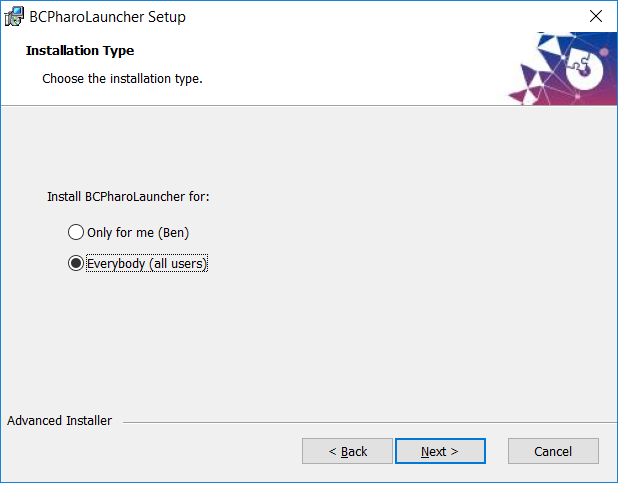
Coincidentally I have returned to Windows for a short while so thought I should put my money where my mouth is and have a stab at this. After a few hours trying with NSIS, I went searching for an alternative and Advanced Installer looked like a good chance. https://www.advancedinstaller.com/feats-list.html The important part of (free) Basic Features is "Windows 10/8/7/Vista and UAC installs" Also further down are some CI options. After just the "Simple Installation" tutorial and experimenting a few hours I ironed out a potential solution uploaded for testing to http://www.mediafire.com/file/3g579bmzqspt8e1/BCPharoLauncher.msi with the full build tree at http://www.mediafire.com/file/5ijiww848lbkk7m/PharoLauncher%20Advanced%20Ins... Links should be live for 30 days. I've directly attached the much smaller installer-configuration file "PharoLauncher.aip". PharoLauncher was built with some minor changes from above... 1. Download/extracted http://files.pharo.org/platform/Pharo6.1-win.zip 2. Renamed Pharo6.1 folder to BCPharoLauncher Renamed Pharo6.1.* files to PharoLauncher1.1.* 3. Metacello new smalltalkhubUser: 'Pharo' project: 'PharoLauncher'; configuration: 'PharoLauncher'; load. PharoLauncher hardResetPersistanceState: true. PhLDeploymentScript doAll. PhLDeploymentScript closeWindowsAndOpenLauncher. Smalltalk snapshot: true andQuit: true. 4. Moved the image & changes files into a subfolder "PerUserFiles" 5. Built BCPharoLauncher.msi I prefixed my initials to distinguish it from the current official PharoLauncher installer. Hopefully this can be adopted as the official installer and they can be dropped off. Key features: a. Provides a choice to install for "Everybody" (i.e. C:\Program Files (x86)\Pharo\BCPharoLauncher\) or "Only for me" (i.e. C:\Users\Ben\AppData\Local\Programs\Pharo\BCPharoLauncher\) per attached screen snapshot. b. Start the install as a Standard User and it escalates only as needed. c. The Desktop and Start Menu shortcuts run the following script... // File: PharoLauncher.js // Author: Ben Coman 2018.03.24 // Purpose: Facilitate each user to run a personal copy of PharoLauncher.image in their own data area. // Locations basename = "\\PharoLauncher1.1"; WshShell = WScript.CreateObject("WScript.Shell"); fso = WScript.CreateObject("Scripting.FileSystemObject"); systemFolder = fso.GetAbsolutePathName("."); vmFilename = systemFolder + "\\Pharo.exe" systemBasename = systemFolder + "\\PerUserFiles" + basename; userFolder = WshShell.ExpandEnvironmentStrings("%LOCALAPPDATA%\\Pharo"); userFolder2 = userFolder + "\\PharoLauncher"; userBasename = userFolder2 + basename; // Ensure user data folder exists for PharoLauncher if( ! fso.FolderExists(userFolder)) { fso.CreateFolder(userFolder); fso.CreateFolder(userFolder2) } // If either image or changes files missing from user folder, copy from system folder. if( ! fso.FileExists(userBasename + ".image") || ! fso.FileExists(userBasename + ".changes")) { //WScript.Echo("Setting up user environment"); fso.CopyFile(systemBasename + ".image", userBasename + ".image", true); fso.CopyFile(systemBasename + ".changes", userBasename + ".changes", true); } // Start personal copy of PharoLauncher WshShell.Exec(vmFilename + " " + userBasename + ".image") cheers -ben
On Fri, Mar 23, 2018 at 7:53 PM, Ben Coman <btc@openinworld.com> wrote:
On 23 March 2018 at 11:31, Ben Coman <btc@openinworld.com> wrote:
On 23 March 2018 at 05:14, Cédrick Béler <cdrick65@gmail.com> wrote:
Hi,
I just saw students and they still have some problem on windows with the launcher.
First, the launcher has to be run in admin mode.
Then, the image download starts but there is an error when uncompressing. Here is the stack.
Any idea on how to fix that ?
Now I notice... the Linux PharoLauncher download is a ZIP file and the Mac PharoLauncher download is a ZIP file so... can we make the Windows PharoLauncher download a ZIP file?
Doing that, at least as an interim measure, would *immediately* make PharoLauncher usable to students on locked-down Windows machines in University student labs. I'd expect this will improve the success with this experiment to use PharoLauncher as the main user entry point.
The problem with using an "Installer" for the Windows PharoLauncher is the large amount of testing required to work *reliably* with *all* the "different ways people work" under several different versions of Windows introduced different layers of user security intricacies. Lets move forward in small steps. A ZIP download/extract is simple, and consistent with other platforms.
In the meantime while waiting for that to happen, you can...
1. Download/extract http://files.pharo.org/platform/Pharo6.1-win.zip
2. Rename Pharo6.1 folder to PharoLauncher Rename Pharo6.1.* files to PharoLauncher1.1.*
3. Metacello new smalltalkhubUser: 'Pharo' project: 'PharoLauncher'; configuration: 'PharoLauncher'; load. PhLDeploymentScript doAll. PharoLauncher open. Smalltalk snapshot: true andQuit: true.
4. Zip up the parent folder, test on another machine and provide a link to your students.
cheers -ben
P.S. I was going to suggest also renaming Pharo.exe to PharoLauncher.exe but with an empty Documents\Pharo\vms I get... "Error: Cannot detect Pharo executable in C:\Temp\MyPharoLauncher\PharoLauncher" in PhLVirtualMachine>>initializeOn: "File @ C:\Temp\MyPharoLauncher\PharoLauncher" since "executables := aFolder allChildrenMatching: self class executableName." is empty since "self class executableName" ==> "Pharo.exe"
It would be nice for that to not be hard coded. I tried digging further but ran out of time. I am curious it mattered since using "Pharo.exe" the Launcher went on to download a VM anyway.
P.S.2. I believe the best path forward for system-wide PharoLauncher installed under "C:\Program Files" would be to install there only... * the VM * PharoLauncher.ZIP * a tiny non-Pharo wrapper program as the shortcut linked from AllUsers > Start Menu > PharoLauncher that extracts PharoLauncher.ZIP to the user's data area and then starts that user specific PharoLauncher.
Then regardless whether: * they individually download/extract PharoLauncher.ZIP * the system-wide-wrapper extracts PharoLauncher.ZIP its a similar experience for users which should aid reliability by reducing the number of "different " use cases.
Coincidentally I have returned to Windows for a short while so thought I should put my money where my mouth is and have a stab at this. After a few hours trying with NSIS, I went searching for an alternative and Advanced Installer looked like a good chance. https://www.advancedinstaller.com/feats-list.html The important part of (free) Basic Features is "Windows 10/8/7/Vista and UAC installs" Also further down are some CI options.
After just the "Simple Installation" tutorial and experimenting a few hours I ironed out a potential solution uploaded for testing to http://www.mediafire.com/file/3g579bmzqspt8e1/BCPharoLauncher.msi with the full build tree at http://www.mediafire.com/file/ 5ijiww848lbkk7m/PharoLauncher%20Advanced%20Installer.zip Links should be live for 30 days. I've directly attached the much smaller installer-configuration file "PharoLauncher.aip".
PharoLauncher was built with some minor changes from above... 1. Download/extracted http://files.pharo.org/platform/Pharo6.1-win.zip
2. Renamed Pharo6.1 folder to BCPharoLauncher Renamed Pharo6.1.* files to PharoLauncher1.1.*
3. Metacello new smalltalkhubUser: 'Pharo' project: 'PharoLauncher'; configuration: 'PharoLauncher'; load. PharoLauncher hardResetPersistanceState: true. PhLDeploymentScript doAll. PhLDeploymentScript closeWindowsAndOpenLauncher. Smalltalk snapshot: true andQuit: true.
4. Moved the image & changes files into a subfolder "PerUserFiles"
5. Built BCPharoLauncher.msi
I prefixed my initials to distinguish it from the current official PharoLauncher installer. Hopefully this can be adopted as the official installer and they can be dropped off.
Key features: a. Provides a choice to install for "Everybody" (i.e. C:\Program Files (x86)\Pharo\BCPharoLauncher\) or "Only for me" (i.e. C:\Users\Ben\AppData\Local\Programs\Pharo\ BCPharoLauncher\) per attached screen snapshot.
b. Start the install as a Standard User and it escalates only as needed.
WOW, YES. I want this, thanks Ben :)
c. The Desktop and Start Menu shortcuts run the following script...
// File: PharoLauncher.js // Author: Ben Coman 2018.03.24 // Purpose: Facilitate each user to run a personal copy of PharoLauncher.image in their own data area.
// Locations basename = "\\PharoLauncher1.1"; WshShell = WScript.CreateObject("WScript.Shell"); fso = WScript.CreateObject("Scripting.FileSystemObject"); systemFolder = fso.GetAbsolutePathName("."); vmFilename = systemFolder + "\\Pharo.exe" systemBasename = systemFolder + "\\PerUserFiles" + basename; userFolder = WshShell.ExpandEnvironmentStrings("% LOCALAPPDATA%\\Pharo"); userFolder2 = userFolder + "\\PharoLauncher"; userBasename = userFolder2 + basename;
// Ensure user data folder exists for PharoLauncher if( ! fso.FolderExists(userFolder)) { fso.CreateFolder(userFolder); fso.CreateFolder(userFolder2) }
// If either image or changes files missing from user folder, copy from system folder. if( ! fso.FileExists(userBasename + ".image") || ! fso.FileExists(userBasename + ".changes")) { //WScript.Echo("Setting up user environment"); fso.CopyFile(systemBasename + ".image", userBasename + ".image", true); fso.CopyFile(systemBasename + ".changes", userBasename + ".changes", true); }
// Start personal copy of PharoLauncher WshShell.Exec(vmFilename + " " + userBasename + ".image")
cheers -ben
-- Guille Polito Research Engineer Centre de Recherche en Informatique, Signal et Automatique de Lille CRIStAL - UMR 9189 French National Center for Scientific Research - *http://www.cnrs.fr <http://www.cnrs.fr>* *Web:* *http://guillep.github.io* <http://guillep.github.io> *Phone: *+33 06 52 70 66 13
Hi Ben,
Le 23 mars 2018 à 19:53, Ben Coman <btc@openinworld.com> a écrit :
Coincidentally I have returned to Windows for a short while so thought I should put my money where my mouth is and have a stab at this. After a few hours trying with NSIS, I went searching for an alternative and Advanced Installer looked like a good chance. https://www.advancedinstaller.com/feats-list.html <https://www.advancedinstaller.com/feats-list.html> The important part of (free) Basic Features is "Windows 10/8/7/Vista and UAC installs" Also further down are some CI options.
What bothers me is that it is not a free tool. I can see the list of features here: https://www.advancedinstaller.com/feats-list.html
After just the "Simple Installation" tutorial and experimenting a few hours I ironed out a potential solution uploaded for testing to http://www.mediafire.com/file/3g579bmzqspt8e1/BCPharoLauncher.msi <http://www.mediafire.com/file/3g579bmzqspt8e1/BCPharoLauncher.msi> with the full build tree at http://www.mediafire.com/file/5ijiww848lbkk7m/PharoLauncher%20Advanced%20Ins... <http://www.mediafire.com/file/5ijiww848lbkk7m/PharoLauncher%20Advanced%20Ins...> Links should be live for 30 days. I've directly attached the much smaller installer-configuration file "PharoLauncher.aip".
PharoLauncher was built with some minor changes from above... 1. Download/extracted http://files.pharo.org/platform/Pharo6.1-win.zip <http://files.pharo.org/platform/Pharo6.1-win.zip>
2. Renamed Pharo6.1 folder to BCPharoLauncher Renamed Pharo6.1.* files to PharoLauncher1.1.*
3. Metacello new smalltalkhubUser: 'Pharo' project: 'PharoLauncher'; configuration: 'PharoLauncher'; load. PharoLauncher hardResetPersistanceState: true. PhLDeploymentScript doAll. PhLDeploymentScript closeWindowsAndOpenLauncher. Smalltalk snapshot: true andQuit: true.
4. Moved the image & changes files into a subfolder "PerUserFiles"
5. Built BCPharoLauncher.msi
I prefixed my initials to distinguish it from the current official PharoLauncher installer. Hopefully this can be adopted as the official installer and they can be dropped off.
Key features: a. Provides a choice to install for "Everybody" (i.e. C:\Program Files (x86)\Pharo\BCPharoLauncher\) or "Only for me" (i.e. C:\Users\Ben\AppData\Local\Programs\Pharo\BCPharoLauncher\) per attached screen snapshot.
b. Start the install as a Standard User and it escalates only as needed.
c. The Desktop and Start Menu shortcuts run the following script... // File: PharoLauncher.js // Author: Ben Coman 2018.03.24 // Purpose: Facilitate each user to run a personal copy of PharoLauncher.image in their own data area.
// Locations basename = "\\PharoLauncher1.1 <smb://PharoLauncher1.1>"; WshShell = WScript.CreateObject("WScript.Shell"); fso = WScript.CreateObject("Scripting.FileSystemObject"); systemFolder = fso.GetAbsolutePathName("."); vmFilename = systemFolder + "\\Pharo.exe <smb://Pharo.exe>" systemBasename = systemFolder + "\\PerUserFiles <smb://PerUserFiles>" + basename; userFolder = WshShell.ExpandEnvironmentStrings("%LOCALAPPDATA%\\Pharo"); userFolder2 = userFolder + "\\PharoLauncher <smb://PharoLauncher>"; userBasename = userFolder2 + basename;
// Ensure user data folder exists for PharoLauncher if( ! fso.FolderExists(userFolder)) { fso.CreateFolder(userFolder); fso.CreateFolder(userFolder2) }
// If either image or changes files missing from user folder, copy from system folder. if( ! fso.FileExists(userBasename + ".image") || ! fso.FileExists(userBasename + ".changes")) { //WScript.Echo("Setting up user environment"); fso.CopyFile(systemBasename + ".image", userBasename + ".image", true); fso.CopyFile(systemBasename + ".changes", userBasename + ".changes", true); }
// Start personal copy of PharoLauncher WshShell.Exec(vmFilename + " " + userBasename + ".image »)
UAC support is really nice. I would like to have the community opinion on using a non-free tool like advancedinstaller. If there is no objection, I would consider it seriously for a next Pharo Launcher version. Thanks for this work Ben!
On 26 March 2018 at 22:08, Christophe Demarey <christophe.demarey@inria.fr> wrote:
Hi Ben,
Le 23 mars 2018 à 19:53, Ben Coman <btc@openinworld.com> a écrit :
Coincidentally I have returned to Windows for a short while so thought I should put my money where my mouth is and have a stab at this. After a few hours trying with NSIS, I went searching for an alternative and Advanced Installer looked like a good chance. https://www.advancedinstaller.com/feats-list.html The important part of (free) Basic Features is "Windows 10/8/7/Vista and UAC installs" Also further down are some CI options.
What bothers me is that it is not a free tool.
Its not open source, but its (beer) free for the basic features we need. The msi-installer I created was a 'Simple' project. https://www.advancedinstaller.com/licenses.html says... "The 'Simple' projects use only freeware features ... No license is necessary when using only freeware features in "Simple" projects. Install packages created using these features can be freely redistributed and used both in commercial and non-commercial purpose (subject to EULA)." The EULA (https://www.advancedinstaller.com/eula.html) says... "2.1 Freeware Features License. Caphyon grants you an unlimited license to use the Freeware Features of the Software. The install packages created using only the Freeware Features can be freely redistributed and used both in commercial and non-commercial purpose. and except for Part 11 the rest seems fairly innocuous.
I can see the list of features here: https://www. advancedinstaller.com/feats-list.html
After just the "Simple Installation" tutorial and experimenting a few hours I ironed out a potential solution uploaded for testing to http://www.mediafire.com/ file/3g579bmzqspt8e1/BCPharoLauncher.msi with the full build tree at http://www.mediafire.com/ file/5ijiww848lbkk7m/PharoLauncher%20Advanced%20Installer.zip Links should be live for 30 days. I've directly attached the much smaller installer-configuration file "PharoLauncher.aip".
PharoLauncher was built with some minor changes from above... 1. Download/extracted http://files.pharo.org/platform/Pharo6.1-win.zip
2. Renamed Pharo6.1 folder to BCPharoLauncher Renamed Pharo6.1.* files to PharoLauncher1.1.*
3. Metacello new smalltalkhubUser: 'Pharo' project: 'PharoLauncher'; configuration: 'PharoLauncher'; load. PharoLauncher hardResetPersistanceState: true. PhLDeploymentScript doAll. PhLDeploymentScript closeWindowsAndOpenLauncher. Smalltalk snapshot: true andQuit: true.
4. Moved the image & changes files into a subfolder "PerUserFiles"
5. Built BCPharoLauncher.msi
I prefixed my initials to distinguish it from the current official PharoLauncher installer. Hopefully this can be adopted as the official installer and they can be dropped off.
Key features: a. Provides a choice to install for "Everybody" (i.e. C:\Program Files (x86)\Pharo\BCPharoLauncher\) or "Only for me" (i.e. C:\Users\Ben\AppData\Local\Programs\Pharo\ BCPharoLauncher\) per attached screen snapshot.
b. Start the install as a Standard User and it escalates only as needed.
c. The Desktop and Start Menu shortcuts run the following script...
// File: PharoLauncher.js // Author: Ben Coman 2018.03.24 // Purpose: Facilitate each user to run a personal copy of PharoLauncher.image in their own data area.
// Locations basename = "\\PharoLauncher1.1"; WshShell = WScript.CreateObject("WScript.Shell"); fso = WScript.CreateObject("Scripting.FileSystemObject"); systemFolder = fso.GetAbsolutePathName("."); vmFilename = systemFolder + "\\Pharo.exe" systemBasename = systemFolder + "\\PerUserFiles" + basename; userFolder = WshShell.ExpandEnvironmentStrings("% LOCALAPPDATA%\\Pharo"); userFolder2 = userFolder + "\\PharoLauncher"; userBasename = userFolder2 + basename;
// Ensure user data folder exists for PharoLauncher if( ! fso.FolderExists(userFolder)) { fso.CreateFolder(userFolder); fso.CreateFolder(userFolder2) }
// If either image or changes files missing from user folder, copy from system folder. if( ! fso.FileExists(userBasename + ".image") || ! fso.FileExists(userBasename + ".changes")) { //WScript.Echo("Setting up user environment"); fso.CopyFile(systemBasename + ".image", userBasename + ".image", true); fso.CopyFile(systemBasename + ".changes", userBasename + ".changes", true); }
// Start personal copy of PharoLauncher WshShell.Exec(vmFilename + " " + userBasename + ".image »)
UAC support is really nice. I would like to have the community opinion on using a non-free tool like advancedinstaller. If there is no objection, I would consider it seriously for a next Pharo Launcher version.
Another alternative or subsequent step might be to decompile the msi-installer I supplied into Wix configuration files using dark.exe ( https://support.smartbear.com/viewarticle/10196/) and build the installer using Wix, which is open source ( http://wixtoolset.org/about/license/) Thanks for this work Ben!
Your welcome. Just an itch I had to scratch.... if you can't solve the problem, change the problem ;) cheers -ben
Hi Ben,
Le 23 mars 2018 à 04:31, Ben Coman <btc@openinworld.com> a écrit :
P.S. I was going to suggest also renaming Pharo.exe to PharoLauncher.exe but with an empty Documents\Pharo\vms I get... "Error: Cannot detect Pharo executable in C:\Temp\MyPharoLauncher\PharoLauncher" in PhLVirtualMachine>>initializeOn: "File @ C:\Temp\MyPharoLauncher\PharoLauncher" since "executables := aFolder allChildrenMatching: self class executableName." is empty since "self class executableName" ==> "Pharo.exe"
It would be nice for that to not be hard coded.
Where would you put this information?
I tried digging further but ran out of time. I am curious it mattered since using "Pharo.exe" the Launcher went on to download a VM anyway.
I use the vm shipped with the launcher when possible (e.g. to determine pharo images version format or run current stable images. If I cannot find the proper vm, then I download it from files.pharo.org.
P.S.2. I believe the best path forward for system-wide PharoLauncher installed under "C:\Program Files" would be to install there only... * the VM * PharoLauncher.ZIP * a tiny non-Pharo wrapper program as the shortcut linked from AllUsers > Start Menu > PharoLauncher that extracts PharoLauncher.ZIP to the user's data area and then starts that user specific PharoLauncher.
Then regardless whether: * they individually download/extract PharoLauncher.ZIP * the system-wide-wrapper extracts PharoLauncher.ZIP its a similar experience for users which should aid reliability by reducing the number of "different " use cases.
I now install PharoLauncher in user LOCALAPPDATA folder on windows. Does it solve the issue for you? Christophe
On 26 March 2018 at 21:56, Christophe Demarey <christophe.demarey@inria.fr> wrote:
Hi Ben,
Le 23 mars 2018 à 04:31, Ben Coman <btc@openinworld.com> a écrit :
P.S. I was going to suggest also renaming Pharo.exe to PharoLauncher.exe but with an empty Documents\Pharo\vms I get... "Error: Cannot detect Pharo executable in C:\Temp\MyPharoLauncher\ PharoLauncher" in PhLVirtualMachine>>initializeOn: "File @ C:\Temp\MyPharoLauncher\ PharoLauncher" since "executables := aFolder allChildrenMatching: self class executableName." is empty since "self class executableName" ==> "Pharo.exe"
It would be nice for that to not be hard coded.
Where would you put this information?
I was thinking the filter could be broader with a wildcard match " *.exe ". There shouldn't be too many exe files in the folder, and any non-Pharo-exe should just fail to match the VM magic numbers and not affect anything anyway. On the other hand, perhaps this would cause the user's Image to show up in Task Manager as being run by PharoLauncher rather than Pharo, which again blurs the line between the two that I'd like to avoid. So I'll back away from that idea.
I tried digging further but ran out of time. I am curious it mattered since using "Pharo.exe" the Launcher went on to download a VM anyway.
I use the vm shipped with the launcher when possible (e.g. to determine pharo images version format or run current stable images. If I cannot find the proper vm, then I download it from files.pharo.org.
P.S.2. I believe the best path forward for system-wide PharoLauncher installed under "C:\Program Files" would be to install there only... * the VM * PharoLauncher.ZIP * a tiny non-Pharo wrapper program as the shortcut linked from AllUsers > Start Menu > PharoLauncher that extracts PharoLauncher.ZIP to the user's data area and then starts that user specific PharoLauncher.
Then regardless whether: * they individually download/extract PharoLauncher.ZIP * the system-wide-wrapper extracts PharoLauncher.ZIP its a similar experience for users which should aid reliability by reducing the number of "different " use cases.
I now install PharoLauncher in user LOCALAPPDATA folder on windows. Does it solve the issue for you?
Christophe
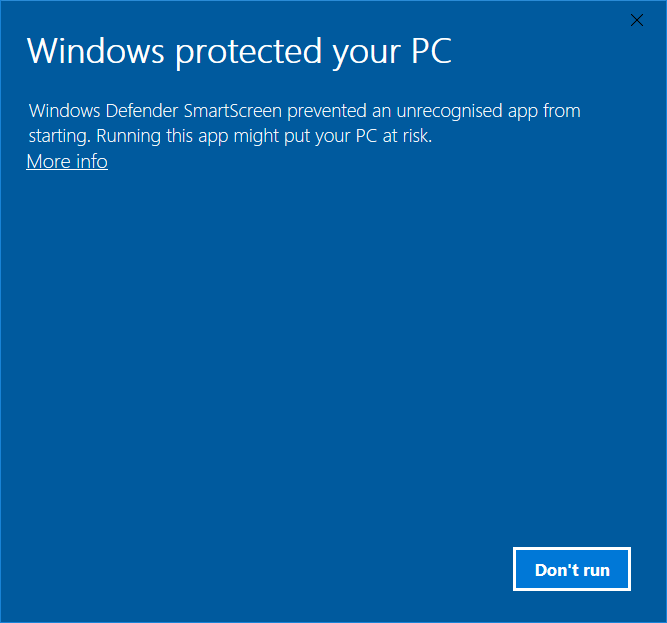
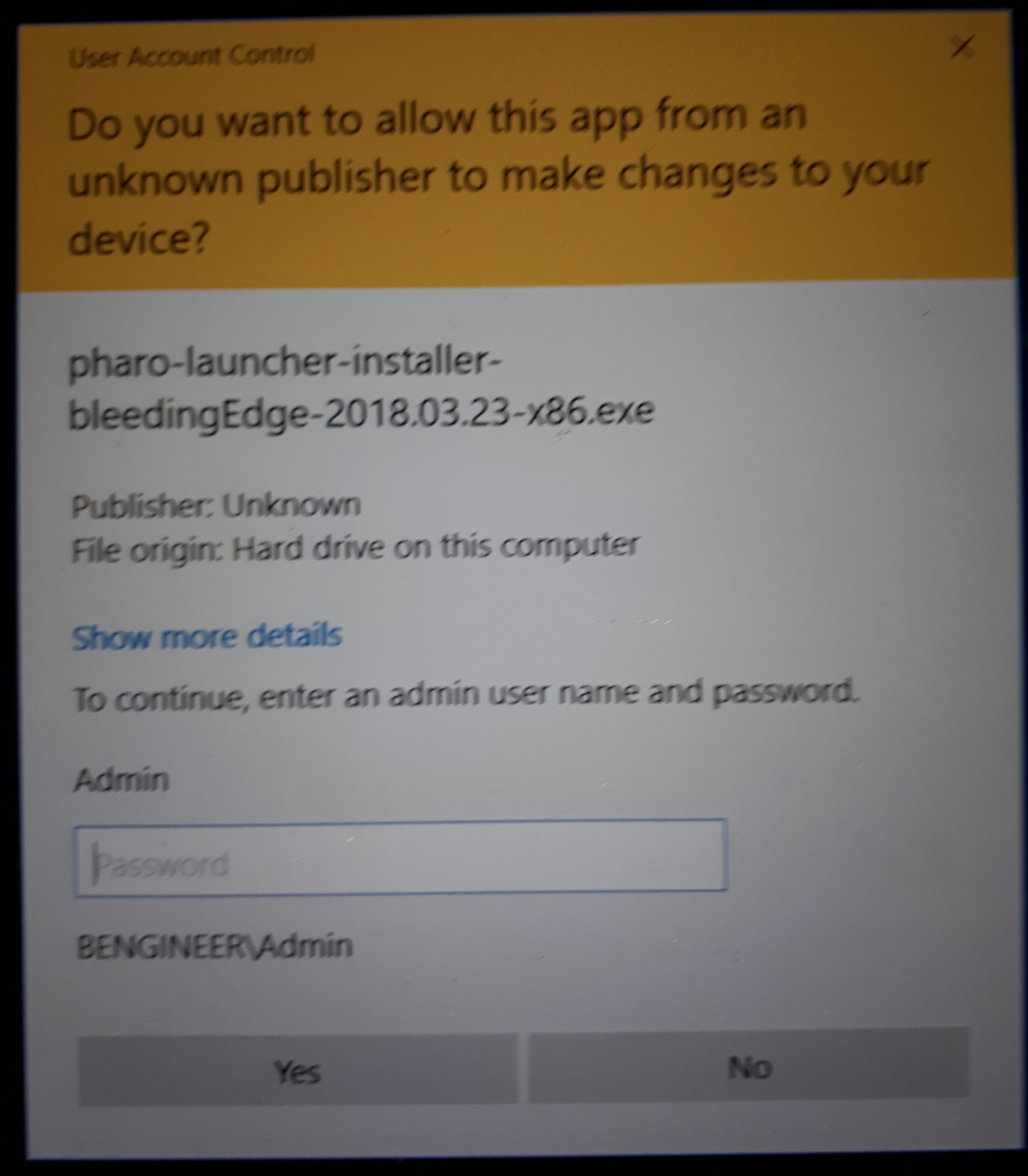
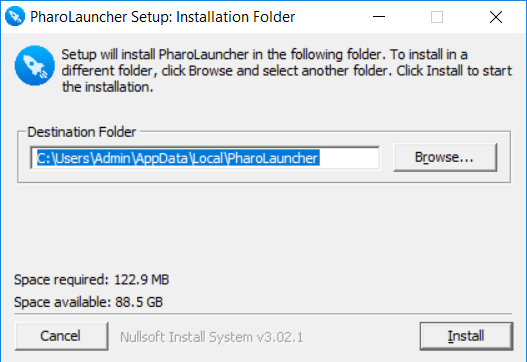
Using my day-to-day account "Ben" which is a Standard User account, I did the following... 1. Downloaded "pharo-launcher-installer-bleedingEdge-2018.03.23-x86.exe" 2. Double-clicked it and got "Windows Defender SmartScreen prevented an unrecognized app from starting." [1] (btw, I didn't get this with the msi-installer generated from Advanced Installer which I linked above. But maybe that was because the msi-installer was created and installed on the same PC, so it was just trusting itself by default. The msi wasn't signed, so is the experience different on other people's machine?) 3. Clicked "More Info" which allowed me to click "Run Anyway" and got... "To continue, enter admin user name and password" [2] so this is not really suited to students doing a user-level install on locked down lab machines. 4. After entering the password for user "Admin" (i.e. not Administrator, just another account in Administrators group) the install location was (as expected) given as.... "C:\Users\Admin\AppData\Local\PharoLauncher" [3] which again is not friendly to non-admin users. But just for kicks, I changed the install location to... "C:\Users\Ben\AppData\Local\PharoLauncher" and clicking on the PharoLauncher icon in the Start Menu it opened okay, and downloaded a 60539 image and associated VM and that image ran okay. So its a step in the right direction, however... the Start Menu shortcut entry is for All User per its location here... C:\ProgramData\Microsoft\Windows\Start Menu\Programs\PharoLauncher and the target of the shortcut is... C:\Users\Ben\AppData\Local\PharoLauncher\Pharo.exe so it only worked coincidentally because I'm clicking the Start Menu icon as user "Ben" and it would be broken for a second Standard User.
From my reading it will be a struggle to get NSIS working smoothly for multiple use cases at different privilege levels. i.e. both non-admin and admin users.
cheers -ben
Hi Ben,
Le 26 mars 2018 à 17:21, Ben Coman <btc@openinworld.com> a écrit :
2. Double-clicked it and got "Windows Defender SmartScreen prevented an unrecognized app from starting." [1] (btw, I didn't get this with the msi-installer generated from Advanced Installer which I linked above. But maybe that was because the msi-installer was created and installed on the same PC, so it was just trusting itself by default. The msi wasn't signed, so is the experience different on other people's machine?)
For this, I can get a signed version with Inria. It just requires manual signing by some Inria security unit. So I will only do this for release versions
3. Clicked "More Info" which allowed me to click "Run Anyway" and got... "To continue, enter admin user name and password" [2] so this is not really suited to students doing a user-level install on locked down lab machines.
agree but with app signed, the problem should be solved
4. After entering the password for user "Admin" (i.e. not Administrator, just another account in Administrators group) the install location was (as expected) given as.... "C:\Users\Admin\AppData\Local\PharoLauncher" [3]
Ah, I missed that. Not what I expected.
which again is not friendly to non-admin users. But just for kicks, I changed the install location to... "C:\Users\Ben\AppData\Local\PharoLauncher" and clicking on the PharoLauncher icon in the Start Menu it opened okay, and downloaded a 60539 image and associated VM and that image ran okay.
So its a step in the right direction, however... the Start Menu shortcut entry is for All User per its location here... C:\ProgramData\Microsoft\Windows\Start Menu\Programs\PharoLauncher and the target of the shortcut is... C:\Users\Ben\AppData\Local\PharoLauncher\Pharo.exe so it only worked coincidentally because I'm clicking the Start Menu icon as user "Ben" and it would be broken for a second Standard User.
From my reading it will be a struggle to get NSIS working smoothly for multiple use cases at different privilege levels. i.e. both non-admin and admin users.
I will probably give a change to AdvancedInstaller. Thanks for the feedback. Christophe
Hi Cédrick, You could give a chance to this version (not official): https://ci.inria.fr/pharo-ci-jenkins2/job/PharoLauncher/lastSuccessfulBuild/... It does not require anymore admin mode. I think the error below comes from missing write permissions on the file system. Thanks for the feedback, Christophe
Le 22 mars 2018 à 22:14, Cédrick Béler <cdrick65@gmail.com> a écrit :
Hi,
I just saw students and they still have some problem on windows with the launcher.
First, the launcher has to be run in admin mode.
Then, the image download starts but there is an error when uncompressing. Here is the stack.
Any idea on how to fix that ?
FileHandle>>streamError FileHandle>>writeStream FileSystem>>writeStreamOn: FileReference>>writeStream FileReference(AbstractFileReference)>>writeStreamDo: ZipFileMember(ZipArchiveMember)>>extractInDirectory:overwrite: [ :entry | | response | entry isDirectory ifFalse: [ bar ifNotNil: [ bar label: 'Extracting ' , entry fileName ]. response := entry extractInDirectory: aDirectory overwrite: overwriteAll. response == #retryWithOverwrite ifTrue: [ overwriteAll := true. response := entry extractInDirectory: aDirectory overwrite: overwriteAll ]. response == #abort ifTrue: [ ^ self ]. response == #failed ifTrue: [ (self confirm: 'Failed to extract ' , entry fileName , '. Proceed?') ifFalse: [ ^ self ] ] ] ] in ZipArchive>>extractAllTo:informing:overwrite: in Block: [ :entry | ... OrderedCollection>>do: ZipArchive>>extractAllTo:informing:overwrite: ZipArchive>>extractAllTo:informing: [ :bar | self extractAllTo: aDirectory informing: bar ] in ZipArchive>>extractAllTo: in Block: [ :bar | self extractAllTo: aDirectory informing: ...etc... [ :bar | aBlock value: bar ] in MorphicUIManager>>informUserDuring: in Block: [ :bar | aBlock value: bar ] BlockClosure>>cull: [ ^ block cull: self ] in [ self prepareForRunning. CurrentJob value: self during: [ ^ block cull: self ] ] in Job>>run in Block: [ ^ block cull: self ] [ activeProcess psValueAt: index put: anObject. aBlock value ] in CurrentJob(DynamicVariable)>>value:during: in Block: [ activeProcess psValueAt: index put: anObject.... BlockClosure>>ensure: CurrentJob(DynamicVariable)>>value:during: CurrentJob class(DynamicVariable class)>>value:during: [ self prepareForRunning. CurrentJob value: self during: [ ^ block cull: self ] ] in Job>>run in Block: [ self prepareForRunning.... BlockClosure>>ensure: Job>>run MorphicUIManager(UIManager)>>displayProgress:from:to:during: MorphicUIManager>>informUserDuring: ZipArchive>>extractAllTo: PhLRemoteTemplate(PhLAbstractTemplate)>>extractZipArchive:to: PhLRemoteTemplate(PhLAbstractTemplate)>>extractTo:named: PhLDirectoryBasedImageRepository>>extractTemplate:to: PhLCreateImageFromTemplateCommand>>execute PhLCreateImageFromTemplateCommand(PhLCommand)>>executeIfApplicable PhLCommandButton>>performAction
Thanks
Cédrick

I tried the default download of Pharo Launcher on my Windows 7 (32 bit) PC at work. It installs. Runs fine - creates images and vms but when you try to run them nothing happens. It fails to start the selected image. It just fails to run the vm at all as far as I can see. I tried it on my Windows 10 (32 bit) laptop and got exactly the same result. This is not important for me as I use pharo on Linux - but I thought I'd point it out. If having the launcher as the default download causes more problems than the traditional vm and image download then perhaps it should be reconsidered. A pity since I love the launcher. -- Sent from: http://forum.world.st/Pharo-Smalltalk-Developers-f1294837.html

Yesterday we also experienced many problem when using Launcher on OSX :-( Is the Launcher still maintained? Alexandre
On Mar 17, 2018, at 8:57 AM, kmo <voxkmp@gmail.com> wrote:
I tried the default download of Pharo Launcher on my Windows 7 (32 bit) PC at work. It installs. Runs fine - creates images and vms but when you try to run them nothing happens. It fails to start the selected image. It just fails to run the vm at all as far as I can see.
I tried it on my Windows 10 (32 bit) laptop and got exactly the same result.
This is not important for me as I use pharo on Linux - but I thought I'd point it out. If having the launcher as the default download causes more problems than the traditional vm and image download then perhaps it should be reconsidered. A pity since I love the launcher.
-- Sent from: http://forum.world.st/Pharo-Smalltalk-Developers-f1294837.html
abergel wrote
Yesterday we also experienced many problem when using Launcher on OSX :-(
Hmm, I've been using exclusively daily for many months with minimal glitches. Please post OS, Pharo system report, download method and any other relevant details. The major "gotchas" of the past were: 1) The app has to be in the "Applications" folder 2) the first time it was started you needed to work around a signing issue e.g. via [right click]->Open->[Confirm dialog]. The app will not open, but from now on you can just open in the normal way (e.g. double clicking the .app). HTH ----- Cheers, Sean -- Sent from: http://forum.world.st/Pharo-Smalltalk-Developers-f1294837.html

Runs fine - creates images and vms but when you try to run them nothing happens. It fails to start the selected image. It just fails to run the vm at all as far as I can see.
I am also experiencing this... With ProcessWrapper the image launches maybe 1 out of 10 times... So I hacked for myself a solution based on Torsten's OS-Window (which uses WinAPI) ... but even then the launch success rate is below 90%... I guess Pharo really doesn't like talking to Windows... Peter On Sat, Mar 17, 2018 at 5:42 PM, Sean P. DeNigris <sean@clipperadams.com> wrote:
abergel wrote
Yesterday we also experienced many problem when using Launcher on OSX :-(
Hmm, I've been using exclusively daily for many months with minimal glitches. Please post OS, Pharo system report, download method and any other relevant details. The major "gotchas" of the past were: 1) The app has to be in the "Applications" folder 2) the first time it was started you needed to work around a signing issue e.g. via [right click]->Open->[Confirm dialog]. The app will not open, but from now on you can just open in the normal way (e.g. double clicking the .app). HTH
----- Cheers, Sean -- Sent from: http://forum.world.st/Pharo-Smalltalk-Developers-f1294837.html
Hi Peter,
Le 17 mars 2018 à 19:00, Peter Uhnák <i.uhnak@gmail.com> a écrit :
Runs fine - creates images and vms but when you try to run them nothing happens. It fails to start the selected image. It just fails to run the vm at all as far as I can see.
I am also experiencing this...
With ProcessWrapper the image launches maybe 1 out of 10 times... So I hacked for myself a solution based on Torsten's OS-Window (which uses WinAPI) ... but even then the launch success rate is below 90%...
I guess Pharo really doesn't like talking to Windowsâ¦
It looks like Windows OS integration is not the top priority of the community. We have to do with the current situation before hoping a better support. Could you test this version and tell me if the situation goes better? https://ci.inria.fr/pharo-ci-jenkins2/job/PharoLauncher/lastSuccessfulBuild/... Thanks, Christophe
Hi Alexandre, Yes, Pharo Launcher is maintained. But if maintainer(s) is not aware that there are issues, they will never be fixed. So please, open issues at https://github.com/pharo-project/pharo-launcher/issues with details as mentioned by Sean. Thanks, Christophe
Le 17 mars 2018 à 17:42, Sean P. DeNigris <sean@clipperadams.com> a écrit :
abergel wrote
Yesterday we also experienced many problem when using Launcher on OSX :-(
Hmm, I've been using exclusively daily for many months with minimal glitches. Please post OS, Pharo system report, download method and any other relevant details. The major "gotchas" of the past were: 1) The app has to be in the "Applications" folder 2) the first time it was started you needed to work around a signing issue e.g. via [right click]->Open->[Confirm dialog]. The app will not open, but from now on you can just open in the normal way (e.g. double clicking the .app). HTH
----- Cheers, Sean -- Sent from: http://forum.world.st/Pharo-Smalltalk-Developers-f1294837.html
On Sat, Mar 17, 2018 at 12:59 PM, Alexandre Bergel <alexandre.bergel@me.com> wrote:
Yesterday we also experienced many problem when using Launcher on OSX :-(
Which version of Launcher? Which version of your OS? What problems? Can we reproduce it? Could we get pro in reporting problems?
Is the Launcher still maintained?
Alexandre Christophe spent two months fixing tons of issues. So could you report problems in a nicer way?
Alexandre
On Mar 17, 2018, at 8:57 AM, kmo <voxkmp@gmail.com> wrote:
I tried the default download of Pharo Launcher on my Windows 7 (32 bit) PC at work. It installs. Runs fine - creates images and vms but when you try to run them nothing happens. It fails to start the selected image. It just fails to run the vm at all as far as I can see.
I tried it on my Windows 10 (32 bit) laptop and got exactly the same result.
This is not important for me as I use pharo on Linux - but I thought I'd point it out. If having the launcher as the default download causes more problems than the traditional vm and image download then perhaps it should be reconsidered. A pity since I love the launcher.
-- Sent from: http://forum.world.st/Pharo-Smalltalk-Developers-f1294837.html

I have issues with Pharo Launcher. Pharo Launcher version version 1.1.1 http://files.pharo.org/pharo-launcher/tmp-1.1.1/ version 1.1 http://files.pharo.org/pharo-launcher/1.1/ You can get these links in https://github.com/pharo-project/pharo-launcher/ OS Version Mac OS - 10.13.3 Issues Issue #1, version 1.1 does not run in Mac OS - 10.13.3 * Load P.L version 1.1 * Copy the application in `Applications` folder * Try to open the program, with right-click, open * Current result the program P.L. does not run. Issue #2 Can not open/run downloaded images * Load P.L version 1.1.1 * Copy the application in `Applications` folder * Open the program, first time the program does not run * Open again the program, now the program shows a window * Try to load a pharo image, In `Templates` >> `Official distributions`>> `Pharo 6.1 stable`. * Right-click in the pharo image, then select option `Create Image` * A popup ask for a name * Introduce one name, eg: `PImage` * A loading process appears * Try to run the image with button `Launch` * Current result the image `PImage` does not run, and P.L. 1.1.1 quit on that launch. Issue #3 Pharo debugger error appear when navigating in templates * load P.L version 1.1.1 * Open the P.L * In templates area, try to load some templates * Then select one template * A debugger error window appears with the message #selectMorphList was sent to nil * Current result: Sometimes when you try to load and select some templates an error window appear Please tell me If you need more details about these issues 2018-03-17 16:42 GMT-03:00 Stephane Ducasse <stepharo.self@gmail.com>:
On Sat, Mar 17, 2018 at 12:59 PM, Alexandre Bergel <alexandre.bergel@me.com> wrote:
Yesterday we also experienced many problem when using Launcher on OSX :-(
Which version of Launcher? Which version of your OS? What problems? Can we reproduce it?
Could we get pro in reporting problems?
Is the Launcher still maintained?
Alexandre
Christophe spent two months fixing tons of issues. So could you report problems in a nicer way?
Alexandre
On Mar 17, 2018, at 8:57 AM, kmo <voxkmp@gmail.com> wrote:
I tried the default download of Pharo Launcher on my Windows 7 (32 bit)
PC at
work. It installs. Runs fine - creates images and vms but when you try to run them nothing happens. It fails to start the selected image. It just fails to run the vm at all as far as I can see.
I tried it on my Windows 10 (32 bit) laptop and got exactly the same result.
This is not important for me as I use pharo on Linux - but I thought I'd point it out. If having the launcher as the default download causes more problems than the traditional vm and image download then perhaps it should be reconsidered. A pity since I love the launcher.
-- Sent from: http://forum.world.st/Pharo-Smalltalk-Developers-f1294837. html
Thanks Milton!!!!!!!!!!! Can you open issue on the bug tracker? https://github.com/pharo-project/pharo-launcher/issues This way we are sure that it is not lost. Stef On Sat, Mar 17, 2018 at 11:17 PM, milton mamani <akevalion@gmail.com> wrote:
I have issues with Pharo Launcher.
Pharo Launcher version version 1.1.1 http://files.pharo.org/pharo-launcher/tmp-1.1.1/
version 1.1 http://files.pharo.org/pharo-launcher/1.1/
You can get these links in https://github.com/pharo-project/pharo-launcher/
OS Version Mac OS - 10.13.3
Issues
Issue #1, version 1.1 does not run in Mac OS - 10.13.3 * Load P.L version 1.1 * Copy the application in `Applications` folder * Try to open the program, with right-click, open * Current result the program P.L. does not run.
Issue #2 Can not open/run downloaded images * Load P.L version 1.1.1 * Copy the application in `Applications` folder * Open the program, first time the program does not run * Open again the program, now the program shows a window * Try to load a pharo image, In `Templates` >> `Official distributions`>> `Pharo 6.1 stable`. * Right-click in the pharo image, then select option `Create Image` * A popup ask for a name * Introduce one name, eg: `PImage` * A loading process appears * Try to run the image with button `Launch` * Current result the image `PImage` does not run, and P.L. 1.1.1 quit on that launch.
Issue #3 Pharo debugger error appear when navigating in templates * load P.L version 1.1.1 * Open the P.L * In templates area, try to load some templates * Then select one template * A debugger error window appears with the message #selectMorphList was sent to nil * Current result: Sometimes when you try to load and select some templates an error window appear
Please tell me If you need more details about these issues
2018-03-17 16:42 GMT-03:00 Stephane Ducasse <stepharo.self@gmail.com>:
On Sat, Mar 17, 2018 at 12:59 PM, Alexandre Bergel <alexandre.bergel@me.com> wrote:
Yesterday we also experienced many problem when using Launcher on OSX :-(
Which version of Launcher? Which version of your OS? What problems? Can we reproduce it?
Could we get pro in reporting problems?
Is the Launcher still maintained?
Alexandre
Christophe spent two months fixing tons of issues. So could you report problems in a nicer way?
Alexandre
On Mar 17, 2018, at 8:57 AM, kmo <voxkmp@gmail.com> wrote:
I tried the default download of Pharo Launcher on my Windows 7 (32 bit) PC at work. It installs. Runs fine - creates images and vms but when you try to run them nothing happens. It fails to start the selected image. It just fails to run the vm at all as far as I can see.
I tried it on my Windows 10 (32 bit) laptop and got exactly the same result.
This is not important for me as I use pharo on Linux - but I thought I'd point it out. If having the launcher as the default download causes more problems than the traditional vm and image download then perhaps it should be reconsidered. A pity since I love the launcher.
-- Sent from: http://forum.world.st/Pharo-Smalltalk-Developers-f1294837.html

+1 Doru
On Mar 18, 2018, at 10:30 AM, Stephane Ducasse <stepharo.self@gmail.com> wrote:
Thanks Milton!!!!!!!!!!!
Can you open issue on the bug tracker?
https://github.com/pharo-project/pharo-launcher/issues
This way we are sure that it is not lost.
Stef
On Sat, Mar 17, 2018 at 11:17 PM, milton mamani <akevalion@gmail.com> wrote:
I have issues with Pharo Launcher.
Pharo Launcher version version 1.1.1 http://files.pharo.org/pharo-launcher/tmp-1.1.1/
version 1.1 http://files.pharo.org/pharo-launcher/1.1/
You can get these links in https://github.com/pharo-project/pharo-launcher/
OS Version Mac OS - 10.13.3
Issues
Issue #1, version 1.1 does not run in Mac OS - 10.13.3 * Load P.L version 1.1 * Copy the application in `Applications` folder * Try to open the program, with right-click, open * Current result the program P.L. does not run.
Issue #2 Can not open/run downloaded images * Load P.L version 1.1.1 * Copy the application in `Applications` folder * Open the program, first time the program does not run * Open again the program, now the program shows a window * Try to load a pharo image, In `Templates` >> `Official distributions`>> `Pharo 6.1 stable`. * Right-click in the pharo image, then select option `Create Image` * A popup ask for a name * Introduce one name, eg: `PImage` * A loading process appears * Try to run the image with button `Launch` * Current result the image `PImage` does not run, and P.L. 1.1.1 quit on that launch.
Issue #3 Pharo debugger error appear when navigating in templates * load P.L version 1.1.1 * Open the P.L * In templates area, try to load some templates * Then select one template * A debugger error window appears with the message #selectMorphList was sent to nil * Current result: Sometimes when you try to load and select some templates an error window appear
Please tell me If you need more details about these issues
2018-03-17 16:42 GMT-03:00 Stephane Ducasse <stepharo.self@gmail.com>:
On Sat, Mar 17, 2018 at 12:59 PM, Alexandre Bergel <alexandre.bergel@me.com> wrote:
Yesterday we also experienced many problem when using Launcher on OSX :-(
Which version of Launcher? Which version of your OS? What problems? Can we reproduce it?
Could we get pro in reporting problems?
Is the Launcher still maintained?
Alexandre
Christophe spent two months fixing tons of issues. So could you report problems in a nicer way?
Alexandre
On Mar 17, 2018, at 8:57 AM, kmo <voxkmp@gmail.com> wrote:
I tried the default download of Pharo Launcher on my Windows 7 (32 bit) PC at work. It installs. Runs fine - creates images and vms but when you try to run them nothing happens. It fails to start the selected image. It just fails to run the vm at all as far as I can see.
I tried it on my Windows 10 (32 bit) laptop and got exactly the same result.
This is not important for me as I use pharo on Linux - but I thought I'd point it out. If having the launcher as the default download causes more problems than the traditional vm and image download then perhaps it should be reconsidered. A pity since I love the launcher.
-- Sent from: http://forum.world.st/Pharo-Smalltalk-Developers-f1294837.html
-- www.tudorgirba.com www.feenk.com "Every now and then stop and ask yourself if the war you're fighting is the right one."
Hi Milton, Thanks for the report. It is important that Pharo Launcher works out of the box. For Windows, I did some fixes: - launch images from the shell in background to avoid to have the process killed, - installation directory is now LOCALAPPDATA folder where user always have write permissions. - new icon Could you try it and tell me if it solves problems you had? https://ci.inria.fr/pharo-ci-jenkins2/job/PharoLauncher/lastSuccessfulBuild/... I still need to investigate the problem on OS X. Thanks, Christophe.
Le 18 mars 2018 à 11:47, Tudor Girba <tudor@tudorgirba.com> a écrit :
+1
Doru
On Mar 18, 2018, at 10:30 AM, Stephane Ducasse <stepharo.self@gmail.com> wrote:
Thanks Milton!!!!!!!!!!!
Can you open issue on the bug tracker?
https://github.com/pharo-project/pharo-launcher/issues
This way we are sure that it is not lost.
Stef
On Sat, Mar 17, 2018 at 11:17 PM, milton mamani <akevalion@gmail.com> wrote:
I have issues with Pharo Launcher.
Pharo Launcher version version 1.1.1 http://files.pharo.org/pharo-launcher/tmp-1.1.1/
version 1.1 http://files.pharo.org/pharo-launcher/1.1/
You can get these links in https://github.com/pharo-project/pharo-launcher/
OS Version Mac OS - 10.13.3
Issues
Issue #1, version 1.1 does not run in Mac OS - 10.13.3 * Load P.L version 1.1 * Copy the application in `Applications` folder * Try to open the program, with right-click, open * Current result the program P.L. does not run.
Issue #2 Can not open/run downloaded images * Load P.L version 1.1.1 * Copy the application in `Applications` folder * Open the program, first time the program does not run * Open again the program, now the program shows a window * Try to load a pharo image, In `Templates` >> `Official distributions`>> `Pharo 6.1 stable`. * Right-click in the pharo image, then select option `Create Image` * A popup ask for a name * Introduce one name, eg: `PImage` * A loading process appears * Try to run the image with button `Launch` * Current result the image `PImage` does not run, and P.L. 1.1.1 quit on that launch.
Issue #3 Pharo debugger error appear when navigating in templates * load P.L version 1.1.1 * Open the P.L * In templates area, try to load some templates * Then select one template * A debugger error window appears with the message #selectMorphList was sent to nil * Current result: Sometimes when you try to load and select some templates an error window appear
Please tell me If you need more details about these issues
2018-03-17 16:42 GMT-03:00 Stephane Ducasse <stepharo.self@gmail.com>:
On Sat, Mar 17, 2018 at 12:59 PM, Alexandre Bergel <alexandre.bergel@me.com> wrote:
Yesterday we also experienced many problem when using Launcher on OSX :-(
Which version of Launcher? Which version of your OS? What problems? Can we reproduce it?
Could we get pro in reporting problems?
Is the Launcher still maintained?
Alexandre
Christophe spent two months fixing tons of issues. So could you report problems in a nicer way?
Alexandre
On Mar 17, 2018, at 8:57 AM, kmo <voxkmp@gmail.com> wrote:
I tried the default download of Pharo Launcher on my Windows 7 (32 bit) PC at work. It installs. Runs fine - creates images and vms but when you try to run them nothing happens. It fails to start the selected image. It just fails to run the vm at all as far as I can see.
I tried it on my Windows 10 (32 bit) laptop and got exactly the same result.
This is not important for me as I use pharo on Linux - but I thought I'd point it out. If having the launcher as the default download causes more problems than the traditional vm and image download then perhaps it should be reconsidered. A pity since I love the launcher.
-- Sent from: http://forum.world.st/Pharo-Smalltalk-Developers-f1294837.html
-- www.tudorgirba.com www.feenk.com
"Every now and then stop and ask yourself if the war you're fighting is the right one."
Little feedback too. I was surprised by the new download as some students had to install on windows⦠hopefully, I had old win versions but it has disturbed me :) Still handy and straightforward to just put an image on the VM. Butâ¦this being said, I just tried on Mac and this works nicely and this is true that launcher makes the management of image clearer and easier.. I donât know about windows but I have to care about as 98% of students uses Pharo on windows... I was thinking of some adjustments: 1) maybe a default/advanced mode on the launcher to show only, as default, Mooc/PBE5/Official distributions. 2) a proper icon name to display in OSâs task bars. When several image are opened, they should have different icons, at least different name when hovering, and not only Pharo. A more general feedback is about cloud drive OSâs (iCloud Drive, Dropbox, â¦). I have 3 macâs (pro and personal). I put often files in a directory that are synchronized across these devices. - sometimes I get a message that an image are in different states - sync image might be long (+changes) depending on network conditions I think the question is important as the launcher download in the Document folder (OSX) and this directory is synchronized by default. What do you think about such common situation ? What are your common practices ? - lets says on two Macs and works on both - or I use a dropbox folder => cloud drive are cool and my impression is that we could take a better advantage of them for data that could be shared between (personal) images (Play-Cache ? Packages-cache ? ⦠) ==> would it be possible to have several files for one image (chunked over time so only the last chunk is modified and then less file would be synchronized) - (I donât know at all if possible) ? ==> same for changes⦠but this one should be easier I think. => I also find longer to share pharo system the old ways - zipping (or not) via USB - I think git integration produces a large number of files that relies slows down system copy paste (if only image this is ok)⦠My 2 cents, Cédrick PS: my experiments to make students use Pharo are very cool⦠I need to adjust my presentations/lecture but already I think I succeeded in getting more attraction (and potential results) than what I tried last year with whatever technologies (Python especially). I still use AppInventor and Arduino.cc <http://arduino.cc/>. PS2: I just like what Sean said (but might be frightening at first for newcomers ^^) Pharo all the way down
But just in case we step into the quicksand even further, in this dystopian
future you can just copy paste this definition:
Pharo is a Pharo app that manages Pharo images, which can be used to make
Pharo apps, which can be used to manage Pharo images, [which can be used to
make Pharo apps, which can be used to manage Pharo images]*
Haha, yes it is so fluid it cannot be described only be experienced through prolonged exposure, it is truly magical.
Actually, that is not so far from the truth.

On Sat, Mar 17, 2018 at 1:26 PM, Cédrick Béler <cdrick65@gmail.com> wrote:
Little feedback too.
I was surprised by the new download as some students had to install on windows⦠hopefully, I had old win versions but it has disturbed me :) Still handy and straightforward to just put an image on the VM.
Butâ¦this being said, I just tried on Mac and this works nicely and this is true that launcher makes the management of image clearer and easier.. I donât know about windows but I have to care about as 98% of students uses Pharo on windows...
I was thinking of some adjustments: 1) maybe a default/advanced mode on the launcher to show only, as default, Mooc/PBE5/Official distributions.
did you see that the Launcher already includes this? There is a Pharo Mooc item.
2) a proper icon name to display in OSâs task bars. When several image are opened, they should have different icons, at least different name when hovering, and not only Pharo.
The PharoLauncher should be named Pharo Launcher :). Now we should get a nice icon.
A more general feedback is about *cloud drive OSâs* (iCloud Drive, Dropbox, â¦). I have 3 macâs (pro and personal). I put often files in a directory that are synchronized across these devices. - sometimes I get a message that an image are in different states - sync image might be long (+changes) depending on network conditions
I think the question is important as the launcher download in the Document folder (OSX) and this directory is synchronized by default. What do you think about such common situation ? What are your common practices ? - lets says on two Macs and works on both - or I use a dropbox folder
=> cloud drive are cool and my impression is that we could take a better advantage of them for data that could be shared between (personal) images (Play-Cache ? Packages-cache ? ⦠) ==> would it be possible to have several files for one image (chunked over time so only the last chunk is modified and then less file would be synchronized) - (I donât know at all if possible) ? ==> same for changes⦠but this one should be easier I think.
=> I also find longer to share pharo system the old ways - zipping (or not) via USB - I think git integration produces a large number of files that relies slows down system copy paste (if only image this is ok)â¦
My 2 cents,
Cédrick
PS: my experiments to make students use Pharo are very cool⦠I need to adjust my presentations/lecture but already I think I succeeded in getting more attraction (and potential results) than what I tried last year with whatever technologies (Python especially). I still use AppInventor and Arduino.cc.
PS2: I just like what Sean said (but might be frightening at first for newcomers ^^) *Pharo all the way down *
But just in case we step into the quicksand even further, in this dystopian
future you can just copy paste this definition:
Pharo is a Pharo app that manages Pharo images, which can be used to make
Pharo apps, which can be used to manage Pharo images, [which can be used to
make Pharo apps, which can be used to manage Pharo images]*
Haha, yes it is so fluid it cannot be described only be experienced through prolonged exposure, it is truly magical.
Actually, that is not so far from the truth.

On Sat, Mar 17, 2018 at 1:26 PM, Cédrick Béler <cdrick65@gmail.com <mailto:cdrick65@gmail.com>> wrote: Little feedback too.
I was surprised by the new download as some students had to install on windows⦠hopefully, I had old win versions but it has disturbed me :) Still handy and straightforward to just put an image on the VM.
Butâ¦this being said, I just tried on Mac and this works nicely and this is true that launcher makes the management of image clearer and easier.. I donât know about windows but I have to care about as 98% of students uses Pharo on windows...
I was thinking of some adjustments: 1) maybe a default/advanced mode on the launcher to show only, as default, Mooc/PBE5/Official distributions.
did you see that the Launcher already includes this? There is a Pharo Mooc item.
Yes but I was more thinking about hiding most of elements of the tree, especially Jenkins. To me a newcomer only need to see (at first) official distributions + MOOC + PBE5. I canât find the official PBE5 image. It doesnât seem to be the raw Pharo5 ? If not present, is it possible to add it ? I think this is important (if doc cannot be updated) to keep the proper book related images.
2) a proper icon name to display in OSâs task bars. When several image are opened, they should have different icons, at least different name when hovering, and not only Pharo.
The PharoLauncher should be named Pharo Launcher :). Now we should get a nice icon.
Yes :) I would go for a circle containing three circles (circle being the pharo logo like the quick pic hack below) :) => image all the way downsâ¦
<PastedGraphic-4.png>
A more general feedback is about cloud drive OSâs (iCloud Drive, Dropbox, â¦). I have 3 macâs (pro and personal). I put often files in a directory that are synchronized across these devices. - sometimes I get a message that an image are in different states - sync image might be long (+changes) depending on network conditions
I think the question is important as the launcher download in the Document folder (OSX) and this directory is synchronized by default. What do you think about such common situation ? What are your common practices ? - lets says on two Macs and works on both - or I use a dropbox folder
=> cloud drive are cool and my impression is that we could take a better advantage of them for data that could be shared between (personal) images (Play-Cache ? Packages-cache ? ⦠) ==> would it be possible to have several files for one image (chunked over time so only the last chunk is modified and then less file would be synchronized) - (I donât know at all if possible) ? ==> same for changes⦠but this one should be easier I think.
=> I also find longer to share pharo system the old ways - zipping (or not) via USB - I think git integration produces a large number of files that relies slows down system copy paste (if only image this is ok)â¦
No idea about that ? I finally resolved to change the default image and VM dir⦠Documents is syncing on Macs, and when your connection is slow⦠thatâs quite problematics (especially when you do image experiments like trying to graphs more than 2Million objects ^^). I finally got my space low warning (I may retry on a better computer with a 64 bits image) ^^ Side note: ok image grows, but the default is about 200MB in memory for me (Launcher is 115MB here)⦠when you see safari tab being always more Thant 200MB (and this time I have only one opened tab which is rare)⦠Safari is not an exception, I find Pharo memory related concern still very reasonable (+ it will improve once the bootstrap is production ready). Cheers, Cédrick

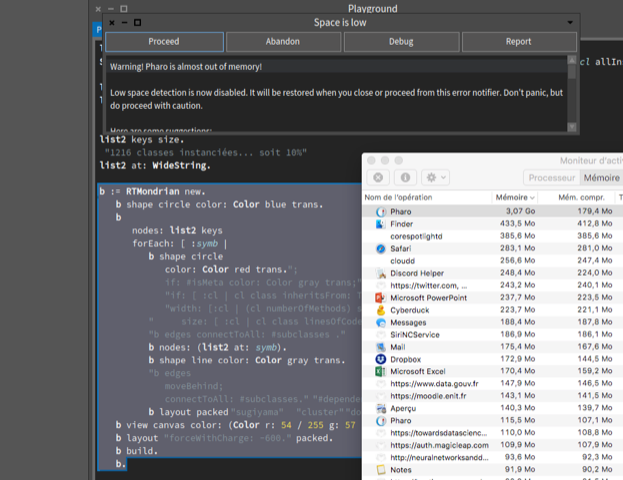
On 17 March 2018 at 19:57, kmo <voxkmp@gmail.com> wrote:
I tried the default download of Pharo Launcher on my Windows 7 (32 bit) PC at work. It installs. Runs fine - creates images and vms but when you try to run them nothing happens. It fails to start the selected image. It just fails to run the vm at all as far as I can see.
I tried it on my Windows 10 (32 bit) laptop and got exactly the same result.
This is not important for me as I use pharo on Linux - but I thought I'd point it out. If having the launcher as the default download causes more problems than the traditional vm and image download then perhaps it should be reconsidered. A pity since I love the launcher.
We've seen before when features are promoted in visibility (e.g. each GT tool) they come under more scrutiny and bump a wider set of environments that cause hiccups. Ultimately this feedback is beneficial to the tool. So I don't think there is any need to panic into a reversal. Lets give a chance to work through the issues. (but it might be good for the older links to be also available further down the page while Launcher issues are sorted out) cheers -ben
+1 Doru
On Mar 17, 2018, at 2:26 PM, Ben Coman <btc@openInWorld.com> wrote:
On 17 March 2018 at 19:57, kmo <voxkmp@gmail.com> wrote: I tried the default download of Pharo Launcher on my Windows 7 (32 bit) PC at work. It installs. Runs fine - creates images and vms but when you try to run them nothing happens. It fails to start the selected image. It just fails to run the vm at all as far as I can see.
I tried it on my Windows 10 (32 bit) laptop and got exactly the same result.
This is not important for me as I use pharo on Linux - but I thought I'd point it out. If having the launcher as the default download causes more problems than the traditional vm and image download then perhaps it should be reconsidered. A pity since I love the launcher.
We've seen before when features are promoted in visibility (e.g. each GT tool) they come under more scrutiny and bump a wider set of environments that cause hiccups. Ultimately this feedback is beneficial to the tool. So I don't think there is any need to panic into a reversal. Lets give a chance to work through the issues.
(but it might be good for the older links to be also available further down the page while Launcher issues are sorted out)
cheers -ben
-- www.tudorgirba.com www.feenk.com "Yesterday is a fact. Tomorrow is a possibility. Today is a challenge."
Hi Ben,
Le 17 mars 2018 à 14:26, Ben Coman <btc@openinworld.com> a écrit :
On 17 March 2018 at 19:57, kmo <voxkmp@gmail.com <mailto:voxkmp@gmail.com>> wrote: I tried the default download of Pharo Launcher on my Windows 7 (32 bit) PC at work. It installs. Runs fine - creates images and vms but when you try to run them nothing happens. It fails to start the selected image. It just fails to run the vm at all as far as I can see.
I tried it on my Windows 10 (32 bit) laptop and got exactly the same result.
This is not important for me as I use pharo on Linux - but I thought I'd point it out. If having the launcher as the default download causes more problems than the traditional vm and image download then perhaps it should be reconsidered. A pity since I love the launcher.
We've seen before when features are promoted in visibility (e.g. each GT tool) they come under more scrutiny and bump a wider set of environments that cause hiccups. Ultimately this feedback is beneficial to the tool. So I don't think there is any need to panic into a reversal. Lets give a chance to work through the issues.
Yes, that is the idea. Testing on all OS, different versions is just not possible. Nevertheless, it looks that there are some common bugs that I did not encountered when testing. So, please test PharoLauncher and if you have issues, report them with the maximum information because it is hard to reproduce: https://github.com/pharo-project/pharo-launcher/issues
(but it might be good for the older links to be also available further down the page while Launcher issues are sorted out)
cheers -ben
Hi,
Le 17 mars 2018 à 12:57, kmo <voxkmp@gmail.com> a écrit :
I tried the default download of Pharo Launcher on my Windows 7 (32 bit) PC at work. It installs. Runs fine - creates images and vms but when you try to run them nothing happens. It fails to start the selected image. It just fails to run the vm at all as far as I can see.
I tried it on my Windows 10 (32 bit) laptop and got exactly the same result.
Thanks for the report. Could you tell me if this version works better? https://ci.inria.fr/pharo-ci-jenkins2/job/PharoLauncher/lastSuccessfulBuild/...
This is not important for me as I use pharo on Linux - but I thought I'd point it out. If having the launcher as the default download causes more problems than the traditional vm and image download then perhaps it should be reconsidered. A pity since I love the launcher.
True. We need the launcher to run in all cases if it is the first thing a newbie will see from Pharo. Christophe
participants (17)
-
 Alexandre Bergel
 -
 Ben Coman
 -
 Christophe Demarey
 -
 Cyril Ferlicot
 -
 Cédrick Béler
 -
 Esteban Lorenzano
 -
 Guillermo Polito
 -
 kmo
kmo -
 Marcus Denker
 -
 milton mamani
 -
 Peter Uhnák
 -
 Sean P. DeNigris
 -
 Stephan Eggermont
 -
 Stephane Ducasse
 -
 Sven Van Caekenberghe
 -
 Torsten Bergmann
 -
 Tudor Girba