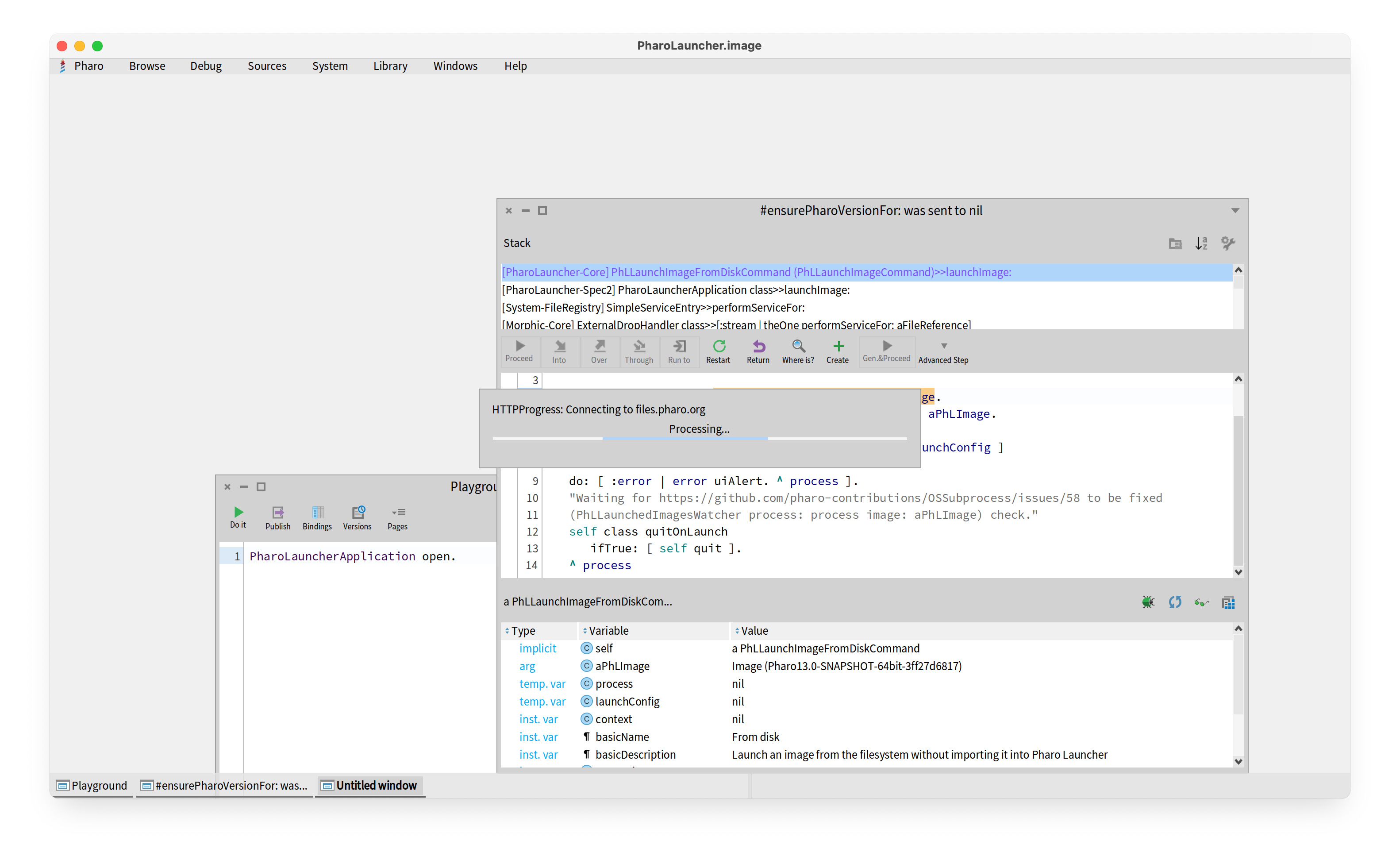
Hi Masaya, Many thanks for your message. Iâve gone through the steps you suggest, but I still have problems. Hereâs what happened with each of your numbered steps: (1) Curl returned âHTTP/1.1 200 OKâ. I assume version 1.1 is ok. I was able to access files.pharo.org ok. (2) When I looked for the PharoLauncher file in /Library/Application Support, no file was there. I tried launching PharoLauncher again, but still no file. (3) This wasnât relevant as PharoLauncher never reached a state where I could select an image file. (4) I set the firewall to allow PharoLauncher to accept connections. (5) I was able to execute using the âarch -arm64â command. Same result as before. (6) Launching from a command line generated no errors. The application just hangs. Iâve attached a screen dump of the PharoLauncher window. I hope you can help! Thanks, Phil On 15 Oct 2025 at 17:05:20, IDEGUTI Masaya via Pharo-users < pharo-users@lists.pharo.org> wrote:
Hi Phil,
I understand youâre having trouble with PharoLauncher on your M3 MacBook Air, hanging when trying to connect to files.pharo.org. Here are several steps that usually help resolve this issue:
1. Check your network connection Open Terminal and run: curl -I https://files.pharo.org
⢠If it returns HTTP/2 200, the connection is fine. ⢠If it fails, try switching Wi-Fi networks or disconnecting from VPN. ⢠Also check that you can open https://files.pharo.org in your browser.
2. Clear PharoLauncher cache Old settings or caches can cause the launcher to hang: mv ~/Library/Application\ Support/PharoLauncher ~/Library/Application\ Support/PharoLauncher.bak
Then restart PharoLauncher. It will create fresh settings.
3. Manually download a Pharo image ⢠Go to https://files.pharo.org and download the image you need (e.g., Pharo 10 latest stable). ⢠Unzip the .zip file, which will contain a .image and .changes file. ⢠In PharoLauncher, use Add Local Image to select the .image file and start it.
4. Check macOS security & firewall ⢠Go to System Settings â Network â Firewall. ⢠Make sure PharoLauncher is allowed to connect. ⢠If using Intel (x86) binaries on Apple Silicon, consider using the native ARM64 version.
5. Apple Silicon specific note ⢠Make sure you downloaded the ARM64 version of PharoLauncher for your M3 Mac. ⢠You can test by launching from Terminal: arch -arm64 /Applications/PharoLauncher.app/Contents/MacOS/PharoLauncher
6. Debugging Launch PharoLauncher from Terminal to see logs and connection errors: /Applications/PharoLauncher.app/Contents/MacOS/PharoLauncher
If network issues persist, manually downloading the image and using the local image option is a reliable workaround. I hope this helps! Let me know if you run into any further issues.
Best regards, Masaya
On Oct 15, 2025, at 21:49, Phil Gray via Pharo-users < pharo-users@lists.pharo.org> wrote:
Hi
Iâm having trouble reinstalling PharoLauncher on an M3 MacBook Air running Sequoia 15.6.1.
I uninstalled a working version of PharoLauncher (long story) and then downloaded and installed a new version. On launch, a Pharo window opens and then it hangs trying to connect to âfiles.pharo.orgâ.
Iâd be grateful for any help.
Phil