On 8/7/19 11:32 AM, Torsten Bergmann wrote:
Dale wrote:
I used the double click trick on "Log file name" and followed it to the above messages for the records:
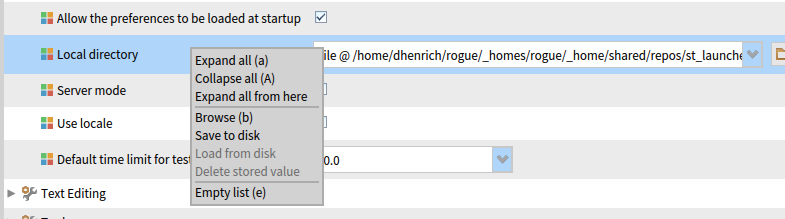
Beside double click you can also right click on a setting and select "Browse" to find where it is implemented. You can then also "Save" the current settings.
The settings framework is described here: http://pharobooks.gforge.inria.fr/PharoByExampleTwo-Eng/latest/Settings.pdf
Bye T.
Thanks for the additional information Torsten ... now that you point out the Browse menu, I see that it and double click do the same thing: Back when I was looking for help with the my weird local directory problem and remembered the "double click trick", I interpreted the 'browse` menu item to be mean 'browse the local directory' not 'browse the code the code that implements the settings' ... my bad:) Dale Dale