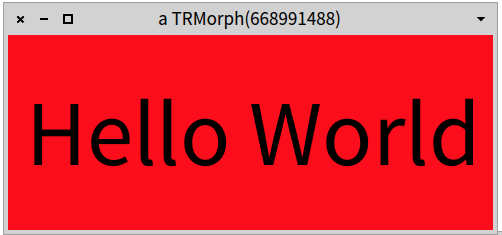
Using Roassal, I would do: -=-=-=-=-=-=-=-=-= v := RTView new. s := RTMultiCompositeShape new. s add: (RTBox new color: Color red; size: 500). s add: (RTLabel new height: 70). v add: (s elementOn: 'Hello World'). v open -=-=-=-=-=-=-=-=-= Cheers, Alexandre -- _,.;:~^~:;._,.;:~^~:;._,.;:~^~:;._,.;:~^~:;._,.;: Alexandre Bergel http://www.bergel.eu ^~:;._,.;:~^~:;._,.;:~^~:;._,.;:~^~:;._,.;:~^~:;. On Sep 4, 2014, at 9:27 AM, Tim Mackinnon <tim@testit.works> wrote:
Hi guys - Iâm a bit stumped on how to create things in big text with a set background colour. I thought I understood - but it just doesnât seem to work. I was thinking I could create a container morph, set its background colour (which works), and then put a StringMorph inside it with a set font. This last bit I canât get to work - I can do bold, but not a bigger font size. Iâve tried different things but am missing the magic sauce - can someone spot my mistake? Below, Iâve tried using a font name that I can see in the Pharo settings dialog but it doesnât work? I also tried using LogicalFont with no success either.
tMorph := StringMorph new. font1 := LogicalFont familyName: 'Arial' pointSize: 24.
tMorph contents: 'Hello World'; fontName: 'Open Sans' size: 24; emphasis: TextEmphasis bold emphasisCode.
bMorph := Morph new color: Color red; addMorph: tMorph.
bMorph openInWorld.
Tim