Currently Roassal ask the system settings for the current fonts. I suggest you do the following: World Menu > System > Settings > Appearance: - Activate Use Free type... (If is already activated, deactivate it and activate it again). - Standard Fonts > Select the fonts you want to use. In a Moose 5.0 Image that worked for me, if you have any issue with that please let us know. Cheers, Alejandro 2014-02-03 Arturo Zambrano <arturo.zambrano@gmail.com>:
Hi All, I moved to Pharo3.
The same error. I figured out that sunburst needed an Athens canvas. I figure out how to configure that evaluating:
ROPlatform setCurrent: 'athens'
The visualization shows up!!, but as soon as I pass the mouse cursor in front of the visualization window, I get a red window saying that: StrikeFont does not understand #glyphRendererOn:
1) Due to sunburst is platform dependent I suggest to add some check in order to inform the user that it needs Athens instead of morphic canvas. 2) Any hint on how to fix the #glyphRendererOn: MNU ? I found that FreeType and Logical fonts implement that message, but I cannot figure out how to tell Roassal to use such fonts.
Thanks
On Sun, Feb 2, 2014 at 6:12 PM, Arturo Zambrano <arturo.zambrano@gmail.com
wrote:
Hi Ben, thanks, I will try to see what is going wrong with sunburst
regards
On Sun, Feb 2, 2014 at 11:40 AM, <btc@openinworld.com> wrote:
Hi Arturo,
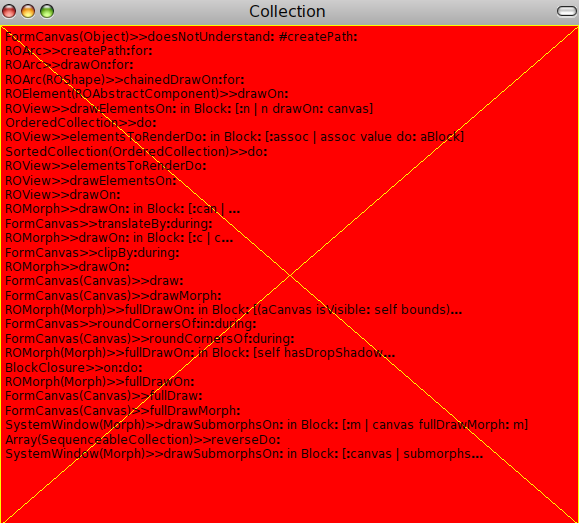
The drawOn: method gets called several times a second, so you would end up with so many debuggers opening that you would loose control of your image. Have a look in the Halos menu for an entry "debug drawing error". For curiosity you might look at Morph>>fullDrawOn:
cheers -ben
Arturo Zambrano wrote:
Hi, I just installed Roassal in a 2.0 Pharo image All the examples of Sunburst raise a MNU but in a red background window (screenshot attached). It seems that something prevents the debugger to open.
Any hint about this? Maybe there is a missing dependency of Roassal sunburst
thanks art
------------------------------