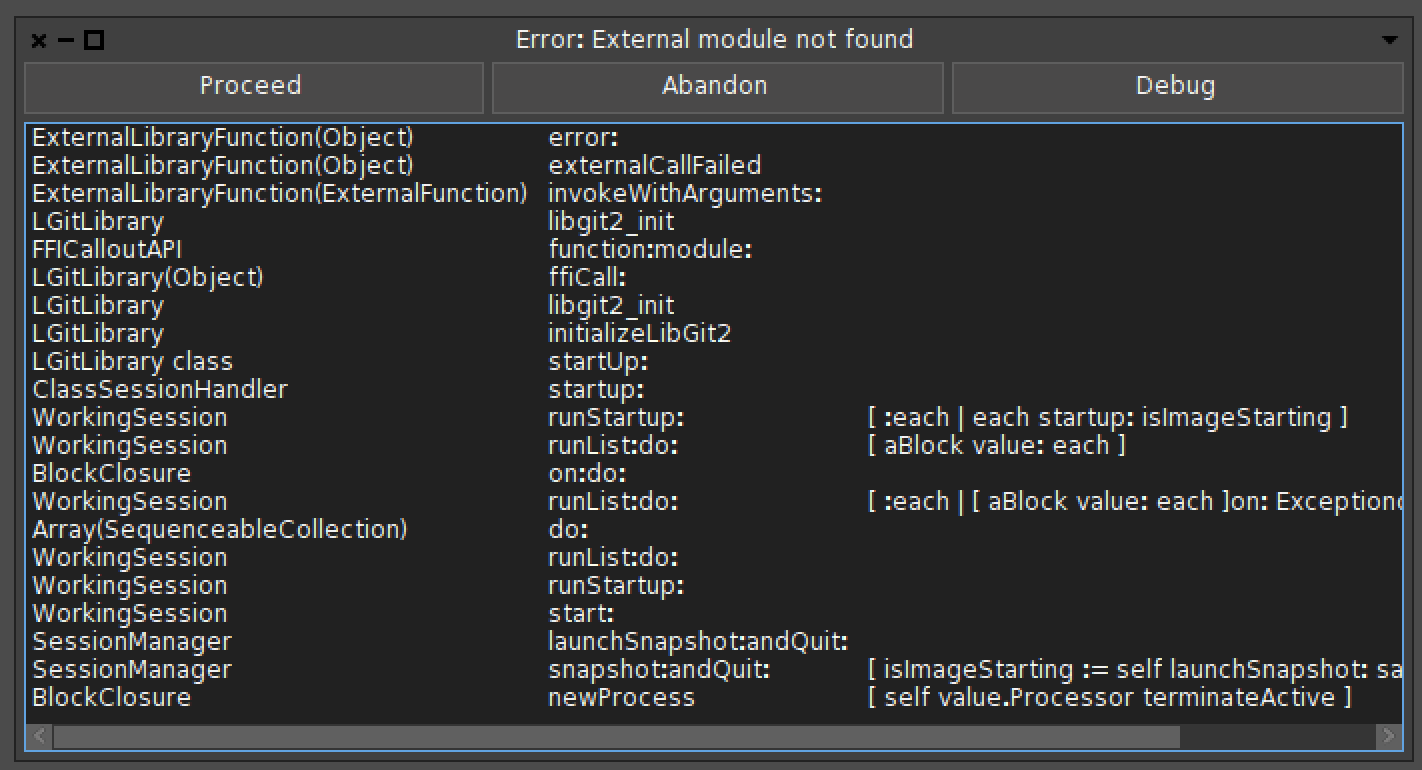
I tried the following: - download DrGeo.app-19.03a.zip <https://www.dropbox.com/s/z2acnw1yi77q4ps/DrGeo.app-19.03a.zip?dl=0> from the web browser, place it in Application and remove _CodeSignature; then it still appears as broken. - download DrGeo.app-19.03a.zip <https://www.dropbox.com/s/z2acnw1yi77q4ps/DrGeo.app-19.03a.zip?dl=0> using wget, place it in Applications and remove _CodeSignature: then it opens and asks for an image. But if I open it I get an error related to libgit. [image: Screen Shot 2019-02-07 at 12.09.21.png] For DrGeo.app-18.06a.zip <https://launchpad.net/drgeo/trunk/18.06/+download/DrGeo.app-18.06a.zip> I get the warning that it is from an unidentified developer but it works fine if I place it in the application folder. To sign an app you need to use MacOS as you need some xcode tool from what I remember. On Thu, Feb 7, 2019 at 11:06 AM Hilaire <hilaire@drgeo.eu> wrote:
Ok, one more thing that could be helpful to try and to give me indication: remove the folder DrGeo.app/Contents/_CodeSignature and start again DrGeo.app from the Application folder.
What OS X says?
Thanks
Le 06/02/2019 à 22:02, john pfersich a écrit :
Yes before I tried to start it.
-- Dr. Geo http://drgeo.eu