Sept. 1, 2017
9:44 p.m.
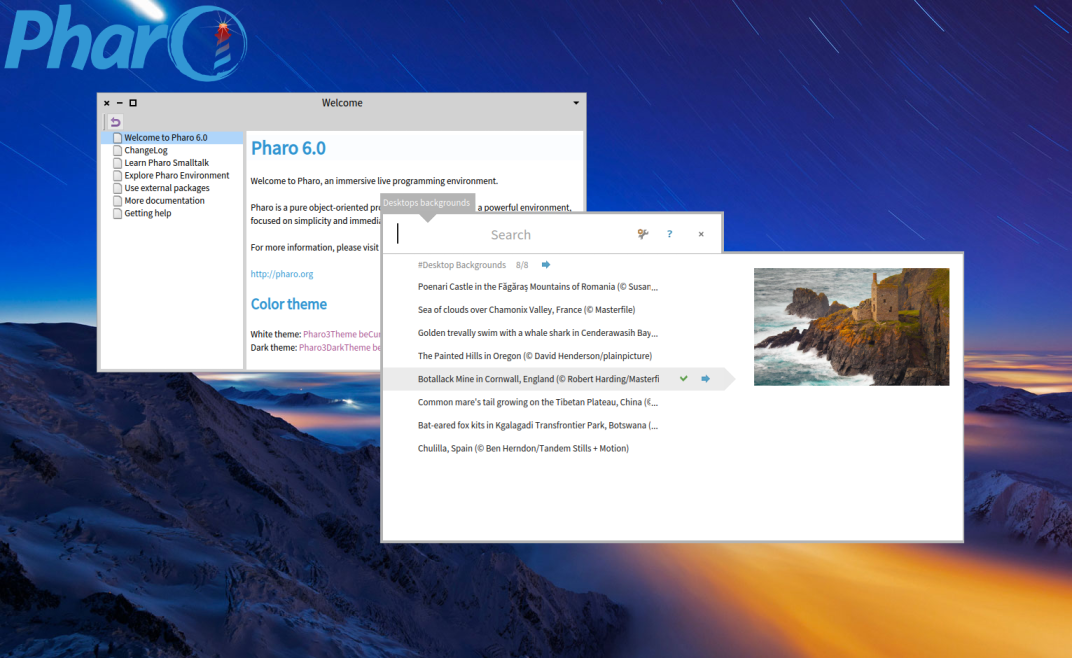
Hi, In latest DesktopManager (available from catalog) package you can now also easily choose a background picture from the "Bing.com" collection in a custom spotter and apply it to the current desktop. See the attached screenshot for an example. The magic key combination is to hit CTRL+ D (like Desktop) followed by CTRL+B (like Background) There is also CTRL + D followed by CTRL + DââââDesktop Displayâ to display all desktops CTRL + D followed by CTRL + AââââDesktop Addâ to add a new desktop CTRL + D followed by CTRL + NââââDesktop Nextâ to go to next desktop CTRL + D followed by CTRL + PââââDesktop Previousâ to go to previous desktop Have fun T.