April 30, 2014
6:26 a.m.
Ben,

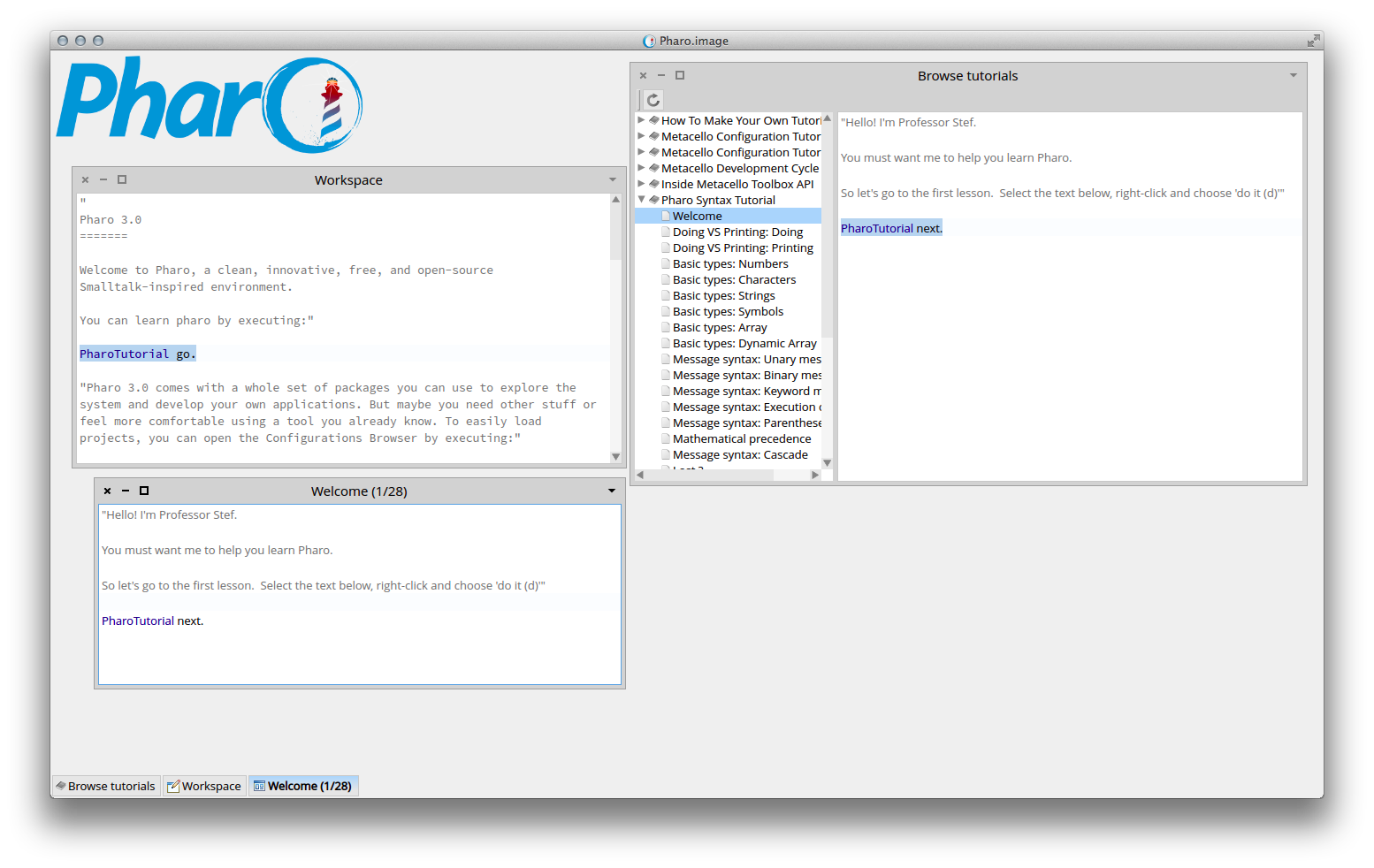
He is right, it is a problem when you go to the tutorial via the Browse tutorial tool:


And yes there is already an issue but it was temporary closed because the welcome space's first expression helps a bit.

On 30 Apr 2014, at 07:43, Ben Coman <btc@openInWorld.com> wrote:

> David Harris wrote:
>> I reported a problem with the mouse right-click under Windows 7 last January and the 30845 update still exhibits the same behavior.
>>
>> Selected Pharo Tutorials from the World menu. Expanded Pharo Syntax Tutorial. Clicked Welcome. Highlighted 'PharoTutorial next.' Right-click of mouse does nothing. Fortunately, Alt-D does perform the do-it action. Once the new tutorial window opens, then right-click works as advertised. It is just that first panel where it is non-functional. Unfortunately, that panel tells the user "right-click and choose 'do it (d)'"
> That is strange, it works for me on Windows 7 Home Premium SP1 64-bit with freshly downloaded VM+image
> I did this...
> 1. Downloaded and unzipped http://files.pharo.org/platform/Pharo3.0-win.zip (dated 2014-04-29).
> 2. Double clicked pharo.exe
> 3. World Menu > System > System Reporter
> 4. In Welcome, highlighted "PharoTutorial go" > right-click > Do it
> 5. In Tutorial, highlighted "PharoTutorial next" > right-click ---> took the attached snapshot
>
> cheers -ben
>
> btw do you have the case number?
> <PharoTutorial-right-click.png>