
Hi, I've recorded a screencast for Pharo 3.0. Could some of you review the english subtitles ? Project is here: https://github.com/lolgzs/pharo-picasa-screencast , subtitles in picasa_pharo3.en.srt. It's a simple text format, but you can use tools like KDE subtitle composer or Jubler to edit it. You can either send me fix by mail or make merge requests on github (easier for me :). Next the idea is to have subtitles translated into several languages, help appreciated. And if you have courage and time :), it would be nice to have voice recorded (my spoken english sounds, well, ... ). The screencast may be published on new Pharo website for people to get started. Cheers, Laurent

Hi Laurent, Very well done - this coding in the debugger is certainly a strong point of Pharo. It is even quite instructive for advanced users. And yes this has to be included in the website. Thanks ! Sven On 01 May 2014, at 23:21, Laurent Laffont <laurent.laffont@gmail.com> wrote:
Hi,
I've recorded a screencast for Pharo 3.0. Could some of you review the english subtitles ?
Project is here: https://github.com/lolgzs/pharo-picasa-screencast , subtitles in picasa_pharo3.en.srt. It's a simple text format, but you can use tools like KDE subtitle composer or Jubler to edit it. You can either send me fix by mail or make merge requests on github (easier for me :).
Next the idea is to have subtitles translated into several languages, help appreciated.
And if you have courage and time :), it would be nice to have voice recorded (my spoken english sounds, well, ... ).
The screencast may be published on new Pharo website for people to get started.
Cheers,
Laurent

Hi Laurent, if you need a help in Italian, I am available. Lorenzo -----Messaggio originale----- Da: Pharo-dev [mailto:pharo-dev-bounces@lists.pharo.org] Per conto di Laurent Laffont Inviato: giovedì 1 maggio 2014 23:21 A: pharo-dev@lists.pharo.org Oggetto: [Pharo-dev] [Screencast] request for review Hi, I've recorded a screencast for Pharo 3.0. Could some of you review the english subtitles ? Project is here: https://github.com/lolgzs/pharo-picasa-screencast , subtitles in picasa_pharo3.en.srt. It's a simple text format, but you can use tools like KDE subtitle composer or Jubler to edit it. You can either send me fix by mail or make merge requests on github (easier for me :). Next the idea is to have subtitles translated into several languages, help appreciated. And if you have courage and time :), it would be nice to have voice recorded (my spoken english sounds, well, ... ). The screencast may be published on new Pharo website for people to get started. Cheers, Laurent
Le vendredi 2 mai 2014, 09:08:49 Lorenzo Schiavina a écrit :
Hi Laurent,
if you need a help in Italian, I am available.
Yes, I need help :) I don't speak Italian. Laurent
Lorenzo
-----Messaggio originale----- Da: Pharo-dev [mailto:pharo-dev-bounces@lists.pharo.org] Per conto di Laurent Laffont Inviato: giovedì 1 maggio 2014 23:21 A: pharo-dev@lists.pharo.org Oggetto: [Pharo-dev] [Screencast] request for review
Hi,
I've recorded a screencast for Pharo 3.0. Could some of you review the english subtitles ?
Project is here: https://github.com/lolgzs/pharo-picasa-screencast , subtitles in picasa_pharo3.en.srt. It's a simple text format, but you can use tools like KDE subtitle composer or Jubler to edit it. You can either send me fix by mail or make merge requests on github (easier for me :).
Next the idea is to have subtitles translated into several languages, help appreciated.
And if you have courage and time :), it would be nice to have voice recorded (my spoken english sounds, well, ... ).
The screencast may be published on new Pharo website for people to get started.
Cheers,
Laurent
Video uploaded on youtube: https://www.youtube.com/watch?v=n3gtVjGYRLI Thanks Lorenzo for Italian subtitles ! Laurent Le vendredi 2 mai 2014, 09:08:49 Lorenzo Schiavina a écrit :
Hi Laurent,
if you need a help in Italian, I am available.
Lorenzo
-----Messaggio originale----- Da: Pharo-dev [mailto:pharo-dev-bounces@lists.pharo.org] Per conto di Laurent Laffont Inviato: giovedì 1 maggio 2014 23:21 A: pharo-dev@lists.pharo.org Oggetto: [Pharo-dev] [Screencast] request for review
Hi,
I've recorded a screencast for Pharo 3.0. Could some of you review the english subtitles ?
Project is here: https://github.com/lolgzs/pharo-picasa-screencast , subtitles in picasa_pharo3.en.srt. It's a simple text format, but you can use tools like KDE subtitle composer or Jubler to edit it. You can either send me fix by mail or make merge requests on github (easier for me :).
Next the idea is to have subtitles translated into several languages, help appreciated.
And if you have courage and time :), it would be nice to have voice recorded (my spoken english sounds, well, ... ).
The screencast may be published on new Pharo website for people to get started.
Cheers,
Laurent

It seems youtube does not process them... Works on vimeo: http://vimeo.com/93536083 I don't really like the youtube player.... Laurent
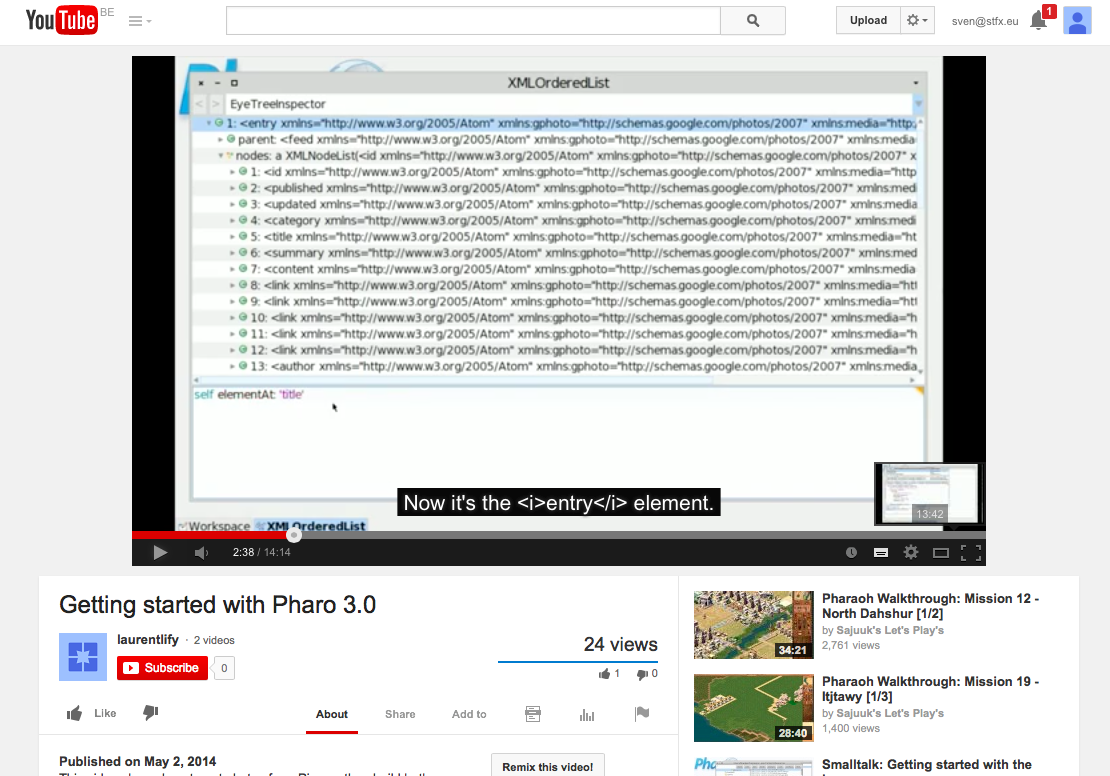
What is with the html tags <i>Morphic</i> not being processed and showing up raw in the captions ? cheers -ben
I see them alright: It probably depends on your settings somehow ... On 02 May 2014, at 18:24, Laurent Laffont <laurent.laffont@gmail.com> wrote:
It seems youtube does not process them... Works on vimeo: http://vimeo.com/93536083
I don't really like the youtube player....
Laurent
What is with the html tags <i>Morphic</i> not being processed and showing up raw in the captions ? cheers -ben


Personally I did not understand at least %50 of the video, mostly because I am not familiar with Zinc and Html. Also the video moves very fast for someone not familiar to Pharo. Still its a very good demonstration how an experienced coder would work in Pharo. I think the website should have separate sections for screencasts and video tutorials and of course other documentation too as the old site did. On Fri, May 2, 2014 at 11:52 AM, phil@highoctane.be <phil@highoctane.be>wrote:
That's a very cool video indeed!
Phil
also i tried to watch it in VLC adding the English subtitles and VLC does not seem to recognize the subtitle format. Anyway to watch it with subtitles on win 7 and macos ? On Fri, May 2, 2014 at 1:18 PM, kilon alios <kilon.alios@gmail.com> wrote:
Personally I did not understand at least %50 of the video, mostly because I am not familiar with Zinc and Html. Also the video moves very fast for someone not familiar to Pharo. Still its a very good demonstration how an experienced coder would work in Pharo.
I think the website should have separate sections for screencasts and video tutorials and of course other documentation too as the old site did.
On Fri, May 2, 2014 at 11:52 AM, phil@highoctane.be <phil@highoctane.be>wrote:
That's a very cool video indeed!
Phil
It worked for me using VLC on Mac OS X. But although I understand Laurent 100% for not wanting to record his own voice (I hate mine as well), and although I have made subtitled screencasts in the past myself, it is a fact that it is very hard to watch what is happening on the screen and read subtitles at the same time - maybe watching at half-speed (AKA half-laurent-speed, or mer-mortal-speed) helps ? On 02 May 2014, at 12:25, kilon alios <kilon.alios@gmail.com> wrote:
also i tried to watch it in VLC adding the English subtitles and VLC does not seem to recognize the subtitle format. Anyway to watch it with subtitles on win 7 and macos ?
Yeap it was me being stupid, it works for me now on MACOS. I have right clicked and saved it on Github and instead it saved a xml thing, dont know why. But I copy pasted its contents and now it works. I would say that with subtitles it raised to 70-80% of what I can understand. I still think its too fast and subtitles seem to overlap adding to the confusion . I am willing to do the voice over , my vocal English is far from perfect . Here is a demo https://www.youtube.com/watch?v=2qd05hL85_Y I am also familiar with audio recording software and iMovie so I can add the audio inside the movie. On Fri, May 2, 2014 at 1:31 PM, Sven Van Caekenberghe <sven@stfx.eu> wrote:
It worked for me using VLC on Mac OS X.
But although I understand Laurent 100% for not wanting to record his own voice (I hate mine as well), and although I have made subtitled screencasts in the past myself, it is a fact that it is very hard to watch what is happening on the screen and read subtitles at the same time - maybe watching at half-speed (AKA half-laurent-speed, or mer-mortal-speed) helps ?
On 02 May 2014, at 12:25, kilon alios <kilon.alios@gmail.com> wrote:
also i tried to watch it in VLC adding the English subtitles and VLC does not seem to recognize the subtitle format. Anyway to watch it with subtitles on win 7 and macos ?

2014-05-02 12:03 GMT+01:00 kilon alios <kilon.alios@gmail.com>:
I am willing to do the voice over , my vocal English is far from perfect . Here is a demo
I find it more than acceptable, dude :) Cheers, Sergi

On May 2, 2014, at 9:24 AM, Sergi Reyner <sergi.reyner@gmail.com> wrote:
2014-05-02 12:03 GMT+01:00 kilon alios <kilon.alios@gmail.com>: I am willing to do the voice over , my vocal English is far from perfect . Here is a demo
https://www.youtube.com/watch?v=2qd05hL85_Y
I find it more than acceptable, dude :)
Cheers, Sergi
My stone face gives me no authority whatsoever on this but for what is worth you have a great voice. You have a great voice! Do more of this stuff! Looking forward to see and hear your next screencasts
Hi, actually the video is accelerated (almost 40' video reduced to 14'), lot of cuts to try to show a perfect workflow that nobody can have (I'm not an alien, I just cheat :). Having the good timing and workflow is hard, I can slowdown the video. My goals are: - create ah WHAOUH effect when watching the first time - come back later slowly, pause, try to do the thing Personnally I like things going fast because that's how I like it, but I understand. With VLC you can adjust the timing easily (click on the 1.0x in the status bar, bottom right), may be people can try and tell me the good ratio for them. And yes, voice will be far better, but I would like a native-english man/woman to record it. Cheers, Laurent Le vendredi 2 mai 2014, 14:03:34 kilon alios a écrit :
Yeap it was me being stupid, it works for me now on MACOS. I have right clicked and saved it on Github and instead it saved a xml thing, dont know why. But I copy pasted its contents and now it works.
I would say that with subtitles it raised to 70-80% of what I can understand. I still think its too fast and subtitles seem to overlap adding to the confusion .
I am willing to do the voice over , my vocal English is far from perfect . Here is a demo
https://www.youtube.com/watch?v=2qd05hL85_Y
I am also familiar with audio recording software and iMovie so I can add the audio inside the movie.
On Fri, May 2, 2014 at 1:31 PM, Sven Van Caekenberghe <sven@stfx.eu> wrote:
It worked for me using VLC on Mac OS X.
But although I understand Laurent 100% for not wanting to record his own voice (I hate mine as well), and although I have made subtitled screencasts in the past myself, it is a fact that it is very hard to watch what is happening on the screen and read subtitles at the same time - maybe watching at half-speed (AKA half-laurent-speed, or mer-mortal-speed) helps ?
On 02 May 2014, at 12:25, kilon alios <kilon.alios@gmail.com> wrote:
also i tried to watch it in VLC adding the English subtitles and VLC does not seem to recognize the subtitle format. Anyway to watch it with subtitles on win 7 and macos ?
Fair enough Laurent , pity I am not a native speaker :) Thank guys for your good words, its important that people can understand with ease my English. I have to admit I was skeptical myself and of course I had close to zero experience with screencasts so its all new to me :D On Fri, May 2, 2014 at 3:58 PM, Laurent Laffont <laurent.laffont@gmail.com>wrote:
Hi,
actually the video is accelerated (almost 40' video reduced to 14'), lot of cuts to try to show a perfect workflow that nobody can have (I'm not an alien, I just cheat :). Having the good timing and workflow is hard, I can slowdown the video. My goals are: - create ah WHAOUH effect when watching the first time - come back later slowly, pause, try to do the thing
Personnally I like things going fast because that's how I like it, but I understand. With VLC you can adjust the timing easily (click on the 1.0x in the status bar, bottom right), may be people can try and tell me the good ratio for them.
And yes, voice will be far better, but I would like a native-english man/woman to record it.
Cheers,
Laurent
Le vendredi 2 mai 2014, 14:03:34 kilon alios a écrit :
Yeap it was me being stupid, it works for me now on MACOS. I have right clicked and saved it on Github and instead it saved a xml thing, dont know why. But I copy pasted its contents and now it works.
I would say that with subtitles it raised to 70-80% of what I can understand. I still think its too fast and subtitles seem to overlap adding to the confusion .
I am willing to do the voice over , my vocal English is far from perfect . Here is a demo
https://www.youtube.com/watch?v=2qd05hL85_Y
I am also familiar with audio recording software and iMovie so I can add the audio inside the movie.
On Fri, May 2, 2014 at 1:31 PM, Sven Van Caekenberghe <sven@stfx.eu> wrote:
It worked for me using VLC on Mac OS X.
But although I understand Laurent 100% for not wanting to record his own voice (I hate mine as well), and although I have made subtitled screencasts in the past myself, it is a fact that it is very hard to watch what is happening on the screen and read subtitles at the same time - maybe watching at half-speed (AKA half-laurent-speed, or mer-mortal-speed) helps ?
On 02 May 2014, at 12:25, kilon alios <kilon.alios@gmail.com> wrote:
also i tried to watch it in VLC adding the English subtitles and VLC does not seem to recognize the subtitle format. Anyway to watch it with subtitles on win 7 and macos ?
Thanks a lot Ben. I'm going on holidays now, so I may not answer for ten days. I will work on this when I'm back. Cheers, Laurent Le samedi 3 mai 2014, 23:16:54 Ben Coman a écrit :
Laurent Laffont wrote: Hi,
actually the video is accelerated (almost 40' video reduced to 14'), lot of cuts to try to show a perfect workflow that nobody can have (I'm not an alien, I just cheat :). Having the good timing and workflow is hard, I can slowdown the video. My goals are: - create ah WHAOUH effect when watching the first time - come back later slowly, pause, try to do the thing
Something might be said to that effect to introduce the video.
Personnally I like things going fast because that's how I like it, but I understand. With VLC you can adjust the timing easily (click on the 1.0x in the status bar, bottom right), may be people can try and tell me the good ratio for them.
And yes, voice will be far better, but I would like a native-english man/woman to record it.
Cheers,
Laurent
I've uploaded a sample attempt as a first pass here... http://files.openinworld.com/temp/picasa_pharo3_narration.mp3
However I'd like to give it another go to improve quality since: * my laptop is annoyingly heard to ramp its fan up and down as its working hard with the multimedia. * there are a few times where your captions are too fast for me and I stumble trying to keep up.. * some of the captions break sentences into parts separated by dead space, which doesn't sound natural.
I really like it, but putting on my editorial cap, here are some notes on the captions and my narrative:
I was not entirely comfortable saying "I". Where its practical I'd like to change that to "we" or "it should" etc.
@0:00: It might be be good to narrate that this done in "Pharo3" and caption a link to the download & install instructions page. Also, mention that its expected that listeners first watch all the way through, then replay in steps to do the build the code themselves.
Without any direct experience but the ambiance I pick up around the web is that many people require different programs for desktop and web, which doubles the work, whereas Pharo it can all be one program. Perhaps that is a reasonable point of differentiation worth marketing? So maybe @00:09: "Then how to build both a desktop application and a web page served by Pharo itself to display them." ---> "build a desktop application and a web page in the <b>same</b> system"
@1:00 to @2:06: My narration falls behind the captions. I think Metacello doesn't need to be mentioned. Its a distraction, and cutting it will help me to keep up with the narrative.
@5:18 you cut the code from Workspace and paste it into the Debugger @5:44. This is too long in between. Its hard to connect the two actions (I've been playing it back an forth). At 5:44 it would be better to drop back to Workspace, cut, then immediately paste into the Debugger.
@5:56 I don't think its worth saying that strings are collections of characters. Its enough to say that a comma concatenates string.
@6:10 Introducing the refactoring tools is a distraction from showing "how fast" you can do a web app.
@6:30 Same for mentioning the format menu entry.
@6:50 More refactoring that I don't think is required. You only need to sell one "hook" at a time, and the main one here is speed of using some REST API
@7:04 Same for reactoring to "inline content variable to remove it"
@7:20 I fall behind.
@9:50 Could split tutorial here when starting the web server.
Early on we should describe the naming convention to put "Zn" in front of Zinc components.
@10:22 "by implement the value: method in a class" --> by implementing in a new class the value: method returning a Zinc http response object.
@10:56 ZNDefaultServerDelegate>>map:to: is a nice display format, but I stumble over how to narrate it.
@11:23 My narration falls behind as the captions go too fast.
@12:40 I used to take it for granted that building a string with a stream was faster, but in [pharo-dev] someone showed this wasn't always the case. It is distraction to introduce this new concept and maybe clearer to newcomers to just stick with one way to concatenate string using comma. There is a lot of silence (except for my damn laptop fan) as this method is built. I think it would be reasonable to paste in this text, particularly if it uses commas for concatenation.
At the end, invite the listener to program it themselves, stepping slowly through the video. Provide download link again, or link to a web blog page that describes the steps.
I could do some work to space the video to align with my narration, but I await your instructions. There are also some periods with no captions that I might be able to fill in something.
cheers -ben
Hi Ben, I've started to review your comments, thanks a lot for your time. May be you could fork the github project ( https://github.com/lolgzs/pharo-picasa-screencast ) and edit the video / caption as you want ? May be at the end I will re-record a shorter screencast ... Cheers, Laurent Le samedi 3 mai 2014, 23:16:54 Ben Coman a écrit :
Laurent Laffont wrote: Hi,
actually the video is accelerated (almost 40' video reduced to 14'), lot of cuts to try to show a perfect workflow that nobody can have (I'm not an alien, I just cheat :). Having the good timing and workflow is hard, I can slowdown the video. My goals are: - create ah WHAOUH effect when watching the first time - come back later slowly, pause, try to do the thing
Something might be said to that effect to introduce the video.
Personnally I like things going fast because that's how I like it, but I understand. With VLC you can adjust the timing easily (click on the 1.0x in the status bar, bottom right), may be people can try and tell me the good ratio for them.
And yes, voice will be far better, but I would like a native-english man/woman to record it.
Cheers,
Laurent
I've uploaded a sample attempt as a first pass here... http://files.openinworld.com/temp/picasa_pharo3_narration.mp3
However I'd like to give it another go to improve quality since: * my laptop is annoyingly heard to ramp its fan up and down as its working hard with the multimedia. * there are a few times where your captions are too fast for me and I stumble trying to keep up.. * some of the captions break sentences into parts separated by dead space, which doesn't sound natural.
I really like it, but putting on my editorial cap, here are some notes on the captions and my narrative:
I was not entirely comfortable saying "I". Where its practical I'd like to change that to "we" or "it should" etc.
@0:00: It might be be good to narrate that this done in "Pharo3" and caption a link to the download & install instructions page. Also, mention that its expected that listeners first watch all the way through, then replay in steps to do the build the code themselves.
Without any direct experience but the ambiance I pick up around the web is that many people require different programs for desktop and web, which doubles the work, whereas Pharo it can all be one program. Perhaps that is a reasonable point of differentiation worth marketing? So maybe @00:09: "Then how to build both a desktop application and a web page served by Pharo itself to display them." ---> "build a desktop application and a web page in the <b>same</b> system"
@1:00 to @2:06: My narration falls behind the captions. I think Metacello doesn't need to be mentioned. Its a distraction, and cutting it will help me to keep up with the narrative.
@5:18 you cut the code from Workspace and paste it into the Debugger @5:44. This is too long in between. Its hard to connect the two actions (I've been playing it back an forth). At 5:44 it would be better to drop back to Workspace, cut, then immediately paste into the Debugger.
@5:56 I don't think its worth saying that strings are collections of characters. Its enough to say that a comma concatenates string.
@6:10 Introducing the refactoring tools is a distraction from showing "how fast" you can do a web app.
@6:30 Same for mentioning the format menu entry.
@6:50 More refactoring that I don't think is required. You only need to sell one "hook" at a time, and the main one here is speed of using some REST API
@7:04 Same for reactoring to "inline content variable to remove it"
@7:20 I fall behind.
@9:50 Could split tutorial here when starting the web server.
Early on we should describe the naming convention to put "Zn" in front of Zinc components.
@10:22 "by implement the value: method in a class" --> by implementing in a new class the value: method returning a Zinc http response object.
@10:56 ZNDefaultServerDelegate>>map:to: is a nice display format, but I stumble over how to narrate it.
@11:23 My narration falls behind as the captions go too fast.
@12:40 I used to take it for granted that building a string with a stream was faster, but in [pharo-dev] someone showed this wasn't always the case. It is distraction to introduce this new concept and maybe clearer to newcomers to just stick with one way to concatenate string using comma. There is a lot of silence (except for my damn laptop fan) as this method is built. I think it would be reasonable to paste in this text, particularly if it uses commas for concatenation.
At the end, invite the listener to program it themselves, stepping slowly through the video. Provide download link again, or link to a web blog page that describes the steps.
I could do some work to space the video to align with my narration, but I await your instructions. There are also some periods with no captions that I might be able to fill in something.
cheers -ben
On 02 May 2014, at 12:18, kilon alios <kilon.alios@gmail.com> wrote:
Personally I did not understand at least %50 of the video, mostly because I am not familiar with Zinc and Html.
Everyone has a different background, that is a fact. Still, I think using a REST API is something most modern programmers are very familiar with. Being able to interactively work with the result of parsing XML is a really cool thing. And Laurent if know for his coding mojo, he's like an artist ;-)

Hello Laurent, Two points: 1. on the video you have a rate problem, this is why it looks fast. 2. You should cut your video in at least 5 videos chunk of about 3 min. each, or 3 parts of 5 min. each. It will make it more easy to digest for newbie. Sometime hesitation on the interface use should not be always cut, it can be instructive as well. Hilaire Le 01/05/2014 23:21, Laurent Laffont a écrit :
I've recorded a screencast for Pharo 3.0. Could some of you review the english subtitles ?
-- Dr. Geo http://drgeo.eu
participants (9)
-
 Ben Coman
 -
 Hilaire Fernandes
 -
 kilon alios
 -
 Laurent Laffont
 -
 Lorenzo Schiavina
 -
 phil@highoctane.be
 -
 Sebastian Sastre
 -
 Sergi Reyner
 -
 Sven Van Caekenberghe