
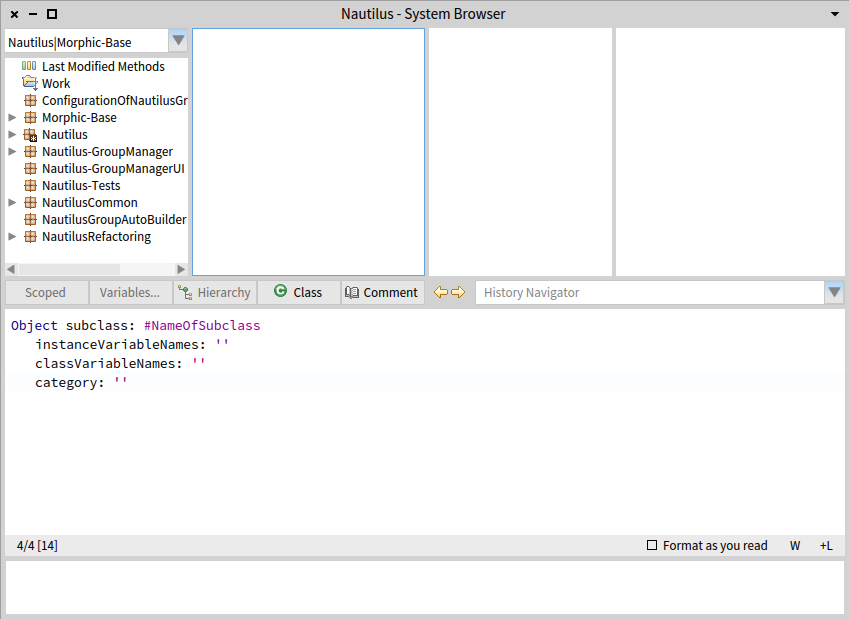
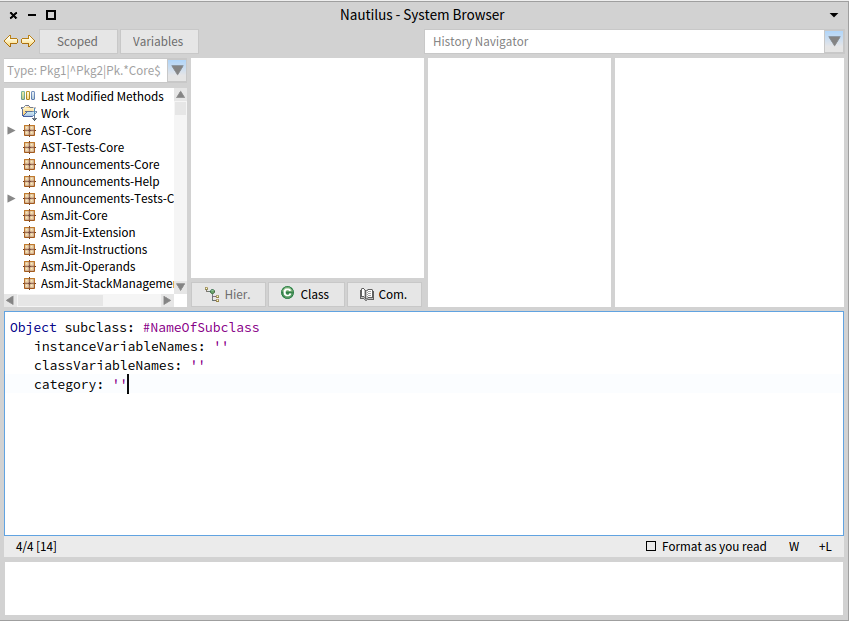
Hi, maybe I'm too picky, but I have couple of questions/remarks regarding current Nautilus UI. Now, I'm happy that new features were added/reorganized, but it does feel it is a little bit chaotic right now. I would expect the left/right history buttons being right next to the History Navigator selector. That way history-related controls are together and the purpose of the buttons is obvious "Hier.", "Com."... abbreviating button labels? Really? âAnd finally, why was part of the buttons moved up? And part stayed down? I know that you wanted to distinguish "Scoped", because it opens a new browser, and Variables, because they have intermediate menu (and later open another menu). But I think the fact that Variables are tied to a particular selected class would make much more sense to place the button beside hierachy/class button. And opening Scoped can be denoted with an appropriate icon ( https://www.google.com/search?site=&tbm=isch&source=hp&biw=&bih=&q=new+windo... ) Placing them all on a single line would also save up vertical space, which considering we've added QualityAssistant and Rubric adds another line is quite valuable. (And finally the width of the buttons should perhaps match more closely the actual needs of the label, because now it's bit cramped.) â And finally, code-wise I've never really interacted with Morphic and stayed in Spec, so when I was digging through code it seems that the way Morphs are composed are through these "addMorph:fullFrame: (LayoutFrame identity rightFraction: 0.10; yourself);" constructs sprinkled haphazardly throughout the code. Is there nothing like SpecLayout? Maybe it wasn't so hard once you get used to Morphic, because I spent probably more time doing elementary changes to layout than learning half of Spec... (Also since Spec can interoperate with Morphic, maybe the layout could also be adapted? Or slowly migrate Nautilus to Spec (if there are even plans like that)?) Now as I've mentioned I'm not an UI/UX expert, but you don't need to be a chef to tell when food isn't great (which is of course amplified by personal tastes). So unless I am the only person bothered by this, I would like to raise a discussion (or send a slice, but the way I've done the layout weirds me out, so I still want to look into that regardless). Cheers, Peter

I agree with your post about the buttons. Personally I have never used scoped or really need it as feature , I dont think I would be needing variables either. Actually two buttons I miss from Squeak is implementers and senders which I found super useful. On Tue, Aug 18, 2015 at 11:00 PM Peter Uhnák <i.uhnak@gmail.com> wrote:
Hi,
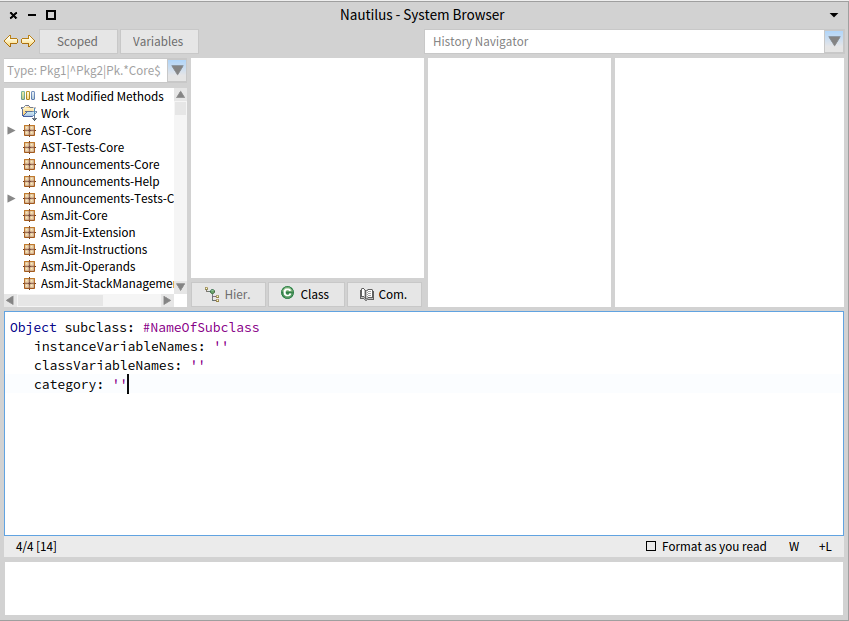
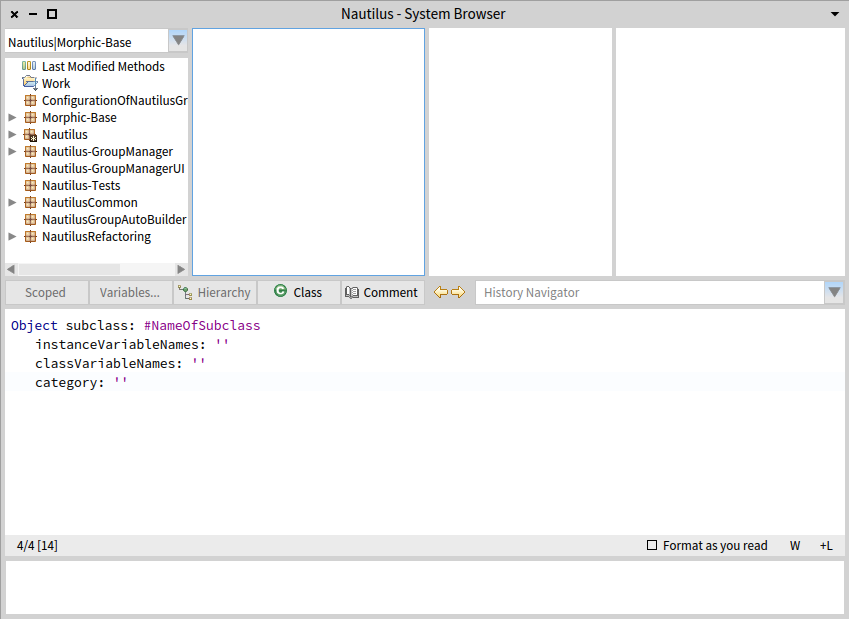
maybe I'm too picky, but I have couple of questions/remarks regarding current Nautilus UI. Now, I'm happy that new features were added/reorganized, but it does feel it is a little bit chaotic right now.
I would expect the left/right history buttons being right next to the History Navigator selector. That way history-related controls are together and the purpose of the buttons is obvious
"Hier.", "Com."... abbreviating button labels? Really?
âAnd finally, why was part of the buttons moved up? And part stayed down? I know that you wanted to distinguish "Scoped", because it opens a new browser, and Variables, because they have intermediate menu (and later open another menu). But I think the fact that Variables are tied to a particular selected class would make much more sense to place the button beside hierachy/class button.
And opening Scoped can be denoted with an appropriate icon ( https://www.google.com/search?site=&tbm=isch&source=hp&biw=&bih=&q=new+windo... )
Placing them all on a single line would also save up vertical space, which considering we've added QualityAssistant and Rubric adds another line is quite valuable.
(And finally the width of the buttons should perhaps match more closely the actual needs of the label, because now it's bit cramped.)
â And finally, code-wise I've never really interacted with Morphic and stayed in Spec, so when I was digging through code it seems that the way Morphs are composed are through these "addMorph:fullFrame: (LayoutFrame identity rightFraction: 0.10; yourself);" constructs sprinkled haphazardly throughout the code. Is there nothing like SpecLayout? Maybe it wasn't so hard once you get used to Morphic, because I spent probably more time doing elementary changes to layout than learning half of Spec... (Also since Spec can interoperate with Morphic, maybe the layout could also be adapted? Or slowly migrate Nautilus to Spec (if there are even plans like that)?)
Now as I've mentioned I'm not an UI/UX expert, but you don't need to be a chef to tell when food isn't great (which is of course amplified by personal tastes).
So unless I am the only person bothered by this, I would like to raise a discussion (or send a slice, but the way I've done the layout weirds me out, so I still want to look into that regardless).
Cheers, Peter

2015-08-18 17:49 GMT-03:00 Dimitris Chloupis <kilon.alios@gmail.com>:
Actually two buttons I miss from Squeak is implementers and senders which I found super useful.
Absolutely, visible senders and implementors buttons are fundamental. Hernán
On Tue, Aug 18, 2015 at 11:00 PM Peter Uhnák <i.uhnak@gmail.com> wrote:
Hi,
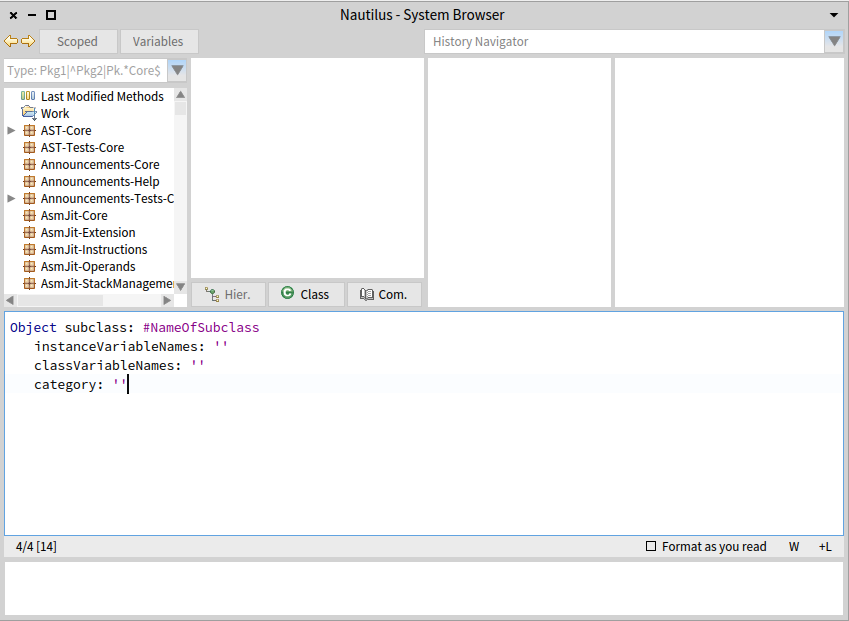
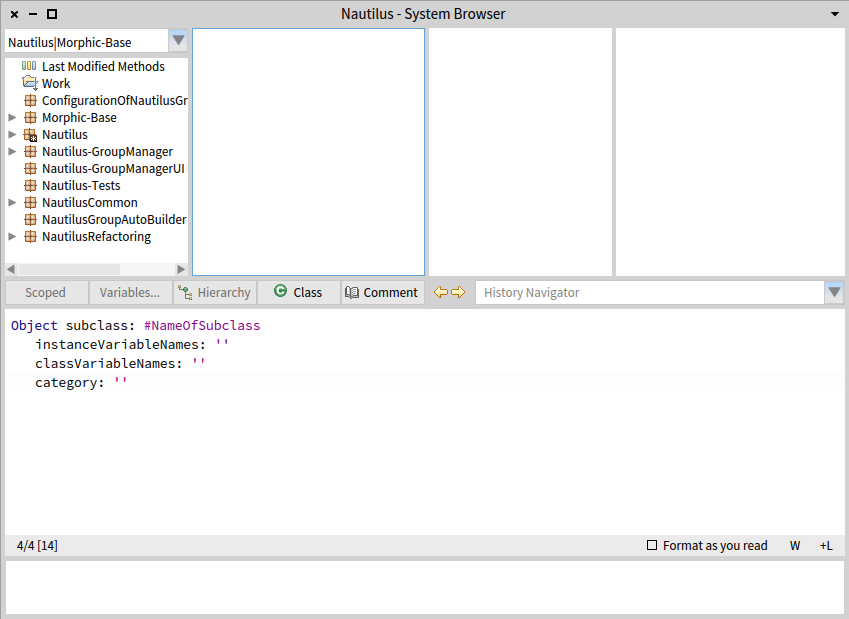
maybe I'm too picky, but I have couple of questions/remarks regarding current Nautilus UI. Now, I'm happy that new features were added/reorganized, but it does feel it is a little bit chaotic right now.
I would expect the left/right history buttons being right next to the History Navigator selector. That way history-related controls are together and the purpose of the buttons is obvious
"Hier.", "Com."... abbreviating button labels? Really?
âAnd finally, why was part of the buttons moved up? And part stayed down? I know that you wanted to distinguish "Scoped", because it opens a new browser, and Variables, because they have intermediate menu (and later open another menu). But I think the fact that Variables are tied to a particular selected class would make much more sense to place the button beside hierachy/class button.
And opening Scoped can be denoted with an appropriate icon ( https://www.google.com/search?site=&tbm=isch&source=hp&biw=&bih=&q=new+windo... )
Placing them all on a single line would also save up vertical space, which considering we've added QualityAssistant and Rubric adds another line is quite valuable.
(And finally the width of the buttons should perhaps match more closely the actual needs of the label, because now it's bit cramped.)
â And finally, code-wise I've never really interacted with Morphic and stayed in Spec, so when I was digging through code it seems that the way Morphs are composed are through these "addMorph:fullFrame: (LayoutFrame identity rightFraction: 0.10; yourself);" constructs sprinkled haphazardly throughout the code. Is there nothing like SpecLayout? Maybe it wasn't so hard once you get used to Morphic, because I spent probably more time doing elementary changes to layout than learning half of Spec... (Also since Spec can interoperate with Morphic, maybe the layout could also be adapted? Or slowly migrate Nautilus to Spec (if there are even plans like that)?)
Now as I've mentioned I'm not an UI/UX expert, but you don't need to be a chef to tell when food isn't great (which is of course amplified by personal tastes).
So unless I am the only person bothered by this, I would like to raise a discussion (or send a slice, but the way I've done the layout weirds me out, so I still want to look into that regardless).
Cheers, Peter

There is free space for another functionnality. I asked for ideas of buttons before doing Scoped one (and it appeared that scoped is used by people). Variables is often used too, and there is no shortcut to browse all the access to the variables of a class so I think it is needed. They seem more needed than a button with an action which can be triggered by cmd + n or m in the same context than when you are about to clic on it (selector selected). The toolbar may take time to be loved, but I think new users are more used to a bar with functionnalities on top of a window than a middle bar. I would put all the buttons on top but I understand the strong link of hierarchy, class and comments with the classes panel so it is ok. And yes, the layout handling in this case is very painful. Franck From: kilon.alios@gmail.com Date: Tue, 18 Aug 2015 20:49:34 +0000 To: pharo-dev@lists.pharo.org; pharo-users@lists.pharo.org Subject: Re: [Pharo-dev] Nautilus questions I agree with your post about the buttons. Personally I have never used scoped or really need it as feature , I dont think I would be needing variables either. Actually two buttons I miss from Squeak is implementers and senders which I found super useful. On Tue, Aug 18, 2015 at 11:00 PM Peter Uhnák <i.uhnak@gmail.com> wrote: Hi, maybe I'm too picky, but I have couple of questions/remarks regarding current Nautilus UI.Now, I'm happy that new features were added/reorganized, but it does feel it is a little bit chaotic right now. I would expect the left/right history buttons being right next to the History Navigator selector. That way history-related controls are together and the purpose of the buttons is obvious "Hier.", "Com."... abbreviating button labels? Really? âAnd finally, why was part of the buttons moved up? And part stayed down?I know that you wanted to distinguish "Scoped", because it opens a new browser, and Variables, because they have intermediate menu (and later open another menu).But I think the fact that Variables are tied to a particular selected class would make much more sense to place the button beside hierachy/class button. And opening Scoped can be denoted with an appropriate icon ( https://www.google.com/search?site=&tbm=isch&source=hp&biw=&bih=&q=new+windo... ) Placing them all on a single line would also save up vertical space, which considering we've added QualityAssistant and Rubric adds another line is quite valuable. (And finally the width of the buttons should perhaps match more closely the actual needs of the label, because now it's bit cramped.) â And finally, code-wise I've never really interacted with Morphic and stayed in Spec, so when I was digging through code it seems that the way Morphs are composed are through these "addMorph:fullFrame: (LayoutFrame identity rightFraction: 0.10; yourself);" constructs sprinkled haphazardly throughout the code. Is there nothing like SpecLayout? Maybe it wasn't so hard once you get used to Morphic, because I spent probably more time doing elementary changes to layout than learning half of Spec... (Also since Spec can interoperate with Morphic, maybe the layout could also be adapted? Or slowly migrate Nautilus to Spec (if there are even plans like that)?) Now as I've mentioned I'm not an UI/UX expert, but you don't need to be a chef to tell when food isn't great (which is of course amplified by personal tastes). So unless I am the only person bothered by this, I would like to raise a discussion (or send a slice, but the way I've done the layout weirds me out, so I still want to look into that regardless). Cheers,Peter

Hi, Some remarks: Yes: - yes, we are still working on Nautilus, and some of the things we are trying now will change (for example, I do not think we need the history dropdown there having the back/forward icons⦠and in any case since they are talking about the same, they should be close) - yes, we can add other functionality, as Franck posted, thatâs why we ask for those functionality. Now if nobody answers, do not expect we can know what you want :) - yes, using abbreviated names there is bad. (Hier., Com.) we need to find a better place. - yes, âvariablesâ is not so relevant and I would like to move it to a place where does not look as is. I use it all the time, but in regular programming people should not need to use it all the time. Weâll see. Nos: - no, we are not going to put back buttons in the middle of the browser: what is a toolbar, should be where toolsbars go. I know many if you are used to the older way, but that older way was bad: the original idea was to put functionality close to the coding area⦠no reason to do that this days. - actually, I do not have more ânosâ for now, but I want to keep this open, for the future ;) Some others: - the fact that you never used âScopedâ is actually the reason why we put it in such a relevant place: is one of the most powerful functionalities of Nautilus and we want you to have access to it in a direct and visible place. So you can start to use it. Using âI never used itâ as an argument does not work because in exchange I can say âthis is the function I use the most of nautilusâ. Give it a try, is particularly useful for: a) applying refactors, b) search senders/implementors inside my project and not in all image. - actually, I would like to remove also the buttons that acts on classes (most of them needs to be tabs in the right places). In my ideal browser, functionality is distributed like this: ⦠but arriving to it is not so easy. In conclusion: We are doing some right steps. It is not finished, but we are not going to go back to older way :) cheers, Esteban
On 19 Aug 2015, at 10:04, Franck Warlouzet <franck.warlouzet@hotmail.fr> wrote:
There is free space for another functionnality. I asked for ideas of buttons before doing Scoped one (and it appeared that scoped is used by people). Variables is often used too, and there is no shortcut to browse all the access to the variables of a class so I think it is needed. They seem more needed than a button with an action which can be triggered by cmd + n or m in the same context than when you are about to clic on it (selector selected).
The toolbar may take time to be loved, but I think new users are more used to a bar with functionnalities on top of a window than a middle bar. I would put all the buttons on top but I understand the strong link of hierarchy, class and comments with the classes panel so it is ok.
And yes, the layout handling in this case is very painful.
Franck
From: kilon.alios@gmail.com <mailto:kilon.alios@gmail.com> Date: Tue, 18 Aug 2015 20:49:34 +0000 To: pharo-dev@lists.pharo.org <mailto:pharo-dev@lists.pharo.org>; pharo-users@lists.pharo.org <mailto:pharo-users@lists.pharo.org> Subject: Re: [Pharo-dev] Nautilus questions
I agree with your post about the buttons. Personally I have never used scoped or really need it as feature , I dont think I would be needing variables either. Actually two buttons I miss from Squeak is implementers and senders which I found super useful.
On Tue, Aug 18, 2015 at 11:00 PM Peter Uhnák <i.uhnak@gmail.com <mailto:i.uhnak@gmail.com>> wrote: Hi,
maybe I'm too picky, but I have couple of questions/remarks regarding current Nautilus UI. Now, I'm happy that new features were added/reorganized, but it does feel it is a little bit chaotic right now.
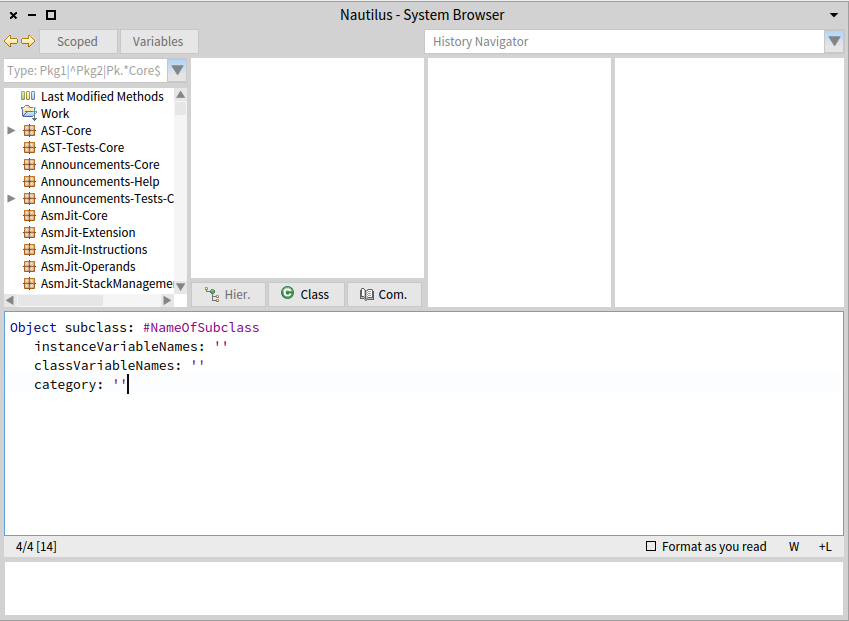
<2015-08-18_191053.png> I would expect the left/right history buttons being right next to the History Navigator selector. That way history-related controls are together and the purpose of the buttons is obvious
"Hier.", "Com."... abbreviating button labels? Really?
âAnd finally, why was part of the buttons moved up? And part stayed down? I know that you wanted to distinguish "Scoped", because it opens a new browser, and Variables, because they have intermediate menu (and later open another menu). But I think the fact that Variables are tied to a particular selected class would make much more sense to place the button beside hierachy/class button.
And opening Scoped can be denoted with an appropriate icon ( https://www.google.com/search?site=&tbm=isch&source=hp&biw=&bih=&q=new+windo... <https://www.google.com/search?site=&tbm=isch&source=hp&biw=&bih=&q=new+windo...> )
Placing them all on a single line would also save up vertical space, which considering we've added QualityAssistant and Rubric adds another line is quite valuable.
(And finally the width of the buttons should perhaps match more closely the actual needs of the label, because now it's bit cramped.)
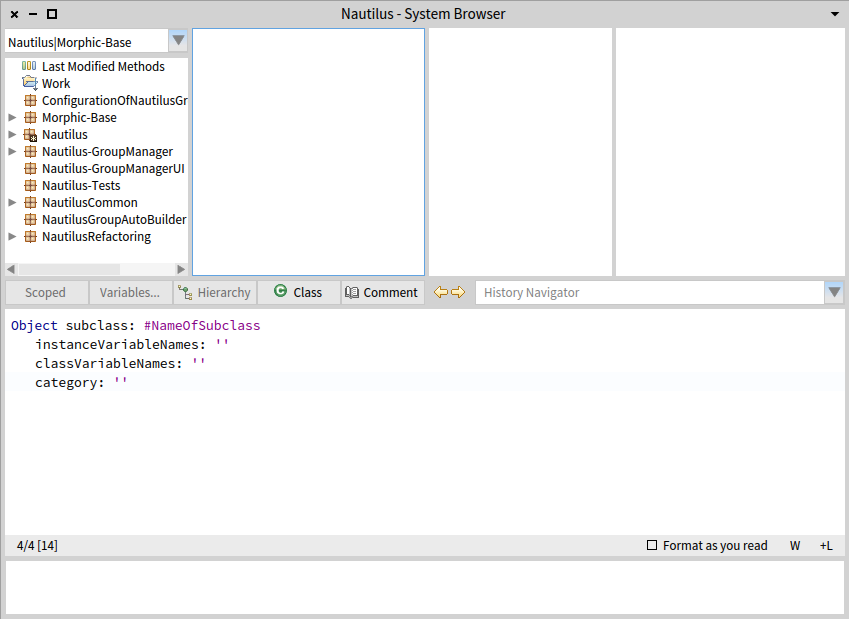
<2015-08-18_214348.png> â And finally, code-wise I've never really interacted with Morphic and stayed in Spec, so when I was digging through code it seems that the way Morphs are composed are through these "addMorph:fullFrame: (LayoutFrame identity rightFraction: 0.10; yourself);" constructs sprinkled haphazardly throughout the code. Is there nothing like SpecLayout? Maybe it wasn't so hard once you get used to Morphic, because I spent probably more time doing elementary changes to layout than learning half of Spec... (Also since Spec can interoperate with Morphic, maybe the layout could also be adapted? Or slowly migrate Nautilus to Spec (if there are even plans like that)?)
Now as I've mentioned I'm not an UI/UX expert, but you don't need to be a chef to tell when food isn't great (which is of course amplified by personal tastes).
So unless I am the only person bothered by this, I would like to raise a discussion (or send a slice, but the way I've done the layout weirds me out, so I still want to look into that regardless).
Cheers, Peter
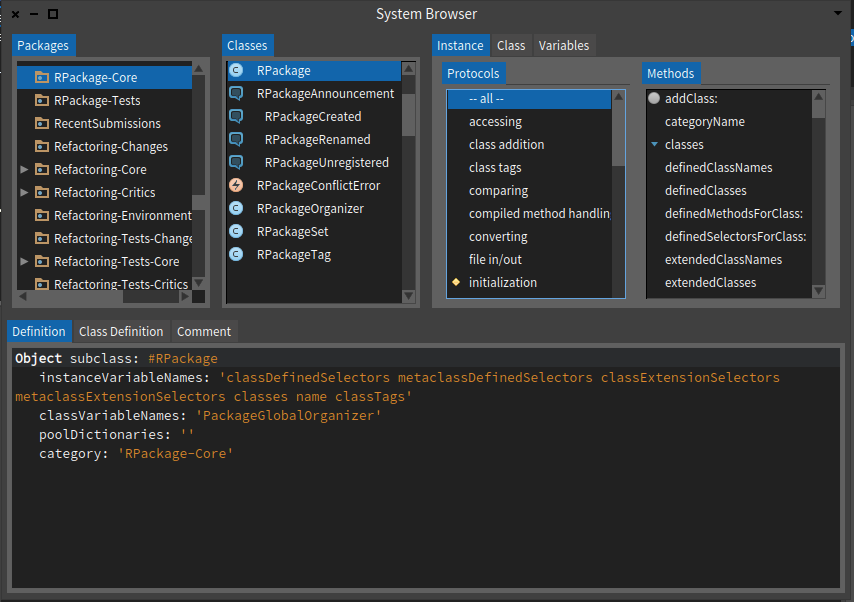
On Wed, Aug 19, 2015 at 11:12 AM, Esteban Lorenzano <estebanlm@gmail.com> wrote: - yes, we can add other functionality, as Franck posted, thatâs why we ask
for those functionality. Now if nobody answers, do not expect we can know what you want :)
I answered :) http://forum.world.st/Buttons-in-Nautilus-td4839034.html Although I wonder whether the question should have been asked in Pharo-Users, because not everybody is reading dev and opinion of users is (more) relevant. Nos:
- no, we are not going to put back buttons in the middle of the browser: what is a toolbar, should be where toolsbars go. I know many if you are used to the older way, but that older way was bad: the original idea was to put functionality close to the coding area⦠no reason to do that this days.
Could you elaborate on this please? Because I don't understand why having it close to the coding area is no longer meaningful. Some others:
- the fact that you never used âScopedâ is actually the reason why we put it in such a relevant place: is one of the most powerful functionalities of Nautilus and we want you to have access to it in a direct and visible place. So you can start to use it. Using âI never used itâ as an argument does not work because in exchange I can say âthis is the function I use the most of nautilusâ. Give it a try, is particularly useful for: a) applying refactors, b) search senders/implementors inside my project and not in all image.
This is for Kilon I assume.
- actually, I would like to remove also the buttons that acts on classes (most of them needs to be tabs in the right places). In my ideal browser, functionality is distributed like this:
⦠but arriving to it is not so easy.
This does look better indeed. Actually it seems similar to VisualWorks, but with tabs (which look/behave much better) instead of buttons. Peter
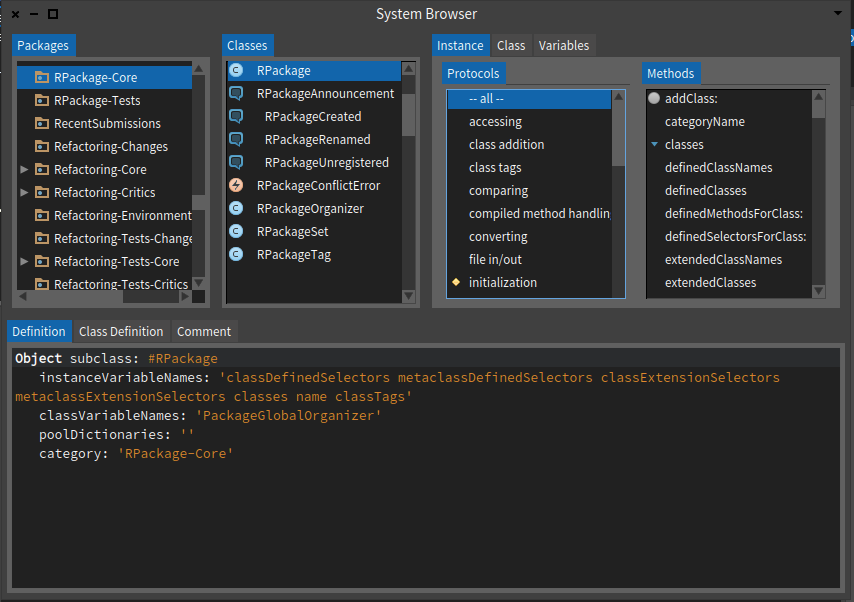

Le 19 août 2015 à 11:34, Peter Uhnák a écrit :
Nos: - no, we are not going to put back buttons in the middle of the browser: what is a toolbar, should be where toolsbars go. I know many if you are used to the older way, but that older way was bad: the original idea was to put functionality close to the coding area⦠no reason to do that this days.
Could you elaborate on this please? Because I don't understand why having it close to the coding area is no longer meaningful.
It could be a toolbar of the code pane ;) This way, it will be a toolbar at the top of the code pane but will be in the middle of the window as before.

⦠but arriving to it is not so easy.
In conclusion: We are doing some right steps. It is not finished, but we are not going to go back to older way :)
Hi Esteban, My opinion is that you're still tied a lot to the Smalltalk 80's way... Which is good: someone coming from 1980 would be able to use Nautilus ;) My critics on that design: the tabs are nice and certainly help see that a class has a class side. Overall look is more up to date. Tabs headers, scroll bars, etc... take far too much space: work area (the code area) is 39% of overall window size, and 68% counting in the context (package, class, protocol and method) (Numbers are worse on a small window, of course, but I guess some do work on small screens). It will be nice to see simpler / cleaner Nautilus code coming along :) Thierry
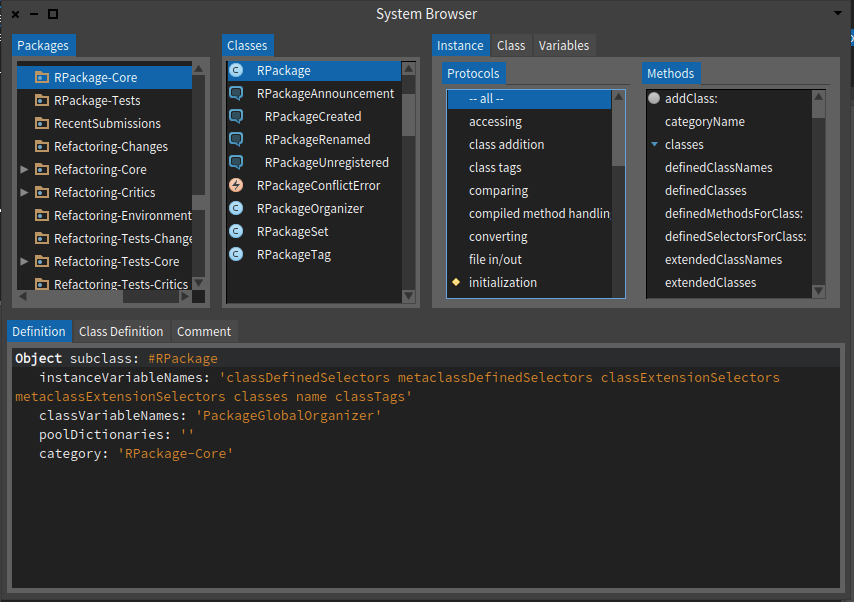
On 19 Aug 2015, at 11:44, Thierry Goubier <thierry.goubier@gmail.com> wrote:
<Screen Shot 2015-08-19 at 11.10.41.png>
⦠but arriving to it is not so easy.
In conclusion: We are doing some right steps. It is not finished, but we are not going to go back to older way :)
Hi Esteban,
My opinion is that you're still tied a lot to the Smalltalk 80's way... Which is good: someone coming from 1980 would be able to use Nautilus ;)
My critics on that design: the tabs are nice and certainly help see that a class has a class side. Overall look is more up to date. Tabs headers, scroll bars, etc... take far too much space: work area (the code area) is 39% of overall window size, and 68% counting in the context (package, class, protocol and method) (Numbers are worse on a small window, of course, but I guess some do work on small screens).
It will be nice to see simpler / cleaner Nautilus code coming along :)
yes, of course you are right :) the GTools guys are working in a complete replacement, and Iâm sure it will be a lot better⦠but we will always need a backdoor⦠and I would like to have a good browser even as a backdoor. (also, our philosophy is incremental: we improve what we have while we wait for the break-thru improvements) Esteban ps: for me the âcode areaâ is not equivalent to the âwork areaâ: I spend much more time understanding a problem than coding it, and for that a view of the method *in the context* is better)
Thierry
On 19 Aug 2015, at 11:50, Esteban Lorenzano <estebanlm@gmail.com> wrote:
On 19 Aug 2015, at 11:44, Thierry Goubier <thierry.goubier@gmail.com <mailto:thierry.goubier@gmail.com>> wrote:
<Screen Shot 2015-08-19 at 11.10.41.png>
⦠but arriving to it is not so easy.
In conclusion: We are doing some right steps. It is not finished, but we are not going to go back to older way :)
Hi Esteban,
My opinion is that you're still tied a lot to the Smalltalk 80's way... Which is good: someone coming from 1980 would be able to use Nautilus ;)
My critics on that design: the tabs are nice and certainly help see that a class has a class side. Overall look is more up to date. Tabs headers, scroll bars, etc... take far too much space: work area (the code area) is 39% of overall window size, and 68% counting in the context (package, class, protocol and method) (Numbers are worse on a small window, of course, but I guess some do work on small screens).
It will be nice to see simpler / cleaner Nautilus code coming along :)
yes, of course you are right :) the GTools guys are working in a complete replacement, and Iâm sure it will be a lot better⦠but we will always need a backdoor⦠and I would like to have a good browser even as a backdoor. (also, our philosophy is incremental: we improve what we have while we wait for the break-thru improvements)
Esteban
ps: for me the âcode areaâ is not equivalent to the âwork areaâ: I spend much more time understanding a problem than coding it, and for that a view of the method *in the context* is better)
for example: I try your alt browser time to time, because I find it has some good ideas. But since my workflow is usually: I dig a package, then I see the classes inside and try to figure out how they work together, then I read the comments, try to find examples, tests⦠then I finally go to the method level, and even that often with an eye into the class it belongs and even the package⦠so the AltBrowser is useless for me⦠it is really not confortable for me to use⦠and yes, it has a bigger code area, but that is not really relevant (for me). ⦠and the traditional browser adapts a lot better to that way of doing. Now⦠real question is: I work that way because fits better my mind-model or my mind-model fits what the browser provides me? well, who knows⦠but back in my java days I also was using the âjava browsing perspectiveâ of Eclipse, who resembles a Smalltalk browser. Esteban
Thierry
2015-08-19 11:59 GMT+02:00 Esteban Lorenzano <estebanlm@gmail.com>:
On 19 Aug 2015, at 11:50, Esteban Lorenzano <estebanlm@gmail.com> wrote:
On 19 Aug 2015, at 11:44, Thierry Goubier <thierry.goubier@gmail.com> wrote:
<Screen Shot 2015-08-19 at 11.10.41.png>
⦠but arriving to it is not so easy.
In conclusion: We are doing some right steps. It is not finished, but we are not going to go back to older way :)
Hi Esteban,
My opinion is that you're still tied a lot to the Smalltalk 80's way... Which is good: someone coming from 1980 would be able to use Nautilus ;)
My critics on that design: the tabs are nice and certainly help see that a class has a class side. Overall look is more up to date. Tabs headers, scroll bars, etc... take far too much space: work area (the code area) is 39% of overall window size, and 68% counting in the context (package, class, protocol and method) (Numbers are worse on a small window, of course, but I guess some do work on small screens).
It will be nice to see simpler / cleaner Nautilus code coming along :)
yes, of course you are right :) the GTools guys are working in a complete replacement, and Iâm sure it will be a lot better⦠but we will always need a backdoor⦠and I would like to have a good browser even as a backdoor.
Agreed for the need for a simple, safe browser just in case (developping a
browser in a. I'm certainly looking forward for the ideas
(also, our philosophy is incremental: we improve what we have while we wait for the break-thru improvements)
Esteban
ps: for me the âcode areaâ is not equivalent to the âwork areaâ: I spend much more time understanding a problem than coding it, and for that a view of the method *in the context* is better)
for example: I try your alt browser time to time, because I find it has some good ideas. But since my workflow is usually: I dig a package, then I see the classes inside and try to figure out how they work together, then I read the comments, try to find examples, tests⦠then I finally go to the method level, and even that often with an eye into the class it belongs and even the package⦠so the AltBrowser is useless for me⦠it is really not confortable for me to use⦠and yes, it has a bigger code area, but that is not really relevant (for me). ⦠and the traditional browser adapts a lot better to that way of doing. Now⦠real question is: I work that way because fits better my mind-model or my mind-model fits what the browser provides me? well, who knows⦠but back in my java days I also was using the âjava browsing perspectiveâ of Eclipse, who resembles a Smalltalk browser.
Esteban
Thierry
Hitting send too early :( 2015-08-19 11:59 GMT+02:00 Esteban Lorenzano <estebanlm@gmail.com>:
On 19 Aug 2015, at 11:50, Esteban Lorenzano <estebanlm@gmail.com> wrote:
On 19 Aug 2015, at 11:44, Thierry Goubier <thierry.goubier@gmail.com> wrote:
<Screen Shot 2015-08-19 at 11.10.41.png>
⦠but arriving to it is not so easy.
In conclusion: We are doing some right steps. It is not finished, but we are not going to go back to older way :)
Hi Esteban,
My opinion is that you're still tied a lot to the Smalltalk 80's way... Which is good: someone coming from 1980 would be able to use Nautilus ;)
My critics on that design: the tabs are nice and certainly help see that a class has a class side. Overall look is more up to date. Tabs headers, scroll bars, etc... take far too much space: work area (the code area) is 39% of overall window size, and 68% counting in the context (package, class, protocol and method) (Numbers are worse on a small window, of course, but I guess some do work on small screens).
It will be nice to see simpler / cleaner Nautilus code coming along :)
yes, of course you are right :) the GTools guys are working in a complete replacement, and Iâm sure it will be a lot better⦠but we will always need a backdoor⦠and I would like to have a good browser even as a backdoor.
I'm certainly looking forward for the GT-based system browser results,
while probably I won't be using it; some of the design / implementation choices of the GT tools just don't fit the way I work, and I feel down by just looking at how clumsy and slow I become when using them.
(also, our philosophy is incremental: we improve what we have while we wait for the break-thru improvements)
Agreed. I still miss a bit the OmniBrowser I started Pharo with... Especially the code regularity and architecture.
Esteban
ps: for me the âcode areaâ is not equivalent to the âwork areaâ: I spend much more time understanding a problem than coding it, and for that a view of the method *in the context* is better)
That's why I added the 68% result: I do agree that the context matter; I
still think that the overhead is too high.
for example: I try your alt browser time to time, because I find it has some good ideas. But since my workflow is usually: I dig a package, then I see the classes inside and try to figure out how they work together, then I read the comments, try to find examples, tests⦠then I finally go to the method level, and even that often with an eye into the class it belongs and even the package⦠so the AltBrowser is useless for me⦠it is really not confortable for me to use⦠and yes, it has a bigger code area, but that is not really relevant (for me). ⦠and the traditional browser adapts a lot better to that way of doing.
I think I more or less do the same, but with a slightly different approach, with for example a lot of scoping (to a class, to a package, implementors, senders, finder). I especially rely on the fact that I stay in the browser task model (but with multiple windows) all the time while doing that; I don't have to deal with disparate tools (Spotter, Finder, MessageList). I also like the fact I can see both class and instance side methods at the same time...
Now⦠real question is: I work that way because fits better my mind-model or my mind-model fits what the browser provides me? well, who knows⦠but back in my java days I also was using the âjava browsing perspectiveâ of Eclipse, who resembles a Smalltalk browser.
The good question we have here is that our search/exploration/understanding strategies are different, but based on the same building blocks... So there is some Moldable issue there as per the GT group, but not inside the tool as they are currently doing, instead the tool itself has to be moldable (or what is the tool). Now, I'm so attuned to the Alt Browser tree view that I prefer it in any case... even to the point that I can do short and fast smalltalk edits directly on github through the web interface. Thierry
Esteban
Thierry

For example why protocol get the same space than method. We could split the protocol by half and use the space for soemthing useful. I would like the coding area to expand a bit when a method is too long. I do it all the time by hand. Stef Le 19/8/15 13:13, Thierry Goubier a écrit :
Hitting send too early :(
2015-08-19 11:59 GMT+02:00 Esteban Lorenzano <estebanlm@gmail.com <mailto:estebanlm@gmail.com>>:
On 19 Aug 2015, at 11:50, Esteban Lorenzano <estebanlm@gmail.com <mailto:estebanlm@gmail.com>> wrote:
On 19 Aug 2015, at 11:44, Thierry Goubier <thierry.goubier@gmail.com <mailto:thierry.goubier@gmail.com>> wrote:
<Screen Shot 2015-08-19 at 11.10.41.png>
⦠but arriving to it is not so easy.
In conclusion: We are doing some right steps. It is not finished, but we are not going to go back to older way :)
Hi Esteban,
My opinion is that you're still tied a lot to the Smalltalk 80's way... Which is good: someone coming from 1980 would be able to use Nautilus ;)
My critics on that design: the tabs are nice and certainly help see that a class has a class side. Overall look is more up to date. Tabs headers, scroll bars, etc... take far too much space: work area (the code area) is 39% of overall window size, and 68% counting in the context (package, class, protocol and method) (Numbers are worse on a small window, of course, but I guess some do work on small screens).
It will be nice to see simpler / cleaner Nautilus code coming along :)
yes, of course you are right :) the GTools guys are working in a complete replacement, and Iâm sure it will be a lot better⦠but we will always need a backdoor⦠and I would like to have a good browser even as a backdoor.
I'm certainly looking forward for the GT-based system browser results, while probably I won't be using it; some of the design / implementation choices of the GT tools just don't fit the way I work, and I feel down by just looking at how clumsy and slow I become when using them.
(also, our philosophy is incremental: we improve what we have while we wait for the break-thru improvements)
Agreed. I still miss a bit the OmniBrowser I started Pharo with... Especially the code regularity and architecture.
Esteban
ps: for me the âcode areaâ is not equivalent to the âwork areaâ: I spend much more time understanding a problem than coding it, and for that a view of the method *in the context* is better)
That's why I added the 68% result: I do agree that the context matter; I still think that the overhead is too high.
for example: I try your alt browser time to time, because I find it has some good ideas. But since my workflow is usually: I dig a package, then I see the classes inside and try to figure out how they work together, then I read the comments, try to find examples, tests⦠then I finally go to the method level, and even that often with an eye into the class it belongs and even the package⦠so the AltBrowser is useless for me⦠it is really not confortable for me to use⦠and yes, it has a bigger code area, but that is not really relevant (for me). ⦠and the traditional browser adapts a lot better to that way of doing.
I think I more or less do the same, but with a slightly different approach, with for example a lot of scoping (to a class, to a package, implementors, senders, finder). I especially rely on the fact that I stay in the browser task model (but with multiple windows) all the time while doing that; I don't have to deal with disparate tools (Spotter, Finder, MessageList).
I also like the fact I can see both class and instance side methods at the same time...
Now⦠real question is: I work that way because fits better my mind-model or my mind-model fits what the browser provides me? well, who knows⦠but back in my java days I also was using the âjava browsing perspectiveâ of Eclipse, who resembles a Smalltalk browser.
The good question we have here is that our search/exploration/understanding strategies are different, but based on the same building blocks... So there is some Moldable issue there as per the GT group, but not inside the tool as they are currently doing, instead the tool itself has to be moldable (or what is the tool).
Now, I'm so attuned to the Alt Browser tree view that I prefer it in any case... even to the point that I can do short and fast smalltalk edits directly on github through the web interface.
Thierry
Esteban
Thierry

Le 20 août 2015 09:15, "stepharo" <stepharo@free.fr> a écrit :
For example why protocol get the same space than method. We could split
the protocol by half and use the space for
soemthing useful.
Protocol names can be long...
I would like the coding area to expand a bit when a method is too long. I do it all the time by hand.
Yes, especially with Seaside renderOn: Phil
Stef
Le 19/8/15 13:13, Thierry Goubier a écrit :
Hitting send too early :(
2015-08-19 11:59 GMT+02:00 Esteban Lorenzano <estebanlm@gmail.com>:
On 19 Aug 2015, at 11:50, Esteban Lorenzano <estebanlm@gmail.com>
wrote:
On 19 Aug 2015, at 11:44, Thierry Goubier <thierry.goubier@gmail.com>
wrote:
<Screen Shot 2015-08-19 at 11.10.41.png>
⦠but arriving to it is not so easy.
In conclusion: We are doing some right steps. It is not finished,
but we are not going to go back to older way :)
Hi Esteban,
My opinion is that you're still tied a lot to the Smalltalk 80's
way... Which is good: someone coming from 1980 would be able to use Nautilus ;)
My critics on that design: the tabs are nice and certainly help see
that a class has a class side. Overall look is more up to date. Tabs headers, scroll bars, etc... take far too much space: work area (the code area) is 39% of overall window size, and 68% counting in the context (package, class, protocol and method) (Numbers are worse on a small window, of course, but I guess some do work on small screens).
It will be nice to see simpler / cleaner Nautilus code coming along :)
yes, of course you are right :) the GTools guys are working in a complete replacement, and Iâm sure it will be a lot better⦠but we will always need a backdoor⦠and I would like to have a good browser even as a backdoor.
I'm certainly looking forward for the GT-based system browser results, while probably I won't be using it; some of the design / implementation choices of the GT tools just don't fit the way I work, and I feel down by just looking at how clumsy and slow I become when using them.
(also, our philosophy is incremental: we improve what we have while we
wait for the break-thru improvements)
Agreed. I still miss a bit the OmniBrowser I started Pharo with... Especially the code regularity and architecture.
Esteban
ps: for me the âcode areaâ is not equivalent to the âwork areaâ: I
spend much more time understanding a problem than coding it, and for that a view of the method *in the context* is better)
That's why I added the 68% result: I do agree that the context matter; I still think that the overhead is too high.
for example: I try your alt browser time to time, because I find it has
some good ideas.
But since my workflow is usually: I dig a package, then I see the classes inside and try to figure out how they work together, then I read the comments, try to find examples, tests⦠then I finally go to the method level, and even that often with an eye into the class it belongs and even the package⦠so the AltBrowser is useless for me⦠it is really not confortable for me to use⦠and yes, it has a bigger code area, but that is not really relevant (for me). ⦠and the traditional browser adapts a lot better to that way of doing.
I think I more or less do the same, but with a slightly different approach, with for example a lot of scoping (to a class, to a package, implementors, senders, finder). I especially rely on the fact that I stay in the browser task model (but with multiple windows) all the time while doing that; I don't have to deal with disparate tools (Spotter, Finder, MessageList).
I also like the fact I can see both class and instance side methods at the same time...
Now⦠real question is: I work that way because fits better my
mind-model or my mind-model fits what the browser provides me? well, who knows⦠but back in my java days I also was using the âjava browsing perspectiveâ of Eclipse, who resembles a Smalltalk browser.
The good question we have here is that our search/exploration/understanding strategies are different, but based on the same building blocks... So there is some Moldable issue there as per the GT group, but not inside the tool as they are currently doing, instead the tool itself has to be moldable (or what is the tool).
Now, I'm so attuned to the Alt Browser tree view that I prefer it in any case... even to the point that I can do short and fast smalltalk edits directly on github through the web interface.
Thierry
Esteban
Thierry
Le 20 août 2015 09:15, "stepharo" <stepharo@free.fr <mailto:stepharo@free.fr>> a écrit :
For example why protocol get the same space than method. We could
split the protocol by half and use the space for
soemthing useful.
Protocol names can be long...
yes but 99% of the time you do not care. And methods are way more important. In fact protocol could just the tag (as in the catalog browser) after the method names. Stef
I would like the coding area to expand a bit when a method is too long. I do it all the time by hand.
Yes, especially with Seaside renderOn:
Phil
Stef
Le 19/8/15 13:13, Thierry Goubier a écrit :
Hitting send too early :(
2015-08-19 11:59 GMT+02:00 Esteban Lorenzano <estebanlm@gmail.com
<mailto:estebanlm@gmail.com>>:
On 19 Aug 2015, at 11:50, Esteban Lorenzano <estebanlm@gmail.com
<mailto:estebanlm@gmail.com>> wrote:
On 19 Aug 2015, at 11:44, Thierry Goubier
<thierry.goubier@gmail.com <mailto:thierry.goubier@gmail.com>> wrote:
<Screen Shot 2015-08-19 at 11.10.41.png>
⦠but arriving to it is not so easy.
In conclusion: We are doing some right steps. It is not
finished, but we are not going to go back to older way :)
Hi Esteban,
My opinion is that you're still tied a lot to the Smalltalk 80's
way... Which is good: someone coming from 1980 would be able to use Nautilus ;)
My critics on that design: the tabs are nice and certainly help
see that a class has a class side. Overall look is more up to date. Tabs headers, scroll bars, etc... take far too much space: work area (the code area) is 39% of overall window size, and 68% counting in the context (package, class, protocol and method) (Numbers are worse on a small window, of course, but I guess some do work on small screens).
It will be nice to see simpler / cleaner Nautilus code coming
along :)
yes, of course you are right :) the GTools guys are working in a complete replacement, and Iâm sure it will be a lot better⦠but we will always need a backdoor⦠and I would like to have a good browser even as a backdoor.
I'm certainly looking forward for the GT-based system browser results, while probably I won't be using it; some of the design / implementation choices of the GT tools just don't fit the way I work, and I feel down by just looking at how clumsy and slow I become when using them.
(also, our philosophy is incremental: we improve what we have
while we wait for the break-thru improvements)
Agreed. I still miss a bit the OmniBrowser I started Pharo with... Especially the code regularity and architecture.
Esteban
ps: for me the âcode areaâ is not equivalent to the âwork areaâ:
I spend much more time understanding a problem than coding it, and for that a view of the method *in the context* is better)
That's why I added the 68% result: I do agree that the context matter; I still think that the overhead is too high.
for example: I try your alt browser time to time, because I find
it has some good ideas.
But since my workflow is usually: I dig a package, then I see the classes inside and try to figure out how they work together, then I read the comments, try to find examples, tests⦠then I finally go to the method level, and even that often with an eye into the class it belongs and even the package⦠so the AltBrowser is useless for me⦠it is really not confortable for me to use⦠and yes, it has a bigger code area, but that is not really relevant (for me). ⦠and the traditional browser adapts a lot better to that way of doing.
I think I more or less do the same, but with a slightly different approach, with for example a lot of scoping (to a class, to a package, implementors, senders, finder). I especially rely on the fact that I stay in the browser task model (but with multiple windows) all the time while doing that; I don't have to deal with disparate tools (Spotter, Finder, MessageList).
I also like the fact I can see both class and instance side methods at the same time...
Now⦠real question is: I work that way because fits better my
mind-model or my mind-model fits what the browser provides me? well, who knows⦠but back in my java days I also was using the âjava browsing perspectiveâ of Eclipse, who resembles a Smalltalk browser.
The good question we have here is that our search/exploration/understanding strategies are different, but based on the same building blocks... So there is some Moldable issue there as per the GT group, but not inside the tool as they are currently doing, instead the tool itself has to be moldable (or what is the tool).
Now, I'm so attuned to the Alt Browser tree view that I prefer it in any case... even to the point that I can do short and fast smalltalk edits directly on github through the web interface.
Thierry
Esteban
Thierry
2015-08-20 10:19 GMT+02:00 stepharo <stepharo@free.fr>:
Le 20 août 2015 09:15, "stepharo" <stepharo@free.fr> a écrit :
For example why protocol get the same space than method. We could split
the protocol by half and use the space for
soemthing useful.
Protocol names can be long...
yes but 99% of the time you do not care.
I'm not sure of that. On classes with a lot of methods (Object, Morph, any class with over 20 methods), I believe one rely on protocols to avoid being overwhelmed by the sheer number, and that most of them are irrelevant to the task at hand (the method you're writing and reading, and the same class methods it is using). I wonder if the fact Nautilus shows us by default the 'all' method list is not inciting us, by pure laziness, to disregard protocols...
And methods are way more important. In fact protocol could just the tag (as in the catalog browser) after the method names.
Then you could use the message list GUI instead of the system browser. Thierry
Stef
I would like the coding area to expand a bit when a method is too long. I do it all the time by hand.
Yes, especially with Seaside renderOn:
Phil
Stef
Le 19/8/15 13:13, Thierry Goubier a écrit :
Hitting send too early :(
2015-08-19 11:59 GMT+02:00 Esteban Lorenzano <estebanlm@gmail.com>:
On 19 Aug 2015, at 11:50, Esteban Lorenzano <estebanlm@gmail.com>
wrote:
On 19 Aug 2015, at 11:44, Thierry Goubier <thierry.goubier@gmail.com>
wrote:
<Screen Shot 2015-08-19 at 11.10.41.png>
⦠but arriving to it is not so easy.
In conclusion: We are doing some right steps. It is not finished,
but we are not going to go back to older way :)
Hi Esteban,
My opinion is that you're still tied a lot to the Smalltalk 80's
way... Which is good: someone coming from 1980 would be able to use Nautilus ;)
My critics on that design: the tabs are nice and certainly help see
that a class has a class side. Overall look is more up to date. Tabs headers, scroll bars, etc... take far too much space: work area (the code area) is 39% of overall window size, and 68% counting in the context (package, class, protocol and method) (Numbers are worse on a small window, of course, but I guess some do work on small screens).
It will be nice to see simpler / cleaner Nautilus code coming along
:)
yes, of course you are right :) the GTools guys are working in a complete replacement, and Iâm sure it will be a lot better⦠but we will always need a backdoor⦠and I would like to have a good browser even as a backdoor.
I'm certainly looking forward for the GT-based system browser results, while probably I won't be using it; some of the design / implementation choices of the GT tools just don't fit the way I work, and I feel down by just looking at how clumsy and slow I become when using them.
(also, our philosophy is incremental: we improve what we have while
we wait for the break-thru improvements)
Agreed. I still miss a bit the OmniBrowser I started Pharo with... Especially the code regularity and architecture.
Esteban
ps: for me the âcode areaâ is not equivalent to the âwork areaâ: I
spend much more time understanding a problem than coding it, and for that a view of the method *in the context* is better)
That's why I added the 68% result: I do agree that the context matter; I still think that the overhead is too high.
for example: I try your alt browser time to time, because I find it
has some good ideas.
But since my workflow is usually: I dig a package, then I see the classes inside and try to figure out how they work together, then I read the comments, try to find examples, tests⦠then I finally go to the method level, and even that often with an eye into the class it belongs and even the package⦠so the AltBrowser is useless for me⦠it is really not confortable for me to use⦠and yes, it has a bigger code area, but that is not really relevant (for me). ⦠and the traditional browser adapts a lot better to that way of doing.
I think I more or less do the same, but with a slightly different approach, with for example a lot of scoping (to a class, to a package, implementors, senders, finder). I especially rely on the fact that I stay in the browser task model (but with multiple windows) all the time while doing that; I don't have to deal with disparate tools (Spotter, Finder, MessageList).
I also like the fact I can see both class and instance side methods at the same time...
Now⦠real question is: I work that way because fits better my
mind-model or my mind-model fits what the browser provides me? well, who knows⦠but back in my java days I also was using the âjava browsing perspectiveâ of Eclipse, who resembles a Smalltalk browser.
The good question we have here is that our search/exploration/understanding strategies are different, but based on the same building blocks... So there is some Moldable issue there as per the GT group, but not inside the tool as they are currently doing, instead the tool itself has to be moldable (or what is the tool).
Now, I'm so attuned to the Alt Browser tree view that I prefer it in any case... even to the point that I can do short and fast smalltalk edits directly on github through the web interface.
Thierry
Esteban
Thierry
On Thu, Aug 20, 2015 at 10:19 AM, stepharo <stepharo@free.fr> wrote:
Le 20 août 2015 09:15, "stepharo" <stepharo@free.fr> a écrit :
For example why protocol get the same space than method. We could split
the protocol by half and use the space for
soemthing useful.
Protocol names can be long...
yes but 99% of the time you do not care. And methods are way more important. In fact protocol could just the tag (as in the catalog browser) after the method names.
FWIW, protocols allow to have nice segregation of methods without inflating the number of classes (hey, Java, I am looking at you). I have a number of cases where I do have *myproject-someaspect1", *myproject-someaspect2", "*myproject-someaspect3" ... in the classes. Protocols also help in making sense of the methods. It is also something different about the way we do code. Protocol really work well with the "messaging" concept. "We can talk because we understand that protocol". Not because we have a full dictionary of sentences. Phil
Stef
I would like the coding area to expand a bit when a method is too long. I do it all the time by hand.
Yes, especially with Seaside renderOn:
Phil
Stef
Le 19/8/15 13:13, Thierry Goubier a écrit :
Hitting send too early :(
2015-08-19 11:59 GMT+02:00 Esteban Lorenzano <estebanlm@gmail.com>:
On 19 Aug 2015, at 11:50, Esteban Lorenzano <estebanlm@gmail.com>
wrote:
On 19 Aug 2015, at 11:44, Thierry Goubier <thierry.goubier@gmail.com>
wrote:
<Screen Shot 2015-08-19 at 11.10.41.png>
⦠but arriving to it is not so easy.
In conclusion: We are doing some right steps. It is not finished,
but we are not going to go back to older way :)
Hi Esteban,
My opinion is that you're still tied a lot to the Smalltalk 80's
way... Which is good: someone coming from 1980 would be able to use Nautilus ;)
My critics on that design: the tabs are nice and certainly help see
that a class has a class side. Overall look is more up to date. Tabs headers, scroll bars, etc... take far too much space: work area (the code area) is 39% of overall window size, and 68% counting in the context (package, class, protocol and method) (Numbers are worse on a small window, of course, but I guess some do work on small screens).
It will be nice to see simpler / cleaner Nautilus code coming along
:)
yes, of course you are right :) the GTools guys are working in a complete replacement, and Iâm sure it will be a lot better⦠but we will always need a backdoor⦠and I would like to have a good browser even as a backdoor.
I'm certainly looking forward for the GT-based system browser results, while probably I won't be using it; some of the design / implementation choices of the GT tools just don't fit the way I work, and I feel down by just looking at how clumsy and slow I become when using them.
(also, our philosophy is incremental: we improve what we have while
we wait for the break-thru improvements)
Agreed. I still miss a bit the OmniBrowser I started Pharo with... Especially the code regularity and architecture.
Esteban
ps: for me the âcode areaâ is not equivalent to the âwork areaâ: I
spend much more time understanding a problem than coding it, and for that a view of the method *in the context* is better)
That's why I added the 68% result: I do agree that the context matter; I still think that the overhead is too high.
for example: I try your alt browser time to time, because I find it
has some good ideas.
But since my workflow is usually: I dig a package, then I see the classes inside and try to figure out how they work together, then I read the comments, try to find examples, tests⦠then I finally go to the method level, and even that often with an eye into the class it belongs and even the package⦠so the AltBrowser is useless for me⦠it is really not confortable for me to use⦠and yes, it has a bigger code area, but that is not really relevant (for me). ⦠and the traditional browser adapts a lot better to that way of doing.
I think I more or less do the same, but with a slightly different approach, with for example a lot of scoping (to a class, to a package, implementors, senders, finder). I especially rely on the fact that I stay in the browser task model (but with multiple windows) all the time while doing that; I don't have to deal with disparate tools (Spotter, Finder, MessageList).
I also like the fact I can see both class and instance side methods at the same time...
Now⦠real question is: I work that way because fits better my
mind-model or my mind-model fits what the browser provides me? well, who knows⦠but back in my java days I also was using the âjava browsing perspectiveâ of Eclipse, who resembles a Smalltalk browser.
The good question we have here is that our search/exploration/understanding strategies are different, but based on the same building blocks... So there is some Moldable issue there as per the GT group, but not inside the tool as they are currently doing, instead the tool itself has to be moldable (or what is the tool).
Now, I'm so attuned to the Alt Browser tree view that I prefer it in any case... even to the point that I can do short and fast smalltalk edits directly on github through the web interface.
Thierry
Esteban
Thierry
2015-08-20 9:14 GMT+02:00 stepharo <stepharo@free.fr>:
For example why protocol get the same space than method. We could split the protocol by half and use the space for soemthing useful.
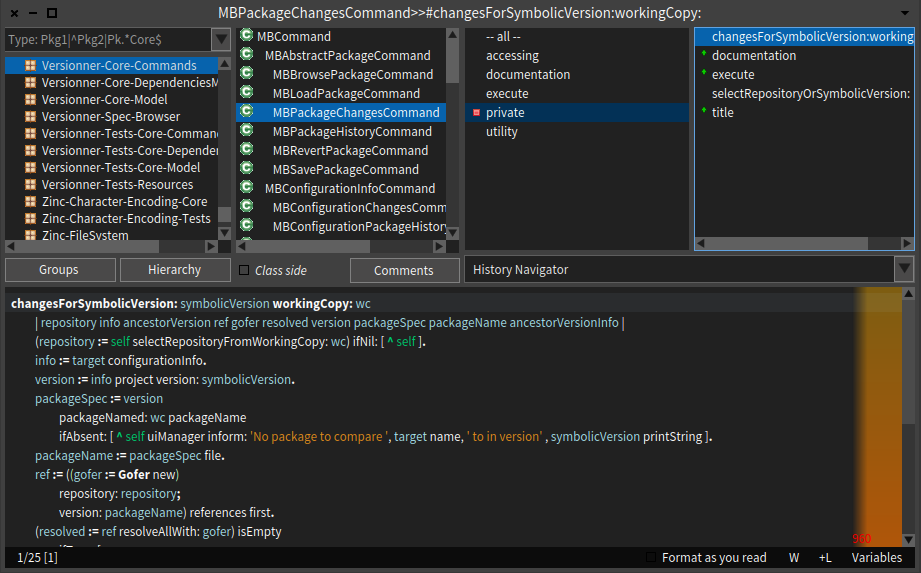
An example to illustrate the empty space in the protocol area: [image: Images intégrées 1]
I would like the coding area to expand a bit when a method is too long. I do it all the time by hand.
Same example with AltBrowser, exact same bounds: [image: Images intégrées 2] It's interesting to see the difference in displayed information between the two (which one gives the feeling the method is too long?). As shown, the second screenshot provides less context (i.e. no package name) but is this information available? Thierry
Stef
Le 19/8/15 13:13, Thierry Goubier a écrit :
Hitting send too early :(
2015-08-19 11:59 GMT+02:00 Esteban Lorenzano <estebanlm@gmail.com>:
On 19 Aug 2015, at 11:50, Esteban Lorenzano <estebanlm@gmail.com> wrote:
On 19 Aug 2015, at 11:44, Thierry Goubier <thierry.goubier@gmail.com> wrote:
<Screen Shot 2015-08-19 at 11.10.41.png>
⦠but arriving to it is not so easy.
In conclusion: We are doing some right steps. It is not finished, but we are not going to go back to older way :)
Hi Esteban,
My opinion is that you're still tied a lot to the Smalltalk 80's way... Which is good: someone coming from 1980 would be able to use Nautilus ;)
My critics on that design: the tabs are nice and certainly help see that a class has a class side. Overall look is more up to date. Tabs headers, scroll bars, etc... take far too much space: work area (the code area) is 39% of overall window size, and 68% counting in the context (package, class, protocol and method) (Numbers are worse on a small window, of course, but I guess some do work on small screens).
It will be nice to see simpler / cleaner Nautilus code coming along :)
yes, of course you are right :) the GTools guys are working in a complete replacement, and Iâm sure it will be a lot better⦠but we will always need a backdoor⦠and I would like to have a good browser even as a backdoor.
I'm certainly looking forward for the GT-based system browser results,
while probably I won't be using it; some of the design / implementation choices of the GT tools just don't fit the way I work, and I feel down by just looking at how clumsy and slow I become when using them.
(also, our philosophy is incremental: we improve what we have while we wait for the break-thru improvements)
Agreed. I still miss a bit the OmniBrowser I started Pharo with... Especially the code regularity and architecture.
Esteban
ps: for me the âcode areaâ is not equivalent to the âwork areaâ: I spend much more time understanding a problem than coding it, and for that a view of the method *in the context* is better)
That's why I added the 68% result: I do agree that the context matter; I
still think that the overhead is too high.
for example: I try your alt browser time to time, because I find it has some good ideas. But since my workflow is usually: I dig a package, then I see the classes inside and try to figure out how they work together, then I read the comments, try to find examples, tests⦠then I finally go to the method level, and even that often with an eye into the class it belongs and even the package⦠so the AltBrowser is useless for me⦠it is really not confortable for me to use⦠and yes, it has a bigger code area, but that is not really relevant (for me). ⦠and the traditional browser adapts a lot better to that way of doing.
I think I more or less do the same, but with a slightly different approach, with for example a lot of scoping (to a class, to a package, implementors, senders, finder). I especially rely on the fact that I stay in the browser task model (but with multiple windows) all the time while doing that; I don't have to deal with disparate tools (Spotter, Finder, MessageList).
I also like the fact I can see both class and instance side methods at the same time...
Now⦠real question is: I work that way because fits better my mind-model or my mind-model fits what the browser provides me? well, who knows⦠but back in my java days I also was using the âjava browsing perspectiveâ of Eclipse, who resembles a Smalltalk browser.
The good question we have here is that our search/exploration/understanding strategies are different, but based on the same building blocks... So there is some Moldable issue there as per the GT group, but not inside the tool as they are currently doing, instead the tool itself has to be moldable (or what is the tool).
Now, I'm so attuned to the Alt Browser tree view that I prefer it in any case... even to the point that I can do short and fast smalltalk edits directly on github through the web interface.
Thierry
Esteban
Thierry
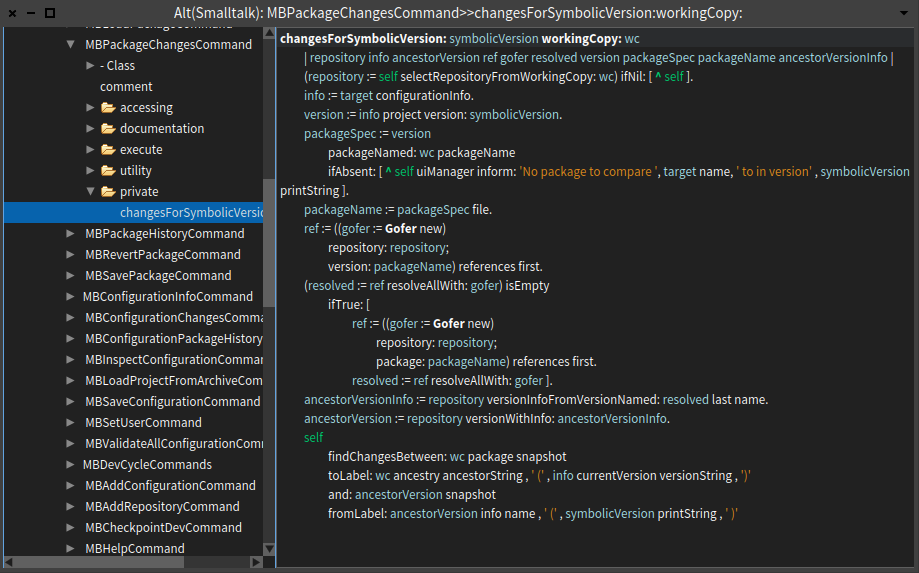
On 20 Aug 2015, at 09:14, stepharo <stepharo@free.fr> wrote:
For example why protocol get the same space than method. We could split the protocol by half and use the space for soemthing useful.
I would like the coding area to expand a bit when a method is too long. I do it all the time by hand.
not just a bit: I would like a button (and a key combination) to expand the full area to occupy all browser space when needed. and not just the code area: the different panels too: no matter how much you reduce the size of protocols and/or packages, there will always be methods and classes with bigger names⦠I think an âexpandâ function is better solution than arbitrary change panel sizes. Esteban
Stef
Le 19/8/15 13:13, Thierry Goubier a écrit :
Hitting send too early :(
2015-08-19 11:59 GMT+02:00 Esteban Lorenzano <estebanlm@gmail.com <mailto:estebanlm@gmail.com>>:
On 19 Aug 2015, at 11:50, Esteban Lorenzano <estebanlm@gmail.com <mailto:estebanlm@gmail.com>> wrote:
On 19 Aug 2015, at 11:44, Thierry Goubier <thierry.goubier@gmail.com <mailto:thierry.goubier@gmail.com>> wrote:
<Screen Shot 2015-08-19 at 11.10.41.png>
⦠but arriving to it is not so easy.
In conclusion: We are doing some right steps. It is not finished, but we are not going to go back to older way :)
Hi Esteban,
My opinion is that you're still tied a lot to the Smalltalk 80's way... Which is good: someone coming from 1980 would be able to use Nautilus ;)
My critics on that design: the tabs are nice and certainly help see that a class has a class side. Overall look is more up to date. Tabs headers, scroll bars, etc... take far too much space: work area (the code area) is 39% of overall window size, and 68% counting in the context (package, class, protocol and method) (Numbers are worse on a small window, of course, but I guess some do work on small screens).
It will be nice to see simpler / cleaner Nautilus code coming along :)
yes, of course you are right :) the GTools guys are working in a complete replacement, and Iâm sure it will be a lot better⦠but we will always need a backdoor⦠and I would like to have a good browser even as a backdoor.
I'm certainly looking forward for the GT-based system browser results, while probably I won't be using it; some of the design / implementation choices of the GT tools just don't fit the way I work, and I feel down by just looking at how clumsy and slow I become when using them.
(also, our philosophy is incremental: we improve what we have while we wait for the break-thru improvements)
Agreed. I still miss a bit the OmniBrowser I started Pharo with... Especially the code regularity and architecture.
Esteban
ps: for me the âcode areaâ is not equivalent to the âwork areaâ: I spend much more time understanding a problem than coding it, and for that a view of the method *in the context* is better)
That's why I added the 68% result: I do agree that the context matter; I still think that the overhead is too high.
for example: I try your alt browser time to time, because I find it has some good ideas. But since my workflow is usually: I dig a package, then I see the classes inside and try to figure out how they work together, then I read the comments, try to find examples, tests⦠then I finally go to the method level, and even that often with an eye into the class it belongs and even the package⦠so the AltBrowser is useless for me⦠it is really not confortable for me to use⦠and yes, it has a bigger code area, but that is not really relevant (for me). ⦠and the traditional browser adapts a lot better to that way of doing.
I think I more or less do the same, but with a slightly different approach, with for example a lot of scoping (to a class, to a package, implementors, senders, finder). I especially rely on the fact that I stay in the browser task model (but with multiple windows) all the time while doing that; I don't have to deal with disparate tools (Spotter, Finder, MessageList).
I also like the fact I can see both class and instance side methods at the same time...
Now⦠real question is: I work that way because fits better my mind-model or my mind-model fits what the browser provides me? well, who knows⦠but back in my java days I also was using the âjava browsing perspectiveâ of Eclipse, who resembles a Smalltalk browser.
The good question we have here is that our search/exploration/understanding strategies are different, but based on the same building blocks... So there is some Moldable issue there as per the GT group, but not inside the tool as they are currently doing, instead the tool itself has to be moldable (or what is the tool).
Now, I'm so attuned to the Alt Browser tree view that I prefer it in any case... even to the point that I can do short and fast smalltalk edits directly on github through the web interface.
Thierry
Esteban
Thierry
On Thu, Aug 20, 2015 at 11:08 AM, Esteban Lorenzano <estebanlm@gmail.com> wrote:
On 20 Aug 2015, at 09:14, stepharo <stepharo@free.fr> wrote:
For example why protocol get the same space than method. We could split the protocol by half and use the space for soemthing useful.
I would like the coding area to expand a bit when a method is too long. I do it all the time by hand.
not just a bit: I would like a button (and a key combination) to expand the full area to occupy all browser space when needed. and not just the code area: the different panels too: no matter how much you reduce the size of protocols and/or packages, there will always be methods and classes with bigger names⦠I think an âexpandâ function is better solution than arbitrary change panel sizes.
Right thing to do if you ask me. Or like TWM, have a bunch of icons to put the part where you want it. Or like on Windows applications: drag and drop the panes around and save the layout with a given name (now, this one would be harder) Phil
Esteban
Stef
Le 19/8/15 13:13, Thierry Goubier a écrit :
Hitting send too early :(
2015-08-19 11:59 GMT+02:00 Esteban Lorenzano <estebanlm@gmail.com>:
On 19 Aug 2015, at 11:50, Esteban Lorenzano <estebanlm@gmail.com> wrote:
On 19 Aug 2015, at 11:44, Thierry Goubier <thierry.goubier@gmail.com> wrote:
<Screen Shot 2015-08-19 at 11.10.41.png>
⦠but arriving to it is not so easy.
In conclusion: We are doing some right steps. It is not finished, but we are not going to go back to older way :)
Hi Esteban,
My opinion is that you're still tied a lot to the Smalltalk 80's way... Which is good: someone coming from 1980 would be able to use Nautilus ;)
My critics on that design: the tabs are nice and certainly help see that a class has a class side. Overall look is more up to date. Tabs headers, scroll bars, etc... take far too much space: work area (the code area) is 39% of overall window size, and 68% counting in the context (package, class, protocol and method) (Numbers are worse on a small window, of course, but I guess some do work on small screens).
It will be nice to see simpler / cleaner Nautilus code coming along :)
yes, of course you are right :) the GTools guys are working in a complete replacement, and Iâm sure it will be a lot better⦠but we will always need a backdoor⦠and I would like to have a good browser even as a backdoor.
I'm certainly looking forward for the GT-based system browser results,
while probably I won't be using it; some of the design / implementation choices of the GT tools just don't fit the way I work, and I feel down by just looking at how clumsy and slow I become when using them.
(also, our philosophy is incremental: we improve what we have while we wait for the break-thru improvements)
Agreed. I still miss a bit the OmniBrowser I started Pharo with... Especially the code regularity and architecture.
Esteban
ps: for me the âcode areaâ is not equivalent to the âwork areaâ: I spend much more time understanding a problem than coding it, and for that a view of the method *in the context* is better)
That's why I added the 68% result: I do agree that the context matter; I
still think that the overhead is too high.
for example: I try your alt browser time to time, because I find it has some good ideas. But since my workflow is usually: I dig a package, then I see the classes inside and try to figure out how they work together, then I read the comments, try to find examples, tests⦠then I finally go to the method level, and even that often with an eye into the class it belongs and even the package⦠so the AltBrowser is useless for me⦠it is really not confortable for me to use⦠and yes, it has a bigger code area, but that is not really relevant (for me). ⦠and the traditional browser adapts a lot better to that way of doing.
I think I more or less do the same, but with a slightly different approach, with for example a lot of scoping (to a class, to a package, implementors, senders, finder). I especially rely on the fact that I stay in the browser task model (but with multiple windows) all the time while doing that; I don't have to deal with disparate tools (Spotter, Finder, MessageList).
I also like the fact I can see both class and instance side methods at the same time...
Now⦠real question is: I work that way because fits better my mind-model or my mind-model fits what the browser provides me? well, who knows⦠but back in my java days I also was using the âjava browsing perspectiveâ of Eclipse, who resembles a Smalltalk browser.
The good question we have here is that our search/exploration/understanding strategies are different, but based on the same building blocks... So there is some Moldable issue there as per the GT group, but not inside the tool as they are currently doing, instead the tool itself has to be moldable (or what is the tool).
Now, I'm so attuned to the Alt Browser tree view that I prefer it in any case... even to the point that I can do short and fast smalltalk edits directly on github through the web interface.
Thierry
Esteban
Thierry
Le 20/8/15 11:08, Esteban Lorenzano a écrit :
On 20 Aug 2015, at 09:14, stepharo <stepharo@free.fr <mailto:stepharo@free.fr>> wrote:
For example why protocol get the same space than method. We could split the protocol by half and use the space for soemthing useful.
I would like the coding area to expand a bit when a method is too long. I do it all the time by hand.
not just a bit: I would like a button (and a key combination) to expand the full area to occupy all browser space when needed. and not just the code area: the different panels too: no matter how much you reduce the size of protocols and/or packages, there will always be methods and classes with bigger names⦠I think an âexpandâ function is better solution than arbitrary change panel sizes.
I want an accordeon like.....
Esteban
Stef
Le 19/8/15 13:13, Thierry Goubier a écrit :
Hitting send too early :(
2015-08-19 11:59 GMT+02:00 Esteban Lorenzano <estebanlm@gmail.com <mailto:estebanlm@gmail.com>>:
On 19 Aug 2015, at 11:50, Esteban Lorenzano <estebanlm@gmail.com <mailto:estebanlm@gmail.com>> wrote:
On 19 Aug 2015, at 11:44, Thierry Goubier <thierry.goubier@gmail.com <mailto:thierry.goubier@gmail.com>> wrote:
<Screen Shot 2015-08-19 at 11.10.41.png>
⦠but arriving to it is not so easy.
In conclusion: We are doing some right steps. It is not finished, but we are not going to go back to older way :)
Hi Esteban,
My opinion is that you're still tied a lot to the Smalltalk 80's way... Which is good: someone coming from 1980 would be able to use Nautilus ;)
My critics on that design: the tabs are nice and certainly help see that a class has a class side. Overall look is more up to date. Tabs headers, scroll bars, etc... take far too much space: work area (the code area) is 39% of overall window size, and 68% counting in the context (package, class, protocol and method) (Numbers are worse on a small window, of course, but I guess some do work on small screens).
It will be nice to see simpler / cleaner Nautilus code coming along :)
yes, of course you are right :) the GTools guys are working in a complete replacement, and Iâm sure it will be a lot better⦠but we will always need a backdoor⦠and I would like to have a good browser even as a backdoor.
I'm certainly looking forward for the GT-based system browser results, while probably I won't be using it; some of the design / implementation choices of the GT tools just don't fit the way I work, and I feel down by just looking at how clumsy and slow I become when using them.
(also, our philosophy is incremental: we improve what we have while we wait for the break-thru improvements)
Agreed. I still miss a bit the OmniBrowser I started Pharo with... Especially the code regularity and architecture.
Esteban
ps: for me the âcode areaâ is not equivalent to the âwork areaâ: I spend much more time understanding a problem than coding it, and for that a view of the method *in the context* is better)
That's why I added the 68% result: I do agree that the context matter; I still think that the overhead is too high.
for example: I try your alt browser time to time, because I find it has some good ideas. But since my workflow is usually: I dig a package, then I see the classes inside and try to figure out how they work together, then I read the comments, try to find examples, tests⦠then I finally go to the method level, and even that often with an eye into the class it belongs and even the package⦠so the AltBrowser is useless for me⦠it is really not confortable for me to use⦠and yes, it has a bigger code area, but that is not really relevant (for me). ⦠and the traditional browser adapts a lot better to that way of doing.
I think I more or less do the same, but with a slightly different approach, with for example a lot of scoping (to a class, to a package, implementors, senders, finder). I especially rely on the fact that I stay in the browser task model (but with multiple windows) all the time while doing that; I don't have to deal with disparate tools (Spotter, Finder, MessageList).
I also like the fact I can see both class and instance side methods at the same time...
Now⦠real question is: I work that way because fits better my mind-model or my mind-model fits what the browser provides me? well, who knows⦠but back in my java days I also was using the âjava browsing perspectiveâ of Eclipse, who resembles a Smalltalk browser.
The good question we have here is that our search/exploration/understanding strategies are different, but based on the same building blocks... So there is some Moldable issue there as per the GT group, but not inside the tool as they are currently doing, instead the tool itself has to be moldable (or what is the tool).
Now, I'm so attuned to the Alt Browser tree view that I prefer it in any case... even to the point that I can do short and fast smalltalk edits directly on github through the web interface.
Thierry
Esteban
Thierry
Sorry but reading code is really important and now assistant is taking too much space. And your proposal does not take into account hierarchy and I use it all the time. The same way we use all the time variables. Stef Le 19/8/15 11:50, Esteban Lorenzano a écrit :
On 19 Aug 2015, at 11:44, Thierry Goubier <thierry.goubier@gmail.com <mailto:thierry.goubier@gmail.com>> wrote:
<Screen Shot 2015-08-19 at 11.10.41.png>
⦠but arriving to it is not so easy.
In conclusion: We are doing some right steps. It is not finished, but we are not going to go back to older way :)
Hi Esteban,
My opinion is that you're still tied a lot to the Smalltalk 80's way... Which is good: someone coming from 1980 would be able to use Nautilus ;)
My critics on that design: the tabs are nice and certainly help see that a class has a class side. Overall look is more up to date. Tabs headers, scroll bars, etc... take far too much space: work area (the code area) is 39% of overall window size, and 68% counting in the context (package, class, protocol and method) (Numbers are worse on a small window, of course, but I guess some do work on small screens).
It will be nice to see simpler / cleaner Nautilus code coming along :)
yes, of course you are right :) the GTools guys are working in a complete replacement, and Iâm sure it will be a lot better⦠but we will always need a backdoor⦠and I would like to have a good browser even as a backdoor. (also, our philosophy is incremental: we improve what we have while we wait for the break-thru improvements)
Esteban
ps: for me the âcode areaâ is not equivalent to the âwork areaâ: I spend much more time understanding a problem than coding it, and for that a view of the method *in the context* is better)
Thierry
Maybe there is something to do with line numbers in the code area for the assistant. Something like : - No ctiric, do not show anything - Critic to show about a line -> activate the line numbers and put a warning on this line in the left column. Franck Date: Thu, 20 Aug 2015 09:13:09 +0200 From: stepharo@free.fr To: pharo-dev@lists.pharo.org Subject: Re: [Pharo-dev] Nautilus questions Sorry but reading code is really important and now assistant is taking too much space. And your proposal does not take into account hierarchy and I use it all the time. The same way we use all the time variables. Stef Le 19/8/15 11:50, Esteban Lorenzano a écrit : On 19 Aug 2015, at 11:44, Thierry Goubier <thierry.goubier@gmail.com> wrote: <Screen Shot 2015-08-19 at 11.10.41.png> ⦠but arriving to it is not so easy. In conclusion: We are doing some right steps. It is not finished, but we are not going to go back to older way :) Hi Esteban, My opinion is that you're still tied a lot to the Smalltalk 80's way... Which is good: someone coming from 1980 would be able to use Nautilus ;) My critics on that design: the tabs are nice and certainly help see that a class has a class side. Overall look is more up to date. Tabs headers, scroll bars, etc... take far too much space: work area (the code area) is 39% of overall window size, and 68% counting in the context (package, class, protocol and method) (Numbers are worse on a small window, of course, but I guess some do work on small screens). It will be nice to see simpler / cleaner Nautilus code coming along :) yes, of course you are right :) the GTools guys are working in a complete replacement, and Iâm sure it will be a lot better⦠but we will always need a backdoor⦠and I would like to have a good browser even as a backdoor. (also, our philosophy is incremental: we improve what we have while we wait for the break-thru improvements) Esteban ps: for me the âcode areaâ is not equivalent to the âwork areaâ: I spend much more time understanding a problem than coding it, and for that a view of the method *in the context* is better) Thierry
Le 20/8/15 09:49, Franck Warlouzet a écrit :
Maybe there is something to do with line numbers in the code area for the assistant. Something like : - No ctiric, do not show anything - Critic to show about a line -> activate the line numbers and put a warning on this line in the left column.
yes
Franck
------------------------------------------------------------------------ Date: Thu, 20 Aug 2015 09:13:09 +0200 From: stepharo@free.fr To: pharo-dev@lists.pharo.org Subject: Re: [Pharo-dev] Nautilus questions
Sorry but reading code is really important and now assistant is taking too much space. And your proposal does not take into account hierarchy and I use it all the time. The same way we use all the time variables.
Stef
Le 19/8/15 11:50, Esteban Lorenzano a écrit :
On 19 Aug 2015, at 11:44, Thierry Goubier <thierry.goubier@gmail.com <mailto:thierry.goubier@gmail.com>> wrote:
<Screen Shot 2015-08-19 at 11.10.41.png>
⦠but arriving to it is not so easy.
In conclusion: We are doing some right steps. It is not finished, but we are not going to go back to older way :)
Hi Esteban,
My opinion is that you're still tied a lot to the Smalltalk 80's way... Which is good: someone coming from 1980 would be able to use Nautilus ;)
My critics on that design: the tabs are nice and certainly help see that a class has a class side. Overall look is more up to date. Tabs headers, scroll bars, etc... take far too much space: work area (the code area) is 39% of overall window size, and 68% counting in the context (package, class, protocol and method) (Numbers are worse on a small window, of course, but I guess some do work on small screens).
It will be nice to see simpler / cleaner Nautilus code coming along :)
yes, of course you are right :) the GTools guys are working in a complete replacement, and Iâm sure it will be a lot better⦠but we will always need a backdoor⦠and I would like to have a good browser even as a backdoor. (also, our philosophy is incremental: we improve what we have while we wait for the break-thru improvements)
Esteban
ps: for me the âcode areaâ is not equivalent to the âwork areaâ: I spend much more time understanding a problem than coding it, and for that a view of the method *in the context* is better)
Thierry
On 20 Aug 2015, at 09:13, stepharo <stepharo@free.fr> wrote:
Sorry but reading code is really important and now assistant is taking too much space.
for me code is as important as the other functionality. the size of the code area (and the default size of the browser) can be easily increased, if needed.
And your proposal does not take into account hierarchy and I use it all the time.
my âproposalâ is just a fast sketch made to illustrate how I would like to show certain functionality, it does not take into account any other functionality⦠If I finish my browser proposal ever, it will have a lot more buttons in the toolbar :) about hierarchy I think it should spawn a new browser, as before⦠but it is still something we need to play with it.
The same way we use all the time variables.
*we* use them all the time, but most people does not use them never :) anyway: an option in a tab is one click, same as with a button: not hard⦠and we can play with the information we show in auxiliary panels better :) Esteban
Stef
Le 19/8/15 11:50, Esteban Lorenzano a écrit :
On 19 Aug 2015, at 11:44, Thierry Goubier <thierry.goubier@gmail.com <mailto:thierry.goubier@gmail.com>> wrote:
<Screen Shot 2015-08-19 at 11.10.41.png>
⦠but arriving to it is not so easy.
In conclusion: We are doing some right steps. It is not finished, but we are not going to go back to older way :)
Hi Esteban,
My opinion is that you're still tied a lot to the Smalltalk 80's way... Which is good: someone coming from 1980 would be able to use Nautilus ;)
My critics on that design: the tabs are nice and certainly help see that a class has a class side. Overall look is more up to date. Tabs headers, scroll bars, etc... take far too much space: work area (the code area) is 39% of overall window size, and 68% counting in the context (package, class, protocol and method) (Numbers are worse on a small window, of course, but I guess some do work on small screens).
It will be nice to see simpler / cleaner Nautilus code coming along :)
yes, of course you are right :) the GTools guys are working in a complete replacement, and Iâm sure it will be a lot better⦠but we will always need a backdoor⦠and I would like to have a good browser even as a backdoor. (also, our philosophy is incremental: we improve what we have while we wait for the break-thru improvements)
Esteban
ps: for me the âcode areaâ is not equivalent to the âwork areaâ: I spend much more time understanding a problem than coding it, and for that a view of the method *in the context* is better)
Thierry
my âproposalâ is just a fast sketch made to illustrate how I would like to show certain functionality, it does not take into account any other functionality⦠If I finish my browser proposal ever, it will have a lot more buttons in the toolbar :) about hierarchy I think it should spawn a new browser, as before⦠but it is still something we need to play with it.
NOoooooooooooooooooooooooooooooooooooooooooooooooooooooooooooooo
The same way we use all the time variables.
*we* use them all the time, but most people does not use them never :) anyway: an option in a tab is one click, same as with a button: not hard⦠and we can play with the information we show in auxiliary panels better :)
We could have a set up for normal dev and one for indiana jones.
Esteban
Stef
Le 19/8/15 11:50, Esteban Lorenzano a écrit :
On 19 Aug 2015, at 11:44, Thierry Goubier <thierry.goubier@gmail.com <mailto:thierry.goubier@gmail.com>> wrote:
<Screen Shot 2015-08-19 at 11.10.41.png>
⦠but arriving to it is not so easy.
In conclusion: We are doing some right steps. It is not finished, but we are not going to go back to older way :)
Hi Esteban,
My opinion is that you're still tied a lot to the Smalltalk 80's way... Which is good: someone coming from 1980 would be able to use Nautilus ;)
My critics on that design: the tabs are nice and certainly help see that a class has a class side. Overall look is more up to date. Tabs headers, scroll bars, etc... take far too much space: work area (the code area) is 39% of overall window size, and 68% counting in the context (package, class, protocol and method) (Numbers are worse on a small window, of course, but I guess some do work on small screens).
It will be nice to see simpler / cleaner Nautilus code coming along :)
yes, of course you are right :) the GTools guys are working in a complete replacement, and Iâm sure it will be a lot better⦠but we will always need a backdoor⦠and I would like to have a good browser even as a backdoor. (also, our philosophy is incremental: we improve what we have while we wait for the break-thru improvements)
Esteban
ps: for me the âcode areaâ is not equivalent to the âwork areaâ: I spend much more time understanding a problem than coding it, and for that a view of the method *in the context* is better)
Thierry
2015-08-20 11:53 GMT+02:00 stepharo <stepharo@free.fr>:
my âproposalâ is just a fast sketch made to illustrate how I would like to show certain functionality, it does not take into account any other functionality⦠If I finish my browser proposal ever, it will have a lot more buttons in the toolbar :) about hierarchy I think it should spawn a new browser, as before⦠but it is still something we need to play with it.
NOoooooooooooooooooooooooooooooooooooooooooooooooooooooooooooooo
The same way we use all the time variables.
*we* use them all the time, but most people does not use them never :) anyway: an option in a tab is one click, same as with a button: not hard⦠and we can play with the information we show in auxiliary panels better :)
We could have a set up for normal dev and one for indiana jones.
I'll put you in the Indiana Jones category :) Whip-enabled system browser! Thierry
Esteban
Stef
Le 19/8/15 11:50, Esteban Lorenzano a écrit :
On 19 Aug 2015, at 11:44, Thierry Goubier <thierry.goubier@gmail.com> wrote:
<Screen Shot 2015-08-19 at 11.10.41.png>
⦠but arriving to it is not so easy.
In conclusion: We are doing some right steps. It is not finished, but we are not going to go back to older way :)
Hi Esteban,
My opinion is that you're still tied a lot to the Smalltalk 80's way... Which is good: someone coming from 1980 would be able to use Nautilus ;)
My critics on that design: the tabs are nice and certainly help see that a class has a class side. Overall look is more up to date. Tabs headers, scroll bars, etc... take far too much space: work area (the code area) is 39% of overall window size, and 68% counting in the context (package, class, protocol and method) (Numbers are worse on a small window, of course, but I guess some do work on small screens).
It will be nice to see simpler / cleaner Nautilus code coming along :)
yes, of course you are right :) the GTools guys are working in a complete replacement, and Iâm sure it will be a lot better⦠but we will always need a backdoor⦠and I would like to have a good browser even as a backdoor. (also, our philosophy is incremental: we improve what we have while we wait for the break-thru improvements)
Esteban
ps: for me the âcode areaâ is not equivalent to the âwork areaâ: I spend much more time understanding a problem than coding it, and for that a view of the method *in the context* is better)
Thierry

On Wed, Aug 19, 2015 at 5:12 PM, Esteban Lorenzano <estebanlm@gmail.com> wrote:
Hi,
Some remarks:
Yes: - yes, we are still working on Nautilus, and some of the things we are trying now will change (for example, I do not think we need the history dropdown there having the back/forward icons⦠and in any case since they are talking about the same, they should be close) - yes, we can add other functionality, as Franck posted, thatâs why we ask for those functionality. Now if nobody answers, do not expect we can know what you want :) - yes, using abbreviated names there is bad. (Hier., Com.) we need to find a better place. - yes, âvariablesâ is not so relevant and I would like to move it to a place where does not look as is. I use it all the time, but in regular programming people should not need to use it all the time. Weâll see.
Nos: - no, we are not going to put back buttons in the middle of the browser: what is a toolbar, should be where toolsbars go. I know many if you are used to the older way, but that older way was bad: the original idea was to put functionality close to the coding area⦠no reason to do that this days. - actually, I do not have more ânosâ for now, but I want to keep this open, for the future ;)
Some others: - the fact that you never used âScopedâ is actually the reason why we put it in such a relevant place: is one of the most powerful functionalities of Nautilus and we want you to have access to it in a direct and visible place. So you can start to use it. Using âI never used itâ as an argument does not work because in exchange I can say âthis is the function I use the most of nautilusâ. Give it a try, is particularly useful for: a) applying refactors, b) search senders/implementors inside my project and not in all image. - actually, I would like to remove also the buttons that acts on classes (most of them needs to be tabs in the right places). In my ideal browser, functionality is distributed like this:
⦠but arriving to it is not so easy.
I *very* much like this concept of tabs rather buttons. Some ideas... You could have a [Scoped] tab next to [Packages]. Actually, beyond providing a label (which I do like), the [Classes] tab doesn't seem to serve much purpose. So maybe spread one tabbing area across the top of both panes 1 & 2. Then you have more room for multiple tabs... [Packages/Classes] [ Scope1] [Scope]. This area might scroll tabs horizontally. You should be able to rename a tab by direct action - just double-clicking or similar. Above panes 3 & 4, there seems there might be room to name the tabs... [Instance protocols/methods] [Class protocols/methods] [Variables] and eliminate one level of tabs. I like how panes 3 & 4 seems joined together. The same would look nice between panes 1 & 2. This conveys in a subtle way the panes are paired together. A nice shortcut to ]add packages to a scoped tab would be... Ctrl-C in [Packages/Classes] tab to copy selected packages Ctrl-V in [ScopeXX] tab to. Can [Definition] tab be named [Instances Definition] - and to be clear, I do think plural is correct. Or... maybe that gets confusing since we often talk about a "Class Definition" while looking at the instance-side definition. Perhaps they should be [Definition] [Meta Definition][Comment] Or alternatively, I rarely see definitions taking up much of the code space. Now since previously the <Class-side> checkbox was tied to mode of both definition and methods, but here tabs would seem to allow these to be selected independently... perhaps there might be a single [Definition] tab split vertically into two panes showing instance-side and class-side definitions at the same time. Or maybe just one pane but the text of class-sdie definition appended to instance-side definition. Perhaps selecting a method #myMethod adds a code pane tab [myMethod]. The name of the tab would change each time a different method is selected, but also you could pin a tab, thus making use of the empty space to the right of the [Comment] tab. One thing that sometimes annoys me with current Nautilus, is that to view a class definition, I need to deselect the method and loose my context there. Tabs seem a great way to be able to flick back and forth without loosing context. cheers -ben
In conclusion: We are doing some right steps. It is not finished, but we are not going to go back to older way :)
cheers, Esteban
On 19 Aug 2015, at 10:04, Franck Warlouzet <franck.warlouzet@hotmail.fr> wrote:
There is free space for another functionnality. I asked for ideas of buttons before doing Scoped one (and it appeared that scoped is used by people). Variables is often used too, and there is no shortcut to browse all the access to the variables of a class so I think it is needed. They seem more needed than a button with an action which can be triggered by cmd + n or m in the same context than when you are about to clic on it (selector selected).
The toolbar may take time to be loved, but I think new users are more used to a bar with functionnalities on top of a window than a middle bar. I would put all the buttons on top but I understand the strong link of hierarchy, class and comments with the classes panel so it is ok.
And yes, the layout handling in this case is very painful.
Franck
------------------------------ From: kilon.alios@gmail.com Date: Tue, 18 Aug 2015 20:49:34 +0000 To: pharo-dev@lists.pharo.org; pharo-users@lists.pharo.org Subject: Re: [Pharo-dev] Nautilus questions
I agree with your post about the buttons. Personally I have never used scoped or really need it as feature , I dont think I would be needing variables either. Actually two buttons I miss from Squeak is implementers and senders which I found super useful.
On Tue, Aug 18, 2015 at 11:00 PM Peter Uhnák <i.uhnak@gmail.com> wrote:
Hi,
maybe I'm too picky, but I have couple of questions/remarks regarding current Nautilus UI. Now, I'm happy that new features were added/reorganized, but it does feel it is a little bit chaotic right now.
<2015-08-18_191053.png> I would expect the left/right history buttons being right next to the History Navigator selector. That way history-related controls are together and the purpose of the buttons is obvious
"Hier.", "Com."... abbreviating button labels? Really?
âAnd finally, why was part of the buttons moved up? And part stayed down? I know that you wanted to distinguish "Scoped", because it opens a new browser, and Variables, because they have intermediate menu (and later open another menu). But I think the fact that Variables are tied to a particular selected class would make much more sense to place the button beside hierachy/class button.
And opening Scoped can be denoted with an appropriate icon ( https://www.google.com/search?site=&tbm=isch&source=hp&biw=&bih=&q=new+windo... )
Placing them all on a single line would also save up vertical space, which considering we've added QualityAssistant and Rubric adds another line is quite valuable.
(And finally the width of the buttons should perhaps match more closely the actual needs of the label, because now it's bit cramped.)
<2015-08-18_214348.png> â And finally, code-wise I've never really interacted with Morphic and stayed in Spec, so when I was digging through code it seems that the way Morphs are composed are through these "addMorph:fullFrame: (LayoutFrame identity rightFraction: 0.10; yourself);" constructs sprinkled haphazardly throughout the code. Is there nothing like SpecLayout? Maybe it wasn't so hard once you get used to Morphic, because I spent probably more time doing elementary changes to layout than learning half of Spec... (Also since Spec can interoperate with Morphic, maybe the layout could also be adapted? Or slowly migrate Nautilus to Spec (if there are even plans like that)?)
Now as I've mentioned I'm not an UI/UX expert, but you don't need to be a chef to tell when food isn't great (which is of course amplified by personal tastes).
So unless I am the only person bothered by this, I would like to raise a discussion (or send a slice, but the way I've done the layout weirds me out, so I still want to look into that regardless).
Cheers, Peter
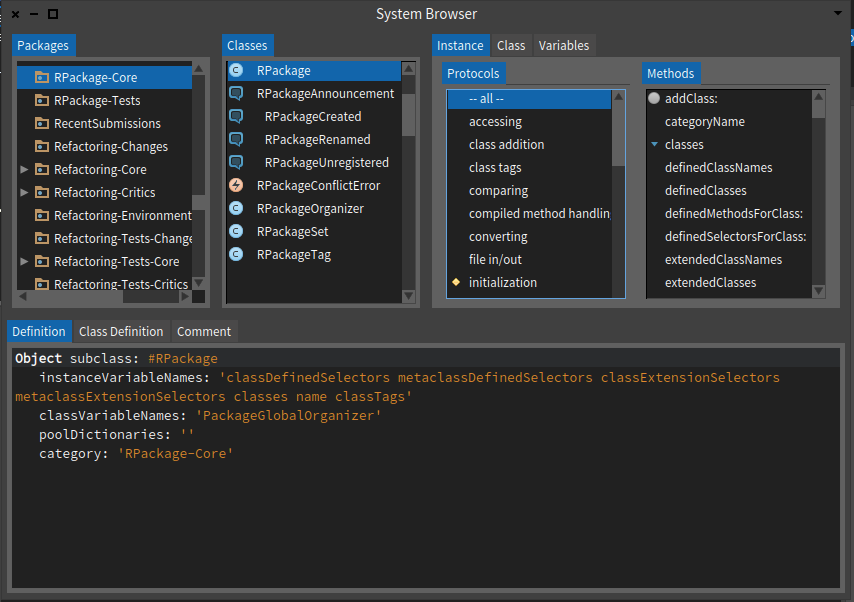
Yeah I did not phrase it the way I wanted it. I have used scoped several times to understands its purpose but each time I failed to see why its useful. I fail to see why opening a browser that displays a single package is important. But I guess if that's what people like , I can always ignore that button :) I have to confess I was never and probably will never be a fan of the system browser. I think the overall Smalltalk design wastes a lot of GUI space and provides me with info I mostly not need. Like a continuous display of a list of packages, classes and protocols / methods when the only thing I need to see all the time is the method source. On Wed, Aug 19, 2015 at 3:58 PM Ben Coman <btc@openinworld.com> wrote:
On Wed, Aug 19, 2015 at 5:12 PM, Esteban Lorenzano <estebanlm@gmail.com> wrote:
Hi,
Some remarks:
Yes: - yes, we are still working on Nautilus, and some of the things we are trying now will change (for example, I do not think we need the history dropdown there having the back/forward icons⦠and in any case since they are talking about the same, they should be close) - yes, we can add other functionality, as Franck posted, thatâs why we ask for those functionality. Now if nobody answers, do not expect we can know what you want :) - yes, using abbreviated names there is bad. (Hier., Com.) we need to find a better place. - yes, âvariablesâ is not so relevant and I would like to move it to a place where does not look as is. I use it all the time, but in regular programming people should not need to use it all the time. Weâll see.
Nos: - no, we are not going to put back buttons in the middle of the browser: what is a toolbar, should be where toolsbars go. I know many if you are used to the older way, but that older way was bad: the original idea was to put functionality close to the coding area⦠no reason to do that this days. - actually, I do not have more ânosâ for now, but I want to keep this open, for the future ;)
Some others: - the fact that you never used âScopedâ is actually the reason why we put it in such a relevant place: is one of the most powerful functionalities of Nautilus and we want you to have access to it in a direct and visible place. So you can start to use it. Using âI never used itâ as an argument does not work because in exchange I can say âthis is the function I use the most of nautilusâ. Give it a try, is particularly useful for: a) applying refactors, b) search senders/implementors inside my project and not in all image. - actually, I would like to remove also the buttons that acts on classes (most of them needs to be tabs in the right places). In my ideal browser, functionality is distributed like this:
⦠but arriving to it is not so easy.
I *very* much like this concept of tabs rather buttons. Some ideas...
You could have a [Scoped] tab next to [Packages]. Actually, beyond providing a label (which I do like), the [Classes] tab doesn't seem to serve much purpose. So maybe spread one tabbing area across the top of both panes 1 & 2. Then you have more room for multiple tabs... [Packages/Classes] [ Scope1] [Scope]. This area might scroll tabs horizontally. You should be able to rename a tab by direct action - just double-clicking or similar.
Above panes 3 & 4, there seems there might be room to name the tabs... [Instance protocols/methods] [Class protocols/methods] [Variables] and eliminate one level of tabs.
I like how panes 3 & 4 seems joined together. The same would look nice between panes 1 & 2. This conveys in a subtle way the panes are paired together.
A nice shortcut to ]add packages to a scoped tab would be... Ctrl-C in [Packages/Classes] tab to copy selected packages Ctrl-V in [ScopeXX] tab to.
Can [Definition] tab be named [Instances Definition] - and to be clear, I do think plural is correct. Or... maybe that gets confusing since we often talk about a "Class Definition" while looking at the instance-side definition. Perhaps they should be [Definition] [Meta Definition][Comment]
Or alternatively, I rarely see definitions taking up much of the code space. Now since previously the <Class-side> checkbox was tied to mode of both definition and methods, but here tabs would seem to allow these to be selected independently... perhaps there might be a single [Definition] tab split vertically into two panes showing instance-side and class-side definitions at the same time. Or maybe just one pane but the text of class-sdie definition appended to instance-side definition.
Perhaps selecting a method #myMethod adds a code pane tab [myMethod]. The name of the tab would change each time a different method is selected, but also you could pin a tab, thus making use of the empty space to the right of the [Comment] tab.
One thing that sometimes annoys me with current Nautilus, is that to view a class definition, I need to deselect the method and loose my context there. Tabs seem a great way to be able to flick back and forth without loosing context.
cheers -ben
In conclusion: We are doing some right steps. It is not finished, but we are not going to go back to older way :)
cheers, Esteban
On 19 Aug 2015, at 10:04, Franck Warlouzet <franck.warlouzet@hotmail.fr> wrote:
There is free space for another functionnality. I asked for ideas of buttons before doing Scoped one (and it appeared that scoped is used by people). Variables is often used too, and there is no shortcut to browse all the access to the variables of a class so I think it is needed. They seem more needed than a button with an action which can be triggered by cmd + n or m in the same context than when you are about to clic on it (selector selected).
The toolbar may take time to be loved, but I think new users are more used to a bar with functionnalities on top of a window than a middle bar. I would put all the buttons on top but I understand the strong link of hierarchy, class and comments with the classes panel so it is ok.
And yes, the layout handling in this case is very painful.
Franck
------------------------------ From: kilon.alios@gmail.com Date: Tue, 18 Aug 2015 20:49:34 +0000 To: pharo-dev@lists.pharo.org; pharo-users@lists.pharo.org Subject: Re: [Pharo-dev] Nautilus questions
I agree with your post about the buttons. Personally I have never used scoped or really need it as feature , I dont think I would be needing variables either. Actually two buttons I miss from Squeak is implementers and senders which I found super useful.
On Tue, Aug 18, 2015 at 11:00 PM Peter Uhnák <i.uhnak@gmail.com> wrote:
Hi,
maybe I'm too picky, but I have couple of questions/remarks regarding current Nautilus UI. Now, I'm happy that new features were added/reorganized, but it does feel it is a little bit chaotic right now.
<2015-08-18_191053.png> I would expect the left/right history buttons being right next to the History Navigator selector. That way history-related controls are together and the purpose of the buttons is obvious
"Hier.", "Com."... abbreviating button labels? Really?
âAnd finally, why was part of the buttons moved up? And part stayed down? I know that you wanted to distinguish "Scoped", because it opens a new browser, and Variables, because they have intermediate menu (and later open another menu). But I think the fact that Variables are tied to a particular selected class would make much more sense to place the button beside hierachy/class button.
And opening Scoped can be denoted with an appropriate icon ( https://www.google.com/search?site=&tbm=isch&source=hp&biw=&bih=&q=new+windo... )
Placing them all on a single line would also save up vertical space, which considering we've added QualityAssistant and Rubric adds another line is quite valuable.
(And finally the width of the buttons should perhaps match more closely the actual needs of the label, because now it's bit cramped.)
<2015-08-18_214348.png> â And finally, code-wise I've never really interacted with Morphic and stayed in Spec, so when I was digging through code it seems that the way Morphs are composed are through these "addMorph:fullFrame: (LayoutFrame identity rightFraction: 0.10; yourself);" constructs sprinkled haphazardly throughout the code. Is there nothing like SpecLayout? Maybe it wasn't so hard once you get used to Morphic, because I spent probably more time doing elementary changes to layout than learning half of Spec... (Also since Spec can interoperate with Morphic, maybe the layout could also be adapted? Or slowly migrate Nautilus to Spec (if there are even plans like that)?)
Now as I've mentioned I'm not an UI/UX expert, but you don't need to be a chef to tell when food isn't great (which is of course amplified by personal tastes).
So unless I am the only person bothered by this, I would like to raise a discussion (or send a slice, but the way I've done the layout weirds me out, so I still want to look into that regardless).
Cheers, Peter
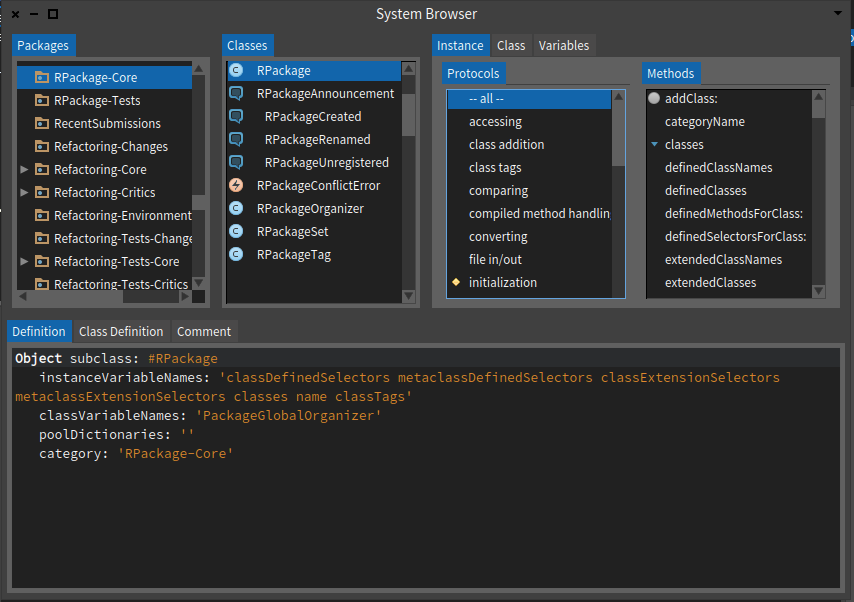

kilon.alios wrote
I failed to see why its useful...
is particularly useful for: a) applying refactors, b) search senders/implementors inside my project and not in all image.
For example, let's say your project has a class that implements a generically-named method, like #asMorph. If you try to rename that method via Refactoring, Pharo will try to rename all #asMorph methods, and update all senders, in the entire system, not just yours. But if you scope the browser first to your package or class, you can restrict the environment to which the refactoring is applied. kilon.alios wrote
I have to confess I was never and probably will never be a fan of the system browser
I agree. It was probably well-suited to the context in which it was invented, but I think we could do much better today. However: - IMHO there is value in having a really-great-old-thing that empowers us to create an entirely new thing - as mentioned, it's good to have a simple and robust fallback behind a revolutionary new tool ----- Cheers, Sean -- View this message in context: http://forum.world.st/Nautilus-questions-tp4843893p4844082.html Sent from the Pharo Smalltalk Developers mailing list archive at Nabble.com.
2015-08-19 16:46 GMT+02:00 Sean P. DeNigris <sean@clipperadams.com>:
kilon.alios wrote
I failed to see why its useful...
is particularly useful for: a) applying refactors, b) search senders/implementors inside my project and not in all image.
For example, let's say your project has a class that implements a generically-named method, like #asMorph. If you try to rename that method via Refactoring, Pharo will try to rename all #asMorph methods, and update all senders, in the entire system, not just yours. But if you scope the browser first to your package or class, you can restrict the environment to which the refactoring is applied.
A good example of scoping is finding all the senders of new in a package ;)
kilon.alios wrote
I have to confess I was never and probably will never be a fan of the system browser
I agree. It was probably well-suited to the context in which it was invented, but I think we could do much better today. However: - IMHO there is value in having a really-great-old-thing that empowers us to create an entirely new thing - as mentioned, it's good to have a simple and robust fallback behind a revolutionary new tool
Yes! You like it when you just managed to make your main browser unusable, or when your browser shows you something strange and you need to qualify it as a bug or as something which was already there, but invisible ;) You also need the old browser to understand how to do things; it's the only documentation you have access to. Thierry
----- Cheers, Sean -- View this message in context: http://forum.world.st/Nautilus-questions-tp4843893p4844082.html Sent from the Pharo Smalltalk Developers mailing list archive at Nabble.com.
On Wed, Aug 19, 2015 at 5:51 PM Sean P. DeNigris <sean@clipperadams.com> wrote:
kilon.alios wrote
For example, let's say your project has a class that implements a generically-named method, like #asMorph. If you try to rename that method via Refactoring, Pharo will try to rename all #asMorph methods, and update all senders, in the entire system, not just yours. But if you scope the browser first to your package or class, you can restrict the environment to which the refactoring is applied
This sounds useful indeed. Is just the browser aware of the scope or is also the pharo environment aware of the scope too ? It would be nice if the scope could expand to include multiple packages , or is this something left to groups ?
Le 19/08/2015 20:26, Dimitris Chloupis a écrit :
On Wed, Aug 19, 2015 at 5:51 PM Sean P. DeNigris <sean@clipperadams.com <mailto:sean@clipperadams.com>> wrote:
kilon.alios wrote
For example, let's say your project has a class that implements a generically-named method, like #asMorph. If you try to rename that method via Refactoring, Pharo will try to rename all #asMorph methods, and update all senders, in the entire system, not just yours. But if you scope the browser first to your package or class, you can restrict the environment to which the refactoring is applied
This sounds useful indeed. Is just the browser aware of the scope or is also the pharo environment aware of the scope too ? It would be nice if the scope could expand to include multiple packages , or is this something left to groups ?
What is happening is that many commands linked to the IDE (refactorings, searches) have an environment entity. By default, this environment is Smalltalk, but it can be a subset of it, and any subset of it. Have a look into the RBBrowserEnvironment class and subclasses and you will see all the variants. For example, a RBPackageEnvironment will scope to one or multiple packages. Thierry
I took a look at the class you recommended and now I see what you mean.I am glad this is not deeply tied to the system browser and is something other tools can use as well with ease. Very flexible too. Looks like the tools only expose a fraction of the power of the environment . Makes me wonder whether environment would be a good idea to be used as some sort of namespaces. On Thu, Aug 20, 2015 at 9:08 AM Thierry Goubier <thierry.goubier@gmail.com> wrote:
Le 19/08/2015 20:26, Dimitris Chloupis a écrit :
On Wed, Aug 19, 2015 at 5:51 PM Sean P. DeNigris <sean@clipperadams.com <mailto:sean@clipperadams.com>> wrote:
kilon.alios wrote
For example, let's say your project has a class that implements a generically-named method, like #asMorph. If you try to rename that method via Refactoring, Pharo will try to rename all #asMorph methods, and update all senders, in the entire system, not just yours. But if you scope
the
browser first to your package or class, you can restrict the environment to which the refactoring is applied
This sounds useful indeed. Is just the browser aware of the scope or is also the pharo environment aware of the scope too ? It would be nice if the scope could expand to include multiple packages , or is this something left to groups ?
What is happening is that many commands linked to the IDE (refactorings, searches) have an environment entity. By default, this environment is Smalltalk, but it can be a subset of it, and any subset of it.
Have a look into the RBBrowserEnvironment class and subclasses and you will see all the variants. For example, a RBPackageEnvironment will scope to one or multiple packages.
Thierry
2015-08-20 11:51 GMT+02:00 Dimitris Chloupis <kilon.alios@gmail.com>:
I took a look at the class you recommended and now I see what you mean.I am glad this is not deeply tied to the system browser and is something other tools can use as well with ease. Very flexible too. Looks like the tools only expose a fraction of the power of the environment .
Well, behind all things RB (the Refactoring Browser[1]) you have a complete model of Smalltalk code. It allows refactoring tools to work on live code but also on non-live code. For example, in SmaCC, which is implemented by the same guys, the code for a parser is generated entirely as refactorings (i.e. non-live code), then refactored for optimisations for both code performance and to minimize the number of refactorings (but still non-live), then split to fit the Cog Jit limits (my work!), and then compiled to the live system in one (large) step. But why am I saying that? To show that those environments are very flexible (and the tools around as well), that they may work on non-live code (for example, a non-loaded package) and that most of the IDE needed functions in practice apply on a model linked to the live code, including when using them through Nautilus. [1] http://citeseerx.ist.psu.edu/viewdoc/download?doi=10.1.1.91.9246&rep=rep1&ty...
Makes me wonder whether environment would be a good idea to be used as some sort of namespaces.
The difference between an environment and a namespace is at the compiler level: can you make the compiler use an environment when compiling a method? I think that Marcus has done things in that direction recently (such as allowing you to add "virtual" instance variables before compiling a method). Also an environment never "renames" stuff, it only "restricts" what is visible. At the programmer level, a Namespace is the ability to have two pieces of code where the class named Morph is an entirely different class, and that you can't understand the code anymore because you're never sure of what a global refers to (since it may be renamed via an import statement)... Some will say it's a feature ;) Thierry
On Thu, Aug 20, 2015 at 9:08 AM Thierry Goubier <thierry.goubier@gmail.com> wrote:
Le 19/08/2015 20:26, Dimitris Chloupis a écrit :
On Wed, Aug 19, 2015 at 5:51 PM Sean P. DeNigris <sean@clipperadams.com <mailto:sean@clipperadams.com>> wrote:
kilon.alios wrote
For example, let's say your project has a class that implements a generically-named method, like #asMorph. If you try to rename that method via Refactoring, Pharo will try to rename all #asMorph methods, and update all senders, in the entire system, not just yours. But if you scope
the
browser first to your package or class, you can restrict the environment to which the refactoring is applied
This sounds useful indeed. Is just the browser aware of the scope or is also the pharo environment aware of the scope too ? It would be nice if the scope could expand to include multiple packages , or is this something left to groups ?
What is happening is that many commands linked to the IDE (refactorings, searches) have an environment entity. By default, this environment is Smalltalk, but it can be a subset of it, and any subset of it.
Have a look into the RBBrowserEnvironment class and subclasses and you will see all the variants. For example, a RBPackageEnvironment will scope to one or multiple packages.
Thierry
Wow that pdf is very deep. Amazing abilities. Pity there is not much documentation and much exposure about these features. Thank you , I am studying it. On Thu, Aug 20, 2015 at 2:52 PM Thierry Goubier <thierry.goubier@gmail.com> wrote:
2015-08-20 11:51 GMT+02:00 Dimitris Chloupis <kilon.alios@gmail.com>:
I took a look at the class you recommended and now I see what you mean.I am glad this is not deeply tied to the system browser and is something other tools can use as well with ease. Very flexible too. Looks like the tools only expose a fraction of the power of the environment .
Well, behind all things RB (the Refactoring Browser[1]) you have a complete model of Smalltalk code. It allows refactoring tools to work on live code but also on non-live code. For example, in SmaCC, which is implemented by the same guys, the code for a parser is generated entirely as refactorings (i.e. non-live code), then refactored for optimisations for both code performance and to minimize the number of refactorings (but still non-live), then split to fit the Cog Jit limits (my work!), and then compiled to the live system in one (large) step.
But why am I saying that? To show that those environments are very flexible (and the tools around as well), that they may work on non-live code (for example, a non-loaded package) and that most of the IDE needed functions in practice apply on a model linked to the live code, including when using them through Nautilus.
[1] http://citeseerx.ist.psu.edu/viewdoc/download?doi=10.1.1.91.9246&rep=rep1&ty...
Makes me wonder whether environment would be a good idea to be used as some sort of namespaces.
The difference between an environment and a namespace is at the compiler level: can you make the compiler use an environment when compiling a method? I think that Marcus has done things in that direction recently (such as allowing you to add "virtual" instance variables before compiling a method). Also an environment never "renames" stuff, it only "restricts" what is visible.
At the programmer level, a Namespace is the ability to have two pieces of code where the class named Morph is an entirely different class, and that you can't understand the code anymore because you're never sure of what a global refers to (since it may be renamed via an import statement)... Some will say it's a feature ;)
Thierry
On Thu, Aug 20, 2015 at 9:08 AM Thierry Goubier < thierry.goubier@gmail.com> wrote:
Le 19/08/2015 20:26, Dimitris Chloupis a écrit :
On Wed, Aug 19, 2015 at 5:51 PM Sean P. DeNigris <
sean@clipperadams.com
<mailto:sean@clipperadams.com>> wrote:
kilon.alios wrote
For example, let's say your project has a class that implements a generically-named method, like #asMorph. If you try to rename that method via Refactoring, Pharo will try to rename all #asMorph methods, and update all senders, in the entire system, not just yours. But if you scope the browser first to your package or class, you can restrict the environment to which the refactoring is applied
This sounds useful indeed. Is just the browser aware of the scope or is also the pharo environment aware of the scope too ? It would be nice if the scope could expand to include multiple packages , or is this something left to groups ?
What is happening is that many commands linked to the IDE (refactorings, searches) have an environment entity. By default, this environment is Smalltalk, but it can be a subset of it, and any subset of it.
Have a look into the RBBrowserEnvironment class and subclasses and you will see all the variants. For example, a RBPackageEnvironment will scope to one or multiple packages.
Thierry
On Wed, Aug 19, 2015 at 4:58 PM, Thierry Goubier <thierry.goubier@gmail.com> wrote:
2015-08-19 16:46 GMT+02:00 Sean P. DeNigris <sean@clipperadams.com>:
kilon.alios wrote
I have to confess I was never and probably will never be a fan of the system browser
I agree. It was probably well-suited to the context in which it was invented, but I think we could do much better today. However: - IMHO there is value in having a really-great-old-thing that empowers us to create an entirely new thing - as mentioned, it's good to have a simple and robust fallback behind a revolutionary new tool
Yes!
This is confusing to me. How do you guys write/read code? I was under the impression that Nautilus (System Browser) is the go-to solution. Or is there some other tool/approach I don't know about? I would like the coding area to expand a bit when a method is too long. While QA did take perhaps too much space, I think that there is benefit in having relatively small coding area (by small I mean pre-QualityAssistant) since it forces me to write smaller methods (I want to be able to see it at once). But this is just personal experience. On Thu, Aug 20, 2015 at 10:58 AM, Esteban Lorenzano <estebanlm@gmail.com> wrote:
- groups (btw, current scoped button does not takes that into account)
I thought groups are being removed.
On Sat, Aug 22, 2015 at 12:19 AM, Peter Uhnák <i.uhnak@gmail.com> wrote:
On Wed, Aug 19, 2015 at 4:58 PM, Thierry Goubier <thierry.goubier@gmail.com> wrote:
2015-08-19 16:46 GMT+02:00 Sean P. DeNigris <sean@clipperadams.com>:
kilon.alios wrote
I have to confess I was never and probably will never be a fan of the system browser
I agree. It was probably well-suited to the context in which it was invented, but I think we could do much better today. However: - IMHO there is value in having a really-great-old-thing that empowers us to create an entirely new thing - as mentioned, it's good to have a simple and robust fallback behind a revolutionary new tool
Yes!
This is confusing to me. How do you guys write/read code? I was under the impression that Nautilus (System Browser) is the go-to solution. Or is there some other tool/approach I don't know about?
Coding from within the debugger? - where you write methods making use of classes/methods that don't yet exist. When you invoke this from Playground, the expected debugger appears and you flesh out the missing methods (again making use of classes/methods that don't exist yet), then continue from the debugger and flesh out the next missing methods. cheers -ben
On 19 Aug 2015, at 20:26, Dimitris Chloupis <kilon.alios@gmail.com> wrote:
On Wed, Aug 19, 2015 at 5:51 PM Sean P. DeNigris <sean@clipperadams.com <mailto:sean@clipperadams.com>> wrote: kilon.alios wrote
For example, let's say your project has a class that implements a generically-named method, like #asMorph. If you try to rename that method via Refactoring, Pharo will try to rename all #asMorph methods, and update all senders, in the entire system, not just yours. But if you scope the browser first to your package or class, you can restrict the environment to which the refactoring is applied
This sounds useful indeed. Is just the browser aware of the scope or is also the pharo environment aware of the scope too ? It would be nice if the scope could expand to include multiple packages , or is this something left to groups ?
no, you can select and then browse scoped : - multiple packages - groups (btw, current scoped button does not takes that into account) - a single class (you have to use the context menu on classes for it) it is really powerful :) Esteban

On 19-08-15 14:58, Ben Coman wrote:
One thing that sometimes annoys me with current Nautilus, is that to view a class definition, I need to deselect the method and loose my context there. Tabs seem a great way to be able to flick back and forth without loosing context.
Nice example. That is functionality that could be well delivered by having a hover popup over the class name showing the class definition. Stephan
Actually two buttons I miss from Squeak is implementers and senders which I found super useful.
Senders and implementors have shortcuts (cmd+b+n, cmd+b+m); variables do not (as far as I know). The history navigation would be better without the selector by addding
a drop-down menu to the back button in a way similar to that in web browsers, i.e. click goes back, while mouseDown and hold opens the menu.
This sounds like a neat idea (although I don't know if Moprhic understands "hold button for X time").
"Hier.", "Com."... abbreviating button labels? Really?
Yes. Because of space.
My point was, that abbreviating the labels is a terrible idea, it doesn't convey any meaning what-so-ever. If space is a problem, then compromises should be done somewhere else, not in abbreviating (unless the abbreviation is very well established and everyone immediately recognizes it). The toolbar may take time to be loved, but I think new users are more used
to a bar with functionnalities on top of a window than a middle bar.
As a user I would expect the buttons be close to where I work. So if I spend most of my time in code pane, I want it to be close, not on the other end of the window. Thanks for the info regarding layouts... I will look at it. Peter On Wed, Aug 19, 2015 at 10:04 AM, Franck Warlouzet < franck.warlouzet@hotmail.fr> wrote:
There is free space for another functionnality. I asked for ideas of buttons before doing Scoped one (and it appeared that scoped is used by people). Variables is often used too, and there is no shortcut to browse all the access to the variables of a class so I think it is needed. They seem more needed than a button with an action which can be triggered by cmd + n or m in the same context than when you are about to clic on it (selector selected).
The toolbar may take time to be loved, but I think new users are more used to a bar with functionnalities on top of a window than a middle bar. I would put all the buttons on top but I understand the strong link of hierarchy, class and comments with the classes panel so it is ok.
And yes, the layout handling in this case is very painful.
Franck
------------------------------ From: kilon.alios@gmail.com Date: Tue, 18 Aug 2015 20:49:34 +0000 To: pharo-dev@lists.pharo.org; pharo-users@lists.pharo.org Subject: Re: [Pharo-dev] Nautilus questions
I agree with your post about the buttons. Personally I have never used scoped or really need it as feature , I dont think I would be needing variables either. Actually two buttons I miss from Squeak is implementers and senders which I found super useful.
On Tue, Aug 18, 2015 at 11:00 PM Peter Uhnák <i.uhnak@gmail.com> wrote:
Hi,
maybe I'm too picky, but I have couple of questions/remarks regarding current Nautilus UI. Now, I'm happy that new features were added/reorganized, but it does feel it is a little bit chaotic right now.
I would expect the left/right history buttons being right next to the History Navigator selector. That way history-related controls are together and the purpose of the buttons is obvious
"Hier.", "Com."... abbreviating button labels? Really?
âAnd finally, why was part of the buttons moved up? And part stayed down? I know that you wanted to distinguish "Scoped", because it opens a new browser, and Variables, because they have intermediate menu (and later open another menu). But I think the fact that Variables are tied to a particular selected class would make much more sense to place the button beside hierachy/class button.
And opening Scoped can be denoted with an appropriate icon ( https://www.google.com/search?site=&tbm=isch&source=hp&biw=&bih=&q=new+windo... )
Placing them all on a single line would also save up vertical space, which considering we've added QualityAssistant and Rubric adds another line is quite valuable.
(And finally the width of the buttons should perhaps match more closely the actual needs of the label, because now it's bit cramped.)
â And finally, code-wise I've never really interacted with Morphic and stayed in Spec, so when I was digging through code it seems that the way Morphs are composed are through these "addMorph:fullFrame: (LayoutFrame identity rightFraction: 0.10; yourself);" constructs sprinkled haphazardly throughout the code. Is there nothing like SpecLayout? Maybe it wasn't so hard once you get used to Morphic, because I spent probably more time doing elementary changes to layout than learning half of Spec... (Also since Spec can interoperate with Morphic, maybe the layout could also be adapted? Or slowly migrate Nautilus to Spec (if there are even plans like that)?)
Now as I've mentioned I'm not an UI/UX expert, but you don't need to be a chef to tell when food isn't great (which is of course amplified by personal tastes).
So unless I am the only person bothered by this, I would like to raise a discussion (or send a slice, but the way I've done the layout weirds me out, so I still want to look into that regardless).
Cheers, Peter
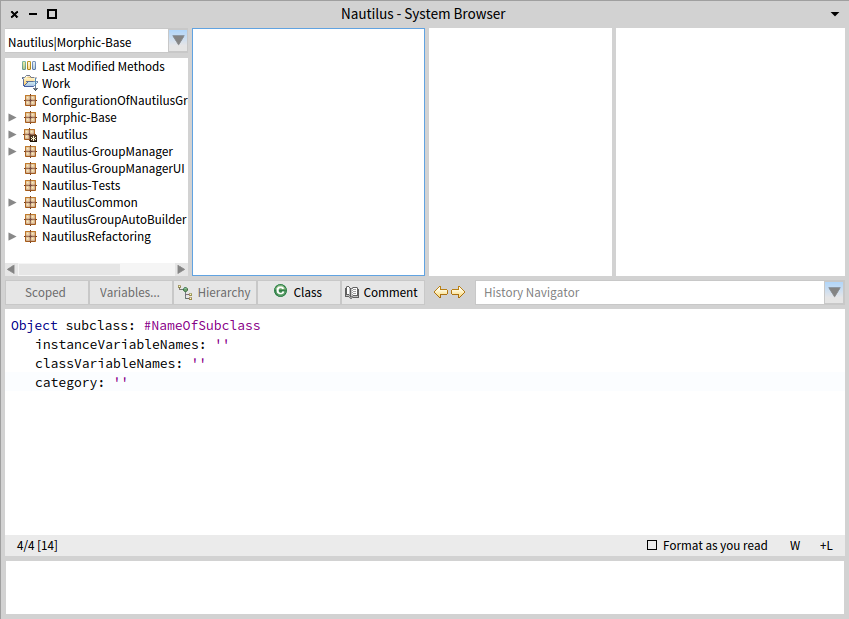
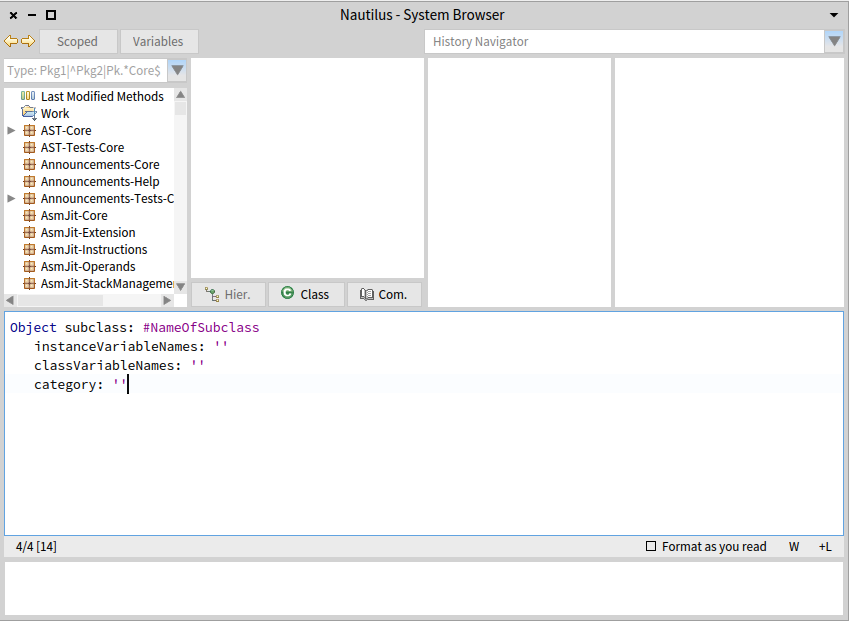
On 19-08-15 11:20, Peter Uhnák wrote:
This sounds like a neat idea (although I don't know if Moprhic understands "hold button for X time").
Take a look at how MouseClickState is used in HandMorph>>waitForClicksOrDrag: aMorph event: evt selectors: clickAndDragSelectors threshold: threshold Stephan
participants (12)
-
 Ben Coman
 -
 Christophe Demarey
 -
 Dimitris Chloupis
 -
 Esteban Lorenzano
 -
 Franck Warlouzet
 -
 Hernán Morales Durand
 -
 Peter Uhnák
 -
 phil@highoctane.be
 -
 Sean P. DeNigris
 -
 Stephan Eggermont
 -
 stepharo
 -
 Thierry Goubier