
Hi Is there a help a student or idiot like me can read about how to find information with Spotter? For example We with luc wanted to find all the senders of variableSubclass: we tried # #senders and more... but gave up. Yesterday I wanted to find all the user of <menu> May be I missed an obvious help that will enlighten me? I hope. Now without such help how can we expect students or users to discover the way we should use the tools? We were planning to do a video to explain Spotter but I'm slowly thinking to discard this video because we do not know. Stef

video tutorial like this one ? https://www.youtube.com/watch?v=mNh6VtPy8m4 On Sat, Jan 9, 2016 at 11:02 PM stepharo <stepharo@free.fr> wrote:
Hi
Is there a help a student or idiot like me can read about how to find information with Spotter? For example We with luc wanted to find all the senders of variableSubclass: we tried # #senders and more... but gave up. Yesterday I wanted to find all the user of <menu>
May be I missed an obvious help that will enlighten me? I hope.
Now without such help how can we expect students or users to discover the way we should use the tools?
We were planning to do a video to explain Spotter but I'm slowly thinking to discard this video because we do not know.
Stef
Luc is estonished that we can watch Youtube from his place. May be because people are sleeping :) Le 9/1/16 22:21, Dimitris Chloupis a écrit :
video tutorial like this one ?
https://www.youtube.com/watch?v=mNh6VtPy8m4
On Sat, Jan 9, 2016 at 11:02 PM stepharo <stepharo@free.fr <mailto:stepharo@free.fr>> wrote:
Hi
Is there a help a student or idiot like me can read about how to find information with Spotter? For example We with luc wanted to find all the senders of variableSubclass: we tried # #senders and more... but gave up. Yesterday I wanted to find all the user of <menu>
May be I missed an obvious help that will enlighten me? I hope.
Now without such help how can we expect students or users to discover the way we should use the tools?
We were planning to do a video to explain Spotter but I'm slowly thinking to discard this video because we do not know.
Stef

You can find documentation with examples about GTSpotter on the humane-assessment.com blog: https://www.google.com/search?client=safari&rls=en&q=site:humane-assessment.... Specifically about finding Pragma usages, I just added a blog post: http://www.humane-assessment.com/blog/spotting-pragmas-with-gtspotter Cheers, Doru
On Jan 9, 2016, at 11:00 PM, stepharo <stepharo@free.fr> wrote:
Hi
Is there a help a student or idiot like me can read about how to find information with Spotter? For example We with luc wanted to find all the senders of variableSubclass: we tried # #senders and more... but gave up. Yesterday I wanted to find all the user of <menu>
May be I missed an obvious help that will enlighten me? I hope.
Now without such help how can we expect students or users to discover the way we should use the tools?
We were planning to do a video to explain Spotter but I'm slowly thinking to discard this video because we do not know.
Stef
-- www.tudorgirba.com www.feenk.com "Value is always contextual."
Thanks Now is there any chance that we can get a help? There are places (like the home of luc where the network is so slow that you cannot even think to watch something on Youtube :) - not talking about Africa. Stef Le 9/1/16 22:42, Tudor Girba a écrit :
You can find documentation with examples about GTSpotter on the humane-assessment.com blog: https://www.google.com/search?client=safari&rls=en&q=site:humane-assessment....
Specifically about finding Pragma usages, I just added a blog post: http://www.humane-assessment.com/blog/spotting-pragmas-with-gtspotter
Cheers, Doru
On Jan 9, 2016, at 11:00 PM, stepharo <stepharo@free.fr> wrote:
Hi
Is there a help a student or idiot like me can read about how to find information with Spotter? For example We with luc wanted to find all the senders of variableSubclass: we tried # #senders and more... but gave up. Yesterday I wanted to find all the user of <menu>
May be I missed an obvious help that will enlighten me? I hope.
Now without such help how can we expect students or users to discover the way we should use the tools?
We were planning to do a video to explain Spotter but I'm slowly thinking to discard this video because we do not know.
Stef
-- www.tudorgirba.com www.feenk.com
"Value is always contextual."

On 1/9/16, stepharo <stepharo@free.fr> wrote:
Thanks Now is there any chance that we can get a help? There are places (like the home of luc where the network is so slow that you cannot even think to watch something on Youtube :) - not talking about Africa.
....calls for a static web site made with Pillar with embedded videos made to download in off-hours as a zip file and to put in an intranet or distribute through USB... (or even to send by snail mail on an MicroSD card) BTW a one page cheat sheet how to use Spotter would be a good thing to have. --Hannes
Stef
Le 9/1/16 22:42, Tudor Girba a écrit :
You can find documentation with examples about GTSpotter on the humane-assessment.com blog: https://www.google.com/search?client=safari&rls=en&q=site:humane-assessment....
Specifically about finding Pragma usages, I just added a blog post: http://www.humane-assessment.com/blog/spotting-pragmas-with-gtspotter
Cheers, Doru
On Jan 9, 2016, at 11:00 PM, stepharo <stepharo@free.fr> wrote:
Hi
Is there a help a student or idiot like me can read about how to find information with Spotter? For example We with luc wanted to find all the senders of variableSubclass: we tried # #senders and more... but gave up. Yesterday I wanted to find all the user of <menu>
May be I missed an obvious help that will enlighten me? I hope.
Now without such help how can we expect students or users to discover the way we should use the tools?
We were planning to do a video to explain Spotter but I'm slowly thinking to discard this video because we do not know.
Stef
-- www.tudorgirba.com www.feenk.com
"Value is always contextual."

On 11-01-16 14:03, H. Hirzel wrote:
....calls for a static web site made with Pillar with embedded videos made to download in off-hours as a zip file and to put in an intranet or distribute through USB...
(or even to send by snail mail on an MicroSD card)
Did you hear about that invention by those strange old-fashioned smalltalkers called an image? :) Web, puh, that's so 90s Stephan
Does Pharo include a video player? --Hannes On 1/11/16, Stephan Eggermont <stephan@stack.nl> wrote:
On 11-01-16 14:03, H. Hirzel wrote:
....calls for a static web site made with Pillar with embedded videos made to download in off-hours as a zip file and to put in an intranet or distribute through USB...
(or even to send by snail mail on an MicroSD card)
Did you hear about that invention by those strange old-fashioned smalltalkers called an image? :) Web, puh, that's so 90s
Stephan
Nope but you could use something like OSProcess to open those videos in VLC from inside pharo On Mon, Jan 11, 2016 at 4:53 PM H. Hirzel <hannes.hirzel@gmail.com> wrote:
Does Pharo include a video player?
--Hannes
On 1/11/16, Stephan Eggermont <stephan@stack.nl> wrote:
On 11-01-16 14:03, H. Hirzel wrote:
....calls for a static web site made with Pillar with embedded videos made to download in off-hours as a zip file and to put in an intranet or distribute through USB...
(or even to send by snail mail on an MicroSD card)
Did you hear about that invention by those strange old-fashioned smalltalkers called an image? :) Web, puh, that's so 90s
Stephan
Doru are all the type after the name? menu #pr I always thought it was the inverse. Where can we find the list of #... Why we cannot have a ghost showing one example. Blog posts are not part of the discoverability of an UI. Stef Le 9/1/16 22:42, Tudor Girba a écrit :
You can find documentation with examples about GTSpotter on the humane-assessment.com blog: https://www.google.com/search?client=safari&rls=en&q=site:humane-assessment....
Specifically about finding Pragma usages, I just added a blog post: http://www.humane-assessment.com/blog/spotting-pragmas-with-gtspotter
Cheers, Doru
On Jan 9, 2016, at 11:00 PM, stepharo <stepharo@free.fr> wrote:
Hi
Is there a help a student or idiot like me can read about how to find information with Spotter? For example We with luc wanted to find all the senders of variableSubclass: we tried # #senders and more... but gave up. Yesterday I wanted to find all the user of <menu>
May be I missed an obvious help that will enlighten me? I hope.
Now without such help how can we expect students or users to discover the way we should use the tools?
We were planning to do a video to explain Spotter but I'm slowly thinking to discard this video because we do not know.
Stef
-- www.tudorgirba.com www.feenk.com
"Value is always contextual."
Hi,
On Jan 10, 2016, at 12:21 AM, stepharo <stepharo@free.fr> wrote:
Doru
are all the type after the name? menu #pr
No. You can also do it like this: #pragma menu
I always thought it was the inverse. Where can we find the list of #â¦
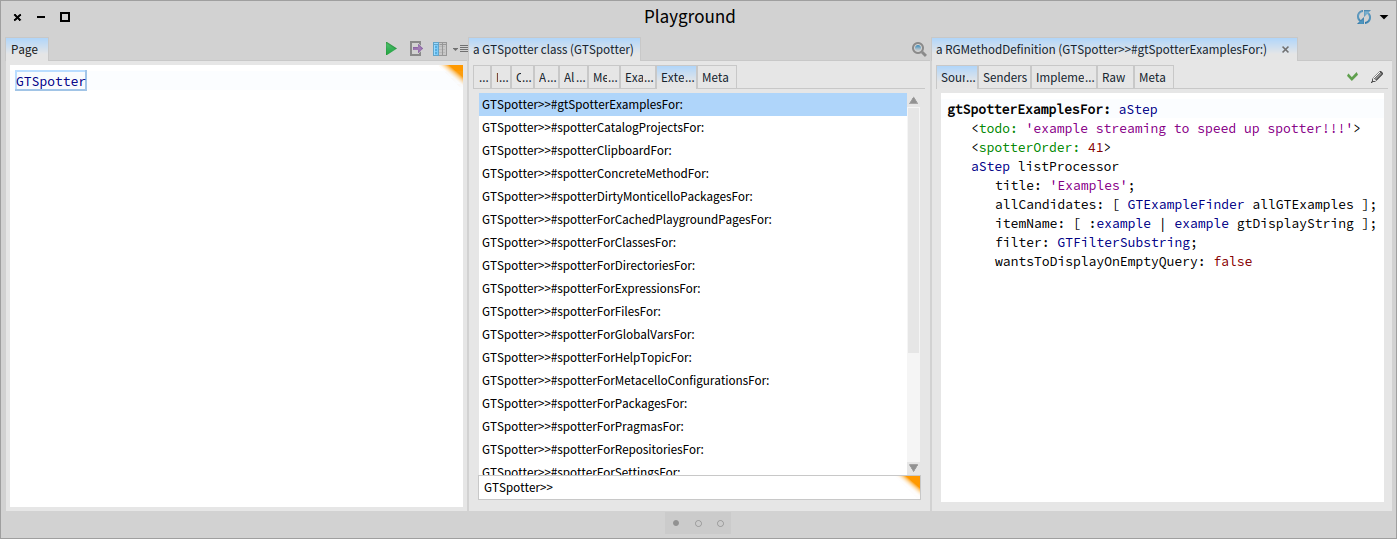
That depends on the place you are searching. The # searches through the categories defined in the class of the current step. By default, you start in an instance of GTSpotter so you will find methods that are annotated with <spotterOrder:>. All extensions of for GTSpotter are documented by inspecting the GTSpotter class (and you can filter by the name of the class): So, # does not define a search action. It filters the search results that happen anyway. That is why it is probably more natural to first search what you are looking for, and then trim to only see the category you are interested in. In any case, you can do it both ways.
Why we cannot have a ghost showing one example.
What do you mean?
Blog posts are not part of the discoverability of an UI.
Of course they are not. But, this is a bit of an unfair comparison :). Doru
Stef
Le 9/1/16 22:42, Tudor Girba a écrit :
You can find documentation with examples about GTSpotter on the humane-assessment.com blog: https://www.google.com/search?client=safari&rls=en&q=site:humane-assessment....
Specifically about finding Pragma usages, I just added a blog post: http://www.humane-assessment.com/blog/spotting-pragmas-with-gtspotter
Cheers, Doru
On Jan 9, 2016, at 11:00 PM, stepharo <stepharo@free.fr> wrote:
Hi
Is there a help a student or idiot like me can read about how to find information with Spotter? For example We with luc wanted to find all the senders of variableSubclass: we tried # #senders and more... but gave up. Yesterday I wanted to find all the user of <menu>
May be I missed an obvious help that will enlighten me? I hope.
Now without such help how can we expect students or users to discover the way we should use the tools?
We were planning to do a video to explain Spotter but I'm slowly thinking to discard this video because we do not know.
Stef
-- www.tudorgirba.com www.feenk.com
"Value is always contextual."
-- www.tudorgirba.com www.feenk.com "Quality cannot be an afterthought."

Doru I will stop to argue with you because you are blind. If luc that is teaching and programming in Pharo and me do not find how to use Spotter then what can I say. Stef Le 10/1/16 06:32, Tudor Girba a écrit :
Hi,
On Jan 10, 2016, at 12:21 AM, stepharo <stepharo@free.fr <mailto:stepharo@free.fr>> wrote:
Doru
are all the type after the name? menu #pr
No. You can also do it like this: #pragma menu
I always thought it was the inverse. Where can we find the list of #â¦
That depends on the place you are searching.
The # searches through the categories defined in the class of the current step. By default, you start in an instance of GTSpotter so you will find methods that are annotated with <spotterOrder:>. All extensions of for GTSpotter are documented by inspecting the GTSpotter class (and you can filter by the name of the class):
So, # does not define a search action. It filters the search results that happen anyway. That is why it is probably more natural to first search what you are looking for, and then trim to only see the category you are interested in. In any case, you can do it both ways.
Why we cannot have a ghost showing one example.
What do you mean?
Blog posts are not part of the discoverability of an UI.
Of course they are not. But, this is a bit of an unfair comparison :).
Doru
Stef
Le 9/1/16 22:42, Tudor Girba a écrit :
You can find documentation with examples about GTSpotter on the humane-assessment.com <http://humane-assessment.com> blog: https://www.google.com/search?client=safari&rls=en&q=site:humane-assessment....
Specifically about finding Pragma usages, I just added a blog post: http://www.humane-assessment.com/blog/spotting-pragmas-with-gtspotter
Cheers, Doru
On Jan 9, 2016, at 11:00 PM, stepharo <stepharo@free.fr> wrote:
Hi
Is there a help a student or idiot like me can read about how to find information with Spotter? For example We with luc wanted to find all the senders of variableSubclass: we tried # #senders and more... but gave up. Yesterday I wanted to find all the user of <menu>
May be I missed an obvious help that will enlighten me? I hope.
Now without such help how can we expect students or users to discover the way we should use the tools?
We were planning to do a video to explain Spotter but I'm slowly thinking to discard this video because we do not know.
Stef
-- www.tudorgirba.com www.feenk.com
"Value is always contextual."
-- www.tudorgirba.com <http://www.tudorgirba.com> www.feenk.com
"Quality cannot be an afterthought."
Can we look for senders directly? Because we could not find how to do it. And we read this blog post: http://www.humane-assessment.com/blog/introducing-gtspotter/ Why Spotter does not offer #n foo senders of #m foo implementors of #N Point refs for class #pr #pa it sounds simpler that way and coherent with the way we use senders and implementors. Now I do not really care about commiting code from within Spotter. Stef Le 9/1/16 22:42, Tudor Girba a écrit :
You can find documentation with examples about GTSpotter on the humane-assessment.com blog: https://www.google.com/search?client=safari&rls=en&q=site:humane-assessment....
Specifically about finding Pragma usages, I just added a blog post: http://www.humane-assessment.com/blog/spotting-pragmas-with-gtspotter
Cheers, Doru
On Jan 9, 2016, at 11:00 PM, stepharo <stepharo@free.fr> wrote:
Hi
Is there a help a student or idiot like me can read about how to find information with Spotter? For example We with luc wanted to find all the senders of variableSubclass: we tried # #senders and more... but gave up. Yesterday I wanted to find all the user of <menu>
May be I missed an obvious help that will enlighten me? I hope.
Now without such help how can we expect students or users to discover the way we should use the tools?
We were planning to do a video to explain Spotter but I'm slowly thinking to discard this video because we do not know.
Stef
-- www.tudorgirba.com www.feenk.com
"Value is always contextual."
Hi,
On Jan 10, 2016, at 12:28 AM, stepharo <stepharo@free.fr> wrote:
Can we look for senders directly? Because we could not find how to do it.
Not at the moment. The way it is supported now is by finding a concrete implementor and then diving in that one to find its senders.
And we read this blog post: http://www.humane-assessment.com/blog/introducing-gtspotter/
Why Spotter does not offer
#n foo senders of #m foo implementors of #N Point refs for class #pr #pa it sounds simpler that way and coherent with the way we use senders and implementors.
This is a different take on what Spotter is. In this case, you want to use # more like a search predicate, but Spotter is made to work with objects which implies that the mechanism should be generic. That is why we thought of # as being a search through the active names of categories. This is generic and it works reasonably well for any object. We envisaged introducing other operators, too. For example, in your case we could have & for denoting a shortcut for the name of the category. The problem there is that you want to limit these operators because you might want to use the symbol (like # or &) for an actual query. That is why we only introduced the searching through categories. But, letâs play a bit and maybe we find a better solution. What do you think?
Now I do not really care about commiting code from within Spotter.
Do you refer about the Monticello extensions? Sometimes I use that because it is faster than clicking and opening Monticello, but those are more examples. Doru
Stef
Le 9/1/16 22:42, Tudor Girba a écrit :
You can find documentation with examples about GTSpotter on the humane-assessment.com blog: https://www.google.com/search?client=safari&rls=en&q=site:humane-assessment....
Specifically about finding Pragma usages, I just added a blog post: http://www.humane-assessment.com/blog/spotting-pragmas-with-gtspotter
Cheers, Doru
On Jan 9, 2016, at 11:00 PM, stepharo <stepharo@free.fr> wrote:
Hi
Is there a help a student or idiot like me can read about how to find information with Spotter? For example We with luc wanted to find all the senders of variableSubclass: we tried # #senders and more... but gave up. Yesterday I wanted to find all the user of <menu>
May be I missed an obvious help that will enlighten me? I hope.
Now without such help how can we expect students or users to discover the way we should use the tools?
We were planning to do a video to explain Spotter but I'm slowly thinking to discard this video because we do not know.
Stef
-- www.tudorgirba.com www.feenk.com
"Value is always contextual."
-- www.tudorgirba.com www.feenk.com "Some battles are better lost than fought."
Hi doru you see I make the effort to reply even if I get really frustrated with our tools. I do not get why you cannot - have a set of fixed most used queries and this will create a small vocabulary that can be extensible and it can be mapped to what we do with shortcuts = reduce cognitive load and then a full search when you do not know what you are searching. This is not exclusive and it works for the two scenario. I was discussing with Luc and he made a fun but sad remark "Since people do not understand well spotter they most of the time only use it to open a class. And this is something that he already had before." I briefly looked at the Youtube video of Chloupis and So you can have a generic super cool tool, if people do not use it it defeats its purpose. You can be really happy because you go fast with it but you only. So making sure that the most used actions are really supported is important. But more important the discoverability is important because there is not even a help. Right now as a user I can only guess and often I close spotter and use my shortcuts. As a user I see something that ask me about network (and I do not care) but nothing that brings me to the next level. Most of the time the user forgets the key combination (may be this will be solved with the cool shortcut reminder we developed and is under review) Stef
Hi Stef,
On Jan 10, 2016, at 10:21 AM, stepharo <stepharo@free.fr> wrote:
Hi doru
you see I make the effort to reply even if I get really frustrated with our tools.
Thank you. First, let me say that I was not arguing at all. I was looking for solutions. The way I know to do it is to make explicit the reasonings that we already went through so that others can poke holes at it. I also wanted to say that the choice was not random, but maybe we can find a better choice.
I do not get why you cannot - have a set of fixed most used queries and this will create a small vocabulary that can be extensible and it can be mapped to what we do with shortcuts = reduce cognitive load and then a full search when you do not know what you are searching. This is not exclusive and it works for the two scenario.
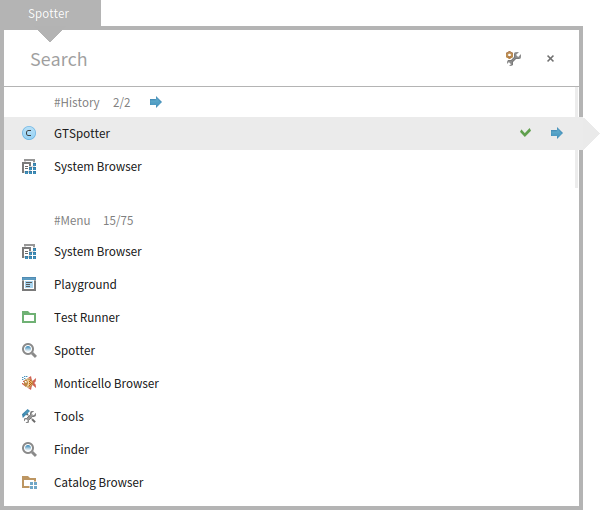
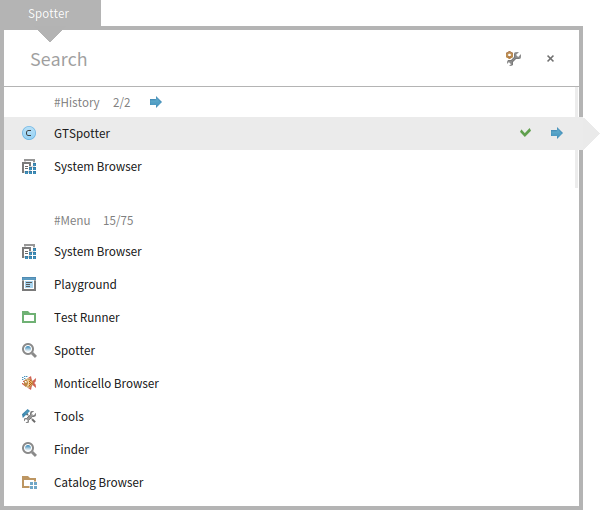
I understand the intention, but I do not understand how these fixed queries are any different than we have now. When you are on the top of Spotter, when you query, you get always the same processors being executed. At first you will not know their names, and you will scroll. And if you see them, you might remember them and reproduce afterwards. Itâs a discoverable learning process that you do not have to remember. The only part that is not discoverable is that # introduces a category search. Thinking loud, I just thought that we can make the label start with # like this (I committed this change): We also thought of having completion as soon as someone type #. So, you have a kind of a dropdown for the available categories, but we did not get to implement that one. This should solve the discoverability problem even more. What do you think about that? Regarding the shortcuts, we could associated such shortcuts with a processor, but I would first want to see if we cannot manage to produce a solution with the current set of options.
I was discussing with Luc and he made a fun but sad remark "Since people do not understand well spotter they most of the time only use it to open a class. And this is something that he already had before." I briefly looked at the Youtube video of Chloupis and So you can have a generic super cool tool, if people do not use it it defeats its purpose.
Certainly.
You can be really happy because you go fast with it but you only.
That is not really true :).
So making sure that the most used actions are really supported is important.
Of course it is. For Senders we did not find a good solution yet that is reasonably fast and useful. Stefan and I are still literally working on this. I think we should be able to have a solution, but we have to see if it is reasonable enough. We will announce it once we have it working. But, really, this tool more than anything allows one to play with possibilities in a couple of lines of code. We want people to play (some did) and to get concrete feedback and possible solutions. I think we should not just say that we need something else before we actually play with it a bit more.
But more important the discoverability is important because there is not even a help. Right now as a user I can only guess and often I close spotter and use my shortcuts. As a user I see something that ask me about network (and I do not care) but nothing that brings me to the next level.
This is something we need to work on, but you know, time is limited for us, too.
Most of the time the user forgets the key combination (may be this will be solved with the cool shortcut reminder we developed and is under review)
All actions in spotter have a visible icon. All. And if you hover over it you get the command. And there are literally 5 such actions. What is missing in this regard from your point of view? Doru
Stef
-- www.tudorgirba.com www.feenk.com "Reasonable is what we are accustomed with."
Ok my last attempt :( When I look for something there are two cases - most of the time I ********************KKKKNNNOOOOOOOWWWWWWW********* is it clear? I know I know I know what I look for and I WANT THE FASTER WAY TO GET IT => no three clicks and strange navigation. I want the sender of this message (not the implementors the sender) I want that package I want the references to this class (not the class and the refs that class) and I'm ready to learn #N for reference #n for senders #m for implementors Because they are the same. #e for example like in the finder - looking around and the system can propose me something and I can navigate and think. But this is ok I just use Spotter to open the class browser and all the rest I do it with shortcuts. I tried to help but I failed. I will present Spotter as the great tool to open browser because I cannot use it otherwise and nobody around me can show me on the spot something more efficient than a shortcut in a workspace. Or may be I will simply not spend energy doing a videos on Spotter because to me this is not ready and far less usable than it is supposed to be. Now to me Spotter is taking a lot of classes for the gain I get. What esteban did or what is in Squeak is working perfectly for me because Spotter does not let me express my needs. So may be you have other needs but I would like to know how people really works and not how Spotter should be usefull. The video of dimitry shows that well: Just browse a class and sometimes you get an implementor May be you do not like my mail because they look aggressive but when is the last time you did a real study with users that were not already convinced. Or may be with users that loves just one tiny feature and not the one you think that they use? And BTW it hangs my images two times with 4.0 when I was in africa and this was annoying. Stef
I do not get why you cannot - have a set of fixed most used queries and this will create a small vocabulary that can be extensible and it can be mapped to what we do with shortcuts = reduce cognitive load and then a full search when you do not know what you are searching. This is not exclusive and it works for the two scenario.
I understand the intention, but I do not understand how these fixed queries are any different than we have now. When you are on the top of Spotter, when you query, you get always the same processors being executed. At first you will not know their names, and you will scroll. And if you see them, you might remember them and reproduce afterwards. Itâs a discoverable learning process that you do not have to remember.
Because with these wonderfull queries I do not get what I'm looking for. Because the system is trying to guess what I have in my mind and this system is not good for that because I'm thinking about the metallica song I'm listening.
The only part that is not discoverable is that # introduces a category search. Thinking loud, I just thought that we can make the label start with # like this (I committed this change):
Sorry but I do not get it.
We also thought of having completion as soon as someone type #. So, you have a kind of a dropdown for the available categories, but we did not get to implement that one. This should solve the discoverability problem even more. What do you think about that?
Why not but just a ghost with #n printOn: #m #N .... would be a huge improvement Each time I used Spotter to look for something more than a class I could not find it.
Regarding the shortcuts, we could associated such shortcuts with a processor, but I would first want to see if we cannot manage to produce a solution with the current set of options.
I was not saying shortcuts and I was thinking the same vocabulary Cmd+N #N Cmd+m #m Cmd+n #n
I was discussing with Luc and he made a fun but sad remark "Since people do not understand well spotter they most of the time only use it to open a class. And this is something that he already had before." I briefly looked at the Youtube video of Chloupis and So you can have a generic super cool tool, if people do not use it it defeats its purpose.
Certainly.
You can be really happy because you go fast with it but you only.
That is not really true :).
See my remark above.
So making sure that the most used actions are really supported is important.
Of course it is. For Senders we did not find a good solution yet that is reasonably fast and useful. Stefan and I are still literally working on this. I think we should be able to have a solution, but we have to see if it is reasonable enough. We will announce it once we have it working.
the problem is that you want to solve everything at once. While the divide and conquer is the solution for the first scenario I mention. I do not need something that crawls the entire system when I have one precise query.
But, really, this tool more than anything allows one to play with possibilities in a couple of lines of code. We want people to play (some did) and to get concrete feedback and possible solutions. I think we should not just say that we need something else before we actually play with it a bit more.
I do not get it. I never worked with me. And so far I did not see anybody succeeding to show me how to find something that I cannot find faster with a shortcut.
But more important the discoverability is important because there is not even a help. Right now as a user I can only guess and often I close spotter and use my shortcuts. As a user I see something that ask me about network (and I do not care) but nothing that brings me to the next level.
This is something we need to work on, but you know, time is limited for us, too.
Add a button and an help text copied from your blog! And you will have made a 100% documentation jump.
Most of the time the user forgets the key combination (may be this will be solved with the cool shortcut reminder we developed and is under review)
All actions in spotter have a visible icon. All. And if you hover over it you get the command. And there are literally 5 such actions. What is missing in this regard from your point of view?
I do not know They do not cover what I want to do. I do not care of setting Most of the time I do not care about seeing all. I saw now that you have an arrow to show more than the top 5 good but again Cmd-shift > is not easy to type and give pain. I do not understand why I should dive in most of the time. I realised that I could use Spotter when I saw that I can press shift under the return because before I got immediate pain when trying with the left shift. To me left shift is a NO WAY. esc (top left) would work but I did not have the time to hack Spotter.
Doru
Stef
-- www.tudorgirba.com <http://www.tudorgirba.com> www.feenk.com
"Reasonable is what we are accustomed with."
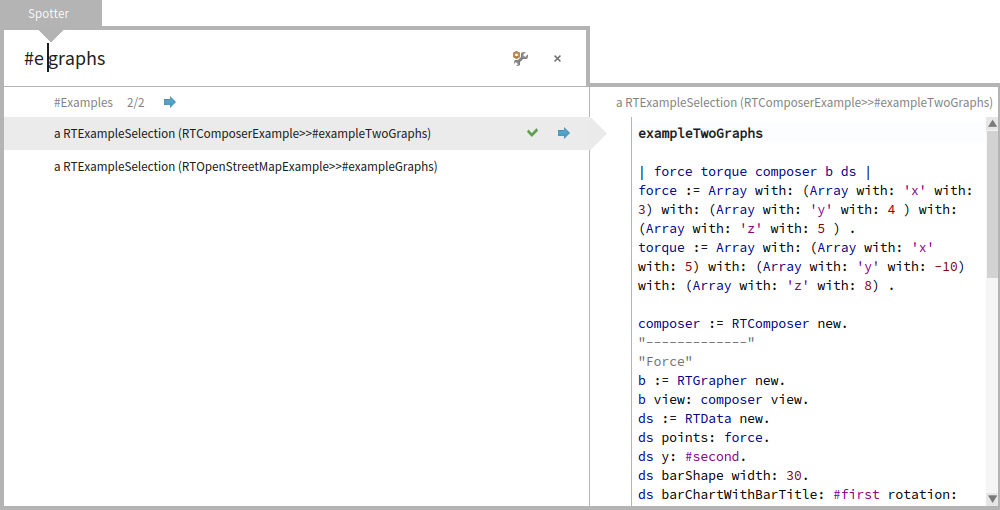
Hi Stef, Thanks for taking the time. I think I did not express myself properly in the previous mail because we are not really in disagreement :). The basic mechanism you talk about exists already in Spotter. Let me explain. When you type: "#e graphs", you will get two examples (and only the example search is being performed). This works because the name of the âExamplesâ category starts with âEâ. Until now we did not have a top level processor that would search for Senders (only inside a method). So, because of this you could not search for them at the top level. In the meantime Stefan just finished implementing it, the name of the category is Senders. So, you will type â#s somethingâ. I now made the category name start with # so that it is closer to the way to query for it. So, when you do not know how, you will just search for âsomethingâ. Then you will discover the #Senders category, and then you can learn that you can search for it. Now, you seem to be saying that instead of â#s somethingâ you want to type â#n somethingâ. For this we would need to find a solution to reconcile the two. My proposal was to maybe introduce something like â&n somethingâ to distinguish between the string match of a category name and a âshortcutâ (I do not know how to call it). I can see how to do this technically, but I still think this is less discoverable then the filtering by the name like described above, and it would be an extra mechanism. We could add this shortcut next to the category name to address this issue. The interesting thing about the shortcut is that we could possibly make it less ambiguous. For example, if you have two categories starting with #S, you will get both when you type â#S somethingâ, which is less ideal for a common case. So, there are pros and cons. Now, what is missing is a top level category for References, and I really think we would have what you wanted (and it is a good goal). The cool thing is that we would be solving this problem with a generic mechanism. So, what I am suggesting is to invest a bit in categories (#Senders can be integrated now) and then we play with it. Is this explanation clearer? Did I misunderstand something? What do you think? Cheers, Doru
On Jan 10, 2016, at 10:23 PM, stepharo <stepharo@free.fr> wrote:
Ok my last attempt :(
When I look for something there are two cases
- most of the time I ********************KKKKNNNOOOOOOOWWWWWWW********* is it clear? I know I know I know what I look for and I WANT THE FASTER WAY TO GET IT => no three clicks and strange navigation.
I want the sender of this message (not the implementors the sender) I want that package I want the references to this class (not the class and the refs that class) and I'm ready to learn #N for reference #n for senders #m for implementors Because they are the same. #e for example like in the finder
- looking around and the system can propose me something and I can navigate and think.
But this is ok I just use Spotter to open the class browser and all the rest I do it with shortcuts. I tried to help but I failed.
I will present Spotter as the great tool to open browser because I cannot use it otherwise and nobody around me can show me on the spot something more efficient than a shortcut in a workspace. Or may be I will simply not spend energy doing a videos on Spotter because to me this is not ready and far less usable than it is supposed to be.
Now to me Spotter is taking a lot of classes for the gain I get. What esteban did or what is in Squeak is working perfectly for me because Spotter does not let me express my needs. So may be you have other needs but I would like to know how people really works and not how Spotter should be usefull.
The video of dimitry shows that well: Just browse a class and sometimes you get an implementor May be you do not like my mail because they look aggressive but when is the last time you did a real study with users that were not already convinced. Or may be with users that loves just one tiny feature and not the one you think that they use?
And BTW it hangs my images two times with 4.0 when I was in africa and this was annoying. Stef
I do not get why you cannot - have a set of fixed most used queries and this will create a small vocabulary that can be extensible and it can be mapped to what we do with shortcuts = reduce cognitive load and then a full search when you do not know what you are searching. This is not exclusive and it works for the two scenario.
I understand the intention, but I do not understand how these fixed queries are any different than we have now. When you are on the top of Spotter, when you query, you get always the same processors being executed. At first you will not know their names, and you will scroll. And if you see them, you might remember them and reproduce afterwards. Itâs a discoverable learning process that you do not have to remember.
Because with these wonderfull queries I do not get what I'm looking for. Because the system is trying to guess what I have in my mind and this system is not good for that because I'm thinking about the metallica song I'm listening.
The only part that is not discoverable is that # introduces a category search. Thinking loud, I just thought that we can make the label start with # like this (I committed this change):
Sorry but I do not get it.
<Mail Attachment.png>
We also thought of having completion as soon as someone type #. So, you have a kind of a dropdown for the available categories, but we did not get to implement that one. This should solve the discoverability problem even more. What do you think about that?
Why not but just a ghost with #n printOn: #m #N .... would be a huge improvement
Each time I used Spotter to look for something more than a class I could not find it.
Regarding the shortcuts, we could associated such shortcuts with a processor, but I would first want to see if we cannot manage to produce a solution with the current set of options.
I was not saying shortcuts and I was thinking the same vocabulary
Cmd+N #N Cmd+m #m Cmd+n #n
I was discussing with Luc and he made a fun but sad remark "Since people do not understand well spotter they most of the time only use it to open a class. And this is something that he already had before." I briefly looked at the Youtube video of Chloupis and So you can have a generic super cool tool, if people do not use it it defeats its purpose.
Certainly.
You can be really happy because you go fast with it but you only.
That is not really true :).
See my remark above.
So making sure that the most used actions are really supported is important.
Of course it is. For Senders we did not find a good solution yet that is reasonably fast and useful. Stefan and I are still literally working on this. I think we should be able to have a solution, but we have to see if it is reasonable enough. We will announce it once we have it working.
the problem is that you want to solve everything at once. While the divide and conquer is the solution for the first scenario I mention. I do not need something that crawls the entire system when I have one precise query.
But, really, this tool more than anything allows one to play with possibilities in a couple of lines of code. We want people to play (some did) and to get concrete feedback and possible solutions. I think we should not just say that we need something else before we actually play with it a bit more.
I do not get it. I never worked with me. And so far I did not see anybody succeeding to show me how to find something that I cannot find faster with a shortcut.
But more important the discoverability is important because there is not even a help. Right now as a user I can only guess and often I close spotter and use my shortcuts. As a user I see something that ask me about network (and I do not care) but nothing that brings me to the next level.
This is something we need to work on, but you know, time is limited for us, too.
Add a button and an help text copied from your blog! And you will have made a 100% documentation jump.
Most of the time the user forgets the key combination (may be this will be solved with the cool shortcut reminder we developed and is under review)
All actions in spotter have a visible icon. All. And if you hover over it you get the command. And there are literally 5 such actions. What is missing in this regard from your point of view?
I do not know They do not cover what I want to do. I do not care of setting Most of the time I do not care about seeing all. I saw now that you have an arrow to show more than the top 5 good but again Cmd-shift > is not easy to type and give pain. I do not understand why I should dive in most of the time.
I realised that I could use Spotter when I saw that I can press shift under the return because before I got immediate pain when trying with the left shift. To me left shift is a NO WAY. esc (top left) would work but I did not have the time to hack Spotter.
Doru
Stef
-- www.tudorgirba.com www.feenk.com
"Reasonable is what we are accustomed with."
-- www.tudorgirba.com www.feenk.com "The coherence of a trip is given by the clearness of the goal."

Hi Doru, The lack of this functionality has been my main complaint against spotter. So thanks for adding it. Is the #s <myMethodName> functionality backported to/loadable in Pharo 4? is there an equivalent search for implementors? Will you also please please please fix it such that the entire list of search results is shown as its only one category rather than having to 'dive in' on anything? E.g. In the example you've given you cut the list of class/method name pairs shown to the first 5 alphabetically where certainly the entire list of 11 would fit in the drawn window without scrolling. And really since there aren't any sections you should be able to run a massive list of 500++ that could be scrolled with the page up/page down keys or scroll wheel on a mouse. Thanks Paul Tudor Girba-2 wrote
Hi Stef,
Thanks for taking the time. I think I did not express myself properly in the previous mail because we are not really in disagreement :).
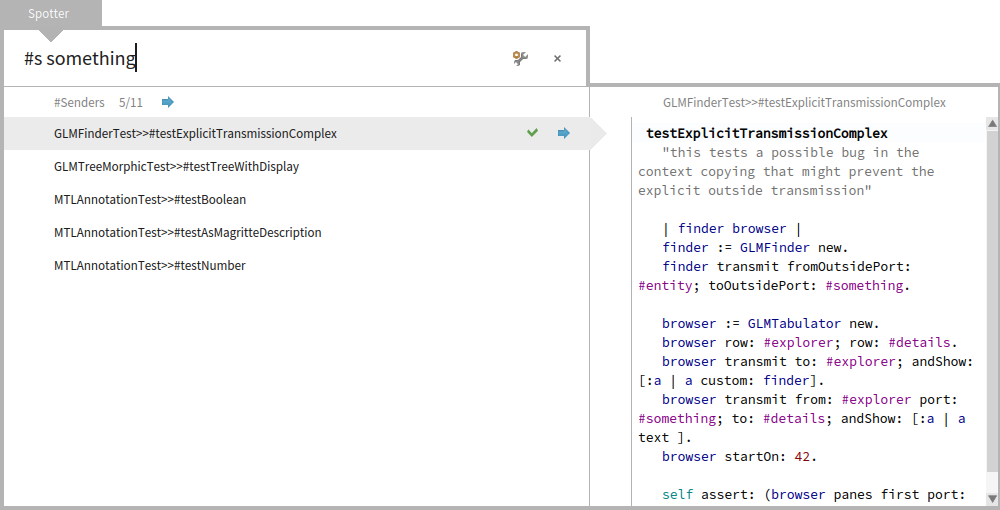
The basic mechanism you talk about exists already in Spotter. Let me explain. When you type: "#e graphs", you will get two examples (and only the example search is being performed).
This works because the name of the âExamplesâ category starts with âEâ.
Until now we did not have a top level processor that would search for Senders (only inside a method). So, because of this you could not search for them at the top level. In the meantime Stefan just finished implementing it, the name of the category is Senders. So, you will type â#s somethingâ.
I now made the category name start with # so that it is closer to the way to query for it. So, when you do not know how, you will just search for âsomethingâ. Then you will discover the #Senders category, and then you can learn that you can search for it.
Now, you seem to be saying that instead of â#s somethingâ you want to type â#n somethingâ. For this we would need to find a solution to reconcile the two. My proposal was to maybe introduce something like â&n somethingâ to distinguish between the string match of a category name and a âshortcutâ (I do not know how to call it). I can see how to do this technically, but I still think this is less discoverable then the filtering by the name like described above, and it would be an extra mechanism. We could add this shortcut next to the category name to address this issue. The interesting thing about the shortcut is that we could possibly make it less ambiguous. For example, if you have two categories starting with #S, you will get both when you type â#S somethingâ, which is less ideal for a common case. So, there are pros and cons.
Now, what is missing is a top level category for References, and I really think we would have what you wanted (and it is a good goal). The cool thing is that we would be solving this problem with a generic mechanism.
So, what I am suggesting is to invest a bit in categories (#Senders can be integrated now) and then we play with it.
Is this explanation clearer? Did I misunderstand something? What do you think?
Cheers, Doru
On Jan 10, 2016, at 10:23 PM, stepharo <
stepharo@
> wrote:
Ok my last attempt :(
When I look for something there are two cases
- most of the time I ********************KKKKNNNOOOOOOOWWWWWWW********* is it clear? I know I know I know what I look for and I WANT THE FASTER WAY TO GET IT => no three clicks and strange navigation.
I want the sender of this message (not the implementors the sender) I want that package I want the references to this class (not the class and the refs that class) and I'm ready to learn #N for reference #n for senders #m for implementors Because they are the same. #e for example like in the finder
- looking around and the system can propose me something and I can navigate and think.
But this is ok I just use Spotter to open the class browser and all the rest I do it with shortcuts. I tried to help but I failed.
I will present Spotter as the great tool to open browser because I cannot use it otherwise and nobody around me can show me on the spot something more efficient than a shortcut in a workspace. Or may be I will simply not spend energy doing a videos on Spotter because to me this is not ready and far less usable than it is supposed to be.
Now to me Spotter is taking a lot of classes for the gain I get. What esteban did or what is in Squeak is working perfectly for me because Spotter does not let me express my needs. So may be you have other needs but I would like to know how people really works and not how Spotter should be usefull.
The video of dimitry shows that well: Just browse a class and sometimes you get an implementor May be you do not like my mail because they look aggressive but when is the last time you did a real study with users that were not already convinced. Or may be with users that loves just one tiny feature and not the one you think that they use?
And BTW it hangs my images two times with 4.0 when I was in africa and this was annoying. Stef
I do not get why you cannot - have a set of fixed most used queries and this will create a small vocabulary that can be extensible and it can be mapped to what we do with shortcuts = reduce cognitive load and then a full search when you do not know what you are searching. This is not exclusive and it works for the two scenario.
I understand the intention, but I do not understand how these fixed queries are any different than we have now. When you are on the top of Spotter, when you query, you get always the same processors being executed. At first you will not know their names, and you will scroll. And if you see them, you might remember them and reproduce afterwards. Itâs a discoverable learning process that you do not have to remember.
Because with these wonderfull queries I do not get what I'm looking for. Because the system is trying to guess what I have in my mind and this system is not good for that because I'm thinking about the metallica song I'm listening.
The only part that is not discoverable is that # introduces a category search. Thinking loud, I just thought that we can make the label start with # like this (I committed this change):
Sorry but I do not get it.
<Mail Attachment.png>
We also thought of having completion as soon as someone type #. So, you have a kind of a dropdown for the available categories, but we did not get to implement that one. This should solve the discoverability problem even more. What do you think about that?
Why not but just a ghost with #n printOn: #m #N .... would be a huge improvement
Each time I used Spotter to look for something more than a class I could not find it.
Regarding the shortcuts, we could associated such shortcuts with a processor, but I would first want to see if we cannot manage to produce a solution with the current set of options.
I was not saying shortcuts and I was thinking the same vocabulary
Cmd+N #N Cmd+m #m Cmd+n #n
I was discussing with Luc and he made a fun but sad remark "Since people do not understand well spotter they most of the time only use it to open a class. And this is something that he already had before." I briefly looked at the Youtube video of Chloupis and So you can have a generic super cool tool, if people do not use it it defeats its purpose.
Certainly.
You can be really happy because you go fast with it but you only.
That is not really true :).
See my remark above.
So making sure that the most used actions are really supported is important.
Of course it is. For Senders we did not find a good solution yet that is reasonably fast and useful. Stefan and I are still literally working on this. I think we should be able to have a solution, but we have to see if it is reasonable enough. We will announce it once we have it working.
the problem is that you want to solve everything at once. While the divide and conquer is the solution for the first scenario I mention. I do not need something that crawls the entire system when I have one precise query.
But, really, this tool more than anything allows one to play with possibilities in a couple of lines of code. We want people to play (some did) and to get concrete feedback and possible solutions. I think we should not just say that we need something else before we actually play with it a bit more.
I do not get it. I never worked with me. And so far I did not see anybody succeeding to show me how to find something that I cannot find faster with a shortcut.
But more important the discoverability is important because there is not even a help. Right now as a user I can only guess and often I close spotter and use my shortcuts. As a user I see something that ask me about network (and I do not care) but nothing that brings me to the next level.
This is something we need to work on, but you know, time is limited for us, too.
Add a button and an help text copied from your blog! And you will have made a 100% documentation jump.
Most of the time the user forgets the key combination (may be this will be solved with the cool shortcut reminder we developed and is under review)
All actions in spotter have a visible icon. All. And if you hover over it you get the command. And there are literally 5 such actions. What is missing in this regard from your point of view?
I do not know They do not cover what I want to do. I do not care of setting Most of the time I do not care about seeing all. I saw now that you have an arrow to show more than the top 5 good but again Cmd-shift > is not easy to type and give pain. I do not understand why I should dive in most of the time.
I realised that I could use Spotter when I saw that I can press shift under the return because before I got immediate pain when trying with the left shift. To me left shift is a NO WAY. esc (top left) would work but I did not have the time to hack Spotter.
Doru
Stef
-- www.tudorgirba.com www.feenk.com
"Reasonable is what we are accustomed with."
-- www.tudorgirba.com www.feenk.com
"The coherence of a trip is given by the clearness of the goal."
a GTSpotterMorph(858507264)2016-01-10T23-06-19-10433+02-00.png (108K) <http://forum.world.st/attachment/4870487/0/a%20GTSpotterMorph%28858507264%29...; a GTSpotterMorph(10402452482016-01-10T23-11-35-849359+02-00.png (130K) <http://forum.world.st/attachment/4870487/1/a%20GTSpotterMorph%28104024524820...;
-- View this message in context: http://forum.world.st/Understanding-Spotter-tp4870311p4870547.html Sent from the Pharo Smalltalk Developers mailing list archive at Nabble.com.
Hi,
On Jan 11, 2016, at 10:02 AM, Paul DeBruicker <pdebruic@gmail.com> wrote:
Hi Doru,
The lack of this functionality has been my main complaint against spotter. So thanks for adding it.
Please voice these concerns as early as possible. We need this feedback to be able to react and adapt to peopleâs needs. It is not always possible to make it happen, but we need this information to think about future solutions.
Is the #s <myMethodName> functionality backported to/loadable in Pharo 4?
Ahh, please do not call it like this :). It is not a special functionality. The mechanism exists since the beginning of Spotter. What I described is an instantiation of it for handling the direct senders use case. Spotter is meant to be extensible including for your objects. Which means that you should be able to adapt it to your needs as well. Please try and let us know if you have questions :)
is there an equivalent search for implementors?
A solution for this exists already since the beginning of Spotter :). You will see an #Implementors category. Could you check to see if this is good enough for you?
Will you also please please please fix it such that the entire list of search results is shown as its only one category rather than having to 'dive in' on anything?
This was a feature that we never got around to do. Right now the logic depends on a hardcoded limit for each search processor, and for the use case you describe we would need to make it more dynamic. This would require a bit of work, but it is certainly an interesting thing. If anyone would like to look at it, it would be great :).
E.g. In the example you've given you cut the list of class/method name pairs shown to the first 5 alphabetically where certainly the entire list of 11 would fit in the drawn window without scrolling. And really since there aren't any sections you should be able to run a massive list of 500++ that could be scrolled with the page up/page down keys or scroll wheel on a mouse.
The size is not the issue. If you dive in a category (Cmd+Shift+Right), you will see that it can handle lists of 100k elements without problems (and in a streaming like fashion). Cheers, Doru
Thanks
Paul
Tudor Girba-2 wrote
Hi Stef,
Thanks for taking the time. I think I did not express myself properly in the previous mail because we are not really in disagreement :).
The basic mechanism you talk about exists already in Spotter. Let me explain. When you type: "#e graphs", you will get two examples (and only the example search is being performed).
This works because the name of the âExamplesâ category starts with âEâ.
Until now we did not have a top level processor that would search for Senders (only inside a method). So, because of this you could not search for them at the top level. In the meantime Stefan just finished implementing it, the name of the category is Senders. So, you will type â#s somethingâ.
I now made the category name start with # so that it is closer to the way to query for it. So, when you do not know how, you will just search for âsomethingâ. Then you will discover the #Senders category, and then you can learn that you can search for it.
Now, you seem to be saying that instead of â#s somethingâ you want to type â#n somethingâ. For this we would need to find a solution to reconcile the two. My proposal was to maybe introduce something like â&n somethingâ to distinguish between the string match of a category name and a âshortcutâ (I do not know how to call it). I can see how to do this technically, but I still think this is less discoverable then the filtering by the name like described above, and it would be an extra mechanism. We could add this shortcut next to the category name to address this issue. The interesting thing about the shortcut is that we could possibly make it less ambiguous. For example, if you have two categories starting with #S, you will get both when you type â#S somethingâ, which is less ideal for a common case. So, there are pros and cons.
Now, what is missing is a top level category for References, and I really think we would have what you wanted (and it is a good goal). The cool thing is that we would be solving this problem with a generic mechanism.
So, what I am suggesting is to invest a bit in categories (#Senders can be integrated now) and then we play with it.
Is this explanation clearer? Did I misunderstand something? What do you think?
Cheers, Doru
On Jan 10, 2016, at 10:23 PM, stepharo <
stepharo@
> wrote:
Ok my last attempt :(
When I look for something there are two cases
- most of the time I ********************KKKKNNNOOOOOOOWWWWWWW********* is it clear? I know I know I know what I look for and I WANT THE FASTER WAY TO GET IT => no three clicks and strange navigation.
I want the sender of this message (not the implementors the sender) I want that package I want the references to this class (not the class and the refs that class) and I'm ready to learn #N for reference #n for senders #m for implementors Because they are the same. #e for example like in the finder
- looking around and the system can propose me something and I can navigate and think.
But this is ok I just use Spotter to open the class browser and all the rest I do it with shortcuts. I tried to help but I failed.
I will present Spotter as the great tool to open browser because I cannot use it otherwise and nobody around me can show me on the spot something more efficient than a shortcut in a workspace. Or may be I will simply not spend energy doing a videos on Spotter because to me this is not ready and far less usable than it is supposed to be.
Now to me Spotter is taking a lot of classes for the gain I get. What esteban did or what is in Squeak is working perfectly for me because Spotter does not let me express my needs. So may be you have other needs but I would like to know how people really works and not how Spotter should be usefull.
The video of dimitry shows that well: Just browse a class and sometimes you get an implementor May be you do not like my mail because they look aggressive but when is the last time you did a real study with users that were not already convinced. Or may be with users that loves just one tiny feature and not the one you think that they use?
And BTW it hangs my images two times with 4.0 when I was in africa and this was annoying. Stef
I do not get why you cannot - have a set of fixed most used queries and this will create a small vocabulary that can be extensible and it can be mapped to what we do with shortcuts = reduce cognitive load and then a full search when you do not know what you are searching. This is not exclusive and it works for the two scenario.
I understand the intention, but I do not understand how these fixed queries are any different than we have now. When you are on the top of Spotter, when you query, you get always the same processors being executed. At first you will not know their names, and you will scroll. And if you see them, you might remember them and reproduce afterwards. Itâs a discoverable learning process that you do not have to remember.
Because with these wonderfull queries I do not get what I'm looking for. Because the system is trying to guess what I have in my mind and this system is not good for that because I'm thinking about the metallica song I'm listening.
The only part that is not discoverable is that # introduces a category search. Thinking loud, I just thought that we can make the label start with # like this (I committed this change):
Sorry but I do not get it.
<Mail Attachment.png>
We also thought of having completion as soon as someone type #. So, you have a kind of a dropdown for the available categories, but we did not get to implement that one. This should solve the discoverability problem even more. What do you think about that?
Why not but just a ghost with #n printOn: #m #N .... would be a huge improvement
Each time I used Spotter to look for something more than a class I could not find it.
Regarding the shortcuts, we could associated such shortcuts with a processor, but I would first want to see if we cannot manage to produce a solution with the current set of options.
I was not saying shortcuts and I was thinking the same vocabulary
Cmd+N #N Cmd+m #m Cmd+n #n
I was discussing with Luc and he made a fun but sad remark "Since people do not understand well spotter they most of the time only use it to open a class. And this is something that he already had before." I briefly looked at the Youtube video of Chloupis and So you can have a generic super cool tool, if people do not use it it defeats its purpose.
Certainly.
You can be really happy because you go fast with it but you only.
That is not really true :).
See my remark above.
So making sure that the most used actions are really supported is important.
Of course it is. For Senders we did not find a good solution yet that is reasonably fast and useful. Stefan and I are still literally working on this. I think we should be able to have a solution, but we have to see if it is reasonable enough. We will announce it once we have it working.
the problem is that you want to solve everything at once. While the divide and conquer is the solution for the first scenario I mention. I do not need something that crawls the entire system when I have one precise query.
But, really, this tool more than anything allows one to play with possibilities in a couple of lines of code. We want people to play (some did) and to get concrete feedback and possible solutions. I think we should not just say that we need something else before we actually play with it a bit more.
I do not get it. I never worked with me. And so far I did not see anybody succeeding to show me how to find something that I cannot find faster with a shortcut.
But more important the discoverability is important because there is not even a help. Right now as a user I can only guess and often I close spotter and use my shortcuts. As a user I see something that ask me about network (and I do not care) but nothing that brings me to the next level.
This is something we need to work on, but you know, time is limited for us, too.
Add a button and an help text copied from your blog! And you will have made a 100% documentation jump.
Most of the time the user forgets the key combination (may be this will be solved with the cool shortcut reminder we developed and is under review)
All actions in spotter have a visible icon. All. And if you hover over it you get the command. And there are literally 5 such actions. What is missing in this regard from your point of view?
I do not know They do not cover what I want to do. I do not care of setting Most of the time I do not care about seeing all. I saw now that you have an arrow to show more than the top 5 good but again Cmd-shift > is not easy to type and give pain. I do not understand why I should dive in most of the time.
I realised that I could use Spotter when I saw that I can press shift under the return because before I got immediate pain when trying with the left shift. To me left shift is a NO WAY. esc (top left) would work but I did not have the time to hack Spotter.
Doru
Stef
-- www.tudorgirba.com www.feenk.com
"Reasonable is what we are accustomed with."
-- www.tudorgirba.com www.feenk.com
"The coherence of a trip is given by the clearness of the goal."
a GTSpotterMorph(858507264)2016-01-10T23-06-19-10433+02-00.png (108K) <http://forum.world.st/attachment/4870487/0/a%20GTSpotterMorph%28858507264%29...; a GTSpotterMorph(10402452482016-01-10T23-11-35-849359+02-00.png (130K) <http://forum.world.st/attachment/4870487/1/a%20GTSpotterMorph%28104024524820...;
-- View this message in context: http://forum.world.st/Understanding-Spotter-tp4870311p4870547.html Sent from the Pharo Smalltalk Developers mailing list archive at Nabble.com.
-- www.tudorgirba.com www.feenk.com "Things happen when they happen, not when you talk about them happening."

2016-01-11 10:22 GMT+01:00 Tudor Girba <tudor@tudorgirba.com>:
Hi,
On Jan 11, 2016, at 10:02 AM, Paul DeBruicker <pdebruic@gmail.com> wrote:
Hi Doru,
The lack of this functionality has been my main complaint against spotter. So thanks for adding it.
Please voice these concerns as early as possible. We need this feedback to be able to react and adapt to peopleâs needs. It is not always possible to make it happen, but we need this information to think about future solutions.
Is the #s <myMethodName> functionality backported to/loadable in Pharo 4?
Ahh, please do not call it like this :).
It is not a special functionality. The mechanism exists since the beginning of Spotter. What I described is an instantiation of it for handling the direct senders use case.
Spotter is meant to be extensible including for your objects. Which means that you should be able to adapt it to your needs as well. Please try and let us know if you have questions :)
is there an equivalent search for implementors?
A solution for this exists already since the beginning of Spotter :). You will see an #Implementors category. Could you check to see if this is good enough for you?
Will you also please please please fix it such that the entire list of search results is shown as its only one category rather than having to 'dive in' on anything?
This was a feature that we never got around to do. Right now the logic depends on a hardcoded limit for each search processor, and for the use case you describe we would need to make it more dynamic. This would require a bit of work, but it is certainly an interesting thing. If anyone would like to look at it, it would be great :).
E.g. In the example you've given you cut the list of class/method name pairs shown to the first 5 alphabetically where certainly the entire list of 11 would fit in the drawn window without scrolling. And really since there aren't any sections you should be able to run a massive list of 500++ that could be scrolled with the page up/page down keys or scroll wheel on a mouse.
The size is not the issue. If you dive in a category (Cmd+Shift+Right), you will see that it can handle lists of 100k elements without problems (and in a streaming like fashion).
? 100k ? where. It is bound to 100 elements (and always was as far as I know (I reported this from the very beginning). how can you show more than 100 elements?
Cheers, Doru
Thanks
Paul
Tudor Girba-2 wrote
Hi Stef,
Thanks for taking the time. I think I did not express myself properly in the previous mail because we are not really in disagreement :).
The basic mechanism you talk about exists already in Spotter. Let me explain. When you type: "#e graphs", you will get two examples (and only the example search is being performed).
This works because the name of the âExamplesâ category starts with âEâ.
Until now we did not have a top level processor that would search for Senders (only inside a method). So, because of this you could not search for them at the top level. In the meantime Stefan just finished implementing it, the name of the category is Senders. So, you will type â#s somethingâ.
I now made the category name start with # so that it is closer to the
way
to query for it. So, when you do not know how, you will just search for âsomethingâ. Then you will discover the #Senders category, and then you can learn that you can search for it.
Now, you seem to be saying that instead of â#s somethingâ you want to type â#n somethingâ. For this we would need to find a solution to reconcile the two. My proposal was to maybe introduce something like â&n somethingâ to distinguish between the string match of a category name and a âshortcutâ (I do not know how to call it). I can see how to do this technically, but I still think this is less discoverable then the filtering by the name like described above, and it would be an extra mechanism. We could add this shortcut next to the category name to address this issue. The interesting thing about the shortcut is that we could possibly make it less ambiguous. For example, if you have two categories starting with #S, you will get both when you type â#S somethingâ, which is less ideal for a common case. So, there are pros and cons.
Now, what is missing is a top level category for References, and I really think we would have what you wanted (and it is a good goal). The cool thing is that we would be solving this problem with a generic mechanism.
So, what I am suggesting is to invest a bit in categories (#Senders can be integrated now) and then we play with it.
Is this explanation clearer? Did I misunderstand something? What do you think?
Cheers, Doru
On Jan 10, 2016, at 10:23 PM, stepharo <
stepharo@
> wrote:
Ok my last attempt :(
When I look for something there are two cases
- most of the time I ********************KKKKNNNOOOOOOOWWWWWWW********* is it clear? I know I know I know what I look for and I WANT THE FASTER WAY TO GET IT => no three clicks and strange navigation.
I want the sender of this message (not the implementors the sender) I want that package I want the references to this class (not the class and the refs that class) and I'm ready to learn #N for reference #n for senders #m for implementors Because they are the same. #e for example like in the finder
- looking around and the system can propose me something and I can navigate and think.
But this is ok I just use Spotter to open the class browser and all the rest I do it with shortcuts. I tried to help but I failed.
I will present Spotter as the great tool to open browser because I
cannot
use it otherwise and nobody around me can show me on the spot something more efficient than a shortcut in a workspace. Or may be I will simply not spend energy doing a videos on Spotter because to me this is not ready and far less usable than it is supposed to be.
Now to me Spotter is taking a lot of classes for the gain I get. What esteban did or what is in Squeak is working perfectly for me because Spotter does not let me express my needs. So may be you have other needs but I would like to know how people really works and not how Spotter should be usefull.
The video of dimitry shows that well: Just browse a class and sometimes you get an implementor May be you do not like my mail because they look aggressive but when is the last time you did a real study with users that were not already convinced. Or may be with users that loves just one tiny feature and not the one you think that they use?
And BTW it hangs my images two times with 4.0 when I was in africa and this was annoying. Stef
I do not get why you cannot - have a set of fixed most used queries and this will create a small vocabulary that can be extensible and it can be mapped to what we do with shortcuts = reduce cognitive load and then a full search when you do not know what you are searching. This is not exclusive and it works for the two scenario.
I understand the intention, but I do not understand how these fixed queries are any different than we have now. When you are on the top of Spotter, when you query, you get always the same processors being executed. At first you will not know their names, and you will scroll. And if you see them, you might remember them and reproduce afterwards. Itâs a discoverable learning process that you do not have to remember.
Because with these wonderfull queries I do not get what I'm looking for. Because the system is trying to guess what I have in my mind and this system is not good for that because I'm thinking about the metallica song I'm listening.
The only part that is not discoverable is that # introduces a category search. Thinking loud, I just thought that we can make the label start with # like this (I committed this change):
Sorry but I do not get it.
<Mail Attachment.png>
We also thought of having completion as soon as someone type #. So,
you
have a kind of a dropdown for the available categories, but we did not get to implement that one. This should solve the discoverability problem even more. What do you think about that? Why not but just a ghost with #n printOn: #m #N .... would be a huge improvement
Each time I used Spotter to look for something more than a class I could not find it.
Regarding the shortcuts, we could associated such shortcuts with a processor, but I would first want to see if we cannot manage to produce a solution with the current set of options.
I was not saying shortcuts and I was thinking the same vocabulary
Cmd+N #N Cmd+m #m Cmd+n #n
I was discussing with Luc and he made a fun but sad remark "Since people do not understand well spotter they most of the time only use it to open a class. And this is something that he already had before." I briefly looked at the Youtube video of Chloupis and So you can have a generic super cool tool, if people do not use it it defeats its purpose.
Certainly.
You can be really happy because you go fast with it but you only.
That is not really true :).
See my remark above.
So making sure that the most used actions are really supported is important.
Of course it is. For Senders we did not find a good solution yet that
is
reasonably fast and useful. Stefan and I are still literally working on this. I think we should be able to have a solution, but we have to see if it is reasonable enough. We will announce it once we have it working.
the problem is that you want to solve everything at once. While the divide and conquer is the solution for the first scenario I mention. I do not need something that crawls the entire system when I have one precise query.
But, really, this tool more than anything allows one to play with possibilities in a couple of lines of code. We want people to play
(some
did) and to get concrete feedback and possible solutions. I think we should not just say that we need something else before we actually play with it a bit more. I do not get it. I never worked with me. And so far I did not see anybody succeeding to show me how to find something that I cannot find faster with a shortcut.
But more important the discoverability is important because there is not even a help. Right now as a user I can only guess and often I close spotter and use my shortcuts. As a user I see something that ask me about network (and I do not care) but nothing that brings me to the next level.
This is something we need to work on, but you know, time is limited for us, too.
Add a button and an help text copied from your blog! And you will have made a 100% documentation jump.
Most of the time the user forgets the key combination (may be this
will
be solved with the cool shortcut reminder we developed and is under review)
All actions in spotter have a visible icon. All. And if you hover over it you get the command. And there are literally 5 such actions. What is missing in this regard from your point of view?
I do not know They do not cover what I want to do. I do not care of setting Most of the time I do not care about seeing all. I saw now that you have an arrow to show more than the top 5 good but again Cmd-shift > is not easy to type and give pain. I do not understand why I should dive in most of the time.
I realised that I could use Spotter when I saw that I can press shift under the return because before I got immediate pain when trying with the left shift. To me left shift is a NO WAY. esc (top left) would work but I did not have the time to hack Spotter.
Doru
Stef
-- www.tudorgirba.com www.feenk.com
"Reasonable is what we are accustomed with."
-- www.tudorgirba.com www.feenk.com
"The coherence of a trip is given by the clearness of the goal."
a GTSpotterMorph(858507264)2016-01-10T23-06-19-10433+02-00.png (108K) < http://forum.world.st/attachment/4870487/0/a%20GTSpotterMorph%28858507264%29... ; a GTSpotterMorph(10402452482016-01-10T23-11-35-849359+02-00.png (130K) < http://forum.world.st/attachment/4870487/1/a%20GTSpotterMorph%28104024524820... ;
-- View this message in context: http://forum.world.st/Understanding-Spotter-tp4870311p4870547.html Sent from the Pharo Smalltalk Developers mailing list archive at Nabble.com.
-- www.tudorgirba.com www.feenk.com
"Things happen when they happen, not when you talk about them happening."
Hi,
On Jan 11, 2016, at 11:46 AM, Nicolai Hess <nicolaihess@gmail.com> wrote:
2016-01-11 10:22 GMT+01:00 Tudor Girba <tudor@tudorgirba.com>: Hi,
On Jan 11, 2016, at 10:02 AM, Paul DeBruicker <pdebruic@gmail.com> wrote:
Hi Doru,
The lack of this functionality has been my main complaint against spotter. So thanks for adding it.
Please voice these concerns as early as possible. We need this feedback to be able to react and adapt to peopleâs needs. It is not always possible to make it happen, but we need this information to think about future solutions.
Is the #s <myMethodName> functionality backported to/loadable in Pharo 4?
Ahh, please do not call it like this :).
It is not a special functionality. The mechanism exists since the beginning of Spotter. What I described is an instantiation of it for handling the direct senders use case.
Spotter is meant to be extensible including for your objects. Which means that you should be able to adapt it to your needs as well. Please try and let us know if you have questions :)
is there an equivalent search for implementors?
A solution for this exists already since the beginning of Spotter :). You will see an #Implementors category. Could you check to see if this is good enough for you?
Will you also please please please fix it such that the entire list of search results is shown as its only one category rather than having to 'dive in' on anything?
This was a feature that we never got around to do. Right now the logic depends on a hardcoded limit for each search processor, and for the use case you describe we would need to make it more dynamic. This would require a bit of work, but it is certainly an interesting thing. If anyone would like to look at it, it would be great :).
E.g. In the example you've given you cut the list of class/method name pairs shown to the first 5 alphabetically where certainly the entire list of 11 would fit in the drawn window without scrolling. And really since there aren't any sections you should be able to run a massive list of 500++ that could be scrolled with the page up/page down keys or scroll wheel on a mouse.
The size is not the issue. If you dive in a category (Cmd+Shift+Right), you will see that it can handle lists of 100k elements without problems (and in a streaming like fashion).
?
100k ? where. It is bound to 100 elements (and always was as far as I know (I reported this from the very beginning). how can you show more than 100 elements?
Sorry, I expressed myself badly. I meant to say that having a list of 100k is not a problem. Indeed, we only show 100 (there is a limit specified in Collection>>spotterItemsFor:). It would be ideal to show all of it (like we do in FastTable) but we thought that for a search interface this is good enough. Cheers, Doru
Cheers, Doru
Thanks
Paul
Tudor Girba-2 wrote
Hi Stef,
Thanks for taking the time. I think I did not express myself properly in the previous mail because we are not really in disagreement :).
The basic mechanism you talk about exists already in Spotter. Let me explain. When you type: "#e graphs", you will get two examples (and only the example search is being performed).
This works because the name of the âExamplesâ category starts with âEâ.
Until now we did not have a top level processor that would search for Senders (only inside a method). So, because of this you could not search for them at the top level. In the meantime Stefan just finished implementing it, the name of the category is Senders. So, you will type â#s somethingâ.
I now made the category name start with # so that it is closer to the way to query for it. So, when you do not know how, you will just search for âsomethingâ. Then you will discover the #Senders category, and then you can learn that you can search for it.
Now, you seem to be saying that instead of â#s somethingâ you want to type â#n somethingâ. For this we would need to find a solution to reconcile the two. My proposal was to maybe introduce something like â&n somethingâ to distinguish between the string match of a category name and a âshortcutâ (I do not know how to call it). I can see how to do this technically, but I still think this is less discoverable then the filtering by the name like described above, and it would be an extra mechanism. We could add this shortcut next to the category name to address this issue. The interesting thing about the shortcut is that we could possibly make it less ambiguous. For example, if you have two categories starting with #S, you will get both when you type â#S somethingâ, which is less ideal for a common case. So, there are pros and cons.
Now, what is missing is a top level category for References, and I really think we would have what you wanted (and it is a good goal). The cool thing is that we would be solving this problem with a generic mechanism.
So, what I am suggesting is to invest a bit in categories (#Senders can be integrated now) and then we play with it.
Is this explanation clearer? Did I misunderstand something? What do you think?
Cheers, Doru
On Jan 10, 2016, at 10:23 PM, stepharo <
stepharo@
> wrote:
Ok my last attempt :(
When I look for something there are two cases
- most of the time I ********************KKKKNNNOOOOOOOWWWWWWW********* is it clear? I know I know I know what I look for and I WANT THE FASTER WAY TO GET IT => no three clicks and strange navigation.
I want the sender of this message (not the implementors the sender) I want that package I want the references to this class (not the class and the refs that class) and I'm ready to learn #N for reference #n for senders #m for implementors Because they are the same. #e for example like in the finder
- looking around and the system can propose me something and I can navigate and think.
But this is ok I just use Spotter to open the class browser and all the rest I do it with shortcuts. I tried to help but I failed.
I will present Spotter as the great tool to open browser because I cannot use it otherwise and nobody around me can show me on the spot something more efficient than a shortcut in a workspace. Or may be I will simply not spend energy doing a videos on Spotter because to me this is not ready and far less usable than it is supposed to be.
Now to me Spotter is taking a lot of classes for the gain I get. What esteban did or what is in Squeak is working perfectly for me because Spotter does not let me express my needs. So may be you have other needs but I would like to know how people really works and not how Spotter should be usefull.
The video of dimitry shows that well: Just browse a class and sometimes you get an implementor May be you do not like my mail because they look aggressive but when is the last time you did a real study with users that were not already convinced. Or may be with users that loves just one tiny feature and not the one you think that they use?
And BTW it hangs my images two times with 4.0 when I was in africa and this was annoying. Stef
I do not get why you cannot - have a set of fixed most used queries and this will create a small vocabulary that can be extensible and it can be mapped to what we do with shortcuts = reduce cognitive load and then a full search when you do not know what you are searching. This is not exclusive and it works for the two scenario.
I understand the intention, but I do not understand how these fixed queries are any different than we have now. When you are on the top of Spotter, when you query, you get always the same processors being executed. At first you will not know their names, and you will scroll. And if you see them, you might remember them and reproduce afterwards. Itâs a discoverable learning process that you do not have to remember.
Because with these wonderfull queries I do not get what I'm looking for. Because the system is trying to guess what I have in my mind and this system is not good for that because I'm thinking about the metallica song I'm listening.
The only part that is not discoverable is that # introduces a category search. Thinking loud, I just thought that we can make the label start with # like this (I committed this change):
Sorry but I do not get it.
<Mail Attachment.png>
We also thought of having completion as soon as someone type #. So, you have a kind of a dropdown for the available categories, but we did not get to implement that one. This should solve the discoverability problem even more. What do you think about that?
Why not but just a ghost with #n printOn: #m #N .... would be a huge improvement
Each time I used Spotter to look for something more than a class I could not find it.
Regarding the shortcuts, we could associated such shortcuts with a processor, but I would first want to see if we cannot manage to produce a solution with the current set of options.
I was not saying shortcuts and I was thinking the same vocabulary
Cmd+N #N Cmd+m #m Cmd+n #n
I was discussing with Luc and he made a fun but sad remark "Since people do not understand well spotter they most of the time only use it to open a class. And this is something that he already had before." I briefly looked at the Youtube video of Chloupis and So you can have a generic super cool tool, if people do not use it it defeats its purpose.
Certainly.
You can be really happy because you go fast with it but you only.
That is not really true :).
See my remark above.
So making sure that the most used actions are really supported is important.
Of course it is. For Senders we did not find a good solution yet that is reasonably fast and useful. Stefan and I are still literally working on this. I think we should be able to have a solution, but we have to see if it is reasonable enough. We will announce it once we have it working.
the problem is that you want to solve everything at once. While the divide and conquer is the solution for the first scenario I mention. I do not need something that crawls the entire system when I have one precise query.
But, really, this tool more than anything allows one to play with possibilities in a couple of lines of code. We want people to play (some did) and to get concrete feedback and possible solutions. I think we should not just say that we need something else before we actually play with it a bit more.
I do not get it. I never worked with me. And so far I did not see anybody succeeding to show me how to find something that I cannot find faster with a shortcut.
But more important the discoverability is important because there is not even a help. Right now as a user I can only guess and often I close spotter and use my shortcuts. As a user I see something that ask me about network (and I do not care) but nothing that brings me to the next level.
This is something we need to work on, but you know, time is limited for us, too.
Add a button and an help text copied from your blog! And you will have made a 100% documentation jump.
Most of the time the user forgets the key combination (may be this will be solved with the cool shortcut reminder we developed and is under review)
All actions in spotter have a visible icon. All. And if you hover over it you get the command. And there are literally 5 such actions. What is missing in this regard from your point of view?
I do not know They do not cover what I want to do. I do not care of setting Most of the time I do not care about seeing all. I saw now that you have an arrow to show more than the top 5 good but again Cmd-shift > is not easy to type and give pain. I do not understand why I should dive in most of the time.
I realised that I could use Spotter when I saw that I can press shift under the return because before I got immediate pain when trying with the left shift. To me left shift is a NO WAY. esc (top left) would work but I did not have the time to hack Spotter.
Doru
Stef
-- www.tudorgirba.com www.feenk.com
"Reasonable is what we are accustomed with."
-- www.tudorgirba.com www.feenk.com
"The coherence of a trip is given by the clearness of the goal."
a GTSpotterMorph(858507264)2016-01-10T23-06-19-10433+02-00.png (108K) <http://forum.world.st/attachment/4870487/0/a%20GTSpotterMorph%28858507264%29...; a GTSpotterMorph(10402452482016-01-10T23-11-35-849359+02-00.png (130K) <http://forum.world.st/attachment/4870487/1/a%20GTSpotterMorph%28104024524820...;
-- View this message in context: http://forum.world.st/Understanding-Spotter-tp4870311p4870547.html Sent from the Pharo Smalltalk Developers mailing list archive at Nabble.com.
-- www.tudorgirba.com www.feenk.com
"Things happen when they happen, not when you talk about them happening."
-- www.tudorgirba.com www.feenk.com "When people care, great things can happen."
Why #s Senders shortcut is since ages Cmd-n Why do you want to force people to remember two different shortcuts. I do not get it? Sorry but I did not get at all what is & and personnally I'm not sure that I want to understand. Stef Le 10/1/16 22:26, Tudor Girba a écrit :
Hi Stef,
Thanks for taking the time. I think I did not express myself properly in the previous mail because we are not really in disagreement :).
The basic mechanism you talk about exists already in Spotter. Let me explain. When you type: "#e graphs", you will get two examples (and only the example search is being performed).
This works because the name of the âExamplesâ category starts with âEâ.
Until now we did not have a top level processor that would search for Senders (only inside a method). So, because of this you could not search for them at the top level. In the meantime Stefan just finished implementing it, the name of the category is Senders. So, you will type â#s somethingâ.
I now made the category name start with # so that it is closer to the way to query for it. So, when you do not know how, you will just search for âsomethingâ. Then you will discover the #Senders category, and then you can learn that you can search for it.
Now, you seem to be saying that instead of â#s somethingâ you want to type â#n somethingâ. For this we would need to find a solution to reconcile the two. My proposal was to maybe introduce something like â&n somethingâ to distinguish between the string match of a category name and a âshortcutâ (I do not know how to call it). I can see how to do this technically, but I still think this is less discoverable then the filtering by the name like described above, and it would be an extra mechanism. We could add this shortcut next to the category name to address this issue. The interesting thing about the shortcut is that we could possibly make it less ambiguous. For example, if you have two categories starting with #S, you will get both when you type â#S somethingâ, which is less ideal for a common case. So, there are pros and cons.
Now, what is missing is a top level category for References, and I really think we would have what you wanted (and it is a good goal). The cool thing is that we would be solving this problem with a generic mechanism.
So, what I am suggesting is to invest a bit in categories (#Senders can be integrated now) and then we play with it.
Is this explanation clearer? Did I misunderstand something? What do you think?
Cheers, Doru
On Jan 10, 2016, at 10:23 PM, stepharo <stepharo@free.fr <mailto:stepharo@free.fr>> wrote:
Ok my last attempt :(
When I look for something there are two cases
- most of the time I ********************KKKKNNNOOOOOOOWWWWWWW********* is it clear? I know I know I know what I look for and I WANT THE FASTER WAY TO GET IT => no three clicks and strange navigation.
I want the sender of this message (not the implementors the sender) I want that package I want the references to this class (not the class and the refs that class) and I'm ready to learn #N for reference #n for senders #m for implementors Because they are the same. #e for example like in the finder
- looking around and the system can propose me something and I can navigate and think.
But this is ok I just use Spotter to open the class browser and all the rest I do it with shortcuts. I tried to help but I failed.
I will present Spotter as the great tool to open browser because I cannot use it otherwise and nobody around me can show me on the spot something more efficient than a shortcut in a workspace. Or may be I will simply not spend energy doing a videos on Spotter because to me this is not ready and far less usable than it is supposed to be.
Now to me Spotter is taking a lot of classes for the gain I get. What esteban did or what is in Squeak is working perfectly for me because Spotter does not let me express my needs. So may be you have other needs but I would like to know how people really works and not how Spotter should be usefull.
The video of dimitry shows that well: Just browse a class and sometimes you get an implementor May be you do not like my mail because they look aggressive but when is the last time you did a real study with users that were not already convinced. Or may be with users that loves just one tiny feature and not the one you think that they use?
And BTW it hangs my images two times with 4.0 when I was in africa and this was annoying. Stef
I do not get why you cannot - have a set of fixed most used queries and this will create a small vocabulary that can be extensible and it can be mapped to what we do with shortcuts = reduce cognitive load and then a full search when you do not know what you are searching. This is not exclusive and it works for the two scenario.
I understand the intention, but I do not understand how these fixed queries are any different than we have now. When you are on the top of Spotter, when you query, you get always the same processors being executed. At first you will not know their names, and you will scroll. And if you see them, you might remember them and reproduce afterwards. Itâs a discoverable learning process that you do not have to remember.
Because with these wonderfull queries I do not get what I'm looking for. Because the system is trying to guess what I have in my mind and this system is not good for that because I'm thinking about the metallica song I'm listening.
The only part that is not discoverable is that # introduces a category search. Thinking loud, I just thought that we can make the label start with # like this (I committed this change):
Sorry but I do not get it.
<Mail Attachment.png>
We also thought of having completion as soon as someone type #. So, you have a kind of a dropdown for the available categories, but we did not get to implement that one. This should solve the discoverability problem even more. What do you think about that?
Why not but just a ghost with #n printOn: #m #N .... would be a huge improvement
Each time I used Spotter to look for something more than a class I could not find it.
Regarding the shortcuts, we could associated such shortcuts with a processor, but I would first want to see if we cannot manage to produce a solution with the current set of options.
I was not saying shortcuts and I was thinking the same vocabulary
Cmd+N #N Cmd+m #m Cmd+n #n
I was discussing with Luc and he made a fun but sad remark "Since people do not understand well spotter they most of the time only use it to open a class. And this is something that he already had before." I briefly looked at the Youtube video of Chloupis and So you can have a generic super cool tool, if people do not use it it defeats its purpose.
Certainly.
You can be really happy because you go fast with it but you only.
That is not really true :).
See my remark above.
So making sure that the most used actions are really supported is important.
Of course it is. For Senders we did not find a good solution yet that is reasonably fast and useful. Stefan and I are still literally working on this. I think we should be able to have a solution, but we have to see if it is reasonable enough. We will announce it once we have it working.
the problem is that you want to solve everything at once. While the divide and conquer is the solution for the first scenario I mention. I do not need something that crawls the entire system when I have one precise query.
But, really, this tool more than anything allows one to play with possibilities in a couple of lines of code. We want people to play (some did) and to get concrete feedback and possible solutions. I think we should not just say that we need something else before we actually play with it a bit more.
I do not get it. I never worked with me. And so far I did not see anybody succeeding to show me how to find something that I cannot find faster with a shortcut.
But more important the discoverability is important because there is not even a help. Right now as a user I can only guess and often I close spotter and use my shortcuts. As a user I see something that ask me about network (and I do not care) but nothing that brings me to the next level.
This is something we need to work on, but you know, time is limited for us, too.
Add a button and an help text copied from your blog! And you will have made a 100% documentation jump.
Most of the time the user forgets the key combination (may be this will be solved with the cool shortcut reminder we developed and is under review)
All actions in spotter have a visible icon. All. And if you hover over it you get the command. And there are literally 5 such actions. What is missing in this regard from your point of view?
I do not know They do not cover what I want to do. I do not care of setting Most of the time I do not care about seeing all. I saw now that you have an arrow to show more than the top 5 good but again Cmd-shift > is not easy to type and give pain. I do not understand why I should dive in most of the time.
I realised that I could use Spotter when I saw that I can press shift under the return because before I got immediate pain when trying with the left shift. To me left shift is a NO WAY. esc (top left) would work but I did not have the time to hack Spotter.
Doru
Stef
-- www.tudorgirba.com <http://www.tudorgirba.com> www.feenk.com
"Reasonable is what we are accustomed with."
-- www.tudorgirba.com <http://www.tudorgirba.com> www.feenk.com
"The coherence of a trip is given by the clearness of the goal."
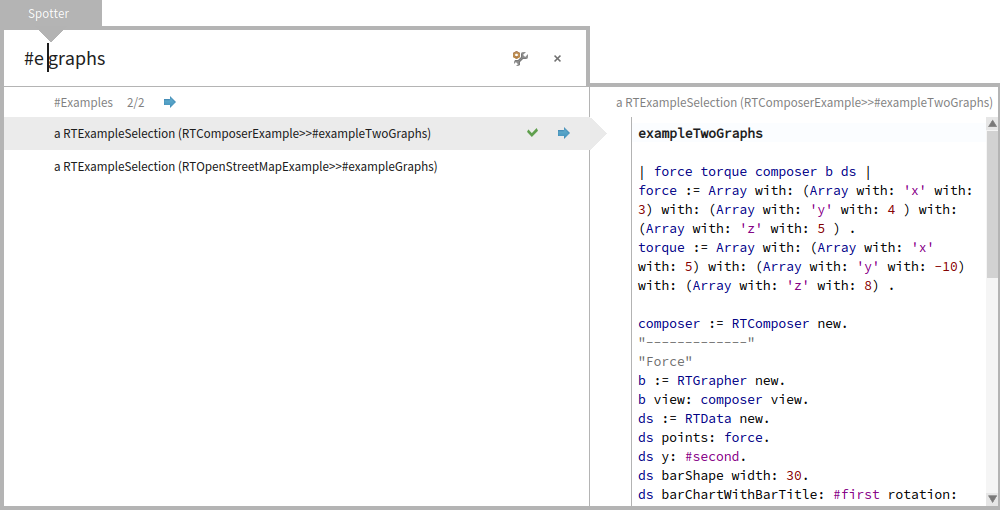
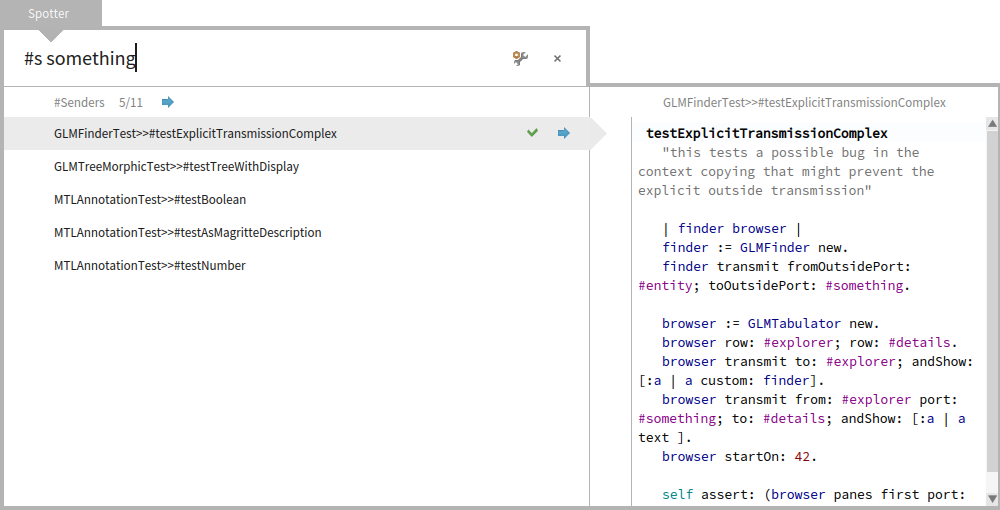
2016-01-11 16:59 GMT+01:00 stepharo <stepharo@free.fr>:
Why #s Senders shortcut is since ages Cmd-n
#s is not a shortcut, it is a filter. #s filters for category starting with "s" like "senders" #i filters for category starting with "i" like "implementers" if you add another search category for spotter like "Demo" you could use #d as a filter for this.
Why do you want to force people to remember two different shortcuts. I do not get it?
Sorry but I did not get at all what is & and personnally I'm not sure that I want to understand.
Stef
Le 10/1/16 22:26, Tudor Girba a écrit :
Hi Stef,
Thanks for taking the time. I think I did not express myself properly in the previous mail because we are not really in disagreement :).
The basic mechanism you talk about exists already in Spotter. Let me explain. When you type: "#e graphs", you will get two examples (and only the example search is being performed).
This works because the name of the âExamplesâ category starts with âEâ.
Until now we did not have a top level processor that would search for Senders (only inside a method). So, because of this you could not search for them at the top level. In the meantime Stefan just finished implementing it, the name of the category is Senders. So, you will type â#s somethingâ.
I now made the category name start with # so that it is closer to the way to query for it. So, when you do not know how, you will just search for âsomethingâ. Then you will discover the #Senders category, and then you can learn that you can search for it.
Now, you seem to be saying that instead of â#s somethingâ you want to type â#n somethingâ. For this we would need to find a solution to reconcile the two. My proposal was to maybe introduce something like â&n somethingâ to distinguish between the string match of a category name and a âshortcutâ (I do not know how to call it). I can see how to do this technically, but I still think this is less discoverable then the filtering by the name like described above, and it would be an extra mechanism. We could add this shortcut next to the category name to address this issue. The interesting thing about the shortcut is that we could possibly make it less ambiguous. For example, if you have two categories starting with #S, you will get both when you type â#S somethingâ, which is less ideal for a common case. So, there are pros and cons.
Now, what is missing is a top level category for References, and I really think we would have what you wanted (and it is a good goal). The cool thing is that we would be solving this problem with a generic mechanism.
So, what I am suggesting is to invest a bit in categories (#Senders can be integrated now) and then we play with it.
Is this explanation clearer? Did I misunderstand something? What do you think?
Cheers, Doru
On Jan 10, 2016, at 10:23 PM, stepharo <stepharo@free.fr> wrote:
Ok my last attempt :(
When I look for something there are two cases
- most of the time I ********************KKKKNNNOOOOOOOWWWWWWW********* is it clear? I know I know I know what I look for and I WANT THE FASTER WAY TO GET IT => no three clicks and strange navigation.
I want the sender of this message (not the implementors the sender) I want that package I want the references to this class (not the class and the refs that class) and I'm ready to learn #N for reference #n for senders #m for implementors Because they are the same. #e for example like in the finder
- looking around and the system can propose me something and I can navigate and think.
But this is ok I just use Spotter to open the class browser and all the rest I do it with shortcuts. I tried to help but I failed.
I will present Spotter as the great tool to open browser because I cannot use it otherwise and nobody around me can show me on the spot something more efficient than a shortcut in a workspace. Or may be I will simply not spend energy doing a videos on Spotter because to me this is not ready and far less usable than it is supposed to be.
Now to me Spotter is taking a lot of classes for the gain I get. What esteban did or what is in Squeak is working perfectly for me because Spotter does not let me express my needs. So may be you have other needs but I would like to know how people really works and not how Spotter should be usefull.
The video of dimitry shows that well: Just browse a class and sometimes you get an implementor May be you do not like my mail because they look aggressive but when is the last time you did a real study with users that were not already convinced. Or may be with users that loves just one tiny feature and not the one you think that they use?
And BTW it hangs my images two times with 4.0 when I was in africa and this was annoying. Stef
I do not get why you cannot - have a set of fixed most used queries and this will create a small vocabulary that can be extensible and it can be mapped to what we do with shortcuts = reduce cognitive load and then a full search when you do not know what you are searching.
This is not exclusive and it works for the two scenario.
I understand the intention, but I do not understand how these fixed queries are any different than we have now. When you are on the top of Spotter, when you query, you get always the same processors being executed. At first you will not know their names, and you will scroll. And if you see them, you might remember them and reproduce afterwards. Itâs a discoverable learning process that you do not have to remember.
Because with these wonderfull queries I do not get what I'm looking for. Because the system is trying to guess what I have in my mind and this system is not good for that because I'm thinking about the metallica song I'm listening.
The only part that is not discoverable is that # introduces a category search. Thinking loud, I just thought that we can make the label start with # like this (I committed this change):
Sorry but I do not get it.
<Mail Attachment.png>
We also thought of having completion as soon as someone type #. So, you have a kind of a dropdown for the available categories, but we did not get to implement that one. This should solve the discoverability problem even more. What do you think about that?
Why not but just a ghost with #n printOn: #m #N .... would be a huge improvement
Each time I used Spotter to look for something more than a class I could not find it.
Regarding the shortcuts, we could associated such shortcuts with a processor, but I would first want to see if we cannot manage to produce a solution with the current set of options.
I was not saying shortcuts and I was thinking the same vocabulary
Cmd+N #N Cmd+m #m Cmd+n #n
I was discussing with Luc and he made a fun but sad remark "Since people do not understand well spotter they most of the time only use it to open a class. And this is something that he already had before." I briefly looked at the Youtube video of Chloupis and
So you can have a generic super cool tool, if people do not use it it defeats its purpose.
Certainly.
You can be really happy because you go fast with it but you only.
That is not really true :).
See my remark above.
So making sure that the most used actions are really supported is important.
Of course it is. For Senders we did not find a good solution yet that is reasonably fast and useful. Stefan and I are still literally working on this. I think we should be able to have a solution, but we have to see if it is reasonable enough. We will announce it once we have it working.
the problem is that you want to solve everything at once. While the divide and conquer is the solution for the first scenario I mention. I do not need something that crawls the entire system when I have one precise query.
But, really, this tool more than anything allows one to play with possibilities in a couple of lines of code. We want people to play (some did) and to get concrete feedback and possible solutions. I think we should not just say that we need something else before we actually play with it a bit more.
I do not get it. I never worked with me. And so far I did not see anybody succeeding to show me how to find something that I cannot find faster with a shortcut.
But more important the discoverability is important because there is not even a help.
Right now as a user I can only guess and often I close spotter and use my shortcuts.
As a user I see something that ask me about network (and I do not care) but nothing that brings me to the next level.
This is something we need to work on, but you know, time is limited for us, too.
Add a button and an help text copied from your blog! And you will have made a 100% documentation jump.
Most of the time the user forgets the key combination (may be this will be solved with the cool shortcut reminder we developed and is under review)
All actions in spotter have a visible icon. All. And if you hover over it you get the command. And there are literally 5 such actions. What is missing in this regard from your point of view?
I do not know They do not cover what I want to do. I do not care of setting Most of the time I do not care about seeing all. I saw now that you have an arrow to show more than the top 5 good but again Cmd-shift > is not easy to type and give pain. I do not understand why I should dive in most of the time.
I realised that I could use Spotter when I saw that I can press shift under the return because before I got immediate pain when trying with the left shift. To me left shift is a NO WAY. esc (top left) would work but I did not have the time to hack Spotter.
Doru
Stef
-- www.tudorgirba.com www.feenk.com
"Reasonable is what we are accustomed with."
-- www.tudorgirba.com www.feenk.com
"The coherence of a trip is given by the clearness of the goal."
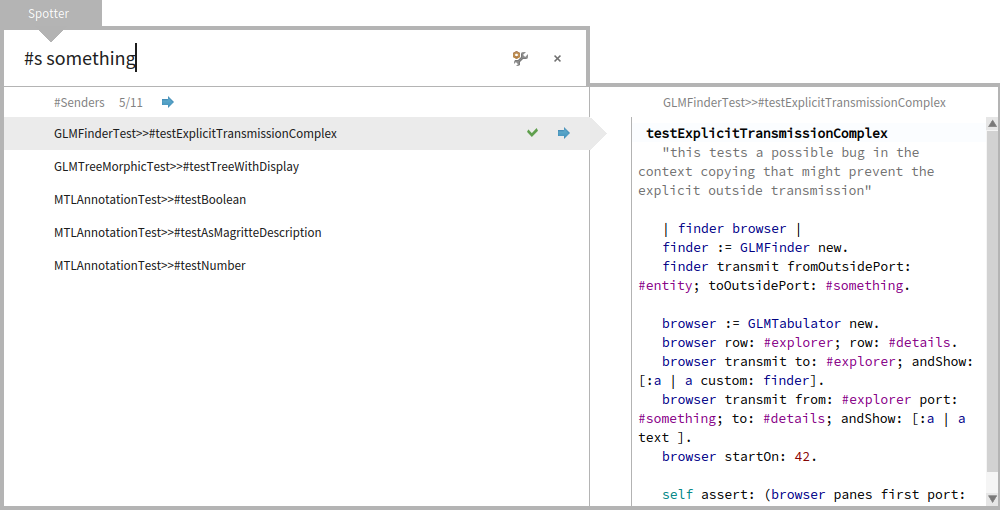
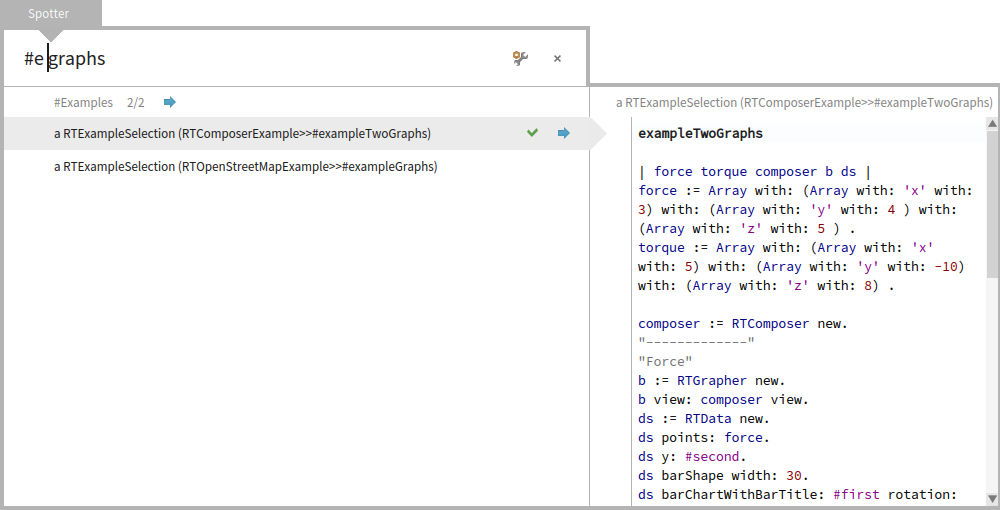
Hi, Exactly :). Doru
On Jan 11, 2016, at 6:03 PM, Nicolai Hess <nicolaihess@gmail.com> wrote:
2016-01-11 16:59 GMT+01:00 stepharo <stepharo@free.fr>: Why #s Senders shortcut is since ages Cmd-n
#s is not a shortcut, it is a filter. #s filters for category starting with "s" like "senders" #i filters for category starting with "i" like "implementers"
if you add another search category for spotter like "Demo" you could use #d as a filter for this.
Why do you want to force people to remember two different shortcuts. I do not get it?
Sorry but I did not get at all what is & and personnally I'm not sure that I want to understand.
Stef
Le 10/1/16 22:26, Tudor Girba a écrit :
Hi Stef,
Thanks for taking the time. I think I did not express myself properly in the previous mail because we are not really in disagreement :).
The basic mechanism you talk about exists already in Spotter. Let me explain. When you type: "#e graphs", you will get two examples (and only the example search is being performed).
<Mail Attachment.png>
This works because the name of the âExamplesâ category starts with âEâ.
Until now we did not have a top level processor that would search for Senders (only inside a method). So, because of this you could not search for them at the top level. In the meantime Stefan just finished implementing it, the name of the category is Senders. So, you will type â#s somethingâ.
<Mail Attachment.png>
I now made the category name start with # so that it is closer to the way to query for it. So, when you do not know how, you will just search for âsomethingâ. Then you will discover the #Senders category, and then you can learn that you can search for it.
Now, you seem to be saying that instead of â#s somethingâ you want to type â#n somethingâ. For this we would need to find a solution to reconcile the two. My proposal was to maybe introduce something like â&n somethingâ to distinguish between the string match of a category name and a âshortcutâ (I do not know how to call it). I can see how to do this technically, but I still think this is less discoverable then the filtering by the name like described above, and it would be an extra mechanism. We could add this shortcut next to the category name to address this issue. The interesting thing about the shortcut is that we could possibly make it less ambiguous. For example, if you have two categories starting with #S, you will get both when you type â#S somethingâ, which is less ideal for a common case. So, there are pros and cons.
Now, what is missing is a top level category for References, and I really think we would have what you wanted (and it is a good goal). The cool thing is that we would be solving this problem with a generic mechanism.
So, what I am suggesting is to invest a bit in categories (#Senders can be integrated now) and then we play with it.
Is this explanation clearer? Did I misunderstand something? What do you think?
Cheers, Doru
On Jan 10, 2016, at 10:23 PM, stepharo <stepharo@free.fr> wrote:
Ok my last attempt :(
When I look for something there are two cases
- most of the time I ********************KKKKNNNOOOOOOOWWWWWWW********* is it clear? I know I know I know what I look for and I WANT THE FASTER WAY TO GET IT => no three clicks and strange navigation.
I want the sender of this message (not the implementors the sender) I want that package I want the references to this class (not the class and the refs that class) and I'm ready to learn #N for reference #n for senders #m for implementors Because they are the same. #e for example like in the finder
- looking around and the system can propose me something and I can navigate and think.
But this is ok I just use Spotter to open the class browser and all the rest I do it with shortcuts. I tried to help but I failed.
I will present Spotter as the great tool to open browser because I cannot use it otherwise and nobody around me can show me on the spot something more efficient than a shortcut in a workspace. Or may be I will simply not spend energy doing a videos on Spotter because to me this is not ready and far less usable than it is supposed to be.
Now to me Spotter is taking a lot of classes for the gain I get. What esteban did or what is in Squeak is working perfectly for me because Spotter does not let me express my needs. So may be you have other needs but I would like to know how people really works and not how Spotter should be usefull.
The video of dimitry shows that well: Just browse a class and sometimes you get an implementor May be you do not like my mail because they look aggressive but when is the last time you did a real study with users that were not already convinced. Or may be with users that loves just one tiny feature and not the one you think that they use?
And BTW it hangs my images two times with 4.0 when I was in africa and this was annoying. Stef
I do not get why you cannot - have a set of fixed most used queries and this will create a small vocabulary that can be extensible and it can be mapped to what we do with shortcuts = reduce cognitive load and then a full search when you do not know what you are searching. This is not exclusive and it works for the two scenario.
I understand the intention, but I do not understand how these fixed queries are any different than we have now. When you are on the top of Spotter, when you query, you get always the same processors being executed. At first you will not know their names, and you will scroll. And if you see them, you might remember them and reproduce afterwards. Itâs a discoverable learning process that you do not have to remember.
Because with these wonderfull queries I do not get what I'm looking for. Because the system is trying to guess what I have in my mind and this system is not good for that because I'm thinking about the metallica song I'm listening.
The only part that is not discoverable is that # introduces a category search. Thinking loud, I just thought that we can make the label start with # like this (I committed this change):
Sorry but I do not get it.
<Mail Attachment.png>
We also thought of having completion as soon as someone type #. So, you have a kind of a dropdown for the available categories, but we did not get to implement that one. This should solve the discoverability problem even more. What do you think about that?
Why not but just a ghost with #n printOn: #m #N .... would be a huge improvement
Each time I used Spotter to look for something more than a class I could not find it.
Regarding the shortcuts, we could associated such shortcuts with a processor, but I would first want to see if we cannot manage to produce a solution with the current set of options.
I was not saying shortcuts and I was thinking the same vocabulary
Cmd+N #N Cmd+m #m Cmd+n #n
I was discussing with Luc and he made a fun but sad remark "Since people do not understand well spotter they most of the time only use it to open a class. And this is something that he already had before." I briefly looked at the Youtube video of Chloupis and So you can have a generic super cool tool, if people do not use it it defeats its purpose.
Certainly.
You can be really happy because you go fast with it but you only.
That is not really true :).
See my remark above.
So making sure that the most used actions are really supported is important.
Of course it is. For Senders we did not find a good solution yet that is reasonably fast and useful. Stefan and I are still literally working on this. I think we should be able to have a solution, but we have to see if it is reasonable enough. We will announce it once we have it working.
the problem is that you want to solve everything at once. While the divide and conquer is the solution for the first scenario I mention. I do not need something that crawls the entire system when I have one precise query.
But, really, this tool more than anything allows one to play with possibilities in a couple of lines of code. We want people to play (some did) and to get concrete feedback and possible solutions. I think we should not just say that we need something else before we actually play with it a bit more.
I do not get it. I never worked with me. And so far I did not see anybody succeeding to show me how to find something that I cannot find faster with a shortcut.
But more important the discoverability is important because there is not even a help. Right now as a user I can only guess and often I close spotter and use my shortcuts. As a user I see something that ask me about network (and I do not care) but nothing that brings me to the next level.
This is something we need to work on, but you know, time is limited for us, too.
Add a button and an help text copied from your blog! And you will have made a 100% documentation jump.
Most of the time the user forgets the key combination (may be this will be solved with the cool shortcut reminder we developed and is under review)
All actions in spotter have a visible icon. All. And if you hover over it you get the command. And there are literally 5 such actions. What is missing in this regard from your point of view?
I do not know They do not cover what I want to do. I do not care of setting Most of the time I do not care about seeing all. I saw now that you have an arrow to show more than the top 5 good but again Cmd-shift > is not easy to type and give pain. I do not understand why I should dive in most of the time.
I realised that I could use Spotter when I saw that I can press shift under the return because before I got immediate pain when trying with the left shift. To me left shift is a NO WAY. esc (top left) would work but I did not have the time to hack Spotter.
Doru
Stef
-- www.tudorgirba.com www.feenk.com
"Reasonable is what we are accustomed with."
-- www.tudorgirba.com www.feenk.com
"The coherence of a trip is given by the clearness of the goal."
-- www.tudorgirba.com www.feenk.com "Sometimes the best solution is not the best solution."

Am 11.01.2016 um 16:59 schrieb stepharo <stepharo@free.fr>:
Why #s Senders shortcut is since ages Cmd-n
Why do you want to force people to remember two different shortcuts. I do not get it?
Sorry but I did not get at all what is & and personnally I'm not sure that I want to understand.
Me, too. I see no reason to have that different. Maybe you could open spotter, press the shortcut cmd+n and spotter writes the appropriate prefix (if any necessary) in the text field. Norbert
Stef
Le 10/1/16 22:26, Tudor Girba a écrit :
Hi Stef,
Thanks for taking the time. I think I did not express myself properly in the previous mail because we are not really in disagreement :).
The basic mechanism you talk about exists already in Spotter. Let me explain. When you type: "#e graphs", you will get two examples (and only the example search is being performed).
<Mail-Anhang.png>
This works because the name of the âExamplesâ category starts with âEâ.
Until now we did not have a top level processor that would search for Senders (only inside a method). So, because of this you could not search for them at the top level. In the meantime Stefan just finished implementing it, the name of the category is Senders. So, you will type â#s somethingâ.
<Mail-Anhang.png>
I now made the category name start with # so that it is closer to the way to query for it. So, when you do not know how, you will just search for âsomethingâ. Then you will discover the #Senders category, and then you can learn that you can search for it.
Now, you seem to be saying that instead of â#s somethingâ you want to type â#n somethingâ. For this we would need to find a solution to reconcile the two. My proposal was to maybe introduce something like â&n somethingâ to distinguish between the string match of a category name and a âshortcutâ (I do not know how to call it). I can see how to do this technically, but I still think this is less discoverable then the filtering by the name like described above, and it would be an extra mechanism. We could add this shortcut next to the category name to address this issue. The interesting thing about the shortcut is that we could possibly make it less ambiguous. For example, if you have two categories starting with #S, you will get both when you type â#S somethingâ, which is less ideal for a common case. So, there are pros and cons.
Now, what is missing is a top level category for References, and I really think we would have what you wanted (and it is a good goal). The cool thing is that we would be solving this problem with a generic mechanism.
So, what I am suggesting is to invest a bit in categories (#Senders can be integrated now) and then we play with it.
Is this explanation clearer? Did I misunderstand something? What do you think?
Cheers, Doru
On Jan 10, 2016, at 10:23 PM, stepharo <stepharo@free.fr <mailto:stepharo@free.fr>> wrote:
Ok my last attempt :(
When I look for something there are two cases
- most of the time I ********************KKKKNNNOOOOOOOWWWWWWW********* is it clear? I know I know I know what I look for and I WANT THE FASTER WAY TO GET IT => no three clicks and strange navigation.
I want the sender of this message (not the implementors the sender) I want that package I want the references to this class (not the class and the refs that class) and I'm ready to learn #N for reference #n for senders #m for implementors Because they are the same. #e for example like in the finder
- looking around and the system can propose me something and I can navigate and think.
But this is ok I just use Spotter to open the class browser and all the rest I do it with shortcuts. I tried to help but I failed.
I will present Spotter as the great tool to open browser because I cannot use it otherwise and nobody around me can show me on the spot something more efficient than a shortcut in a workspace. Or may be I will simply not spend energy doing a videos on Spotter because to me this is not ready and far less usable than it is supposed to be.
Now to me Spotter is taking a lot of classes for the gain I get. What esteban did or what is in Squeak is working perfectly for me because Spotter does not let me express my needs. So may be you have other needs but I would like to know how people really works and not how Spotter should be usefull.
The video of dimitry shows that well: Just browse a class and sometimes you get an implementor May be you do not like my mail because they look aggressive but when is the last time you did a real study with users that were not already convinced. Or may be with users that loves just one tiny feature and not the one you think that they use?
And BTW it hangs my images two times with 4.0 when I was in africa and this was annoying. Stef
I do not get why you cannot - have a set of fixed most used queries and this will create a small vocabulary that can be extensible and it can be mapped to what we do with shortcuts = reduce cognitive load and then a full search when you do not know what you are searching. This is not exclusive and it works for the two scenario.
I understand the intention, but I do not understand how these fixed queries are any different than we have now. When you are on the top of Spotter, when you query, you get always the same processors being executed. At first you will not know their names, and you will scroll. And if you see them, you might remember them and reproduce afterwards. Itâs a discoverable learning process that you do not have to remember.
Because with these wonderfull queries I do not get what I'm looking for. Because the system is trying to guess what I have in my mind and this system is not good for that because I'm thinking about the metallica song I'm listening.
The only part that is not discoverable is that # introduces a category search. Thinking loud, I just thought that we can make the label start with # like this (I committed this change):
Sorry but I do not get it.
<Mail Attachment.png>
We also thought of having completion as soon as someone type #. So, you have a kind of a dropdown for the available categories, but we did not get to implement that one. This should solve the discoverability problem even more. What do you think about that?
Why not but just a ghost with #n printOn: #m #N .... would be a huge improvement
Each time I used Spotter to look for something more than a class I could not find it.
Regarding the shortcuts, we could associated such shortcuts with a processor, but I would first want to see if we cannot manage to produce a solution with the current set of options.
I was not saying shortcuts and I was thinking the same vocabulary
Cmd+N #N Cmd+m #m Cmd+n #n
I was discussing with Luc and he made a fun but sad remark "Since people do not understand well spotter they most of the time only use it to open a class. And this is something that he already had before." I briefly looked at the Youtube video of Chloupis and So you can have a generic super cool tool, if people do not use it it defeats its purpose.
Certainly.
You can be really happy because you go fast with it but you only.
That is not really true :).
See my remark above.
So making sure that the most used actions are really supported is important.
Of course it is. For Senders we did not find a good solution yet that is reasonably fast and useful. Stefan and I are still literally working on this. I think we should be able to have a solution, but we have to see if it is reasonable enough. We will announce it once we have it working.
the problem is that you want to solve everything at once. While the divide and conquer is the solution for the first scenario I mention. I do not need something that crawls the entire system when I have one precise query.
But, really, this tool more than anything allows one to play with possibilities in a couple of lines of code. We want people to play (some did) and to get concrete feedback and possible solutions. I think we should not just say that we need something else before we actually play with it a bit more.
I do not get it. I never worked with me. And so far I did not see anybody succeeding to show me how to find something that I cannot find faster with a shortcut.
But more important the discoverability is important because there is not even a help. Right now as a user I can only guess and often I close spotter and use my shortcuts. As a user I see something that ask me about network (and I do not care) but nothing that brings me to the next level.
This is something we need to work on, but you know, time is limited for us, too.
Add a button and an help text copied from your blog! And you will have made a 100% documentation jump.
Most of the time the user forgets the key combination (may be this will be solved with the cool shortcut reminder we developed and is under review)
All actions in spotter have a visible icon. All. And if you hover over it you get the command. And there are literally 5 such actions. What is missing in this regard from your point of view?
I do not know They do not cover what I want to do. I do not care of setting Most of the time I do not care about seeing all. I saw now that you have an arrow to show more than the top 5 good but again Cmd-shift > is not easy to type and give pain. I do not understand why I should dive in most of the time.
I realised that I could use Spotter when I saw that I can press shift under the return because before I got immediate pain when trying with the left shift. To me left shift is a NO WAY. esc (top left) would work but I did not have the time to hack Spotter.
Doru
Stef
-- www.tudorgirba.com <http://www.tudorgirba.com/> www.feenk.com <http://www.feenk.com/>
"Reasonable is what we are accustomed with."
-- www.tudorgirba.com <http://www.tudorgirba.com/> www.feenk.com <http://www.feenk.com/>
"The coherence of a trip is given by the clearness of the goal."
Hi, So, I still did not express myself clearly :). #s is not a new shortcut. Itâs just a filtering mechanism based on the the name of the category. So, you can also write: #s something #sen something #senders something On top of this, we are looking for solutions to have a way to use some shortcuts. I like the idea of having Cmd+n to add the text #senders to the query text. We have to see if this can work. Cheers, Doru
On Jan 11, 2016, at 5:59 PM, stepharo <stepharo@free.fr> wrote:
Why #s Senders shortcut is since ages Cmd-n
Why do you want to force people to remember two different shortcuts. I do not get it?
Sorry but I did not get at all what is & and personnally I'm not sure that I want to understand.
Stef
Le 10/1/16 22:26, Tudor Girba a écrit :
Hi Stef,
Thanks for taking the time. I think I did not express myself properly in the previous mail because we are not really in disagreement :).
The basic mechanism you talk about exists already in Spotter. Let me explain. When you type: "#e graphs", you will get two examples (and only the example search is being performed).
<Mail Attachment.png>
This works because the name of the âExamplesâ category starts with âEâ.
Until now we did not have a top level processor that would search for Senders (only inside a method). So, because of this you could not search for them at the top level. In the meantime Stefan just finished implementing it, the name of the category is Senders. So, you will type â#s somethingâ.
<Mail Attachment.png>
I now made the category name start with # so that it is closer to the way to query for it. So, when you do not know how, you will just search for âsomethingâ. Then you will discover the #Senders category, and then you can learn that you can search for it.
Now, you seem to be saying that instead of â#s somethingâ you want to type â#n somethingâ. For this we would need to find a solution to reconcile the two. My proposal was to maybe introduce something like â&n somethingâ to distinguish between the string match of a category name and a âshortcutâ (I do not know how to call it). I can see how to do this technically, but I still think this is less discoverable then the filtering by the name like described above, and it would be an extra mechanism. We could add this shortcut next to the category name to address this issue. The interesting thing about the shortcut is that we could possibly make it less ambiguous. For example, if you have two categories starting with #S, you will get both when you type â#S somethingâ, which is less ideal for a common case. So, there are pros and cons.
Now, what is missing is a top level category for References, and I really think we would have what you wanted (and it is a good goal). The cool thing is that we would be solving this problem with a generic mechanism.
So, what I am suggesting is to invest a bit in categories (#Senders can be integrated now) and then we play with it.
Is this explanation clearer? Did I misunderstand something? What do you think?
Cheers, Doru
On Jan 10, 2016, at 10:23 PM, stepharo <stepharo@free.fr> wrote:
Ok my last attempt :(
When I look for something there are two cases
- most of the time I ********************KKKKNNNOOOOOOOWWWWWWW********* is it clear? I know I know I know what I look for and I WANT THE FASTER WAY TO GET IT => no three clicks and strange navigation.
I want the sender of this message (not the implementors the sender) I want that package I want the references to this class (not the class and the refs that class) and I'm ready to learn #N for reference #n for senders #m for implementors Because they are the same. #e for example like in the finder
- looking around and the system can propose me something and I can navigate and think.
But this is ok I just use Spotter to open the class browser and all the rest I do it with shortcuts. I tried to help but I failed.
I will present Spotter as the great tool to open browser because I cannot use it otherwise and nobody around me can show me on the spot something more efficient than a shortcut in a workspace. Or may be I will simply not spend energy doing a videos on Spotter because to me this is not ready and far less usable than it is supposed to be.
Now to me Spotter is taking a lot of classes for the gain I get. What esteban did or what is in Squeak is working perfectly for me because Spotter does not let me express my needs. So may be you have other needs but I would like to know how people really works and not how Spotter should be usefull.
The video of dimitry shows that well: Just browse a class and sometimes you get an implementor May be you do not like my mail because they look aggressive but when is the last time you did a real study with users that were not already convinced. Or may be with users that loves just one tiny feature and not the one you think that they use?
And BTW it hangs my images two times with 4.0 when I was in africa and this was annoying. Stef
I do not get why you cannot - have a set of fixed most used queries and this will create a small vocabulary that can be extensible and it can be mapped to what we do with shortcuts = reduce cognitive load and then a full search when you do not know what you are searching. This is not exclusive and it works for the two scenario.
I understand the intention, but I do not understand how these fixed queries are any different than we have now. When you are on the top of Spotter, when you query, you get always the same processors being executed. At first you will not know their names, and you will scroll. And if you see them, you might remember them and reproduce afterwards. Itâs a discoverable learning process that you do not have to remember.
Because with these wonderfull queries I do not get what I'm looking for. Because the system is trying to guess what I have in my mind and this system is not good for that because I'm thinking about the metallica song I'm listening.
The only part that is not discoverable is that # introduces a category search. Thinking loud, I just thought that we can make the label start with # like this (I committed this change):
Sorry but I do not get it.
<Mail Attachment.png>
We also thought of having completion as soon as someone type #. So, you have a kind of a dropdown for the available categories, but we did not get to implement that one. This should solve the discoverability problem even more. What do you think about that?
Why not but just a ghost with #n printOn: #m #N .... would be a huge improvement
Each time I used Spotter to look for something more than a class I could not find it.
Regarding the shortcuts, we could associated such shortcuts with a processor, but I would first want to see if we cannot manage to produce a solution with the current set of options.
I was not saying shortcuts and I was thinking the same vocabulary
Cmd+N #N Cmd+m #m Cmd+n #n
I was discussing with Luc and he made a fun but sad remark "Since people do not understand well spotter they most of the time only use it to open a class. And this is something that he already had before." I briefly looked at the Youtube video of Chloupis and So you can have a generic super cool tool, if people do not use it it defeats its purpose.
Certainly.
You can be really happy because you go fast with it but you only.
That is not really true :).
See my remark above.
So making sure that the most used actions are really supported is important.
Of course it is. For Senders we did not find a good solution yet that is reasonably fast and useful. Stefan and I are still literally working on this. I think we should be able to have a solution, but we have to see if it is reasonable enough. We will announce it once we have it working.
the problem is that you want to solve everything at once. While the divide and conquer is the solution for the first scenario I mention. I do not need something that crawls the entire system when I have one precise query.
But, really, this tool more than anything allows one to play with possibilities in a couple of lines of code. We want people to play (some did) and to get concrete feedback and possible solutions. I think we should not just say that we need something else before we actually play with it a bit more.
I do not get it. I never worked with me. And so far I did not see anybody succeeding to show me how to find something that I cannot find faster with a shortcut.
But more important the discoverability is important because there is not even a help. Right now as a user I can only guess and often I close spotter and use my shortcuts. As a user I see something that ask me about network (and I do not care) but nothing that brings me to the next level.
This is something we need to work on, but you know, time is limited for us, too.
Add a button and an help text copied from your blog! And you will have made a 100% documentation jump.
Most of the time the user forgets the key combination (may be this will be solved with the cool shortcut reminder we developed and is under review)
All actions in spotter have a visible icon. All. And if you hover over it you get the command. And there are literally 5 such actions. What is missing in this regard from your point of view?
I do not know They do not cover what I want to do. I do not care of setting Most of the time I do not care about seeing all. I saw now that you have an arrow to show more than the top 5 good but again Cmd-shift > is not easy to type and give pain. I do not understand why I should dive in most of the time.
I realised that I could use Spotter when I saw that I can press shift under the return because before I got immediate pain when trying with the left shift. To me left shift is a NO WAY. esc (top left) would work but I did not have the time to hack Spotter.
Doru
Stef
-- www.tudorgirba.com www.feenk.com
"Reasonable is what we are accustomed with."
-- www.tudorgirba.com www.feenk.com
"The coherence of a trip is given by the clearness of the goal."
-- www.tudorgirba.com www.feenk.com "Not knowing how to do something is not an argument for how it cannot be done."

Hi Doru, Definitely, it would be a great addition. I really like spotter but I still need to open some browser or playground to search implementors or senders. This feature + a way to perform exact match will avoid to open extra windows and to loose time. Keep pushing, Christophe Le 11 janv. 2016 à 23:34, Tudor Girba a écrit :
Hi,
So, I still did not express myself clearly :).
#s is not a new shortcut. Itâs just a filtering mechanism based on the the name of the category. So, you can also write:
#s something #sen something #senders something
On top of this, we are looking for solutions to have a way to use some shortcuts.
I like the idea of having Cmd+n to add the text #senders to the query text. We have to see if this can work.
Cheers, Doru
On Jan 11, 2016, at 5:59 PM, stepharo <stepharo@free.fr> wrote:
Why #s Senders shortcut is since ages Cmd-n
Why do you want to force people to remember two different shortcuts. I do not get it?
Sorry but I did not get at all what is & and personnally I'm not sure that I want to understand.
Stef
Le 10/1/16 22:26, Tudor Girba a écrit :
Hi Stef,
Thanks for taking the time. I think I did not express myself properly in the previous mail because we are not really in disagreement :).
The basic mechanism you talk about exists already in Spotter. Let me explain. When you type: "#e graphs", you will get two examples (and only the example search is being performed).
<Mail Attachment.png>
This works because the name of the âExamplesâ category starts with âEâ.
Until now we did not have a top level processor that would search for Senders (only inside a method). So, because of this you could not search for them at the top level. In the meantime Stefan just finished implementing it, the name of the category is Senders. So, you will type â#s somethingâ.
<Mail Attachment.png>
I now made the category name start with # so that it is closer to the way to query for it. So, when you do not know how, you will just search for âsomethingâ. Then you will discover the #Senders category, and then you can learn that you can search for it.
Now, you seem to be saying that instead of â#s somethingâ you want to type â#n somethingâ. For this we would need to find a solution to reconcile the two. My proposal was to maybe introduce something like â&n somethingâ to distinguish between the string match of a category name and a âshortcutâ (I do not know how to call it). I can see how to do this technically, but I still think this is less discoverable then the filtering by the name like described above, and it would be an extra mechanism. We could add this shortcut next to the category name to address this issue. The interesting thing about the shortcut is that we could possibly make it less ambiguous. For example, if you have two categories starting with #S, you will get both when you type â#S somethingâ, which is less ideal for a common case. So, there are pros and cons.
Now, what is missing is a top level category for References, and I really think we would have what you wanted (and it is a good goal). The cool thing is that we would be solving this problem with a generic mechanism.
So, what I am suggesting is to invest a bit in categories (#Senders can be integrated now) and then we play with it.
Is this explanation clearer? Did I misunderstand something? What do you think?
Cheers, Doru
On Jan 10, 2016, at 10:23 PM, stepharo <stepharo@free.fr> wrote:
Ok my last attempt :(
When I look for something there are two cases
- most of the time I ********************KKKKNNNOOOOOOOWWWWWWW********* is it clear? I know I know I know what I look for and I WANT THE FASTER WAY TO GET IT => no three clicks and strange navigation.
I want the sender of this message (not the implementors the sender) I want that package I want the references to this class (not the class and the refs that class) and I'm ready to learn #N for reference #n for senders #m for implementors Because they are the same. #e for example like in the finder
- looking around and the system can propose me something and I can navigate and think.
But this is ok I just use Spotter to open the class browser and all the rest I do it with shortcuts. I tried to help but I failed.
I will present Spotter as the great tool to open browser because I cannot use it otherwise and nobody around me can show me on the spot something more efficient than a shortcut in a workspace. Or may be I will simply not spend energy doing a videos on Spotter because to me this is not ready and far less usable than it is supposed to be.
Now to me Spotter is taking a lot of classes for the gain I get. What esteban did or what is in Squeak is working perfectly for me because Spotter does not let me express my needs. So may be you have other needs but I would like to know how people really works and not how Spotter should be usefull.
The video of dimitry shows that well: Just browse a class and sometimes you get an implementor May be you do not like my mail because they look aggressive but when is the last time you did a real study with users that were not already convinced. Or may be with users that loves just one tiny feature and not the one you think that they use?
And BTW it hangs my images two times with 4.0 when I was in africa and this was annoying. Stef
I do not get why you cannot - have a set of fixed most used queries and this will create a small vocabulary that can be extensible and it can be mapped to what we do with shortcuts = reduce cognitive load and then a full search when you do not know what you are searching. This is not exclusive and it works for the two scenario.
I understand the intention, but I do not understand how these fixed queries are any different than we have now. When you are on the top of Spotter, when you query, you get always the same processors being executed. At first you will not know their names, and you will scroll. And if you see them, you might remember them and reproduce afterwards. Itâs a discoverable learning process that you do not have to remember.
Because with these wonderfull queries I do not get what I'm looking for. Because the system is trying to guess what I have in my mind and this system is not good for that because I'm thinking about the metallica song I'm listening.
The only part that is not discoverable is that # introduces a category search. Thinking loud, I just thought that we can make the label start with # like this (I committed this change):
Sorry but I do not get it.
<Mail Attachment.png>
We also thought of having completion as soon as someone type #. So, you have a kind of a dropdown for the available categories, but we did not get to implement that one. This should solve the discoverability problem even more. What do you think about that?
Why not but just a ghost with #n printOn: #m #N .... would be a huge improvement
Each time I used Spotter to look for something more than a class I could not find it.
Regarding the shortcuts, we could associated such shortcuts with a processor, but I would first want to see if we cannot manage to produce a solution with the current set of options.
I was not saying shortcuts and I was thinking the same vocabulary
Cmd+N #N Cmd+m #m Cmd+n #n
I was discussing with Luc and he made a fun but sad remark "Since people do not understand well spotter they most of the time only use it to open a class. And this is something that he already had before." I briefly looked at the Youtube video of Chloupis and So you can have a generic super cool tool, if people do not use it it defeats its purpose.
Certainly.
You can be really happy because you go fast with it but you only.
That is not really true :).
See my remark above.
So making sure that the most used actions are really supported is important.
Of course it is. For Senders we did not find a good solution yet that is reasonably fast and useful. Stefan and I are still literally working on this. I think we should be able to have a solution, but we have to see if it is reasonable enough. We will announce it once we have it working.
the problem is that you want to solve everything at once. While the divide and conquer is the solution for the first scenario I mention. I do not need something that crawls the entire system when I have one precise query.
But, really, this tool more than anything allows one to play with possibilities in a couple of lines of code. We want people to play (some did) and to get concrete feedback and possible solutions. I think we should not just say that we need something else before we actually play with it a bit more.
I do not get it. I never worked with me. And so far I did not see anybody succeeding to show me how to find something that I cannot find faster with a shortcut.
But more important the discoverability is important because there is not even a help. Right now as a user I can only guess and often I close spotter and use my shortcuts. As a user I see something that ask me about network (and I do not care) but nothing that brings me to the next level.
This is something we need to work on, but you know, time is limited for us, too.
Add a button and an help text copied from your blog! And you will have made a 100% documentation jump.
Most of the time the user forgets the key combination (may be this will be solved with the cool shortcut reminder we developed and is under review)
All actions in spotter have a visible icon. All. And if you hover over it you get the command. And there are literally 5 such actions. What is missing in this regard from your point of view?
I do not know They do not cover what I want to do. I do not care of setting Most of the time I do not care about seeing all. I saw now that you have an arrow to show more than the top 5 good but again Cmd-shift > is not easy to type and give pain. I do not understand why I should dive in most of the time.
I realised that I could use Spotter when I saw that I can press shift under the return because before I got immediate pain when trying with the left shift. To me left shift is a NO WAY. esc (top left) would work but I did not have the time to hack Spotter.
Doru
Stef
-- www.tudorgirba.com www.feenk.com
"Reasonable is what we are accustomed with."
-- www.tudorgirba.com www.feenk.com
"The coherence of a trip is given by the clearness of the goal."
-- www.tudorgirba.com www.feenk.com
"Not knowing how to do something is not an argument for how it cannot be done."

On 12 Jan 2016, at 09:19, Christophe Demarey <Christophe.Demarey@inria.fr> wrote:
Hi Doru,
Definitely, it would be a great addition. I really like spotter but I still need to open some browser or playground to search implementors or senders. This feature + a way to perform exact match will avoid to open extra windows and to loose time.
Yes, and YES the exact match problem must be fixed (and has been reported before) - it is one of the most frustrating issue with both searching and completion. The shortest closest match must always come first.
Keep pushing, Christophe
Le 11 janv. 2016 à 23:34, Tudor Girba a écrit :
Hi,
So, I still did not express myself clearly :).
#s is not a new shortcut. Itâs just a filtering mechanism based on the the name of the category. So, you can also write:
#s something #sen something #senders something
On top of this, we are looking for solutions to have a way to use some shortcuts.
I like the idea of having Cmd+n to add the text #senders to the query text. We have to see if this can work.
Cheers, Doru
On Jan 11, 2016, at 5:59 PM, stepharo <stepharo@free.fr> wrote:
Why #s Senders shortcut is since ages Cmd-n
Why do you want to force people to remember two different shortcuts. I do not get it?
Sorry but I did not get at all what is & and personnally I'm not sure that I want to understand.
Stef
Le 10/1/16 22:26, Tudor Girba a écrit :
Hi Stef,
Thanks for taking the time. I think I did not express myself properly in the previous mail because we are not really in disagreement :).
The basic mechanism you talk about exists already in Spotter. Let me explain. When you type: "#e graphs", you will get two examples (and only the example search is being performed).
<Mail Attachment.png>
This works because the name of the âExamplesâ category starts with âEâ.
Until now we did not have a top level processor that would search for Senders (only inside a method). So, because of this you could not search for them at the top level. In the meantime Stefan just finished implementing it, the name of the category is Senders. So, you will type â#s somethingâ.
<Mail Attachment.png>
I now made the category name start with # so that it is closer to the way to query for it. So, when you do not know how, you will just search for âsomethingâ. Then you will discover the #Senders category, and then you can learn that you can search for it.
Now, you seem to be saying that instead of â#s somethingâ you want to type â#n somethingâ. For this we would need to find a solution to reconcile the two. My proposal was to maybe introduce something like â&n somethingâ to distinguish between the string match of a category name and a âshortcutâ (I do not know how to call it). I can see how to do this technically, but I still think this is less discoverable then the filtering by the name like described above, and it would be an extra mechanism. We could add this shortcut next to the category name to address this issue. The interesting thing about the shortcut is that we could possibly make it less ambiguous. For example, if you have two categories starting with #S, you will get both when you type â#S somethingâ, which is less ideal for a common case. So, there are pros and cons.
Now, what is missing is a top level category for References, and I really think we would have what you wanted (and it is a good goal). The cool thing is that we would be solving this problem with a generic mechanism.
So, what I am suggesting is to invest a bit in categories (#Senders can be integrated now) and then we play with it.
Is this explanation clearer? Did I misunderstand something? What do you think?
Cheers, Doru
On Jan 10, 2016, at 10:23 PM, stepharo <stepharo@free.fr> wrote:
Ok my last attempt :(
When I look for something there are two cases
- most of the time I ********************KKKKNNNOOOOOOOWWWWWWW********* is it clear? I know I know I know what I look for and I WANT THE FASTER WAY TO GET IT => no three clicks and strange navigation.
I want the sender of this message (not the implementors the sender) I want that package I want the references to this class (not the class and the refs that class) and I'm ready to learn #N for reference #n for senders #m for implementors Because they are the same. #e for example like in the finder
- looking around and the system can propose me something and I can navigate and think.
But this is ok I just use Spotter to open the class browser and all the rest I do it with shortcuts. I tried to help but I failed.
I will present Spotter as the great tool to open browser because I cannot use it otherwise and nobody around me can show me on the spot something more efficient than a shortcut in a workspace. Or may be I will simply not spend energy doing a videos on Spotter because to me this is not ready and far less usable than it is supposed to be.
Now to me Spotter is taking a lot of classes for the gain I get. What esteban did or what is in Squeak is working perfectly for me because Spotter does not let me express my needs. So may be you have other needs but I would like to know how people really works and not how Spotter should be usefull.
The video of dimitry shows that well: Just browse a class and sometimes you get an implementor May be you do not like my mail because they look aggressive but when is the last time you did a real study with users that were not already convinced. Or may be with users that loves just one tiny feature and not the one you think that they use?
And BTW it hangs my images two times with 4.0 when I was in africa and this was annoying. Stef
I do not get why you cannot - have a set of fixed most used queries and this will create a small vocabulary that can be extensible and it can be mapped to what we do with shortcuts = reduce cognitive load and then a full search when you do not know what you are searching. This is not exclusive and it works for the two scenario.
I understand the intention, but I do not understand how these fixed queries are any different than we have now. When you are on the top of Spotter, when you query, you get always the same processors being executed. At first you will not know their names, and you will scroll. And if you see them, you might remember them and reproduce afterwards. Itâs a discoverable learning process that you do not have to remember.
Because with these wonderfull queries I do not get what I'm looking for. Because the system is trying to guess what I have in my mind and this system is not good for that because I'm thinking about the metallica song I'm listening.
The only part that is not discoverable is that # introduces a category search. Thinking loud, I just thought that we can make the label start with # like this (I committed this change):
Sorry but I do not get it.
<Mail Attachment.png>
We also thought of having completion as soon as someone type #. So, you have a kind of a dropdown for the available categories, but we did not get to implement that one. This should solve the discoverability problem even more. What do you think about that?
Why not but just a ghost with #n printOn: #m #N .... would be a huge improvement
Each time I used Spotter to look for something more than a class I could not find it.
Regarding the shortcuts, we could associated such shortcuts with a processor, but I would first want to see if we cannot manage to produce a solution with the current set of options.
I was not saying shortcuts and I was thinking the same vocabulary
Cmd+N #N Cmd+m #m Cmd+n #n
I was discussing with Luc and he made a fun but sad remark "Since people do not understand well spotter they most of the time only use it to open a class. And this is something that he already had before." I briefly looked at the Youtube video of Chloupis and So you can have a generic super cool tool, if people do not use it it defeats its purpose.
Certainly.
You can be really happy because you go fast with it but you only.
That is not really true :).
See my remark above.
So making sure that the most used actions are really supported is important.
Of course it is. For Senders we did not find a good solution yet that is reasonably fast and useful. Stefan and I are still literally working on this. I think we should be able to have a solution, but we have to see if it is reasonable enough. We will announce it once we have it working.
the problem is that you want to solve everything at once. While the divide and conquer is the solution for the first scenario I mention. I do not need something that crawls the entire system when I have one precise query.
But, really, this tool more than anything allows one to play with possibilities in a couple of lines of code. We want people to play (some did) and to get concrete feedback and possible solutions. I think we should not just say that we need something else before we actually play with it a bit more.
I do not get it. I never worked with me. And so far I did not see anybody succeeding to show me how to find something that I cannot find faster with a shortcut.
But more important the discoverability is important because there is not even a help. Right now as a user I can only guess and often I close spotter and use my shortcuts. As a user I see something that ask me about network (and I do not care) but nothing that brings me to the next level.
This is something we need to work on, but you know, time is limited for us, too.
Add a button and an help text copied from your blog! And you will have made a 100% documentation jump.
Most of the time the user forgets the key combination (may be this will be solved with the cool shortcut reminder we developed and is under review)
All actions in spotter have a visible icon. All. And if you hover over it you get the command. And there are literally 5 such actions. What is missing in this regard from your point of view?
I do not know They do not cover what I want to do. I do not care of setting Most of the time I do not care about seeing all. I saw now that you have an arrow to show more than the top 5 good but again Cmd-shift > is not easy to type and give pain. I do not understand why I should dive in most of the time.
I realised that I could use Spotter when I saw that I can press shift under the return because before I got immediate pain when trying with the left shift. To me left shift is a NO WAY. esc (top left) would work but I did not have the time to hack Spotter.
Doru
Stef
-- www.tudorgirba.com www.feenk.com
"Reasonable is what we are accustomed with."
-- www.tudorgirba.com www.feenk.com
"The coherence of a trip is given by the clearness of the goal."
-- www.tudorgirba.com www.feenk.com
"Not knowing how to do something is not an argument for how it cannot be done."
Am 12.01.2016 um 09:23 schrieb Sven Van Caekenberghe <sven@stfx.eu>:
On 12 Jan 2016, at 09:19, Christophe Demarey <Christophe.Demarey@inria.fr> wrote:
Hi Doru,
Definitely, it would be a great addition. I really like spotter but I still need to open some browser or playground to search implementors or senders. This feature + a way to perform exact match will avoid to open extra windows and to loose time.
Yes, and YES the exact match problem must be fixed (and has been reported before) - it is one of the most frustrating issue with both searching and completion. The shortest closest match must always come first.
+1 (big font) Norbert
Keep pushing, Christophe
Le 11 janv. 2016 à 23:34, Tudor Girba a écrit :
Hi,
So, I still did not express myself clearly :).
#s is not a new shortcut. Itâs just a filtering mechanism based on the the name of the category. So, you can also write:
#s something #sen something #senders something
On top of this, we are looking for solutions to have a way to use some shortcuts.
I like the idea of having Cmd+n to add the text #senders to the query text. We have to see if this can work.
Cheers, Doru
On Jan 11, 2016, at 5:59 PM, stepharo <stepharo@free.fr> wrote:
Why #s Senders shortcut is since ages Cmd-n
Why do you want to force people to remember two different shortcuts. I do not get it?
Sorry but I did not get at all what is & and personnally I'm not sure that I want to understand.
Stef
Le 10/1/16 22:26, Tudor Girba a écrit :
Hi Stef,
Thanks for taking the time. I think I did not express myself properly in the previous mail because we are not really in disagreement :).
The basic mechanism you talk about exists already in Spotter. Let me explain. When you type: "#e graphs", you will get two examples (and only the example search is being performed).
<Mail Attachment.png>
This works because the name of the âExamplesâ category starts with âEâ.
Until now we did not have a top level processor that would search for Senders (only inside a method). So, because of this you could not search for them at the top level. In the meantime Stefan just finished implementing it, the name of the category is Senders. So, you will type â#s somethingâ.
<Mail Attachment.png>
I now made the category name start with # so that it is closer to the way to query for it. So, when you do not know how, you will just search for âsomethingâ. Then you will discover the #Senders category, and then you can learn that you can search for it.
Now, you seem to be saying that instead of â#s somethingâ you want to type â#n somethingâ. For this we would need to find a solution to reconcile the two. My proposal was to maybe introduce something like â&n somethingâ to distinguish between the string match of a category name and a âshortcutâ (I do not know how to call it). I can see how to do this technically, but I still think this is less discoverable then the filtering by the name like described above, and it would be an extra mechanism. We could add this shortcut next to the category name to address this issue. The interesting thing about the shortcut is that we could possibly make it less ambiguous. For example, if you have two categories starting with #S, you will get both when you type â#S somethingâ, which is less ideal for a common case. So, there are pros and cons.
Now, what is missing is a top level category for References, and I really think we would have what you wanted (and it is a good goal). The cool thing is that we would be solving this problem with a generic mechanism.
So, what I am suggesting is to invest a bit in categories (#Senders can be integrated now) and then we play with it.
Is this explanation clearer? Did I misunderstand something? What do you think?
Cheers, Doru
On Jan 10, 2016, at 10:23 PM, stepharo <stepharo@free.fr> wrote:
Ok my last attempt :(
When I look for something there are two cases
- most of the time I ********************KKKKNNNOOOOOOOWWWWWWW********* is it clear? I know I know I know what I look for and I WANT THE FASTER WAY TO GET IT => no three clicks and strange navigation.
I want the sender of this message (not the implementors the sender) I want that package I want the references to this class (not the class and the refs that class) and I'm ready to learn #N for reference #n for senders #m for implementors Because they are the same. #e for example like in the finder
- looking around and the system can propose me something and I can navigate and think.
But this is ok I just use Spotter to open the class browser and all the rest I do it with shortcuts. I tried to help but I failed.
I will present Spotter as the great tool to open browser because I cannot use it otherwise and nobody around me can show me on the spot something more efficient than a shortcut in a workspace. Or may be I will simply not spend energy doing a videos on Spotter because to me this is not ready and far less usable than it is supposed to be.
Now to me Spotter is taking a lot of classes for the gain I get. What esteban did or what is in Squeak is working perfectly for me because Spotter does not let me express my needs. So may be you have other needs but I would like to know how people really works and not how Spotter should be usefull.
The video of dimitry shows that well: Just browse a class and sometimes you get an implementor May be you do not like my mail because they look aggressive but when is the last time you did a real study with users that were not already convinced. Or may be with users that loves just one tiny feature and not the one you think that they use?
And BTW it hangs my images two times with 4.0 when I was in africa and this was annoying. Stef
I do not get why you cannot - have a set of fixed most used queries and this will create a small vocabulary that can be extensible and it can be mapped to what we do with shortcuts = reduce cognitive load and then a full search when you do not know what you are searching. This is not exclusive and it works for the two scenario.
I understand the intention, but I do not understand how these fixed queries are any different than we have now. When you are on the top of Spotter, when you query, you get always the same processors being executed. At first you will not know their names, and you will scroll. And if you see them, you might remember them and reproduce afterwards. Itâs a discoverable learning process that you do not have to remember.
Because with these wonderfull queries I do not get what I'm looking for. Because the system is trying to guess what I have in my mind and this system is not good for that because I'm thinking about the metallica song I'm listening.
The only part that is not discoverable is that # introduces a category search. Thinking loud, I just thought that we can make the label start with # like this (I committed this change):
Sorry but I do not get it.
<Mail Attachment.png>
We also thought of having completion as soon as someone type #. So, you have a kind of a dropdown for the available categories, but we did not get to implement that one. This should solve the discoverability problem even more. What do you think about that?
Why not but just a ghost with #n printOn: #m #N .... would be a huge improvement
Each time I used Spotter to look for something more than a class I could not find it.
Regarding the shortcuts, we could associated such shortcuts with a processor, but I would first want to see if we cannot manage to produce a solution with the current set of options.
I was not saying shortcuts and I was thinking the same vocabulary
Cmd+N #N Cmd+m #m Cmd+n #n
I was discussing with Luc and he made a fun but sad remark "Since people do not understand well spotter they most of the time only use it to open a class. And this is something that he already had before." I briefly looked at the Youtube video of Chloupis and So you can have a generic super cool tool, if people do not use it it defeats its purpose.
Certainly.
You can be really happy because you go fast with it but you only.
That is not really true :).
See my remark above.
So making sure that the most used actions are really supported is important.
Of course it is. For Senders we did not find a good solution yet that is reasonably fast and useful. Stefan and I are still literally working on this. I think we should be able to have a solution, but we have to see if it is reasonable enough. We will announce it once we have it working.
the problem is that you want to solve everything at once. While the divide and conquer is the solution for the first scenario I mention. I do not need something that crawls the entire system when I have one precise query.
But, really, this tool more than anything allows one to play with possibilities in a couple of lines of code. We want people to play (some did) and to get concrete feedback and possible solutions. I think we should not just say that we need something else before we actually play with it a bit more.
I do not get it. I never worked with me. And so far I did not see anybody succeeding to show me how to find something that I cannot find faster with a shortcut.
But more important the discoverability is important because there is not even a help. Right now as a user I can only guess and often I close spotter and use my shortcuts. As a user I see something that ask me about network (and I do not care) but nothing that brings me to the next level.
This is something we need to work on, but you know, time is limited for us, too.
Add a button and an help text copied from your blog! And you will have made a 100% documentation jump.
Most of the time the user forgets the key combination (may be this will be solved with the cool shortcut reminder we developed and is under review)
All actions in spotter have a visible icon. All. And if you hover over it you get the command. And there are literally 5 such actions. What is missing in this regard from your point of view?
I do not know They do not cover what I want to do. I do not care of setting Most of the time I do not care about seeing all. I saw now that you have an arrow to show more than the top 5 good but again Cmd-shift > is not easy to type and give pain. I do not understand why I should dive in most of the time.
I realised that I could use Spotter when I saw that I can press shift under the return because before I got immediate pain when trying with the left shift. To me left shift is a NO WAY. esc (top left) would work but I did not have the time to hack Spotter.
Doru
Stef
-- www.tudorgirba.com www.feenk.com
"Reasonable is what we are accustomed with."
-- www.tudorgirba.com www.feenk.com
"The coherence of a trip is given by the clearness of the goal."
-- www.tudorgirba.com www.feenk.com
"Not knowing how to do something is not an argument for how it cannot be done."

On Mon, Jan 11, 2016 at 4:23 AM, stepharo <stepharo@free.fr> wrote:
Ok my last attempt :(
When I look for something there are two cases
- most of the time I ********************KKKKNNNOOOOOOOWWWWWWW********* is it clear? I know I know I know what I look for and I WANT THE FASTER WAY TO GET IT => no three clicks and strange navigation.
I want the sender of this message (not the implementors the sender) I want that package I want the references to this class (not the class and the refs that class) and I'm ready to learn #N for reference #n for senders #m for implementors Because they are the same.
After first typing the search string, could we be able to hit Alt-m to filter for implementers. Then my muscle memory [1] is directly applicable (and I'll be working like a ninja ;). [1] https://en.wikipedia.org/wiki/Muscle_memory cheers -ben #e for example like in the finder
- looking around and the system can propose me something and I can navigate and think.
But this is ok I just use Spotter to open the class browser and all the rest I do it with shortcuts. I tried to help but I failed.
I will present Spotter as the great tool to open browser because I cannot use it otherwise and nobody around me can show me on the spot something more efficient than a shortcut in a workspace. Or may be I will simply not spend energy doing a videos on Spotter because to me this is not ready and far less usable than it is supposed to be.
Now to me Spotter is taking a lot of classes for the gain I get. What esteban did or what is in Squeak is working perfectly for me because Spotter does not let me express my needs. So may be you have other needs but I would like to know how people really works and not how Spotter should be usefull.
The video of dimitry shows that well: Just browse a class and sometimes you get an implementor May be you do not like my mail because they look aggressive but when is the last time you did a real study with users that were not already convinced. Or may be with users that loves just one tiny feature and not the one you think that they use?
And BTW it hangs my images two times with 4.0 when I was in africa and this was annoying. Stef
I do not get why you cannot - have a set of fixed most used queries and this will create a small vocabulary that can be extensible and it can be mapped to what we do with shortcuts = reduce cognitive load and then a full search when you do not know what you are searching.
This is not exclusive and it works for the two scenario.
I understand the intention, but I do not understand how these fixed queries are any different than we have now. When you are on the top of Spotter, when you query, you get always the same processors being executed. At first you will not know their names, and you will scroll. And if you see them, you might remember them and reproduce afterwards. Itâs a discoverable learning process that you do not have to remember.
Because with these wonderfull queries I do not get what I'm looking for. Because the system is trying to guess what I have in my mind and this system is not good for that because I'm thinking about the metallica song I'm listening.
The only part that is not discoverable is that # introduces a category search. Thinking loud, I just thought that we can make the label start with # like this (I committed this change):
Sorry but I do not get it.
We also thought of having completion as soon as someone type #. So, you have a kind of a dropdown for the available categories, but we did not get to implement that one. This should solve the discoverability problem even more. What do you think about that?
Why not but just a ghost with #n printOn: #m #N .... would be a huge improvement
Each time I used Spotter to look for something more than a class I could not find it.
Regarding the shortcuts, we could associated such shortcuts with a processor, but I would first want to see if we cannot manage to produce a solution with the current set of options.
I was not saying shortcuts and I was thinking the same vocabulary
Cmd+N #N Cmd+m #m Cmd+n #n
I was discussing with Luc and he made a fun but sad remark "Since people do not understand well spotter they most of the time only use it to open a class. And this is something that he already had before." I briefly looked at the Youtube video of Chloupis and
So you can have a generic super cool tool, if people do not use it it defeats its purpose.
Certainly.
You can be really happy because you go fast with it but you only.
That is not really true :).
See my remark above.
So making sure that the most used actions are really supported is important.
Of course it is. For Senders we did not find a good solution yet that is reasonably fast and useful. Stefan and I are still literally working on this. I think we should be able to have a solution, but we have to see if it is reasonable enough. We will announce it once we have it working.
the problem is that you want to solve everything at once. While the divide and conquer is the solution for the first scenario I mention. I do not need something that crawls the entire system when I have one precise query.
But, really, this tool more than anything allows one to play with possibilities in a couple of lines of code. We want people to play (some did) and to get concrete feedback and possible solutions. I think we should not just say that we need something else before we actually play with it a bit more.
I do not get it. I never worked with me. And so far I did not see anybody succeeding to show me how to find something that I cannot find faster with a shortcut.
But more important the discoverability is important because there is not even a help.
Right now as a user I can only guess and often I close spotter and use my shortcuts.
As a user I see something that ask me about network (and I do not care) but nothing that brings me to the next level.
This is something we need to work on, but you know, time is limited for us, too.
Add a button and an help text copied from your blog! And you will have made a 100% documentation jump.
Most of the time the user forgets the key combination (may be this will be solved with the cool shortcut reminder we developed and is under review)
All actions in spotter have a visible icon. All. And if you hover over it you get the command. And there are literally 5 such actions. What is missing in this regard from your point of view?
I do not know They do not cover what I want to do. I do not care of setting Most of the time I do not care about seeing all. I saw now that you have an arrow to show more than the top 5 good but again Cmd-shift > is not easy to type and give pain. I do not understand why I should dive in most of the time.
I realised that I could use Spotter when I saw that I can press shift under the return because before I got immediate pain when trying with the left shift. To me left shift is a NO WAY. esc (top left) would work but I did not have the time to hack Spotter.
Doru
Stef
-- www.tudorgirba.com www.feenk.com
"Reasonable is what we are accustomed with."
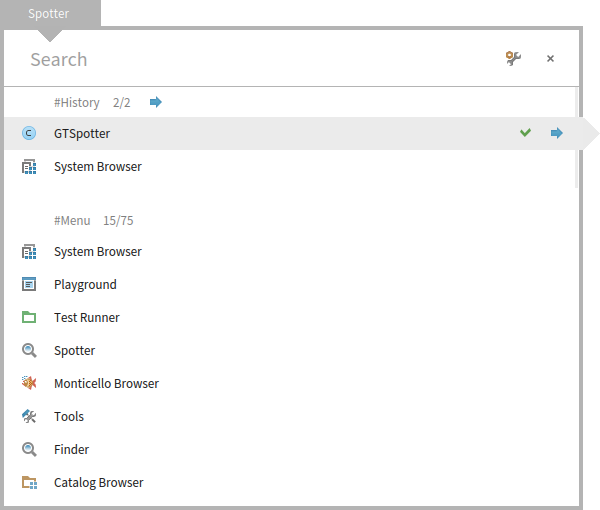
This is my point too. Be coherent with shortcuts. Le 11/1/16 11:37, Ben Coman a écrit :
On Mon, Jan 11, 2016 at 4:23 AM, stepharo <stepharo@free.fr <mailto:stepharo@free.fr>> wrote:
Ok my last attempt :(
When I look for something there are two cases
- most of the time I ********************KKKKNNNOOOOOOOWWWWWWW********* is it clear? I know I know I know what I look for and I WANT THE FASTER WAY TO GET IT => no three clicks and strange navigation.
I want the sender of this message (not the implementors the sender) I want that package I want the references to this class (not the class and the refs that class) and I'm ready to learn #N for reference #n for senders #m for implementors Because they are the same.
After first typing the search string, could we be able to hit Alt-m to filter for implementers. Then my muscle memory [1] is directly applicable (and I'll be working like a ninja ;). [1] https://en.wikipedia.org/wiki/Muscle_memory cheers -ben
#e for example like in the finder
- looking around and the system can propose me something and I can navigate and think.
But this is ok I just use Spotter to open the class browser and all the rest I do it with shortcuts. I tried to help but I failed.
I will present Spotter as the great tool to open browser because I cannot use it otherwise and nobody around me can show me on the spot something more efficient than a shortcut in a workspace. Or may be I will simply not spend energy doing a videos on Spotter because to me this is not ready and far less usable than it is supposed to be.
Now to me Spotter is taking a lot of classes for the gain I get. What esteban did or what is in Squeak is working perfectly for me because Spotter does not let me express my needs. So may be you have other needs but I would like to know how people really works and not how Spotter should be usefull.
The video of dimitry shows that well: Just browse a class and sometimes you get an implementor May be you do not like my mail because they look aggressive but when is the last time you did a real study with users that were not already convinced. Or may be with users that loves just one tiny feature and not the one you think that they use?
And BTW it hangs my images two times with 4.0 when I was in africa and this was annoying. Stef
I do not get why you cannot - have a set of fixed most used queries and this will create a small vocabulary that can be extensible and it can be mapped to what we do with shortcuts = reduce cognitive load and then a full search when you do not know what you are searching. This is not exclusive and it works for the two scenario.
I understand the intention, but I do not understand how these fixed queries are any different than we have now. When you are on the top of Spotter, when you query, you get always the same processors being executed. At first you will not know their names, and you will scroll. And if you see them, you might remember them and reproduce afterwards. Itâs a discoverable learning process that you do not have to remember.
Because with these wonderfull queries I do not get what I'm looking for. Because the system is trying to guess what I have in my mind and this system is not good for that because I'm thinking about the metallica song I'm listening.
The only part that is not discoverable is that # introduces a category search. Thinking loud, I just thought that we can make the label start with # like this (I committed this change):
Sorry but I do not get it.
We also thought of having completion as soon as someone type #. So, you have a kind of a dropdown for the available categories, but we did not get to implement that one. This should solve the discoverability problem even more. What do you think about that?
Why not but just a ghost with #n printOn: #m #N .... would be a huge improvement
Each time I used Spotter to look for something more than a class I could not find it.
Regarding the shortcuts, we could associated such shortcuts with a processor, but I would first want to see if we cannot manage to produce a solution with the current set of options.
I was not saying shortcuts and I was thinking the same vocabulary
Cmd+N #N Cmd+m #m Cmd+n #n
I was discussing with Luc and he made a fun but sad remark "Since people do not understand well spotter they most of the time only use it to open a class. And this is something that he already had before." I briefly looked at the Youtube video of Chloupis and So you can have a generic super cool tool, if people do not use it it defeats its purpose.
Certainly.
You can be really happy because you go fast with it but you only.
That is not really true :).
See my remark above.
So making sure that the most used actions are really supported is important.
Of course it is. For Senders we did not find a good solution yet that is reasonably fast and useful. Stefan and I are still literally working on this. I think we should be able to have a solution, but we have to see if it is reasonable enough. We will announce it once we have it working.
the problem is that you want to solve everything at once. While the divide and conquer is the solution for the first scenario I mention. I do not need something that crawls the entire system when I have one precise query.
But, really, this tool more than anything allows one to play with possibilities in a couple of lines of code. We want people to play (some did) and to get concrete feedback and possible solutions. I think we should not just say that we need something else before we actually play with it a bit more.
I do not get it. I never worked with me. And so far I did not see anybody succeeding to show me how to find something that I cannot find faster with a shortcut.
But more important the discoverability is important because there is not even a help. Right now as a user I can only guess and often I close spotter and use my shortcuts. As a user I see something that ask me about network (and I do not care) but nothing that brings me to the next level.
This is something we need to work on, but you know, time is limited for us, too.
Add a button and an help text copied from your blog! And you will have made a 100% documentation jump.
Most of the time the user forgets the key combination (may be this will be solved with the cool shortcut reminder we developed and is under review)
All actions in spotter have a visible icon. All. And if you hover over it you get the command. And there are literally 5 such actions. What is missing in this regard from your point of view?
I do not know They do not cover what I want to do. I do not care of setting Most of the time I do not care about seeing all. I saw now that you have an arrow to show more than the top 5 good but again Cmd-shift > is not easy to type and give pain. I do not understand why I should dive in most of the time.
I realised that I could use Spotter when I saw that I can press shift under the return because before I got immediate pain when trying with the left shift. To me left shift is a NO WAY. esc (top left) would work but I did not have the time to hack Spotter.
Doru
Stef
-- www.tudorgirba.com <http://www.tudorgirba.com> www.feenk.com <http://www.feenk.com>
"Reasonable is what we are accustomed with."
Hi, This is indeed a nice idea. So: - we write in the text field of Spotter âsomethingâ - press Cmd+n - we get in the text field of Spotter âsomething #implementorsâ ==> only implementors are shown Quite nice. Doru
On Jan 11, 2016, at 12:37 PM, Ben Coman <btc@openInWorld.com> wrote:
On Mon, Jan 11, 2016 at 4:23 AM, stepharo <stepharo@free.fr> wrote: Ok my last attempt :(
When I look for something there are two cases
- most of the time I ********************KKKKNNNOOOOOOOWWWWWWW********* is it clear? I know I know I know what I look for and I WANT THE FASTER WAY TO GET IT => no three clicks and strange navigation.
I want the sender of this message (not the implementors the sender) I want that package I want the references to this class (not the class and the refs that class) and I'm ready to learn #N for reference #n for senders #m for implementors Because they are the same.
After first typing the search string, could we be able to hit Alt-m to filter for implementers. Then my muscle memory [1] is directly applicable (and I'll be working like a ninja ;).
[1] https://en.wikipedia.org/wiki/Muscle_memory
cheers -ben
#e for example like in the finder
- looking around and the system can propose me something and I can navigate and think.
But this is ok I just use Spotter to open the class browser and all the rest I do it with shortcuts. I tried to help but I failed.
I will present Spotter as the great tool to open browser because I cannot use it otherwise and nobody around me can show me on the spot something more efficient than a shortcut in a workspace. Or may be I will simply not spend energy doing a videos on Spotter because to me this is not ready and far less usable than it is supposed to be.
Now to me Spotter is taking a lot of classes for the gain I get. What esteban did or what is in Squeak is working perfectly for me because Spotter does not let me express my needs. So may be you have other needs but I would like to know how people really works and not how Spotter should be usefull.
The video of dimitry shows that well: Just browse a class and sometimes you get an implementor May be you do not like my mail because they look aggressive but when is the last time you did a real study with users that were not already convinced. Or may be with users that loves just one tiny feature and not the one you think that they use?
And BTW it hangs my images two times with 4.0 when I was in africa and this was annoying. Stef
I do not get why you cannot - have a set of fixed most used queries and this will create a small vocabulary that can be extensible and it can be mapped to what we do with shortcuts = reduce cognitive load and then a full search when you do not know what you are searching. This is not exclusive and it works for the two scenario.
I understand the intention, but I do not understand how these fixed queries are any different than we have now. When you are on the top of Spotter, when you query, you get always the same processors being executed. At first you will not know their names, and you will scroll. And if you see them, you might remember them and reproduce afterwards. Itâs a discoverable learning process that you do not have to remember.
Because with these wonderfull queries I do not get what I'm looking for. Because the system is trying to guess what I have in my mind and this system is not good for that because I'm thinking about the metallica song I'm listening.
The only part that is not discoverable is that # introduces a category search. Thinking loud, I just thought that we can make the label start with # like this (I committed this change):
Sorry but I do not get it.
<Mail Attachment.png>
We also thought of having completion as soon as someone type #. So, you have a kind of a dropdown for the available categories, but we did not get to implement that one. This should solve the discoverability problem even more. What do you think about that?
Why not but just a ghost with #n printOn: #m #N .... would be a huge improvement
Each time I used Spotter to look for something more than a class I could not find it.
Regarding the shortcuts, we could associated such shortcuts with a processor, but I would first want to see if we cannot manage to produce a solution with the current set of options.
I was not saying shortcuts and I was thinking the same vocabulary
Cmd+N #N Cmd+m #m Cmd+n #n
I was discussing with Luc and he made a fun but sad remark "Since people do not understand well spotter they most of the time only use it to open a class. And this is something that he already had before." I briefly looked at the Youtube video of Chloupis and So you can have a generic super cool tool, if people do not use it it defeats its purpose.
Certainly.
You can be really happy because you go fast with it but you only.
That is not really true :).
See my remark above.
So making sure that the most used actions are really supported is important.
Of course it is. For Senders we did not find a good solution yet that is reasonably fast and useful. Stefan and I are still literally working on this. I think we should be able to have a solution, but we have to see if it is reasonable enough. We will announce it once we have it working.
the problem is that you want to solve everything at once. While the divide and conquer is the solution for the first scenario I mention. I do not need something that crawls the entire system when I have one precise query.
But, really, this tool more than anything allows one to play with possibilities in a couple of lines of code. We want people to play (some did) and to get concrete feedback and possible solutions. I think we should not just say that we need something else before we actually play with it a bit more.
I do not get it. I never worked with me. And so far I did not see anybody succeeding to show me how to find something that I cannot find faster with a shortcut.
But more important the discoverability is important because there is not even a help. Right now as a user I can only guess and often I close spotter and use my shortcuts. As a user I see something that ask me about network (and I do not care) but nothing that brings me to the next level.
This is something we need to work on, but you know, time is limited for us, too.
Add a button and an help text copied from your blog! And you will have made a 100% documentation jump.
Most of the time the user forgets the key combination (may be this will be solved with the cool shortcut reminder we developed and is under review)
All actions in spotter have a visible icon. All. And if you hover over it you get the command. And there are literally 5 such actions. What is missing in this regard from your point of view?
I do not know They do not cover what I want to do. I do not care of setting Most of the time I do not care about seeing all. I saw now that you have an arrow to show more than the top 5 good but again Cmd-shift > is not easy to type and give pain. I do not understand why I should dive in most of the time.
I realised that I could use Spotter when I saw that I can press shift under the return because before I got immediate pain when trying with the left shift. To me left shift is a NO WAY. esc (top left) would work but I did not have the time to hack Spotter.
Doru
Stef
-- www.tudorgirba.com www.feenk.com
"Reasonable is what we are accustomed with."
-- www.tudorgirba.com www.feenk.com "Value is always contextual."
participants (11)
-
 Ben Coman
 -
 Christophe Demarey
 -
 Dimitris Chloupis
 -
 H. Hirzel
 -
 Nicolai Hess
 -
 Norbert Hartl
 -
 Paul DeBruicker
 -
 Stephan Eggermont
 -
 stepharo
 -
 Sven Van Caekenberghe
 -
 Tudor Girba