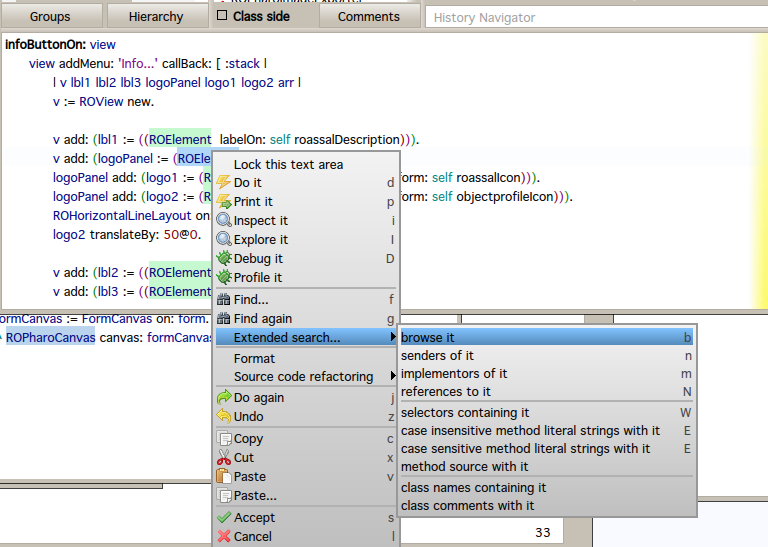
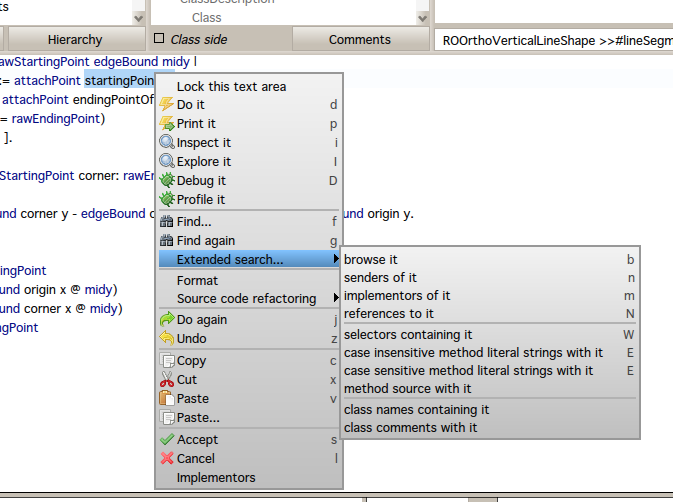
Hi Gisela, Currently, Nautilus is not really smart at giving a contextual menu. Consider the following screenshot: I have selected the class ROElement, and Nautilus still offers me to look for the implementors Another screenshot: I have selected the method startingPointOf: I like the idea of easily accessing Implementors. Currently, if I click on "implementors of it" or in your menu "Implementors", I have a new window. Well.. why do I need a new window? Why not simply give the list of the implementors? You can easily turn your menu entry "Implementors" as a submenu (as for "Extended search...") that gives the six implementors of this method directly. Alexandre On Apr 10, 2013, at 8:18 AM, Gisela Decuzzi <giseladecuzzi@gmail.com> wrote:
Hello, I've been working in a prototype for adding some suggestions to the menu depending on what it's selected with the cursor. (The same feature that ALT-Browser has, but now in Nautilus).
It's just a little piece of code and has a lot of pending work, right now you can press right click over a message send and offers you browse implementors: <Implementors.png>
And if you are in an instance variable name and then right click: <InstanceVariablesOptions.png> (The same that ALT-Browser is doing, but in Nautilus)
I developed in the latest 2.0 image.
So, if you want to load in your image, play a little and then give me some feedback...
Gofer it smalltalkhubUser: 'gisela' project: 'SmartSuggestions'; package: 'SmartSuggestions'; package: 'SmartSuggestionsNautilus'; load.
:)
-- _,.;:~^~:;._,.;:~^~:;._,.;:~^~:;._,.;:~^~:;._,.;: Alexandre Bergel http://www.bergel.eu ^~:;._,.;:~^~:;._,.;:~^~:;._,.;:~^~:;._,.;:~^~:;.