I took a look at the latest Brick, and did 'switch universe' before opening the Brick examples. Resizing the Pharo window resulted in a black screen. If I first create a Bloc world, resizing works. (Ubuntu 15.04)
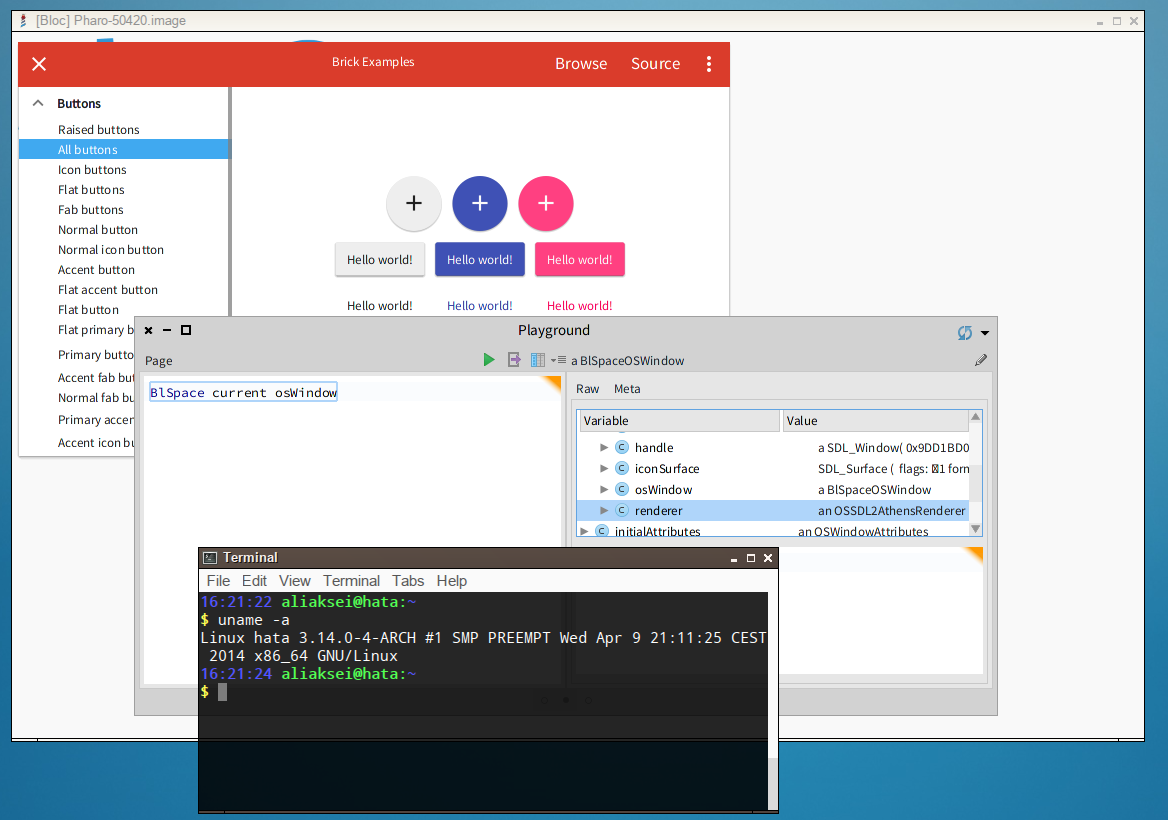
I checked Brick on Linux and it works + Bloc in OSWindow works perfectly too:[image: Inline image 1] Here is my environment: $ uname -a
Linux hata 3.14.0-4-ARCH #1 SMP PREEMPT Wed Apr 9 21:11:25 CEST 2014 x86_64 GNU/Linux
$ whereis pharo
pharo: /usr/bin/pharo
$ pharo --version
3.9-7 #1 Thu Nov 5 00:34:36 CET 2015 gcc 4.6.3 [Production ITHB VM] NBCoInterpreter NativeBoost-CogPlugin-EstebanLorenzano.21 uuid: 4d9b9bdf-2dfa-4c0b-99eb-5b110dadc697 Nov 5 2015 NBCogit NativeBoost-CogPlugin-EstebanLorenzano.21 uuid: 4d9b9bdf-2dfa-4c0b-99eb-5b110dadc697 Nov 5 2015 https://github.com/pharo-project/pharo-vm.git Commit: 28d077d8df494ce050ca42c97c892471e8b8740c Date: 2015-10-16 12:02:43 +0200 By: Esteban Lorenzano <estebanlm@gmail.com> Jenkins build #15014
Linux pharo-linux 3.2.0-31-generic-pae #50-Ubuntu SMP Fri Sep 7 16:39:45
UTC 2012 i686 i686 i386 GNU/Linux plugin path: /usr/share/pharo-vm/ [default: /usr/share/pharo-vm/]
I installed SDL2 package
$ sdl2-config --version 2.0.3
Downloaded pharo image:
Pharo5.0 Latest update: #50420
Make sure to follow the following Guide on Pharo.org for 64bit Linux if it is the case. http://pharo.org/gnu-linux-installation#64-bit-System-Setup In case you will not manage to make it run, send an email :) Cheers, Alex