About implementing a "Mini Pillar" in-image renderer for Pharo ...

Hello In the thread 'including Pillar in Pharo image by default' it was suggested by Stephane Ducasse to include a subset of Pillar in the Pharo image[1] . I'd like to extend that proposal a little bit it in order to do very simple presentations. This should allow to describe at least part of the slides used in the MOOC course [3]. This will be _a possible_ solution to the question brought up in the thread 'Writing "powerpoint" like presentations in Pharo?'. Another use is to write instructions with executable content within the image ("Assistants"). So below is the a proposal for a Pillar syntax _subset_ for class comments and _simple_ presentations. The numbering scheme follows the 'Pillar syntax cheat sheet' [2] MINI PILLAR SYNTAX (a subset of Pillar) 1. Headers !Header 1 !!Header 2 !!!Header 3 2. Lists - Unordered List # Ordered list 5. Emphasis ""bold"" 6. Code blocks [[[ Transcript show: 'Hello World'. \]]] 9. Annotation ${slide:title=About Pharo}$ Next week I plan to implement the rendering of this 'Mini Pillar' in Morphic using the Morphic API subset that works in Pharo and Squeak. A renderer using Bloc would also be nice. [4] Comments, suggestions, code snippets and other help is welcome. Regards Hannes -------------------------------------------------------------------------------------------------- [1] Pillar subset for class comments Stephane Ducasse <stepharo.self@gmail.com> Fri, Aug 11, 2017 at 7:09 PM To: Any question about pharo is welcome <pharo-users@lists.pharo.org> Tx cyril For class comment I image that we want ! - - *url* and bold [[[ ]]] Did I miss something. Stef -------------------------------------------------------------------------------------------------- [2] http://pillarhub.pharocloud.com/hub/pillarhub/pillarcheatsheet -------------------------------------------------------------------------------------------------- 1. Headers !Header 1 !!Header 2 !!!Header 3 !!!!Header 4 !!!!!Header 5 !!!!!!Header 6 2. Lists - Unordered List # Ordered list 3. Table |! Left |! Right |! Centered |{Left |}Right| Centered 4. Description Note on a new line ;head :item 5. Emphasis ""bold"" ''italic'' --strikethrough-- __underscore__ ==inline code== @@subscript@@ ^^sub-script^^ 6. Code blocks [[[labÂel=ÂhelÂloSÂcriÂpt|ÂcapÂtioÂn=How to print Hello World|ÂlanÂguaÂge=ÂSmaÂlltalk Transcript show: 'Hello World'. \]]] 7. Raw {{{latex: this is how you inject raw \LaTeX in your output file }}} {{{marÂkdown: this is how you inject raw `markdown` in your output file }}} {{{html: this is how you inject raw <b>ÂhtmÂl</Âb> in your output file }}} 8. Links Anchor @anchor (new line) Internal link *anchor* External link *Google>http://google.com* Image +Caption>file://image.png|width=50|label=label+ 9. Annotation Note on a new line Annotation @@note this is a note Todo item @@todo this is to do 10. Comments % each line starting with % is commented 11. References This document is copied from http://www.cheatography.com/benjaminvanryseghem/cheat-sheets/pillar/ ---------------------------------------------------------------------- [3] Example pillar code for slides ---------------------------------------------------------------------- https://github.com/SquareBracketAssociates/PharoMooc/blob/master/Slides/1-Te... { "title":"To the Roots of Objects", "subtitle":"Learning from beauty", "author":"Stephane Ducasse", "complement":"http://stephane.ducasse.free.fr/ \\\\ stephane.ducasse@inria.fr" } ${toc:depthLevel=2|level=0|highlight=0}$ %Les sections ne sont pas des titres de slide mais définnissent la structure du doucment. Il est possible de rajouter "renderStructureAsSlide":false dans pillar.conf pour ne pas créer de slide à partir d'un titre. ${slide:title=License}$ +>file://figures/CreativeCommons.png|width=50|label=figCreativeCommons+ ! Introduction % ${toc:depthLevel=1|level=0|highlight=1}$ ${slide:title=Really?!|label=really}$ ${columns}$ ${column:width=50}$ %the width parameter take an Int between 1 and 100 %For now we have to pass a line before and after an annotation, I'll correct that soon in Pillar. - No primitive types - No hardcoded constructs for conditional - Only messages - Only objects ${column:width=50}$ - and this works? - I mean really? - Not even slow? - Can't be real! ${endColumns}$ ${slide:title=Motto}$ - Let's open our eyes, look, understand, and deeply understand the underlying design aspects of object-oriented programming. *@really* *TEST !>@really* ${slide:title=Booleans}$ [[[language=smalltalk 3 > 0 ifTrue: ['positive'] ifFalse: ['negative'] -> 'positive' ]]] ${slide:title=Yes ifTrue\:ifFalse\: is a message!}$ [[[language=smalltalk Weather isRaining ifTrue: [self takeMyUmbrella] ifFalse: [self takeMySunglasses] ]]] - Conceptually ==ifTrue:ifFalse:== is a message sent to an object: a boolean! - ==ifTrue:ifFalse:== is in fact radically optimized by the compiler but you can implement another one such ==siAlors:sinon:== and check. ${slide:title=Booleans}$ In Pharo booleans have nothing special - & | not - or: and: (lazy) - xor: - ifTrue:ifFalse: - ifFalse:ifTrue: - ... ${slide:title=Lazy Logical Operators}$ *LINK>@frm:really* [[[language=smalltalk false and: [1 error: 'crazy'] -> false and not an error ]]] ! Exercices ${toc:depthLevel=1|level=0|highlight=1}$ !! Exercise 1: Implement not ${slide:title=Exercise 1\: Implement not}$ - Propose an implementation of not in a world where you do not have Booleans. - You only have objects and messages. [[[language=smalltalk false not -> true true not -> false ]]] !!Exercise 2: Implement | (Or) ifTrue: ifFalse: ${toc:depthLevel=2|level=0|highlight=1}$ ${slide:title=Exercise 2\: Implement \| (Or)}$ - Propose an implementation of or in a world where you do not have Booleans. - You only have objects and messages. [[[language=smalltalk true | true -> true true | false -> true true | anything -> true false | true -> true false | false -> false false | anything -> anything ]]] ${slide:title=Exercise2\: Variation - Implement ifTrue\:ifFalse\:}$ - Propose an implementation of not in a world where you do not have Booleans. - You only have objects, messages and closures. [[[language=smalltalk false ifTrue: [ 3 ] ifFalse: [ 5 ] -> 5 true ifTrue: [ 3 ] ifFalse: [ 5 ] -> 3 ]]] ! Boolean Implementation ${toc:depthLevel=1|level=0|highlight=1}$ ${slide:title=Booleans Implementation Hint One}$ - The solution does not use conditionals - else we would obtain a recursive definition of ==ifTrue:ifFalse:== ${slide:title=Boolean Implementation Hint Two}$ - The solution uses three classes: ==Boolean==, ==True== and ==False== - ==false== and ==true== are unique instances described by their own classes - ==false== is an instance of the class ==False== - ==true== is an instance of the class ==True== +Boolean Hierarchy>file://figures/BooleanHiearchyAndInstances.png|width=50+ ${slide:title=How do we express choice in OOP?}$ - We send messages to objects [[[language=smalltalk aButton color -> Color red aPane color -> Color blue aWindow color -> Color grey ]]] - Let's the receiver decide - Do not ask, tell ${slide:title=Boolean not implementation}$ - Class ==Boolean== is an abstract class that implements behavior common to true and false. Its subclasses are ==True== and ==False==. Subclasses must implement methods for logical operations ==&==, ==not==, and controls ==and:==, ==or:==, ==ifTrue:==, ==ifFalse:==, ==ifTrue:ifFalse:==, ==ifFalse:ifTrue:== [[[language=smalltalk Boolean>>not "Negation. Answer true if the receiver is false, answer false if the receiver is true." self subclassResponsibility ]]] ${slide:title=Not implementation in two methods}$ [[[language=smalltalk False>>not "Negation -- answer true since the receiver is false." ^ true ]]] [[[language=smalltalk True>>not "Negation--answer false since the receiver is true." ^ false ]]] ${slide:title=Not implementation in two methods}$ +Not implementation.>file://figures/BooleanHiearchyAndInstancesWithNotMethods.png|width=80+ ${slide:title=\| (Or)}$ [[[language=smalltalk true | true -> true true | false -> true true | anything -> true false | true -> true false | false -> false false | anything -> anything ]]] ${slide:title=Boolean>> \| aBoolean}$ [[[language=smalltalk Boolean>> | aBoolean "Evaluating disjunction (OR). Evaluate the argument. Answer true if either the receiver or the argument is true." self subclassResponsibility ]]] ${slide:title=False>> \| aBoolean}$ [[[language=smalltalk false | true -> true false | false -> false false | anything -> anything ]]] [[[language=smalltalk False >> | aBoolean "Evaluating disjunction (OR) -- answer with the argument, aBoolean." ^ aBoolean ]]] ${slide:title=True>> \| aBoolean}$ [[[language=smalltalk true | true -> true true | false -> true true | anything -> true ]]] [[[language=smalltalk True>> | aBoolean "Evaluating disjunction (OR) -- answer true since the receiver is true." ^ self ]]] ${slide:title=Or implementation in two methods}$ +>file://figures/BooleanHiearchyAndInstancesWithOrMethods.png|width=80+ ${slide:title=Implementing ifTrue\:ifFalse\:}$ - Do you see the pattern? - Remember that a closure freezes execution and that value launches the execution of a frozen code. [[[language=smalltalk True>>ifTrue: aTrueBlock ifFalse: aFalseBlock ^ aTrueBlock value ]]] [[[language=smalltalk False>>ifTrue: aTrueBlock ifFalse: aFalseBlock ^ aFalseBlock value ]]] ${slide:title=Implementation Note}$ - Note that the Virtual Machine shortcuts calls to boolean such as condition for speed reason. - But you can implement your own conditional method and debug to see that sending a message is dispatching to the right object. ! So what ? ${toc:depthLevel=1|level=0|highlight=1}$ ${slide:title=Ok so what?}$ - You will probably not implement another Boolean classes - So is it really that totally useless? ${slide:title=Message sends act as case statements}$ - The execution engine will select the right method in the class of the receiver - The case statements is dynamic in the sense that it depends on the classes loaded and the objects to which the message is sent. - Each time you send a message, the system will select the method corresponding to the receiver. ${slide:title=A Class Hierarchy is a Skeleton for Dynamic Dispatch}$ - If we would have said that the ==Boolean== would be composed of only one class, we could not have use dynamic binding. - A class hierarchy is the exoskeleton for dynamic binding - Compare the solution with one class vs. a hierarchy. +One single class vs. a nice hierarchy.>file://figures/Design-FatVsDispatch.png|width=70+ - The hierarchy provides a way to specialize behavior. - It is also more declarative in the sense that you only focus on one class. - It is more modular in the sense that you can package different classes in different packages. ${slide:title=Avoid Conditionals}$ - Use objects and messages, when you can - The execution engine acts as a conditional switch: Use it! - Check the AntiIfCampaign. ${slide:title=Follow-up: Implement ternary logic}$ - Boolean: ==true==, ==false==, ==unknown== +Ternaru Logic decision table
file://figures/ArrayBoolean.png|width=30|label=fig:ternLogic+
- Implementing in your own classes. ! Summary ${toc:depthLevel=1|level=0|highlight=1}$ ${slide:title=Summary}$ - Tell, do not ask - Let the receiver decide - Message sends as potential dynamic conditional - Class hiearchy builds a skeleton for dynamic dispatch - Avoid conditional ----------------------------------------- [4] Bloc Load Bloc with executing in a playground (Pharo 6.1) Metacello new baseline: 'Bloc'; repository: 'github://pharo-graphics/Bloc:pharo6.1/src'; load: #core A tutorial to use bloc is available on http://files.pharo.org/books/ Bloc Memory Game (alpha) is a first tutorial on Bloc the new graphics core for Pharo. Booklet written by A. Chis, S. Ducasse, A. Syrel. http://files.pharo.org/books-pdfs/booklet-Bloc/2017-11-09-memorygame.pdf To load the memory game Metacello new baseline: 'BlocTutorials'; repository: 'github://pharo-graphics/Tutorials/src'; load A similar booklet could be done for the title 'Doing a presentation / slide show / assitant with Bloc' (or similar, adapt .....)
A note: Tudor Girba wrote: <tudor@tudorgirba.com> Fri, Aug 25, 2017 at 1:31 PM Reply-To: Any question about pharo is welcome <pharo-users@lists.pharo.org> To: Any question about pharo is welcome <pharo-users@lists.pharo.org> Hi, As mentioned in an announcement about 10 days ago, we are building a Pillar editor with inline viewing abilities in Bloc. Here is how it looked like. Please note the embedded picture. We continued working on it since then and we will probably announce the next version this weekend: Maybe there is now enough progress to do simple presentations in Bloc? On 11/10/17, H. Hirzel <hannes.hirzel@gmail.com> wrote:
Hello
In the thread 'including Pillar in Pharo image by default' it was suggested by Stephane Ducasse to include a subset of Pillar in the Pharo image[1] .
I'd like to extend that proposal a little bit it in order to do very simple presentations. This should allow to describe at least part of the slides used in the MOOC course [3].
This will be _a possible_ solution to the question brought up in the thread 'Writing "powerpoint" like presentations in Pharo?'.
Another use is to write instructions with executable content within the image ("Assistants").
So below is the a proposal for a Pillar syntax _subset_ for class comments and _simple_ presentations. The numbering scheme follows the 'Pillar syntax cheat sheet' [2]
MINI PILLAR SYNTAX (a subset of Pillar)
1. Headers
!Header 1 !!Header 2 !!!Header 3
2. Lists
- Unordered List # Ordered list
5. Emphasis
""bold""
6. Code blocks
[[[ Transcript show: 'Hello World'. \]]]
9. Annotation
${slide:title=About Pharo}$
Next week I plan to implement the rendering of this 'Mini Pillar' in Morphic using the Morphic API subset that works in Pharo and Squeak.
A renderer using Bloc would also be nice. [4]
Comments, suggestions, code snippets and other help is welcome.
Regards Hannes
-------------------------------------------------------------------------------------------------- [1] Pillar subset for class comments
Stephane Ducasse <stepharo.self@gmail.com> Fri, Aug 11, 2017 at 7:09 PM To: Any question about pharo is welcome <pharo-users@lists.pharo.org>
Tx cyril
For class comment I image that we want
!
- - *url* and bold [[[
]]]
Did I miss something.
Stef
-------------------------------------------------------------------------------------------------- [2] http://pillarhub.pharocloud.com/hub/pillarhub/pillarcheatsheet --------------------------------------------------------------------------------------------------
1. Headers
!Header 1 !!Header 2 !!!Header 3 !!!!Header 4 !!!!!Header 5 !!!!!!Header 6
2. Lists
- Unordered List # Ordered list
3. Table
|! Left |! Right |! Centered |{Left |}Right| Centered
4. Description Note on a new line
;head :item
5. Emphasis
""bold"" ''italic'' --strikethrough-- __underscore__ ==inline code== @@subscript@@ ^^sub-script^^
6. Code blocks
[[[labÂel=ÂhelÂloSÂcriÂpt|ÂcapÂtioÂn=How to print Hello World|ÂlanÂguaÂge=ÂSmaÂlltalk Transcript show: 'Hello World'. \]]]
7. Raw
{{{latex: this is how you inject raw \LaTeX in your output file }}}
{{{marÂkdown: this is how you inject raw `markdown` in your output file }}}
{{{html: this is how you inject raw <b>ÂhtmÂl</Âb> in your output file }}}
8. Links
Anchor @anchor (new line) Internal link *anchor* External link *Google>http://google.com* Image +Caption>file://image.png|width=50|label=label+
9. Annotation Note on a new line
Annotation @@note this is a note Todo item @@todo this is to do
10. Comments
% each line starting with % is commented
11. References
This document is copied from http://www.cheatography.com/benjaminvanryseghem/cheat-sheets/pillar/
---------------------------------------------------------------------- [3] Example pillar code for slides ----------------------------------------------------------------------
https://github.com/SquareBracketAssociates/PharoMooc/blob/master/Slides/1-Te...
{ "title":"To the Roots of Objects", "subtitle":"Learning from beauty", "author":"Stephane Ducasse", "complement":"http://stephane.ducasse.free.fr/ \\\\ stephane.ducasse@inria.fr" }
${toc:depthLevel=2|level=0|highlight=0}$
%Les sections ne sont pas des titres de slide mais définnissent la structure du doucment. Il est possible de rajouter "renderStructureAsSlide":false dans pillar.conf pour ne pas créer de slide à partir d'un titre.
${slide:title=License}$
+>file://figures/CreativeCommons.png|width=50|label=figCreativeCommons+
! Introduction
% ${toc:depthLevel=1|level=0|highlight=1}$
${slide:title=Really?!|label=really}$
${columns}$
${column:width=50}$
%the width parameter take an Int between 1 and 100 %For now we have to pass a line before and after an annotation, I'll correct that soon in Pillar. - No primitive types - No hardcoded constructs for conditional - Only messages - Only objects
${column:width=50}$
- and this works? - I mean really? - Not even slow? - Can't be real!
${endColumns}$
${slide:title=Motto}$
- Let's open our eyes, look, understand, and deeply understand the underlying design aspects of object-oriented programming.
*@really*
*TEST !>@really*
${slide:title=Booleans}$
[[[language=smalltalk 3 > 0 ifTrue: ['positive'] ifFalse: ['negative'] -> 'positive' ]]]
${slide:title=Yes ifTrue\:ifFalse\: is a message!}$
[[[language=smalltalk Weather isRaining ifTrue: [self takeMyUmbrella] ifFalse: [self takeMySunglasses] ]]]
- Conceptually ==ifTrue:ifFalse:== is a message sent to an object: a boolean! - ==ifTrue:ifFalse:== is in fact radically optimized by the compiler but you can implement another one such ==siAlors:sinon:== and check.
${slide:title=Booleans}$
In Pharo booleans have nothing special - & | not - or: and: (lazy) - xor: - ifTrue:ifFalse: - ifFalse:ifTrue: - ...
${slide:title=Lazy Logical Operators}$
*LINK>@frm:really*
[[[language=smalltalk false and: [1 error: 'crazy'] -> false and not an error ]]]
! Exercices ${toc:depthLevel=1|level=0|highlight=1}$
!! Exercise 1: Implement not
${slide:title=Exercise 1\: Implement not}$
- Propose an implementation of not in a world where you do not have Booleans. - You only have objects and messages. [[[language=smalltalk false not -> true
true not -> false ]]]
!!Exercise 2: Implement | (Or) ifTrue: ifFalse:
${toc:depthLevel=2|level=0|highlight=1}$
${slide:title=Exercise 2\: Implement \| (Or)}$
- Propose an implementation of or in a world where you do not have Booleans. - You only have objects and messages.
[[[language=smalltalk true | true -> true true | false -> true true | anything -> true
false | true -> true false | false -> false false | anything -> anything ]]]
${slide:title=Exercise2\: Variation - Implement ifTrue\:ifFalse\:}$
- Propose an implementation of not in a world where you do not have Booleans. - You only have objects, messages and closures.
[[[language=smalltalk false ifTrue: [ 3 ] ifFalse: [ 5 ] -> 5 true ifTrue: [ 3 ] ifFalse: [ 5 ] -> 3 ]]]
! Boolean Implementation
${toc:depthLevel=1|level=0|highlight=1}$
${slide:title=Booleans Implementation Hint One}$
- The solution does not use conditionals - else we would obtain a recursive definition of ==ifTrue:ifFalse:==
${slide:title=Boolean Implementation Hint Two}$
- The solution uses three classes: ==Boolean==, ==True== and ==False== - ==false== and ==true== are unique instances described by their own classes - ==false== is an instance of the class ==False== - ==true== is an instance of the class ==True==
+Boolean Hierarchy>file://figures/BooleanHiearchyAndInstances.png|width=50+
${slide:title=How do we express choice in OOP?}$
- We send messages to objects
[[[language=smalltalk aButton color -> Color red
aPane color -> Color blue
aWindow color -> Color grey ]]]
- Let's the receiver decide
- Do not ask, tell
${slide:title=Boolean not implementation}$
- Class ==Boolean== is an abstract class that implements behavior common to true and false. Its subclasses are ==True== and ==False==. Subclasses must implement methods for logical operations ==&==, ==not==, and controls ==and:==, ==or:==, ==ifTrue:==, ==ifFalse:==, ==ifTrue:ifFalse:==, ==ifFalse:ifTrue:==
[[[language=smalltalk Boolean>>not "Negation. Answer true if the receiver is false, answer false if the receiver is true." self subclassResponsibility ]]]
${slide:title=Not implementation in two methods}$
[[[language=smalltalk False>>not "Negation -- answer true since the receiver is false." ^ true ]]]
[[[language=smalltalk True>>not "Negation--answer false since the receiver is true." ^ false ]]]
${slide:title=Not implementation in two methods}$
+Not implementation.>file://figures/BooleanHiearchyAndInstancesWithNotMethods.png|width=80+
${slide:title=\| (Or)}$ [[[language=smalltalk
true | true -> true true | false -> true true | anything -> true
false | true -> true false | false -> false false | anything -> anything
]]]
${slide:title=Boolean>> \| aBoolean}$
[[[language=smalltalk Boolean>> | aBoolean "Evaluating disjunction (OR). Evaluate the argument. Answer true if either the receiver or the argument is true." self subclassResponsibility ]]]
${slide:title=False>> \| aBoolean}$
[[[language=smalltalk false | true -> true false | false -> false false | anything -> anything ]]]
[[[language=smalltalk False >> | aBoolean "Evaluating disjunction (OR) -- answer with the argument, aBoolean." ^ aBoolean ]]]
${slide:title=True>> \| aBoolean}$
[[[language=smalltalk true | true -> true true | false -> true true | anything -> true ]]]
[[[language=smalltalk True>> | aBoolean "Evaluating disjunction (OR) -- answer true since the receiver is true." ^ self ]]]
${slide:title=Or implementation in two methods}$
+>file://figures/BooleanHiearchyAndInstancesWithOrMethods.png|width=80+
${slide:title=Implementing ifTrue\:ifFalse\:}$
- Do you see the pattern? - Remember that a closure freezes execution and that value launches the execution of a frozen code.
[[[language=smalltalk True>>ifTrue: aTrueBlock ifFalse: aFalseBlock ^ aTrueBlock value ]]]
[[[language=smalltalk False>>ifTrue: aTrueBlock ifFalse: aFalseBlock ^ aFalseBlock value ]]]
${slide:title=Implementation Note}$
- Note that the Virtual Machine shortcuts calls to boolean such as condition for speed reason. - But you can implement your own conditional method and debug to see that sending a message is dispatching to the right object.
! So what ?
${toc:depthLevel=1|level=0|highlight=1}$
${slide:title=Ok so what?}$
- You will probably not implement another Boolean classes - So is it really that totally useless?
${slide:title=Message sends act as case statements}$
- The execution engine will select the right method in the class of the receiver - The case statements is dynamic in the sense that it depends on the classes loaded and the objects to which the message is sent. - Each time you send a message, the system will select the method corresponding to the receiver.
${slide:title=A Class Hierarchy is a Skeleton for Dynamic Dispatch}$
- If we would have said that the ==Boolean== would be composed of only one class, we could not have use dynamic binding. - A class hierarchy is the exoskeleton for dynamic binding
- Compare the solution with one class vs. a hierarchy.
+One single class vs. a nice hierarchy.>file://figures/Design-FatVsDispatch.png|width=70+
- The hierarchy provides a way to specialize behavior. - It is also more declarative in the sense that you only focus on one class. - It is more modular in the sense that you can package different classes in different packages.
${slide:title=Avoid Conditionals}$
- Use objects and messages, when you can - The execution engine acts as a conditional switch: Use it! - Check the AntiIfCampaign.
${slide:title=Follow-up: Implement ternary logic}$
- Boolean: ==true==, ==false==, ==unknown== +Ternaru Logic decision table
file://figures/ArrayBoolean.png|width=30|label=fig:ternLogic+
- Implementing in your own classes.
! Summary
${toc:depthLevel=1|level=0|highlight=1}$
${slide:title=Summary}$ - Tell, do not ask - Let the receiver decide - Message sends as potential dynamic conditional - Class hiearchy builds a skeleton for dynamic dispatch - Avoid conditional
----------------------------------------- [4] Bloc Load Bloc with executing in a playground (Pharo 6.1)
Metacello new baseline: 'Bloc'; repository: 'github://pharo-graphics/Bloc:pharo6.1/src'; load: #core
A tutorial to use bloc is available on http://files.pharo.org/books/ Bloc Memory Game (alpha) is a first tutorial on Bloc the new graphics core for Pharo. Booklet written by A. Chis, S. Ducasse, A. Syrel.
http://files.pharo.org/books-pdfs/booklet-Bloc/2017-11-09-memorygame.pdf
To load the memory game
Metacello new baseline: 'BlocTutorials'; repository: 'github://pharo-graphics/Tutorials/src'; load
A similar booklet could be done for the title 'Doing a presentation / slide show / assitant with Bloc' (or similar, adapt .....)

Hi, As shown at ESUG, GT Documenter offers an advanced viewer (and editor) for Pillar working on top of Bloc. You can get it by loading: Iceberg enableMetacelloIntegration: true. Metacello new baseline: 'GToolkit'; repository: 'github://feenkcom/gtoolkit/src'; load. For example, you can then inspect: 'PATH_TO_ICEBERG/feenkcom/gtoolkit/doc/transcript/index.pillarâ asFileReference Cheers, Doru
On Nov 10, 2017, at 12:58 PM, H. Hirzel <hannes.hirzel@gmail.com> wrote:
A note:
Tudor Girba wrote: <tudor@tudorgirba.com> Fri, Aug 25, 2017 at 1:31 PM Reply-To: Any question about pharo is welcome <pharo-users@lists.pharo.org> To: Any question about pharo is welcome <pharo-users@lists.pharo.org>
Hi,
As mentioned in an announcement about 10 days ago, we are building a Pillar editor with inline viewing abilities in Bloc. Here is how it looked like. Please note the embedded picture. We continued working on it since then and we will probably announce the next version this weekend:
Maybe there is now enough progress to do simple presentations in Bloc?
On 11/10/17, H. Hirzel <hannes.hirzel@gmail.com> wrote:
Hello
In the thread 'including Pillar in Pharo image by default' it was suggested by Stephane Ducasse to include a subset of Pillar in the Pharo image[1] .
I'd like to extend that proposal a little bit it in order to do very simple presentations. This should allow to describe at least part of the slides used in the MOOC course [3].
This will be _a possible_ solution to the question brought up in the thread 'Writing "powerpoint" like presentations in Pharo?'.
Another use is to write instructions with executable content within the image ("Assistants").
So below is the a proposal for a Pillar syntax _subset_ for class comments and _simple_ presentations. The numbering scheme follows the 'Pillar syntax cheat sheet' [2]
MINI PILLAR SYNTAX (a subset of Pillar)
1. Headers
!Header 1 !!Header 2 !!!Header 3
2. Lists
- Unordered List # Ordered list
5. Emphasis
""bold""
6. Code blocks
[[[ Transcript show: 'Hello World'. \]]]
9. Annotation
${slide:title=About Pharo}$
Next week I plan to implement the rendering of this 'Mini Pillar' in Morphic using the Morphic API subset that works in Pharo and Squeak.
A renderer using Bloc would also be nice. [4]
Comments, suggestions, code snippets and other help is welcome.
Regards Hannes
-------------------------------------------------------------------------------------------------- [1] Pillar subset for class comments
Stephane Ducasse <stepharo.self@gmail.com> Fri, Aug 11, 2017 at 7:09 PM To: Any question about pharo is welcome <pharo-users@lists.pharo.org>
Tx cyril
For class comment I image that we want
!
- - *url* and bold [[[
]]]
Did I miss something.
Stef
-------------------------------------------------------------------------------------------------- [2] http://pillarhub.pharocloud.com/hub/pillarhub/pillarcheatsheet --------------------------------------------------------------------------------------------------
1. Headers
!Header 1 !!Header 2 !!!Header 3 !!!!Header 4 !!!!!Header 5 !!!!!!Header 6
2. Lists
- Unordered List # Ordered list
3. Table
|! Left |! Right |! Centered |{Left |}Right| Centered
4. Description Note on a new line
;head :item
5. Emphasis
""bold"" ''italic'' --strikethrough-- __underscore__ ==inline code== @@subscript@@ ^^sub-script^^
6. Code blocks
[[[labÂel=ÂhelÂloSÂcriÂpt|ÂcapÂtioÂn=How to print Hello World|ÂlanÂguaÂge=ÂSmaÂlltalk Transcript show: 'Hello World'. \]]]
7. Raw
{{{latex: this is how you inject raw \LaTeX in your output file }}}
{{{marÂkdown: this is how you inject raw `markdown` in your output file }}}
{{{html: this is how you inject raw <b>ÂhtmÂl</Âb> in your output file }}}
8. Links
Anchor @anchor (new line) Internal link *anchor* External link *Google>http://google.com* Image +Caption>file://image.png|width=50|label=label+
9. Annotation Note on a new line
Annotation @@note this is a note Todo item @@todo this is to do
10. Comments
% each line starting with % is commented
11. References
This document is copied from http://www.cheatography.com/benjaminvanryseghem/cheat-sheets/pillar/
---------------------------------------------------------------------- [3] Example pillar code for slides ----------------------------------------------------------------------
https://github.com/SquareBracketAssociates/PharoMooc/blob/master/Slides/1-Te...
{ "title":"To the Roots of Objects", "subtitle":"Learning from beauty", "author":"Stephane Ducasse", "complement":"http://stephane.ducasse.free.fr/ \\\\ stephane.ducasse@inria.fr" }
${toc:depthLevel=2|level=0|highlight=0}$
%Les sections ne sont pas des titres de slide mais définnissent la structure du doucment. Il est possible de rajouter "renderStructureAsSlide":false dans pillar.conf pour ne pas créer de slide à partir d'un titre.
${slide:title=License}$
+>file://figures/CreativeCommons.png|width=50|label=figCreativeCommons+
! Introduction
% ${toc:depthLevel=1|level=0|highlight=1}$
${slide:title=Really?!|label=really}$
${columns}$
${column:width=50}$
%the width parameter take an Int between 1 and 100 %For now we have to pass a line before and after an annotation, I'll correct that soon in Pillar. - No primitive types - No hardcoded constructs for conditional - Only messages - Only objects
${column:width=50}$
- and this works? - I mean really? - Not even slow? - Can't be real!
${endColumns}$
${slide:title=Motto}$
- Let's open our eyes, look, understand, and deeply understand the underlying design aspects of object-oriented programming.
*@really*
*TEST !>@really*
${slide:title=Booleans}$
[[[language=smalltalk 3 > 0 ifTrue: ['positive'] ifFalse: ['negative'] -> 'positive' ]]]
${slide:title=Yes ifTrue\:ifFalse\: is a message!}$
[[[language=smalltalk Weather isRaining ifTrue: [self takeMyUmbrella] ifFalse: [self takeMySunglasses] ]]]
- Conceptually ==ifTrue:ifFalse:== is a message sent to an object: a boolean! - ==ifTrue:ifFalse:== is in fact radically optimized by the compiler but you can implement another one such ==siAlors:sinon:== and check.
${slide:title=Booleans}$
In Pharo booleans have nothing special - & | not - or: and: (lazy) - xor: - ifTrue:ifFalse: - ifFalse:ifTrue: - ...
${slide:title=Lazy Logical Operators}$
*LINK>@frm:really*
[[[language=smalltalk false and: [1 error: 'crazy'] -> false and not an error ]]]
! Exercices ${toc:depthLevel=1|level=0|highlight=1}$
!! Exercise 1: Implement not
${slide:title=Exercise 1\: Implement not}$
- Propose an implementation of not in a world where you do not have Booleans. - You only have objects and messages. [[[language=smalltalk false not -> true
true not -> false ]]]
!!Exercise 2: Implement | (Or) ifTrue: ifFalse:
${toc:depthLevel=2|level=0|highlight=1}$
${slide:title=Exercise 2\: Implement \| (Or)}$
- Propose an implementation of or in a world where you do not have Booleans. - You only have objects and messages.
[[[language=smalltalk true | true -> true true | false -> true true | anything -> true
false | true -> true false | false -> false false | anything -> anything ]]]
${slide:title=Exercise2\: Variation - Implement ifTrue\:ifFalse\:}$
- Propose an implementation of not in a world where you do not have Booleans. - You only have objects, messages and closures.
[[[language=smalltalk false ifTrue: [ 3 ] ifFalse: [ 5 ] -> 5 true ifTrue: [ 3 ] ifFalse: [ 5 ] -> 3 ]]]
! Boolean Implementation
${toc:depthLevel=1|level=0|highlight=1}$
${slide:title=Booleans Implementation Hint One}$
- The solution does not use conditionals - else we would obtain a recursive definition of ==ifTrue:ifFalse:==
${slide:title=Boolean Implementation Hint Two}$
- The solution uses three classes: ==Boolean==, ==True== and ==False== - ==false== and ==true== are unique instances described by their own classes - ==false== is an instance of the class ==False== - ==true== is an instance of the class ==True==
+Boolean Hierarchy>file://figures/BooleanHiearchyAndInstances.png|width=50+
${slide:title=How do we express choice in OOP?}$
- We send messages to objects
[[[language=smalltalk aButton color -> Color red
aPane color -> Color blue
aWindow color -> Color grey ]]]
- Let's the receiver decide
- Do not ask, tell
${slide:title=Boolean not implementation}$
- Class ==Boolean== is an abstract class that implements behavior common to true and false. Its subclasses are ==True== and ==False==. Subclasses must implement methods for logical operations ==&==, ==not==, and controls ==and:==, ==or:==, ==ifTrue:==, ==ifFalse:==, ==ifTrue:ifFalse:==, ==ifFalse:ifTrue:==
[[[language=smalltalk Boolean>>not "Negation. Answer true if the receiver is false, answer false if the receiver is true." self subclassResponsibility ]]]
${slide:title=Not implementation in two methods}$
[[[language=smalltalk False>>not "Negation -- answer true since the receiver is false." ^ true ]]]
[[[language=smalltalk True>>not "Negation--answer false since the receiver is true." ^ false ]]]
${slide:title=Not implementation in two methods}$
+Not implementation.>file://figures/BooleanHiearchyAndInstancesWithNotMethods.png|width=80+
${slide:title=\| (Or)}$ [[[language=smalltalk
true | true -> true true | false -> true true | anything -> true
false | true -> true false | false -> false false | anything -> anything
]]]
${slide:title=Boolean>> \| aBoolean}$
[[[language=smalltalk Boolean>> | aBoolean "Evaluating disjunction (OR). Evaluate the argument. Answer true if either the receiver or the argument is true." self subclassResponsibility ]]]
${slide:title=False>> \| aBoolean}$
[[[language=smalltalk false | true -> true false | false -> false false | anything -> anything ]]]
[[[language=smalltalk False >> | aBoolean "Evaluating disjunction (OR) -- answer with the argument, aBoolean." ^ aBoolean ]]]
${slide:title=True>> \| aBoolean}$
[[[language=smalltalk true | true -> true true | false -> true true | anything -> true ]]]
[[[language=smalltalk True>> | aBoolean "Evaluating disjunction (OR) -- answer true since the receiver is true." ^ self ]]]
${slide:title=Or implementation in two methods}$
+>file://figures/BooleanHiearchyAndInstancesWithOrMethods.png|width=80+
${slide:title=Implementing ifTrue\:ifFalse\:}$
- Do you see the pattern? - Remember that a closure freezes execution and that value launches the execution of a frozen code.
[[[language=smalltalk True>>ifTrue: aTrueBlock ifFalse: aFalseBlock ^ aTrueBlock value ]]]
[[[language=smalltalk False>>ifTrue: aTrueBlock ifFalse: aFalseBlock ^ aFalseBlock value ]]]
${slide:title=Implementation Note}$
- Note that the Virtual Machine shortcuts calls to boolean such as condition for speed reason. - But you can implement your own conditional method and debug to see that sending a message is dispatching to the right object.
! So what ?
${toc:depthLevel=1|level=0|highlight=1}$
${slide:title=Ok so what?}$
- You will probably not implement another Boolean classes - So is it really that totally useless?
${slide:title=Message sends act as case statements}$
- The execution engine will select the right method in the class of the receiver - The case statements is dynamic in the sense that it depends on the classes loaded and the objects to which the message is sent. - Each time you send a message, the system will select the method corresponding to the receiver.
${slide:title=A Class Hierarchy is a Skeleton for Dynamic Dispatch}$
- If we would have said that the ==Boolean== would be composed of only one class, we could not have use dynamic binding. - A class hierarchy is the exoskeleton for dynamic binding
- Compare the solution with one class vs. a hierarchy.
+One single class vs. a nice hierarchy.>file://figures/Design-FatVsDispatch.png|width=70+
- The hierarchy provides a way to specialize behavior. - It is also more declarative in the sense that you only focus on one class. - It is more modular in the sense that you can package different classes in different packages.
${slide:title=Avoid Conditionals}$
- Use objects and messages, when you can - The execution engine acts as a conditional switch: Use it! - Check the AntiIfCampaign.
${slide:title=Follow-up: Implement ternary logic}$
- Boolean: ==true==, ==false==, ==unknown== +Ternaru Logic decision table
file://figures/ArrayBoolean.png|width=30|label=fig:ternLogic+
- Implementing in your own classes.
! Summary
${toc:depthLevel=1|level=0|highlight=1}$
${slide:title=Summary}$ - Tell, do not ask - Let the receiver decide - Message sends as potential dynamic conditional - Class hiearchy builds a skeleton for dynamic dispatch - Avoid conditional
----------------------------------------- [4] Bloc Load Bloc with executing in a playground (Pharo 6.1)
Metacello new baseline: 'Bloc'; repository: 'github://pharo-graphics/Bloc:pharo6.1/src'; load: #core
A tutorial to use bloc is available on http://files.pharo.org/books/ Bloc Memory Game (alpha) is a first tutorial on Bloc the new graphics core for Pharo. Booklet written by A. Chis, S. Ducasse, A. Syrel.
http://files.pharo.org/books-pdfs/booklet-Bloc/2017-11-09-memorygame.pdf
To load the memory game
Metacello new baseline: 'BlocTutorials'; repository: 'github://pharo-graphics/Tutorials/src'; load
A similar booklet could be done for the title 'Doing a presentation / slide show / assitant with Bloc' (or similar, adapt .....)
-- www.tudorgirba.com www.feenk.com "Obvious things are difficult to teach."

Tudor Girba-2 wrote
As shown at ESUG, GT Documenter offers an advanced viewer (and editor) for Pillar working on top of Bloc.
Two questions after playing with it: 1. Can one save a live-edited file? 2. Is it possible to make the markup codes invisible? That would seem more appropriate e.g. in a read-only context. ----- Cheers, Sean -- Sent from: http://forum.world.st/Pharo-Smalltalk-Users-f1310670.html

On Sat, Nov 11, 2017 at 4:20 AM, Sean P. DeNigris <sean@clipperadams.com> wrote:
Tudor Girba-2 wrote
As shown at ESUG, GT Documenter offers an advanced viewer (and editor) for Pillar working on top of Bloc.
Two questions after playing with it: 1. Can one save a live-edited file? 2. Is it possible to make the markup codes invisible? That would seem more appropriate e.g. in a read-only context.
Which markup codes do you mean? Markup like this still conveys useful information in text mode... ""this is important"" cheers -ben
----- Cheers, Sean -- Sent from: http://forum.world.st/Pharo-Smalltalk-Users-f1310670.html
Hi,
On Nov 10, 2017, at 9:20 PM, Sean P. DeNigris <sean@clipperadams.com> wrote:
Tudor Girba-2 wrote
As shown at ESUG, GT Documenter offers an advanced viewer (and editor) for Pillar working on top of Bloc.
Two questions after playing with it: 1. Can one save a live-edited file?
The saving action is not implemented yet.
2. Is it possible to make the markup codes invisible? That would seem more appropriate e.g. in a read-only context.
That would be another renderer, but it is not difficult to build. That is something weâll do soon. Cheers, Doru
----- Cheers, Sean -- Sent from: http://forum.world.st/Pharo-Smalltalk-Users-f1310670.html
-- www.tudorgirba.com www.feenk.com "Beauty is where we see it."

Hannes We will start to repackage pillar model so finding a mini pillar is interesting to us. Let let us know. Stef On Sat, Nov 11, 2017 at 7:51 AM, Tudor Girba <tudor@tudorgirba.com> wrote:
Hi,
On Nov 10, 2017, at 9:20 PM, Sean P. DeNigris <sean@clipperadams.com> wrote:
Tudor Girba-2 wrote
As shown at ESUG, GT Documenter offers an advanced viewer (and editor) for Pillar working on top of Bloc.
Two questions after playing with it: 1. Can one save a live-edited file?
The saving action is not implemented yet.
2. Is it possible to make the markup codes invisible? That would seem more appropriate e.g. in a read-only context.
That would be another renderer, but it is not difficult to build. That is something weâll do soon.
Cheers, Doru
----- Cheers, Sean -- Sent from: http://forum.world.st/Pharo-Smalltalk-Users-f1310670.html
-- www.tudorgirba.com www.feenk.com
"Beauty is where we see it."
Tudor Girba-2 wrote
That would be another renderer, but it is not difficult to build. That is something weâll do soon.
It would be nice to be able to toggle codes on/off like WS Word ----- Cheers, Sean -- Sent from: http://forum.world.st/Pharo-Smalltalk-Users-f1310670.html
Sean why don't you try because this is the moment to push bloc people to produce simpler better solution. I should do it too. I know. Stef On Sun, Nov 12, 2017 at 3:58 AM, Sean P. DeNigris <sean@clipperadams.com> wrote:
Tudor Girba-2 wrote
That would be another renderer, but it is not difficult to build. That is something weâll do soon.
It would be nice to be able to toggle codes on/off like WS Word
----- Cheers, Sean -- Sent from: http://forum.world.st/Pharo-Smalltalk-Users-f1310670.html

I have been just trying to install GT Documenter and is really
frustrating (I have been unable to install it even for the first time!).
This was the list of errors I got and steps I followed, in almost
sequential order, just to get a (bittersweet!) taste of GT Documenter:
* 1st: LGit_GIT_ERROR: No ssh-agent suitable credentials found. So I
go to GitHub, follow the five pages of documentation to get my SSH
credentials that start at [1], then, because I still get the same
error, go to the Iceberg FAQ [2], try to surpass the erro,r via
command line and doesn't work, so I go to the Iceberg settings and
try the manual configuration, going to the next item
[1]
https://help.github.com/articles/generating-a-new-ssh-key-and-adding-it-to-the-ssh-agent/#generating-a-new-ssh-key
[2] https://github.com/pharo-vcs/iceberg/blob/master/README.md
* Now I get "Instance of LGitCredentialsSSH class did not understand
#ifTrue:ifFalse:". I try to make sense of it in the debugger, but is
something I cannot. Anyway, I rerun it and now I get:
LGit_GIT_EEXISTS:
'/home/offray/Programas/Pharo/6.1a/Dev24/pharo-local/iceberg/feenkcom/gtoolkit'
exists and is not an empty directory. I delete that directory and
try an installation... again
* Now I get: "Instance of FileReference did not understand #notEmpty".
I try to make sense of it in the debugger. My user is git, my public
and private ssh keys are not empty. Despite of not making sense of
all I understand that is trying to clone something at
git@github.com:feenkcom/gtoolkit.git. I go to my image dir and then
to `iceberg/feenkcom/gtoolkit/`. There is a git repository there,
but is empty.
* Now I wonder, maybe if I can just clone the directory there, but how
I say Iceberg to load it? So I run now only the Metacello part. Same
error and solution that the last time but now for
gtoolkit-visualizer, Brick, gtoolkit-examples, Bloc and Sparta.
* After getting my ssh keys, overcome config problems in shell and the
Pharo settings, chasing these errors and solving them by cloning the
repositories manually, I'm, a couple of hours later, ready to test
GT Documenter, but with the last Iceberg's duplicated repository
message about Sparta I give up. Is not nice to start your day
accumulating frustration... that sets a bad mood for the rest of it,
and you need to actively fight against.
I have thought that Git is overcomplicated for most of the developers'
tasks and communities. I don't know if the root of previous issues is in
the "Iceberg enableMetacelloIntegration: true" line, but having to get
your pair of keys working to just install software is overkill for the
common user (and when LibGit errors are present, the documented
solutions don't work seamlessly). Maybe a more sensitive solution would
be just to use libgit, without any ssh auth to clone repositories and
its prerequisites or even better, some download that goes to the files
in the tip (or other) version without all this overhead.
Anyway, as I said, I have been unable to test GT Documenter properly and
getting feedback over GT Tools from the team usually requires a lot of
effort in my case (insisting on getting answers or getting none). And
that is just to test a promising tech that still doesn't offer saving
features (just and awesome preview). I think that a more sensible
approach for a good documentation toolkit for now is on Spec and
creating custom syntax highlighters with SmaCC[3], that is well
documented and works today.
[3]
https://medium.com/@juliendelplanque/hacking-a-simple-syntactic-highlighter-around-specs-textmodel-44ba2e2b1ab9
I understand that community is trying its best, but expressing how
current offerings are not mature and constructive criticism can help on
that. At the moment my feeling is that if you want to try the new shinny
alpha stuff from GT Documenter, you will need to be prepared for a lot
of frustration and silence.
Cheers,
Offray
On 10/11/17 12:41, Tudor Girba wrote:
> Hi,
>
> As shown at ESUG, GT Documenter offers an advanced viewer (and editor) for Pillar working on top of Bloc.
>
> You can get it by loading:
>
> Iceberg enableMetacelloIntegration: true.
> Metacello new
> baseline: 'GToolkit';
> repository: 'github://feenkcom/gtoolkit/src';
> load.
>
> For example, you can then inspect:
> 'PATH_TO_ICEBERG/feenkcom/gtoolkit/doc/transcript/index.pillarâ asFileReference
>
> Cheers,
> Doru
>
>
>> On Nov 10, 2017, at 12:58 PM, H. Hirzel <hannes.hirzel@gmail.com> wrote:
>>
>> A note:
>>
>> Tudor Girba wrote:
>> <tudor@tudorgirba.com> Fri, Aug 25, 2017 at 1:31 PM
>> Reply-To: Any question about pharo is welcome <pharo-users@lists.pharo.org>
>> To: Any question about pharo is welcome <pharo-users@lists.pharo.org>
>>
>> Hi,
>>
>> As mentioned in an announcement about 10 days ago, we are building a
>> Pillar editor with inline viewing abilities in Bloc. Here is how it
>> looked like. Please note the embedded picture. We continued working on
>> it since then and we will probably announce the next version this
>> weekend:
>>
>>
>> Maybe there is now enough progress to do simple presentations in Bloc?
>>
>>
>> On 11/10/17, H. Hirzel <hannes.hirzel@gmail.com> wrote:
>>> Hello
>>>
>>> In the thread 'including Pillar in Pharo image by default' it was
>>> suggested by Stephane Ducasse to include a subset of Pillar in the
>>> Pharo image[1] .
>>>
>>> I'd like to extend that proposal a little bit it in order to do very
>>> simple presentations. This should allow to describe at least part of
>>> the slides used in the MOOC course [3].
>>>
>>> This will be _a possible_ solution to the question brought up in the
>>> thread 'Writing "powerpoint" like presentations in Pharo?'.
>>>
>>> Another use is to write instructions with executable content within
>>> the image ("Assistants").
>>>
>>> So below is the a proposal for a Pillar syntax _subset_ for class
>>> comments and _simple_ presentations.
>>> The numbering scheme follows the 'Pillar syntax cheat sheet' [2]
>>>
>>>
>>>
>>>
>>> MINI PILLAR SYNTAX (a subset of Pillar)
>>>
>>> 1. Headers
>>>
>>> !Header 1
>>> !!Header 2
>>> !!!Header 3
>>>
>>>
>>> 2. Lists
>>>
>>> - Unordered List
>>> # Ordered list
>>>
>>>
>>>
>>> 5. Emphasis
>>>
>>> ""bold""
>>>
>>>
>>> 6. Code blocks
>>>
>>> [[[
>>> Transcript show: 'Hello World'.
>>> \]]]
>>>
>>>
>>> 9. Annotation
>>>
>>> ${slide:title=About Pharo}$
>>>
>>>
>>>
>>>
>>> Next week I plan to implement the rendering of this 'Mini Pillar' in
>>> Morphic using the Morphic API subset that works in Pharo and Squeak.
>>>
>>> A renderer using Bloc would also be nice. [4]
>>>
>>> Comments, suggestions, code snippets and other help is welcome.
>>>
>>> Regards
>>> Hannes
>>>
>>>
>>>
>>>
>>> --------------------------------------------------------------------------------------------------
>>> [1] Pillar subset for class comments
>>>
>>> Stephane Ducasse
>>> <stepharo.self@gmail.com> Fri, Aug 11, 2017 at 7:09 PM
>>> To: Any question about pharo is welcome <pharo-users@lists.pharo.org>
>>>
>>> Tx cyril
>>>
>>> For class comment I image that we want
>>>
>>> !
>>>
>>> -
>>> -
>>> *url*
>>> and bold
>>> [[[
>>>
>>> ]]]
>>>
>>> Did I miss something.
>>>
>>> Stef
>>>
>>>
>>>
>>>
>>>
>>> --------------------------------------------------------------------------------------------------
>>> [2]
>>> http://pillarhub.pharocloud.com/hub/pillarhub/pillarcheatsheet
>>> --------------------------------------------------------------------------------------------------
>>>
>>>
>>> 1. Headers
>>>
>>> !Header 1
>>> !!Header 2
>>> !!!Header 3
>>> !!!!Header 4
>>> !!!!!Header 5
>>> !!!!!!Header 6
>>>
>>> 2. Lists
>>>
>>> - Unordered List
>>> # Ordered list
>>>
>>> 3. Table
>>>
>>> |! Left |! Right |! Centered
>>> |{Left |}Right| Centered
>>>
>>>
>>> 4. Description
>>> Note
>>> on a new line
>>>
>>> ;head
>>> :item
>>>
>>>
>>> 5. Emphasis
>>>
>>> ""bold""
>>> ''italic''
>>> --strikethrough--
>>> __underscore__
>>> ==inline code==
>>> @@subscript@@
>>> ^^sub-script^^
>>>
>>> 6. Code blocks
>>>
>>> [[[labÂel=ÂhelÂloSÂcriÂpt|ÂcapÂtioÂn=How to print Hello
>>> World|ÂlanÂguaÂge=ÂSmaÂlltalk
>>> Transcript show: 'Hello World'.
>>> \]]]
>>>
>>>
>>> 7. Raw
>>>
>>>
>>> {{{latex:
>>> this is how you inject raw \LaTeX in your output file
>>> }}}
>>>
>>> {{{marÂkdown:
>>> this is how you inject raw `markdown` in your output file
>>> }}}
>>>
>>> {{{html:
>>> this is how you inject raw <b>ÂhtmÂl</Âb> in your output file
>>> }}}
>>>
>>>
>>> 8. Links
>>>
>>> Anchor @anchor (new line)
>>> Internal link *anchor*
>>> External link *Google>http://google.com*
>>> Image +Caption>file://image.png|width=50|label=label+
>>>
>>>
>>> 9. Annotation
>>> Note
>>> on a new line
>>>
>>> Annotation @@note this is a note
>>> Todo item @@todo this is to do
>>>
>>>
>>> 10. Comments
>>>
>>> % each line starting with % is commented
>>>
>>>
>>> 11. References
>>>
>>> This document is copied from
>>> http://www.cheatography.com/benjaminvanryseghem/cheat-sheets/pillar/
>>>
>>>
>>>
>>>
>>>
>>>
>>>
>>>
>>>
>>>
>>>
>>>
>>>
>>>
>>>
>>>
>>> ----------------------------------------------------------------------
>>> [3] Example pillar code for slides
>>> ----------------------------------------------------------------------
>>>
>>> https://github.com/SquareBracketAssociates/PharoMooc/blob/master/Slides/1-Templates/SlideExample.pillar
>>>
>>> {
>>> "title":"To the Roots of Objects",
>>> "subtitle":"Learning from beauty",
>>> "author":"Stephane Ducasse",
>>> "complement":"http://stephane.ducasse.free.fr/ \\\\
>>> stephane.ducasse@inria.fr"
>>> }
>>>
>>>
>>> ${toc:depthLevel=2|level=0|highlight=0}$
>>>
>>> %Les sections ne sont pas des titres de slide mais définnissent la
>>> structure du doucment. Il est possible de rajouter
>>> "renderStructureAsSlide":false dans pillar.conf pour ne pas créer de
>>> slide à partir d'un titre.
>>>
>>>
>>> ${slide:title=License}$
>>>
>>> +>file://figures/CreativeCommons.png|width=50|label=figCreativeCommons+
>>>
>>>
>>> ! Introduction
>>>
>>> %
>>> ${toc:depthLevel=1|level=0|highlight=1}$
>>>
>>>
>>> ${slide:title=Really?!|label=really}$
>>>
>>> ${columns}$
>>>
>>> ${column:width=50}$
>>>
>>> %the width parameter take an Int between 1 and 100
>>> %For now we have to pass a line before and after an annotation, I'll
>>> correct that soon in Pillar.
>>> - No primitive types
>>> - No hardcoded constructs for conditional
>>> - Only messages
>>> - Only objects
>>>
>>> ${column:width=50}$
>>>
>>> - and this works?
>>> - I mean really?
>>> - Not even slow?
>>> - Can't be real!
>>>
>>> ${endColumns}$
>>>
>>> ${slide:title=Motto}$
>>>
>>> - Let's open our eyes, look, understand, and deeply understand the
>>> underlying design aspects of object-oriented programming.
>>>
>>>
>>> *@really*
>>>
>>> *TEST !>@really*
>>>
>>> ${slide:title=Booleans}$
>>>
>>> [[[language=smalltalk
>>> 3 > 0
>>> ifTrue: ['positive']
>>> ifFalse: ['negative']
>>> -> 'positive'
>>> ]]]
>>>
>>> ${slide:title=Yes ifTrue\:ifFalse\: is a message!}$
>>>
>>> [[[language=smalltalk
>>> Weather isRaining
>>> ifTrue: [self takeMyUmbrella]
>>> ifFalse: [self takeMySunglasses]
>>> ]]]
>>>
>>> - Conceptually ==ifTrue:ifFalse:== is a message sent to an object: a
>>> boolean!
>>> - ==ifTrue:ifFalse:== is in fact radically optimized by the compiler
>>> but you can implement another one such ==siAlors:sinon:== and check.
>>>
>>> ${slide:title=Booleans}$
>>>
>>> In Pharo booleans have nothing special
>>> - & | not
>>> - or: and: (lazy)
>>> - xor:
>>> - ifTrue:ifFalse:
>>> - ifFalse:ifTrue:
>>> - ...
>>>
>>> ${slide:title=Lazy Logical Operators}$
>>>
>>> *LINK>@frm:really*
>>>
>>> [[[language=smalltalk
>>> false and: [1 error: 'crazy']
>>> -> false and not an error
>>> ]]]
>>>
>>> ! Exercices
>>> ${toc:depthLevel=1|level=0|highlight=1}$
>>>
>>> !! Exercise 1: Implement not
>>>
>>> ${slide:title=Exercise 1\: Implement not}$
>>>
>>> - Propose an implementation of not in a world where you do not have
>>> Booleans.
>>> - You only have objects and messages.
>>> [[[language=smalltalk
>>> false not
>>> -> true
>>>
>>> true not
>>> -> false
>>> ]]]
>>>
>>> !!Exercise 2: Implement | (Or) ifTrue: ifFalse:
>>>
>>> ${toc:depthLevel=2|level=0|highlight=1}$
>>>
>>> ${slide:title=Exercise 2\: Implement \| (Or)}$
>>>
>>> - Propose an implementation of or in a world where you do not have
>>> Booleans.
>>> - You only have objects and messages.
>>>
>>> [[[language=smalltalk
>>> true | true -> true
>>> true | false -> true
>>> true | anything -> true
>>>
>>> false | true -> true
>>> false | false -> false
>>> false | anything -> anything
>>> ]]]
>>>
>>> ${slide:title=Exercise2\: Variation - Implement ifTrue\:ifFalse\:}$
>>>
>>> - Propose an implementation of not in a world where you do not have
>>> Booleans.
>>> - You only have objects, messages and closures.
>>>
>>> [[[language=smalltalk
>>> false ifTrue: [ 3 ] ifFalse: [ 5 ]
>>> -> 5
>>> true ifTrue: [ 3 ] ifFalse: [ 5 ]
>>> -> 3
>>> ]]]
>>>
>>> ! Boolean Implementation
>>>
>>> ${toc:depthLevel=1|level=0|highlight=1}$
>>>
>>> ${slide:title=Booleans Implementation Hint One}$
>>>
>>> - The solution does not use conditionals
>>> - else we would obtain a recursive definition of ==ifTrue:ifFalse:==
>>>
>>> ${slide:title=Boolean Implementation Hint Two}$
>>>
>>> - The solution uses three classes: ==Boolean==, ==True== and ==False==
>>> - ==false== and ==true== are unique instances described by their own
>>> classes
>>> - ==false== is an instance of the class ==False==
>>> - ==true== is an instance of the class ==True==
>>>
>>> +Boolean Hierarchy>file://figures/BooleanHiearchyAndInstances.png|width=50+
>>>
>>> ${slide:title=How do we express choice in OOP?}$
>>>
>>> - We send messages to objects
>>>
>>> [[[language=smalltalk
>>> aButton color
>>> -> Color red
>>>
>>> aPane color
>>> -> Color blue
>>>
>>> aWindow color
>>> -> Color grey
>>> ]]]
>>>
>>> - Let's the receiver decide
>>>
>>> - Do not ask, tell
>>>
>>> ${slide:title=Boolean not implementation}$
>>>
>>> - Class ==Boolean== is an abstract class that implements behavior
>>> common to true and false. Its subclasses are ==True== and ==False==.
>>> Subclasses must implement methods for logical operations ==&==,
>>> ==not==, and controls ==and:==, ==or:==, ==ifTrue:==, ==ifFalse:==,
>>> ==ifTrue:ifFalse:==, ==ifFalse:ifTrue:==
>>>
>>> [[[language=smalltalk
>>> Boolean>>not
>>> "Negation. Answer true if the receiver is false, answer false if the
>>> receiver is true."
>>> self subclassResponsibility
>>> ]]]
>>>
>>> ${slide:title=Not implementation in two methods}$
>>>
>>> [[[language=smalltalk
>>> False>>not
>>> "Negation -- answer true since the receiver is false."
>>> ^ true
>>> ]]]
>>>
>>> [[[language=smalltalk
>>> True>>not
>>> "Negation--answer false since the receiver is true."
>>> ^ false
>>> ]]]
>>>
>>> ${slide:title=Not implementation in two methods}$
>>>
>>> +Not
>>> implementation.>file://figures/BooleanHiearchyAndInstancesWithNotMethods.png|width=80+
>>>
>>> ${slide:title=\| (Or)}$
>>> [[[language=smalltalk
>>>
>>> true | true -> true
>>> true | false -> true
>>> true | anything -> true
>>>
>>> false | true -> true
>>> false | false -> false
>>> false | anything -> anything
>>>
>>> ]]]
>>>
>>> ${slide:title=Boolean>> \| aBoolean}$
>>>
>>> [[[language=smalltalk
>>> Boolean>> | aBoolean
>>> "Evaluating disjunction (OR). Evaluate the argument. Answer true if
>>> either the receiver or the argument is
>>> true."
>>> self subclassResponsibility
>>> ]]]
>>>
>>> ${slide:title=False>> \| aBoolean}$
>>>
>>> [[[language=smalltalk
>>> false | true -> true
>>> false | false -> false
>>> false | anything -> anything
>>> ]]]
>>>
>>> [[[language=smalltalk
>>> False >> | aBoolean
>>> "Evaluating disjunction (OR) -- answer with the argument, aBoolean."
>>> ^ aBoolean
>>> ]]]
>>>
>>> ${slide:title=True>> \| aBoolean}$
>>>
>>> [[[language=smalltalk
>>> true | true -> true
>>> true | false -> true
>>> true | anything -> true
>>> ]]]
>>>
>>> [[[language=smalltalk
>>> True>> | aBoolean
>>> "Evaluating disjunction (OR) -- answer true since the receiver is true."
>>> ^ self
>>> ]]]
>>>
>>> ${slide:title=Or implementation in two methods}$
>>>
>>> +>file://figures/BooleanHiearchyAndInstancesWithOrMethods.png|width=80+
>>>
>>> ${slide:title=Implementing ifTrue\:ifFalse\:}$
>>>
>>> - Do you see the pattern?
>>> - Remember that a closure freezes execution and that value launches
>>> the execution of a frozen code.
>>>
>>> [[[language=smalltalk
>>> True>>ifTrue: aTrueBlock ifFalse: aFalseBlock
>>> ^ aTrueBlock value
>>> ]]]
>>>
>>> [[[language=smalltalk
>>> False>>ifTrue: aTrueBlock ifFalse: aFalseBlock
>>> ^ aFalseBlock value
>>> ]]]
>>>
>>> ${slide:title=Implementation Note}$
>>>
>>> - Note that the Virtual Machine shortcuts calls to boolean such as
>>> condition for speed reason.
>>> - But you can implement your own conditional method and debug to see
>>> that sending a message is dispatching to the right object.
>>>
>>> ! So what ?
>>>
>>> ${toc:depthLevel=1|level=0|highlight=1}$
>>>
>>> ${slide:title=Ok so what?}$
>>>
>>> - You will probably not implement another Boolean classes
>>> - So is it really that totally useless?
>>>
>>>
>>> ${slide:title=Message sends act as case statements}$
>>>
>>> - The execution engine will select the right method in the class of the
>>> receiver
>>> - The case statements is dynamic in the sense that it depends on the
>>> classes loaded and the objects to which the message is sent.
>>> - Each time you send a message, the system will select the method
>>> corresponding to the receiver.
>>>
>>>
>>> ${slide:title=A Class Hierarchy is a Skeleton for Dynamic Dispatch}$
>>>
>>> - If we would have said that the ==Boolean== would be composed of only
>>> one class, we could not have use dynamic binding.
>>> - A class hierarchy is the exoskeleton for dynamic binding
>>>
>>> - Compare the solution with one class vs. a hierarchy.
>>>
>>> +One single class vs. a nice
>>> hierarchy.>file://figures/Design-FatVsDispatch.png|width=70+
>>>
>>> - The hierarchy provides a way to specialize behavior.
>>> - It is also more declarative in the sense that you only focus on one
>>> class.
>>> - It is more modular in the sense that you can package different
>>> classes in different packages.
>>>
>>> ${slide:title=Avoid Conditionals}$
>>>
>>> - Use objects and messages, when you can
>>> - The execution engine acts as a conditional switch: Use it!
>>> - Check the AntiIfCampaign.
>>>
>>> ${slide:title=Follow-up: Implement ternary logic}$
>>>
>>> - Boolean: ==true==, ==false==, ==unknown==
>>> +Ternaru Logic decision table
>>>> file://figures/ArrayBoolean.png|width=30|label=fig:ternLogic+
>>> - Implementing in your own classes.
>>>
>>> ! Summary
>>>
>>> ${toc:depthLevel=1|level=0|highlight=1}$
>>>
>>> ${slide:title=Summary}$
>>> - Tell, do not ask
>>> - Let the receiver decide
>>> - Message sends as potential dynamic conditional
>>> - Class hiearchy builds a skeleton for dynamic dispatch
>>> - Avoid conditional
>>>
>>>
>>>
>>>
>>> -----------------------------------------
>>> [4] Bloc
>>> Load Bloc with executing in a playground (Pharo 6.1)
>>>
>>> Metacello new
>>> baseline: 'Bloc';
>>> repository: 'github://pharo-graphics/Bloc:pharo6.1/src';
>>> load: #core
>>>
>>>
>>> A tutorial to use bloc is available on
>>> http://files.pharo.org/books/
>>> Bloc Memory Game (alpha) is a first tutorial on Bloc the new graphics
>>> core for Pharo. Booklet written by A. Chis, S. Ducasse, A. Syrel.
>>>
>>> http://files.pharo.org/books-pdfs/booklet-Bloc/2017-11-09-memorygame.pdf
>>>
>>> To load the memory game
>>>
>>> Metacello new
>>> baseline: 'BlocTutorials';
>>> repository: 'github://pharo-graphics/Tutorials/src';
>>> load
>>>
>>>
>>> A similar booklet could be done for the title
>>> 'Doing a presentation / slide show / assitant with Bloc' (or similar,
>>> adapt .....)
>>>
> --
> www.tudorgirba.com
> www.feenk.com
>
> "Obvious things are difficult to teach."
>
>
>
>
>
>
On 14/11/17 10:36, Offray Vladimir Luna Cárdenas wrote: [...]
I have thought that Git is overcomplicated for most of the developers' tasks and communities. I don't know if the root of previous issues is in the "Iceberg enableMetacelloIntegration: true" line, but having to get your pair of keys working to just install software is overkill for the common user (and when LibGit errors are present, the documented solutions don't work seamlessly). Maybe a more sensitive solution would be just to use libgit, without any ssh auth to clone repositories and its prerequisites or even better, some download that goes to the files in the tip (or other) version without all this overhead.
In fact, using "Iceberg enableMetacelloIntegration: false" produce a smoother installing experience. Putting this as the first line of the script doesn't help to most of the users if we want to enable easy feedback. Anyway, after a mostly successful installation, Moz2D installation failed, downloading a ~20Mb file and after that saying: "Moz2D library is not installed correctly. Select Proceed to continue, or close this window to cancel the operation." That made most of the examples non functional because of the lack of Moz2D or because some deprecation. Any other way to install Moz2D on Manjaro/Arch Linux or to disable it an still be able to use Pillar preview features? Cheers, Offray
What operating system are you on? What version of Pharo do you use? Is it 32b or 64b? Cheers, Doru
On Nov 14, 2017, at 5:33 PM, Offray Vladimir Luna Cárdenas <offray.luna@mutabit.com> wrote:
On 14/11/17 10:36, Offray Vladimir Luna Cárdenas wrote:
[...]
I have thought that Git is overcomplicated for most of the developers' tasks and communities. I don't know if the root of previous issues is in the "Iceberg enableMetacelloIntegration: true" line, but having to get your pair of keys working to just install software is overkill for the common user (and when LibGit errors are present, the documented solutions don't work seamlessly). Maybe a more sensitive solution would be just to use libgit, without any ssh auth to clone repositories and its prerequisites or even better, some download that goes to the files in the tip (or other) version without all this overhead.
In fact, using "Iceberg enableMetacelloIntegration: false" produce a smoother installing experience. Putting this as the first line of the script doesn't help to most of the users if we want to enable easy feedback. Anyway, after a mostly successful installation, Moz2D installation failed, downloading a ~20Mb file and after that saying: "Moz2D library is not installed correctly. Select Proceed to continue, or close this window to cancel the operation." That made most of the examples non functional because of the lack of Moz2D or because some deprecation.
Any other way to install Moz2D on Manjaro/Arch Linux or to disable it an still be able to use Pillar preview features?
Cheers,
Offray
-- www.tudorgirba.com www.feenk.com "When people care, great things can happen."
Hi Offray,
There are two issues that I take from your email. So, please allow me to address them separately:
1. The process of installing the new GT (with Documenter)
GT is meant to load in Pharo 6.1. It is tested tested automatically several times a day both on Windows (Appveyor) and on Linux (Travis CI), and we load it automatically on Mac when we develop. Other people managed to load it as well. That does not mean that there are no problems, but it does mean that there are no problems that we are aware of. So, we need to understand what the issue is.
>From your email I understand that you are using Pharo 6.1. Is it the latest image and VM?
What is the operating system?
What is the exact loading snippet that you used?
Now, please bare in mind that GT relies on the common way of organizing GitHub projects. So, what you describe seems to have to do with Iceberg, not with GT. For example, did you manage to load any other Pharo project from GitHub?
2. There is something about silence which I do not understand. I do not remember a particular question that you asked and you got no answer to. If there was one, I am sorry. Please repost it.
Cheers,
Doru
> On Nov 14, 2017, at 4:36 PM, Offray Vladimir Luna Cárdenas <offray.luna@mutabit.com> wrote:
>
> I have been just trying to install GT Documenter and is really frustrating (I have been unable to install it even for the first time!).
>
> This was the list of errors I got and steps I followed, in almost sequential order, just to get a (bittersweet!) taste of GT Documenter:
>
> ⢠1st: LGit_GIT_ERROR: No ssh-agent suitable credentials found. So I go to GitHub, follow the five pages of documentation to get my SSH credentials that start at [1], then, because I still get the same error, go to the Iceberg FAQ [2], try to surpass the erro,r via command line and doesn't work, so I go to the Iceberg settings and try the manual configuration, going to the next item
>
> [1] https://help.github.com/articles/generating-a-new-ssh-key-and-adding-it-to-the-ssh-agent/#generating-a-new-ssh-key
> [2] https://github.com/pharo-vcs/iceberg/blob/master/README.md
>
> ⢠Now I get "Instance of LGitCredentialsSSH class did not understand #ifTrue:ifFalse:". I try to make sense of it in the debugger, but is something I cannot. Anyway, I rerun it and now I get: LGit_GIT_EEXISTS: '/home/offray/Programas/Pharo/6.1a/Dev24/pharo-local/iceberg/feenkcom/gtoolkit' exists and is not an empty directory. I delete that directory and try an installation... again
> ⢠Now I get: "Instance of FileReference did not understand #notEmpty". I try to make sense of it in the debugger. My user is git, my public and private ssh keys are not empty. Despite of not making sense of all I understand that is trying to clone something at git@github.com:feenkcom/gtoolkit.git. I go to my image dir and then to `iceberg/feenkcom/gtoolkit/`. There is a git repository there, but is empty.
> ⢠Now I wonder, maybe if I can just clone the directory there, but how I say Iceberg to load it? So I run now only the Metacello part. Same error and solution that the last time but now for gtoolkit-visualizer, Brick, gtoolkit-examples, Bloc and Sparta.
> ⢠After getting my ssh keys, overcome config problems in shell and the Pharo settings, chasing these errors and solving them by cloning the repositories manually, I'm, a couple of hours later, ready to test GT Documenter, but with the last Iceberg's duplicated repository message about Sparta I give up. Is not nice to start your day accumulating frustration... that sets a bad mood for the rest of it, and you need to actively fight against.
> I have thought that Git is overcomplicated for most of the developers' tasks and communities. I don't know if the root of previous issues is in the "Iceberg enableMetacelloIntegration: true" line, but having to get your pair of keys working to just install software is overkill for the common user (and when LibGit errors are present, the documented solutions don't work seamlessly). Maybe a more sensitive solution would be just to use libgit, without any ssh auth to clone repositories and its prerequisites or even better, some download that goes to the files in the tip (or other) version without all this overhead.
>
> Anyway, as I said, I have been unable to test GT Documenter properly and getting feedback over GT Tools from the team usually requires a lot of effort in my case (insisting on getting answers or getting none). And that is just to test a promising tech that still doesn't offer saving features (just and awesome preview). I think that a more sensible approach for a good documentation toolkit for now is on Spec and creating custom syntax highlighters with SmaCC[3], that is well documented and works today.
> [3] https://medium.com/@juliendelplanque/hacking-a-simple-syntactic-highlighter-around-specs-textmodel-44ba2e2b1ab9
> I understand that community is trying its best, but expressing how current offerings are not mature and constructive criticism can help on that. At the moment my feeling is that if you want to try the new shinny alpha stuff from GT Documenter, you will need to be prepared for a lot of frustration and silence.
>
> Cheers,
>
> Offray
>
> On 10/11/17 12:41, Tudor Girba wrote:
>> Hi,
>>
>> As shown at ESUG, GT Documenter offers an advanced viewer (and editor) for Pillar working on top of Bloc.
>>
>> You can get it by loading:
>>
>> Iceberg enableMetacelloIntegration: true.
>> Metacello new
>> baseline: 'GToolkit';
>> repository: 'github://feenkcom/gtoolkit/src';
>> load.
>>
>> For example, you can then inspect:
>> 'PATH_TO_ICEBERG/feenkcom/gtoolkit/doc/transcript/index.pillarâ asFileReference
>>
>> Cheers,
>> Doru
>>
>>
>>
>>> On Nov 10, 2017, at 12:58 PM, H. Hirzel <hannes.hirzel@gmail.com>
>>> wrote:
>>>
>>> A note:
>>>
>>> Tudor Girba wrote:
>>>
>>> <tudor@tudorgirba.com>
>>> Fri, Aug 25, 2017 at 1:31 PM
>>> Reply-To: Any question about pharo is welcome
>>> <pharo-users@lists.pharo.org>
>>>
>>> To: Any question about pharo is welcome
>>> <pharo-users@lists.pharo.org>
>>>
>>>
>>> Hi,
>>>
>>> As mentioned in an announcement about 10 days ago, we are building a
>>> Pillar editor with inline viewing abilities in Bloc. Here is how it
>>> looked like. Please note the embedded picture. We continued working on
>>> it since then and we will probably announce the next version this
>>> weekend:
>>>
>>>
>>> Maybe there is now enough progress to do simple presentations in Bloc?
>>>
>>>
>>> On 11/10/17, H. Hirzel
>>> <hannes.hirzel@gmail.com>
>>> wrote:
>>>
>>>> Hello
>>>>
>>>> In the thread 'including Pillar in Pharo image by default' it was
>>>> suggested by Stephane Ducasse to include a subset of Pillar in the
>>>> Pharo image[1] .
>>>>
>>>> I'd like to extend that proposal a little bit it in order to do very
>>>> simple presentations. This should allow to describe at least part of
>>>> the slides used in the MOOC course [3].
>>>>
>>>> This will be _a possible_ solution to the question brought up in the
>>>> thread 'Writing "powerpoint" like presentations in Pharo?'.
>>>>
>>>> Another use is to write instructions with executable content within
>>>> the image ("Assistants").
>>>>
>>>> So below is the a proposal for a Pillar syntax _subset_ for class
>>>> comments and _simple_ presentations.
>>>> The numbering scheme follows the 'Pillar syntax cheat sheet' [2]
>>>>
>>>>
>>>>
>>>>
>>>> MINI PILLAR SYNTAX (a subset of Pillar)
>>>>
>>>> 1. Headers
>>>>
>>>> !Header 1
>>>> !!Header 2
>>>> !!!Header 3
>>>>
>>>>
>>>> 2. Lists
>>>>
>>>> - Unordered List
>>>> # Ordered list
>>>>
>>>>
>>>>
>>>> 5. Emphasis
>>>>
>>>> ""bold""
>>>>
>>>>
>>>> 6. Code blocks
>>>>
>>>> [[[
>>>> Transcript show: 'Hello World'.
>>>> \]]]
>>>>
>>>>
>>>> 9. Annotation
>>>>
>>>> ${slide:title=About Pharo}$
>>>>
>>>>
>>>>
>>>>
>>>> Next week I plan to implement the rendering of this 'Mini Pillar' in
>>>> Morphic using the Morphic API subset that works in Pharo and Squeak.
>>>>
>>>> A renderer using Bloc would also be nice. [4]
>>>>
>>>> Comments, suggestions, code snippets and other help is welcome.
>>>>
>>>> Regards
>>>> Hannes
>>>>
>>>>
>>>>
>>>>
>>>> --------------------------------------------------------------------------------------------------
>>>> [1] Pillar subset for class comments
>>>>
>>>> Stephane Ducasse
>>>>
>>>> <stepharo.self@gmail.com>
>>>> Fri, Aug 11, 2017 at 7:09 PM
>>>> To: Any question about pharo is welcome
>>>> <pharo-users@lists.pharo.org>
>>>>
>>>>
>>>> Tx cyril
>>>>
>>>> For class comment I image that we want
>>>>
>>>> !
>>>>
>>>> -
>>>> -
>>>> *url*
>>>> and bold
>>>> [[[
>>>>
>>>> ]]]
>>>>
>>>> Did I miss something.
>>>>
>>>> Stef
>>>>
>>>>
>>>>
>>>>
>>>>
>>>> --------------------------------------------------------------------------------------------------
>>>> [2]
>>>>
>>>> http://pillarhub.pharocloud.com/hub/pillarhub/pillarcheatsheet
>>>>
>>>> --------------------------------------------------------------------------------------------------
>>>>
>>>>
>>>> 1. Headers
>>>>
>>>> !Header 1
>>>> !!Header 2
>>>> !!!Header 3
>>>> !!!!Header 4
>>>> !!!!!Header 5
>>>> !!!!!!Header 6
>>>>
>>>> 2. Lists
>>>>
>>>> - Unordered List
>>>> # Ordered list
>>>>
>>>> 3. Table
>>>>
>>>> |! Left |! Right |! Centered
>>>> |{Left |}Right| Centered
>>>>
>>>>
>>>> 4. Description
>>>> Note
>>>> on a new line
>>>>
>>>> ;head
>>>> :item
>>>>
>>>>
>>>> 5. Emphasis
>>>>
>>>> ""bold""
>>>> ''italic''
>>>> --strikethrough--
>>>> __underscore__
>>>> ==inline code==
>>>> @@subscript@@
>>>> ^^sub-script^^
>>>>
>>>> 6. Code blocks
>>>>
>>>> [[[labÂel=ÂhelÂloSÂcriÂpt|ÂcapÂtioÂn=How to print Hello
>>>> World|ÂlanÂguaÂge=ÂSmaÂlltalk
>>>> Transcript show: 'Hello World'.
>>>> \]]]
>>>>
>>>>
>>>> 7. Raw
>>>>
>>>>
>>>> {{{latex:
>>>> this is how you inject raw \LaTeX in your output file
>>>> }}}
>>>>
>>>> {{{marÂkdown:
>>>> this is how you inject raw `markdown` in your output file
>>>> }}}
>>>>
>>>> {{{html:
>>>> this is how you inject raw <b>ÂhtmÂl</Âb> in your output file
>>>> }}}
>>>>
>>>>
>>>> 8. Links
>>>>
>>>> Anchor @anchor (new line)
>>>> Internal link *anchor*
>>>> External link *Google>http://google.com*
>>>> Image +Caption>
>>>> file://image.png|width=50|label=label+
>>>>
>>>>
>>>>
>>>> 9. Annotation
>>>> Note
>>>> on a new line
>>>>
>>>> Annotation @@note this is a note
>>>> Todo item @@todo this is to do
>>>>
>>>>
>>>> 10. Comments
>>>>
>>>> % each line starting with % is commented
>>>>
>>>>
>>>> 11. References
>>>>
>>>> This document is copied from
>>>>
>>>> http://www.cheatography.com/benjaminvanryseghem/cheat-sheets/pillar/
>>>>
>>>>
>>>>
>>>>
>>>>
>>>>
>>>>
>>>>
>>>>
>>>>
>>>>
>>>>
>>>>
>>>>
>>>>
>>>>
>>>>
>>>> ----------------------------------------------------------------------
>>>> [3] Example pillar code for slides
>>>> ----------------------------------------------------------------------
>>>>
>>>>
>>>> https://github.com/SquareBracketAssociates/PharoMooc/blob/master/Slides/1-Templates/SlideExample.pillar
>>>>
>>>>
>>>> {
>>>> "title":"To the Roots of Objects",
>>>> "subtitle":"Learning from beauty",
>>>> "author":"Stephane Ducasse",
>>>> "complement":
>>>> "http://stephane.ducasse.free.fr/ \\\\
>>>> stephane.ducasse@inria.fr"
>>>>
>>>> }
>>>>
>>>>
>>>> ${toc:depthLevel=2|level=0|highlight=0}$
>>>>
>>>> %Les sections ne sont pas des titres de slide mais définnissent la
>>>> structure du doucment. Il est possible de rajouter
>>>> "renderStructureAsSlide":false dans pillar.conf pour ne pas créer de
>>>> slide à partir d'un titre.
>>>>
>>>>
>>>> ${slide:title=License}$
>>>>
>>>> +>
>>>> file://figures/CreativeCommons.png|width=50|label=figCreativeCommons+
>>>>
>>>>
>>>>
>>>> ! Introduction
>>>>
>>>> %
>>>> ${toc:depthLevel=1|level=0|highlight=1}$
>>>>
>>>>
>>>> ${slide:title=Really?!|label=really}$
>>>>
>>>> ${columns}$
>>>>
>>>> ${column:width=50}$
>>>>
>>>> %the width parameter take an Int between 1 and 100
>>>> %For now we have to pass a line before and after an annotation, I'll
>>>> correct that soon in Pillar.
>>>> - No primitive types
>>>> - No hardcoded constructs for conditional
>>>> - Only messages
>>>> - Only objects
>>>>
>>>> ${column:width=50}$
>>>>
>>>> - and this works?
>>>> - I mean really?
>>>> - Not even slow?
>>>> - Can't be real!
>>>>
>>>> ${endColumns}$
>>>>
>>>> ${slide:title=Motto}$
>>>>
>>>> - Let's open our eyes, look, understand, and deeply understand the
>>>> underlying design aspects of object-oriented programming.
>>>>
>>>>
>>>> *@really*
>>>>
>>>> *TEST !>@really*
>>>>
>>>> ${slide:title=Booleans}$
>>>>
>>>> [[[language=smalltalk
>>>> 3 > 0
>>>> ifTrue: ['positive']
>>>> ifFalse: ['negative']
>>>> -> 'positive'
>>>> ]]]
>>>>
>>>> ${slide:title=Yes ifTrue\:ifFalse\: is a message!}$
>>>>
>>>> [[[language=smalltalk
>>>> Weather isRaining
>>>> ifTrue: [self takeMyUmbrella]
>>>> ifFalse: [self takeMySunglasses]
>>>> ]]]
>>>>
>>>> - Conceptually ==ifTrue:ifFalse:== is a message sent to an object: a
>>>> boolean!
>>>> - ==ifTrue:ifFalse:== is in fact radically optimized by the compiler
>>>> but you can implement another one such ==siAlors:sinon:== and check.
>>>>
>>>> ${slide:title=Booleans}$
>>>>
>>>> In Pharo booleans have nothing special
>>>> - & | not
>>>> - or: and: (lazy)
>>>> - xor:
>>>> - ifTrue:ifFalse:
>>>> - ifFalse:ifTrue:
>>>> - ...
>>>>
>>>> ${slide:title=Lazy Logical Operators}$
>>>>
>>>> *LINK>@frm:really*
>>>>
>>>> [[[language=smalltalk
>>>> false and: [1 error: 'crazy']
>>>> -> false and not an error
>>>> ]]]
>>>>
>>>> ! Exercices
>>>> ${toc:depthLevel=1|level=0|highlight=1}$
>>>>
>>>> !! Exercise 1: Implement not
>>>>
>>>> ${slide:title=Exercise 1\: Implement not}$
>>>>
>>>> - Propose an implementation of not in a world where you do not have
>>>> Booleans.
>>>> - You only have objects and messages.
>>>> [[[language=smalltalk
>>>> false not
>>>> -> true
>>>>
>>>> true not
>>>> -> false
>>>> ]]]
>>>>
>>>> !!Exercise 2: Implement | (Or) ifTrue: ifFalse:
>>>>
>>>> ${toc:depthLevel=2|level=0|highlight=1}$
>>>>
>>>> ${slide:title=Exercise 2\: Implement \| (Or)}$
>>>>
>>>> - Propose an implementation of or in a world where you do not have
>>>> Booleans.
>>>> - You only have objects and messages.
>>>>
>>>> [[[language=smalltalk
>>>> true | true -> true
>>>> true | false -> true
>>>> true | anything -> true
>>>>
>>>> false | true -> true
>>>> false | false -> false
>>>> false | anything -> anything
>>>> ]]]
>>>>
>>>> ${slide:title=Exercise2\: Variation - Implement ifTrue\:ifFalse\:}$
>>>>
>>>> - Propose an implementation of not in a world where you do not have
>>>> Booleans.
>>>> - You only have objects, messages and closures.
>>>>
>>>> [[[language=smalltalk
>>>> false ifTrue: [ 3 ] ifFalse: [ 5 ]
>>>> -> 5
>>>> true ifTrue: [ 3 ] ifFalse: [ 5 ]
>>>> -> 3
>>>> ]]]
>>>>
>>>> ! Boolean Implementation
>>>>
>>>> ${toc:depthLevel=1|level=0|highlight=1}$
>>>>
>>>> ${slide:title=Booleans Implementation Hint One}$
>>>>
>>>> - The solution does not use conditionals
>>>> - else we would obtain a recursive definition of ==ifTrue:ifFalse:==
>>>>
>>>> ${slide:title=Boolean Implementation Hint Two}$
>>>>
>>>> - The solution uses three classes: ==Boolean==, ==True== and ==False==
>>>> - ==false== and ==true== are unique instances described by their own
>>>> classes
>>>> - ==false== is an instance of the class ==False==
>>>> - ==true== is an instance of the class ==True==
>>>>
>>>> +Boolean Hierarchy>
>>>> file://figures/BooleanHiearchyAndInstances.png|width=50+
>>>>
>>>>
>>>> ${slide:title=How do we express choice in OOP?}$
>>>>
>>>> - We send messages to objects
>>>>
>>>> [[[language=smalltalk
>>>> aButton color
>>>> -> Color red
>>>>
>>>> aPane color
>>>> -> Color blue
>>>>
>>>> aWindow color
>>>> -> Color grey
>>>> ]]]
>>>>
>>>> - Let's the receiver decide
>>>>
>>>> - Do not ask, tell
>>>>
>>>> ${slide:title=Boolean not implementation}$
>>>>
>>>> - Class ==Boolean== is an abstract class that implements behavior
>>>> common to true and false. Its subclasses are ==True== and ==False==.
>>>> Subclasses must implement methods for logical operations ==&==,
>>>> ==not==, and controls ==and:==, ==or:==, ==ifTrue:==, ==ifFalse:==,
>>>> ==ifTrue:ifFalse:==, ==ifFalse:ifTrue:==
>>>>
>>>> [[[language=smalltalk
>>>> Boolean>>not
>>>> "Negation. Answer true if the receiver is false, answer false if the
>>>> receiver is true."
>>>> self subclassResponsibility
>>>> ]]]
>>>>
>>>> ${slide:title=Not implementation in two methods}$
>>>>
>>>> [[[language=smalltalk
>>>> False>>not
>>>> "Negation -- answer true since the receiver is false."
>>>> ^ true
>>>> ]]]
>>>>
>>>> [[[language=smalltalk
>>>> True>>not
>>>> "Negation--answer false since the receiver is true."
>>>> ^ false
>>>> ]]]
>>>>
>>>> ${slide:title=Not implementation in two methods}$
>>>>
>>>> +Not
>>>> implementation.>
>>>> file://figures/BooleanHiearchyAndInstancesWithNotMethods.png|width=80+
>>>>
>>>>
>>>> ${slide:title=\| (Or)}$
>>>> [[[language=smalltalk
>>>>
>>>> true | true -> true
>>>> true | false -> true
>>>> true | anything -> true
>>>>
>>>> false | true -> true
>>>> false | false -> false
>>>> false | anything -> anything
>>>>
>>>> ]]]
>>>>
>>>> ${slide:title=Boolean>> \| aBoolean}$
>>>>
>>>> [[[language=smalltalk
>>>> Boolean>> | aBoolean
>>>> "Evaluating disjunction (OR). Evaluate the argument. Answer true if
>>>> either the receiver or the argument is
>>>> true."
>>>> self subclassResponsibility
>>>> ]]]
>>>>
>>>> ${slide:title=False>> \| aBoolean}$
>>>>
>>>> [[[language=smalltalk
>>>> false | true -> true
>>>> false | false -> false
>>>> false | anything -> anything
>>>> ]]]
>>>>
>>>> [[[language=smalltalk
>>>> False >> | aBoolean
>>>> "Evaluating disjunction (OR) -- answer with the argument, aBoolean."
>>>> ^ aBoolean
>>>> ]]]
>>>>
>>>> ${slide:title=True>> \| aBoolean}$
>>>>
>>>> [[[language=smalltalk
>>>> true | true -> true
>>>> true | false -> true
>>>> true | anything -> true
>>>> ]]]
>>>>
>>>> [[[language=smalltalk
>>>> True>> | aBoolean
>>>> "Evaluating disjunction (OR) -- answer true since the receiver is true."
>>>> ^ self
>>>> ]]]
>>>>
>>>> ${slide:title=Or implementation in two methods}$
>>>>
>>>> +>
>>>> file://figures/BooleanHiearchyAndInstancesWithOrMethods.png|width=80+
>>>>
>>>>
>>>> ${slide:title=Implementing ifTrue\:ifFalse\:}$
>>>>
>>>> - Do you see the pattern?
>>>> - Remember that a closure freezes execution and that value launches
>>>> the execution of a frozen code.
>>>>
>>>> [[[language=smalltalk
>>>> True>>ifTrue: aTrueBlock ifFalse: aFalseBlock
>>>> ^ aTrueBlock value
>>>> ]]]
>>>>
>>>> [[[language=smalltalk
>>>> False>>ifTrue: aTrueBlock ifFalse: aFalseBlock
>>>> ^ aFalseBlock value
>>>> ]]]
>>>>
>>>> ${slide:title=Implementation Note}$
>>>>
>>>> - Note that the Virtual Machine shortcuts calls to boolean such as
>>>> condition for speed reason.
>>>> - But you can implement your own conditional method and debug to see
>>>> that sending a message is dispatching to the right object.
>>>>
>>>> ! So what ?
>>>>
>>>> ${toc:depthLevel=1|level=0|highlight=1}$
>>>>
>>>> ${slide:title=Ok so what?}$
>>>>
>>>> - You will probably not implement another Boolean classes
>>>> - So is it really that totally useless?
>>>>
>>>>
>>>> ${slide:title=Message sends act as case statements}$
>>>>
>>>> - The execution engine will select the right method in the class of the
>>>> receiver
>>>> - The case statements is dynamic in the sense that it depends on the
>>>> classes loaded and the objects to which the message is sent.
>>>> - Each time you send a message, the system will select the method
>>>> corresponding to the receiver.
>>>>
>>>>
>>>> ${slide:title=A Class Hierarchy is a Skeleton for Dynamic Dispatch}$
>>>>
>>>> - If we would have said that the ==Boolean== would be composed of only
>>>> one class, we could not have use dynamic binding.
>>>> - A class hierarchy is the exoskeleton for dynamic binding
>>>>
>>>> - Compare the solution with one class vs. a hierarchy.
>>>>
>>>> +One single class vs. a nice
>>>> hierarchy.>
>>>> file://figures/Design-FatVsDispatch.png|width=70+
>>>>
>>>>
>>>> - The hierarchy provides a way to specialize behavior.
>>>> - It is also more declarative in the sense that you only focus on one
>>>> class.
>>>> - It is more modular in the sense that you can package different
>>>> classes in different packages.
>>>>
>>>> ${slide:title=Avoid Conditionals}$
>>>>
>>>> - Use objects and messages, when you can
>>>> - The execution engine acts as a conditional switch: Use it!
>>>> - Check the AntiIfCampaign.
>>>>
>>>> ${slide:title=Follow-up: Implement ternary logic}$
>>>>
>>>> - Boolean: ==true==, ==false==, ==unknown==
>>>> +Ternaru Logic decision table
>>>>
>>>>> file://figures/ArrayBoolean.png|width=30|label=fig:ternLogic+
>>>> - Implementing in your own classes.
>>>>
>>>> ! Summary
>>>>
>>>> ${toc:depthLevel=1|level=0|highlight=1}$
>>>>
>>>> ${slide:title=Summary}$
>>>> - Tell, do not ask
>>>> - Let the receiver decide
>>>> - Message sends as potential dynamic conditional
>>>> - Class hiearchy builds a skeleton for dynamic dispatch
>>>> - Avoid conditional
>>>>
>>>>
>>>>
>>>>
>>>> -----------------------------------------
>>>> [4] Bloc
>>>> Load Bloc with executing in a playground (Pharo 6.1)
>>>>
>>>> Metacello new
>>>> baseline: 'Bloc';
>>>> repository: 'github://pharo-graphics/Bloc:pharo6.1/src';
>>>> load: #core
>>>>
>>>>
>>>> A tutorial to use bloc is available on
>>>>
>>>> http://files.pharo.org/books/
>>>>
>>>> Bloc Memory Game (alpha) is a first tutorial on Bloc the new graphics
>>>> core for Pharo. Booklet written by A. Chis, S. Ducasse, A. Syrel.
>>>>
>>>>
>>>> http://files.pharo.org/books-pdfs/booklet-Bloc/2017-11-09-memorygame.pdf
>>>>
>>>>
>>>> To load the memory game
>>>>
>>>> Metacello new
>>>> baseline: 'BlocTutorials';
>>>> repository: 'github://pharo-graphics/Tutorials/src';
>>>> load
>>>>
>>>>
>>>> A similar booklet could be done for the title
>>>> 'Doing a presentation / slide show / assitant with Bloc' (or similar,
>>>> adapt .....)
>>>>
>>>>
>> --
>>
>> www.tudorgirba.com
>> www.feenk.com
>>
>>
>> "Obvious things are difficult to teach."
>>
>>
>>
>>
>>
>>
>>
>
--
www.tudorgirba.com
www.feenk.com
"Don't give to get. Just give."
Hi Doru, On 14/11/17 11:36, Tudor Girba wrote:
Hi Offray,
There are two issues that I take from your email. So, please allow me to address them separately:
1. The process of installing the new GT (with Documenter) GT is meant to load in Pharo 6.1. It is tested tested automatically several times a day both on Windows (Appveyor) and on Linux (Travis CI), and we load it automatically on Mac when we develop. Other people managed to load it as well. That does not mean that there are no problems, but it does mean that there are no problems that we are aware of. So, we need to understand what the issue is. From your email I understand that you are using Pharo 6.1. Is it the latest image and VM?
This is what about says: "Pharo 6.0 Latest update: #60510", but is Pharo 6.1. I don't know if that gives any info on the VM or how to get it.
What is the operating system?
Manjaro Linux
What is the exact loading snippet that you used?
The one in the thread I'm answering. Is the same in the Readme fro gtoolkit. https://github.com/feenkcom/gtoolkit
Now, please bare in mind that GT relies on the common way of organizing GitHub projects. So, what you describe seems to have to do with Iceberg, not with GT. For example, did you manage to load any other Pharo project from GitHub?
2. There is something about silence which I do not understand. I do not remember a particular question that you asked and you got no answer to. If there was one, I am sorry. Please repost it.
I have done. Was about giving feedback to the Pillar editor. But also happened at the beginning when I tried to get feedback on the Moose list. In fact I prefer to post questions here. There is a lot of overlap between both lists, but here I have a better answers ratio. Cheers, Offray

Hi Offray, I understand your frustration, but with all respect, the fact that you have problems with Iceberg does not mean that GT Documenter or any other GT tool is responsible for described problems. Most complains about bloc, brick, whatever is because of unrelated stuff. It is a little bit disappointing. Especially for me, as one of the maintainers. But it is ok, I got used to it :) I donât remember when last time I used stable Pharo (not because it does not exist), simply live on the edge since Pharo4. If no one will use Git and report problems Iceberg will never progress. If no one will use Bloc it will never get âthereâ. Unfortunately, living on the edge is dangerous, requires effort, motivation and time. The script that Doru provided works flawlessly on OSX, we load it almost everyday. !! Bloc is tested on CI and builds are green on Windows, Linux and OSX !!. If computer (CI) manages to install it, I am pretty sure human can do it too. Looks like there is something missing in your configuration, something tiny :) Error handling in Iceberg can be definitely improved, but it is a different story. P.S. Documenter can be installed without enabled Iceberg integration. This is how CI does it. You will just not be able to contribute. Cheers, Alex On Tue, 14 Nov 2017 at 16:37, Offray Vladimir Luna Cárdenas < offray.luna@mutabit.com> wrote:
I have been just trying to install GT Documenter and is really frustrating (I have been unable to install it even for the first time!).
This was the list of errors I got and steps I followed, in almost sequential order, just to get a (bittersweet!) taste of GT Documenter:
- 1st: LGit_GIT_ERROR: No ssh-agent suitable credentials found. So I go to GitHub, follow the five pages of documentation to get my SSH credentials that start at [1], then, because I still get the same error, go to the Iceberg FAQ [2], try to surpass the erro,r via command line and doesn't work, so I go to the Iceberg settings and try the manual configuration, going to the next item
[1] https://help.github.com/articles/generating-a-new-ssh-key-and-adding-it-to-t... [2] https://github.com/pharo-vcs/iceberg/blob/master/README.md
- Now I get "Instance of LGitCredentialsSSH class did not understand #ifTrue:ifFalse:". I try to make sense of it in the debugger, but is something I cannot. Anyway, I rerun it and now I get: LGit_GIT_EEXISTS: '/home/offray/Programas/Pharo/6.1a/Dev24/pharo-local/iceberg/feenkcom/gtoolkit' exists and is not an empty directory. I delete that directory and try an installation... again - Now I get: "Instance of FileReference did not understand #notEmpty". I try to make sense of it in the debugger. My user is git, my public and private ssh keys are not empty. Despite of not making sense of all I understand that is trying to clone something at git@github.com:feenkcom/gtoolkit.git. I go to my image dir and then to `iceberg/feenkcom/gtoolkit/`. There is a git repository there, but is empty. - Now I wonder, maybe if I can just clone the directory there, but how I say Iceberg to load it? So I run now only the Metacello part. Same error and solution that the last time but now for gtoolkit-visualizer, Brick, gtoolkit-examples, Bloc and Sparta. - After getting my ssh keys, overcome config problems in shell and the Pharo settings, chasing these errors and solving them by cloning the repositories manually, I'm, a couple of hours later, ready to test GT Documenter, but with the last Iceberg's duplicated repository message about Sparta I give up. Is not nice to start your day accumulating frustration... that sets a bad mood for the rest of it, and you need to actively fight against.
I have thought that Git is overcomplicated for most of the developers' tasks and communities. I don't know if the root of previous issues is in the "Iceberg enableMetacelloIntegration: true" line, but having to get your pair of keys working to just install software is overkill for the common user (and when LibGit errors are present, the documented solutions don't work seamlessly). Maybe a more sensitive solution would be just to use libgit, without any ssh auth to clone repositories and its prerequisites or even better, some download that goes to the files in the tip (or other) version without all this overhead.
Anyway, as I said, I have been unable to test GT Documenter properly and getting feedback over GT Tools from the team usually requires a lot of effort in my case (insisting on getting answers or getting none). And that is just to test a promising tech that still doesn't offer saving features (just and awesome preview). I think that a more sensible approach for a good documentation toolkit for now is on Spec and creating custom syntax highlighters with SmaCC[3], that is well documented and works today.
[3] https://medium.com/@juliendelplanque/hacking-a-simple-syntactic-highlighter-... I understand that community is trying its best, but expressing how current offerings are not mature and constructive criticism can help on that. At the moment my feeling is that if you want to try the new shinny alpha stuff from GT Documenter, you will need to be prepared for a lot of frustration and silence.
Cheers,
Offray
On 10/11/17 12:41, Tudor Girba wrote:
Hi,
As shown at ESUG, GT Documenter offers an advanced viewer (and editor) for Pillar working on top of Bloc.
You can get it by loading:
Iceberg enableMetacelloIntegration: true. Metacello new baseline: 'GToolkit'; repository: 'github://feenkcom/gtoolkit/src'; load.
For example, you can then inspect: 'PATH_TO_ICEBERG/feenkcom/gtoolkit/doc/transcript/index.pillarâ asFileReference
Cheers, Doru
On Nov 10, 2017, at 12:58 PM, H. Hirzel <hannes.hirzel@gmail.com> <hannes.hirzel@gmail.com> wrote:
A note:
Tudor Girba wrote:<tudor@tudorgirba.com> <tudor@tudorgirba.com> Fri, Aug 25, 2017 at 1:31 PM Reply-To: Any question about pharo is welcome <pharo-users@lists.pharo.org> <pharo-users@lists.pharo.org> To: Any question about pharo is welcome <pharo-users@lists.pharo.org> <pharo-users@lists.pharo.org>
Hi,
As mentioned in an announcement about 10 days ago, we are building a Pillar editor with inline viewing abilities in Bloc. Here is how it looked like. Please note the embedded picture. We continued working on it since then and we will probably announce the next version this weekend:
Maybe there is now enough progress to do simple presentations in Bloc?
On 11/10/17, H. Hirzel <hannes.hirzel@gmail.com> <hannes.hirzel@gmail.com> wrote:
Hello
In the thread 'including Pillar in Pharo image by default' it was suggested by Stephane Ducasse to include a subset of Pillar in the Pharo image[1] .
I'd like to extend that proposal a little bit it in order to do very simple presentations. This should allow to describe at least part of the slides used in the MOOC course [3].
This will be _a possible_ solution to the question brought up in the thread 'Writing "powerpoint" like presentations in Pharo?'.
Another use is to write instructions with executable content within the image ("Assistants").
So below is the a proposal for a Pillar syntax _subset_ for class comments and _simple_ presentations. The numbering scheme follows the 'Pillar syntax cheat sheet' [2]
MINI PILLAR SYNTAX (a subset of Pillar)
1. Headers
!Header 1 !!Header 2 !!!Header 3
2. Lists
- Unordered List # Ordered list
5. Emphasis
""bold""
6. Code blocks
[[[ Transcript show: 'Hello World'. \]]]
9. Annotation
${slide:title=About Pharo}$
Next week I plan to implement the rendering of this 'Mini Pillar' in Morphic using the Morphic API subset that works in Pharo and Squeak.
A renderer using Bloc would also be nice. [4]
Comments, suggestions, code snippets and other help is welcome.
Regards Hannes
-------------------------------------------------------------------------------------------------- [1] Pillar subset for class comments
Stephane Ducasse<stepharo.self@gmail.com> <stepharo.self@gmail.com> Fri, Aug 11, 2017 at 7:09 PM To: Any question about pharo is welcome <pharo-users@lists.pharo.org> <pharo-users@lists.pharo.org>
Tx cyril
For class comment I image that we want
!
- - *url* and bold [[[
]]]
Did I miss something.
Stef
-------------------------------------------------------------------------------------------------- [2]http://pillarhub.pharocloud.com/hub/pillarhub/pillarcheatsheet --------------------------------------------------------------------------------------------------
1. Headers
!Header 1 !!Header 2 !!!Header 3 !!!!Header 4 !!!!!Header 5 !!!!!!Header 6
2. Lists
- Unordered List # Ordered list
3. Table
|! Left |! Right |! Centered |{Left |}Right| Centered
4. Description Note on a new line
;head :item
5. Emphasis
""bold"" ''italic'' --strikethrough-- __underscore__ ==inline code== @@subscript@@ ^^sub-script^^
6. Code blocks
[[[labÂel=ÂhelÂloSÂcriÂpt|ÂcapÂtioÂn=How to print Hello World|ÂlanÂguaÂge=ÂSmaÂlltalk Transcript show: 'Hello World'. \]]]
7. Raw
{{{latex: this is how you inject raw \LaTeX in your output file }}}
{{{marÂkdown: this is how you inject raw `markdown` in your output file }}}
{{{html: this is how you inject raw <b>ÂhtmÂl</Âb> in your output file }}}
8. Links
Anchor @anchor (new line) Internal link *anchor* External link *Google>http://google.com* Image +Caption>file://image.png|width=50|label=label+
9. Annotation Note on a new line
Annotation @@note this is a note Todo item @@todo this is to do
10. Comments
% each line starting with % is commented
11. References
This document is copied fromhttp://www.cheatography.com/benjaminvanryseghem/cheat-sheets/pillar/
---------------------------------------------------------------------- [3] Example pillar code for slides ---------------------------------------------------------------------- https://github.com/SquareBracketAssociates/PharoMooc/blob/master/Slides/1-Te...
{ "title":"To the Roots of Objects", "subtitle":"Learning from beauty", "author":"Stephane Ducasse", "complement":"http://stephane.ducasse.free.fr/ \\\\ stephane.ducasse@inria.fr" <http://stephane.ducasse.free.fr/%5C%5C%5C%5Cstephane.ducasse@inria.fr> }
${toc:depthLevel=2|level=0|highlight=0}$
%Les sections ne sont pas des titres de slide mais définnissent la structure du doucment. Il est possible de rajouter "renderStructureAsSlide":false dans pillar.conf pour ne pas créer de slide à partir d'un titre.
${slide:title=License}$
+>file://figures/CreativeCommons.png|width=50|label=figCreativeCommons+
! Introduction
% ${toc:depthLevel=1|level=0|highlight=1}$
${slide:title=Really?!|label=really}$
${columns}$
${column:width=50}$
%the width parameter take an Int between 1 and 100 %For now we have to pass a line before and after an annotation, I'll correct that soon in Pillar. - No primitive types - No hardcoded constructs for conditional - Only messages - Only objects
${column:width=50}$
- and this works? - I mean really? - Not even slow? - Can't be real!
${endColumns}$
${slide:title=Motto}$
- Let's open our eyes, look, understand, and deeply understand the underlying design aspects of object-oriented programming.
*@really*
*TEST !>@really*
${slide:title=Booleans}$
[[[language=smalltalk 3 > 0 ifTrue: ['positive'] ifFalse: ['negative'] -> 'positive' ]]]
${slide:title=Yes ifTrue\:ifFalse\: is a message!}$
[[[language=smalltalk Weather isRaining ifTrue: [self takeMyUmbrella] ifFalse: [self takeMySunglasses] ]]]
- Conceptually ==ifTrue:ifFalse:== is a message sent to an object: a boolean! - ==ifTrue:ifFalse:== is in fact radically optimized by the compiler but you can implement another one such ==siAlors:sinon:== and check.
${slide:title=Booleans}$
In Pharo booleans have nothing special - & | not - or: and: (lazy) - xor: - ifTrue:ifFalse: - ifFalse:ifTrue: - ...
${slide:title=Lazy Logical Operators}$
*LINK>@frm:really*
[[[language=smalltalk false and: [1 error: 'crazy'] -> false and not an error ]]]
! Exercices ${toc:depthLevel=1|level=0|highlight=1}$
!! Exercise 1: Implement not
${slide:title=Exercise 1\: Implement not}$
- Propose an implementation of not in a world where you do not have Booleans. - You only have objects and messages. [[[language=smalltalk false not -> true
true not -> false ]]]
!!Exercise 2: Implement | (Or) ifTrue: ifFalse:
${toc:depthLevel=2|level=0|highlight=1}$
${slide:title=Exercise 2\: Implement \| (Or)}$
- Propose an implementation of or in a world where you do not have Booleans. - You only have objects and messages.
[[[language=smalltalk true | true -> true true | false -> true true | anything -> true
false | true -> true false | false -> false false | anything -> anything ]]]
${slide:title=Exercise2\: Variation - Implement ifTrue\:ifFalse\:}$
- Propose an implementation of not in a world where you do not have Booleans. - You only have objects, messages and closures.
[[[language=smalltalk false ifTrue: [ 3 ] ifFalse: [ 5 ] -> 5 true ifTrue: [ 3 ] ifFalse: [ 5 ] -> 3 ]]]
! Boolean Implementation
${toc:depthLevel=1|level=0|highlight=1}$
${slide:title=Booleans Implementation Hint One}$
- The solution does not use conditionals - else we would obtain a recursive definition of ==ifTrue:ifFalse:==
${slide:title=Boolean Implementation Hint Two}$
- The solution uses three classes: ==Boolean==, ==True== and ==False== - ==false== and ==true== are unique instances described by their own classes - ==false== is an instance of the class ==False== - ==true== is an instance of the class ==True==
+Boolean Hierarchy>file://figures/BooleanHiearchyAndInstances.png|width=50+
${slide:title=How do we express choice in OOP?}$
- We send messages to objects
[[[language=smalltalk aButton color -> Color red
aPane color -> Color blue
aWindow color -> Color grey ]]]
- Let's the receiver decide
- Do not ask, tell
${slide:title=Boolean not implementation}$
- Class ==Boolean== is an abstract class that implements behavior common to true and false. Its subclasses are ==True== and ==False==. Subclasses must implement methods for logical operations ==&==, ==not==, and controls ==and:==, ==or:==, ==ifTrue:==, ==ifFalse:==, ==ifTrue:ifFalse:==, ==ifFalse:ifTrue:==
[[[language=smalltalk Boolean>>not "Negation. Answer true if the receiver is false, answer false if the receiver is true." self subclassResponsibility ]]]
${slide:title=Not implementation in two methods}$
[[[language=smalltalk False>>not "Negation -- answer true since the receiver is false." ^ true ]]]
[[[language=smalltalk True>>not "Negation--answer false since the receiver is true." ^ false ]]]
${slide:title=Not implementation in two methods}$
+Not implementation.>file://figures/BooleanHiearchyAndInstancesWithNotMethods.png|width=80+
${slide:title=\| (Or)}$ [[[language=smalltalk
true | true -> true true | false -> true true | anything -> true
false | true -> true false | false -> false false | anything -> anything
]]]
${slide:title=Boolean>> \| aBoolean}$
[[[language=smalltalk Boolean>> | aBoolean "Evaluating disjunction (OR). Evaluate the argument. Answer true if either the receiver or the argument is true." self subclassResponsibility ]]]
${slide:title=False>> \| aBoolean}$
[[[language=smalltalk false | true -> true false | false -> false false | anything -> anything ]]]
[[[language=smalltalk False >> | aBoolean "Evaluating disjunction (OR) -- answer with the argument, aBoolean." ^ aBoolean ]]]
${slide:title=True>> \| aBoolean}$
[[[language=smalltalk true | true -> true true | false -> true true | anything -> true ]]]
[[[language=smalltalk True>> | aBoolean "Evaluating disjunction (OR) -- answer true since the receiver is true." ^ self ]]]
${slide:title=Or implementation in two methods}$
+>file://figures/BooleanHiearchyAndInstancesWithOrMethods.png|width=80+
${slide:title=Implementing ifTrue\:ifFalse\:}$
- Do you see the pattern? - Remember that a closure freezes execution and that value launches the execution of a frozen code.
[[[language=smalltalk True>>ifTrue: aTrueBlock ifFalse: aFalseBlock ^ aTrueBlock value ]]]
[[[language=smalltalk False>>ifTrue: aTrueBlock ifFalse: aFalseBlock ^ aFalseBlock value ]]]
${slide:title=Implementation Note}$
- Note that the Virtual Machine shortcuts calls to boolean such as condition for speed reason. - But you can implement your own conditional method and debug to see that sending a message is dispatching to the right object.
! So what ?
${toc:depthLevel=1|level=0|highlight=1}$
${slide:title=Ok so what?}$
- You will probably not implement another Boolean classes - So is it really that totally useless?
${slide:title=Message sends act as case statements}$
- The execution engine will select the right method in the class of the receiver - The case statements is dynamic in the sense that it depends on the classes loaded and the objects to which the message is sent. - Each time you send a message, the system will select the method corresponding to the receiver.
${slide:title=A Class Hierarchy is a Skeleton for Dynamic Dispatch}$
- If we would have said that the ==Boolean== would be composed of only one class, we could not have use dynamic binding. - A class hierarchy is the exoskeleton for dynamic binding
- Compare the solution with one class vs. a hierarchy.
+One single class vs. a nice hierarchy.>file://figures/Design-FatVsDispatch.png|width=70+
- The hierarchy provides a way to specialize behavior. - It is also more declarative in the sense that you only focus on one class. - It is more modular in the sense that you can package different classes in different packages.
${slide:title=Avoid Conditionals}$
- Use objects and messages, when you can - The execution engine acts as a conditional switch: Use it! - Check the AntiIfCampaign.
${slide:title=Follow-up: Implement ternary logic}$
- Boolean: ==true==, ==false==, ==unknown== +Ternaru Logic decision table
file://figures/ArrayBoolean.png|width=30|label=fig:ternLogic+
- Implementing in your own classes.
! Summary
${toc:depthLevel=1|level=0|highlight=1}$
${slide:title=Summary}$ - Tell, do not ask - Let the receiver decide - Message sends as potential dynamic conditional - Class hiearchy builds a skeleton for dynamic dispatch - Avoid conditional
----------------------------------------- [4] Bloc Load Bloc with executing in a playground (Pharo 6.1)
Metacello new baseline: 'Bloc'; repository: 'github://pharo-graphics/Bloc:pharo6.1/src'; load: #core
A tutorial to use bloc is available onhttp://files.pharo.org/books/ Bloc Memory Game (alpha) is a first tutorial on Bloc the new graphics core for Pharo. Booklet written by A. Chis, S. Ducasse, A. Syrel. http://files.pharo.org/books-pdfs/booklet-Bloc/2017-11-09-memorygame.pdf
To load the memory game
Metacello new baseline: 'BlocTutorials'; repository: 'github://pharo-graphics/Tutorials/src'; load
A similar booklet could be done for the title 'Doing a presentation / slide show / assitant with Bloc' (or similar, adapt .....)
--www.tudorgirba.comwww.feenk.com
"Obvious things are difficult to teach."
-- Cheers, Alex
For git / iceberg first time users: Please read the tip and tricks booklet available on http://books.pharo.org On Tue, Nov 14, 2017 at 5:45 PM, Aliaksei Syrel <alex.syrel@gmail.com> wrote:
Hi Offray,
I understand your frustration, but with all respect, the fact that you have problems with Iceberg does not mean that GT Documenter or any other GT tool is responsible for described problems.
Most complains about bloc, brick, whatever is because of unrelated stuff. It is a little bit disappointing. Especially for me, as one of the maintainers. But it is ok, I got used to it :)
I donât remember when last time I used stable Pharo (not because it does not exist), simply live on the edge since Pharo4. If no one will use Git and report problems Iceberg will never progress. If no one will use Bloc it will never get âthereâ. Unfortunately, living on the edge is dangerous, requires effort, motivation and time.
The script that Doru provided works flawlessly on OSX, we load it almost everyday. !! Bloc is tested on CI and builds are green on Windows, Linux and OSX !!. If computer (CI) manages to install it, I am pretty sure human can do it too. Looks like there is something missing in your configuration, something tiny :) Error handling in Iceberg can be definitely improved, but it is a different story.
P.S. Documenter can be installed without enabled Iceberg integration. This is how CI does it. You will just not be able to contribute.
Cheers, Alex
On Tue, 14 Nov 2017 at 16:37, Offray Vladimir Luna Cárdenas <offray.luna@mutabit.com> wrote:
I have been just trying to install GT Documenter and is really frustrating (I have been unable to install it even for the first time!).
This was the list of errors I got and steps I followed, in almost sequential order, just to get a (bittersweet!) taste of GT Documenter:
1st: LGit_GIT_ERROR: No ssh-agent suitable credentials found. So I go to GitHub, follow the five pages of documentation to get my SSH credentials that start at [1], then, because I still get the same error, go to the Iceberg FAQ [2], try to surpass the erro,r via command line and doesn't work, so I go to the Iceberg settings and try the manual configuration, going to the next item
[1] https://help.github.com/articles/generating-a-new-ssh-key-and-adding-it-to-t... [2] https://github.com/pharo-vcs/iceberg/blob/master/README.md
Now I get "Instance of LGitCredentialsSSH class did not understand #ifTrue:ifFalse:". I try to make sense of it in the debugger, but is something I cannot. Anyway, I rerun it and now I get: LGit_GIT_EEXISTS: '/home/offray/Programas/Pharo/6.1a/Dev24/pharo-local/iceberg/feenkcom/gtoolkit' exists and is not an empty directory. I delete that directory and try an installation... again Now I get: "Instance of FileReference did not understand #notEmpty". I try to make sense of it in the debugger. My user is git, my public and private ssh keys are not empty. Despite of not making sense of all I understand that is trying to clone something at git@github.com:feenkcom/gtoolkit.git. I go to my image dir and then to `iceberg/feenkcom/gtoolkit/`. There is a git repository there, but is empty. Now I wonder, maybe if I can just clone the directory there, but how I say Iceberg to load it? So I run now only the Metacello part. Same error and solution that the last time but now for gtoolkit-visualizer, Brick, gtoolkit-examples, Bloc and Sparta. After getting my ssh keys, overcome config problems in shell and the Pharo settings, chasing these errors and solving them by cloning the repositories manually, I'm, a couple of hours later, ready to test GT Documenter, but with the last Iceberg's duplicated repository message about Sparta I give up. Is not nice to start your day accumulating frustration... that sets a bad mood for the rest of it, and you need to actively fight against.
I have thought that Git is overcomplicated for most of the developers' tasks and communities. I don't know if the root of previous issues is in the "Iceberg enableMetacelloIntegration: true" line, but having to get your pair of keys working to just install software is overkill for the common user (and when LibGit errors are present, the documented solutions don't work seamlessly). Maybe a more sensitive solution would be just to use libgit, without any ssh auth to clone repositories and its prerequisites or even better, some download that goes to the files in the tip (or other) version without all this overhead.
Anyway, as I said, I have been unable to test GT Documenter properly and getting feedback over GT Tools from the team usually requires a lot of effort in my case (insisting on getting answers or getting none). And that is just to test a promising tech that still doesn't offer saving features (just and awesome preview). I think that a more sensible approach for a good documentation toolkit for now is on Spec and creating custom syntax highlighters with SmaCC[3], that is well documented and works today.
[3] https://medium.com/@juliendelplanque/hacking-a-simple-syntactic-highlighter-...
I understand that community is trying its best, but expressing how current offerings are not mature and constructive criticism can help on that. At the moment my feeling is that if you want to try the new shinny alpha stuff from GT Documenter, you will need to be prepared for a lot of frustration and silence.
Cheers,
Offray
On 10/11/17 12:41, Tudor Girba wrote:
Hi,
As shown at ESUG, GT Documenter offers an advanced viewer (and editor) for Pillar working on top of Bloc.
You can get it by loading:
Iceberg enableMetacelloIntegration: true. Metacello new baseline: 'GToolkit'; repository: 'github://feenkcom/gtoolkit/src'; load.
For example, you can then inspect: 'PATH_TO_ICEBERG/feenkcom/gtoolkit/doc/transcript/index.pillarâ asFileReference
Cheers, Doru
On Nov 10, 2017, at 12:58 PM, H. Hirzel <hannes.hirzel@gmail.com> wrote:
A note:
Tudor Girba wrote: <tudor@tudorgirba.com> Fri, Aug 25, 2017 at 1:31 PM Reply-To: Any question about pharo is welcome <pharo-users@lists.pharo.org> To: Any question about pharo is welcome <pharo-users@lists.pharo.org>
Hi,
As mentioned in an announcement about 10 days ago, we are building a Pillar editor with inline viewing abilities in Bloc. Here is how it looked like. Please note the embedded picture. We continued working on it since then and we will probably announce the next version this weekend:
Maybe there is now enough progress to do simple presentations in Bloc?
On 11/10/17, H. Hirzel <hannes.hirzel@gmail.com> wrote:
Hello
In the thread 'including Pillar in Pharo image by default' it was suggested by Stephane Ducasse to include a subset of Pillar in the Pharo image[1] .
I'd like to extend that proposal a little bit it in order to do very simple presentations. This should allow to describe at least part of the slides used in the MOOC course [3].
This will be _a possible_ solution to the question brought up in the thread 'Writing "powerpoint" like presentations in Pharo?'.
Another use is to write instructions with executable content within the image ("Assistants").
So below is the a proposal for a Pillar syntax _subset_ for class comments and _simple_ presentations. The numbering scheme follows the 'Pillar syntax cheat sheet' [2]
MINI PILLAR SYNTAX (a subset of Pillar)
1. Headers
!Header 1 !!Header 2 !!!Header 3
2. Lists
- Unordered List # Ordered list
5. Emphasis
""bold""
6. Code blocks
[[[ Transcript show: 'Hello World'. \]]]
9. Annotation
${slide:title=About Pharo}$
Next week I plan to implement the rendering of this 'Mini Pillar' in Morphic using the Morphic API subset that works in Pharo and Squeak.
A renderer using Bloc would also be nice. [4]
Comments, suggestions, code snippets and other help is welcome.
Regards Hannes
-------------------------------------------------------------------------------------------------- [1] Pillar subset for class comments
Stephane Ducasse <stepharo.self@gmail.com> Fri, Aug 11, 2017 at 7:09 PM To: Any question about pharo is welcome <pharo-users@lists.pharo.org>
Tx cyril
For class comment I image that we want
!
- - *url* and bold [[[
]]]
Did I miss something.
Stef
-------------------------------------------------------------------------------------------------- [2] http://pillarhub.pharocloud.com/hub/pillarhub/pillarcheatsheet
--------------------------------------------------------------------------------------------------
1. Headers
!Header 1 !!Header 2 !!!Header 3 !!!!Header 4 !!!!!Header 5 !!!!!!Header 6
2. Lists
- Unordered List # Ordered list
3. Table
|! Left |! Right |! Centered |{Left |}Right| Centered
4. Description Note on a new line
;head :item
5. Emphasis
""bold"" ''italic'' --strikethrough-- __underscore__ ==inline code== @@subscript@@ ^^sub-script^^
6. Code blocks
[[[labÂel=ÂhelÂloSÂcriÂpt|ÂcapÂtioÂn=How to print Hello World|ÂlanÂguaÂge=ÂSmaÂlltalk Transcript show: 'Hello World'. \]]]
7. Raw
{{{latex: this is how you inject raw \LaTeX in your output file }}}
{{{marÂkdown: this is how you inject raw `markdown` in your output file }}}
{{{html: this is how you inject raw <b>ÂhtmÂl</Âb> in your output file }}}
8. Links
Anchor @anchor (new line) Internal link *anchor* External link *Google>http://google.com* Image +Caption>file://image.png|width=50|label=label+
9. Annotation Note on a new line
Annotation @@note this is a note Todo item @@todo this is to do
10. Comments
% each line starting with % is commented
11. References
This document is copied from http://www.cheatography.com/benjaminvanryseghem/cheat-sheets/pillar/
---------------------------------------------------------------------- [3] Example pillar code for slides ----------------------------------------------------------------------
https://github.com/SquareBracketAssociates/PharoMooc/blob/master/Slides/1-Te...
{ "title":"To the Roots of Objects", "subtitle":"Learning from beauty", "author":"Stephane Ducasse", "complement":"http://stephane.ducasse.free.fr/ \\\\ stephane.ducasse@inria.fr" }
${toc:depthLevel=2|level=0|highlight=0}$
%Les sections ne sont pas des titres de slide mais définnissent la structure du doucment. Il est possible de rajouter "renderStructureAsSlide":false dans pillar.conf pour ne pas créer de slide à partir d'un titre.
${slide:title=License}$
+>file://figures/CreativeCommons.png|width=50|label=figCreativeCommons+
! Introduction
% ${toc:depthLevel=1|level=0|highlight=1}$
${slide:title=Really?!|label=really}$
${columns}$
${column:width=50}$
%the width parameter take an Int between 1 and 100 %For now we have to pass a line before and after an annotation, I'll correct that soon in Pillar. - No primitive types - No hardcoded constructs for conditional - Only messages - Only objects
${column:width=50}$
- and this works? - I mean really? - Not even slow? - Can't be real!
${endColumns}$
${slide:title=Motto}$
- Let's open our eyes, look, understand, and deeply understand the underlying design aspects of object-oriented programming.
*@really*
*TEST !>@really*
${slide:title=Booleans}$
[[[language=smalltalk 3 > 0 ifTrue: ['positive'] ifFalse: ['negative'] -> 'positive' ]]]
${slide:title=Yes ifTrue\:ifFalse\: is a message!}$
[[[language=smalltalk Weather isRaining ifTrue: [self takeMyUmbrella] ifFalse: [self takeMySunglasses] ]]]
- Conceptually ==ifTrue:ifFalse:== is a message sent to an object: a boolean! - ==ifTrue:ifFalse:== is in fact radically optimized by the compiler but you can implement another one such ==siAlors:sinon:== and check.
${slide:title=Booleans}$
In Pharo booleans have nothing special - & | not - or: and: (lazy) - xor: - ifTrue:ifFalse: - ifFalse:ifTrue: - ...
${slide:title=Lazy Logical Operators}$
*LINK>@frm:really*
[[[language=smalltalk false and: [1 error: 'crazy'] -> false and not an error ]]]
! Exercices ${toc:depthLevel=1|level=0|highlight=1}$
!! Exercise 1: Implement not
${slide:title=Exercise 1\: Implement not}$
- Propose an implementation of not in a world where you do not have Booleans. - You only have objects and messages. [[[language=smalltalk false not -> true
true not -> false ]]]
!!Exercise 2: Implement | (Or) ifTrue: ifFalse:
${toc:depthLevel=2|level=0|highlight=1}$
${slide:title=Exercise 2\: Implement \| (Or)}$
- Propose an implementation of or in a world where you do not have Booleans. - You only have objects and messages.
[[[language=smalltalk true | true -> true true | false -> true true | anything -> true
false | true -> true false | false -> false false | anything -> anything ]]]
${slide:title=Exercise2\: Variation - Implement ifTrue\:ifFalse\:}$
- Propose an implementation of not in a world where you do not have Booleans. - You only have objects, messages and closures.
[[[language=smalltalk false ifTrue: [ 3 ] ifFalse: [ 5 ] -> 5 true ifTrue: [ 3 ] ifFalse: [ 5 ] -> 3 ]]]
! Boolean Implementation
${toc:depthLevel=1|level=0|highlight=1}$
${slide:title=Booleans Implementation Hint One}$
- The solution does not use conditionals - else we would obtain a recursive definition of ==ifTrue:ifFalse:==
${slide:title=Boolean Implementation Hint Two}$
- The solution uses three classes: ==Boolean==, ==True== and ==False== - ==false== and ==true== are unique instances described by their own classes - ==false== is an instance of the class ==False== - ==true== is an instance of the class ==True==
+Boolean Hierarchy>file://figures/BooleanHiearchyAndInstances.png|width=50+
${slide:title=How do we express choice in OOP?}$
- We send messages to objects
[[[language=smalltalk aButton color -> Color red
aPane color -> Color blue
aWindow color -> Color grey ]]]
- Let's the receiver decide
- Do not ask, tell
${slide:title=Boolean not implementation}$
- Class ==Boolean== is an abstract class that implements behavior common to true and false. Its subclasses are ==True== and ==False==. Subclasses must implement methods for logical operations ==&==, ==not==, and controls ==and:==, ==or:==, ==ifTrue:==, ==ifFalse:==, ==ifTrue:ifFalse:==, ==ifFalse:ifTrue:==
[[[language=smalltalk Boolean>>not "Negation. Answer true if the receiver is false, answer false if the receiver is true." self subclassResponsibility ]]]
${slide:title=Not implementation in two methods}$
[[[language=smalltalk False>>not "Negation -- answer true since the receiver is false." ^ true ]]]
[[[language=smalltalk True>>not "Negation--answer false since the receiver is true." ^ false ]]]
${slide:title=Not implementation in two methods}$
+Not
implementation.>file://figures/BooleanHiearchyAndInstancesWithNotMethods.png|width=80+
${slide:title=\| (Or)}$ [[[language=smalltalk
true | true -> true true | false -> true true | anything -> true
false | true -> true false | false -> false false | anything -> anything
]]]
${slide:title=Boolean>> \| aBoolean}$
[[[language=smalltalk Boolean>> | aBoolean "Evaluating disjunction (OR). Evaluate the argument. Answer true if either the receiver or the argument is true." self subclassResponsibility ]]]
${slide:title=False>> \| aBoolean}$
[[[language=smalltalk false | true -> true false | false -> false false | anything -> anything ]]]
[[[language=smalltalk False >> | aBoolean "Evaluating disjunction (OR) -- answer with the argument, aBoolean." ^ aBoolean ]]]
${slide:title=True>> \| aBoolean}$
[[[language=smalltalk true | true -> true true | false -> true true | anything -> true ]]]
[[[language=smalltalk True>> | aBoolean "Evaluating disjunction (OR) -- answer true since the receiver is true." ^ self ]]]
${slide:title=Or implementation in two methods}$
+>file://figures/BooleanHiearchyAndInstancesWithOrMethods.png|width=80+
${slide:title=Implementing ifTrue\:ifFalse\:}$
- Do you see the pattern? - Remember that a closure freezes execution and that value launches the execution of a frozen code.
[[[language=smalltalk True>>ifTrue: aTrueBlock ifFalse: aFalseBlock ^ aTrueBlock value ]]]
[[[language=smalltalk False>>ifTrue: aTrueBlock ifFalse: aFalseBlock ^ aFalseBlock value ]]]
${slide:title=Implementation Note}$
- Note that the Virtual Machine shortcuts calls to boolean such as condition for speed reason. - But you can implement your own conditional method and debug to see that sending a message is dispatching to the right object.
! So what ?
${toc:depthLevel=1|level=0|highlight=1}$
${slide:title=Ok so what?}$
- You will probably not implement another Boolean classes - So is it really that totally useless?
${slide:title=Message sends act as case statements}$
- The execution engine will select the right method in the class of the receiver - The case statements is dynamic in the sense that it depends on the classes loaded and the objects to which the message is sent. - Each time you send a message, the system will select the method corresponding to the receiver.
${slide:title=A Class Hierarchy is a Skeleton for Dynamic Dispatch}$
- If we would have said that the ==Boolean== would be composed of only one class, we could not have use dynamic binding. - A class hierarchy is the exoskeleton for dynamic binding
- Compare the solution with one class vs. a hierarchy.
+One single class vs. a nice hierarchy.>file://figures/Design-FatVsDispatch.png|width=70+
- The hierarchy provides a way to specialize behavior. - It is also more declarative in the sense that you only focus on one class. - It is more modular in the sense that you can package different classes in different packages.
${slide:title=Avoid Conditionals}$
- Use objects and messages, when you can - The execution engine acts as a conditional switch: Use it! - Check the AntiIfCampaign.
${slide:title=Follow-up: Implement ternary logic}$
- Boolean: ==true==, ==false==, ==unknown== +Ternaru Logic decision table
file://figures/ArrayBoolean.png|width=30|label=fig:ternLogic+
- Implementing in your own classes.
! Summary
${toc:depthLevel=1|level=0|highlight=1}$
${slide:title=Summary}$ - Tell, do not ask - Let the receiver decide - Message sends as potential dynamic conditional - Class hiearchy builds a skeleton for dynamic dispatch - Avoid conditional
----------------------------------------- [4] Bloc Load Bloc with executing in a playground (Pharo 6.1)
Metacello new baseline: 'Bloc'; repository: 'github://pharo-graphics/Bloc:pharo6.1/src'; load: #core
A tutorial to use bloc is available on http://files.pharo.org/books/ Bloc Memory Game (alpha) is a first tutorial on Bloc the new graphics core for Pharo. Booklet written by A. Chis, S. Ducasse, A. Syrel.
http://files.pharo.org/books-pdfs/booklet-Bloc/2017-11-09-memorygame.pdf
To load the memory game
Metacello new baseline: 'BlocTutorials'; repository: 'github://pharo-graphics/Tutorials/src'; load
A similar booklet could be done for the title 'Doing a presentation / slide show / assitant with Bloc' (or similar, adapt .....)
-- www.tudorgirba.com www.feenk.com
"Obvious things are difficult to teach."
-- Cheers, Alex
Alex, I understand that frustration on installation could be motivated by other issues instead of GT Documenter, but if the team ask to use "|Iceberg enableMetacelloIntegration: true." |in the project readme, where it also says that is supported for Pharo 6.1 and 7.0, is natural to think that something is wrong with documentation and/or in the project's expectations about its intended users and their will to invest the effort, time and motivation for "living in the edge". I understand that if we want stuff to be improved it should be tested, but also that not all the people that is willing to test stuff for Pharo 6.1 needs to live in such edge. Or the project is sending a message that is not giving the bests firsts impressions, or is going to users which are not intended . I would go for a smooth install first and then for collaboration with git. I'll make a pull request with the proposal for a better documentation, but my understanding about how you can go from the first (user of GT Documenter) to the second (developer using Git integration) is not clear. GT Tools has been pretty empowering. I have told that several times and I don't think that I have wrote a single line of code in their repos. But is getting more difficult just to test and use them and I think that is related with the idea that my user *needs* to be also my co-developer, starting with their ssh git key pair. If we don't make easier to contribute by just making easier to install, there will be no evolution either. Cheers, Offray On 14/11/17 11:45, Aliaksei Syrel wrote:
Hi Offray,
I understand your frustration, but with all respect, the fact that you have problems with Iceberg does not mean that GT Documenter or any other GT tool is responsible for described problems.
Most complains about bloc, brick, whatever is because of unrelated stuff. It is a little bit disappointing. Especially for me, as one of the maintainers. But it is ok, I got used to it :)
I donât remember when last time I used stable Pharo (not because it does not exist), simply live on the edge since Pharo4. If no one will use Git and report problems Iceberg will never progress. If no one will use Bloc it will never get âthereâ. Unfortunately, living on the edge is dangerous, requires effort, motivation and time.
The script that Doru provided works flawlessly on OSX, we load it almost everyday. !! Bloc is tested on CI and builds are green on Windows, Linux and OSX !!. If computer (CI) manages to install it, I am pretty sure human can do it too. Looks like there is something missing in your configuration, something tiny :) Error handling in Iceberg can be definitely improved, but it is a different story.
P.S. Documenter can be installed without enabled Iceberg integration. This is how CI does it. You will just not be able to contribute.
Cheers, Alex
On Tue, 14 Nov 2017 at 16:37, Offray Vladimir Luna Cárdenas <offray.luna@mutabit.com <mailto:offray.luna@mutabit.com>> wrote:
I have been just trying to install GT Documenter and is really frustrating (I have been unable to install it even for the first time!).
This was the list of errors I got and steps I followed, in almost sequential order, just to get a (bittersweet!) taste of GT Documenter:
* 1st: LGit_GIT_ERROR: No ssh-agent suitable credentials found. So I go to GitHub, follow the five pages of documentation to get my SSH credentials that start at [1], then, because I still get the same error, go to the Iceberg FAQ [2], try to surpass the erro,r via command line and doesn't work, so I go to the Iceberg settings and try the manual configuration, going to the next item
[1] https://help.github.com/articles/generating-a-new-ssh-key-and-adding-it-to-t... [2] https://github.com/pharo-vcs/iceberg/blob/master/README.md
* Now I get "Instance of LGitCredentialsSSH class did not understand #ifTrue:ifFalse:". I try to make sense of it in the debugger, but is something I cannot. Anyway, I rerun it and now I get: LGit_GIT_EEXISTS: '/home/offray/Programas/Pharo/6.1a/Dev24/pharo-local/iceberg/feenkcom/gtoolkit' exists and is not an empty directory. I delete that directory and try an installation... again * Now I get: "Instance of FileReference did not understand #notEmpty". I try to make sense of it in the debugger. My user is git, my public and private ssh keys are not empty. Despite of not making sense of all I understand that is trying to clone something at git@github.com:feenkcom/gtoolkit.git <mailto:git@github.com:feenkcom/gtoolkit.git>. I go to my image dir and then to `iceberg/feenkcom/gtoolkit/`. There is a git repository there, but is empty. * Now I wonder, maybe if I can just clone the directory there, but how I say Iceberg to load it? So I run now only the Metacello part. Same error and solution that the last time but now for gtoolkit-visualizer, Brick, gtoolkit-examples, Bloc and Sparta. * After getting my ssh keys, overcome config problems in shell and the Pharo settings, chasing these errors and solving them by cloning the repositories manually, I'm, a couple of hours later, ready to test GT Documenter, but with the last Iceberg's duplicated repository message about Sparta I give up. Is not nice to start your day accumulating frustration... that sets a bad mood for the rest of it, and you need to actively fight against.
I have thought that Git is overcomplicated for most of the developers' tasks and communities. I don't know if the root of previous issues is in the "Iceberg enableMetacelloIntegration: true" line, but having to get your pair of keys working to just install software is overkill for the common user (and when LibGit errors are present, the documented solutions don't work seamlessly). Maybe a more sensitive solution would be just to use libgit, without any ssh auth to clone repositories and its prerequisites or even better, some download that goes to the files in the tip (or other) version without all this overhead.
Anyway, as I said, I have been unable to test GT Documenter properly and getting feedback over GT Tools from the team usually requires a lot of effort in my case (insisting on getting answers or getting none). And that is just to test a promising tech that still doesn't offer saving features (just and awesome preview). I think that a more sensible approach for a good documentation toolkit for now is on Spec and creating custom syntax highlighters with SmaCC[3], that is well documented and works today.
[3] https://medium.com/@juliendelplanque/hacking-a-simple-syntactic-highlighter-...
I understand that community is trying its best, but expressing how current offerings are not mature and constructive criticism can help on that. At the moment my feeling is that if you want to try the new shinny alpha stuff from GT Documenter, you will need to be prepared for a lot of frustration and silence.
Cheers,
Offray
On 10/11/17 12:41, Tudor Girba wrote:
Hi,
As shown at ESUG, GT Documenter offers an advanced viewer (and editor) for Pillar working on top of Bloc.
You can get it by loading:
Iceberg enableMetacelloIntegration: true. Metacello new baseline: 'GToolkit'; repository: 'github://feenkcom/gtoolkit/src'; load.
For example, you can then inspect: 'PATH_TO_ICEBERG/feenkcom/gtoolkit/doc/transcript/index.pillarâ asFileReference
Cheers, Doru
On Nov 10, 2017, at 12:58 PM, H. Hirzel <hannes.hirzel@gmail.com> <mailto:hannes.hirzel@gmail.com> wrote:
A note:
Tudor Girba wrote: <tudor@tudorgirba.com> <mailto:tudor@tudorgirba.com> Fri, Aug 25, 2017 at 1:31 PM Reply-To: Any question about pharo is welcome <pharo-users@lists.pharo.org> <mailto:pharo-users@lists.pharo.org> To: Any question about pharo is welcome <pharo-users@lists.pharo.org> <mailto:pharo-users@lists.pharo.org>
Hi,
As mentioned in an announcement about 10 days ago, we are building a Pillar editor with inline viewing abilities in Bloc. Here is how it looked like. Please note the embedded picture. We continued working on it since then and we will probably announce the next version this weekend:
Maybe there is now enough progress to do simple presentations in Bloc?
On 11/10/17, H. Hirzel <hannes.hirzel@gmail.com> <mailto:hannes.hirzel@gmail.com> wrote:
Hello
In the thread 'including Pillar in Pharo image by default' it was suggested by Stephane Ducasse to include a subset of Pillar in the Pharo image[1] .
I'd like to extend that proposal a little bit it in order to do very simple presentations. This should allow to describe at least part of the slides used in the MOOC course [3].
This will be _a possible_ solution to the question brought up in the thread 'Writing "powerpoint" like presentations in Pharo?'.
Another use is to write instructions with executable content within the image ("Assistants").
So below is the a proposal for a Pillar syntax _subset_ for class comments and _simple_ presentations. The numbering scheme follows the 'Pillar syntax cheat sheet' [2]
MINI PILLAR SYNTAX (a subset of Pillar)
1. Headers
!Header 1 !!Header 2 !!!Header 3
2. Lists
- Unordered List # Ordered list
5. Emphasis
""bold""
6. Code blocks
[[[ Transcript show: 'Hello World'. \]]]
9. Annotation
${slide:title=About Pharo}$
Next week I plan to implement the rendering of this 'Mini Pillar' in Morphic using the Morphic API subset that works in Pharo and Squeak.
A renderer using Bloc would also be nice. [4]
Comments, suggestions, code snippets and other help is welcome.
Regards Hannes
-------------------------------------------------------------------------------------------------- [1] Pillar subset for class comments
Stephane Ducasse <stepharo.self@gmail.com> <mailto:stepharo.self@gmail.com> Fri, Aug 11, 2017 at 7:09 PM To: Any question about pharo is welcome <pharo-users@lists.pharo.org> <mailto:pharo-users@lists.pharo.org>
Tx cyril
For class comment I image that we want
!
- - *url* and bold [[[
]]]
Did I miss something.
Stef
-------------------------------------------------------------------------------------------------- [2] http://pillarhub.pharocloud.com/hub/pillarhub/pillarcheatsheet --------------------------------------------------------------------------------------------------
1. Headers
!Header 1 !!Header 2 !!!Header 3 !!!!Header 4 !!!!!Header 5 !!!!!!Header 6
2. Lists
- Unordered List # Ordered list
3. Table
|! Left |! Right |! Centered |{Left |}Right| Centered
4. Description Note on a new line
;head :item
5. Emphasis
""bold"" ''italic'' --strikethrough-- __underscore__ ==inline code== @@subscript@@ ^^sub-script^^
6. Code blocks
[[[labÂel=ÂhelÂloSÂcriÂpt|ÂcapÂtioÂn=How to print Hello World|ÂlanÂguaÂge=ÂSmaÂlltalk Transcript show: 'Hello World'. \]]]
7. Raw
{{{latex: this is how you inject raw \LaTeX in your output file }}}
{{{marÂkdown: this is how you inject raw `markdown` in your output file }}}
{{{html: this is how you inject raw <b>ÂhtmÂl</Âb> in your output file }}}
8. Links
Anchor @anchor (new line) Internal link *anchor* External link *Google>http://google.com* Image +Caption>file://image.png|width=50|label=label+
9. Annotation Note on a new line
Annotation @@note this is a note Todo item @@todo this is to do
10. Comments
% each line starting with % is commented
11. References
This document is copied from http://www.cheatography.com/benjaminvanryseghem/cheat-sheets/pillar/
---------------------------------------------------------------------- [3] Example pillar code for slides ----------------------------------------------------------------------
https://github.com/SquareBracketAssociates/PharoMooc/blob/master/Slides/1-Te...
{ "title":"To the Roots of Objects", "subtitle":"Learning from beauty", "author":"Stephane Ducasse", "complement":"http://stephane.ducasse.free.fr/ \\\\ stephane.ducasse@inria.fr" <http://stephane.ducasse.free.fr/%5C%5C%5C%5Cstephane.ducasse@inria.fr> }
${toc:depthLevel=2|level=0|highlight=0}$
%Les sections ne sont pas des titres de slide mais définnissent la structure du doucment. Il est possible de rajouter "renderStructureAsSlide":false dans pillar.conf pour ne pas créer de slide à partir d'un titre.
${slide:title=License}$
+>file://figures/CreativeCommons.png|width=50|label=figCreativeCommons+
! Introduction
% ${toc:depthLevel=1|level=0|highlight=1}$
${slide:title=Really?!|label=really}$
${columns}$
${column:width=50}$
%the width parameter take an Int between 1 and 100 %For now we have to pass a line before and after an annotation, I'll correct that soon in Pillar. - No primitive types - No hardcoded constructs for conditional - Only messages - Only objects
${column:width=50}$
- and this works? - I mean really? - Not even slow? - Can't be real!
${endColumns}$
${slide:title=Motto}$
- Let's open our eyes, look, understand, and deeply understand the underlying design aspects of object-oriented programming.
*@really*
*TEST !>@really*
${slide:title=Booleans}$
[[[language=smalltalk 3 > 0 ifTrue: ['positive'] ifFalse: ['negative'] -> 'positive' ]]]
${slide:title=Yes ifTrue\:ifFalse\: is a message!}$
[[[language=smalltalk Weather isRaining ifTrue: [self takeMyUmbrella] ifFalse: [self takeMySunglasses] ]]]
- Conceptually ==ifTrue:ifFalse:== is a message sent to an object: a boolean! - ==ifTrue:ifFalse:== is in fact radically optimized by the compiler but you can implement another one such ==siAlors:sinon:== and check.
${slide:title=Booleans}$
In Pharo booleans have nothing special - & | not - or: and: (lazy) - xor: - ifTrue:ifFalse: - ifFalse:ifTrue: - ...
${slide:title=Lazy Logical Operators}$
*LINK>@frm:really*
[[[language=smalltalk false and: [1 error: 'crazy'] -> false and not an error ]]]
! Exercices ${toc:depthLevel=1|level=0|highlight=1}$
!! Exercise 1: Implement not
${slide:title=Exercise 1\: Implement not}$
- Propose an implementation of not in a world where you do not have Booleans. - You only have objects and messages. [[[language=smalltalk false not -> true
true not -> false ]]]
!!Exercise 2: Implement | (Or) ifTrue: ifFalse:
${toc:depthLevel=2|level=0|highlight=1}$
${slide:title=Exercise 2\: Implement \| (Or)}$
- Propose an implementation of or in a world where you do not have Booleans. - You only have objects and messages.
[[[language=smalltalk true | true -> true true | false -> true true | anything -> true
false | true -> true false | false -> false false | anything -> anything ]]]
${slide:title=Exercise2\: Variation - Implement ifTrue\:ifFalse\:}$
- Propose an implementation of not in a world where you do not have Booleans. - You only have objects, messages and closures.
[[[language=smalltalk false ifTrue: [ 3 ] ifFalse: [ 5 ] -> 5 true ifTrue: [ 3 ] ifFalse: [ 5 ] -> 3 ]]]
! Boolean Implementation
${toc:depthLevel=1|level=0|highlight=1}$
${slide:title=Booleans Implementation Hint One}$
- The solution does not use conditionals - else we would obtain a recursive definition of ==ifTrue:ifFalse:==
${slide:title=Boolean Implementation Hint Two}$
- The solution uses three classes: ==Boolean==, ==True== and ==False== - ==false== and ==true== are unique instances described by their own classes - ==false== is an instance of the class ==False== - ==true== is an instance of the class ==True==
+Boolean Hierarchy>file://figures/BooleanHiearchyAndInstances.png|width=50+
${slide:title=How do we express choice in OOP?}$
- We send messages to objects
[[[language=smalltalk aButton color -> Color red
aPane color -> Color blue
aWindow color -> Color grey ]]]
- Let's the receiver decide
- Do not ask, tell
${slide:title=Boolean not implementation}$
- Class ==Boolean== is an abstract class that implements behavior common to true and false. Its subclasses are ==True== and ==False==. Subclasses must implement methods for logical operations ==&==, ==not==, and controls ==and:==, ==or:==, ==ifTrue:==, ==ifFalse:==, ==ifTrue:ifFalse:==, ==ifFalse:ifTrue:==
[[[language=smalltalk Boolean>>not "Negation. Answer true if the receiver is false, answer false if the receiver is true." self subclassResponsibility ]]]
${slide:title=Not implementation in two methods}$
[[[language=smalltalk False>>not "Negation -- answer true since the receiver is false." ^ true ]]]
[[[language=smalltalk True>>not "Negation--answer false since the receiver is true." ^ false ]]]
${slide:title=Not implementation in two methods}$
+Not implementation.>file://figures/BooleanHiearchyAndInstancesWithNotMethods.png|width=80+
${slide:title=\| (Or)}$ [[[language=smalltalk
true | true -> true true | false -> true true | anything -> true
false | true -> true false | false -> false false | anything -> anything
]]]
${slide:title=Boolean>> \| aBoolean}$
[[[language=smalltalk Boolean>> | aBoolean "Evaluating disjunction (OR). Evaluate the argument. Answer true if either the receiver or the argument is true." self subclassResponsibility ]]]
${slide:title=False>> \| aBoolean}$
[[[language=smalltalk false | true -> true false | false -> false false | anything -> anything ]]]
[[[language=smalltalk False >> | aBoolean "Evaluating disjunction (OR) -- answer with the argument, aBoolean." ^ aBoolean ]]]
${slide:title=True>> \| aBoolean}$
[[[language=smalltalk true | true -> true true | false -> true true | anything -> true ]]]
[[[language=smalltalk True>> | aBoolean "Evaluating disjunction (OR) -- answer true since the receiver is true." ^ self ]]]
${slide:title=Or implementation in two methods}$
+>file://figures/BooleanHiearchyAndInstancesWithOrMethods.png|width=80+
${slide:title=Implementing ifTrue\:ifFalse\:}$
- Do you see the pattern? - Remember that a closure freezes execution and that value launches the execution of a frozen code.
[[[language=smalltalk True>>ifTrue: aTrueBlock ifFalse: aFalseBlock ^ aTrueBlock value ]]]
[[[language=smalltalk False>>ifTrue: aTrueBlock ifFalse: aFalseBlock ^ aFalseBlock value ]]]
${slide:title=Implementation Note}$
- Note that the Virtual Machine shortcuts calls to boolean such as condition for speed reason. - But you can implement your own conditional method and debug to see that sending a message is dispatching to the right object.
! So what ?
${toc:depthLevel=1|level=0|highlight=1}$
${slide:title=Ok so what?}$
- You will probably not implement another Boolean classes - So is it really that totally useless?
${slide:title=Message sends act as case statements}$
- The execution engine will select the right method in the class of the receiver - The case statements is dynamic in the sense that it depends on the classes loaded and the objects to which the message is sent. - Each time you send a message, the system will select the method corresponding to the receiver.
${slide:title=A Class Hierarchy is a Skeleton for Dynamic Dispatch}$
- If we would have said that the ==Boolean== would be composed of only one class, we could not have use dynamic binding. - A class hierarchy is the exoskeleton for dynamic binding
- Compare the solution with one class vs. a hierarchy.
+One single class vs. a nice hierarchy.>file://figures/Design-FatVsDispatch.png|width=70+
- The hierarchy provides a way to specialize behavior. - It is also more declarative in the sense that you only focus on one class. - It is more modular in the sense that you can package different classes in different packages.
${slide:title=Avoid Conditionals}$
- Use objects and messages, when you can - The execution engine acts as a conditional switch: Use it! - Check the AntiIfCampaign.
${slide:title=Follow-up: Implement ternary logic}$
- Boolean: ==true==, ==false==, ==unknown== +Ternaru Logic decision table
file://figures/ArrayBoolean.png|width=30|label=fig:ternLogic+
- Implementing in your own classes.
! Summary
${toc:depthLevel=1|level=0|highlight=1}$
${slide:title=Summary}$ - Tell, do not ask - Let the receiver decide - Message sends as potential dynamic conditional - Class hiearchy builds a skeleton for dynamic dispatch - Avoid conditional
----------------------------------------- [4] Bloc Load Bloc with executing in a playground (Pharo 6.1)
Metacello new baseline: 'Bloc'; repository: 'github://pharo-graphics/Bloc:pharo6.1/src'; load: #core
A tutorial to use bloc is available on http://files.pharo.org/books/ Bloc Memory Game (alpha) is a first tutorial on Bloc the new graphics core for Pharo. Booklet written by A. Chis, S. Ducasse, A. Syrel.
http://files.pharo.org/books-pdfs/booklet-Bloc/2017-11-09-memorygame.pdf
To load the memory game
Metacello new baseline: 'BlocTutorials'; repository: 'github://pharo-graphics/Tutorials/src'; load
A similar booklet could be done for the title 'Doing a presentation / slide show / assitant with Bloc' (or similar, adapt .....)
-- www.tudorgirba.com <http://www.tudorgirba.com> www.feenk.com <http://www.feenk.com>
"Obvious things are difficult to teach."
-- Cheers, Alex
Hi,
We changed the baseline to not require Moz2D on Linux. Could you please try again?
I also updated the README.
Cheers,
Doru
> On Nov 14, 2017, at 6:25 PM, Offray Vladimir Luna Cárdenas <offray.luna@mutabit.com> wrote:
>
> Alex,
> I understand that frustration on installation could be motivated by other issues instead of GT Documenter, but if the team ask to use "Iceberg enableMetacelloIntegration: true." in the project readme, where it also says that is supported for Pharo 6.1 and 7.0, is natural to think that something is wrong with documentation and/or in the project's expectations about its intended users and their will to invest the effort, time and motivation for "living in the edge". I understand that if we want stuff to be improved it should be tested, but also that not all the people that is willing to test stuff for Pharo 6.1 needs to live in such edge. Or the project is sending a message that is not giving the bests firsts impressions, or is going to users which are not intended . I would go for a smooth install first and then for collaboration with git. I'll make a pull request with the proposal for a better documentation, but my understanding about how you can go from the first (user of GT Documenter) to the second (developer using Git integration) is not clear.
>
> GT Tools has been pretty empowering. I have told that several times and I don't think that I have wrote a single line of code in their repos. But is getting more difficult just to test and use them and I think that is related with the idea that my user *needs* to be also my co-developer, starting with their ssh git key pair. If we don't make easier to contribute by just making easier to install, there will be no evolution either.
>
> Cheers,
>
> Offray
>
> On 14/11/17 11:45, Aliaksei Syrel wrote:
>> Hi Offray,
>>
>> I understand your frustration, but with all respect, the fact that you have problems with Iceberg does not mean that GT Documenter or any other GT tool is responsible for described problems.
>>
>> Most complains about bloc, brick, whatever is because of unrelated stuff. It is a little bit disappointing. Especially for me, as one of the maintainers. But it is ok, I got used to it :)
>>
>> I donât remember when last time I used stable Pharo (not because it does not exist), simply live on the edge since Pharo4. If no one will use Git and report problems Iceberg will never progress. If no one will use Bloc it will never get âthereâ. Unfortunately, living on the edge is dangerous, requires effort, motivation and time.
>>
>> The script that Doru provided works flawlessly on OSX, we load it almost everyday. !! Bloc is tested on CI and builds are green on Windows, Linux and OSX !!. If computer (CI) manages to install it, I am pretty sure human can do it too. Looks like there is something missing in your configuration, something tiny :) Error handling in Iceberg can be definitely improved, but it is a different story.
>>
>> P.S. Documenter can be installed without enabled Iceberg integration. This is how CI does it. You will just not be able to contribute.
>>
>> Cheers,
>> Alex
>>
>> On Tue, 14 Nov 2017 at 16:37, Offray Vladimir Luna Cárdenas <offray.luna@mutabit.com> wrote:
>> I have been just trying to install GT Documenter and is really frustrating (I have been unable to install it even for the first time!).
>>
>> This was the list of errors I got and steps I followed, in almost sequential order, just to get a (bittersweet!) taste of GT Documenter:
>>
>> ⢠1st: LGit_GIT_ERROR: No ssh-agent suitable credentials found. So I go to GitHub, follow the five pages of documentation to get my SSH credentials that start at [1], then, because I still get the same error, go to the Iceberg FAQ [2], try to surpass the erro,r via command line and doesn't work, so I go to the Iceberg settings and try the manual configuration, going to the next item
>>
>> [1] https://help.github.com/articles/generating-a-new-ssh-key-and-adding-it-to-the-ssh-agent/#generating-a-new-ssh-key
>> [2] https://github.com/pharo-vcs/iceberg/blob/master/README.md
>>
>> ⢠Now I get "Instance of LGitCredentialsSSH class did not understand #ifTrue:ifFalse:". I try to make sense of it in the debugger, but is something I cannot. Anyway, I rerun it and now I get: LGit_GIT_EEXISTS: '/home/offray/Programas/Pharo/6.1a/Dev24/pharo-local/iceberg/feenkcom/gtoolkit' exists and is not an empty directory. I delete that directory and try an installation... again
>> ⢠Now I get: "Instance of FileReference did not understand #notEmpty". I try to make sense of it in the debugger. My user is git, my public and private ssh keys are not empty. Despite of not making sense of all I understand that is trying to clone something at git@github.com:feenkcom/gtoolkit.git. I go to my image dir and then to `iceberg/feenkcom/gtoolkit/`. There is a git repository there, but is empty.
>> ⢠Now I wonder, maybe if I can just clone the directory there, but how I say Iceberg to load it? So I run now only the Metacello part. Same error and solution that the last time but now for gtoolkit-visualizer, Brick, gtoolkit-examples, Bloc and Sparta.
>> ⢠After getting my ssh keys, overcome config problems in shell and the Pharo settings, chasing these errors and solving them by cloning the repositories manually, I'm, a couple of hours later, ready to test GT Documenter, but with the last Iceberg's duplicated repository message about Sparta I give up. Is not nice to start your day accumulating frustration... that sets a bad mood for the rest of it, and you need to actively fight against.
>> I have thought that Git is overcomplicated for most of the developers' tasks and communities. I don't know if the root of previous issues is in the "Iceberg enableMetacelloIntegration: true" line, but having to get your pair of keys working to just install software is overkill for the common user (and when LibGit errors are present, the documented solutions don't work seamlessly). Maybe a more sensitive solution would be just to use libgit, without any ssh auth to clone repositories and its prerequisites or even better, some download that goes to the files in the tip (or other) version without all this overhead.
>>
>> Anyway, as I said, I have been unable to test GT Documenter properly and getting feedback over GT Tools from the team usually requires a lot of effort in my case (insisting on getting answers or getting none). And that is just to test a promising tech that still doesn't offer saving features (just and awesome preview). I think that a more sensible approach for a good documentation toolkit for now is on Spec and creating custom syntax highlighters with SmaCC[3], that is well documented and works today.
>> [3] https://medium.com/@juliendelplanque/hacking-a-simple-syntactic-highlighter-around-specs-textmodel-44ba2e2b1ab9
>> I understand that community is trying its best, but expressing how current offerings are not mature and constructive criticism can help on that. At the moment my feeling is that if you want to try the new shinny alpha stuff from GT Documenter, you will need to be prepared for a lot of frustration and silence.
>>
>> Cheers,
>>
>> Offray
>>
>>
>> On 10/11/17 12:41, Tudor Girba wrote:
>>> Hi,
>>>
>>> As shown at ESUG, GT Documenter offers an advanced viewer (and editor) for Pillar working on top of Bloc.
>>>
>>> You can get it by loading:
>>>
>>> Iceberg enableMetacelloIntegration: true.
>>> Metacello new
>>> baseline: 'GToolkit';
>>> repository: 'github://feenkcom/gtoolkit/src';
>>> load.
>>>
>>> For example, you can then inspect:
>>> 'PATH_TO_ICEBERG/feenkcom/gtoolkit/doc/transcript/index.pillarâ asFileReference
>>>
>>> Cheers,
>>> Doru
>>>
>>>
>>>
>>>> On Nov 10, 2017, at 12:58 PM, H. Hirzel <hannes.hirzel@gmail.com>
>>>> wrote:
>>>>
>>>> A note:
>>>>
>>>> Tudor Girba wrote:
>>>>
>>>> <tudor@tudorgirba.com>
>>>> Fri, Aug 25, 2017 at 1:31 PM
>>>> Reply-To: Any question about pharo is welcome
>>>> <pharo-users@lists.pharo.org>
>>>>
>>>> To: Any question about pharo is welcome
>>>> <pharo-users@lists.pharo.org>
>>>>
>>>>
>>>> Hi,
>>>>
>>>> As mentioned in an announcement about 10 days ago, we are building a
>>>> Pillar editor with inline viewing abilities in Bloc. Here is how it
>>>> looked like. Please note the embedded picture. We continued working on
>>>> it since then and we will probably announce the next version this
>>>> weekend:
>>>>
>>>>
>>>> Maybe there is now enough progress to do simple presentations in Bloc?
>>>>
>>>>
>>>> On 11/10/17, H. Hirzel
>>>> <hannes.hirzel@gmail.com>
>>>> wrote:
>>>>
>>>>> Hello
>>>>>
>>>>> In the thread 'including Pillar in Pharo image by default' it was
>>>>> suggested by Stephane Ducasse to include a subset of Pillar in the
>>>>> Pharo image[1] .
>>>>>
>>>>> I'd like to extend that proposal a little bit it in order to do very
>>>>> simple presentations. This should allow to describe at least part of
>>>>> the slides used in the MOOC course [3].
>>>>>
>>>>> This will be _a possible_ solution to the question brought up in the
>>>>> thread 'Writing "powerpoint" like presentations in Pharo?'.
>>>>>
>>>>> Another use is to write instructions with executable content within
>>>>> the image ("Assistants").
>>>>>
>>>>> So below is the a proposal for a Pillar syntax _subset_ for class
>>>>> comments and _simple_ presentations.
>>>>> The numbering scheme follows the 'Pillar syntax cheat sheet' [2]
>>>>>
>>>>>
>>>>>
>>>>>
>>>>> MINI PILLAR SYNTAX (a subset of Pillar)
>>>>>
>>>>> 1. Headers
>>>>>
>>>>> !Header 1
>>>>> !!Header 2
>>>>> !!!Header 3
>>>>>
>>>>>
>>>>> 2. Lists
>>>>>
>>>>> - Unordered List
>>>>> # Ordered list
>>>>>
>>>>>
>>>>>
>>>>> 5. Emphasis
>>>>>
>>>>> ""bold""
>>>>>
>>>>>
>>>>> 6. Code blocks
>>>>>
>>>>> [[[
>>>>> Transcript show: 'Hello World'.
>>>>> \]]]
>>>>>
>>>>>
>>>>> 9. Annotation
>>>>>
>>>>> ${slide:title=About Pharo}$
>>>>>
>>>>>
>>>>>
>>>>>
>>>>> Next week I plan to implement the rendering of this 'Mini Pillar' in
>>>>> Morphic using the Morphic API subset that works in Pharo and Squeak.
>>>>>
>>>>> A renderer using Bloc would also be nice. [4]
>>>>>
>>>>> Comments, suggestions, code snippets and other help is welcome.
>>>>>
>>>>> Regards
>>>>> Hannes
>>>>>
>>>>>
>>>>>
>>>>>
>>>>> --------------------------------------------------------------------------------------------------
>>>>> [1] Pillar subset for class comments
>>>>>
>>>>> Stephane Ducasse
>>>>>
>>>>> <stepharo.self@gmail.com>
>>>>> Fri, Aug 11, 2017 at 7:09 PM
>>>>> To: Any question about pharo is welcome
>>>>> <pharo-users@lists.pharo.org>
>>>>>
>>>>>
>>>>> Tx cyril
>>>>>
>>>>> For class comment I image that we want
>>>>>
>>>>> !
>>>>>
>>>>> -
>>>>> -
>>>>> *url*
>>>>> and bold
>>>>> [[[
>>>>>
>>>>> ]]]
>>>>>
>>>>> Did I miss something.
>>>>>
>>>>> Stef
>>>>>
>>>>>
>>>>>
>>>>>
>>>>>
>>>>> --------------------------------------------------------------------------------------------------
>>>>> [2]
>>>>>
>>>>> http://pillarhub.pharocloud.com/hub/pillarhub/pillarcheatsheet
>>>>>
>>>>> --------------------------------------------------------------------------------------------------
>>>>>
>>>>>
>>>>> 1. Headers
>>>>>
>>>>> !Header 1
>>>>> !!Header 2
>>>>> !!!Header 3
>>>>> !!!!Header 4
>>>>> !!!!!Header 5
>>>>> !!!!!!Header 6
>>>>>
>>>>> 2. Lists
>>>>>
>>>>> - Unordered List
>>>>> # Ordered list
>>>>>
>>>>> 3. Table
>>>>>
>>>>> |! Left |! Right |! Centered
>>>>> |{Left |}Right| Centered
>>>>>
>>>>>
>>>>> 4. Description
>>>>> Note
>>>>> on a new line
>>>>>
>>>>> ;head
>>>>> :item
>>>>>
>>>>>
>>>>> 5. Emphasis
>>>>>
>>>>> ""bold""
>>>>> ''italic''
>>>>> --strikethrough--
>>>>> __underscore__
>>>>> ==inline code==
>>>>> @@subscript@@
>>>>> ^^sub-script^^
>>>>>
>>>>> 6. Code blocks
>>>>>
>>>>> [[[labÂel=ÂhelÂloSÂcriÂpt|ÂcapÂtioÂn=How to print Hello
>>>>> World|ÂlanÂguaÂge=ÂSmaÂlltalk
>>>>> Transcript show: 'Hello World'.
>>>>> \]]]
>>>>>
>>>>>
>>>>> 7. Raw
>>>>>
>>>>>
>>>>> {{{latex:
>>>>> this is how you inject raw \LaTeX in your output file
>>>>> }}}
>>>>>
>>>>> {{{marÂkdown:
>>>>> this is how you inject raw `markdown` in your output file
>>>>> }}}
>>>>>
>>>>> {{{html:
>>>>> this is how you inject raw <b>ÂhtmÂl</Âb> in your output file
>>>>> }}}
>>>>>
>>>>>
>>>>> 8. Links
>>>>>
>>>>> Anchor @anchor (new line)
>>>>> Internal link *anchor*
>>>>> External link *Google>
>>>>> http://google.com
>>>>> *
>>>>> Image +Caption>
>>>>> file://image.png|width=50|label=label+
>>>>>
>>>>>
>>>>>
>>>>> 9. Annotation
>>>>> Note
>>>>> on a new line
>>>>>
>>>>> Annotation @@note this is a note
>>>>> Todo item @@todo this is to do
>>>>>
>>>>>
>>>>> 10. Comments
>>>>>
>>>>> % each line starting with % is commented
>>>>>
>>>>>
>>>>> 11. References
>>>>>
>>>>> This document is copied from
>>>>>
>>>>> http://www.cheatography.com/benjaminvanryseghem/cheat-sheets/pillar/
>>>>>
>>>>>
>>>>>
>>>>>
>>>>>
>>>>>
>>>>>
>>>>>
>>>>>
>>>>>
>>>>>
>>>>>
>>>>>
>>>>>
>>>>>
>>>>>
>>>>>
>>>>> ----------------------------------------------------------------------
>>>>> [3] Example pillar code for slides
>>>>> ----------------------------------------------------------------------
>>>>>
>>>>>
>>>>> https://github.com/SquareBracketAssociates/PharoMooc/blob/master/Slides/1-Templates/SlideExample.pillar
>>>>>
>>>>>
>>>>> {
>>>>> "title":"To the Roots of Objects",
>>>>> "subtitle":"Learning from beauty",
>>>>> "author":"Stephane Ducasse",
>>>>> "complement":
>>>>> "http://stephane.ducasse.free.fr/ \\\\
>>>>> stephane.ducasse@inria.fr"
>>>>>
>>>>> }
>>>>>
>>>>>
>>>>> ${toc:depthLevel=2|level=0|highlight=0}$
>>>>>
>>>>> %Les sections ne sont pas des titres de slide mais définnissent la
>>>>> structure du doucment. Il est possible de rajouter
>>>>> "renderStructureAsSlide":false dans pillar.conf pour ne pas créer de
>>>>> slide à partir d'un titre.
>>>>>
>>>>>
>>>>> ${slide:title=License}$
>>>>>
>>>>> +>
>>>>> file://figures/CreativeCommons.png|width=50|label=figCreativeCommons+
>>>>>
>>>>>
>>>>>
>>>>> ! Introduction
>>>>>
>>>>> %
>>>>> ${toc:depthLevel=1|level=0|highlight=1}$
>>>>>
>>>>>
>>>>> ${slide:title=Really?!|label=really}$
>>>>>
>>>>> ${columns}$
>>>>>
>>>>> ${column:width=50}$
>>>>>
>>>>> %the width parameter take an Int between 1 and 100
>>>>> %For now we have to pass a line before and after an annotation, I'll
>>>>> correct that soon in Pillar.
>>>>> - No primitive types
>>>>> - No hardcoded constructs for conditional
>>>>> - Only messages
>>>>> - Only objects
>>>>>
>>>>> ${column:width=50}$
>>>>>
>>>>> - and this works?
>>>>> - I mean really?
>>>>> - Not even slow?
>>>>> - Can't be real!
>>>>>
>>>>> ${endColumns}$
>>>>>
>>>>> ${slide:title=Motto}$
>>>>>
>>>>> - Let's open our eyes, look, understand, and deeply understand the
>>>>> underlying design aspects of object-oriented programming.
>>>>>
>>>>>
>>>>> *@really*
>>>>>
>>>>> *TEST !>@really*
>>>>>
>>>>> ${slide:title=Booleans}$
>>>>>
>>>>> [[[language=smalltalk
>>>>> 3 > 0
>>>>> ifTrue: ['positive']
>>>>> ifFalse: ['negative']
>>>>> -> 'positive'
>>>>> ]]]
>>>>>
>>>>> ${slide:title=Yes ifTrue\:ifFalse\: is a message!}$
>>>>>
>>>>> [[[language=smalltalk
>>>>> Weather isRaining
>>>>> ifTrue: [self takeMyUmbrella]
>>>>> ifFalse: [self takeMySunglasses]
>>>>> ]]]
>>>>>
>>>>> - Conceptually ==ifTrue:ifFalse:== is a message sent to an object: a
>>>>> boolean!
>>>>> - ==ifTrue:ifFalse:== is in fact radically optimized by the compiler
>>>>> but you can implement another one such ==siAlors:sinon:== and check.
>>>>>
>>>>> ${slide:title=Booleans}$
>>>>>
>>>>> In Pharo booleans have nothing special
>>>>> - & | not
>>>>> - or: and: (lazy)
>>>>> - xor:
>>>>> - ifTrue:ifFalse:
>>>>> - ifFalse:ifTrue:
>>>>> - ...
>>>>>
>>>>> ${slide:title=Lazy Logical Operators}$
>>>>>
>>>>> *LINK>@frm:really*
>>>>>
>>>>> [[[language=smalltalk
>>>>> false and: [1 error: 'crazy']
>>>>> -> false and not an error
>>>>> ]]]
>>>>>
>>>>> ! Exercices
>>>>> ${toc:depthLevel=1|level=0|highlight=1}$
>>>>>
>>>>> !! Exercise 1: Implement not
>>>>>
>>>>> ${slide:title=Exercise 1\: Implement not}$
>>>>>
>>>>> - Propose an implementation of not in a world where you do not have
>>>>> Booleans.
>>>>> - You only have objects and messages.
>>>>> [[[language=smalltalk
>>>>> false not
>>>>> -> true
>>>>>
>>>>> true not
>>>>> -> false
>>>>> ]]]
>>>>>
>>>>> !!Exercise 2: Implement | (Or) ifTrue: ifFalse:
>>>>>
>>>>> ${toc:depthLevel=2|level=0|highlight=1}$
>>>>>
>>>>> ${slide:title=Exercise 2\: Implement \| (Or)}$
>>>>>
>>>>> - Propose an implementation of or in a world where you do not have
>>>>> Booleans.
>>>>> - You only have objects and messages.
>>>>>
>>>>> [[[language=smalltalk
>>>>> true | true -> true
>>>>> true | false -> true
>>>>> true | anything -> true
>>>>>
>>>>> false | true -> true
>>>>> false | false -> false
>>>>> false | anything -> anything
>>>>> ]]]
>>>>>
>>>>> ${slide:title=Exercise2\: Variation - Implement ifTrue\:ifFalse\:}$
>>>>>
>>>>> - Propose an implementation of not in a world where you do not have
>>>>> Booleans.
>>>>> - You only have objects, messages and closures.
>>>>>
>>>>> [[[language=smalltalk
>>>>> false ifTrue: [ 3 ] ifFalse: [ 5 ]
>>>>> -> 5
>>>>> true ifTrue: [ 3 ] ifFalse: [ 5 ]
>>>>> -> 3
>>>>> ]]]
>>>>>
>>>>> ! Boolean Implementation
>>>>>
>>>>> ${toc:depthLevel=1|level=0|highlight=1}$
>>>>>
>>>>> ${slide:title=Booleans Implementation Hint One}$
>>>>>
>>>>> - The solution does not use conditionals
>>>>> - else we would obtain a recursive definition of ==ifTrue:ifFalse:==
>>>>>
>>>>> ${slide:title=Boolean Implementation Hint Two}$
>>>>>
>>>>> - The solution uses three classes: ==Boolean==, ==True== and ==False==
>>>>> - ==false== and ==true== are unique instances described by their own
>>>>> classes
>>>>> - ==false== is an instance of the class ==False==
>>>>> - ==true== is an instance of the class ==True==
>>>>>
>>>>> +Boolean Hierarchy>
>>>>> file://figures/BooleanHiearchyAndInstances.png|width=50+
>>>>>
>>>>>
>>>>> ${slide:title=How do we express choice in OOP?}$
>>>>>
>>>>> - We send messages to objects
>>>>>
>>>>> [[[language=smalltalk
>>>>> aButton color
>>>>> -> Color red
>>>>>
>>>>> aPane color
>>>>> -> Color blue
>>>>>
>>>>> aWindow color
>>>>> -> Color grey
>>>>> ]]]
>>>>>
>>>>> - Let's the receiver decide
>>>>>
>>>>> - Do not ask, tell
>>>>>
>>>>> ${slide:title=Boolean not implementation}$
>>>>>
>>>>> - Class ==Boolean== is an abstract class that implements behavior
>>>>> common to true and false. Its subclasses are ==True== and ==False==.
>>>>> Subclasses must implement methods for logical operations ==&==,
>>>>> ==not==, and controls ==and:==, ==or:==, ==ifTrue:==, ==ifFalse:==,
>>>>> ==ifTrue:ifFalse:==, ==ifFalse:ifTrue:==
>>>>>
>>>>> [[[language=smalltalk
>>>>> Boolean>>not
>>>>> "Negation. Answer true if the receiver is false, answer false if the
>>>>> receiver is true."
>>>>> self subclassResponsibility
>>>>> ]]]
>>>>>
>>>>> ${slide:title=Not implementation in two methods}$
>>>>>
>>>>> [[[language=smalltalk
>>>>> False>>not
>>>>> "Negation -- answer true since the receiver is false."
>>>>> ^ true
>>>>> ]]]
>>>>>
>>>>> [[[language=smalltalk
>>>>> True>>not
>>>>> "Negation--answer false since the receiver is true."
>>>>> ^ false
>>>>> ]]]
>>>>>
>>>>> ${slide:title=Not implementation in two methods}$
>>>>>
>>>>> +Not
>>>>> implementation.>
>>>>> file://figures/BooleanHiearchyAndInstancesWithNotMethods.png|width=80+
>>>>>
>>>>>
>>>>> ${slide:title=\| (Or)}$
>>>>> [[[language=smalltalk
>>>>>
>>>>> true | true -> true
>>>>> true | false -> true
>>>>> true | anything -> true
>>>>>
>>>>> false | true -> true
>>>>> false | false -> false
>>>>> false | anything -> anything
>>>>>
>>>>> ]]]
>>>>>
>>>>> ${slide:title=Boolean>> \| aBoolean}$
>>>>>
>>>>> [[[language=smalltalk
>>>>> Boolean>> | aBoolean
>>>>> "Evaluating disjunction (OR). Evaluate the argument. Answer true if
>>>>> either the receiver or the argument is
>>>>> true."
>>>>> self subclassResponsibility
>>>>> ]]]
>>>>>
>>>>> ${slide:title=False>> \| aBoolean}$
>>>>>
>>>>> [[[language=smalltalk
>>>>> false | true -> true
>>>>> false | false -> false
>>>>> false | anything -> anything
>>>>> ]]]
>>>>>
>>>>> [[[language=smalltalk
>>>>> False >> | aBoolean
>>>>> "Evaluating disjunction (OR) -- answer with the argument, aBoolean."
>>>>> ^ aBoolean
>>>>> ]]]
>>>>>
>>>>> ${slide:title=True>> \| aBoolean}$
>>>>>
>>>>> [[[language=smalltalk
>>>>> true | true -> true
>>>>> true | false -> true
>>>>> true | anything -> true
>>>>> ]]]
>>>>>
>>>>> [[[language=smalltalk
>>>>> True>> | aBoolean
>>>>> "Evaluating disjunction (OR) -- answer true since the receiver is true."
>>>>> ^ self
>>>>> ]]]
>>>>>
>>>>> ${slide:title=Or implementation in two methods}$
>>>>>
>>>>> +>
>>>>> file://figures/BooleanHiearchyAndInstancesWithOrMethods.png|width=80+
>>>>>
>>>>>
>>>>> ${slide:title=Implementing ifTrue\:ifFalse\:}$
>>>>>
>>>>> - Do you see the pattern?
>>>>> - Remember that a closure freezes execution and that value launches
>>>>> the execution of a frozen code.
>>>>>
>>>>> [[[language=smalltalk
>>>>> True>>ifTrue: aTrueBlock ifFalse: aFalseBlock
>>>>> ^ aTrueBlock value
>>>>> ]]]
>>>>>
>>>>> [[[language=smalltalk
>>>>> False>>ifTrue: aTrueBlock ifFalse: aFalseBlock
>>>>> ^ aFalseBlock value
>>>>> ]]]
>>>>>
>>>>> ${slide:title=Implementation Note}$
>>>>>
>>>>> - Note that the Virtual Machine shortcuts calls to boolean such as
>>>>> condition for speed reason.
>>>>> - But you can implement your own conditional method and debug to see
>>>>> that sending a message is dispatching to the right object.
>>>>>
>>>>> ! So what ?
>>>>>
>>>>> ${toc:depthLevel=1|level=0|highlight=1}$
>>>>>
>>>>> ${slide:title=Ok so what?}$
>>>>>
>>>>> - You will probably not implement another Boolean classes
>>>>> - So is it really that totally useless?
>>>>>
>>>>>
>>>>> ${slide:title=Message sends act as case statements}$
>>>>>
>>>>> - The execution engine will select the right method in the class of the
>>>>> receiver
>>>>> - The case statements is dynamic in the sense that it depends on the
>>>>> classes loaded and the objects to which the message is sent.
>>>>> - Each time you send a message, the system will select the method
>>>>> corresponding to the receiver.
>>>>>
>>>>>
>>>>> ${slide:title=A Class Hierarchy is a Skeleton for Dynamic Dispatch}$
>>>>>
>>>>> - If we would have said that the ==Boolean== would be composed of only
>>>>> one class, we could not have use dynamic binding.
>>>>> - A class hierarchy is the exoskeleton for dynamic binding
>>>>>
>>>>> - Compare the solution with one class vs. a hierarchy.
>>>>>
>>>>> +One single class vs. a nice
>>>>> hierarchy.>
>>>>> file://figures/Design-FatVsDispatch.png|width=70+
>>>>>
>>>>>
>>>>> - The hierarchy provides a way to specialize behavior.
>>>>> - It is also more declarative in the sense that you only focus on one
>>>>> class.
>>>>> - It is more modular in the sense that you can package different
>>>>> classes in different packages.
>>>>>
>>>>> ${slide:title=Avoid Conditionals}$
>>>>>
>>>>> - Use objects and messages, when you can
>>>>> - The execution engine acts as a conditional switch: Use it!
>>>>> - Check the AntiIfCampaign.
>>>>>
>>>>> ${slide:title=Follow-up: Implement ternary logic}$
>>>>>
>>>>> - Boolean: ==true==, ==false==, ==unknown==
>>>>> +Ternaru Logic decision table
>>>>>
>>>>>> file://figures/ArrayBoolean.png|width=30|label=fig:ternLogic+
>>>>> - Implementing in your own classes.
>>>>>
>>>>> ! Summary
>>>>>
>>>>> ${toc:depthLevel=1|level=0|highlight=1}$
>>>>>
>>>>> ${slide:title=Summary}$
>>>>> - Tell, do not ask
>>>>> - Let the receiver decide
>>>>> - Message sends as potential dynamic conditional
>>>>> - Class hiearchy builds a skeleton for dynamic dispatch
>>>>> - Avoid conditional
>>>>>
>>>>>
>>>>>
>>>>>
>>>>> -----------------------------------------
>>>>> [4] Bloc
>>>>> Load Bloc with executing in a playground (Pharo 6.1)
>>>>>
>>>>> Metacello new
>>>>> baseline: 'Bloc';
>>>>> repository: 'github://pharo-graphics/Bloc:pharo6.1/src';
>>>>> load: #core
>>>>>
>>>>>
>>>>> A tutorial to use bloc is available on
>>>>>
>>>>> http://files.pharo.org/books/
>>>>>
>>>>> Bloc Memory Game (alpha) is a first tutorial on Bloc the new graphics
>>>>> core for Pharo. Booklet written by A. Chis, S. Ducasse, A. Syrel.
>>>>>
>>>>>
>>>>> http://files.pharo.org/books-pdfs/booklet-Bloc/2017-11-09-memorygame.pdf
>>>>>
>>>>>
>>>>> To load the memory game
>>>>>
>>>>> Metacello new
>>>>> baseline: 'BlocTutorials';
>>>>> repository: 'github://pharo-graphics/Tutorials/src';
>>>>> load
>>>>>
>>>>>
>>>>> A similar booklet could be done for the title
>>>>> 'Doing a presentation / slide show / assitant with Bloc' (or similar,
>>>>> adapt .....)
>>>>>
>>>>>
>>> --
>>>
>>> www.tudorgirba.com
>>> www.feenk.com
>>>
>>>
>>> "Obvious things are difficult to teach."
>>>
>>>
>>>
>>>
>>>
>>>
>>>
>>
>> --
>> Cheers,
>> Alex
>
--
www.tudorgirba.com
www.feenk.com
"There are no old things, there are only old ways of looking at them."
Hi,
The readme is clearer now about Iceberg integration as an option not as
prerequisite. Installation works, but Pillar preview tab is grey and
clicking on it rises: "Instance of FFIExternalResourceManager class did
not understand #removeResource:". Also the syntax highlighting in the
(plain) Pillar tab is not working and neither the image preview. A plain
installation of just Pillar (without GT Documenter) got those two
working once.
Cheers,
OffrayÂ
On 14/11/17 12:37, Tudor Girba wrote:
> Hi,
>
> We changed the baseline to not require Moz2D on Linux. Could you please try again?
>
> I also updated the README.
>
> Cheers,
> Doru
>
>
>> On Nov 14, 2017, at 6:25 PM, Offray Vladimir Luna Cárdenas <offray.luna@mutabit.com> wrote:
>>
>> Alex,
>> I understand that frustration on installation could be motivated by other issues instead of GT Documenter, but if the team ask to use "Iceberg enableMetacelloIntegration: true." in the project readme, where it also says that is supported for Pharo 6.1 and 7.0, is natural to think that something is wrong with documentation and/or in the project's expectations about its intended users and their will to invest the effort, time and motivation for "living in the edge". I understand that if we want stuff to be improved it should be tested, but also that not all the people that is willing to test stuff for Pharo 6.1 needs to live in such edge. Or the project is sending a message that is not giving the bests firsts impressions, or is going to users which are not intended . I would go for a smooth install first and then for collaboration with git. I'll make a pull request with the proposal for a better documentation, but my understanding about how you can go from the first (user of GT Documenter) to the second (developer using Git integration) is not clear.
>>
>> GT Tools has been pretty empowering. I have told that several times and I don't think that I have wrote a single line of code in their repos. But is getting more difficult just to test and use them and I think that is related with the idea that my user *needs* to be also my co-developer, starting with their ssh git key pair. If we don't make easier to contribute by just making easier to install, there will be no evolution either.
>>
>> Cheers,
>>
>> Offray
>>
>> On 14/11/17 11:45, Aliaksei Syrel wrote:
>>> Hi Offray,
>>>
>>> I understand your frustration, but with all respect, the fact that you have problems with Iceberg does not mean that GT Documenter or any other GT tool is responsible for described problems.
>>>
>>> Most complains about bloc, brick, whatever is because of unrelated stuff. It is a little bit disappointing. Especially for me, as one of the maintainers. But it is ok, I got used to it :)
>>>
>>> I donât remember when last time I used stable Pharo (not because it does not exist), simply live on the edge since Pharo4. If no one will use Git and report problems Iceberg will never progress. If no one will use Bloc it will never get âthereâ. Unfortunately, living on the edge is dangerous, requires effort, motivation and time.
>>>
>>> The script that Doru provided works flawlessly on OSX, we load it almost everyday. !! Bloc is tested on CI and builds are green on Windows, Linux and OSX !!. If computer (CI) manages to install it, I am pretty sure human can do it too. Looks like there is something missing in your configuration, something tiny :) Error handling in Iceberg can be definitely improved, but it is a different story.
>>>
>>> P.S. Documenter can be installed without enabled Iceberg integration. This is how CI does it. You will just not be able to contribute.
>>>
>>> Cheers,
>>> Alex
>>>
>>> On Tue, 14 Nov 2017 at 16:37, Offray Vladimir Luna Cárdenas <offray.luna@mutabit.com> wrote:
>>> I have been just trying to install GT Documenter and is really frustrating (I have been unable to install it even for the first time!).
>>>
>>> This was the list of errors I got and steps I followed, in almost sequential order, just to get a (bittersweet!) taste of GT Documenter:
>>>
>>> ⢠1st: LGit_GIT_ERROR: No ssh-agent suitable credentials found. So I go to GitHub, follow the five pages of documentation to get my SSH credentials that start at [1], then, because I still get the same error, go to the Iceberg FAQ [2], try to surpass the erro,r via command line and doesn't work, so I go to the Iceberg settings and try the manual configuration, going to the next item
>>>
>>> [1] https://help.github.com/articles/generating-a-new-ssh-key-and-adding-it-to-the-ssh-agent/#generating-a-new-ssh-key
>>> [2] https://github.com/pharo-vcs/iceberg/blob/master/README.md
>>>
>>> ⢠Now I get "Instance of LGitCredentialsSSH class did not understand #ifTrue:ifFalse:". I try to make sense of it in the debugger, but is something I cannot. Anyway, I rerun it and now I get: LGit_GIT_EEXISTS: '/home/offray/Programas/Pharo/6.1a/Dev24/pharo-local/iceberg/feenkcom/gtoolkit' exists and is not an empty directory. I delete that directory and try an installation... again
>>> ⢠Now I get: "Instance of FileReference did not understand #notEmpty". I try to make sense of it in the debugger. My user is git, my public and private ssh keys are not empty. Despite of not making sense of all I understand that is trying to clone something at git@github.com:feenkcom/gtoolkit.git. I go to my image dir and then to `iceberg/feenkcom/gtoolkit/`. There is a git repository there, but is empty.
>>> ⢠Now I wonder, maybe if I can just clone the directory there, but how I say Iceberg to load it? So I run now only the Metacello part. Same error and solution that the last time but now for gtoolkit-visualizer, Brick, gtoolkit-examples, Bloc and Sparta.
>>> ⢠After getting my ssh keys, overcome config problems in shell and the Pharo settings, chasing these errors and solving them by cloning the repositories manually, I'm, a couple of hours later, ready to test GT Documenter, but with the last Iceberg's duplicated repository message about Sparta I give up. Is not nice to start your day accumulating frustration... that sets a bad mood for the rest of it, and you need to actively fight against.
>>> I have thought that Git is overcomplicated for most of the developers' tasks and communities. I don't know if the root of previous issues is in the "Iceberg enableMetacelloIntegration: true" line, but having to get your pair of keys working to just install software is overkill for the common user (and when LibGit errors are present, the documented solutions don't work seamlessly). Maybe a more sensitive solution would be just to use libgit, without any ssh auth to clone repositories and its prerequisites or even better, some download that goes to the files in the tip (or other) version without all this overhead.
>>>
>>> Anyway, as I said, I have been unable to test GT Documenter properly and getting feedback over GT Tools from the team usually requires a lot of effort in my case (insisting on getting answers or getting none). And that is just to test a promising tech that still doesn't offer saving features (just and awesome preview). I think that a more sensible approach for a good documentation toolkit for now is on Spec and creating custom syntax highlighters with SmaCC[3], that is well documented and works today.
>>> [3] https://medium.com/@juliendelplanque/hacking-a-simple-syntactic-highlighter-around-specs-textmodel-44ba2e2b1ab9
>>> I understand that community is trying its best, but expressing how current offerings are not mature and constructive criticism can help on that. At the moment my feeling is that if you want to try the new shinny alpha stuff from GT Documenter, you will need to be prepared for a lot of frustration and silence.
>>>
>>> Cheers,
>>>
>>> Offray
>>>
>>>
>>> On 10/11/17 12:41, Tudor Girba wrote:
>>>> Hi,
>>>>
>>>> As shown at ESUG, GT Documenter offers an advanced viewer (and editor) for Pillar working on top of Bloc.
>>>>
>>>> You can get it by loading:
>>>>
>>>> Iceberg enableMetacelloIntegration: true.
>>>> Metacello new
>>>> baseline: 'GToolkit';
>>>> repository: 'github://feenkcom/gtoolkit/src';
>>>> load.
>>>>
>>>> For example, you can then inspect:
>>>> 'PATH_TO_ICEBERG/feenkcom/gtoolkit/doc/transcript/index.pillarâ asFileReference
>>>>
>>>> Cheers,
>>>> Doru
>>>>
>>>>
>>>>
>>>>> On Nov 10, 2017, at 12:58 PM, H. Hirzel <hannes.hirzel@gmail.com>
>>>>> wrote:
>>>>>
>>>>> A note:
>>>>>
>>>>> Tudor Girba wrote:
>>>>>
>>>>> <tudor@tudorgirba.com>
>>>>> Fri, Aug 25, 2017 at 1:31 PM
>>>>> Reply-To: Any question about pharo is welcome
>>>>> <pharo-users@lists.pharo.org>
>>>>>
>>>>> To: Any question about pharo is welcome
>>>>> <pharo-users@lists.pharo.org>
>>>>>
>>>>>
>>>>> Hi,
>>>>>
>>>>> As mentioned in an announcement about 10 days ago, we are building a
>>>>> Pillar editor with inline viewing abilities in Bloc. Here is how it
>>>>> looked like. Please note the embedded picture. We continued working on
>>>>> it since then and we will probably announce the next version this
>>>>> weekend:
>>>>>
>>>>>
>>>>> Maybe there is now enough progress to do simple presentations in Bloc?
>>>>>
>>>>>
>>>>> On 11/10/17, H. Hirzel
>>>>> <hannes.hirzel@gmail.com>
>>>>> wrote:
>>>>>
>>>>>> Hello
>>>>>>
>>>>>> In the thread 'including Pillar in Pharo image by default' it was
>>>>>> suggested by Stephane Ducasse to include a subset of Pillar in the
>>>>>> Pharo image[1] .
>>>>>>
>>>>>> I'd like to extend that proposal a little bit it in order to do very
>>>>>> simple presentations. This should allow to describe at least part of
>>>>>> the slides used in the MOOC course [3].
>>>>>>
>>>>>> This will be _a possible_ solution to the question brought up in the
>>>>>> thread 'Writing "powerpoint" like presentations in Pharo?'.
>>>>>>
>>>>>> Another use is to write instructions with executable content within
>>>>>> the image ("Assistants").
>>>>>>
>>>>>> So below is the a proposal for a Pillar syntax _subset_ for class
>>>>>> comments and _simple_ presentations.
>>>>>> The numbering scheme follows the 'Pillar syntax cheat sheet' [2]
>>>>>>
>>>>>>
>>>>>>
>>>>>>
>>>>>> MINI PILLAR SYNTAX (a subset of Pillar)
>>>>>>
>>>>>> 1. Headers
>>>>>>
>>>>>> !Header 1
>>>>>> !!Header 2
>>>>>> !!!Header 3
>>>>>>
>>>>>>
>>>>>> 2. Lists
>>>>>>
>>>>>> - Unordered List
>>>>>> # Ordered list
>>>>>>
>>>>>>
>>>>>>
>>>>>> 5. Emphasis
>>>>>>
>>>>>> ""bold""
>>>>>>
>>>>>>
>>>>>> 6. Code blocks
>>>>>>
>>>>>> [[[
>>>>>> Transcript show: 'Hello World'.
>>>>>> \]]]
>>>>>>
>>>>>>
>>>>>> 9. Annotation
>>>>>>
>>>>>> ${slide:title=About Pharo}$
>>>>>>
>>>>>>
>>>>>>
>>>>>>
>>>>>> Next week I plan to implement the rendering of this 'Mini Pillar' in
>>>>>> Morphic using the Morphic API subset that works in Pharo and Squeak.
>>>>>>
>>>>>> A renderer using Bloc would also be nice. [4]
>>>>>>
>>>>>> Comments, suggestions, code snippets and other help is welcome.
>>>>>>
>>>>>> Regards
>>>>>> Hannes
>>>>>>
>>>>>>
>>>>>>
>>>>>>
>>>>>> --------------------------------------------------------------------------------------------------
>>>>>> [1] Pillar subset for class comments
>>>>>>
>>>>>> Stephane Ducasse
>>>>>>
>>>>>> <stepharo.self@gmail.com>
>>>>>> Fri, Aug 11, 2017 at 7:09 PM
>>>>>> To: Any question about pharo is welcome
>>>>>> <pharo-users@lists.pharo.org>
>>>>>>
>>>>>>
>>>>>> Tx cyril
>>>>>>
>>>>>> For class comment I image that we want
>>>>>>
>>>>>> !
>>>>>>
>>>>>> -
>>>>>> -
>>>>>> *url*
>>>>>> and bold
>>>>>> [[[
>>>>>>
>>>>>> ]]]
>>>>>>
>>>>>> Did I miss something.
>>>>>>
>>>>>> Stef
>>>>>>
>>>>>>
>>>>>>
>>>>>>
>>>>>>
>>>>>> --------------------------------------------------------------------------------------------------
>>>>>> [2]
>>>>>>
>>>>>> http://pillarhub.pharocloud.com/hub/pillarhub/pillarcheatsheet
>>>>>>
>>>>>> --------------------------------------------------------------------------------------------------
>>>>>>
>>>>>>
>>>>>> 1. Headers
>>>>>>
>>>>>> !Header 1
>>>>>> !!Header 2
>>>>>> !!!Header 3
>>>>>> !!!!Header 4
>>>>>> !!!!!Header 5
>>>>>> !!!!!!Header 6
>>>>>>
>>>>>> 2. Lists
>>>>>>
>>>>>> - Unordered List
>>>>>> # Ordered list
>>>>>>
>>>>>> 3. Table
>>>>>>
>>>>>> |! Left |! Right |! Centered
>>>>>> |{Left |}Right| Centered
>>>>>>
>>>>>>
>>>>>> 4. Description
>>>>>> Note
>>>>>> on a new line
>>>>>>
>>>>>> ;head
>>>>>> :item
>>>>>>
>>>>>>
>>>>>> 5. Emphasis
>>>>>>
>>>>>> ""bold""
>>>>>> ''italic''
>>>>>> --strikethrough--
>>>>>> __underscore__
>>>>>> ==inline code==
>>>>>> @@subscript@@
>>>>>> ^^sub-script^^
>>>>>>
>>>>>> 6. Code blocks
>>>>>>
>>>>>> [[[labÂel=ÂhelÂloSÂcriÂpt|ÂcapÂtioÂn=How to print Hello
>>>>>> World|ÂlanÂguaÂge=ÂSmaÂlltalk
>>>>>> Transcript show: 'Hello World'.
>>>>>> \]]]
>>>>>>
>>>>>>
>>>>>> 7. Raw
>>>>>>
>>>>>>
>>>>>> {{{latex:
>>>>>> this is how you inject raw \LaTeX in your output file
>>>>>> }}}
>>>>>>
>>>>>> {{{marÂkdown:
>>>>>> this is how you inject raw `markdown` in your output file
>>>>>> }}}
>>>>>>
>>>>>> {{{html:
>>>>>> this is how you inject raw <b>ÂhtmÂl</Âb> in your output file
>>>>>> }}}
>>>>>>
>>>>>>
>>>>>> 8. Links
>>>>>>
>>>>>> Anchor @anchor (new line)
>>>>>> Internal link *anchor*
>>>>>> External link *Google>
>>>>>> http://google.com
>>>>>> *
>>>>>> Image +Caption>
>>>>>> file://image.png|width=50|label=label+
>>>>>>
>>>>>>
>>>>>>
>>>>>> 9. Annotation
>>>>>> Note
>>>>>> on a new line
>>>>>>
>>>>>> Annotation @@note this is a note
>>>>>> Todo item @@todo this is to do
>>>>>>
>>>>>>
>>>>>> 10. Comments
>>>>>>
>>>>>> % each line starting with % is commented
>>>>>>
>>>>>>
>>>>>> 11. References
>>>>>>
>>>>>> This document is copied from
>>>>>>
>>>>>> http://www.cheatography.com/benjaminvanryseghem/cheat-sheets/pillar/
>>>>>>
>>>>>>
>>>>>>
>>>>>>
>>>>>>
>>>>>>
>>>>>>
>>>>>>
>>>>>>
>>>>>>
>>>>>>
>>>>>>
>>>>>>
>>>>>>
>>>>>>
>>>>>>
>>>>>>
>>>>>> ----------------------------------------------------------------------
>>>>>> [3] Example pillar code for slides
>>>>>> ----------------------------------------------------------------------
>>>>>>
>>>>>>
>>>>>> https://github.com/SquareBracketAssociates/PharoMooc/blob/master/Slides/1-Templates/SlideExample.pillar
>>>>>>
>>>>>>
>>>>>> {
>>>>>> "title":"To the Roots of Objects",
>>>>>> "subtitle":"Learning from beauty",
>>>>>> "author":"Stephane Ducasse",
>>>>>> "complement":
>>>>>> "http://stephane.ducasse.free.fr/ \\\\
>>>>>> stephane.ducasse@inria.fr"
>>>>>>
>>>>>> }
>>>>>>
>>>>>>
>>>>>> ${toc:depthLevel=2|level=0|highlight=0}$
>>>>>>
>>>>>> %Les sections ne sont pas des titres de slide mais définnissent la
>>>>>> structure du doucment. Il est possible de rajouter
>>>>>> "renderStructureAsSlide":false dans pillar.conf pour ne pas créer de
>>>>>> slide à partir d'un titre.
>>>>>>
>>>>>>
>>>>>> ${slide:title=License}$
>>>>>>
>>>>>> +>
>>>>>> file://figures/CreativeCommons.png|width=50|label=figCreativeCommons+
>>>>>>
>>>>>>
>>>>>>
>>>>>> ! Introduction
>>>>>>
>>>>>> %
>>>>>> ${toc:depthLevel=1|level=0|highlight=1}$
>>>>>>
>>>>>>
>>>>>> ${slide:title=Really?!|label=really}$
>>>>>>
>>>>>> ${columns}$
>>>>>>
>>>>>> ${column:width=50}$
>>>>>>
>>>>>> %the width parameter take an Int between 1 and 100
>>>>>> %For now we have to pass a line before and after an annotation, I'll
>>>>>> correct that soon in Pillar.
>>>>>> - No primitive types
>>>>>> - No hardcoded constructs for conditional
>>>>>> - Only messages
>>>>>> - Only objects
>>>>>>
>>>>>> ${column:width=50}$
>>>>>>
>>>>>> - and this works?
>>>>>> - I mean really?
>>>>>> - Not even slow?
>>>>>> - Can't be real!
>>>>>>
>>>>>> ${endColumns}$
>>>>>>
>>>>>> ${slide:title=Motto}$
>>>>>>
>>>>>> - Let's open our eyes, look, understand, and deeply understand the
>>>>>> underlying design aspects of object-oriented programming.
>>>>>>
>>>>>>
>>>>>> *@really*
>>>>>>
>>>>>> *TEST !>@really*
>>>>>>
>>>>>> ${slide:title=Booleans}$
>>>>>>
>>>>>> [[[language=smalltalk
>>>>>> 3 > 0
>>>>>> ifTrue: ['positive']
>>>>>> ifFalse: ['negative']
>>>>>> -> 'positive'
>>>>>> ]]]
>>>>>>
>>>>>> ${slide:title=Yes ifTrue\:ifFalse\: is a message!}$
>>>>>>
>>>>>> [[[language=smalltalk
>>>>>> Weather isRaining
>>>>>> ifTrue: [self takeMyUmbrella]
>>>>>> ifFalse: [self takeMySunglasses]
>>>>>> ]]]
>>>>>>
>>>>>> - Conceptually ==ifTrue:ifFalse:== is a message sent to an object: a
>>>>>> boolean!
>>>>>> - ==ifTrue:ifFalse:== is in fact radically optimized by the compiler
>>>>>> but you can implement another one such ==siAlors:sinon:== and check.
>>>>>>
>>>>>> ${slide:title=Booleans}$
>>>>>>
>>>>>> In Pharo booleans have nothing special
>>>>>> - & | not
>>>>>> - or: and: (lazy)
>>>>>> - xor:
>>>>>> - ifTrue:ifFalse:
>>>>>> - ifFalse:ifTrue:
>>>>>> - ...
>>>>>>
>>>>>> ${slide:title=Lazy Logical Operators}$
>>>>>>
>>>>>> *LINK>@frm:really*
>>>>>>
>>>>>> [[[language=smalltalk
>>>>>> false and: [1 error: 'crazy']
>>>>>> -> false and not an error
>>>>>> ]]]
>>>>>>
>>>>>> ! Exercices
>>>>>> ${toc:depthLevel=1|level=0|highlight=1}$
>>>>>>
>>>>>> !! Exercise 1: Implement not
>>>>>>
>>>>>> ${slide:title=Exercise 1\: Implement not}$
>>>>>>
>>>>>> - Propose an implementation of not in a world where you do not have
>>>>>> Booleans.
>>>>>> - You only have objects and messages.
>>>>>> [[[language=smalltalk
>>>>>> false not
>>>>>> -> true
>>>>>>
>>>>>> true not
>>>>>> -> false
>>>>>> ]]]
>>>>>>
>>>>>> !!Exercise 2: Implement | (Or) ifTrue: ifFalse:
>>>>>>
>>>>>> ${toc:depthLevel=2|level=0|highlight=1}$
>>>>>>
>>>>>> ${slide:title=Exercise 2\: Implement \| (Or)}$
>>>>>>
>>>>>> - Propose an implementation of or in a world where you do not have
>>>>>> Booleans.
>>>>>> - You only have objects and messages.
>>>>>>
>>>>>> [[[language=smalltalk
>>>>>> true | true -> true
>>>>>> true | false -> true
>>>>>> true | anything -> true
>>>>>>
>>>>>> false | true -> true
>>>>>> false | false -> false
>>>>>> false | anything -> anything
>>>>>> ]]]
>>>>>>
>>>>>> ${slide:title=Exercise2\: Variation - Implement ifTrue\:ifFalse\:}$
>>>>>>
>>>>>> - Propose an implementation of not in a world where you do not have
>>>>>> Booleans.
>>>>>> - You only have objects, messages and closures.
>>>>>>
>>>>>> [[[language=smalltalk
>>>>>> false ifTrue: [ 3 ] ifFalse: [ 5 ]
>>>>>> -> 5
>>>>>> true ifTrue: [ 3 ] ifFalse: [ 5 ]
>>>>>> -> 3
>>>>>> ]]]
>>>>>>
>>>>>> ! Boolean Implementation
>>>>>>
>>>>>> ${toc:depthLevel=1|level=0|highlight=1}$
>>>>>>
>>>>>> ${slide:title=Booleans Implementation Hint One}$
>>>>>>
>>>>>> - The solution does not use conditionals
>>>>>> - else we would obtain a recursive definition of ==ifTrue:ifFalse:==
>>>>>>
>>>>>> ${slide:title=Boolean Implementation Hint Two}$
>>>>>>
>>>>>> - The solution uses three classes: ==Boolean==, ==True== and ==False==
>>>>>> - ==false== and ==true== are unique instances described by their own
>>>>>> classes
>>>>>> - ==false== is an instance of the class ==False==
>>>>>> - ==true== is an instance of the class ==True==
>>>>>>
>>>>>> +Boolean Hierarchy>
>>>>>> file://figures/BooleanHiearchyAndInstances.png|width=50+
>>>>>>
>>>>>>
>>>>>> ${slide:title=How do we express choice in OOP?}$
>>>>>>
>>>>>> - We send messages to objects
>>>>>>
>>>>>> [[[language=smalltalk
>>>>>> aButton color
>>>>>> -> Color red
>>>>>>
>>>>>> aPane color
>>>>>> -> Color blue
>>>>>>
>>>>>> aWindow color
>>>>>> -> Color grey
>>>>>> ]]]
>>>>>>
>>>>>> - Let's the receiver decide
>>>>>>
>>>>>> - Do not ask, tell
>>>>>>
>>>>>> ${slide:title=Boolean not implementation}$
>>>>>>
>>>>>> - Class ==Boolean== is an abstract class that implements behavior
>>>>>> common to true and false. Its subclasses are ==True== and ==False==.
>>>>>> Subclasses must implement methods for logical operations ==&==,
>>>>>> ==not==, and controls ==and:==, ==or:==, ==ifTrue:==, ==ifFalse:==,
>>>>>> ==ifTrue:ifFalse:==, ==ifFalse:ifTrue:==
>>>>>>
>>>>>> [[[language=smalltalk
>>>>>> Boolean>>not
>>>>>> "Negation. Answer true if the receiver is false, answer false if the
>>>>>> receiver is true."
>>>>>> self subclassResponsibility
>>>>>> ]]]
>>>>>>
>>>>>> ${slide:title=Not implementation in two methods}$
>>>>>>
>>>>>> [[[language=smalltalk
>>>>>> False>>not
>>>>>> "Negation -- answer true since the receiver is false."
>>>>>> ^ true
>>>>>> ]]]
>>>>>>
>>>>>> [[[language=smalltalk
>>>>>> True>>not
>>>>>> "Negation--answer false since the receiver is true."
>>>>>> ^ false
>>>>>> ]]]
>>>>>>
>>>>>> ${slide:title=Not implementation in two methods}$
>>>>>>
>>>>>> +Not
>>>>>> implementation.>
>>>>>> file://figures/BooleanHiearchyAndInstancesWithNotMethods.png|width=80+
>>>>>>
>>>>>>
>>>>>> ${slide:title=\| (Or)}$
>>>>>> [[[language=smalltalk
>>>>>>
>>>>>> true | true -> true
>>>>>> true | false -> true
>>>>>> true | anything -> true
>>>>>>
>>>>>> false | true -> true
>>>>>> false | false -> false
>>>>>> false | anything -> anything
>>>>>>
>>>>>> ]]]
>>>>>>
>>>>>> ${slide:title=Boolean>> \| aBoolean}$
>>>>>>
>>>>>> [[[language=smalltalk
>>>>>> Boolean>> | aBoolean
>>>>>> "Evaluating disjunction (OR). Evaluate the argument. Answer true if
>>>>>> either the receiver or the argument is
>>>>>> true."
>>>>>> self subclassResponsibility
>>>>>> ]]]
>>>>>>
>>>>>> ${slide:title=False>> \| aBoolean}$
>>>>>>
>>>>>> [[[language=smalltalk
>>>>>> false | true -> true
>>>>>> false | false -> false
>>>>>> false | anything -> anything
>>>>>> ]]]
>>>>>>
>>>>>> [[[language=smalltalk
>>>>>> False >> | aBoolean
>>>>>> "Evaluating disjunction (OR) -- answer with the argument, aBoolean."
>>>>>> ^ aBoolean
>>>>>> ]]]
>>>>>>
>>>>>> ${slide:title=True>> \| aBoolean}$
>>>>>>
>>>>>> [[[language=smalltalk
>>>>>> true | true -> true
>>>>>> true | false -> true
>>>>>> true | anything -> true
>>>>>> ]]]
>>>>>>
>>>>>> [[[language=smalltalk
>>>>>> True>> | aBoolean
>>>>>> "Evaluating disjunction (OR) -- answer true since the receiver is true."
>>>>>> ^ self
>>>>>> ]]]
>>>>>>
>>>>>> ${slide:title=Or implementation in two methods}$
>>>>>>
>>>>>> +>
>>>>>> file://figures/BooleanHiearchyAndInstancesWithOrMethods.png|width=80+
>>>>>>
>>>>>>
>>>>>> ${slide:title=Implementing ifTrue\:ifFalse\:}$
>>>>>>
>>>>>> - Do you see the pattern?
>>>>>> - Remember that a closure freezes execution and that value launches
>>>>>> the execution of a frozen code.
>>>>>>
>>>>>> [[[language=smalltalk
>>>>>> True>>ifTrue: aTrueBlock ifFalse: aFalseBlock
>>>>>> ^ aTrueBlock value
>>>>>> ]]]
>>>>>>
>>>>>> [[[language=smalltalk
>>>>>> False>>ifTrue: aTrueBlock ifFalse: aFalseBlock
>>>>>> ^ aFalseBlock value
>>>>>> ]]]
>>>>>>
>>>>>> ${slide:title=Implementation Note}$
>>>>>>
>>>>>> - Note that the Virtual Machine shortcuts calls to boolean such as
>>>>>> condition for speed reason.
>>>>>> - But you can implement your own conditional method and debug to see
>>>>>> that sending a message is dispatching to the right object.
>>>>>>
>>>>>> ! So what ?
>>>>>>
>>>>>> ${toc:depthLevel=1|level=0|highlight=1}$
>>>>>>
>>>>>> ${slide:title=Ok so what?}$
>>>>>>
>>>>>> - You will probably not implement another Boolean classes
>>>>>> - So is it really that totally useless?
>>>>>>
>>>>>>
>>>>>> ${slide:title=Message sends act as case statements}$
>>>>>>
>>>>>> - The execution engine will select the right method in the class of the
>>>>>> receiver
>>>>>> - The case statements is dynamic in the sense that it depends on the
>>>>>> classes loaded and the objects to which the message is sent.
>>>>>> - Each time you send a message, the system will select the method
>>>>>> corresponding to the receiver.
>>>>>>
>>>>>>
>>>>>> ${slide:title=A Class Hierarchy is a Skeleton for Dynamic Dispatch}$
>>>>>>
>>>>>> - If we would have said that the ==Boolean== would be composed of only
>>>>>> one class, we could not have use dynamic binding.
>>>>>> - A class hierarchy is the exoskeleton for dynamic binding
>>>>>>
>>>>>> - Compare the solution with one class vs. a hierarchy.
>>>>>>
>>>>>> +One single class vs. a nice
>>>>>> hierarchy.>
>>>>>> file://figures/Design-FatVsDispatch.png|width=70+
>>>>>>
>>>>>>
>>>>>> - The hierarchy provides a way to specialize behavior.
>>>>>> - It is also more declarative in the sense that you only focus on one
>>>>>> class.
>>>>>> - It is more modular in the sense that you can package different
>>>>>> classes in different packages.
>>>>>>
>>>>>> ${slide:title=Avoid Conditionals}$
>>>>>>
>>>>>> - Use objects and messages, when you can
>>>>>> - The execution engine acts as a conditional switch: Use it!
>>>>>> - Check the AntiIfCampaign.
>>>>>>
>>>>>> ${slide:title=Follow-up: Implement ternary logic}$
>>>>>>
>>>>>> - Boolean: ==true==, ==false==, ==unknown==
>>>>>> +Ternaru Logic decision table
>>>>>>
>>>>>>> file://figures/ArrayBoolean.png|width=30|label=fig:ternLogic+
>>>>>> - Implementing in your own classes.
>>>>>>
>>>>>> ! Summary
>>>>>>
>>>>>> ${toc:depthLevel=1|level=0|highlight=1}$
>>>>>>
>>>>>> ${slide:title=Summary}$
>>>>>> - Tell, do not ask
>>>>>> - Let the receiver decide
>>>>>> - Message sends as potential dynamic conditional
>>>>>> - Class hiearchy builds a skeleton for dynamic dispatch
>>>>>> - Avoid conditional
>>>>>>
>>>>>>
>>>>>>
>>>>>>
>>>>>> -----------------------------------------
>>>>>> [4] Bloc
>>>>>> Load Bloc with executing in a playground (Pharo 6.1)
>>>>>>
>>>>>> Metacello new
>>>>>> baseline: 'Bloc';
>>>>>> repository: 'github://pharo-graphics/Bloc:pharo6.1/src';
>>>>>> load: #core
>>>>>>
>>>>>>
>>>>>> A tutorial to use bloc is available on
>>>>>>
>>>>>> http://files.pharo.org/books/
>>>>>>
>>>>>> Bloc Memory Game (alpha) is a first tutorial on Bloc the new graphics
>>>>>> core for Pharo. Booklet written by A. Chis, S. Ducasse, A. Syrel.
>>>>>>
>>>>>>
>>>>>> http://files.pharo.org/books-pdfs/booklet-Bloc/2017-11-09-memorygame.pdf
>>>>>>
>>>>>>
>>>>>> To load the memory game
>>>>>>
>>>>>> Metacello new
>>>>>> baseline: 'BlocTutorials';
>>>>>> repository: 'github://pharo-graphics/Tutorials/src';
>>>>>> load
>>>>>>
>>>>>>
>>>>>> A similar booklet could be done for the title
>>>>>> 'Doing a presentation / slide show / assitant with Bloc' (or similar,
>>>>>> adapt .....)
>>>>>>
>>>>>>
>>>> --
>>>>
>>>> www.tudorgirba.com
>>>> www.feenk.com
>>>>
>>>>
>>>> "Obvious things are difficult to teach."
>>>>
>>>>
>>>>
>>>>
>>>>
>>>>
>>>>
>>> --
>>> Cheers,
>>> Alex
> --
> www.tudorgirba.com
> www.feenk.com
>
> "There are no old things, there are only old ways of looking at them."
>
>
>
>
>
>
Hi Offray,
Alex took a look at your specific distro and he found and fixed your issue.
Please try again installing GT/Bloc from scratch in a fresh Pharo 6.1 image.
Please also note that the rendering on Linux is not using Moz2D so it will not be as beautiful as in pictures. The reason for this is that there are external dependencies that are required and we would need help to figure that setup.
Cheers,
Doru
> On Nov 14, 2017, at 10:07 PM, Offray Vladimir Luna Cárdenas <offray.luna@mutabit.com> wrote:
>
> Hi,
>
> The readme is clearer now about Iceberg integration as an option not as
> prerequisite. Installation works, but Pillar preview tab is grey and
> clicking on it rises: "Instance of FFIExternalResourceManager class did
> not understand #removeResource:". Also the syntax highlighting in the
> (plain) Pillar tab is not working and neither the image preview. A plain
> installation of just Pillar (without GT Documenter) got those two
> working once.
>
> Cheers,
>
> Offray
>
>
> On 14/11/17 12:37, Tudor Girba wrote:
>> Hi,
>>
>> We changed the baseline to not require Moz2D on Linux. Could you please try again?
>>
>> I also updated the README.
>>
>> Cheers,
>> Doru
>>
>>
>>> On Nov 14, 2017, at 6:25 PM, Offray Vladimir Luna Cárdenas <offray.luna@mutabit.com> wrote:
>>>
>>> Alex,
>>> I understand that frustration on installation could be motivated by other issues instead of GT Documenter, but if the team ask to use "Iceberg enableMetacelloIntegration: true." in the project readme, where it also says that is supported for Pharo 6.1 and 7.0, is natural to think that something is wrong with documentation and/or in the project's expectations about its intended users and their will to invest the effort, time and motivation for "living in the edge". I understand that if we want stuff to be improved it should be tested, but also that not all the people that is willing to test stuff for Pharo 6.1 needs to live in such edge. Or the project is sending a message that is not giving the bests firsts impressions, or is going to users which are not intended . I would go for a smooth install first and then for collaboration with git. I'll make a pull request with the proposal for a better documentation, but my understanding about how you can go from the first (user of GT Documenter) to the second (developer using Git integration) is not clear.
>>>
>>> GT Tools has been pretty empowering. I have told that several times and I don't think that I have wrote a single line of code in their repos. But is getting more difficult just to test and use them and I think that is related with the idea that my user *needs* to be also my co-developer, starting with their ssh git key pair. If we don't make easier to contribute by just making easier to install, there will be no evolution either.
>>>
>>> Cheers,
>>>
>>> Offray
>>>
>>> On 14/11/17 11:45, Aliaksei Syrel wrote:
>>>> Hi Offray,
>>>>
>>>> I understand your frustration, but with all respect, the fact that you have problems with Iceberg does not mean that GT Documenter or any other GT tool is responsible for described problems.
>>>>
>>>> Most complains about bloc, brick, whatever is because of unrelated stuff. It is a little bit disappointing. Especially for me, as one of the maintainers. But it is ok, I got used to it :)
>>>>
>>>> I donât remember when last time I used stable Pharo (not because it does not exist), simply live on the edge since Pharo4. If no one will use Git and report problems Iceberg will never progress. If no one will use Bloc it will never get âthereâ. Unfortunately, living on the edge is dangerous, requires effort, motivation and time.
>>>>
>>>> The script that Doru provided works flawlessly on OSX, we load it almost everyday. !! Bloc is tested on CI and builds are green on Windows, Linux and OSX !!. If computer (CI) manages to install it, I am pretty sure human can do it too. Looks like there is something missing in your configuration, something tiny :) Error handling in Iceberg can be definitely improved, but it is a different story.
>>>>
>>>> P.S. Documenter can be installed without enabled Iceberg integration. This is how CI does it. You will just not be able to contribute.
>>>>
>>>> Cheers,
>>>> Alex
>>>>
>>>> On Tue, 14 Nov 2017 at 16:37, Offray Vladimir Luna Cárdenas <offray.luna@mutabit.com> wrote:
>>>> I have been just trying to install GT Documenter and is really frustrating (I have been unable to install it even for the first time!).
>>>>
>>>> This was the list of errors I got and steps I followed, in almost sequential order, just to get a (bittersweet!) taste of GT Documenter:
>>>>
>>>> ⢠1st: LGit_GIT_ERROR: No ssh-agent suitable credentials found. So I go to GitHub, follow the five pages of documentation to get my SSH credentials that start at [1], then, because I still get the same error, go to the Iceberg FAQ [2], try to surpass the erro,r via command line and doesn't work, so I go to the Iceberg settings and try the manual configuration, going to the next item
>>>>
>>>> [1] https://help.github.com/articles/generating-a-new-ssh-key-and-adding-it-to-the-ssh-agent/#generating-a-new-ssh-key
>>>> [2] https://github.com/pharo-vcs/iceberg/blob/master/README.md
>>>>
>>>> ⢠Now I get "Instance of LGitCredentialsSSH class did not understand #ifTrue:ifFalse:". I try to make sense of it in the debugger, but is something I cannot. Anyway, I rerun it and now I get: LGit_GIT_EEXISTS: '/home/offray/Programas/Pharo/6.1a/Dev24/pharo-local/iceberg/feenkcom/gtoolkit' exists and is not an empty directory. I delete that directory and try an installation... again
>>>> ⢠Now I get: "Instance of FileReference did not understand #notEmpty". I try to make sense of it in the debugger. My user is git, my public and private ssh keys are not empty. Despite of not making sense of all I understand that is trying to clone something at git@github.com:feenkcom/gtoolkit.git. I go to my image dir and then to `iceberg/feenkcom/gtoolkit/`. There is a git repository there, but is empty.
>>>> ⢠Now I wonder, maybe if I can just clone the directory there, but how I say Iceberg to load it? So I run now only the Metacello part. Same error and solution that the last time but now for gtoolkit-visualizer, Brick, gtoolkit-examples, Bloc and Sparta.
>>>> ⢠After getting my ssh keys, overcome config problems in shell and the Pharo settings, chasing these errors and solving them by cloning the repositories manually, I'm, a couple of hours later, ready to test GT Documenter, but with the last Iceberg's duplicated repository message about Sparta I give up. Is not nice to start your day accumulating frustration... that sets a bad mood for the rest of it, and you need to actively fight against.
>>>> I have thought that Git is overcomplicated for most of the developers' tasks and communities. I don't know if the root of previous issues is in the "Iceberg enableMetacelloIntegration: true" line, but having to get your pair of keys working to just install software is overkill for the common user (and when LibGit errors are present, the documented solutions don't work seamlessly). Maybe a more sensitive solution would be just to use libgit, without any ssh auth to clone repositories and its prerequisites or even better, some download that goes to the files in the tip (or other) version without all this overhead.
>>>>
>>>> Anyway, as I said, I have been unable to test GT Documenter properly and getting feedback over GT Tools from the team usually requires a lot of effort in my case (insisting on getting answers or getting none). And that is just to test a promising tech that still doesn't offer saving features (just and awesome preview). I think that a more sensible approach for a good documentation toolkit for now is on Spec and creating custom syntax highlighters with SmaCC[3], that is well documented and works today.
>>>> [3] https://medium.com/@juliendelplanque/hacking-a-simple-syntactic-highlighter-around-specs-textmodel-44ba2e2b1ab9
>>>> I understand that community is trying its best, but expressing how current offerings are not mature and constructive criticism can help on that. At the moment my feeling is that if you want to try the new shinny alpha stuff from GT Documenter, you will need to be prepared for a lot of frustration and silence.
>>>>
>>>> Cheers,
>>>>
>>>> Offray
>>>>
>>>>
>>>> On 10/11/17 12:41, Tudor Girba wrote:
>>>>> Hi,
>>>>>
>>>>> As shown at ESUG, GT Documenter offers an advanced viewer (and editor) for Pillar working on top of Bloc.
>>>>>
>>>>> You can get it by loading:
>>>>>
>>>>> Iceberg enableMetacelloIntegration: true.
>>>>> Metacello new
>>>>> baseline: 'GToolkit';
>>>>> repository: 'github://feenkcom/gtoolkit/src';
>>>>> load.
>>>>>
>>>>> For example, you can then inspect:
>>>>> 'PATH_TO_ICEBERG/feenkcom/gtoolkit/doc/transcript/index.pillarâ asFileReference
>>>>>
>>>>> Cheers,
>>>>> Doru
>>>>>
>>>>>
>>>>>
>>>>>> On Nov 10, 2017, at 12:58 PM, H. Hirzel <hannes.hirzel@gmail.com>
>>>>>> wrote:
>>>>>>
>>>>>> A note:
>>>>>>
>>>>>> Tudor Girba wrote:
>>>>>>
>>>>>> <tudor@tudorgirba.com>
>>>>>> Fri, Aug 25, 2017 at 1:31 PM
>>>>>> Reply-To: Any question about pharo is welcome
>>>>>> <pharo-users@lists.pharo.org>
>>>>>>
>>>>>> To: Any question about pharo is welcome
>>>>>> <pharo-users@lists.pharo.org>
>>>>>>
>>>>>>
>>>>>> Hi,
>>>>>>
>>>>>> As mentioned in an announcement about 10 days ago, we are building a
>>>>>> Pillar editor with inline viewing abilities in Bloc. Here is how it
>>>>>> looked like. Please note the embedded picture. We continued working on
>>>>>> it since then and we will probably announce the next version this
>>>>>> weekend:
>>>>>>
>>>>>>
>>>>>> Maybe there is now enough progress to do simple presentations in Bloc?
>>>>>>
>>>>>>
>>>>>> On 11/10/17, H. Hirzel
>>>>>> <hannes.hirzel@gmail.com>
>>>>>> wrote:
>>>>>>
>>>>>>> Hello
>>>>>>>
>>>>>>> In the thread 'including Pillar in Pharo image by default' it was
>>>>>>> suggested by Stephane Ducasse to include a subset of Pillar in the
>>>>>>> Pharo image[1] .
>>>>>>>
>>>>>>> I'd like to extend that proposal a little bit it in order to do very
>>>>>>> simple presentations. This should allow to describe at least part of
>>>>>>> the slides used in the MOOC course [3].
>>>>>>>
>>>>>>> This will be _a possible_ solution to the question brought up in the
>>>>>>> thread 'Writing "powerpoint" like presentations in Pharo?'.
>>>>>>>
>>>>>>> Another use is to write instructions with executable content within
>>>>>>> the image ("Assistants").
>>>>>>>
>>>>>>> So below is the a proposal for a Pillar syntax _subset_ for class
>>>>>>> comments and _simple_ presentations.
>>>>>>> The numbering scheme follows the 'Pillar syntax cheat sheet' [2]
>>>>>>>
>>>>>>>
>>>>>>>
>>>>>>>
>>>>>>> MINI PILLAR SYNTAX (a subset of Pillar)
>>>>>>>
>>>>>>> 1. Headers
>>>>>>>
>>>>>>> !Header 1
>>>>>>> !!Header 2
>>>>>>> !!!Header 3
>>>>>>>
>>>>>>>
>>>>>>> 2. Lists
>>>>>>>
>>>>>>> - Unordered List
>>>>>>> # Ordered list
>>>>>>>
>>>>>>>
>>>>>>>
>>>>>>> 5. Emphasis
>>>>>>>
>>>>>>> ""bold""
>>>>>>>
>>>>>>>
>>>>>>> 6. Code blocks
>>>>>>>
>>>>>>> [[[
>>>>>>> Transcript show: 'Hello World'.
>>>>>>> \]]]
>>>>>>>
>>>>>>>
>>>>>>> 9. Annotation
>>>>>>>
>>>>>>> ${slide:title=About Pharo}$
>>>>>>>
>>>>>>>
>>>>>>>
>>>>>>>
>>>>>>> Next week I plan to implement the rendering of this 'Mini Pillar' in
>>>>>>> Morphic using the Morphic API subset that works in Pharo and Squeak.
>>>>>>>
>>>>>>> A renderer using Bloc would also be nice. [4]
>>>>>>>
>>>>>>> Comments, suggestions, code snippets and other help is welcome.
>>>>>>>
>>>>>>> Regards
>>>>>>> Hannes
>>>>>>>
>>>>>>>
>>>>>>>
>>>>>>>
>>>>>>> --------------------------------------------------------------------------------------------------
>>>>>>> [1] Pillar subset for class comments
>>>>>>>
>>>>>>> Stephane Ducasse
>>>>>>>
>>>>>>> <stepharo.self@gmail.com>
>>>>>>> Fri, Aug 11, 2017 at 7:09 PM
>>>>>>> To: Any question about pharo is welcome
>>>>>>> <pharo-users@lists.pharo.org>
>>>>>>>
>>>>>>>
>>>>>>> Tx cyril
>>>>>>>
>>>>>>> For class comment I image that we want
>>>>>>>
>>>>>>> !
>>>>>>>
>>>>>>> -
>>>>>>> -
>>>>>>> *url*
>>>>>>> and bold
>>>>>>> [[[
>>>>>>>
>>>>>>> ]]]
>>>>>>>
>>>>>>> Did I miss something.
>>>>>>>
>>>>>>> Stef
>>>>>>>
>>>>>>>
>>>>>>>
>>>>>>>
>>>>>>>
>>>>>>> --------------------------------------------------------------------------------------------------
>>>>>>> [2]
>>>>>>>
>>>>>>> http://pillarhub.pharocloud.com/hub/pillarhub/pillarcheatsheet
>>>>>>>
>>>>>>> --------------------------------------------------------------------------------------------------
>>>>>>>
>>>>>>>
>>>>>>> 1. Headers
>>>>>>>
>>>>>>> !Header 1
>>>>>>> !!Header 2
>>>>>>> !!!Header 3
>>>>>>> !!!!Header 4
>>>>>>> !!!!!Header 5
>>>>>>> !!!!!!Header 6
>>>>>>>
>>>>>>> 2. Lists
>>>>>>>
>>>>>>> - Unordered List
>>>>>>> # Ordered list
>>>>>>>
>>>>>>> 3. Table
>>>>>>>
>>>>>>> |! Left |! Right |! Centered
>>>>>>> |{Left |}Right| Centered
>>>>>>>
>>>>>>>
>>>>>>> 4. Description
>>>>>>> Note
>>>>>>> on a new line
>>>>>>>
>>>>>>> ;head
>>>>>>> :item
>>>>>>>
>>>>>>>
>>>>>>> 5. Emphasis
>>>>>>>
>>>>>>> ""bold""
>>>>>>> ''italic''
>>>>>>> --strikethrough--
>>>>>>> __underscore__
>>>>>>> ==inline code==
>>>>>>> @@subscript@@
>>>>>>> ^^sub-script^^
>>>>>>>
>>>>>>> 6. Code blocks
>>>>>>>
>>>>>>> [[[labÂel=ÂhelÂloSÂcriÂpt|ÂcapÂtioÂn=How to print Hello
>>>>>>> World|ÂlanÂguaÂge=ÂSmaÂlltalk
>>>>>>> Transcript show: 'Hello World'.
>>>>>>> \]]]
>>>>>>>
>>>>>>>
>>>>>>> 7. Raw
>>>>>>>
>>>>>>>
>>>>>>> {{{latex:
>>>>>>> this is how you inject raw \LaTeX in your output file
>>>>>>> }}}
>>>>>>>
>>>>>>> {{{marÂkdown:
>>>>>>> this is how you inject raw `markdown` in your output file
>>>>>>> }}}
>>>>>>>
>>>>>>> {{{html:
>>>>>>> this is how you inject raw <b>ÂhtmÂl</Âb> in your output file
>>>>>>> }}}
>>>>>>>
>>>>>>>
>>>>>>> 8. Links
>>>>>>>
>>>>>>> Anchor @anchor (new line)
>>>>>>> Internal link *anchor*
>>>>>>> External link *Google>
>>>>>>> http://google.com
>>>>>>> *
>>>>>>> Image +Caption>
>>>>>>> file://image.png|width=50|label=label+
>>>>>>>
>>>>>>>
>>>>>>>
>>>>>>> 9. Annotation
>>>>>>> Note
>>>>>>> on a new line
>>>>>>>
>>>>>>> Annotation @@note this is a note
>>>>>>> Todo item @@todo this is to do
>>>>>>>
>>>>>>>
>>>>>>> 10. Comments
>>>>>>>
>>>>>>> % each line starting with % is commented
>>>>>>>
>>>>>>>
>>>>>>> 11. References
>>>>>>>
>>>>>>> This document is copied from
>>>>>>>
>>>>>>> http://www.cheatography.com/benjaminvanryseghem/cheat-sheets/pillar/
>>>>>>>
>>>>>>>
>>>>>>>
>>>>>>>
>>>>>>>
>>>>>>>
>>>>>>>
>>>>>>>
>>>>>>>
>>>>>>>
>>>>>>>
>>>>>>>
>>>>>>>
>>>>>>>
>>>>>>>
>>>>>>>
>>>>>>>
>>>>>>> ----------------------------------------------------------------------
>>>>>>> [3] Example pillar code for slides
>>>>>>> ----------------------------------------------------------------------
>>>>>>>
>>>>>>>
>>>>>>> https://github.com/SquareBracketAssociates/PharoMooc/blob/master/Slides/1-Templates/SlideExample.pillar
>>>>>>>
>>>>>>>
>>>>>>> {
>>>>>>> "title":"To the Roots of Objects",
>>>>>>> "subtitle":"Learning from beauty",
>>>>>>> "author":"Stephane Ducasse",
>>>>>>> "complement":
>>>>>>> "http://stephane.ducasse.free.fr/ \\\\
>>>>>>> stephane.ducasse@inria.fr"
>>>>>>>
>>>>>>> }
>>>>>>>
>>>>>>>
>>>>>>> ${toc:depthLevel=2|level=0|highlight=0}$
>>>>>>>
>>>>>>> %Les sections ne sont pas des titres de slide mais définnissent la
>>>>>>> structure du doucment. Il est possible de rajouter
>>>>>>> "renderStructureAsSlide":false dans pillar.conf pour ne pas créer de
>>>>>>> slide à partir d'un titre.
>>>>>>>
>>>>>>>
>>>>>>> ${slide:title=License}$
>>>>>>>
>>>>>>> +>
>>>>>>> file://figures/CreativeCommons.png|width=50|label=figCreativeCommons+
>>>>>>>
>>>>>>>
>>>>>>>
>>>>>>> ! Introduction
>>>>>>>
>>>>>>> %
>>>>>>> ${toc:depthLevel=1|level=0|highlight=1}$
>>>>>>>
>>>>>>>
>>>>>>> ${slide:title=Really?!|label=really}$
>>>>>>>
>>>>>>> ${columns}$
>>>>>>>
>>>>>>> ${column:width=50}$
>>>>>>>
>>>>>>> %the width parameter take an Int between 1 and 100
>>>>>>> %For now we have to pass a line before and after an annotation, I'll
>>>>>>> correct that soon in Pillar.
>>>>>>> - No primitive types
>>>>>>> - No hardcoded constructs for conditional
>>>>>>> - Only messages
>>>>>>> - Only objects
>>>>>>>
>>>>>>> ${column:width=50}$
>>>>>>>
>>>>>>> - and this works?
>>>>>>> - I mean really?
>>>>>>> - Not even slow?
>>>>>>> - Can't be real!
>>>>>>>
>>>>>>> ${endColumns}$
>>>>>>>
>>>>>>> ${slide:title=Motto}$
>>>>>>>
>>>>>>> - Let's open our eyes, look, understand, and deeply understand the
>>>>>>> underlying design aspects of object-oriented programming.
>>>>>>>
>>>>>>>
>>>>>>> *@really*
>>>>>>>
>>>>>>> *TEST !>@really*
>>>>>>>
>>>>>>> ${slide:title=Booleans}$
>>>>>>>
>>>>>>> [[[language=smalltalk
>>>>>>> 3 > 0
>>>>>>> ifTrue: ['positive']
>>>>>>> ifFalse: ['negative']
>>>>>>> -> 'positive'
>>>>>>> ]]]
>>>>>>>
>>>>>>> ${slide:title=Yes ifTrue\:ifFalse\: is a message!}$
>>>>>>>
>>>>>>> [[[language=smalltalk
>>>>>>> Weather isRaining
>>>>>>> ifTrue: [self takeMyUmbrella]
>>>>>>> ifFalse: [self takeMySunglasses]
>>>>>>> ]]]
>>>>>>>
>>>>>>> - Conceptually ==ifTrue:ifFalse:== is a message sent to an object: a
>>>>>>> boolean!
>>>>>>> - ==ifTrue:ifFalse:== is in fact radically optimized by the compiler
>>>>>>> but you can implement another one such ==siAlors:sinon:== and check.
>>>>>>>
>>>>>>> ${slide:title=Booleans}$
>>>>>>>
>>>>>>> In Pharo booleans have nothing special
>>>>>>> - & | not
>>>>>>> - or: and: (lazy)
>>>>>>> - xor:
>>>>>>> - ifTrue:ifFalse:
>>>>>>> - ifFalse:ifTrue:
>>>>>>> - ...
>>>>>>>
>>>>>>> ${slide:title=Lazy Logical Operators}$
>>>>>>>
>>>>>>> *LINK>@frm:really*
>>>>>>>
>>>>>>> [[[language=smalltalk
>>>>>>> false and: [1 error: 'crazy']
>>>>>>> -> false and not an error
>>>>>>> ]]]
>>>>>>>
>>>>>>> ! Exercices
>>>>>>> ${toc:depthLevel=1|level=0|highlight=1}$
>>>>>>>
>>>>>>> !! Exercise 1: Implement not
>>>>>>>
>>>>>>> ${slide:title=Exercise 1\: Implement not}$
>>>>>>>
>>>>>>> - Propose an implementation of not in a world where you do not have
>>>>>>> Booleans.
>>>>>>> - You only have objects and messages.
>>>>>>> [[[language=smalltalk
>>>>>>> false not
>>>>>>> -> true
>>>>>>>
>>>>>>> true not
>>>>>>> -> false
>>>>>>> ]]]
>>>>>>>
>>>>>>> !!Exercise 2: Implement | (Or) ifTrue: ifFalse:
>>>>>>>
>>>>>>> ${toc:depthLevel=2|level=0|highlight=1}$
>>>>>>>
>>>>>>> ${slide:title=Exercise 2\: Implement \| (Or)}$
>>>>>>>
>>>>>>> - Propose an implementation of or in a world where you do not have
>>>>>>> Booleans.
>>>>>>> - You only have objects and messages.
>>>>>>>
>>>>>>> [[[language=smalltalk
>>>>>>> true | true -> true
>>>>>>> true | false -> true
>>>>>>> true | anything -> true
>>>>>>>
>>>>>>> false | true -> true
>>>>>>> false | false -> false
>>>>>>> false | anything -> anything
>>>>>>> ]]]
>>>>>>>
>>>>>>> ${slide:title=Exercise2\: Variation - Implement ifTrue\:ifFalse\:}$
>>>>>>>
>>>>>>> - Propose an implementation of not in a world where you do not have
>>>>>>> Booleans.
>>>>>>> - You only have objects, messages and closures.
>>>>>>>
>>>>>>> [[[language=smalltalk
>>>>>>> false ifTrue: [ 3 ] ifFalse: [ 5 ]
>>>>>>> -> 5
>>>>>>> true ifTrue: [ 3 ] ifFalse: [ 5 ]
>>>>>>> -> 3
>>>>>>> ]]]
>>>>>>>
>>>>>>> ! Boolean Implementation
>>>>>>>
>>>>>>> ${toc:depthLevel=1|level=0|highlight=1}$
>>>>>>>
>>>>>>> ${slide:title=Booleans Implementation Hint One}$
>>>>>>>
>>>>>>> - The solution does not use conditionals
>>>>>>> - else we would obtain a recursive definition of ==ifTrue:ifFalse:==
>>>>>>>
>>>>>>> ${slide:title=Boolean Implementation Hint Two}$
>>>>>>>
>>>>>>> - The solution uses three classes: ==Boolean==, ==True== and ==False==
>>>>>>> - ==false== and ==true== are unique instances described by their own
>>>>>>> classes
>>>>>>> - ==false== is an instance of the class ==False==
>>>>>>> - ==true== is an instance of the class ==True==
>>>>>>>
>>>>>>> +Boolean Hierarchy>
>>>>>>> file://figures/BooleanHiearchyAndInstances.png|width=50+
>>>>>>>
>>>>>>>
>>>>>>> ${slide:title=How do we express choice in OOP?}$
>>>>>>>
>>>>>>> - We send messages to objects
>>>>>>>
>>>>>>> [[[language=smalltalk
>>>>>>> aButton color
>>>>>>> -> Color red
>>>>>>>
>>>>>>> aPane color
>>>>>>> -> Color blue
>>>>>>>
>>>>>>> aWindow color
>>>>>>> -> Color grey
>>>>>>> ]]]
>>>>>>>
>>>>>>> - Let's the receiver decide
>>>>>>>
>>>>>>> - Do not ask, tell
>>>>>>>
>>>>>>> ${slide:title=Boolean not implementation}$
>>>>>>>
>>>>>>> - Class ==Boolean== is an abstract class that implements behavior
>>>>>>> common to true and false. Its subclasses are ==True== and ==False==.
>>>>>>> Subclasses must implement methods for logical operations ==&==,
>>>>>>> ==not==, and controls ==and:==, ==or:==, ==ifTrue:==, ==ifFalse:==,
>>>>>>> ==ifTrue:ifFalse:==, ==ifFalse:ifTrue:==
>>>>>>>
>>>>>>> [[[language=smalltalk
>>>>>>> Boolean>>not
>>>>>>> "Negation. Answer true if the receiver is false, answer false if the
>>>>>>> receiver is true."
>>>>>>> self subclassResponsibility
>>>>>>> ]]]
>>>>>>>
>>>>>>> ${slide:title=Not implementation in two methods}$
>>>>>>>
>>>>>>> [[[language=smalltalk
>>>>>>> False>>not
>>>>>>> "Negation -- answer true since the receiver is false."
>>>>>>> ^ true
>>>>>>> ]]]
>>>>>>>
>>>>>>> [[[language=smalltalk
>>>>>>> True>>not
>>>>>>> "Negation--answer false since the receiver is true."
>>>>>>> ^ false
>>>>>>> ]]]
>>>>>>>
>>>>>>> ${slide:title=Not implementation in two methods}$
>>>>>>>
>>>>>>> +Not
>>>>>>> implementation.>
>>>>>>> file://figures/BooleanHiearchyAndInstancesWithNotMethods.png|width=80+
>>>>>>>
>>>>>>>
>>>>>>> ${slide:title=\| (Or)}$
>>>>>>> [[[language=smalltalk
>>>>>>>
>>>>>>> true | true -> true
>>>>>>> true | false -> true
>>>>>>> true | anything -> true
>>>>>>>
>>>>>>> false | true -> true
>>>>>>> false | false -> false
>>>>>>> false | anything -> anything
>>>>>>>
>>>>>>> ]]]
>>>>>>>
>>>>>>> ${slide:title=Boolean>> \| aBoolean}$
>>>>>>>
>>>>>>> [[[language=smalltalk
>>>>>>> Boolean>> | aBoolean
>>>>>>> "Evaluating disjunction (OR). Evaluate the argument. Answer true if
>>>>>>> either the receiver or the argument is
>>>>>>> true."
>>>>>>> self subclassResponsibility
>>>>>>> ]]]
>>>>>>>
>>>>>>> ${slide:title=False>> \| aBoolean}$
>>>>>>>
>>>>>>> [[[language=smalltalk
>>>>>>> false | true -> true
>>>>>>> false | false -> false
>>>>>>> false | anything -> anything
>>>>>>> ]]]
>>>>>>>
>>>>>>> [[[language=smalltalk
>>>>>>> False >> | aBoolean
>>>>>>> "Evaluating disjunction (OR) -- answer with the argument, aBoolean."
>>>>>>> ^ aBoolean
>>>>>>> ]]]
>>>>>>>
>>>>>>> ${slide:title=True>> \| aBoolean}$
>>>>>>>
>>>>>>> [[[language=smalltalk
>>>>>>> true | true -> true
>>>>>>> true | false -> true
>>>>>>> true | anything -> true
>>>>>>> ]]]
>>>>>>>
>>>>>>> [[[language=smalltalk
>>>>>>> True>> | aBoolean
>>>>>>> "Evaluating disjunction (OR) -- answer true since the receiver is true."
>>>>>>> ^ self
>>>>>>> ]]]
>>>>>>>
>>>>>>> ${slide:title=Or implementation in two methods}$
>>>>>>>
>>>>>>> +>
>>>>>>> file://figures/BooleanHiearchyAndInstancesWithOrMethods.png|width=80+
>>>>>>>
>>>>>>>
>>>>>>> ${slide:title=Implementing ifTrue\:ifFalse\:}$
>>>>>>>
>>>>>>> - Do you see the pattern?
>>>>>>> - Remember that a closure freezes execution and that value launches
>>>>>>> the execution of a frozen code.
>>>>>>>
>>>>>>> [[[language=smalltalk
>>>>>>> True>>ifTrue: aTrueBlock ifFalse: aFalseBlock
>>>>>>> ^ aTrueBlock value
>>>>>>> ]]]
>>>>>>>
>>>>>>> [[[language=smalltalk
>>>>>>> False>>ifTrue: aTrueBlock ifFalse: aFalseBlock
>>>>>>> ^ aFalseBlock value
>>>>>>> ]]]
>>>>>>>
>>>>>>> ${slide:title=Implementation Note}$
>>>>>>>
>>>>>>> - Note that the Virtual Machine shortcuts calls to boolean such as
>>>>>>> condition for speed reason.
>>>>>>> - But you can implement your own conditional method and debug to see
>>>>>>> that sending a message is dispatching to the right object.
>>>>>>>
>>>>>>> ! So what ?
>>>>>>>
>>>>>>> ${toc:depthLevel=1|level=0|highlight=1}$
>>>>>>>
>>>>>>> ${slide:title=Ok so what?}$
>>>>>>>
>>>>>>> - You will probably not implement another Boolean classes
>>>>>>> - So is it really that totally useless?
>>>>>>>
>>>>>>>
>>>>>>> ${slide:title=Message sends act as case statements}$
>>>>>>>
>>>>>>> - The execution engine will select the right method in the class of the
>>>>>>> receiver
>>>>>>> - The case statements is dynamic in the sense that it depends on the
>>>>>>> classes loaded and the objects to which the message is sent.
>>>>>>> - Each time you send a message, the system will select the method
>>>>>>> corresponding to the receiver.
>>>>>>>
>>>>>>>
>>>>>>> ${slide:title=A Class Hierarchy is a Skeleton for Dynamic Dispatch}$
>>>>>>>
>>>>>>> - If we would have said that the ==Boolean== would be composed of only
>>>>>>> one class, we could not have use dynamic binding.
>>>>>>> - A class hierarchy is the exoskeleton for dynamic binding
>>>>>>>
>>>>>>> - Compare the solution with one class vs. a hierarchy.
>>>>>>>
>>>>>>> +One single class vs. a nice
>>>>>>> hierarchy.>
>>>>>>> file://figures/Design-FatVsDispatch.png|width=70+
>>>>>>>
>>>>>>>
>>>>>>> - The hierarchy provides a way to specialize behavior.
>>>>>>> - It is also more declarative in the sense that you only focus on one
>>>>>>> class.
>>>>>>> - It is more modular in the sense that you can package different
>>>>>>> classes in different packages.
>>>>>>>
>>>>>>> ${slide:title=Avoid Conditionals}$
>>>>>>>
>>>>>>> - Use objects and messages, when you can
>>>>>>> - The execution engine acts as a conditional switch: Use it!
>>>>>>> - Check the AntiIfCampaign.
>>>>>>>
>>>>>>> ${slide:title=Follow-up: Implement ternary logic}$
>>>>>>>
>>>>>>> - Boolean: ==true==, ==false==, ==unknown==
>>>>>>> +Ternaru Logic decision table
>>>>>>>
>>>>>>>> file://figures/ArrayBoolean.png|width=30|label=fig:ternLogic+
>>>>>>> - Implementing in your own classes.
>>>>>>>
>>>>>>> ! Summary
>>>>>>>
>>>>>>> ${toc:depthLevel=1|level=0|highlight=1}$
>>>>>>>
>>>>>>> ${slide:title=Summary}$
>>>>>>> - Tell, do not ask
>>>>>>> - Let the receiver decide
>>>>>>> - Message sends as potential dynamic conditional
>>>>>>> - Class hiearchy builds a skeleton for dynamic dispatch
>>>>>>> - Avoid conditional
>>>>>>>
>>>>>>>
>>>>>>>
>>>>>>>
>>>>>>> -----------------------------------------
>>>>>>> [4] Bloc
>>>>>>> Load Bloc with executing in a playground (Pharo 6.1)
>>>>>>>
>>>>>>> Metacello new
>>>>>>> baseline: 'Bloc';
>>>>>>> repository: 'github://pharo-graphics/Bloc:pharo6.1/src';
>>>>>>> load: #core
>>>>>>>
>>>>>>>
>>>>>>> A tutorial to use bloc is available on
>>>>>>>
>>>>>>> http://files.pharo.org/books/
>>>>>>>
>>>>>>> Bloc Memory Game (alpha) is a first tutorial on Bloc the new graphics
>>>>>>> core for Pharo. Booklet written by A. Chis, S. Ducasse, A. Syrel.
>>>>>>>
>>>>>>>
>>>>>>> http://files.pharo.org/books-pdfs/booklet-Bloc/2017-11-09-memorygame.pdf
>>>>>>>
>>>>>>>
>>>>>>> To load the memory game
>>>>>>>
>>>>>>> Metacello new
>>>>>>> baseline: 'BlocTutorials';
>>>>>>> repository: 'github://pharo-graphics/Tutorials/src';
>>>>>>> load
>>>>>>>
>>>>>>>
>>>>>>> A similar booklet could be done for the title
>>>>>>> 'Doing a presentation / slide show / assitant with Bloc' (or similar,
>>>>>>> adapt .....)
>>>>>>>
>>>>>>>
>>>>> --
>>>>>
>>>>> www.tudorgirba.com
>>>>> www.feenk.com
>>>>>
>>>>>
>>>>> "Obvious things are difficult to teach."
>>>>>
>>>>>
>>>>>
>>>>>
>>>>>
>>>>>
>>>>>
>>>> --
>>>> Cheers,
>>>> Alex
>> --
>> www.tudorgirba.com
>> www.feenk.com
>>
>> "There are no old things, there are only old ways of looking at them."
>>
>>
>>
>>
>>
>>
>
>
>
--
www.tudorgirba.com
www.feenk.com
"From an abstract enough point of view, any two things are similar."
Hi Offray,
Please do not forget to try and let us know if it works now.
Cheers,
Doru
> On Nov 15, 2017, at 9:20 AM, Tudor Girba <tudor@tudorgirba.com> wrote:
>
> Hi Offray,
>
> Alex took a look at your specific distro and he found and fixed your issue.
>
> Please try again installing GT/Bloc from scratch in a fresh Pharo 6.1 image.
>
> Please also note that the rendering on Linux is not using Moz2D so it will not be as beautiful as in pictures. The reason for this is that there are external dependencies that are required and we would need help to figure that setup.
>
> Cheers,
> Doru
>
>
>> On Nov 14, 2017, at 10:07 PM, Offray Vladimir Luna Cárdenas <offray.luna@mutabit.com> wrote:
>>
>> Hi,
>>
>> The readme is clearer now about Iceberg integration as an option not as
>> prerequisite. Installation works, but Pillar preview tab is grey and
>> clicking on it rises: "Instance of FFIExternalResourceManager class did
>> not understand #removeResource:". Also the syntax highlighting in the
>> (plain) Pillar tab is not working and neither the image preview. A plain
>> installation of just Pillar (without GT Documenter) got those two
>> working once.
>>
>> Cheers,
>>
>> Offray
>>
>>
>> On 14/11/17 12:37, Tudor Girba wrote:
>>> Hi,
>>>
>>> We changed the baseline to not require Moz2D on Linux. Could you please try again?
>>>
>>> I also updated the README.
>>>
>>> Cheers,
>>> Doru
>>>
>>>
>>>> On Nov 14, 2017, at 6:25 PM, Offray Vladimir Luna Cárdenas <offray.luna@mutabit.com> wrote:
>>>>
>>>> Alex,
>>>> I understand that frustration on installation could be motivated by other issues instead of GT Documenter, but if the team ask to use "Iceberg enableMetacelloIntegration: true." in the project readme, where it also says that is supported for Pharo 6.1 and 7.0, is natural to think that something is wrong with documentation and/or in the project's expectations about its intended users and their will to invest the effort, time and motivation for "living in the edge". I understand that if we want stuff to be improved it should be tested, but also that not all the people that is willing to test stuff for Pharo 6.1 needs to live in such edge. Or the project is sending a message that is not giving the bests firsts impressions, or is going to users which are not intended . I would go for a smooth install first and then for collaboration with git. I'll make a pull request with the proposal for a better documentation, but my understanding about how you can go from the first (user of GT Documenter) to the second (developer using Git integration) is not clear.
>>>>
>>>> GT Tools has been pretty empowering. I have told that several times and I don't think that I have wrote a single line of code in their repos. But is getting more difficult just to test and use them and I think that is related with the idea that my user *needs* to be also my co-developer, starting with their ssh git key pair. If we don't make easier to contribute by just making easier to install, there will be no evolution either.
>>>>
>>>> Cheers,
>>>>
>>>> Offray
>>>>
>>>> On 14/11/17 11:45, Aliaksei Syrel wrote:
>>>>> Hi Offray,
>>>>>
>>>>> I understand your frustration, but with all respect, the fact that you have problems with Iceberg does not mean that GT Documenter or any other GT tool is responsible for described problems.
>>>>>
>>>>> Most complains about bloc, brick, whatever is because of unrelated stuff. It is a little bit disappointing. Especially for me, as one of the maintainers. But it is ok, I got used to it :)
>>>>>
>>>>> I donât remember when last time I used stable Pharo (not because it does not exist), simply live on the edge since Pharo4. If no one will use Git and report problems Iceberg will never progress. If no one will use Bloc it will never get âthereâ. Unfortunately, living on the edge is dangerous, requires effort, motivation and time.
>>>>>
>>>>> The script that Doru provided works flawlessly on OSX, we load it almost everyday. !! Bloc is tested on CI and builds are green on Windows, Linux and OSX !!. If computer (CI) manages to install it, I am pretty sure human can do it too. Looks like there is something missing in your configuration, something tiny :) Error handling in Iceberg can be definitely improved, but it is a different story.
>>>>>
>>>>> P.S. Documenter can be installed without enabled Iceberg integration. This is how CI does it. You will just not be able to contribute.
>>>>>
>>>>> Cheers,
>>>>> Alex
>>>>>
>>>>> On Tue, 14 Nov 2017 at 16:37, Offray Vladimir Luna Cárdenas <offray.luna@mutabit.com> wrote:
>>>>> I have been just trying to install GT Documenter and is really frustrating (I have been unable to install it even for the first time!).
>>>>>
>>>>> This was the list of errors I got and steps I followed, in almost sequential order, just to get a (bittersweet!) taste of GT Documenter:
>>>>>
>>>>> ⢠1st: LGit_GIT_ERROR: No ssh-agent suitable credentials found. So I go to GitHub, follow the five pages of documentation to get my SSH credentials that start at [1], then, because I still get the same error, go to the Iceberg FAQ [2], try to surpass the erro,r via command line and doesn't work, so I go to the Iceberg settings and try the manual configuration, going to the next item
>>>>>
>>>>> [1] https://help.github.com/articles/generating-a-new-ssh-key-and-adding-it-to-the-ssh-agent/#generating-a-new-ssh-key
>>>>> [2] https://github.com/pharo-vcs/iceberg/blob/master/README.md
>>>>>
>>>>> ⢠Now I get "Instance of LGitCredentialsSSH class did not understand #ifTrue:ifFalse:". I try to make sense of it in the debugger, but is something I cannot. Anyway, I rerun it and now I get: LGit_GIT_EEXISTS: '/home/offray/Programas/Pharo/6.1a/Dev24/pharo-local/iceberg/feenkcom/gtoolkit' exists and is not an empty directory. I delete that directory and try an installation... again
>>>>> ⢠Now I get: "Instance of FileReference did not understand #notEmpty". I try to make sense of it in the debugger. My user is git, my public and private ssh keys are not empty. Despite of not making sense of all I understand that is trying to clone something at git@github.com:feenkcom/gtoolkit.git. I go to my image dir and then to `iceberg/feenkcom/gtoolkit/`. There is a git repository there, but is empty.
>>>>> ⢠Now I wonder, maybe if I can just clone the directory there, but how I say Iceberg to load it? So I run now only the Metacello part. Same error and solution that the last time but now for gtoolkit-visualizer, Brick, gtoolkit-examples, Bloc and Sparta.
>>>>> ⢠After getting my ssh keys, overcome config problems in shell and the Pharo settings, chasing these errors and solving them by cloning the repositories manually, I'm, a couple of hours later, ready to test GT Documenter, but with the last Iceberg's duplicated repository message about Sparta I give up. Is not nice to start your day accumulating frustration... that sets a bad mood for the rest of it, and you need to actively fight against.
>>>>> I have thought that Git is overcomplicated for most of the developers' tasks and communities. I don't know if the root of previous issues is in the "Iceberg enableMetacelloIntegration: true" line, but having to get your pair of keys working to just install software is overkill for the common user (and when LibGit errors are present, the documented solutions don't work seamlessly). Maybe a more sensitive solution would be just to use libgit, without any ssh auth to clone repositories and its prerequisites or even better, some download that goes to the files in the tip (or other) version without all this overhead.
>>>>>
>>>>> Anyway, as I said, I have been unable to test GT Documenter properly and getting feedback over GT Tools from the team usually requires a lot of effort in my case (insisting on getting answers or getting none). And that is just to test a promising tech that still doesn't offer saving features (just and awesome preview). I think that a more sensible approach for a good documentation toolkit for now is on Spec and creating custom syntax highlighters with SmaCC[3], that is well documented and works today.
>>>>> [3] https://medium.com/@juliendelplanque/hacking-a-simple-syntactic-highlighter-around-specs-textmodel-44ba2e2b1ab9
>>>>> I understand that community is trying its best, but expressing how current offerings are not mature and constructive criticism can help on that. At the moment my feeling is that if you want to try the new shinny alpha stuff from GT Documenter, you will need to be prepared for a lot of frustration and silence.
>>>>>
>>>>> Cheers,
>>>>>
>>>>> Offray
>>>>>
>>>>>
>>>>> On 10/11/17 12:41, Tudor Girba wrote:
>>>>>> Hi,
>>>>>>
>>>>>> As shown at ESUG, GT Documenter offers an advanced viewer (and editor) for Pillar working on top of Bloc.
>>>>>>
>>>>>> You can get it by loading:
>>>>>>
>>>>>> Iceberg enableMetacelloIntegration: true.
>>>>>> Metacello new
>>>>>> baseline: 'GToolkit';
>>>>>> repository: 'github://feenkcom/gtoolkit/src';
>>>>>> load.
>>>>>>
>>>>>> For example, you can then inspect:
>>>>>> 'PATH_TO_ICEBERG/feenkcom/gtoolkit/doc/transcript/index.pillarâ asFileReference
>>>>>>
>>>>>> Cheers,
>>>>>> Doru
>>>>>>
>>>>>>
>>>>>>
>>>>>>> On Nov 10, 2017, at 12:58 PM, H. Hirzel <hannes.hirzel@gmail.com>
>>>>>>> wrote:
>>>>>>>
>>>>>>> A note:
>>>>>>>
>>>>>>> Tudor Girba wrote:
>>>>>>>
>>>>>>> <tudor@tudorgirba.com>
>>>>>>> Fri, Aug 25, 2017 at 1:31 PM
>>>>>>> Reply-To: Any question about pharo is welcome
>>>>>>> <pharo-users@lists.pharo.org>
>>>>>>>
>>>>>>> To: Any question about pharo is welcome
>>>>>>> <pharo-users@lists.pharo.org>
>>>>>>>
>>>>>>>
>>>>>>> Hi,
>>>>>>>
>>>>>>> As mentioned in an announcement about 10 days ago, we are building a
>>>>>>> Pillar editor with inline viewing abilities in Bloc. Here is how it
>>>>>>> looked like. Please note the embedded picture. We continued working on
>>>>>>> it since then and we will probably announce the next version this
>>>>>>> weekend:
>>>>>>>
>>>>>>>
>>>>>>> Maybe there is now enough progress to do simple presentations in Bloc?
>>>>>>>
>>>>>>>
>>>>>>> On 11/10/17, H. Hirzel
>>>>>>> <hannes.hirzel@gmail.com>
>>>>>>> wrote:
>>>>>>>
>>>>>>>> Hello
>>>>>>>>
>>>>>>>> In the thread 'including Pillar in Pharo image by default' it was
>>>>>>>> suggested by Stephane Ducasse to include a subset of Pillar in the
>>>>>>>> Pharo image[1] .
>>>>>>>>
>>>>>>>> I'd like to extend that proposal a little bit it in order to do very
>>>>>>>> simple presentations. This should allow to describe at least part of
>>>>>>>> the slides used in the MOOC course [3].
>>>>>>>>
>>>>>>>> This will be _a possible_ solution to the question brought up in the
>>>>>>>> thread 'Writing "powerpoint" like presentations in Pharo?'.
>>>>>>>>
>>>>>>>> Another use is to write instructions with executable content within
>>>>>>>> the image ("Assistants").
>>>>>>>>
>>>>>>>> So below is the a proposal for a Pillar syntax _subset_ for class
>>>>>>>> comments and _simple_ presentations.
>>>>>>>> The numbering scheme follows the 'Pillar syntax cheat sheet' [2]
>>>>>>>>
>>>>>>>>
>>>>>>>>
>>>>>>>>
>>>>>>>> MINI PILLAR SYNTAX (a subset of Pillar)
>>>>>>>>
>>>>>>>> 1. Headers
>>>>>>>>
>>>>>>>> !Header 1
>>>>>>>> !!Header 2
>>>>>>>> !!!Header 3
>>>>>>>>
>>>>>>>>
>>>>>>>> 2. Lists
>>>>>>>>
>>>>>>>> - Unordered List
>>>>>>>> # Ordered list
>>>>>>>>
>>>>>>>>
>>>>>>>>
>>>>>>>> 5. Emphasis
>>>>>>>>
>>>>>>>> ""bold""
>>>>>>>>
>>>>>>>>
>>>>>>>> 6. Code blocks
>>>>>>>>
>>>>>>>> [[[
>>>>>>>> Transcript show: 'Hello World'.
>>>>>>>> \]]]
>>>>>>>>
>>>>>>>>
>>>>>>>> 9. Annotation
>>>>>>>>
>>>>>>>> ${slide:title=About Pharo}$
>>>>>>>>
>>>>>>>>
>>>>>>>>
>>>>>>>>
>>>>>>>> Next week I plan to implement the rendering of this 'Mini Pillar' in
>>>>>>>> Morphic using the Morphic API subset that works in Pharo and Squeak.
>>>>>>>>
>>>>>>>> A renderer using Bloc would also be nice. [4]
>>>>>>>>
>>>>>>>> Comments, suggestions, code snippets and other help is welcome.
>>>>>>>>
>>>>>>>> Regards
>>>>>>>> Hannes
>>>>>>>>
>>>>>>>>
>>>>>>>>
>>>>>>>>
>>>>>>>> --------------------------------------------------------------------------------------------------
>>>>>>>> [1] Pillar subset for class comments
>>>>>>>>
>>>>>>>> Stephane Ducasse
>>>>>>>>
>>>>>>>> <stepharo.self@gmail.com>
>>>>>>>> Fri, Aug 11, 2017 at 7:09 PM
>>>>>>>> To: Any question about pharo is welcome
>>>>>>>> <pharo-users@lists.pharo.org>
>>>>>>>>
>>>>>>>>
>>>>>>>> Tx cyril
>>>>>>>>
>>>>>>>> For class comment I image that we want
>>>>>>>>
>>>>>>>> !
>>>>>>>>
>>>>>>>> -
>>>>>>>> -
>>>>>>>> *url*
>>>>>>>> and bold
>>>>>>>> [[[
>>>>>>>>
>>>>>>>> ]]]
>>>>>>>>
>>>>>>>> Did I miss something.
>>>>>>>>
>>>>>>>> Stef
>>>>>>>>
>>>>>>>>
>>>>>>>>
>>>>>>>>
>>>>>>>>
>>>>>>>> --------------------------------------------------------------------------------------------------
>>>>>>>> [2]
>>>>>>>>
>>>>>>>> http://pillarhub.pharocloud.com/hub/pillarhub/pillarcheatsheet
>>>>>>>>
>>>>>>>> --------------------------------------------------------------------------------------------------
>>>>>>>>
>>>>>>>>
>>>>>>>> 1. Headers
>>>>>>>>
>>>>>>>> !Header 1
>>>>>>>> !!Header 2
>>>>>>>> !!!Header 3
>>>>>>>> !!!!Header 4
>>>>>>>> !!!!!Header 5
>>>>>>>> !!!!!!Header 6
>>>>>>>>
>>>>>>>> 2. Lists
>>>>>>>>
>>>>>>>> - Unordered List
>>>>>>>> # Ordered list
>>>>>>>>
>>>>>>>> 3. Table
>>>>>>>>
>>>>>>>> |! Left |! Right |! Centered
>>>>>>>> |{Left |}Right| Centered
>>>>>>>>
>>>>>>>>
>>>>>>>> 4. Description
>>>>>>>> Note
>>>>>>>> on a new line
>>>>>>>>
>>>>>>>> ;head
>>>>>>>> :item
>>>>>>>>
>>>>>>>>
>>>>>>>> 5. Emphasis
>>>>>>>>
>>>>>>>> ""bold""
>>>>>>>> ''italic''
>>>>>>>> --strikethrough--
>>>>>>>> __underscore__
>>>>>>>> ==inline code==
>>>>>>>> @@subscript@@
>>>>>>>> ^^sub-script^^
>>>>>>>>
>>>>>>>> 6. Code blocks
>>>>>>>>
>>>>>>>> [[[labÂel=ÂhelÂloSÂcriÂpt|ÂcapÂtioÂn=How to print Hello
>>>>>>>> World|ÂlanÂguaÂge=ÂSmaÂlltalk
>>>>>>>> Transcript show: 'Hello World'.
>>>>>>>> \]]]
>>>>>>>>
>>>>>>>>
>>>>>>>> 7. Raw
>>>>>>>>
>>>>>>>>
>>>>>>>> {{{latex:
>>>>>>>> this is how you inject raw \LaTeX in your output file
>>>>>>>> }}}
>>>>>>>>
>>>>>>>> {{{marÂkdown:
>>>>>>>> this is how you inject raw `markdown` in your output file
>>>>>>>> }}}
>>>>>>>>
>>>>>>>> {{{html:
>>>>>>>> this is how you inject raw <b>ÂhtmÂl</Âb> in your output file
>>>>>>>> }}}
>>>>>>>>
>>>>>>>>
>>>>>>>> 8. Links
>>>>>>>>
>>>>>>>> Anchor @anchor (new line)
>>>>>>>> Internal link *anchor*
>>>>>>>> External link *Google>
>>>>>>>> http://google.com
>>>>>>>> *
>>>>>>>> Image +Caption>
>>>>>>>> file://image.png|width=50|label=label+
>>>>>>>>
>>>>>>>>
>>>>>>>>
>>>>>>>> 9. Annotation
>>>>>>>> Note
>>>>>>>> on a new line
>>>>>>>>
>>>>>>>> Annotation @@note this is a note
>>>>>>>> Todo item @@todo this is to do
>>>>>>>>
>>>>>>>>
>>>>>>>> 10. Comments
>>>>>>>>
>>>>>>>> % each line starting with % is commented
>>>>>>>>
>>>>>>>>
>>>>>>>> 11. References
>>>>>>>>
>>>>>>>> This document is copied from
>>>>>>>>
>>>>>>>> http://www.cheatography.com/benjaminvanryseghem/cheat-sheets/pillar/
>>>>>>>>
>>>>>>>>
>>>>>>>>
>>>>>>>>
>>>>>>>>
>>>>>>>>
>>>>>>>>
>>>>>>>>
>>>>>>>>
>>>>>>>>
>>>>>>>>
>>>>>>>>
>>>>>>>>
>>>>>>>>
>>>>>>>>
>>>>>>>>
>>>>>>>>
>>>>>>>> ----------------------------------------------------------------------
>>>>>>>> [3] Example pillar code for slides
>>>>>>>> ----------------------------------------------------------------------
>>>>>>>>
>>>>>>>>
>>>>>>>> https://github.com/SquareBracketAssociates/PharoMooc/blob/master/Slides/1-Templates/SlideExample.pillar
>>>>>>>>
>>>>>>>>
>>>>>>>> {
>>>>>>>> "title":"To the Roots of Objects",
>>>>>>>> "subtitle":"Learning from beauty",
>>>>>>>> "author":"Stephane Ducasse",
>>>>>>>> "complement":
>>>>>>>> "http://stephane.ducasse.free.fr/ \\\\
>>>>>>>> stephane.ducasse@inria.fr"
>>>>>>>>
>>>>>>>> }
>>>>>>>>
>>>>>>>>
>>>>>>>> ${toc:depthLevel=2|level=0|highlight=0}$
>>>>>>>>
>>>>>>>> %Les sections ne sont pas des titres de slide mais définnissent la
>>>>>>>> structure du doucment. Il est possible de rajouter
>>>>>>>> "renderStructureAsSlide":false dans pillar.conf pour ne pas créer de
>>>>>>>> slide à partir d'un titre.
>>>>>>>>
>>>>>>>>
>>>>>>>> ${slide:title=License}$
>>>>>>>>
>>>>>>>> +>
>>>>>>>> file://figures/CreativeCommons.png|width=50|label=figCreativeCommons+
>>>>>>>>
>>>>>>>>
>>>>>>>>
>>>>>>>> ! Introduction
>>>>>>>>
>>>>>>>> %
>>>>>>>> ${toc:depthLevel=1|level=0|highlight=1}$
>>>>>>>>
>>>>>>>>
>>>>>>>> ${slide:title=Really?!|label=really}$
>>>>>>>>
>>>>>>>> ${columns}$
>>>>>>>>
>>>>>>>> ${column:width=50}$
>>>>>>>>
>>>>>>>> %the width parameter take an Int between 1 and 100
>>>>>>>> %For now we have to pass a line before and after an annotation, I'll
>>>>>>>> correct that soon in Pillar.
>>>>>>>> - No primitive types
>>>>>>>> - No hardcoded constructs for conditional
>>>>>>>> - Only messages
>>>>>>>> - Only objects
>>>>>>>>
>>>>>>>> ${column:width=50}$
>>>>>>>>
>>>>>>>> - and this works?
>>>>>>>> - I mean really?
>>>>>>>> - Not even slow?
>>>>>>>> - Can't be real!
>>>>>>>>
>>>>>>>> ${endColumns}$
>>>>>>>>
>>>>>>>> ${slide:title=Motto}$
>>>>>>>>
>>>>>>>> - Let's open our eyes, look, understand, and deeply understand the
>>>>>>>> underlying design aspects of object-oriented programming.
>>>>>>>>
>>>>>>>>
>>>>>>>> *@really*
>>>>>>>>
>>>>>>>> *TEST !>@really*
>>>>>>>>
>>>>>>>> ${slide:title=Booleans}$
>>>>>>>>
>>>>>>>> [[[language=smalltalk
>>>>>>>> 3 > 0
>>>>>>>> ifTrue: ['positive']
>>>>>>>> ifFalse: ['negative']
>>>>>>>> -> 'positive'
>>>>>>>> ]]]
>>>>>>>>
>>>>>>>> ${slide:title=Yes ifTrue\:ifFalse\: is a message!}$
>>>>>>>>
>>>>>>>> [[[language=smalltalk
>>>>>>>> Weather isRaining
>>>>>>>> ifTrue: [self takeMyUmbrella]
>>>>>>>> ifFalse: [self takeMySunglasses]
>>>>>>>> ]]]
>>>>>>>>
>>>>>>>> - Conceptually ==ifTrue:ifFalse:== is a message sent to an object: a
>>>>>>>> boolean!
>>>>>>>> - ==ifTrue:ifFalse:== is in fact radically optimized by the compiler
>>>>>>>> but you can implement another one such ==siAlors:sinon:== and check.
>>>>>>>>
>>>>>>>> ${slide:title=Booleans}$
>>>>>>>>
>>>>>>>> In Pharo booleans have nothing special
>>>>>>>> - & | not
>>>>>>>> - or: and: (lazy)
>>>>>>>> - xor:
>>>>>>>> - ifTrue:ifFalse:
>>>>>>>> - ifFalse:ifTrue:
>>>>>>>> - ...
>>>>>>>>
>>>>>>>> ${slide:title=Lazy Logical Operators}$
>>>>>>>>
>>>>>>>> *LINK>@frm:really*
>>>>>>>>
>>>>>>>> [[[language=smalltalk
>>>>>>>> false and: [1 error: 'crazy']
>>>>>>>> -> false and not an error
>>>>>>>> ]]]
>>>>>>>>
>>>>>>>> ! Exercices
>>>>>>>> ${toc:depthLevel=1|level=0|highlight=1}$
>>>>>>>>
>>>>>>>> !! Exercise 1: Implement not
>>>>>>>>
>>>>>>>> ${slide:title=Exercise 1\: Implement not}$
>>>>>>>>
>>>>>>>> - Propose an implementation of not in a world where you do not have
>>>>>>>> Booleans.
>>>>>>>> - You only have objects and messages.
>>>>>>>> [[[language=smalltalk
>>>>>>>> false not
>>>>>>>> -> true
>>>>>>>>
>>>>>>>> true not
>>>>>>>> -> false
>>>>>>>> ]]]
>>>>>>>>
>>>>>>>> !!Exercise 2: Implement | (Or) ifTrue: ifFalse:
>>>>>>>>
>>>>>>>> ${toc:depthLevel=2|level=0|highlight=1}$
>>>>>>>>
>>>>>>>> ${slide:title=Exercise 2\: Implement \| (Or)}$
>>>>>>>>
>>>>>>>> - Propose an implementation of or in a world where you do not have
>>>>>>>> Booleans.
>>>>>>>> - You only have objects and messages.
>>>>>>>>
>>>>>>>> [[[language=smalltalk
>>>>>>>> true | true -> true
>>>>>>>> true | false -> true
>>>>>>>> true | anything -> true
>>>>>>>>
>>>>>>>> false | true -> true
>>>>>>>> false | false -> false
>>>>>>>> false | anything -> anything
>>>>>>>> ]]]
>>>>>>>>
>>>>>>>> ${slide:title=Exercise2\: Variation - Implement ifTrue\:ifFalse\:}$
>>>>>>>>
>>>>>>>> - Propose an implementation of not in a world where you do not have
>>>>>>>> Booleans.
>>>>>>>> - You only have objects, messages and closures.
>>>>>>>>
>>>>>>>> [[[language=smalltalk
>>>>>>>> false ifTrue: [ 3 ] ifFalse: [ 5 ]
>>>>>>>> -> 5
>>>>>>>> true ifTrue: [ 3 ] ifFalse: [ 5 ]
>>>>>>>> -> 3
>>>>>>>> ]]]
>>>>>>>>
>>>>>>>> ! Boolean Implementation
>>>>>>>>
>>>>>>>> ${toc:depthLevel=1|level=0|highlight=1}$
>>>>>>>>
>>>>>>>> ${slide:title=Booleans Implementation Hint One}$
>>>>>>>>
>>>>>>>> - The solution does not use conditionals
>>>>>>>> - else we would obtain a recursive definition of ==ifTrue:ifFalse:==
>>>>>>>>
>>>>>>>> ${slide:title=Boolean Implementation Hint Two}$
>>>>>>>>
>>>>>>>> - The solution uses three classes: ==Boolean==, ==True== and ==False==
>>>>>>>> - ==false== and ==true== are unique instances described by their own
>>>>>>>> classes
>>>>>>>> - ==false== is an instance of the class ==False==
>>>>>>>> - ==true== is an instance of the class ==True==
>>>>>>>>
>>>>>>>> +Boolean Hierarchy>
>>>>>>>> file://figures/BooleanHiearchyAndInstances.png|width=50+
>>>>>>>>
>>>>>>>>
>>>>>>>> ${slide:title=How do we express choice in OOP?}$
>>>>>>>>
>>>>>>>> - We send messages to objects
>>>>>>>>
>>>>>>>> [[[language=smalltalk
>>>>>>>> aButton color
>>>>>>>> -> Color red
>>>>>>>>
>>>>>>>> aPane color
>>>>>>>> -> Color blue
>>>>>>>>
>>>>>>>> aWindow color
>>>>>>>> -> Color grey
>>>>>>>> ]]]
>>>>>>>>
>>>>>>>> - Let's the receiver decide
>>>>>>>>
>>>>>>>> - Do not ask, tell
>>>>>>>>
>>>>>>>> ${slide:title=Boolean not implementation}$
>>>>>>>>
>>>>>>>> - Class ==Boolean== is an abstract class that implements behavior
>>>>>>>> common to true and false. Its subclasses are ==True== and ==False==.
>>>>>>>> Subclasses must implement methods for logical operations ==&==,
>>>>>>>> ==not==, and controls ==and:==, ==or:==, ==ifTrue:==, ==ifFalse:==,
>>>>>>>> ==ifTrue:ifFalse:==, ==ifFalse:ifTrue:==
>>>>>>>>
>>>>>>>> [[[language=smalltalk
>>>>>>>> Boolean>>not
>>>>>>>> "Negation. Answer true if the receiver is false, answer false if the
>>>>>>>> receiver is true."
>>>>>>>> self subclassResponsibility
>>>>>>>> ]]]
>>>>>>>>
>>>>>>>> ${slide:title=Not implementation in two methods}$
>>>>>>>>
>>>>>>>> [[[language=smalltalk
>>>>>>>> False>>not
>>>>>>>> "Negation -- answer true since the receiver is false."
>>>>>>>> ^ true
>>>>>>>> ]]]
>>>>>>>>
>>>>>>>> [[[language=smalltalk
>>>>>>>> True>>not
>>>>>>>> "Negation--answer false since the receiver is true."
>>>>>>>> ^ false
>>>>>>>> ]]]
>>>>>>>>
>>>>>>>> ${slide:title=Not implementation in two methods}$
>>>>>>>>
>>>>>>>> +Not
>>>>>>>> implementation.>
>>>>>>>> file://figures/BooleanHiearchyAndInstancesWithNotMethods.png|width=80+
>>>>>>>>
>>>>>>>>
>>>>>>>> ${slide:title=\| (Or)}$
>>>>>>>> [[[language=smalltalk
>>>>>>>>
>>>>>>>> true | true -> true
>>>>>>>> true | false -> true
>>>>>>>> true | anything -> true
>>>>>>>>
>>>>>>>> false | true -> true
>>>>>>>> false | false -> false
>>>>>>>> false | anything -> anything
>>>>>>>>
>>>>>>>> ]]]
>>>>>>>>
>>>>>>>> ${slide:title=Boolean>> \| aBoolean}$
>>>>>>>>
>>>>>>>> [[[language=smalltalk
>>>>>>>> Boolean>> | aBoolean
>>>>>>>> "Evaluating disjunction (OR). Evaluate the argument. Answer true if
>>>>>>>> either the receiver or the argument is
>>>>>>>> true."
>>>>>>>> self subclassResponsibility
>>>>>>>> ]]]
>>>>>>>>
>>>>>>>> ${slide:title=False>> \| aBoolean}$
>>>>>>>>
>>>>>>>> [[[language=smalltalk
>>>>>>>> false | true -> true
>>>>>>>> false | false -> false
>>>>>>>> false | anything -> anything
>>>>>>>> ]]]
>>>>>>>>
>>>>>>>> [[[language=smalltalk
>>>>>>>> False >> | aBoolean
>>>>>>>> "Evaluating disjunction (OR) -- answer with the argument, aBoolean."
>>>>>>>> ^ aBoolean
>>>>>>>> ]]]
>>>>>>>>
>>>>>>>> ${slide:title=True>> \| aBoolean}$
>>>>>>>>
>>>>>>>> [[[language=smalltalk
>>>>>>>> true | true -> true
>>>>>>>> true | false -> true
>>>>>>>> true | anything -> true
>>>>>>>> ]]]
>>>>>>>>
>>>>>>>> [[[language=smalltalk
>>>>>>>> True>> | aBoolean
>>>>>>>> "Evaluating disjunction (OR) -- answer true since the receiver is true."
>>>>>>>> ^ self
>>>>>>>> ]]]
>>>>>>>>
>>>>>>>> ${slide:title=Or implementation in two methods}$
>>>>>>>>
>>>>>>>> +>
>>>>>>>> file://figures/BooleanHiearchyAndInstancesWithOrMethods.png|width=80+
>>>>>>>>
>>>>>>>>
>>>>>>>> ${slide:title=Implementing ifTrue\:ifFalse\:}$
>>>>>>>>
>>>>>>>> - Do you see the pattern?
>>>>>>>> - Remember that a closure freezes execution and that value launches
>>>>>>>> the execution of a frozen code.
>>>>>>>>
>>>>>>>> [[[language=smalltalk
>>>>>>>> True>>ifTrue: aTrueBlock ifFalse: aFalseBlock
>>>>>>>> ^ aTrueBlock value
>>>>>>>> ]]]
>>>>>>>>
>>>>>>>> [[[language=smalltalk
>>>>>>>> False>>ifTrue: aTrueBlock ifFalse: aFalseBlock
>>>>>>>> ^ aFalseBlock value
>>>>>>>> ]]]
>>>>>>>>
>>>>>>>> ${slide:title=Implementation Note}$
>>>>>>>>
>>>>>>>> - Note that the Virtual Machine shortcuts calls to boolean such as
>>>>>>>> condition for speed reason.
>>>>>>>> - But you can implement your own conditional method and debug to see
>>>>>>>> that sending a message is dispatching to the right object.
>>>>>>>>
>>>>>>>> ! So what ?
>>>>>>>>
>>>>>>>> ${toc:depthLevel=1|level=0|highlight=1}$
>>>>>>>>
>>>>>>>> ${slide:title=Ok so what?}$
>>>>>>>>
>>>>>>>> - You will probably not implement another Boolean classes
>>>>>>>> - So is it really that totally useless?
>>>>>>>>
>>>>>>>>
>>>>>>>> ${slide:title=Message sends act as case statements}$
>>>>>>>>
>>>>>>>> - The execution engine will select the right method in the class of the
>>>>>>>> receiver
>>>>>>>> - The case statements is dynamic in the sense that it depends on the
>>>>>>>> classes loaded and the objects to which the message is sent.
>>>>>>>> - Each time you send a message, the system will select the method
>>>>>>>> corresponding to the receiver.
>>>>>>>>
>>>>>>>>
>>>>>>>> ${slide:title=A Class Hierarchy is a Skeleton for Dynamic Dispatch}$
>>>>>>>>
>>>>>>>> - If we would have said that the ==Boolean== would be composed of only
>>>>>>>> one class, we could not have use dynamic binding.
>>>>>>>> - A class hierarchy is the exoskeleton for dynamic binding
>>>>>>>>
>>>>>>>> - Compare the solution with one class vs. a hierarchy.
>>>>>>>>
>>>>>>>> +One single class vs. a nice
>>>>>>>> hierarchy.>
>>>>>>>> file://figures/Design-FatVsDispatch.png|width=70+
>>>>>>>>
>>>>>>>>
>>>>>>>> - The hierarchy provides a way to specialize behavior.
>>>>>>>> - It is also more declarative in the sense that you only focus on one
>>>>>>>> class.
>>>>>>>> - It is more modular in the sense that you can package different
>>>>>>>> classes in different packages.
>>>>>>>>
>>>>>>>> ${slide:title=Avoid Conditionals}$
>>>>>>>>
>>>>>>>> - Use objects and messages, when you can
>>>>>>>> - The execution engine acts as a conditional switch: Use it!
>>>>>>>> - Check the AntiIfCampaign.
>>>>>>>>
>>>>>>>> ${slide:title=Follow-up: Implement ternary logic}$
>>>>>>>>
>>>>>>>> - Boolean: ==true==, ==false==, ==unknown==
>>>>>>>> +Ternaru Logic decision table
>>>>>>>>
>>>>>>>>> file://figures/ArrayBoolean.png|width=30|label=fig:ternLogic+
>>>>>>>> - Implementing in your own classes.
>>>>>>>>
>>>>>>>> ! Summary
>>>>>>>>
>>>>>>>> ${toc:depthLevel=1|level=0|highlight=1}$
>>>>>>>>
>>>>>>>> ${slide:title=Summary}$
>>>>>>>> - Tell, do not ask
>>>>>>>> - Let the receiver decide
>>>>>>>> - Message sends as potential dynamic conditional
>>>>>>>> - Class hiearchy builds a skeleton for dynamic dispatch
>>>>>>>> - Avoid conditional
>>>>>>>>
>>>>>>>>
>>>>>>>>
>>>>>>>>
>>>>>>>> -----------------------------------------
>>>>>>>> [4] Bloc
>>>>>>>> Load Bloc with executing in a playground (Pharo 6.1)
>>>>>>>>
>>>>>>>> Metacello new
>>>>>>>> baseline: 'Bloc';
>>>>>>>> repository: 'github://pharo-graphics/Bloc:pharo6.1/src';
>>>>>>>> load: #core
>>>>>>>>
>>>>>>>>
>>>>>>>> A tutorial to use bloc is available on
>>>>>>>>
>>>>>>>> http://files.pharo.org/books/
>>>>>>>>
>>>>>>>> Bloc Memory Game (alpha) is a first tutorial on Bloc the new graphics
>>>>>>>> core for Pharo. Booklet written by A. Chis, S. Ducasse, A. Syrel.
>>>>>>>>
>>>>>>>>
>>>>>>>> http://files.pharo.org/books-pdfs/booklet-Bloc/2017-11-09-memorygame.pdf
>>>>>>>>
>>>>>>>>
>>>>>>>> To load the memory game
>>>>>>>>
>>>>>>>> Metacello new
>>>>>>>> baseline: 'BlocTutorials';
>>>>>>>> repository: 'github://pharo-graphics/Tutorials/src';
>>>>>>>> load
>>>>>>>>
>>>>>>>>
>>>>>>>> A similar booklet could be done for the title
>>>>>>>> 'Doing a presentation / slide show / assitant with Bloc' (or similar,
>>>>>>>> adapt .....)
>>>>>>>>
>>>>>>>>
>>>>>> --
>>>>>>
>>>>>> www.tudorgirba.com
>>>>>> www.feenk.com
>>>>>>
>>>>>>
>>>>>> "Obvious things are difficult to teach."
>>>>>>
>>>>>>
>>>>>>
>>>>>>
>>>>>>
>>>>>>
>>>>>>
>>>>> --
>>>>> Cheers,
>>>>> Alex
>>> --
>>> www.tudorgirba.com
>>> www.feenk.com
>>>
>>> "There are no old things, there are only old ways of looking at them."
>>>
>>>
>>>
>>>
>>>
>>>
>>
>>
>>
>
> --
> www.tudorgirba.com
> www.feenk.com
>
> "From an abstract enough point of view, any two things are similar."
>
>
>
>
--
www.tudorgirba.com
www.feenk.com
"Reasonable is what we are accustomed with."

> Please also note that the rendering on Linux is not using Moz2D so it
will not be as beautiful as in pictures. The reason for this is that there
are external dependencies that are required and we would need help to
figure that setup.
Note that cairo is not shipped with linux Pharo either. So you have
external dependency in both cases.
Peter
On Thu, Nov 16, 2017 at 10:32 PM, Tudor Girba <tudor@tudorgirba.com> wrote:
> Hi Offray,
>
> Please do not forget to try and let us know if it works now.
>
> Cheers,
> Doru
>
>
>
> > On Nov 15, 2017, at 9:20 AM, Tudor Girba <tudor@tudorgirba.com> wrote:
> >
> > Hi Offray,
> >
> > Alex took a look at your specific distro and he found and fixed your
> issue.
> >
> > Please try again installing GT/Bloc from scratch in a fresh Pharo 6.1
> image.
> >
> > Please also note that the rendering on Linux is not using Moz2D so it
> will not be as beautiful as in pictures. The reason for this is that there
> are external dependencies that are required and we would need help to
> figure that setup.
> >
> > Cheers,
> > Doru
> >
> >
> >> On Nov 14, 2017, at 10:07 PM, Offray Vladimir Luna Cárdenas <
> offray.luna@mutabit.com> wrote:
> >>
> >> Hi,
> >>
> >> The readme is clearer now about Iceberg integration as an option not as
> >> prerequisite. Installation works, but Pillar preview tab is grey and
> >> clicking on it rises: "Instance of FFIExternalResourceManager class did
> >> not understand #removeResource:". Also the syntax highlighting in the
> >> (plain) Pillar tab is not working and neither the image preview. A plain
> >> installation of just Pillar (without GT Documenter) got those two
> >> working once.
> >>
> >> Cheers,
> >>
> >> Offray
> >>
> >>
> >> On 14/11/17 12:37, Tudor Girba wrote:
> >>> Hi,
> >>>
> >>> We changed the baseline to not require Moz2D on Linux. Could you
> please try again?
> >>>
> >>> I also updated the README.
> >>>
> >>> Cheers,
> >>> Doru
> >>>
> >>>
> >>>> On Nov 14, 2017, at 6:25 PM, Offray Vladimir Luna Cárdenas <
> offray.luna@mutabit.com> wrote:
> >>>>
> >>>> Alex,
> >>>> I understand that frustration on installation could be motivated by
> other issues instead of GT Documenter, but if the team ask to use "Iceberg
> enableMetacelloIntegration: true." in the project readme, where it also
> says that is supported for Pharo 6.1 and 7.0, is natural to think that
> something is wrong with documentation and/or in the project's expectations
> about its intended users and their will to invest the effort, time and
> motivation for "living in the edge". I understand that if we want stuff to
> be improved it should be tested, but also that not all the people that is
> willing to test stuff for Pharo 6.1 needs to live in such edge. Or the
> project is sending a message that is not giving the bests firsts
> impressions, or is going to users which are not intended . I would go for a
> smooth install first and then for collaboration with git. I'll make a pull
> request with the proposal for a better documentation, but my understanding
> about how you can go from the first (user of GT Documenter) to the second
> (developer using Git integration) is not clear.
> >>>>
> >>>> GT Tools has been pretty empowering. I have told that several times
> and I don't think that I have wrote a single line of code in their repos.
> But is getting more difficult just to test and use them and I think that is
> related with the idea that my user *needs* to be also my co-developer,
> starting with their ssh git key pair. If we don't make easier to contribute
> by just making easier to install, there will be no evolution either.
> >>>>
> >>>> Cheers,
> >>>>
> >>>> Offray
> >>>>
> >>>> On 14/11/17 11:45, Aliaksei Syrel wrote:
> >>>>> Hi Offray,
> >>>>>
> >>>>> I understand your frustration, but with all respect, the fact that
> you have problems with Iceberg does not mean that GT Documenter or any
> other GT tool is responsible for described problems.
> >>>>>
> >>>>> Most complains about bloc, brick, whatever is because of unrelated
> stuff. It is a little bit disappointing. Especially for me, as one of the
> maintainers. But it is ok, I got used to it :)
> >>>>>
> >>>>> I donât remember when last time I used stable Pharo (not because it
> does not exist), simply live on the edge since Pharo4. If no one will use
> Git and report problems Iceberg will never progress. If no one will use
> Bloc it will never get âthereâ. Unfortunately, living on the edge is
> dangerous, requires effort, motivation and time.
> >>>>>
> >>>>> The script that Doru provided works flawlessly on OSX, we load it
> almost everyday. !! Bloc is tested on CI and builds are green on Windows,
> Linux and OSX !!. If computer (CI) manages to install it, I am pretty sure
> human can do it too. Looks like there is something missing in your
> configuration, something tiny :) Error handling in Iceberg can be
> definitely improved, but it is a different story.
> >>>>>
> >>>>> P.S. Documenter can be installed without enabled Iceberg
> integration. This is how CI does it. You will just not be able to
> contribute.
> >>>>>
> >>>>> Cheers,
> >>>>> Alex
> >>>>>
> >>>>> On Tue, 14 Nov 2017 at 16:37, Offray Vladimir Luna Cárdenas <
> offray.luna@mutabit.com> wrote:
> >>>>> I have been just trying to install GT Documenter and is really
> frustrating (I have been unable to install it even for the first time!).
> >>>>>
> >>>>> This was the list of errors I got and steps I followed, in almost
> sequential order, just to get a (bittersweet!) taste of GT Documenter:
> >>>>>
> >>>>> ⢠1st: LGit_GIT_ERROR: No ssh-agent suitable credentials found. So
> I go to GitHub, follow the five pages of documentation to get my SSH
> credentials that start at [1], then, because I still get the same error, go
> to the Iceberg FAQ [2], try to surpass the erro,r via command line and
> doesn't work, so I go to the Iceberg settings and try the manual
> configuration, going to the next item
> >>>>>
> >>>>> [1] https://help.github.com/articles/generating-a-new-ssh-
> key-and-adding-it-to-the-ssh-agent/#generating-a-new-ssh-key
> >>>>> [2] https://github.com/pharo-vcs/iceberg/blob/master/README.md
> >>>>>
> >>>>> ⢠Now I get "Instance of LGitCredentialsSSH class did not
> understand #ifTrue:ifFalse:". I try to make sense of it in the debugger,
> but is something I cannot. Anyway, I rerun it and now I get:
> LGit_GIT_EEXISTS: '/home/offray/Programas/Pharo/6.1a/Dev24/pharo-local/iceberg/feenkcom/gtoolkit'
> exists and is not an empty directory. I delete that directory and try an
> installation... again
> >>>>> ⢠Now I get: "Instance of FileReference did not understand
> #notEmpty". I try to make sense of it in the debugger. My user is git, my
> public and private ssh keys are not empty. Despite of not making sense of
> all I understand that is trying to clone something at git@github.com:
> feenkcom/gtoolkit.git. I go to my image dir and then to
> `iceberg/feenkcom/gtoolkit/`. There is a git repository there, but is empty.
> >>>>> ⢠Now I wonder, maybe if I can just clone the directory there, but
> how I say Iceberg to load it? So I run now only the Metacello part. Same
> error and solution that the last time but now for gtoolkit-visualizer,
> Brick, gtoolkit-examples, Bloc and Sparta.
> >>>>> ⢠After getting my ssh keys, overcome config problems in shell and
> the Pharo settings, chasing these errors and solving them by cloning the
> repositories manually, I'm, a couple of hours later, ready to test GT
> Documenter, but with the last Iceberg's duplicated repository message about
> Sparta I give up. Is not nice to start your day accumulating frustration...
> that sets a bad mood for the rest of it, and you need to actively fight
> against.
> >>>>> I have thought that Git is overcomplicated for most of the
> developers' tasks and communities. I don't know if the root of previous
> issues is in the "Iceberg enableMetacelloIntegration: true" line, but
> having to get your pair of keys working to just install software is
> overkill for the common user (and when LibGit errors are present, the
> documented solutions don't work seamlessly). Maybe a more sensitive
> solution would be just to use libgit, without any ssh auth to clone
> repositories and its prerequisites or even better, some download that goes
> to the files in the tip (or other) version without all this overhead.
> >>>>>
> >>>>> Anyway, as I said, I have been unable to test GT Documenter properly
> and getting feedback over GT Tools from the team usually requires a lot of
> effort in my case (insisting on getting answers or getting none). And that
> is just to test a promising tech that still doesn't offer saving features
> (just and awesome preview). I think that a more sensible approach for a
> good documentation toolkit for now is on Spec and creating custom syntax
> highlighters with SmaCC[3], that is well documented and works today.
> >>>>> [3] https://medium.com/@juliendelplanque/hacking-a-
> simple-syntactic-highlighter-around-specs-textmodel-44ba2e2b1ab9
> >>>>> I understand that community is trying its best, but expressing how
> current offerings are not mature and constructive criticism can help on
> that. At the moment my feeling is that if you want to try the new shinny
> alpha stuff from GT Documenter, you will need to be prepared for a lot of
> frustration and silence.
> >>>>>
> >>>>> Cheers,
> >>>>>
> >>>>> Offray
> >>>>>
> >>>>>
> >>>>> On 10/11/17 12:41, Tudor Girba wrote:
> >>>>>> Hi,
> >>>>>>
> >>>>>> As shown at ESUG, GT Documenter offers an advanced viewer (and
> editor) for Pillar working on top of Bloc.
> >>>>>>
> >>>>>> You can get it by loading:
> >>>>>>
> >>>>>> Iceberg enableMetacelloIntegration: true.
> >>>>>> Metacello new
> >>>>>> baseline: 'GToolkit';
> >>>>>> repository: 'github://feenkcom/gtoolkit/src';
> >>>>>> load.
> >>>>>>
> >>>>>> For example, you can then inspect:
> >>>>>> 'PATH_TO_ICEBERG/feenkcom/gtoolkit/doc/transcript/index.pillarâ
> asFileReference
> >>>>>>
> >>>>>> Cheers,
> >>>>>> Doru
> >>>>>>
> >>>>>>
> >>>>>>
> >>>>>>> On Nov 10, 2017, at 12:58 PM, H. Hirzel <hannes.hirzel@gmail.com>
> >>>>>>> wrote:
> >>>>>>>
> >>>>>>> A note:
> >>>>>>>
> >>>>>>> Tudor Girba wrote:
> >>>>>>>
> >>>>>>> <tudor@tudorgirba.com>
> >>>>>>> Fri, Aug 25, 2017 at 1:31 PM
> >>>>>>> Reply-To: Any question about pharo is welcome
> >>>>>>> <pharo-users@lists.pharo.org>
> >>>>>>>
> >>>>>>> To: Any question about pharo is welcome
> >>>>>>> <pharo-users@lists.pharo.org>
> >>>>>>>
> >>>>>>>
> >>>>>>> Hi,
> >>>>>>>
> >>>>>>> As mentioned in an announcement about 10 days ago, we are building
> a
> >>>>>>> Pillar editor with inline viewing abilities in Bloc. Here is how it
> >>>>>>> looked like. Please note the embedded picture. We continued
> working on
> >>>>>>> it since then and we will probably announce the next version this
> >>>>>>> weekend:
> >>>>>>>
> >>>>>>>
> >>>>>>> Maybe there is now enough progress to do simple presentations in
> Bloc?
> >>>>>>>
> >>>>>>>
> >>>>>>> On 11/10/17, H. Hirzel
> >>>>>>> <hannes.hirzel@gmail.com>
> >>>>>>> wrote:
> >>>>>>>
> >>>>>>>> Hello
> >>>>>>>>
> >>>>>>>> In the thread 'including Pillar in Pharo image by default' it was
> >>>>>>>> suggested by Stephane Ducasse to include a subset of Pillar in the
> >>>>>>>> Pharo image[1] .
> >>>>>>>>
> >>>>>>>> I'd like to extend that proposal a little bit it in order to do
> very
> >>>>>>>> simple presentations. This should allow to describe at least part
> of
> >>>>>>>> the slides used in the MOOC course [3].
> >>>>>>>>
> >>>>>>>> This will be _a possible_ solution to the question brought up
> in the
> >>>>>>>> thread 'Writing "powerpoint" like presentations in Pharo?'.
> >>>>>>>>
> >>>>>>>> Another use is to write instructions with executable content
> within
> >>>>>>>> the image ("Assistants").
> >>>>>>>>
> >>>>>>>> So below is the a proposal for a Pillar syntax _subset_ for class
> >>>>>>>> comments and _simple_ presentations.
> >>>>>>>> The numbering scheme follows the 'Pillar syntax cheat sheet' [2]
> >>>>>>>>
> >>>>>>>>
> >>>>>>>>
> >>>>>>>>
> >>>>>>>> MINI PILLAR SYNTAX (a subset of Pillar)
> >>>>>>>>
> >>>>>>>> 1. Headers
> >>>>>>>>
> >>>>>>>> !Header 1
> >>>>>>>> !!Header 2
> >>>>>>>> !!!Header 3
> >>>>>>>>
> >>>>>>>>
> >>>>>>>> 2. Lists
> >>>>>>>>
> >>>>>>>> - Unordered List
> >>>>>>>> # Ordered list
> >>>>>>>>
> >>>>>>>>
> >>>>>>>>
> >>>>>>>> 5. Emphasis
> >>>>>>>>
> >>>>>>>> ""bold""
> >>>>>>>>
> >>>>>>>>
> >>>>>>>> 6. Code blocks
> >>>>>>>>
> >>>>>>>> [[[
> >>>>>>>> Transcript show: 'Hello World'.
> >>>>>>>> \]]]
> >>>>>>>>
> >>>>>>>>
> >>>>>>>> 9. Annotation
> >>>>>>>>
> >>>>>>>> ${slide:title=About Pharo}$
> >>>>>>>>
> >>>>>>>>
> >>>>>>>>
> >>>>>>>>
> >>>>>>>> Next week I plan to implement the rendering of this 'Mini Pillar'
> in
> >>>>>>>> Morphic using the Morphic API subset that works in Pharo and
> Squeak.
> >>>>>>>>
> >>>>>>>> A renderer using Bloc would also be nice. [4]
> >>>>>>>>
> >>>>>>>> Comments, suggestions, code snippets and other help is welcome.
> >>>>>>>>
> >>>>>>>> Regards
> >>>>>>>> Hannes
> >>>>>>>>
> >>>>>>>>
> >>>>>>>>
> >>>>>>>>
> >>>>>>>> ------------------------------------------------------------
> --------------------------------------
> >>>>>>>> [1] Pillar subset for class comments
> >>>>>>>>
> >>>>>>>> Stephane Ducasse
> >>>>>>>>
> >>>>>>>> <stepharo.self@gmail.com>
> >>>>>>>> Fri, Aug 11, 2017 at 7:09 PM
> >>>>>>>> To: Any question about pharo is welcome
> >>>>>>>> <pharo-users@lists.pharo.org>
> >>>>>>>>
> >>>>>>>>
> >>>>>>>> Tx cyril
> >>>>>>>>
> >>>>>>>> For class comment I image that we want
> >>>>>>>>
> >>>>>>>> !
> >>>>>>>>
> >>>>>>>> -
> >>>>>>>> -
> >>>>>>>> *url*
> >>>>>>>> and bold
> >>>>>>>> [[[
> >>>>>>>>
> >>>>>>>> ]]]
> >>>>>>>>
> >>>>>>>> Did I miss something.
> >>>>>>>>
> >>>>>>>> Stef
> >>>>>>>>
> >>>>>>>>
> >>>>>>>>
> >>>>>>>>
> >>>>>>>>
> >>>>>>>> ------------------------------------------------------------
> --------------------------------------
> >>>>>>>> [2]
> >>>>>>>>
> >>>>>>>> http://pillarhub.pharocloud.com/hub/pillarhub/pillarcheatsheet
> >>>>>>>>
> >>>>>>>> ------------------------------------------------------------
> --------------------------------------
> >>>>>>>>
> >>>>>>>>
> >>>>>>>> 1. Headers
> >>>>>>>>
> >>>>>>>> !Header 1
> >>>>>>>> !!Header 2
> >>>>>>>> !!!Header 3
> >>>>>>>> !!!!Header 4
> >>>>>>>> !!!!!Header 5
> >>>>>>>> !!!!!!Header 6
> >>>>>>>>
> >>>>>>>> 2. Lists
> >>>>>>>>
> >>>>>>>> - Unordered List
> >>>>>>>> # Ordered list
> >>>>>>>>
> >>>>>>>> 3. Table
> >>>>>>>>
> >>>>>>>> |! Left |! Right |! Centered
> >>>>>>>> |{Left |}Right| Centered
> >>>>>>>>
> >>>>>>>>
> >>>>>>>> 4. Description
> >>>>>>>> Note
> >>>>>>>> on a new line
> >>>>>>>>
> >>>>>>>> ;head
> >>>>>>>> :item
> >>>>>>>>
> >>>>>>>>
> >>>>>>>> 5. Emphasis
> >>>>>>>>
> >>>>>>>> ""bold""
> >>>>>>>> ''italic''
> >>>>>>>> --strikethrough--
> >>>>>>>> __underscore__
> >>>>>>>> ==inline code==
> >>>>>>>> @@subscript@@
> >>>>>>>> ^^sub-script^^
> >>>>>>>>
> >>>>>>>> 6. Code blocks
> >>>>>>>>
> >>>>>>>> [[[labÂel=ÂhelÂloSÂcriÂpt|ÂcapÂtioÂn=How to print Hello
> >>>>>>>> World|ÂlanÂguaÂge=ÂSmaÂlltalk
> >>>>>>>> Transcript show: 'Hello World'.
> >>>>>>>> \]]]
> >>>>>>>>
> >>>>>>>>
> >>>>>>>> 7. Raw
> >>>>>>>>
> >>>>>>>>
> >>>>>>>> {{{latex:
> >>>>>>>> this is how you inject raw \LaTeX in your output file
> >>>>>>>> }}}
> >>>>>>>>
> >>>>>>>> {{{marÂkdown:
> >>>>>>>> this is how you inject raw `markdown` in your output file
> >>>>>>>> }}}
> >>>>>>>>
> >>>>>>>> {{{html:
> >>>>>>>> this is how you inject raw <b>ÂhtmÂl</Âb> in your output file
> >>>>>>>> }}}
> >>>>>>>>
> >>>>>>>>
> >>>>>>>> 8. Links
> >>>>>>>>
> >>>>>>>> Anchor @anchor (new line)
> >>>>>>>> Internal link *anchor*
> >>>>>>>> External link *Google>
> >>>>>>>> http://google.com
> >>>>>>>> *
> >>>>>>>> Image +Caption>
> >>>>>>>> file://image.png|width=50|label=label+
> >>>>>>>>
> >>>>>>>>
> >>>>>>>>
> >>>>>>>> 9. Annotation
> >>>>>>>> Note
> >>>>>>>> on a new line
> >>>>>>>>
> >>>>>>>> Annotation @@note this is a note
> >>>>>>>> Todo item @@todo this is to do
> >>>>>>>>
> >>>>>>>>
> >>>>>>>> 10. Comments
> >>>>>>>>
> >>>>>>>> % each line starting with % is commented
> >>>>>>>>
> >>>>>>>>
> >>>>>>>> 11. References
> >>>>>>>>
> >>>>>>>> This document is copied from
> >>>>>>>>
> >>>>>>>> http://www.cheatography.com/benjaminvanryseghem/cheat-
> sheets/pillar/
> >>>>>>>>
> >>>>>>>>
> >>>>>>>>
> >>>>>>>>
> >>>>>>>>
> >>>>>>>>
> >>>>>>>>
> >>>>>>>>
> >>>>>>>>
> >>>>>>>>
> >>>>>>>>
> >>>>>>>>
> >>>>>>>>
> >>>>>>>>
> >>>>>>>>
> >>>>>>>>
> >>>>>>>>
> >>>>>>>> ------------------------------------------------------------
> ----------
> >>>>>>>> [3] Example pillar code for slides
> >>>>>>>> ------------------------------------------------------------
> ----------
> >>>>>>>>
> >>>>>>>>
> >>>>>>>> https://github.com/SquareBracketAssociates/
> PharoMooc/blob/master/Slides/1-Templates/SlideExample.pillar
> >>>>>>>>
> >>>>>>>>
> >>>>>>>> {
> >>>>>>>> "title":"To the Roots of Objects",
> >>>>>>>> "subtitle":"Learning from beauty",
> >>>>>>>> "author":"Stephane Ducasse",
> >>>>>>>> "complement":
> >>>>>>>> "http://stephane.ducasse.free.fr/ \\\\
> >>>>>>>> stephane.ducasse@inria.fr"
> >>>>>>>>
> >>>>>>>> }
> >>>>>>>>
> >>>>>>>>
> >>>>>>>> ${toc:depthLevel=2|level=0|highlight=0}$
> >>>>>>>>
> >>>>>>>> %Les sections ne sont pas des titres de slide mais définnissent la
> >>>>>>>> structure du doucment. Il est possible de rajouter
> >>>>>>>> "renderStructureAsSlide":false dans pillar.conf pour ne pas créer
> de
> >>>>>>>> slide à partir d'un titre.
> >>>>>>>>
> >>>>>>>>
> >>>>>>>> ${slide:title=License}$
> >>>>>>>>
> >>>>>>>> +>
> >>>>>>>> file://figures/CreativeCommons.png|width=50|
> label=figCreativeCommons+
> >>>>>>>>
> >>>>>>>>
> >>>>>>>>
> >>>>>>>> ! Introduction
> >>>>>>>>
> >>>>>>>> %
> >>>>>>>> ${toc:depthLevel=1|level=0|highlight=1}$
> >>>>>>>>
> >>>>>>>>
> >>>>>>>> ${slide:title=Really?!|label=really}$
> >>>>>>>>
> >>>>>>>> ${columns}$
> >>>>>>>>
> >>>>>>>> ${column:width=50}$
> >>>>>>>>
> >>>>>>>> %the width parameter take an Int between 1 and 100
> >>>>>>>> %For now we have to pass a line before and after an annotation,
> I'll
> >>>>>>>> correct that soon in Pillar.
> >>>>>>>> - No primitive types
> >>>>>>>> - No hardcoded constructs for conditional
> >>>>>>>> - Only messages
> >>>>>>>> - Only objects
> >>>>>>>>
> >>>>>>>> ${column:width=50}$
> >>>>>>>>
> >>>>>>>> - and this works?
> >>>>>>>> - I mean really?
> >>>>>>>> - Not even slow?
> >>>>>>>> - Can't be real!
> >>>>>>>>
> >>>>>>>> ${endColumns}$
> >>>>>>>>
> >>>>>>>> ${slide:title=Motto}$
> >>>>>>>>
> >>>>>>>> - Let's open our eyes, look, understand, and deeply understand the
> >>>>>>>> underlying design aspects of object-oriented programming.
> >>>>>>>>
> >>>>>>>>
> >>>>>>>> *@really*
> >>>>>>>>
> >>>>>>>> *TEST !>@really*
> >>>>>>>>
> >>>>>>>> ${slide:title=Booleans}$
> >>>>>>>>
> >>>>>>>> [[[language=smalltalk
> >>>>>>>> 3 > 0
> >>>>>>>> ifTrue: ['positive']
> >>>>>>>> ifFalse: ['negative']
> >>>>>>>> -> 'positive'
> >>>>>>>> ]]]
> >>>>>>>>
> >>>>>>>> ${slide:title=Yes ifTrue\:ifFalse\: is a message!}$
> >>>>>>>>
> >>>>>>>> [[[language=smalltalk
> >>>>>>>> Weather isRaining
> >>>>>>>> ifTrue: [self takeMyUmbrella]
> >>>>>>>> ifFalse: [self takeMySunglasses]
> >>>>>>>> ]]]
> >>>>>>>>
> >>>>>>>> - Conceptually ==ifTrue:ifFalse:== is a message sent to an
> object: a
> >>>>>>>> boolean!
> >>>>>>>> - ==ifTrue:ifFalse:== is in fact radically optimized by the
> compiler
> >>>>>>>> but you can implement another one such ==siAlors:sinon:== and
> check.
> >>>>>>>>
> >>>>>>>> ${slide:title=Booleans}$
> >>>>>>>>
> >>>>>>>> In Pharo booleans have nothing special
> >>>>>>>> - & | not
> >>>>>>>> - or: and: (lazy)
> >>>>>>>> - xor:
> >>>>>>>> - ifTrue:ifFalse:
> >>>>>>>> - ifFalse:ifTrue:
> >>>>>>>> - ...
> >>>>>>>>
> >>>>>>>> ${slide:title=Lazy Logical Operators}$
> >>>>>>>>
> >>>>>>>> *LINK>@frm:really*
> >>>>>>>>
> >>>>>>>> [[[language=smalltalk
> >>>>>>>> false and: [1 error: 'crazy']
> >>>>>>>> -> false and not an error
> >>>>>>>> ]]]
> >>>>>>>>
> >>>>>>>> ! Exercices
> >>>>>>>> ${toc:depthLevel=1|level=0|highlight=1}$
> >>>>>>>>
> >>>>>>>> !! Exercise 1: Implement not
> >>>>>>>>
> >>>>>>>> ${slide:title=Exercise 1\: Implement not}$
> >>>>>>>>
> >>>>>>>> - Propose an implementation of not in a world where you do not
> have
> >>>>>>>> Booleans.
> >>>>>>>> - You only have objects and messages.
> >>>>>>>> [[[language=smalltalk
> >>>>>>>> false not
> >>>>>>>> -> true
> >>>>>>>>
> >>>>>>>> true not
> >>>>>>>> -> false
> >>>>>>>> ]]]
> >>>>>>>>
> >>>>>>>> !!Exercise 2: Implement | (Or) ifTrue: ifFalse:
> >>>>>>>>
> >>>>>>>> ${toc:depthLevel=2|level=0|highlight=1}$
> >>>>>>>>
> >>>>>>>> ${slide:title=Exercise 2\: Implement \| (Or)}$
> >>>>>>>>
> >>>>>>>> - Propose an implementation of or in a world where you do not have
> >>>>>>>> Booleans.
> >>>>>>>> - You only have objects and messages.
> >>>>>>>>
> >>>>>>>> [[[language=smalltalk
> >>>>>>>> true | true -> true
> >>>>>>>> true | false -> true
> >>>>>>>> true | anything -> true
> >>>>>>>>
> >>>>>>>> false | true -> true
> >>>>>>>> false | false -> false
> >>>>>>>> false | anything -> anything
> >>>>>>>> ]]]
> >>>>>>>>
> >>>>>>>> ${slide:title=Exercise2\: Variation - Implement
> ifTrue\:ifFalse\:}$
> >>>>>>>>
> >>>>>>>> - Propose an implementation of not in a world where you do not
> have
> >>>>>>>> Booleans.
> >>>>>>>> - You only have objects, messages and closures.
> >>>>>>>>
> >>>>>>>> [[[language=smalltalk
> >>>>>>>> false ifTrue: [ 3 ] ifFalse: [ 5 ]
> >>>>>>>> -> 5
> >>>>>>>> true ifTrue: [ 3 ] ifFalse: [ 5 ]
> >>>>>>>> -> 3
> >>>>>>>> ]]]
> >>>>>>>>
> >>>>>>>> ! Boolean Implementation
> >>>>>>>>
> >>>>>>>> ${toc:depthLevel=1|level=0|highlight=1}$
> >>>>>>>>
> >>>>>>>> ${slide:title=Booleans Implementation Hint One}$
> >>>>>>>>
> >>>>>>>> - The solution does not use conditionals
> >>>>>>>> - else we would obtain a recursive definition of
> ==ifTrue:ifFalse:==
> >>>>>>>>
> >>>>>>>> ${slide:title=Boolean Implementation Hint Two}$
> >>>>>>>>
> >>>>>>>> - The solution uses three classes: ==Boolean==, ==True== and
> ==False==
> >>>>>>>> - ==false== and ==true== are unique instances described by their
> own
> >>>>>>>> classes
> >>>>>>>> - ==false== is an instance of the class ==False==
> >>>>>>>> - ==true== is an instance of the class ==True==
> >>>>>>>>
> >>>>>>>> +Boolean Hierarchy>
> >>>>>>>> file://figures/BooleanHiearchyAndInstances.png|width=50+
> >>>>>>>>
> >>>>>>>>
> >>>>>>>> ${slide:title=How do we express choice in OOP?}$
> >>>>>>>>
> >>>>>>>> - We send messages to objects
> >>>>>>>>
> >>>>>>>> [[[language=smalltalk
> >>>>>>>> aButton color
> >>>>>>>> -> Color red
> >>>>>>>>
> >>>>>>>> aPane color
> >>>>>>>> -> Color blue
> >>>>>>>>
> >>>>>>>> aWindow color
> >>>>>>>> -> Color grey
> >>>>>>>> ]]]
> >>>>>>>>
> >>>>>>>> - Let's the receiver decide
> >>>>>>>>
> >>>>>>>> - Do not ask, tell
> >>>>>>>>
> >>>>>>>> ${slide:title=Boolean not implementation}$
> >>>>>>>>
> >>>>>>>> - Class ==Boolean== is an abstract class that implements behavior
> >>>>>>>> common to true and false. Its subclasses are ==True== and
> ==False==.
> >>>>>>>> Subclasses must implement methods for logical operations ==&==,
> >>>>>>>> ==not==, and controls ==and:==, ==or:==, ==ifTrue:==,
> ==ifFalse:==,
> >>>>>>>> ==ifTrue:ifFalse:==, ==ifFalse:ifTrue:==
> >>>>>>>>
> >>>>>>>> [[[language=smalltalk
> >>>>>>>> Boolean>>not
> >>>>>>>> "Negation. Answer true if the receiver is false, answer
> false if the
> >>>>>>>> receiver is true."
> >>>>>>>> self subclassResponsibility
> >>>>>>>> ]]]
> >>>>>>>>
> >>>>>>>> ${slide:title=Not implementation in two methods}$
> >>>>>>>>
> >>>>>>>> [[[language=smalltalk
> >>>>>>>> False>>not
> >>>>>>>> "Negation -- answer true since the receiver is false."
> >>>>>>>> ^ true
> >>>>>>>> ]]]
> >>>>>>>>
> >>>>>>>> [[[language=smalltalk
> >>>>>>>> True>>not
> >>>>>>>> "Negation--answer false since the receiver is true."
> >>>>>>>> ^ false
> >>>>>>>> ]]]
> >>>>>>>>
> >>>>>>>> ${slide:title=Not implementation in two methods}$
> >>>>>>>>
> >>>>>>>> +Not
> >>>>>>>> implementation.>
> >>>>>>>> file://figures/BooleanHiearchyAndInstancesWit
> hNotMethods.png|width=80+
> >>>>>>>>
> >>>>>>>>
> >>>>>>>> ${slide:title=\| (Or)}$
> >>>>>>>> [[[language=smalltalk
> >>>>>>>>
> >>>>>>>> true | true -> true
> >>>>>>>> true | false -> true
> >>>>>>>> true | anything -> true
> >>>>>>>>
> >>>>>>>> false | true -> true
> >>>>>>>> false | false -> false
> >>>>>>>> false | anything -> anything
> >>>>>>>>
> >>>>>>>> ]]]
> >>>>>>>>
> >>>>>>>> ${slide:title=Boolean>> \| aBoolean}$
> >>>>>>>>
> >>>>>>>> [[[language=smalltalk
> >>>>>>>> Boolean>> | aBoolean
> >>>>>>>> "Evaluating disjunction (OR). Evaluate the
> argument. Answer true if
> >>>>>>>> either the receiver or the argument is
> >>>>>>>> true."
> >>>>>>>> self subclassResponsibility
> >>>>>>>> ]]]
> >>>>>>>>
> >>>>>>>> ${slide:title=False>> \| aBoolean}$
> >>>>>>>>
> >>>>>>>> [[[language=smalltalk
> >>>>>>>> false | true -> true
> >>>>>>>> false | false -> false
> >>>>>>>> false | anything -> anything
> >>>>>>>> ]]]
> >>>>>>>>
> >>>>>>>> [[[language=smalltalk
> >>>>>>>> False >> | aBoolean
> >>>>>>>> "Evaluating disjunction (OR) -- answer with the argument,
> aBoolean."
> >>>>>>>> ^ aBoolean
> >>>>>>>> ]]]
> >>>>>>>>
> >>>>>>>> ${slide:title=True>> \| aBoolean}$
> >>>>>>>>
> >>>>>>>> [[[language=smalltalk
> >>>>>>>> true | true -> true
> >>>>>>>> true | false -> true
> >>>>>>>> true | anything -> true
> >>>>>>>> ]]]
> >>>>>>>>
> >>>>>>>> [[[language=smalltalk
> >>>>>>>> True>> | aBoolean
> >>>>>>>> "Evaluating disjunction (OR) -- answer true since the
> receiver is true."
> >>>>>>>> ^ self
> >>>>>>>> ]]]
> >>>>>>>>
> >>>>>>>> ${slide:title=Or implementation in two methods}$
> >>>>>>>>
> >>>>>>>> +>
> >>>>>>>> file://figures/BooleanHiearchyAndInstancesWit
> hOrMethods.png|width=80+
> >>>>>>>>
> >>>>>>>>
> >>>>>>>> ${slide:title=Implementing ifTrue\:ifFalse\:}$
> >>>>>>>>
> >>>>>>>> - Do you see the pattern?
> >>>>>>>> - Remember that a closure freezes execution and that value
> launches
> >>>>>>>> the execution of a frozen code.
> >>>>>>>>
> >>>>>>>> [[[language=smalltalk
> >>>>>>>> True>>ifTrue: aTrueBlock ifFalse: aFalseBlock
> >>>>>>>> ^ aTrueBlock value
> >>>>>>>> ]]]
> >>>>>>>>
> >>>>>>>> [[[language=smalltalk
> >>>>>>>> False>>ifTrue: aTrueBlock ifFalse: aFalseBlock
> >>>>>>>> ^ aFalseBlock value
> >>>>>>>> ]]]
> >>>>>>>>
> >>>>>>>> ${slide:title=Implementation Note}$
> >>>>>>>>
> >>>>>>>> - Note that the Virtual Machine shortcuts calls to boolean such as
> >>>>>>>> condition for speed reason.
> >>>>>>>> - But you can implement your own conditional method and debug to
> see
> >>>>>>>> that sending a message is dispatching to the right object.
> >>>>>>>>
> >>>>>>>> ! So what ?
> >>>>>>>>
> >>>>>>>> ${toc:depthLevel=1|level=0|highlight=1}$
> >>>>>>>>
> >>>>>>>> ${slide:title=Ok so what?}$
> >>>>>>>>
> >>>>>>>> - You will probably not implement another Boolean classes
> >>>>>>>> - So is it really that totally useless?
> >>>>>>>>
> >>>>>>>>
> >>>>>>>> ${slide:title=Message sends act as case statements}$
> >>>>>>>>
> >>>>>>>> - The execution engine will select the right method in the class
> of the
> >>>>>>>> receiver
> >>>>>>>> - The case statements is dynamic in the sense that it depends on
> the
> >>>>>>>> classes loaded and the objects to which the message is sent.
> >>>>>>>> - Each time you send a message, the system will select the method
> >>>>>>>> corresponding to the receiver.
> >>>>>>>>
> >>>>>>>>
> >>>>>>>> ${slide:title=A Class Hierarchy is a Skeleton for Dynamic
> Dispatch}$
> >>>>>>>>
> >>>>>>>> - If we would have said that the ==Boolean== would be composed of
> only
> >>>>>>>> one class, we could not have use dynamic binding.
> >>>>>>>> - A class hierarchy is the exoskeleton for dynamic binding
> >>>>>>>>
> >>>>>>>> - Compare the solution with one class vs. a hierarchy.
> >>>>>>>>
> >>>>>>>> +One single class vs. a nice
> >>>>>>>> hierarchy.>
> >>>>>>>> file://figures/Design-FatVsDispatch.png|width=70+
> >>>>>>>>
> >>>>>>>>
> >>>>>>>> - The hierarchy provides a way to specialize behavior.
> >>>>>>>> - It is also more declarative in the sense that you only focus on
> one
> >>>>>>>> class.
> >>>>>>>> - It is more modular in the sense that you can package different
> >>>>>>>> classes in different packages.
> >>>>>>>>
> >>>>>>>> ${slide:title=Avoid Conditionals}$
> >>>>>>>>
> >>>>>>>> - Use objects and messages, when you can
> >>>>>>>> - The execution engine acts as a conditional switch: Use it!
> >>>>>>>> - Check the AntiIfCampaign.
> >>>>>>>>
> >>>>>>>> ${slide:title=Follow-up: Implement ternary logic}$
> >>>>>>>>
> >>>>>>>> - Boolean: ==true==, ==false==, ==unknown==
> >>>>>>>> +Ternaru Logic decision table
> >>>>>>>>
> >>>>>>>>> file://figures/ArrayBoolean.png|width=30|label=fig:ternLogic+
> >>>>>>>> - Implementing in your own classes.
> >>>>>>>>
> >>>>>>>> ! Summary
> >>>>>>>>
> >>>>>>>> ${toc:depthLevel=1|level=0|highlight=1}$
> >>>>>>>>
> >>>>>>>> ${slide:title=Summary}$
> >>>>>>>> - Tell, do not ask
> >>>>>>>> - Let the receiver decide
> >>>>>>>> - Message sends as potential dynamic conditional
> >>>>>>>> - Class hiearchy builds a skeleton for dynamic dispatch
> >>>>>>>> - Avoid conditional
> >>>>>>>>
> >>>>>>>>
> >>>>>>>>
> >>>>>>>>
> >>>>>>>> -----------------------------------------
> >>>>>>>> [4] Bloc
> >>>>>>>> Load Bloc with executing in a playground (Pharo 6.1)
> >>>>>>>>
> >>>>>>>> Metacello new
> >>>>>>>> baseline: 'Bloc';
> >>>>>>>> repository: 'github://pharo-graphics/Bloc:pharo6.1/src';
> >>>>>>>> load: #core
> >>>>>>>>
> >>>>>>>>
> >>>>>>>> A tutorial to use bloc is available on
> >>>>>>>>
> >>>>>>>> http://files.pharo.org/books/
> >>>>>>>>
> >>>>>>>> Bloc Memory Game (alpha) is a first tutorial on Bloc the new
> graphics
> >>>>>>>> core for Pharo. Booklet written by A. Chis, S. Ducasse, A. Syrel.
> >>>>>>>>
> >>>>>>>>
> >>>>>>>> http://files.pharo.org/books-pdfs/booklet-Bloc/2017-11-09-
> memorygame.pdf
> >>>>>>>>
> >>>>>>>>
> >>>>>>>> To load the memory game
> >>>>>>>>
> >>>>>>>> Metacello new
> >>>>>>>> baseline: 'BlocTutorials';
> >>>>>>>> repository: 'github://pharo-graphics/Tutorials/src';
> >>>>>>>> load
> >>>>>>>>
> >>>>>>>>
> >>>>>>>> A similar booklet could be done for the title
> >>>>>>>> 'Doing a presentation / slide show / assitant with Bloc' (or
> similar,
> >>>>>>>> adapt .....)
> >>>>>>>>
> >>>>>>>>
> >>>>>> --
> >>>>>>
> >>>>>> www.tudorgirba.com
> >>>>>> www.feenk.com
> >>>>>>
> >>>>>>
> >>>>>> "Obvious things are difficult to teach."
> >>>>>>
> >>>>>>
> >>>>>>
> >>>>>>
> >>>>>>
> >>>>>>
> >>>>>>
> >>>>> --
> >>>>> Cheers,
> >>>>> Alex
> >>> --
> >>> www.tudorgirba.com
> >>> www.feenk.com
> >>>
> >>> "There are no old things, there are only old ways of looking at them."
> >>>
> >>>
> >>>
> >>>
> >>>
> >>>
> >>
> >>
> >>
> >
> > --
> > www.tudorgirba.com
> > www.feenk.com
> >
> > "From an abstract enough point of view, any two things are similar."
> >
> >
> >
> >
>
> --
> www.tudorgirba.com
> www.feenk.com
>
> "Reasonable is what we are accustomed with."
>
>
>
Hi Doru & Alex, Installation works now. During installation process I get this message: === This package depends on the following classes: Â BrTextEditorPieceElement You must resolve these dependencies before you will be able to load these definitions: Â BrTextEditorPieceElement>>#drawOnSpartaCanvas: === That I imagine, is related with the absence of Moz2D. Also, Pillar syntax works now as shown in the first screenshot, but the bloc preview looks strange, without preserving proper spacing between characters and using crossed boxes for character returns (I imagine that is related with Moz2D, but cairo is working, as you can see in the code previews). So, some old questions for my response to the feedback request a year ago remain and new questions arise. The old ones: - How can font size of the pillar preview can be increased/decreased on demand? Having proper text size for reading and writing text is important in a text editor. - How Pillar markup can be extended/changed to support Markdown? The new ones: - Which are the requisites for Moz2D on a Linux environment. It can be on Ubuntu/Debian. I can try to translate them to Manjaro/Arch. - How add line numbers to the "Pillar" tab (similarly to "Contents" tab and how to make it the default tab view. - How to make the Pillar tab to autosave any changes, in a similar way to a spec text widget. Cheers, Offray On 16/11/17 16:32, Tudor Girba wrote:
Hi Offray,
Please do not forget to try and let us know if it works now.
Cheers, Doru
On Nov 15, 2017, at 9:20 AM, Tudor Girba <tudor@tudorgirba.com> wrote:
Hi Offray,
Alex took a look at your specific distro and he found and fixed your issue.
Please try again installing GT/Bloc from scratch in a fresh Pharo 6.1 image.
Please also note that the rendering on Linux is not using Moz2D so it will not be as beautiful as in pictures. The reason for this is that there are external dependencies that are required and we would need help to figure that setup.
Cheers, Doru
On Nov 14, 2017, at 10:07 PM, Offray Vladimir Luna Cárdenas <offray.luna@mutabit.com> wrote:
Hi,
The readme is clearer now about Iceberg integration as an option not as prerequisite. Installation works, but Pillar preview tab is grey and clicking on it rises: "Instance of FFIExternalResourceManager class did not understand #removeResource:". Also the syntax highlighting in the (plain) Pillar tab is not working and neither the image preview. A plain installation of just Pillar (without GT Documenter) got those two working once.
Cheers,
Offray
On 14/11/17 12:37, Tudor Girba wrote:
Hi,
We changed the baseline to not require Moz2D on Linux. Could you please try again?
I also updated the README.
Cheers, Doru
Hi Offray, === This package depends on the following classes:
BrTextEditorPieceElement You must resolve these dependencies before you will be able to load these definitions: BrTextEditorPieceElement>>#drawOnSpartaCanvas:
=== We should also create a stable baseline of Brick... I work on text rendering improvements and 3 hours ago committed a faulty class (BrTextEditorPieceElement) and then removed it some time ago. You installed GToolkit exactly within that not-working windows :) This class is not used anywhere, so don't worry. Sorry for the noise. - Which are the requisites for Moz2D on a Linux environment. It can be
on Ubuntu/Debian. I can try to translate them to Manjaro/Arch.
If you use 64bit Pharo then there are none. It should work out of box. If not, let us know. Metacello new baseline: 'Sparta'; repository: 'github://syrel/sparta:v1.1/src'; load: #development I will let Doru answer the other questions. Cheers, Alex On 21 November 2017 at 00:56, Offray Vladimir Luna Cárdenas < offray.luna@mutabit.com> wrote:
Hi Doru & Alex,
Installation works now. During installation process I get this message:
===
This package depends on the following classes: BrTextEditorPieceElement You must resolve these dependencies before you will be able to load these definitions: BrTextEditorPieceElement>>#drawOnSpartaCanvas:
===
That I imagine, is related with the absence of Moz2D. Also, Pillar syntax works now as shown in the first screenshot, but the bloc preview looks strange, without preserving proper spacing between characters and using crossed boxes for character returns (I imagine that is related with Moz2D, but cairo is working, as you can see in the code previews).
So, some old questions for my response to the feedback request a year ago remain and new questions arise.
The old ones:
- How can font size of the pillar preview can be increased/decreased on demand? Having proper text size for reading and writing text is important in a text editor.
- How Pillar markup can be extended/changed to support Markdown?
The new ones:
- Which are the requisites for Moz2D on a Linux environment. It can be on Ubuntu/Debian. I can try to translate them to Manjaro/Arch.
- How add line numbers to the "Pillar" tab (similarly to "Contents" tab and how to make it the default tab view.
- How to make the Pillar tab to autosave any changes, in a similar way to a spec text widget.
Cheers,
Offray
On 16/11/17 16:32, Tudor Girba wrote:
Hi Offray,
Please do not forget to try and let us know if it works now.
Cheers, Doru
On Nov 15, 2017, at 9:20 AM, Tudor Girba <tudor@tudorgirba.com> wrote:
Hi Offray,
Alex took a look at your specific distro and he found and fixed your issue.
Please try again installing GT/Bloc from scratch in a fresh Pharo 6.1 image.
Please also note that the rendering on Linux is not using Moz2D so it will not be as beautiful as in pictures. The reason for this is that there are external dependencies that are required and we would need help to figure that setup.
Cheers, Doru
On Nov 14, 2017, at 10:07 PM, Offray Vladimir Luna Cárdenas < offray.luna@mutabit.com> wrote:
Hi,
The readme is clearer now about Iceberg integration as an option not as prerequisite. Installation works, but Pillar preview tab is grey and clicking on it rises: "Instance of FFIExternalResourceManager class did not understand #removeResource:". Also the syntax highlighting in the (plain) Pillar tab is not working and neither the image preview. A plain installation of just Pillar (without GT Documenter) got those two working once.
Cheers,
Offray
On 14/11/17 12:37, Tudor Girba wrote:
Hi,
We changed the baseline to not require Moz2D on Linux. Could you please try again?
I also updated the README.
Cheers, Doru
Oops, the wrong script. Here is the right one: Metacello new baseline: 'Sparta'; repository: 'github://syrel/sparta/src'; load: #development Cheers, Alex On 21 November 2017 at 01:26, Aliaksei Syrel <alex.syrel@gmail.com> wrote:
Hi Offray,
===
This package depends on the following classes:
BrTextEditorPieceElement You must resolve these dependencies before you will be able to load these definitions: BrTextEditorPieceElement>>#drawOnSpartaCanvas:
===
We should also create a stable baseline of Brick... I work on text rendering improvements and 3 hours ago committed a faulty class (BrTextEditorPieceElement) and then removed it some time ago. You installed GToolkit exactly within that not-working windows :) This class is not used anywhere, so don't worry. Sorry for the noise.
- Which are the requisites for Moz2D on a Linux environment. It can be
on Ubuntu/Debian. I can try to translate them to Manjaro/Arch.
If you use 64bit Pharo then there are none. It should work out of box. If not, let us know.
Metacello new baseline: 'Sparta'; repository: 'github://syrel/sparta:v1.1/src'; load: #development
I will let Doru answer the other questions.
Cheers, Alex
On 21 November 2017 at 00:56, Offray Vladimir Luna Cárdenas < offray.luna@mutabit.com> wrote:
Hi Doru & Alex,
Installation works now. During installation process I get this message:
===
This package depends on the following classes: BrTextEditorPieceElement You must resolve these dependencies before you will be able to load these definitions: BrTextEditorPieceElement>>#drawOnSpartaCanvas:
===
That I imagine, is related with the absence of Moz2D. Also, Pillar syntax works now as shown in the first screenshot, but the bloc preview looks strange, without preserving proper spacing between characters and using crossed boxes for character returns (I imagine that is related with Moz2D, but cairo is working, as you can see in the code previews).
So, some old questions for my response to the feedback request a year ago remain and new questions arise.
The old ones:
- How can font size of the pillar preview can be increased/decreased on demand? Having proper text size for reading and writing text is important in a text editor.
- How Pillar markup can be extended/changed to support Markdown?
The new ones:
- Which are the requisites for Moz2D on a Linux environment. It can be on Ubuntu/Debian. I can try to translate them to Manjaro/Arch.
- How add line numbers to the "Pillar" tab (similarly to "Contents" tab and how to make it the default tab view.
- How to make the Pillar tab to autosave any changes, in a similar way to a spec text widget.
Cheers,
Offray
On 16/11/17 16:32, Tudor Girba wrote:
Hi Offray,
Please do not forget to try and let us know if it works now.
Cheers, Doru
On Nov 15, 2017, at 9:20 AM, Tudor Girba <tudor@tudorgirba.com> wrote:
Hi Offray,
Alex took a look at your specific distro and he found and fixed your issue.
Please try again installing GT/Bloc from scratch in a fresh Pharo 6.1 image.
Please also note that the rendering on Linux is not using Moz2D so it will not be as beautiful as in pictures. The reason for this is that there are external dependencies that are required and we would need help to figure that setup.
Cheers, Doru
On Nov 14, 2017, at 10:07 PM, Offray Vladimir Luna Cárdenas < offray.luna@mutabit.com> wrote:
Hi,
The readme is clearer now about Iceberg integration as an option not as prerequisite. Installation works, but Pillar preview tab is grey and clicking on it rises: "Instance of FFIExternalResourceManager class did not understand #removeResource:". Also the syntax highlighting in the (plain) Pillar tab is not working and neither the image preview. A plain installation of just Pillar (without GT Documenter) got those two working once.
Cheers,
Offray
On 14/11/17 12:37, Tudor Girba wrote:
Hi,
We changed the baseline to not require Moz2D on Linux. Could you please try again?
I also updated the README.
Cheers, Doru
Hi Alex, I have installed Sparta as you told me. Still I have problems with Pillar Bloc rendering as show in the screenshots bellow (I forgot to add them to my previous mail). If Sparta is an external library that can work in 64 bits Pharo without any external prerequisite, why it can not be installed by the GT Documenter install procedure in Linux (64 bits Manjaro/Arch)? Thanks, Offray On 20/11/17 19:26, Aliaksei Syrel wrote:
Hi Offray,
===
This package depends on the following classes: Â BrTextEditorPieceElement You must resolve these dependencies before you will be able to load these definitions: Â BrTextEditorPieceElement>>#drawOnSpartaCanvas:
===
We should also create a stable baseline of Brick... I work on text rendering improvements and 3 hours ago committed a faulty class (BrTextEditorPieceElement) and then removed it some time ago. You installed GToolkit exactly within that not-working windows :) This class is not used anywhere, so don't worry. Sorry for the noise.
- Which are the requisites for Moz2D on a Linux environment. It can be on Ubuntu/Debian. I can try to translate them to Manjaro/Arch.
If you use 64bit Pharo then there are none. It should work out of box. If not, let us know.
Metacello new baseline: 'Sparta'; repository: 'github://syrel/sparta:v1.1/src'; load: #development
I will let Doru answer the other questions.
Cheers, Alex
On 21 November 2017 at 00:56, Offray Vladimir Luna Cárdenas <offray.luna@mutabit.com <mailto:offray.luna@mutabit.com>> wrote:
Hi Doru & Alex,
Installation works now. During installation process I get this message:
===
This package depends on the following classes: Â BrTextEditorPieceElement You must resolve these dependencies before you will be able to load these definitions: Â BrTextEditorPieceElement>>#drawOnSpartaCanvas:
===
That I imagine, is related with the absence of Moz2D. Also, Pillar syntax works now as shown in the first screenshot, but the bloc preview looks strange, without preserving proper spacing between characters and using crossed boxes for character returns (I imagine that is related with Moz2D, but cairo is working, as you can see in the code previews).
So, some old questions for my response to the feedback request a year ago remain and new questions arise.
The old ones:
- How can font size of the pillar preview can be increased/decreased on demand? Having proper text size for reading and writing text is important in a text editor.
- How Pillar markup can be extended/changed to support Markdown?
The new ones:
- Which are the requisites for Moz2D on a Linux environment. It can be on Ubuntu/Debian. I can try to translate them to Manjaro/Arch.
- How add line numbers to the "Pillar" tab (similarly to "Contents" tab and how to make it the default tab view.
- How to make the Pillar tab to autosave any changes, in a similar way to a spec text widget.
Cheers,
Offray
On 16/11/17 16:32, Tudor Girba wrote: > Hi Offray, > > Please do not forget to try and let us know if it works now. > > Cheers, > Doru > > > >> On Nov 15, 2017, at 9:20 AM, Tudor Girba <tudor@tudorgirba.com <mailto:tudor@tudorgirba.com>> wrote: >> >> Hi Offray, >> >> Alex took a look at your specific distro and he found and fixed your issue. >> >> Please try again installing GT/Bloc from scratch in a fresh Pharo 6.1 image. >> >> Please also note that the rendering on Linux is not using Moz2D so it will not be as beautiful as in pictures. The reason for this is that there are external dependencies that are required and we would need help to figure that setup. >> >> Cheers, >> Doru >> >> >>> On Nov 14, 2017, at 10:07 PM, Offray Vladimir Luna Cárdenas <offray.luna@mutabit.com <mailto:offray.luna@mutabit.com>> wrote: >>> >>> Hi, >>> >>> The readme is clearer now about Iceberg integration as an option not as >>> prerequisite. Installation works, but Pillar preview tab is grey and >>> clicking on it rises: "Instance of FFIExternalResourceManager class did >>> not understand #removeResource:". Also the syntax highlighting in the >>> (plain) Pillar tab is not working and neither the image preview. A plain >>> installation of just Pillar (without GT Documenter) got those two >>> working once. >>> >>> Cheers, >>> >>> Offray >>> >>> >>> On 14/11/17 12:37, Tudor Girba wrote: >>>> Hi, >>>> >>>> We changed the baseline to not require Moz2D on Linux. Could you please try again? >>>> >>>> I also updated the README. >>>> >>>> Cheers, >>>> Doru >>>>
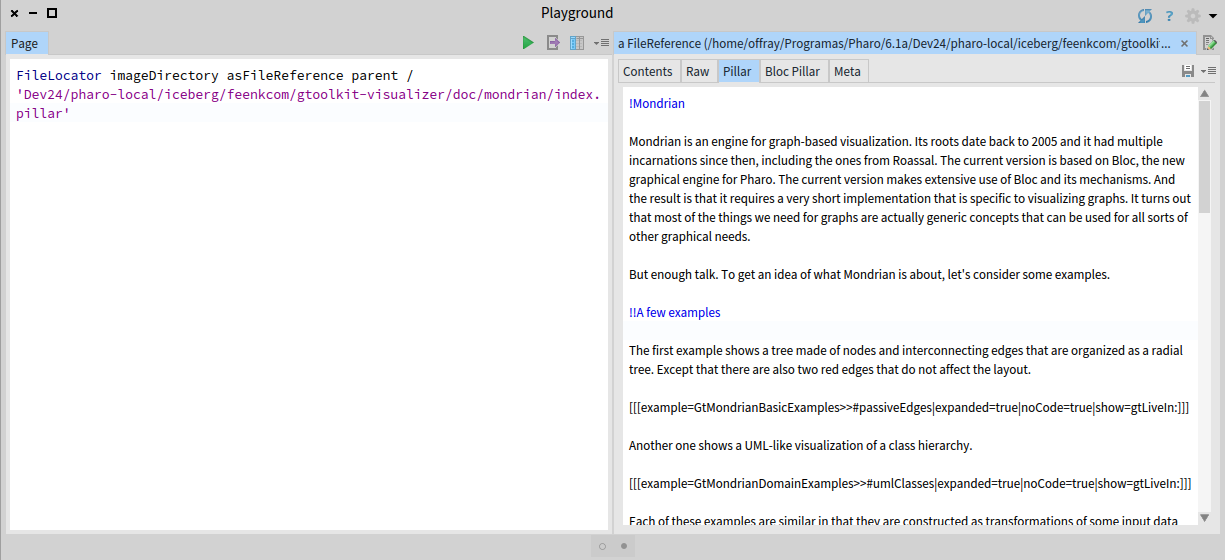
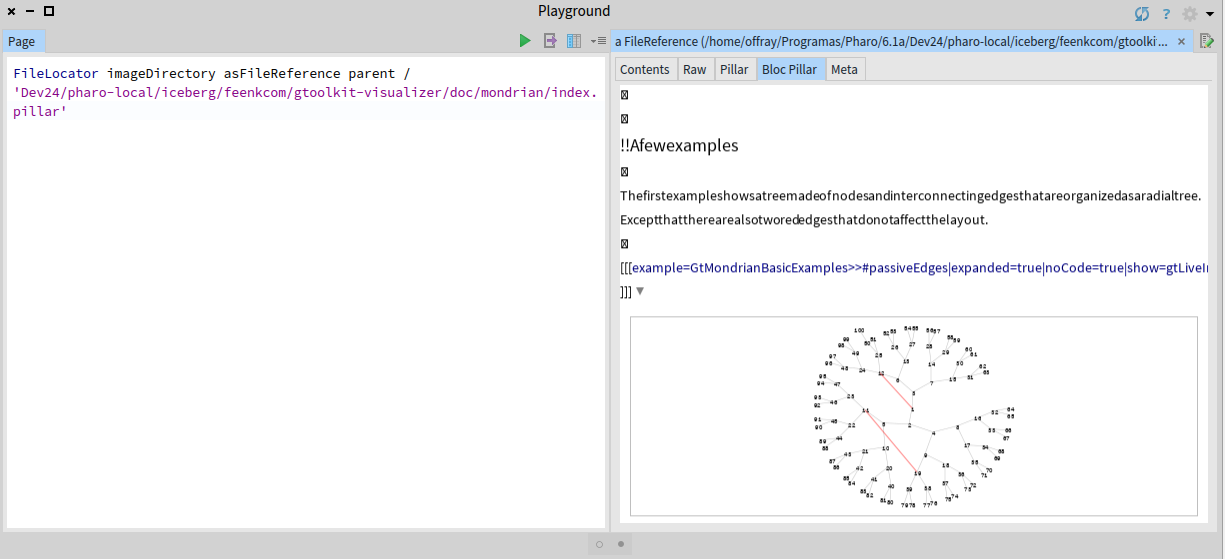
Hi Offray, That is great news! Now since Moz2D is installed we can continue and enable Moz2D in Bloc settings: Here is a screenshot of how to switch rendering backend: (After changing the backend, please reopen the editor.) [image: Inline images 1] Cheers, Alex On 21 November 2017 at 02:09, Offray Vladimir Luna Cárdenas < offray.luna@mutabit.com> wrote:
Hi Alex,
I have installed Sparta as you told me. Still I have problems with Pillar Bloc rendering as show in the screenshots bellow (I forgot to add them to my previous mail).
If Sparta is an external library that can work in 64 bits Pharo without any external prerequisite, why it can not be installed by the GT Documenter install procedure in Linux (64 bits Manjaro/Arch)?
Thanks,
Offray
On 20/11/17 19:26, Aliaksei Syrel wrote:
Hi Offray,
===
This package depends on the following classes:
BrTextEditorPieceElement You must resolve these dependencies before you will be able to load these definitions: BrTextEditorPieceElement>>#drawOnSpartaCanvas:
===
We should also create a stable baseline of Brick... I work on text rendering improvements and 3 hours ago committed a faulty class (BrTextEditorPieceElement) and then removed it some time ago. You installed GToolkit exactly within that not-working windows :) This class is not used anywhere, so don't worry. Sorry for the noise.
- Which are the requisites for Moz2D on a Linux environment. It can be
on Ubuntu/Debian. I can try to translate them to Manjaro/Arch.
If you use 64bit Pharo then there are none. It should work out of box. If not, let us know.
Metacello new baseline: 'Sparta'; repository: 'github://syrel/sparta:v1.1/src'; load: #development
I will let Doru answer the other questions.
Cheers, Alex
On 21 November 2017 at 00:56, Offray Vladimir Luna Cárdenas < offray.luna@mutabit.com> wrote:
Hi Doru & Alex,
Installation works now. During installation process I get this message:
===
This package depends on the following classes: BrTextEditorPieceElement You must resolve these dependencies before you will be able to load these definitions: BrTextEditorPieceElement>>#drawOnSpartaCanvas:
===
That I imagine, is related with the absence of Moz2D. Also, Pillar syntax works now as shown in the first screenshot, but the bloc preview looks strange, without preserving proper spacing between characters and using crossed boxes for character returns (I imagine that is related with Moz2D, but cairo is working, as you can see in the code previews).
So, some old questions for my response to the feedback request a year ago remain and new questions arise.
The old ones:
- How can font size of the pillar preview can be increased/decreased on demand? Having proper text size for reading and writing text is important in a text editor.
- How Pillar markup can be extended/changed to support Markdown?
The new ones:
- Which are the requisites for Moz2D on a Linux environment. It can be on Ubuntu/Debian. I can try to translate them to Manjaro/Arch.
- How add line numbers to the "Pillar" tab (similarly to "Contents" tab and how to make it the default tab view.
- How to make the Pillar tab to autosave any changes, in a similar way to a spec text widget.
Cheers,
Offray
On 16/11/17 16:32, Tudor Girba wrote:
Hi Offray,
Please do not forget to try and let us know if it works now.
Cheers, Doru
On Nov 15, 2017, at 9:20 AM, Tudor Girba <tudor@tudorgirba.com> wrote:
Hi Offray,
Alex took a look at your specific distro and he found and fixed your issue.
Please try again installing GT/Bloc from scratch in a fresh Pharo 6.1 image.
Please also note that the rendering on Linux is not using Moz2D so it will not be as beautiful as in pictures. The reason for this is that there are external dependencies that are required and we would need help to figure that setup.
Cheers, Doru
On Nov 14, 2017, at 10:07 PM, Offray Vladimir Luna Cárdenas < offray.luna@mutabit.com> wrote:
Hi,
The readme is clearer now about Iceberg integration as an option not as prerequisite. Installation works, but Pillar preview tab is grey and clicking on it rises: "Instance of FFIExternalResourceManager class did not understand #removeResource:". Also the syntax highlighting in the (plain) Pillar tab is not working and neither the image preview. A plain installation of just Pillar (without GT Documenter) got those two working once.
Cheers,
Offray
On 14/11/17 12:37, Tudor Girba wrote:
Hi,
We changed the baseline to not require Moz2D on Linux. Could you please try again?
I also updated the README.
Cheers, Doru
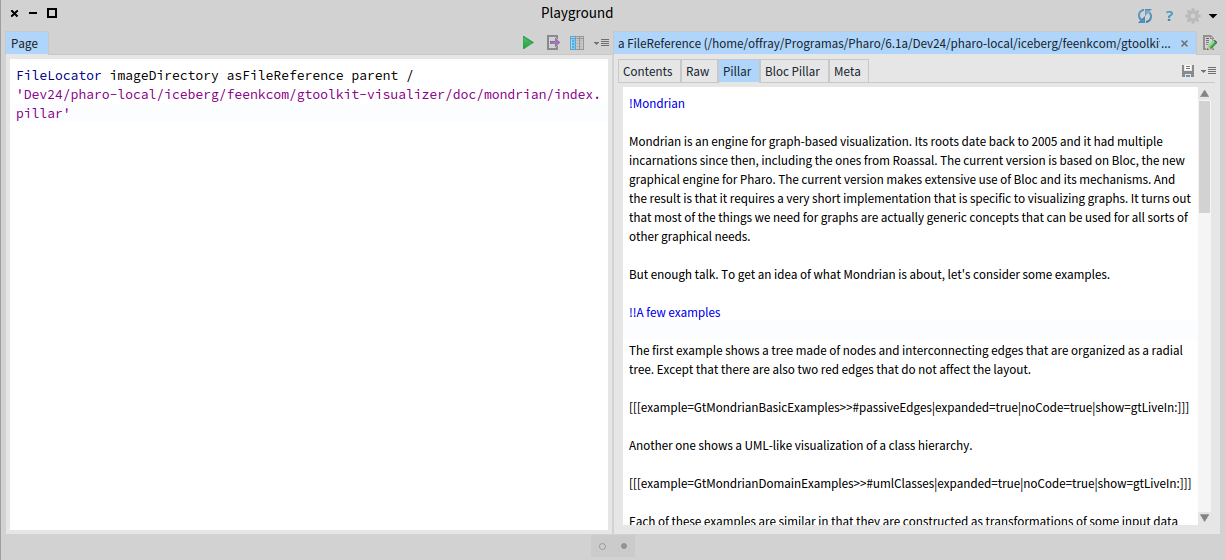
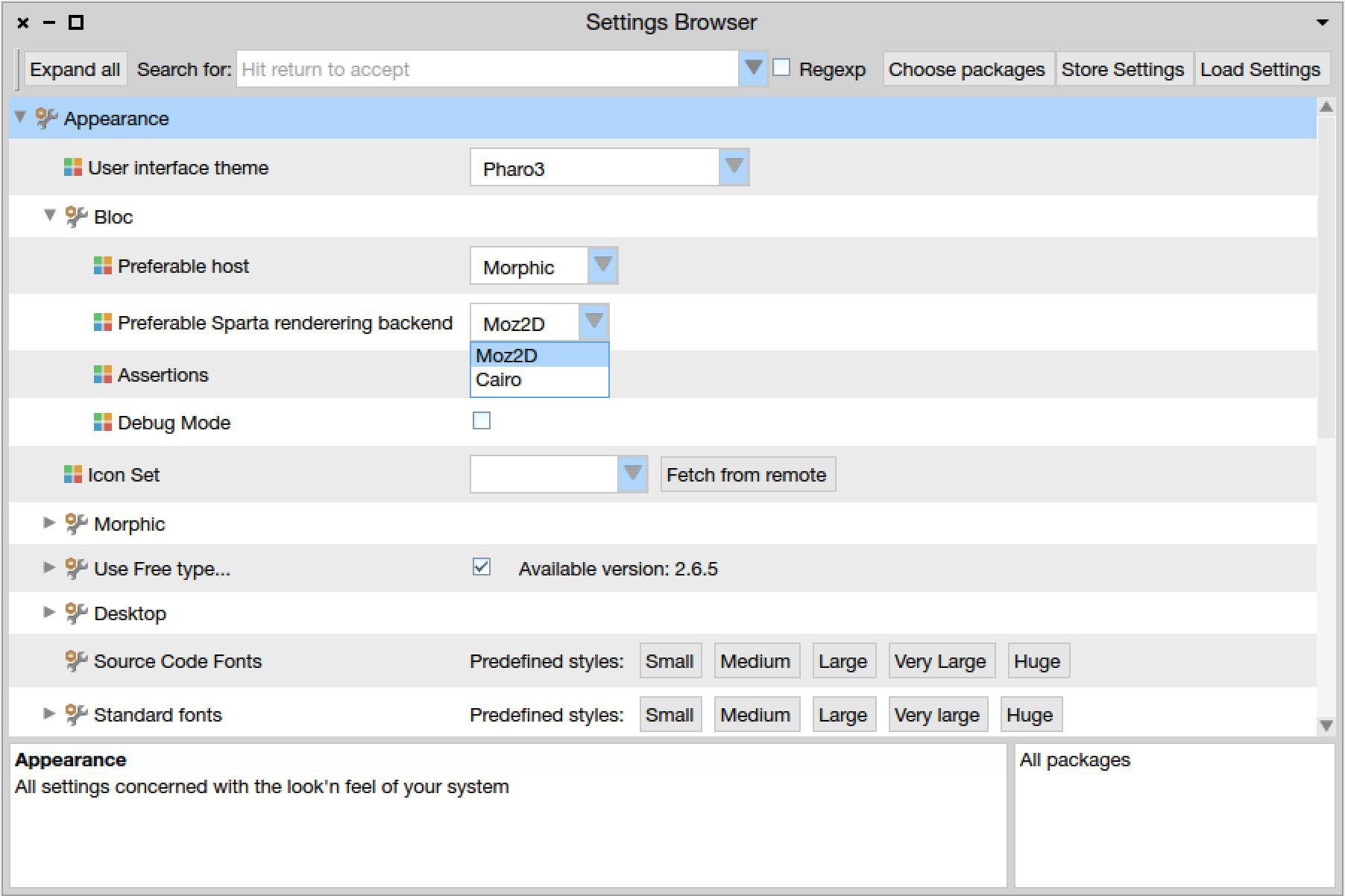
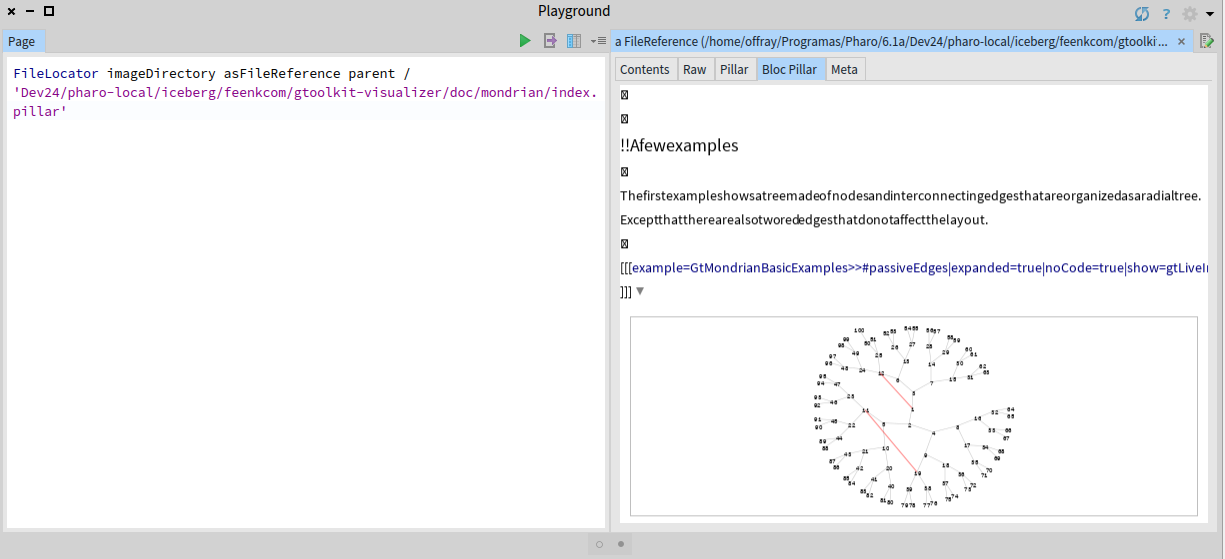
If Sparta is an external library that can work in 64 bits Pharo without any external prerequisite, why it can not be installed by the GT Documenter install procedure in Linux (64 bits Manjaro/Arch)?
It will be :) The problem is that I got a first confirmation that it works just a week ago. I am in the process of collecting more feedback from people using various linux distros. Also, I work on a smarter Sparta installer that first tries to actually install Moz2D, checks whether it works and if not falls back to Cairo. Hopefully we will ship installer soon. Cheers, Alex On 21 November 2017 at 02:18, Aliaksei Syrel <alex.syrel@gmail.com> wrote:
Hi Offray,
That is great news! Now since Moz2D is installed we can continue and enable Moz2D in Bloc settings: Here is a screenshot of how to switch rendering backend: (After changing the backend, please reopen the editor.)
[image: Inline images 1]
Cheers, Alex
On 21 November 2017 at 02:09, Offray Vladimir Luna Cárdenas < offray.luna@mutabit.com> wrote:
Hi Alex,
I have installed Sparta as you told me. Still I have problems with Pillar Bloc rendering as show in the screenshots bellow (I forgot to add them to my previous mail).
If Sparta is an external library that can work in 64 bits Pharo without any external prerequisite, why it can not be installed by the GT Documenter install procedure in Linux (64 bits Manjaro/Arch)?
Thanks,
Offray
On 20/11/17 19:26, Aliaksei Syrel wrote:
Hi Offray,
===
This package depends on the following classes:
BrTextEditorPieceElement You must resolve these dependencies before you will be able to load these definitions: BrTextEditorPieceElement>>#drawOnSpartaCanvas:
===
We should also create a stable baseline of Brick... I work on text rendering improvements and 3 hours ago committed a faulty class (BrTextEditorPieceElement) and then removed it some time ago. You installed GToolkit exactly within that not-working windows :) This class is not used anywhere, so don't worry. Sorry for the noise.
- Which are the requisites for Moz2D on a Linux environment. It can be
on Ubuntu/Debian. I can try to translate them to Manjaro/Arch.
If you use 64bit Pharo then there are none. It should work out of box. If not, let us know.
Metacello new baseline: 'Sparta'; repository: 'github://syrel/sparta:v1.1/src'; load: #development
I will let Doru answer the other questions.
Cheers, Alex
On 21 November 2017 at 00:56, Offray Vladimir Luna Cárdenas < offray.luna@mutabit.com> wrote:
Hi Doru & Alex,
Installation works now. During installation process I get this message:
===
This package depends on the following classes: BrTextEditorPieceElement You must resolve these dependencies before you will be able to load these definitions: BrTextEditorPieceElement>>#drawOnSpartaCanvas:
===
That I imagine, is related with the absence of Moz2D. Also, Pillar syntax works now as shown in the first screenshot, but the bloc preview looks strange, without preserving proper spacing between characters and using crossed boxes for character returns (I imagine that is related with Moz2D, but cairo is working, as you can see in the code previews).
So, some old questions for my response to the feedback request a year ago remain and new questions arise.
The old ones:
- How can font size of the pillar preview can be increased/decreased on demand? Having proper text size for reading and writing text is important in a text editor.
- How Pillar markup can be extended/changed to support Markdown?
The new ones:
- Which are the requisites for Moz2D on a Linux environment. It can be on Ubuntu/Debian. I can try to translate them to Manjaro/Arch.
- How add line numbers to the "Pillar" tab (similarly to "Contents" tab and how to make it the default tab view.
- How to make the Pillar tab to autosave any changes, in a similar way to a spec text widget.
Cheers,
Offray
On 16/11/17 16:32, Tudor Girba wrote:
Hi Offray,
Please do not forget to try and let us know if it works now.
Cheers, Doru
On Nov 15, 2017, at 9:20 AM, Tudor Girba <tudor@tudorgirba.com> wrote:
Hi Offray,
Alex took a look at your specific distro and he found and fixed your issue.
Please try again installing GT/Bloc from scratch in a fresh Pharo 6.1 image.
Please also note that the rendering on Linux is not using Moz2D so it will not be as beautiful as in pictures. The reason for this is that there are external dependencies that are required and we would need help to figure that setup.
Cheers, Doru
On Nov 14, 2017, at 10:07 PM, Offray Vladimir Luna Cárdenas < offray.luna@mutabit.com> wrote:
Hi,
The readme is clearer now about Iceberg integration as an option not as prerequisite. Installation works, but Pillar preview tab is grey and clicking on it rises: "Instance of FFIExternalResourceManager class did not understand #removeResource:". Also the syntax highlighting in the (plain) Pillar tab is not working and neither the image preview. A plain installation of just Pillar (without GT Documenter) got those two working once.
Cheers,
Offray
On 14/11/17 12:37, Tudor Girba wrote:
Hi,
We changed the baseline to not require Moz2D on Linux. Could you please try again?
I also updated the README.
Cheers, Doru
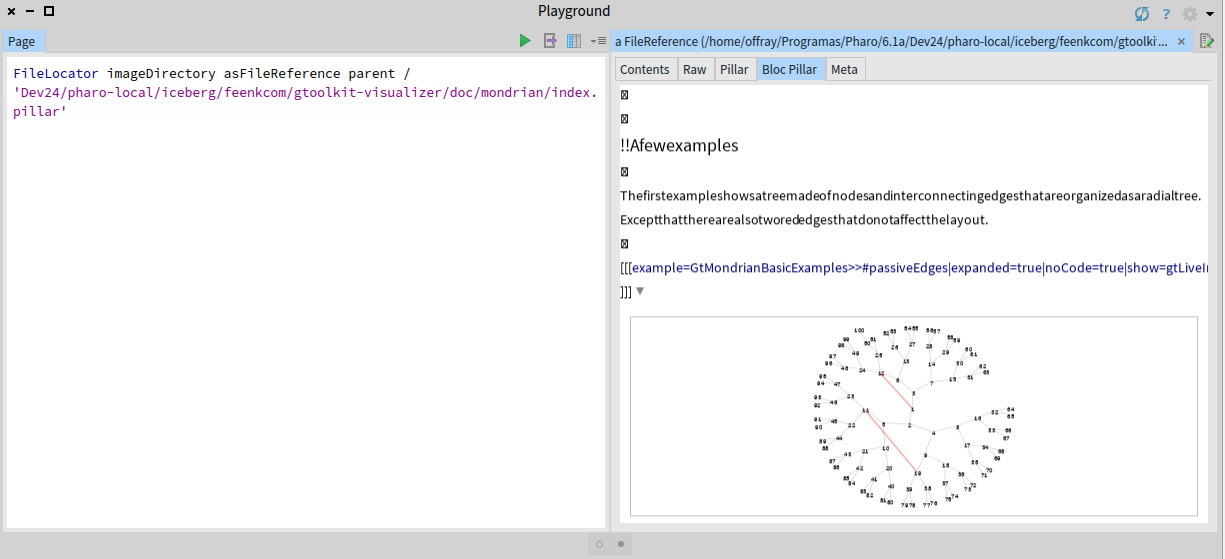
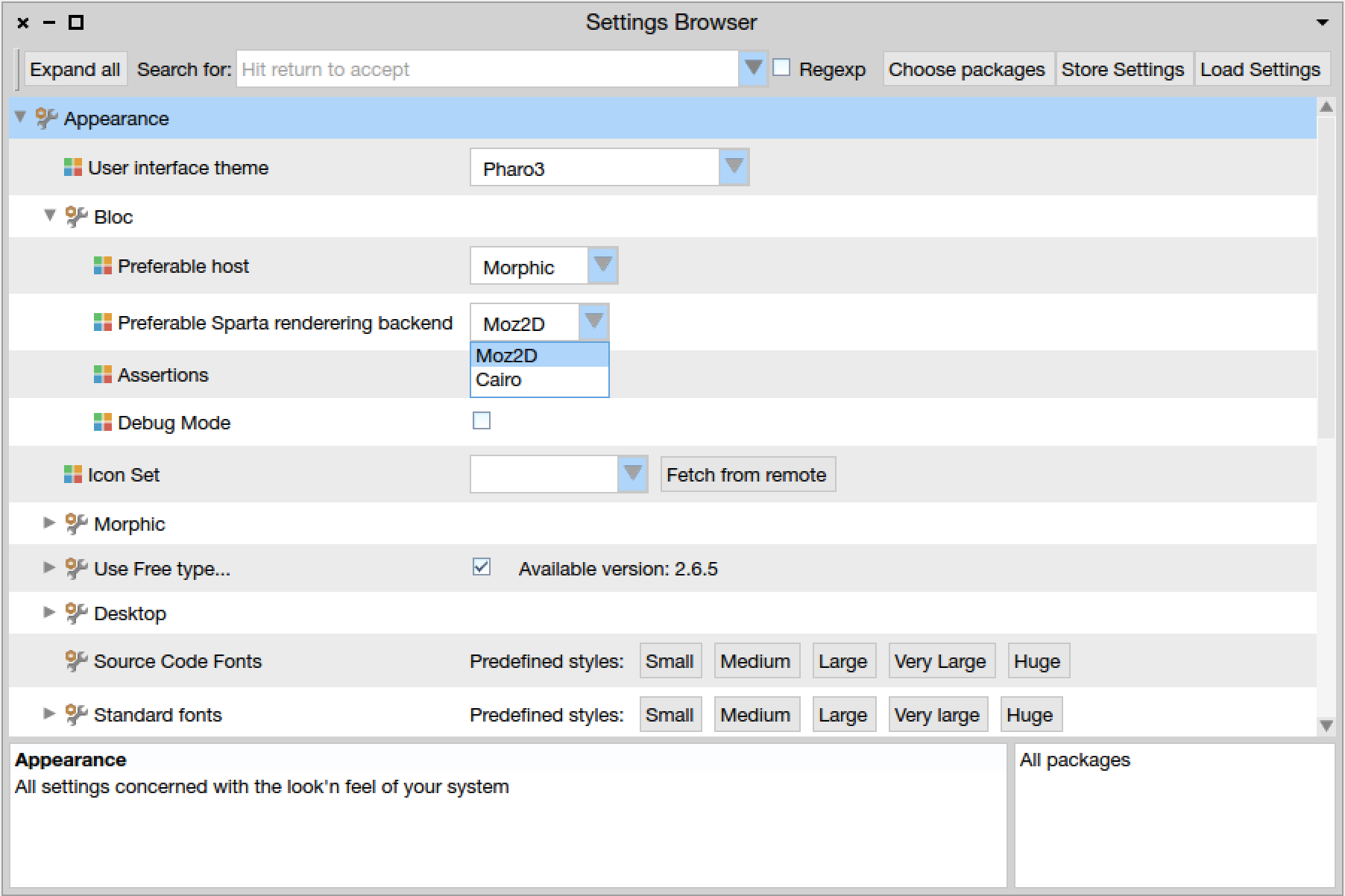
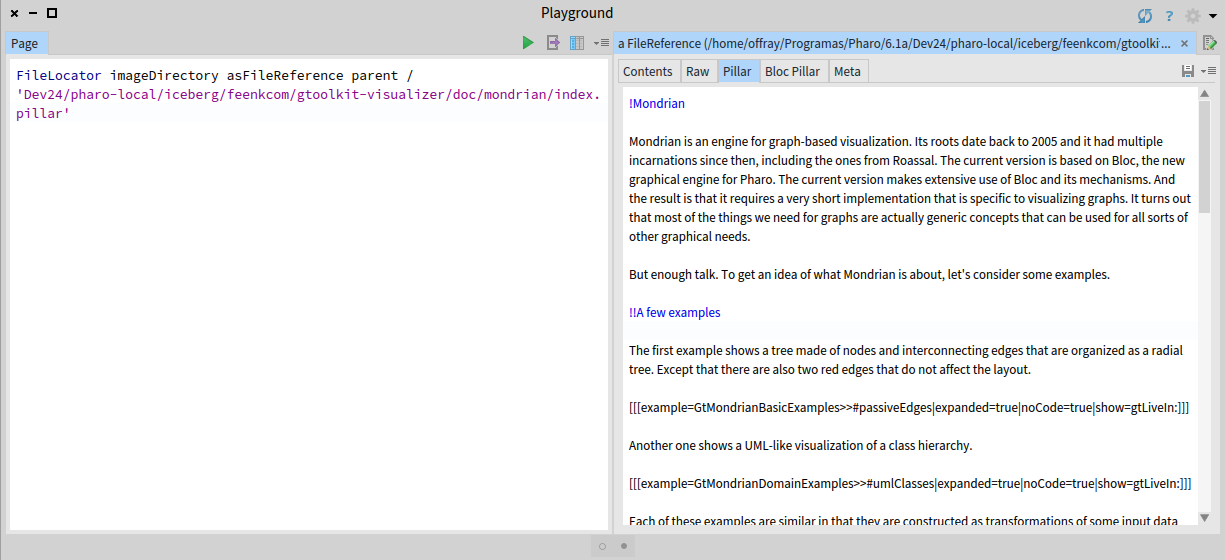

Here is a page with a set of scripts to install Moz2d for various *nixes (different Linux distros, OS X) https://github.com/syrel/Moz2D Sent from Mail for Windows 10 From: Aliaksei Syrel Sent: Monday, November 20, 2017 8:32 PM To: Any question about pharo is welcome Subject: Re: [Pharo-users] Bloc installation on Linux [WAS: Re: Aboutimplementing a "Mini Pillar" in-image renderer for Pharo ...] If Sparta is an external library that can work in 64 bits Pharo without any external prerequisite, why it can not be installed by the GT Documenter install procedure in Linux (64 bits Manjaro/Arch)? It will be :) The problem is that I got a first confirmation that it works just a week ago. I am in the process of collecting more feedback from people using various linux distros. Also, I work on a smarter Sparta installer that first tries to actually install Moz2D, checks whether it works and if not falls back to Cairo. Hopefully we will ship installer soon. Cheers, Alex On 21 November 2017 at 02:18, Aliaksei Syrel <alex.syrel@gmail.com> wrote: Hi Offray, That is great news! Now since Moz2D is installed we can continue and enable Moz2D in Bloc settings: Here is a screenshot of how to switch rendering backend: (After changing the backend, please reopen the editor.) Cheers, Alex On 21 November 2017 at 02:09, Offray Vladimir Luna Cárdenas <offray.luna@mutabit.com> wrote: Hi Alex, I have installed Sparta as you told me. Still I have problems with Pillar Bloc rendering as show in the screenshots bellow (I forgot to add them to my previous mail). If Sparta is an external library that can work in 64 bits Pharo without any external prerequisite, why it can not be installed by the GT Documenter install procedure in Linux (64 bits Manjaro/Arch)? Thanks, Offray On 20/11/17 19:26, Aliaksei Syrel wrote: Hi Offray, === This package depends on the following classes:  BrTextEditorPieceElement You must resolve these dependencies before you will be able to load these definitions:  BrTextEditorPieceElement>>#drawOnSpartaCanvas: === We should also create a stable baseline of Brick... I work on text rendering improvements and 3 hours ago committed a faulty class (BrTextEditorPieceElement) and then removed it some time ago. You installed GToolkit exactly within that not-working windows :) This class is not used anywhere, so don't worry. Sorry for the noise. - Which are the requisites for Moz2D on a Linux environment. It can be on Ubuntu/Debian. I can try to translate them to Manjaro/Arch. If you use 64bit Pharo then there are none. It should work out of box. If not, let us know. Metacello new baseline: 'Sparta'; repository: 'github://syrel/sparta:v1.1/src'; load: #development I will let Doru answer the other questions. Cheers, Alex On 21 November 2017 at 00:56, Offray Vladimir Luna Cárdenas <offray.luna@mutabit.com> wrote: Hi Doru & Alex, Installation works now. During installation process I get this message: === This package depends on the following classes:  BrTextEditorPieceElement You must resolve these dependencies before you will be able to load these definitions:  BrTextEditorPieceElement>>#drawOnSpartaCanvas: === That I imagine, is related with the absence of Moz2D. Also, Pillar syntax works now as shown in the first screenshot, but the bloc preview looks strange, without preserving proper spacing between characters and using crossed boxes for character returns (I imagine that is related with Moz2D, but cairo is working, as you can see in the code previews). So, some old questions for my response to the feedback request a year ago remain and new questions arise. The old ones: - How can font size of the pillar preview can be increased/decreased on demand? Having proper text size for reading and writing text is important in a text editor. - How Pillar markup can be extended/changed to support Markdown? The new ones: - Which are the requisites for Moz2D on a Linux environment. It can be on Ubuntu/Debian. I can try to translate them to Manjaro/Arch. - How add line numbers to the "Pillar" tab (similarly to "Contents" tab and how to make it the default tab view. - How to make the Pillar tab to autosave any changes, in a similar way to a spec text widget. Cheers, Offray On 16/11/17 16:32, Tudor Girba wrote:
Hi Offray,
Please do not forget to try and let us know if it works now.
Cheers, Doru
On Nov 15, 2017, at 9:20 AM, Tudor Girba <tudor@tudorgirba.com> wrote:
Hi Offray,
Alex took a look at your specific distro and he found and fixed your issue.
Please try again installing GT/Bloc from scratch in a fresh Pharo 6.1 image.
Please also note that the rendering on Linux is not using Moz2D so it will not be as beautiful as in pictures. The reason for this is that there are external dependencies that are required and we would need help to figure that setup.
Cheers, Doru
On Nov 14, 2017, at 10:07 PM, Offray Vladimir Luna Cárdenas <offray.luna@mutabit.com> wrote:
Hi,
The readme is clearer now about Iceberg integration as an option not as prerequisite. Installation works, but Pillar preview tab is grey and clicking on it rises: "Instance of FFIExternalResourceManager class did not understand #removeResource:". Also the syntax highlighting in the (plain) Pillar tab is not working and neither the image preview. A plain installation of just Pillar (without GT Documenter) got those two working once.
Cheers,
Offray
On 14/11/17 12:37, Tudor Girba wrote:
Hi,
We changed the baseline to not require Moz2D on Linux. Could you please try again?
I also updated the README.
Cheers, Doru
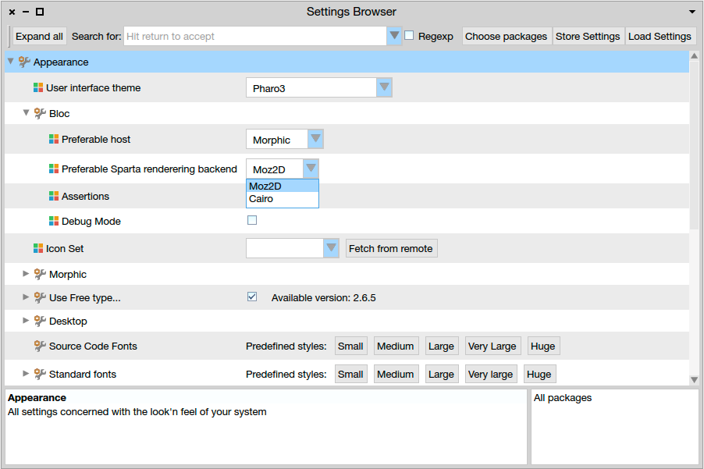
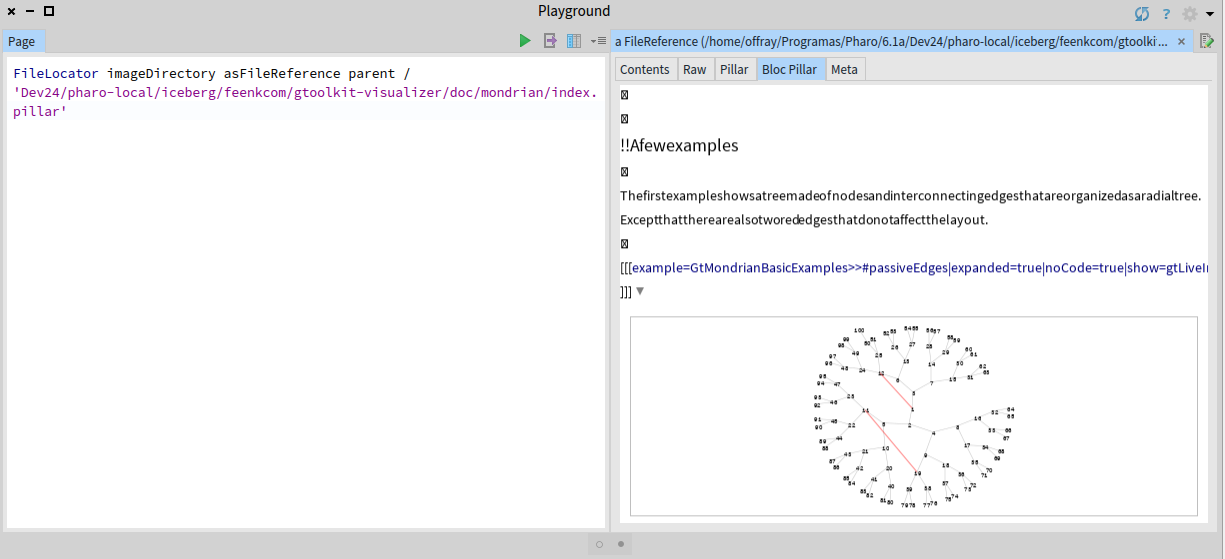
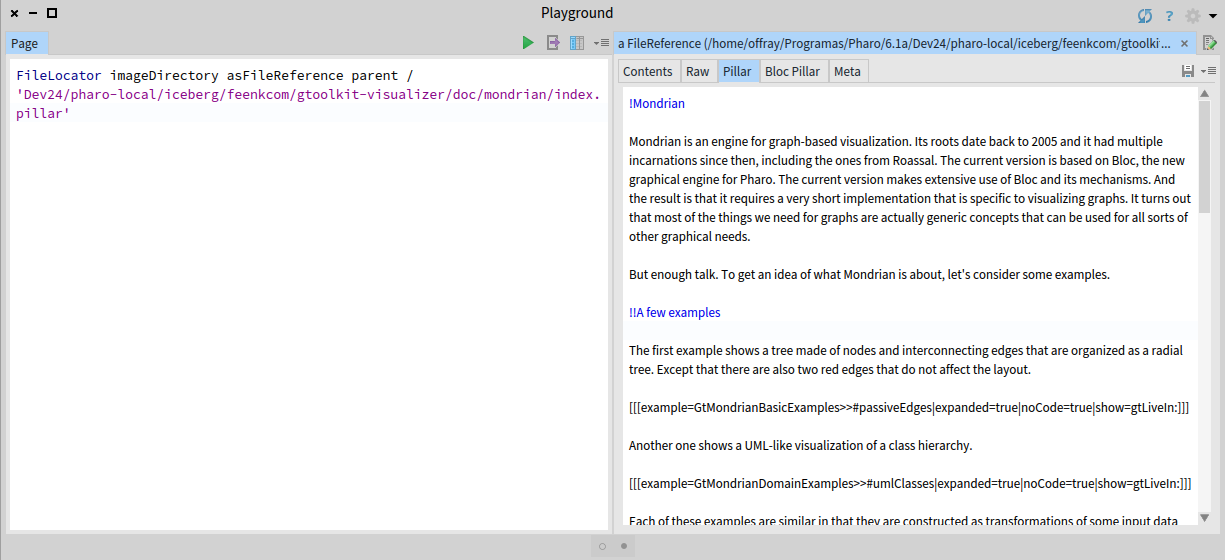
Hi Alex, This was the error message I got when I tried to enter the Settings Browser: Cheers, Offray On 20/11/17 20:18, Aliaksei Syrel wrote:
Hi Offray,
That is great news! Now since Moz2D is installed we can continue and enable Moz2D in Bloc settings: Here is a screenshot of how to switch rendering backend: (After changing the backend, please reopen the editor.)
Inline images 1
Cheers, Alex
On 21 November 2017 at 02:09, Offray Vladimir Luna Cárdenas <offray.luna@mutabit.com <mailto:offray.luna@mutabit.com>> wrote:
Hi Alex,
I have installed Sparta as you told me. Still I have problems with Pillar Bloc rendering as show in the screenshots bellow (I forgot to add them to my previous mail).
If Sparta is an external library that can work in 64 bits Pharo without any external prerequisite, why it can not be installed by the GT Documenter install procedure in Linux (64 bits Manjaro/Arch)?
Thanks,
Offray
On 20/11/17 19:26, Aliaksei Syrel wrote:
Hi Offray,
===
This package depends on the following classes: Â BrTextEditorPieceElement You must resolve these dependencies before you will be able to load these definitions: Â BrTextEditorPieceElement>>#drawOnSpartaCanvas:
===
We should also create a stable baseline of Brick... I work on text rendering improvements and 3 hours ago committed a faulty class (BrTextEditorPieceElement) and then removed it some time ago. You installed GToolkit exactly within that not-working windows :) This class is not used anywhere, so don't worry. Sorry for the noise.
- Which are the requisites for Moz2D on a Linux environment. It can be on Ubuntu/Debian. I can try to translate them to Manjaro/Arch.
If you use 64bit Pharo then there are none. It should work out of box. If not, let us know.
Metacello new baseline: 'Sparta'; repository: 'github://syrel/sparta:v1.1/src'; load: #development
I will let Doru answer the other questions.
Cheers, Alex
On 21 November 2017 at 00:56, Offray Vladimir Luna Cárdenas <offray.luna@mutabit.com <mailto:offray.luna@mutabit.com>> wrote:
Hi Doru & Alex,
Installation works now. During installation process I get this message:
===
This package depends on the following classes: Â BrTextEditorPieceElement You must resolve these dependencies before you will be able to load these definitions: Â BrTextEditorPieceElement>>#drawOnSpartaCanvas:
===
That I imagine, is related with the absence of Moz2D. Also, Pillar syntax works now as shown in the first screenshot, but the bloc preview looks strange, without preserving proper spacing between characters and using crossed boxes for character returns (I imagine that is related with Moz2D, but cairo is working, as you can see in the code previews).
So, some old questions for my response to the feedback request a year ago remain and new questions arise.
The old ones:
- How can font size of the pillar preview can be increased/decreased on demand? Having proper text size for reading and writing text is important in a text editor.
- How Pillar markup can be extended/changed to support Markdown?
The new ones:
- Which are the requisites for Moz2D on a Linux environment. It can be on Ubuntu/Debian. I can try to translate them to Manjaro/Arch.
- How add line numbers to the "Pillar" tab (similarly to "Contents" tab and how to make it the default tab view.
- How to make the Pillar tab to autosave any changes, in a similar way to a spec text widget.
Cheers,
Offray
On 16/11/17 16:32, Tudor Girba wrote: > Hi Offray, > > Please do not forget to try and let us know if it works now. > > Cheers, > Doru > > > >> On Nov 15, 2017, at 9:20 AM, Tudor Girba <tudor@tudorgirba.com <mailto:tudor@tudorgirba.com>> wrote: >> >> Hi Offray, >> >> Alex took a look at your specific distro and he found and fixed your issue. >> >> Please try again installing GT/Bloc from scratch in a fresh Pharo 6.1 image. >> >> Please also note that the rendering on Linux is not using Moz2D so it will not be as beautiful as in pictures. The reason for this is that there are external dependencies that are required and we would need help to figure that setup. >> >> Cheers, >> Doru >> >> >>> On Nov 14, 2017, at 10:07 PM, Offray Vladimir Luna Cárdenas <offray.luna@mutabit.com <mailto:offray.luna@mutabit.com>> wrote: >>> >>> Hi, >>> >>> The readme is clearer now about Iceberg integration as an option not as >>> prerequisite. Installation works, but Pillar preview tab is grey and >>> clicking on it rises: "Instance of FFIExternalResourceManager class did >>> not understand #removeResource:". Also the syntax highlighting in the >>> (plain) Pillar tab is not working and neither the image preview. A plain >>> installation of just Pillar (without GT Documenter) got those two >>> working once. >>> >>> Cheers, >>> >>> Offray >>> >>> >>> On 14/11/17 12:37, Tudor Girba wrote: >>>> Hi, >>>> >>>> We changed the baseline to not require Moz2D on Linux. Could you please try again? >>>> >>>> I also updated the README. >>>> >>>> Cheers, >>>> Doru >>>>
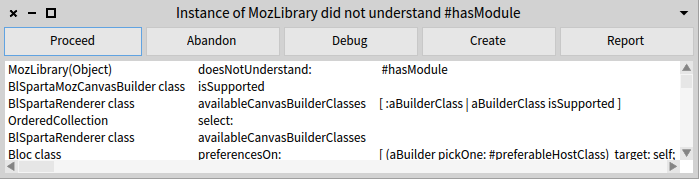
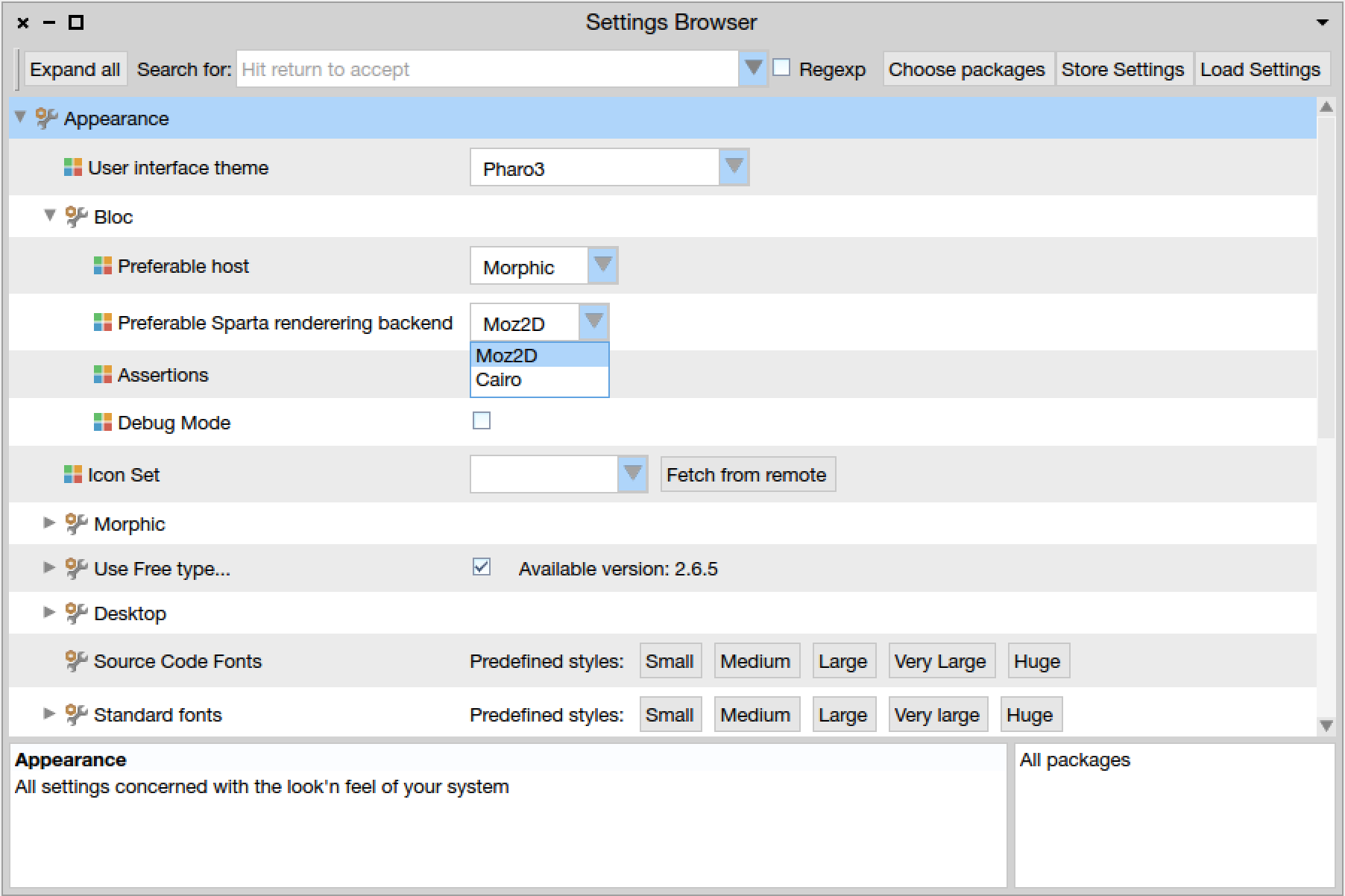
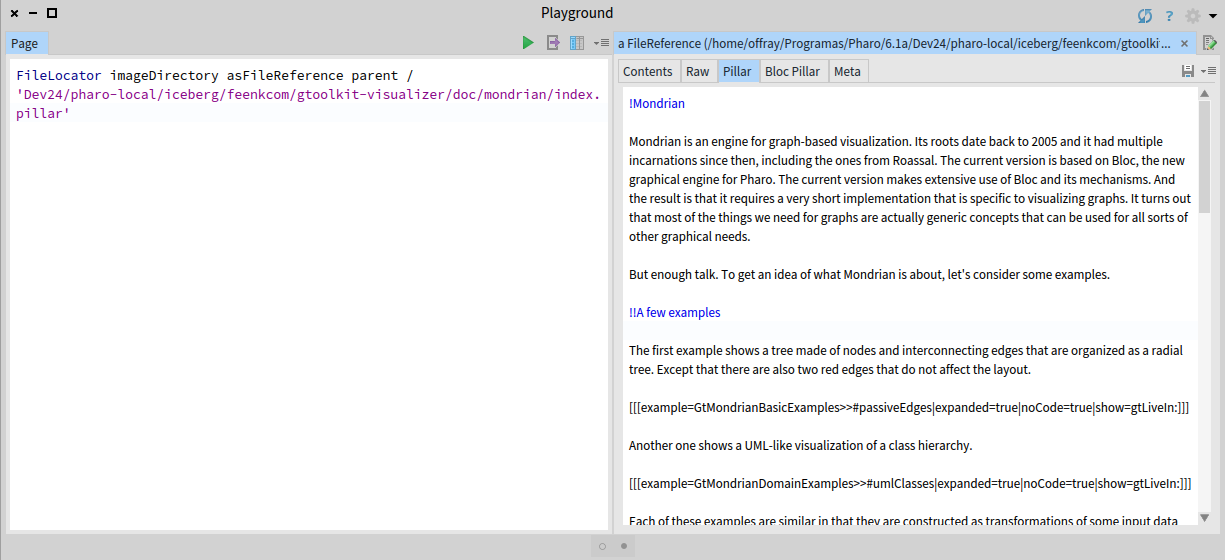
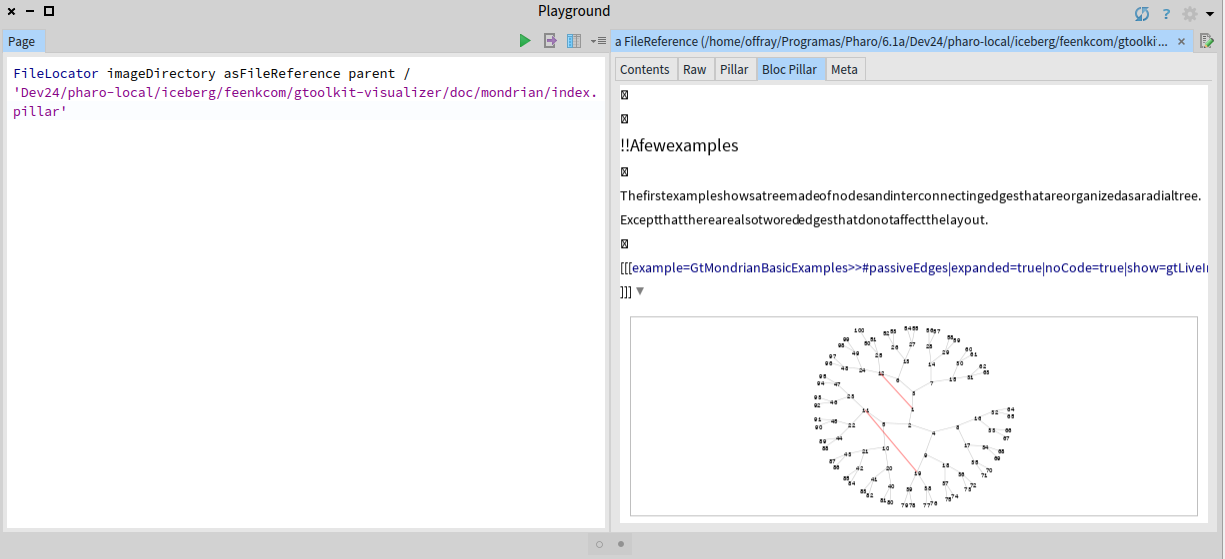
Hi Offray, In a first email I sent a wrong installation script of Sparta but then I sent an email with correct one... looks like it was missed. Anyway, I updated a baseline of bloc to install Moz2D on 64bit linux. That is why let's try one more time :) Please, install GToolkit in a fresh 64bit pharo. This way we will make sure that you use correct versions. Just in case here is a script. *Mioz2D will enable itself automatically. You will not need to do anything.* Metacello new baseline: 'GToolkit'; repository: 'github://feenkcom/gtoolkit/src'; load. Cheers, Alex On 21 November 2017 at 02:37, Offray Vladimir Luna Cárdenas < offray.luna@mutabit.com> wrote:
Hi Alex,
This was the error message I got when I tried to enter the Settings Browser:
Cheers,
Offray
On 20/11/17 20:18, Aliaksei Syrel wrote:
Hi Offray,
That is great news! Now since Moz2D is installed we can continue and enable Moz2D in Bloc settings: Here is a screenshot of how to switch rendering backend: (After changing the backend, please reopen the editor.)
[image: Inline images 1]
Cheers, Alex
On 21 November 2017 at 02:09, Offray Vladimir Luna Cárdenas < offray.luna@mutabit.com> wrote:
Hi Alex,
I have installed Sparta as you told me. Still I have problems with Pillar Bloc rendering as show in the screenshots bellow (I forgot to add them to my previous mail).
If Sparta is an external library that can work in 64 bits Pharo without any external prerequisite, why it can not be installed by the GT Documenter install procedure in Linux (64 bits Manjaro/Arch)?
Thanks,
Offray
On 20/11/17 19:26, Aliaksei Syrel wrote:
Hi Offray,
===
This package depends on the following classes:
BrTextEditorPieceElement You must resolve these dependencies before you will be able to load these definitions: BrTextEditorPieceElement>>#drawOnSpartaCanvas:
===
We should also create a stable baseline of Brick... I work on text rendering improvements and 3 hours ago committed a faulty class (BrTextEditorPieceElement) and then removed it some time ago. You installed GToolkit exactly within that not-working windows :) This class is not used anywhere, so don't worry. Sorry for the noise.
- Which are the requisites for Moz2D on a Linux environment. It can be
on Ubuntu/Debian. I can try to translate them to Manjaro/Arch.
If you use 64bit Pharo then there are none. It should work out of box. If not, let us know.
Metacello new baseline: 'Sparta'; repository: 'github://syrel/sparta:v1.1/src'; load: #development
I will let Doru answer the other questions.
Cheers, Alex
On 21 November 2017 at 00:56, Offray Vladimir Luna Cárdenas < offray.luna@mutabit.com> wrote:
Hi Doru & Alex,
Installation works now. During installation process I get this message:
===
This package depends on the following classes: BrTextEditorPieceElement You must resolve these dependencies before you will be able to load these definitions: BrTextEditorPieceElement>>#drawOnSpartaCanvas:
===
That I imagine, is related with the absence of Moz2D. Also, Pillar syntax works now as shown in the first screenshot, but the bloc preview looks strange, without preserving proper spacing between characters and using crossed boxes for character returns (I imagine that is related with Moz2D, but cairo is working, as you can see in the code previews).
So, some old questions for my response to the feedback request a year ago remain and new questions arise.
The old ones:
- How can font size of the pillar preview can be increased/decreased on demand? Having proper text size for reading and writing text is important in a text editor.
- How Pillar markup can be extended/changed to support Markdown?
The new ones:
- Which are the requisites for Moz2D on a Linux environment. It can be on Ubuntu/Debian. I can try to translate them to Manjaro/Arch.
- How add line numbers to the "Pillar" tab (similarly to "Contents" tab and how to make it the default tab view.
- How to make the Pillar tab to autosave any changes, in a similar way to a spec text widget.
Cheers,
Offray
On 16/11/17 16:32, Tudor Girba wrote:
Hi Offray,
Please do not forget to try and let us know if it works now.
Cheers, Doru
On Nov 15, 2017, at 9:20 AM, Tudor Girba <tudor@tudorgirba.com> wrote:
Hi Offray,
Alex took a look at your specific distro and he found and fixed your issue.
Please try again installing GT/Bloc from scratch in a fresh Pharo 6.1 image.
Please also note that the rendering on Linux is not using Moz2D so it will not be as beautiful as in pictures. The reason for this is that there are external dependencies that are required and we would need help to figure that setup.
Cheers, Doru
On Nov 14, 2017, at 10:07 PM, Offray Vladimir Luna Cárdenas < offray.luna@mutabit.com> wrote:
Hi,
The readme is clearer now about Iceberg integration as an option not as prerequisite. Installation works, but Pillar preview tab is grey and clicking on it rises: "Instance of FFIExternalResourceManager class did not understand #removeResource:". Also the syntax highlighting in the (plain) Pillar tab is not working and neither the image preview. A plain installation of just Pillar (without GT Documenter) got those two working once.
Cheers,
Offray
On 14/11/17 12:37, Tudor Girba wrote:
Hi,
We changed the baseline to not require Moz2D on Linux. Could you please try again?
I also updated the README.
Cheers, Doru
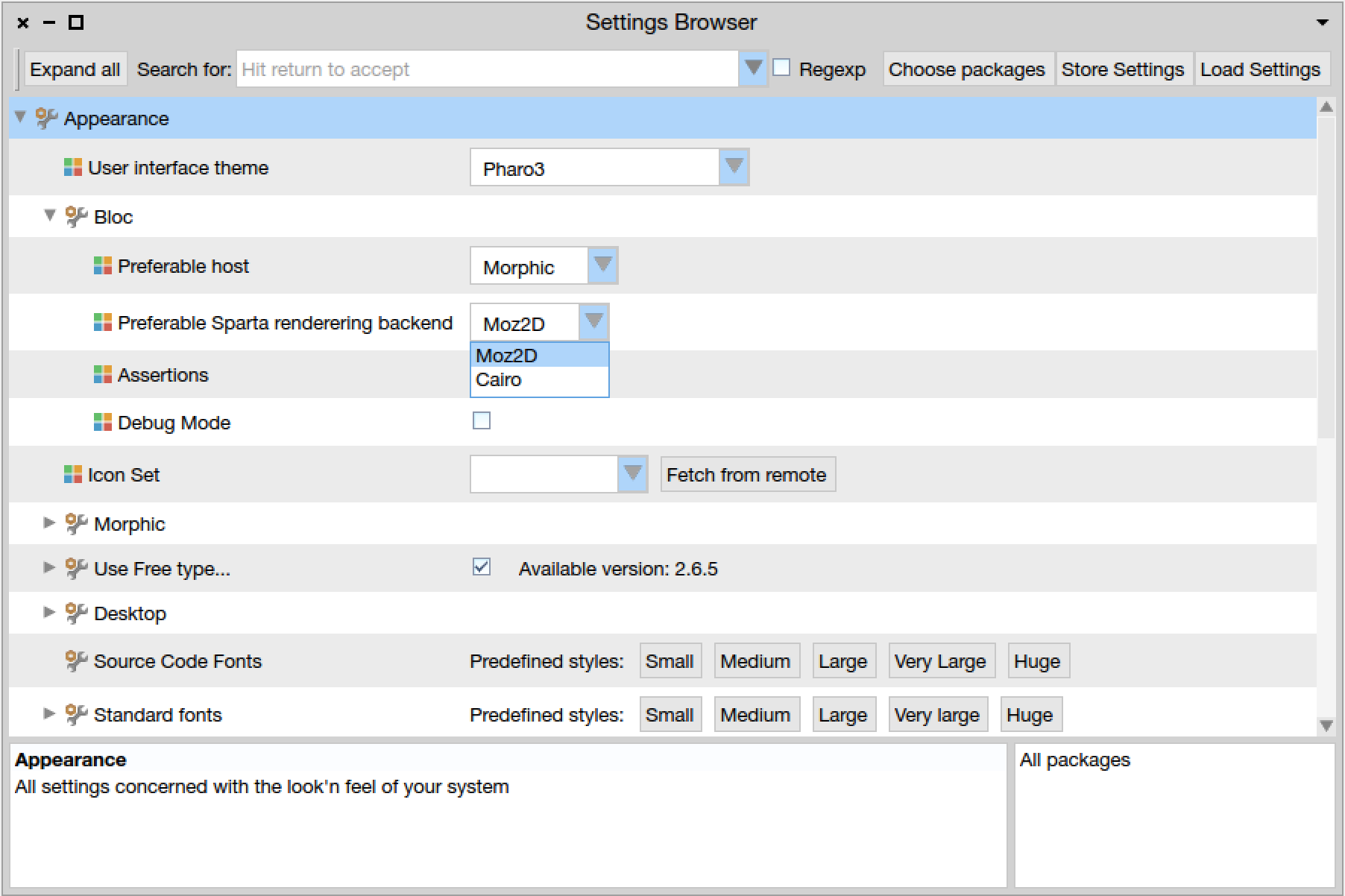
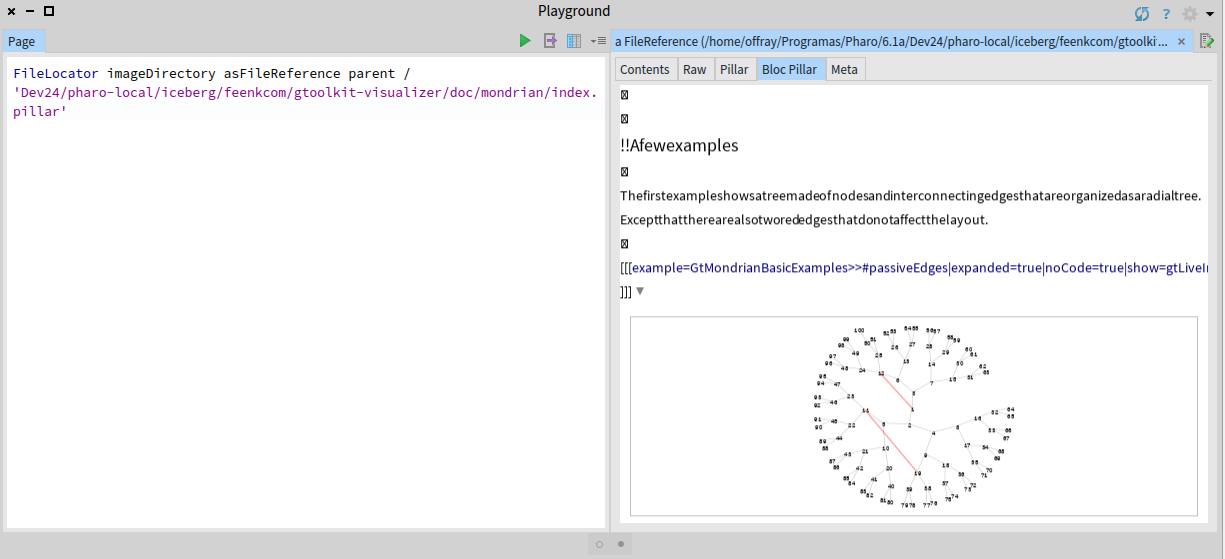
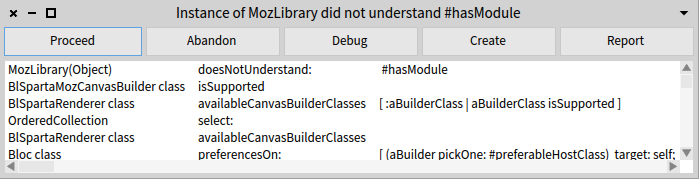
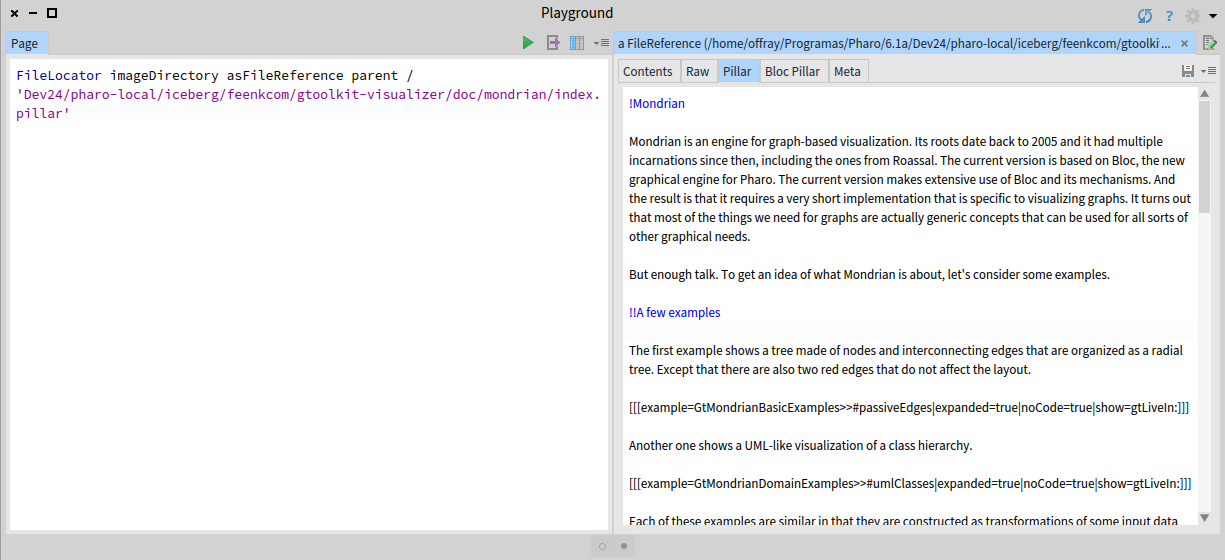
On 20/11/17 20:48, Aliaksei Syrel wrote:
Hi Offray,
In a first email I sent a wrong installation script of Sparta but then I sent an email with correct one... looks like it was missed. Anyway, I updated a baseline of bloc to install Moz2D on 64bit linux.
Seems that Moz2D is installed.
That is why let's try one more time :)
Let's do it :-).
Please, install GToolkit in a fresh 64bit pharo. This way we will make sure that you use correct versions. Just in case here is a script. *Mioz2D will enable itself automatically. You will not need to do anything.*
|Metacello new baseline: 'GToolkit'; repository: 'github://feenkcom/gtoolkit/src'; load.|
This was the script I ran the first time. Anyway this time, despite of taking time: - No installation issues are present. The smoother install until now! :-) - The Pillar tab preview is better in fonts rendering as shown below. I would add font increase/decrease on demand, line numbers, syntax highlighting for web urls (http, https), which when clicked are opened via WebBrowser and image preview for some images (maybe some Pillar file could be provided in the install with possibility to test that features). - The Bloc Pillar tab has the same issues reported before. It shows no space between letter. The "Logging an animation" example in the screenshot below produces a UFFI error and after that the tab goes gray and stops working. Cheers, Offray
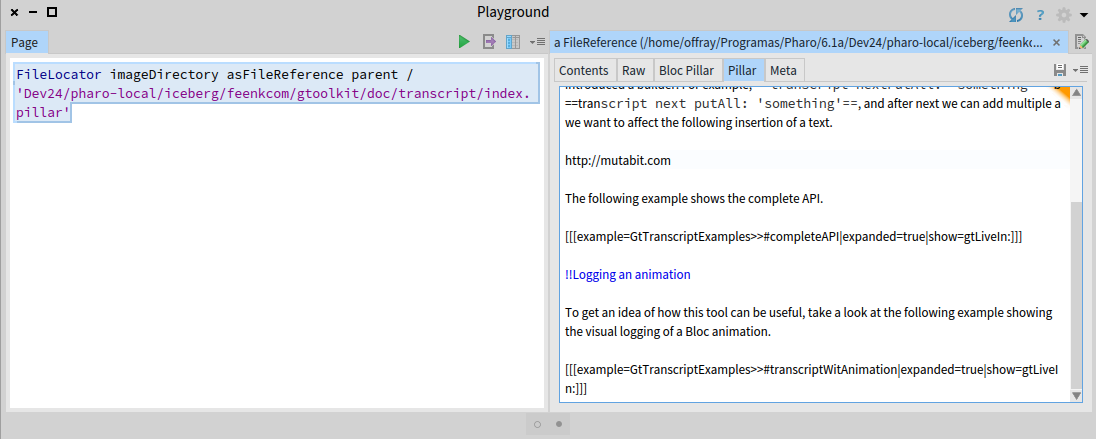
Hi, Thanks for trying the Linux installation. Let me address the non-installation questions below.
On Nov 21, 2017, at 12:56 AM, Offray Vladimir Luna Cárdenas <offray.luna@mutabit.com> wrote:
Hi Doru & Alex,
Installation works now. During installation process I get this message:
===
This package depends on the following classes: BrTextEditorPieceElement You must resolve these dependencies before you will be able to load these definitions: BrTextEditorPieceElement>>#drawOnSpartaCanvas:
===
That I imagine, is related with the absence of Moz2D. Also, Pillar syntax works now as shown in the first screenshot, but the bloc preview looks strange, without preserving proper spacing between characters and using crossed boxes for character returns (I imagine that is related with Moz2D, but cairo is working, as you can see in the code previews).
So, some old questions for my response to the feedback request a year ago remain and new questions arise.
The old ones:
- How can font size of the pillar preview can be increased/decreased on demand? Having proper text size for reading and writing text is important in a text editor.
The font used is the default text size. To make it customizable, we would need to extend the parser and the UI. I do not plan/have time to make these changes any time soon, but you are welcome to look at the code and propose changes, or simply create your own version.
- How Pillar markup can be extended/changed to support Markdown?
You cannot extend it. You would need to hook a Markdown parser into the syntax highlighter for that.
The new ones:
- Which are the requisites for Moz2D on a Linux environment. It can be on Ubuntu/Debian. I can try to translate them to Manjaro/Arch.
- How add line numbers to the "Pillar" tab (similarly to "Contents" tab and how to make it the default tab view.
Letâs take a moment to learn how to learn from the existing system once an example is available. An inspector tab is defined in an extension method in the class of the object you are inspecting. Look at the Meta tab of a FileReference instance, and you get to: gtInspectorContentsIn: composite <gtInspectorPresentationOrder: 5> composite text title: 'Contents'; display: [ self readStreamDo: [ :stream | | result | result := [(stream next: 10000) asString] on: Error do: [ (stream binary next: 10000) asString ]. stream size > 10000 ifTrue: [ result, ' ... truncated ...' ] ifFalse: [ result ] ] ]; withLineNumbers: true;
- How to make the Pillar tab to autosave any changes, in a similar way to a spec text widget.
You would have to hook to the change of the #text port in order to add the autosave. For an example of how to hook to the #text port changes, take a look at GLMBasicExamples>>#onChangeOfPortAction Cheers, Doru
Cheers,
Offray
On 16/11/17 16:32, Tudor Girba wrote:
Hi Offray,
Please do not forget to try and let us know if it works now.
Cheers, Doru
On Nov 15, 2017, at 9:20 AM, Tudor Girba <tudor@tudorgirba.com> wrote:
Hi Offray,
Alex took a look at your specific distro and he found and fixed your issue.
Please try again installing GT/Bloc from scratch in a fresh Pharo 6.1 image.
Please also note that the rendering on Linux is not using Moz2D so it will not be as beautiful as in pictures. The reason for this is that there are external dependencies that are required and we would need help to figure that setup.
Cheers, Doru
On Nov 14, 2017, at 10:07 PM, Offray Vladimir Luna Cárdenas <offray.luna@mutabit.com> wrote:
Hi,
The readme is clearer now about Iceberg integration as an option not as prerequisite. Installation works, but Pillar preview tab is grey and clicking on it rises: "Instance of FFIExternalResourceManager class did not understand #removeResource:". Also the syntax highlighting in the (plain) Pillar tab is not working and neither the image preview. A plain installation of just Pillar (without GT Documenter) got those two working once.
Cheers,
Offray
On 14/11/17 12:37, Tudor Girba wrote:
Hi,
We changed the baseline to not require Moz2D on Linux. Could you please try again?
I also updated the README.
Cheers, Doru
-- www.tudorgirba.com www.feenk.com "No matter how many recipes we know, we still value a chef."
Hi Offray, I agree with your point of view. It is in our best interests to make it work as smoothly as possible, ideally automagically :) Now I will try to install Pharo6.1 on Manjaro Linux in order to see if there is something that needs to be noted in README.md. One of the biggest problems on linux for me is installation of 32bit libs on 64 bit distro. That is why I will test 64bit Pharo on 64bit Manjaro Linux with Moz2D and without it. I will let you know Cheers, Alex On 14 November 2017 at 18:25, Offray Vladimir Luna Cárdenas < offray.luna@mutabit.com> wrote:
Alex,
I understand that frustration on installation could be motivated by other issues instead of GT Documenter, but if the team ask to use "Iceberg enableMetacelloIntegration: true." in the project readme, where it also says that is supported for Pharo 6.1 and 7.0, is natural to think that something is wrong with documentation and/or in the project's expectations about its intended users and their will to invest the effort, time and motivation for "living in the edge". I understand that if we want stuff to be improved it should be tested, but also that not all the people that is willing to test stuff for Pharo 6.1 needs to live in such edge. Or the project is sending a message that is not giving the bests firsts impressions, or is going to users which are not intended . I would go for a smooth install first and then for collaboration with git. I'll make a pull request with the proposal for a better documentation, but my understanding about how you can go from the first (user of GT Documenter) to the second (developer using Git integration) is not clear.
GT Tools has been pretty empowering. I have told that several times and I don't think that I have wrote a single line of code in their repos. But is getting more difficult just to test and use them and I think that is related with the idea that my user *needs* to be also my co-developer, starting with their ssh git key pair. If we don't make easier to contribute by just making easier to install, there will be no evolution either.
Cheers,
Offray
On 14/11/17 11:45, Aliaksei Syrel wrote:
Hi Offray,
I understand your frustration, but with all respect, the fact that you have problems with Iceberg does not mean that GT Documenter or any other GT tool is responsible for described problems.
Most complains about bloc, brick, whatever is because of unrelated stuff. It is a little bit disappointing. Especially for me, as one of the maintainers. But it is ok, I got used to it :)
I donât remember when last time I used stable Pharo (not because it does not exist), simply live on the edge since Pharo4. If no one will use Git and report problems Iceberg will never progress. If no one will use Bloc it will never get âthereâ. Unfortunately, living on the edge is dangerous, requires effort, motivation and time.
The script that Doru provided works flawlessly on OSX, we load it almost everyday. !! Bloc is tested on CI and builds are green on Windows, Linux and OSX !!. If computer (CI) manages to install it, I am pretty sure human can do it too. Looks like there is something missing in your configuration, something tiny :) Error handling in Iceberg can be definitely improved, but it is a different story.
P.S. Documenter can be installed without enabled Iceberg integration. This is how CI does it. You will just not be able to contribute.
Cheers, Alex
On Tue, 14 Nov 2017 at 16:37, Offray Vladimir Luna Cárdenas < offray.luna@mutabit.com> wrote:
I have been just trying to install GT Documenter and is really frustrating (I have been unable to install it even for the first time!).
This was the list of errors I got and steps I followed, in almost sequential order, just to get a (bittersweet!) taste of GT Documenter:
- 1st: LGit_GIT_ERROR: No ssh-agent suitable credentials found. So I go to GitHub, follow the five pages of documentation to get my SSH credentials that start at [1], then, because I still get the same error, go to the Iceberg FAQ [2], try to surpass the erro,r via command line and doesn't work, so I go to the Iceberg settings and try the manual configuration, going to the next item
[1] https://help.github.com/articles/generating-a-new-ssh-key- and-adding-it-to-the-ssh-agent/#generating-a-new-ssh-key <https://help.github.com/articles/generating-a-new-ssh-key-and-adding-it-to-t...> [2] https://github.com/pharo-vcs/iceberg/blob/master/README.md
- Now I get "Instance of LGitCredentialsSSH class did not understand #ifTrue:ifFalse:". I try to make sense of it in the debugger, but is something I cannot. Anyway, I rerun it and now I get: LGit_GIT_EEXISTS: '/home/offray/Programas/Pharo/6.1a/Dev24/pharo-local/iceberg/feenkcom/gtoolkit' exists and is not an empty directory. I delete that directory and try an installation... again - Now I get: "Instance of FileReference did not understand #notEmpty". I try to make sense of it in the debugger. My user is git, my public and private ssh keys are not empty. Despite of not making sense of all I understand that is trying to clone something at git@github.com:feenkcom/gtoolkit.git <git@github.com:feenkcom/gtoolkit.git>. I go to my image dir and then to `iceberg/feenkcom/gtoolkit/`. There is a git repository there, but is empty. - Now I wonder, maybe if I can just clone the directory there, but how I say Iceberg to load it? So I run now only the Metacello part. Same error and solution that the last time but now for gtoolkit-visualizer, Brick, gtoolkit-examples, Bloc and Sparta. - After getting my ssh keys, overcome config problems in shell and the Pharo settings, chasing these errors and solving them by cloning the repositories manually, I'm, a couple of hours later, ready to test GT Documenter, but with the last Iceberg's duplicated repository message about Sparta I give up. Is not nice to start your day accumulating frustration... that sets a bad mood for the rest of it, and you need to actively fight against.
I have thought that Git is overcomplicated for most of the developers' tasks and communities. I don't know if the root of previous issues is in the "Iceberg enableMetacelloIntegration: true" line, but having to get your pair of keys working to just install software is overkill for the common user (and when LibGit errors are present, the documented solutions don't work seamlessly). Maybe a more sensitive solution would be just to use libgit, without any ssh auth to clone repositories and its prerequisites or even better, some download that goes to the files in the tip (or other) version without all this overhead.
Anyway, as I said, I have been unable to test GT Documenter properly and getting feedback over GT Tools from the team usually requires a lot of effort in my case (insisting on getting answers or getting none). And that is just to test a promising tech that still doesn't offer saving features (just and awesome preview). I think that a more sensible approach for a good documentation toolkit for now is on Spec and creating custom syntax highlighters with SmaCC[3], that is well documented and works today.
[3] https://medium.com/@juliendelplanque/hacking-a-simple- syntactic-highlighter-around-specs-textmodel-44ba2e2b1ab9 I understand that community is trying its best, but expressing how current offerings are not mature and constructive criticism can help on that. At the moment my feeling is that if you want to try the new shinny alpha stuff from GT Documenter, you will need to be prepared for a lot of frustration and silence.
Cheers,
Offray
On 10/11/17 12:41, Tudor Girba wrote:
Hi,
As shown at ESUG, GT Documenter offers an advanced viewer (and editor) for Pillar working on top of Bloc.
You can get it by loading:
Iceberg enableMetacelloIntegration: true. Metacello new baseline: 'GToolkit'; repository: 'github://feenkcom/gtoolkit/src'; load.
For example, you can then inspect: 'PATH_TO_ICEBERG/feenkcom/gtoolkit/doc/transcript/index.pillarâ asFileReference
Cheers, Doru
On Nov 10, 2017, at 12:58 PM, H. Hirzel <hannes.hirzel@gmail.com> <hannes.hirzel@gmail.com> wrote:
A note:
Tudor Girba wrote:<tudor@tudorgirba.com> <tudor@tudorgirba.com> Fri, Aug 25, 2017 at 1:31 PM Reply-To: Any question about pharo is welcome <pharo-users@lists.pharo.org> <pharo-users@lists.pharo.org> To: Any question about pharo is welcome <pharo-users@lists.pharo.org> <pharo-users@lists.pharo.org>
Hi,
As mentioned in an announcement about 10 days ago, we are building a Pillar editor with inline viewing abilities in Bloc. Here is how it looked like. Please note the embedded picture. We continued working on it since then and we will probably announce the next version this weekend:
Maybe there is now enough progress to do simple presentations in Bloc?
On 11/10/17, H. Hirzel <hannes.hirzel@gmail.com> <hannes.hirzel@gmail.com> wrote:
Hello
In the thread 'including Pillar in Pharo image by default' it was suggested by Stephane Ducasse to include a subset of Pillar in the Pharo image[1] .
I'd like to extend that proposal a little bit it in order to do very simple presentations. This should allow to describe at least part of the slides used in the MOOC course [3].
This will be _a possible_ solution to the question brought up in the thread 'Writing "powerpoint" like presentations in Pharo?'.
Another use is to write instructions with executable content within the image ("Assistants").
So below is the a proposal for a Pillar syntax _subset_ for class comments and _simple_ presentations. The numbering scheme follows the 'Pillar syntax cheat sheet' [2]
MINI PILLAR SYNTAX (a subset of Pillar)
1. Headers
!Header 1 !!Header 2 !!!Header 3
2. Lists
- Unordered List # Ordered list
5. Emphasis
""bold""
6. Code blocks
[[[ Transcript show: 'Hello World'. \]]]
9. Annotation
${slide:title=About Pharo}$
Next week I plan to implement the rendering of this 'Mini Pillar' in Morphic using the Morphic API subset that works in Pharo and Squeak.
A renderer using Bloc would also be nice. [4]
Comments, suggestions, code snippets and other help is welcome.
Regards Hannes
-------------------------------------------------------------------------------------------------- [1] Pillar subset for class comments
Stephane Ducasse<stepharo.self@gmail.com> <stepharo.self@gmail.com> Fri, Aug 11, 2017 at 7:09 PM To: Any question about pharo is welcome <pharo-users@lists.pharo.org> <pharo-users@lists.pharo.org>
Tx cyril
For class comment I image that we want
!
- - *url* and bold [[[
]]]
Did I miss something.
Stef
-------------------------------------------------------------------------------------------------- [2]http://pillarhub.pharocloud.com/hub/pillarhub/pillarcheatsheet --------------------------------------------------------------------------------------------------
1. Headers
!Header 1 !!Header 2 !!!Header 3 !!!!Header 4 !!!!!Header 5 !!!!!!Header 6
2. Lists
- Unordered List # Ordered list
3. Table
|! Left |! Right |! Centered |{Left |}Right| Centered
4. Description Note on a new line
;head :item
5. Emphasis
""bold"" ''italic'' --strikethrough-- __underscore__ ==inline code== @@subscript@@ ^^sub-script^^
6. Code blocks
[[[labÂel=ÂhelÂloSÂcriÂpt|ÂcapÂtioÂn=How to print Hello World|ÂlanÂguaÂge=ÂSmaÂlltalk Transcript show: 'Hello World'. \]]]
7. Raw
{{{latex: this is how you inject raw \LaTeX in your output file }}}
{{{marÂkdown: this is how you inject raw `markdown` in your output file }}}
{{{html: this is how you inject raw <b>ÂhtmÂl</Âb> in your output file }}}
8. Links
Anchor @anchor (new line) Internal link *anchor* External link *Google>http://google.com* Image +Caption>file://image.png|width=50|label=label+
9. Annotation Note on a new line
Annotation @@note this is a note Todo item @@todo this is to do
10. Comments
% each line starting with % is commented
11. References
This document is copied fromhttp://www.cheatography.com/benjaminvanryseghem/cheat-sheets/pillar/
---------------------------------------------------------------------- [3] Example pillar code for slides ---------------------------------------------------------------------- https://github.com/SquareBracketAssociates/PharoMooc/blob/master/Slides/1-Te...
{ "title":"To the Roots of Objects", "subtitle":"Learning from beauty", "author":"Stephane Ducasse", "complement":"http://stephane.ducasse.free.fr/ \\\\ stephane.ducasse@inria.fr" <http://stephane.ducasse.free.fr/%5C%5C%5C%5Cstephane.ducasse@inria.fr> }
${toc:depthLevel=2|level=0|highlight=0}$
%Les sections ne sont pas des titres de slide mais définnissent la structure du doucment. Il est possible de rajouter "renderStructureAsSlide":false dans pillar.conf pour ne pas créer de slide à partir d'un titre.
${slide:title=License}$
+>file://figures/CreativeCommons.png|width=50|label=figCreativeCommons+
! Introduction
% ${toc:depthLevel=1|level=0|highlight=1}$
${slide:title=Really?!|label=really}$
${columns}$
${column:width=50}$
%the width parameter take an Int between 1 and 100 %For now we have to pass a line before and after an annotation, I'll correct that soon in Pillar. - No primitive types - No hardcoded constructs for conditional - Only messages - Only objects
${column:width=50}$
- and this works? - I mean really? - Not even slow? - Can't be real!
${endColumns}$
${slide:title=Motto}$
- Let's open our eyes, look, understand, and deeply understand the underlying design aspects of object-oriented programming.
*@really*
*TEST !>@really*
${slide:title=Booleans}$
[[[language=smalltalk 3 > 0 ifTrue: ['positive'] ifFalse: ['negative'] -> 'positive' ]]]
${slide:title=Yes ifTrue\:ifFalse\: is a message!}$
[[[language=smalltalk Weather isRaining ifTrue: [self takeMyUmbrella] ifFalse: [self takeMySunglasses] ]]]
- Conceptually ==ifTrue:ifFalse:== is a message sent to an object: a boolean! - ==ifTrue:ifFalse:== is in fact radically optimized by the compiler but you can implement another one such ==siAlors:sinon:== and check.
${slide:title=Booleans}$
In Pharo booleans have nothing special - & | not - or: and: (lazy) - xor: - ifTrue:ifFalse: - ifFalse:ifTrue: - ...
${slide:title=Lazy Logical Operators}$
*LINK>@frm:really*
[[[language=smalltalk false and: [1 error: 'crazy'] -> false and not an error ]]]
! Exercices ${toc:depthLevel=1|level=0|highlight=1}$
!! Exercise 1: Implement not
${slide:title=Exercise 1\: Implement not}$
- Propose an implementation of not in a world where you do not have Booleans. - You only have objects and messages. [[[language=smalltalk false not -> true
true not -> false ]]]
!!Exercise 2: Implement | (Or) ifTrue: ifFalse:
${toc:depthLevel=2|level=0|highlight=1}$
${slide:title=Exercise 2\: Implement \| (Or)}$
- Propose an implementation of or in a world where you do not have Booleans. - You only have objects and messages.
[[[language=smalltalk true | true -> true true | false -> true true | anything -> true
false | true -> true false | false -> false false | anything -> anything ]]]
${slide:title=Exercise2\: Variation - Implement ifTrue\:ifFalse\:}$
- Propose an implementation of not in a world where you do not have Booleans. - You only have objects, messages and closures.
[[[language=smalltalk false ifTrue: [ 3 ] ifFalse: [ 5 ] -> 5 true ifTrue: [ 3 ] ifFalse: [ 5 ] -> 3 ]]]
! Boolean Implementation
${toc:depthLevel=1|level=0|highlight=1}$
${slide:title=Booleans Implementation Hint One}$
- The solution does not use conditionals - else we would obtain a recursive definition of ==ifTrue:ifFalse:==
${slide:title=Boolean Implementation Hint Two}$
- The solution uses three classes: ==Boolean==, ==True== and ==False== - ==false== and ==true== are unique instances described by their own classes - ==false== is an instance of the class ==False== - ==true== is an instance of the class ==True==
+Boolean Hierarchy>file://figures/BooleanHiearchyAndInstances.png|width=50+
${slide:title=How do we express choice in OOP?}$
- We send messages to objects
[[[language=smalltalk aButton color -> Color red
aPane color -> Color blue
aWindow color -> Color grey ]]]
- Let's the receiver decide
- Do not ask, tell
${slide:title=Boolean not implementation}$
- Class ==Boolean== is an abstract class that implements behavior common to true and false. Its subclasses are ==True== and ==False==. Subclasses must implement methods for logical operations ==&==, ==not==, and controls ==and:==, ==or:==, ==ifTrue:==, ==ifFalse:==, ==ifTrue:ifFalse:==, ==ifFalse:ifTrue:==
[[[language=smalltalk Boolean>>not "Negation. Answer true if the receiver is false, answer false if the receiver is true." self subclassResponsibility ]]]
${slide:title=Not implementation in two methods}$
[[[language=smalltalk False>>not "Negation -- answer true since the receiver is false." ^ true ]]]
[[[language=smalltalk True>>not "Negation--answer false since the receiver is true." ^ false ]]]
${slide:title=Not implementation in two methods}$
+Not implementation.>file://figures/BooleanHiearchyAndInstancesWithNotMethods.png|width=80+
${slide:title=\| (Or)}$ [[[language=smalltalk
true | true -> true true | false -> true true | anything -> true
false | true -> true false | false -> false false | anything -> anything
]]]
${slide:title=Boolean>> \| aBoolean}$
[[[language=smalltalk Boolean>> | aBoolean "Evaluating disjunction (OR). Evaluate the argument. Answer true if either the receiver or the argument is true." self subclassResponsibility ]]]
${slide:title=False>> \| aBoolean}$
[[[language=smalltalk false | true -> true false | false -> false false | anything -> anything ]]]
[[[language=smalltalk False >> | aBoolean "Evaluating disjunction (OR) -- answer with the argument, aBoolean." ^ aBoolean ]]]
${slide:title=True>> \| aBoolean}$
[[[language=smalltalk true | true -> true true | false -> true true | anything -> true ]]]
[[[language=smalltalk True>> | aBoolean "Evaluating disjunction (OR) -- answer true since the receiver is true." ^ self ]]]
${slide:title=Or implementation in two methods}$
+>file://figures/BooleanHiearchyAndInstancesWithOrMethods.png|width=80+
${slide:title=Implementing ifTrue\:ifFalse\:}$
- Do you see the pattern? - Remember that a closure freezes execution and that value launches the execution of a frozen code.
[[[language=smalltalk True>>ifTrue: aTrueBlock ifFalse: aFalseBlock ^ aTrueBlock value ]]]
[[[language=smalltalk False>>ifTrue: aTrueBlock ifFalse: aFalseBlock ^ aFalseBlock value ]]]
${slide:title=Implementation Note}$
- Note that the Virtual Machine shortcuts calls to boolean such as condition for speed reason. - But you can implement your own conditional method and debug to see that sending a message is dispatching to the right object.
! So what ?
${toc:depthLevel=1|level=0|highlight=1}$
${slide:title=Ok so what?}$
- You will probably not implement another Boolean classes - So is it really that totally useless?
${slide:title=Message sends act as case statements}$
- The execution engine will select the right method in the class of the receiver - The case statements is dynamic in the sense that it depends on the classes loaded and the objects to which the message is sent. - Each time you send a message, the system will select the method corresponding to the receiver.
${slide:title=A Class Hierarchy is a Skeleton for Dynamic Dispatch}$
- If we would have said that the ==Boolean== would be composed of only one class, we could not have use dynamic binding. - A class hierarchy is the exoskeleton for dynamic binding
- Compare the solution with one class vs. a hierarchy.
+One single class vs. a nice hierarchy.>file://figures/Design-FatVsDispatch.png|width=70+
- The hierarchy provides a way to specialize behavior. - It is also more declarative in the sense that you only focus on one class. - It is more modular in the sense that you can package different classes in different packages.
${slide:title=Avoid Conditionals}$
- Use objects and messages, when you can - The execution engine acts as a conditional switch: Use it! - Check the AntiIfCampaign.
${slide:title=Follow-up: Implement ternary logic}$
- Boolean: ==true==, ==false==, ==unknown== +Ternaru Logic decision table
file://figures/ArrayBoolean.png|width=30|label=fig:ternLogic+
- Implementing in your own classes.
! Summary
${toc:depthLevel=1|level=0|highlight=1}$
${slide:title=Summary}$ - Tell, do not ask - Let the receiver decide - Message sends as potential dynamic conditional - Class hiearchy builds a skeleton for dynamic dispatch - Avoid conditional
----------------------------------------- [4] Bloc Load Bloc with executing in a playground (Pharo 6.1)
Metacello new baseline: 'Bloc'; repository: 'github://pharo-graphics/Bloc:pharo6.1/src'; load: #core
A tutorial to use bloc is available onhttp://files.pharo.org/books/ Bloc Memory Game (alpha) is a first tutorial on Bloc the new graphics core for Pharo. Booklet written by A. Chis, S. Ducasse, A. Syrel. http://files.pharo.org/books-pdfs/booklet-Bloc/2017-11-09-memorygame.pdf
To load the memory game
Metacello new baseline: 'BlocTutorials'; repository: 'github://pharo-graphics/Tutorials/src'; load
A similar booklet could be done for the title 'Doing a presentation / slide show / assitant with Bloc' (or similar, adapt .....)
--www.tudorgirba.comwww.feenk.com
"Obvious things are difficult to teach."
-- Cheers, Alex
Offray, which edition of Manjaro do you have? (XFCE, KDE or Gnome) Cheers, Alex On 14 November 2017 at 18:41, Aliaksei Syrel <alex.syrel@gmail.com> wrote:
Hi Offray,
I agree with your point of view. It is in our best interests to make it work as smoothly as possible, ideally automagically :) Now I will try to install Pharo6.1 on Manjaro Linux in order to see if there is something that needs to be noted in README.md.
One of the biggest problems on linux for me is installation of 32bit libs on 64 bit distro. That is why I will test 64bit Pharo on 64bit Manjaro Linux with Moz2D and without it. I will let you know
Cheers, Alex
On 14 November 2017 at 18:25, Offray Vladimir Luna Cárdenas < offray.luna@mutabit.com> wrote:
Alex,
I understand that frustration on installation could be motivated by other issues instead of GT Documenter, but if the team ask to use "Iceberg enableMetacelloIntegration: true." in the project readme, where it also says that is supported for Pharo 6.1 and 7.0, is natural to think that something is wrong with documentation and/or in the project's expectations about its intended users and their will to invest the effort, time and motivation for "living in the edge". I understand that if we want stuff to be improved it should be tested, but also that not all the people that is willing to test stuff for Pharo 6.1 needs to live in such edge. Or the project is sending a message that is not giving the bests firsts impressions, or is going to users which are not intended . I would go for a smooth install first and then for collaboration with git. I'll make a pull request with the proposal for a better documentation, but my understanding about how you can go from the first (user of GT Documenter) to the second (developer using Git integration) is not clear.
GT Tools has been pretty empowering. I have told that several times and I don't think that I have wrote a single line of code in their repos. But is getting more difficult just to test and use them and I think that is related with the idea that my user *needs* to be also my co-developer, starting with their ssh git key pair. If we don't make easier to contribute by just making easier to install, there will be no evolution either.
Cheers,
Offray
On 14/11/17 11:45, Aliaksei Syrel wrote:
Hi Offray,
I understand your frustration, but with all respect, the fact that you have problems with Iceberg does not mean that GT Documenter or any other GT tool is responsible for described problems.
Most complains about bloc, brick, whatever is because of unrelated stuff. It is a little bit disappointing. Especially for me, as one of the maintainers. But it is ok, I got used to it :)
I donât remember when last time I used stable Pharo (not because it does not exist), simply live on the edge since Pharo4. If no one will use Git and report problems Iceberg will never progress. If no one will use Bloc it will never get âthereâ. Unfortunately, living on the edge is dangerous, requires effort, motivation and time.
The script that Doru provided works flawlessly on OSX, we load it almost everyday. !! Bloc is tested on CI and builds are green on Windows, Linux and OSX !!. If computer (CI) manages to install it, I am pretty sure human can do it too. Looks like there is something missing in your configuration, something tiny :) Error handling in Iceberg can be definitely improved, but it is a different story.
P.S. Documenter can be installed without enabled Iceberg integration. This is how CI does it. You will just not be able to contribute.
Cheers, Alex
On Tue, 14 Nov 2017 at 16:37, Offray Vladimir Luna Cárdenas < offray.luna@mutabit.com> wrote:
I have been just trying to install GT Documenter and is really frustrating (I have been unable to install it even for the first time!).
This was the list of errors I got and steps I followed, in almost sequential order, just to get a (bittersweet!) taste of GT Documenter:
- 1st: LGit_GIT_ERROR: No ssh-agent suitable credentials found. So I go to GitHub, follow the five pages of documentation to get my SSH credentials that start at [1], then, because I still get the same error, go to the Iceberg FAQ [2], try to surpass the erro,r via command line and doesn't work, so I go to the Iceberg settings and try the manual configuration, going to the next item
[1] https://help.github.com/articles/generating-a-new-ssh-key-an d-adding-it-to-the-ssh-agent/#generating-a-new-ssh-key <https://help.github.com/articles/generating-a-new-ssh-key-and-adding-it-to-t...> [2] https://github.com/pharo-vcs/iceberg/blob/master/README.md
- Now I get "Instance of LGitCredentialsSSH class did not understand #ifTrue:ifFalse:". I try to make sense of it in the debugger, but is something I cannot. Anyway, I rerun it and now I get: LGit_GIT_EEXISTS: '/home/offray/Programas/Pharo/6.1a/Dev24/pharo-local/iceberg/feenkcom/gtoolkit' exists and is not an empty directory. I delete that directory and try an installation... again - Now I get: "Instance of FileReference did not understand #notEmpty". I try to make sense of it in the debugger. My user is git, my public and private ssh keys are not empty. Despite of not making sense of all I understand that is trying to clone something at git@github.com:feenkcom/gtoolkit.git <git@github.com:feenkcom/gtoolkit.git>. I go to my image dir and then to `iceberg/feenkcom/gtoolkit/`. There is a git repository there, but is empty. - Now I wonder, maybe if I can just clone the directory there, but how I say Iceberg to load it? So I run now only the Metacello part. Same error and solution that the last time but now for gtoolkit-visualizer, Brick, gtoolkit-examples, Bloc and Sparta. - After getting my ssh keys, overcome config problems in shell and the Pharo settings, chasing these errors and solving them by cloning the repositories manually, I'm, a couple of hours later, ready to test GT Documenter, but with the last Iceberg's duplicated repository message about Sparta I give up. Is not nice to start your day accumulating frustration... that sets a bad mood for the rest of it, and you need to actively fight against.
I have thought that Git is overcomplicated for most of the developers' tasks and communities. I don't know if the root of previous issues is in the "Iceberg enableMetacelloIntegration: true" line, but having to get your pair of keys working to just install software is overkill for the common user (and when LibGit errors are present, the documented solutions don't work seamlessly). Maybe a more sensitive solution would be just to use libgit, without any ssh auth to clone repositories and its prerequisites or even better, some download that goes to the files in the tip (or other) version without all this overhead.
Anyway, as I said, I have been unable to test GT Documenter properly and getting feedback over GT Tools from the team usually requires a lot of effort in my case (insisting on getting answers or getting none). And that is just to test a promising tech that still doesn't offer saving features (just and awesome preview). I think that a more sensible approach for a good documentation toolkit for now is on Spec and creating custom syntax highlighters with SmaCC[3], that is well documented and works today.
[3] https://medium.com/@juliendelplanque/hacking-a-simple-syntac tic-highlighter-around-specs-textmodel-44ba2e2b1ab9 I understand that community is trying its best, but expressing how current offerings are not mature and constructive criticism can help on that. At the moment my feeling is that if you want to try the new shinny alpha stuff from GT Documenter, you will need to be prepared for a lot of frustration and silence.
Cheers,
Offray
On 10/11/17 12:41, Tudor Girba wrote:
Hi,
As shown at ESUG, GT Documenter offers an advanced viewer (and editor) for Pillar working on top of Bloc.
You can get it by loading:
Iceberg enableMetacelloIntegration: true. Metacello new baseline: 'GToolkit'; repository: 'github://feenkcom/gtoolkit/src'; load.
For example, you can then inspect: 'PATH_TO_ICEBERG/feenkcom/gtoolkit/doc/transcript/index.pillarâ asFileReference
Cheers, Doru
On Nov 10, 2017, at 12:58 PM, H. Hirzel <hannes.hirzel@gmail.com> <hannes.hirzel@gmail.com> wrote:
A note:
Tudor Girba wrote:<tudor@tudorgirba.com> <tudor@tudorgirba.com> Fri, Aug 25, 2017 at 1:31 PM Reply-To: Any question about pharo is welcome <pharo-users@lists.pharo.org> <pharo-users@lists.pharo.org> To: Any question about pharo is welcome <pharo-users@lists.pharo.org> <pharo-users@lists.pharo.org>
Hi,
As mentioned in an announcement about 10 days ago, we are building a Pillar editor with inline viewing abilities in Bloc. Here is how it looked like. Please note the embedded picture. We continued working on it since then and we will probably announce the next version this weekend:
Maybe there is now enough progress to do simple presentations in Bloc?
On 11/10/17, H. Hirzel <hannes.hirzel@gmail.com> <hannes.hirzel@gmail.com> wrote:
Hello
In the thread 'including Pillar in Pharo image by default' it was suggested by Stephane Ducasse to include a subset of Pillar in the Pharo image[1] .
I'd like to extend that proposal a little bit it in order to do very simple presentations. This should allow to describe at least part of the slides used in the MOOC course [3].
This will be _a possible_ solution to the question brought up in the thread 'Writing "powerpoint" like presentations in Pharo?'.
Another use is to write instructions with executable content within the image ("Assistants").
So below is the a proposal for a Pillar syntax _subset_ for class comments and _simple_ presentations. The numbering scheme follows the 'Pillar syntax cheat sheet' [2]
MINI PILLAR SYNTAX (a subset of Pillar)
1. Headers
!Header 1 !!Header 2 !!!Header 3
2. Lists
- Unordered List # Ordered list
5. Emphasis
""bold""
6. Code blocks
[[[ Transcript show: 'Hello World'. \]]]
9. Annotation
${slide:title=About Pharo}$
Next week I plan to implement the rendering of this 'Mini Pillar' in Morphic using the Morphic API subset that works in Pharo and Squeak.
A renderer using Bloc would also be nice. [4]
Comments, suggestions, code snippets and other help is welcome.
Regards Hannes
-------------------------------------------------------------------------------------------------- [1] Pillar subset for class comments
Stephane Ducasse<stepharo.self@gmail.com> <stepharo.self@gmail.com> Fri, Aug 11, 2017 at 7:09 PM To: Any question about pharo is welcome <pharo-users@lists.pharo.org> <pharo-users@lists.pharo.org>
Tx cyril
For class comment I image that we want
!
- - *url* and bold [[[
]]]
Did I miss something.
Stef
-------------------------------------------------------------------------------------------------- [2]http://pillarhub.pharocloud.com/hub/pillarhub/pillarcheatsheet --------------------------------------------------------------------------------------------------
1. Headers
!Header 1 !!Header 2 !!!Header 3 !!!!Header 4 !!!!!Header 5 !!!!!!Header 6
2. Lists
- Unordered List # Ordered list
3. Table
|! Left |! Right |! Centered |{Left |}Right| Centered
4. Description Note on a new line
;head :item
5. Emphasis
""bold"" ''italic'' --strikethrough-- __underscore__ ==inline code== @@subscript@@ ^^sub-script^^
6. Code blocks
[[[labÂel=ÂhelÂloSÂcriÂpt|ÂcapÂtioÂn=How to print Hello World|ÂlanÂguaÂge=ÂSmaÂlltalk Transcript show: 'Hello World'. \]]]
7. Raw
{{{latex: this is how you inject raw \LaTeX in your output file }}}
{{{marÂkdown: this is how you inject raw `markdown` in your output file }}}
{{{html: this is how you inject raw <b>ÂhtmÂl</Âb> in your output file }}}
8. Links
Anchor @anchor (new line) Internal link *anchor* External link *Google>http://google.com* Image +Caption>file://image.png|width=50|label=label+
9. Annotation Note on a new line
Annotation @@note this is a note Todo item @@todo this is to do
10. Comments
% each line starting with % is commented
11. References
This document is copied fromhttp://www.cheatography.com/benjaminvanryseghem/cheat-sheets/pillar/
---------------------------------------------------------------------- [3] Example pillar code for slides ---------------------------------------------------------------------- https://github.com/SquareBracketAssociates/PharoMooc/blob/master/Slides/1-Te...
{ "title":"To the Roots of Objects", "subtitle":"Learning from beauty", "author":"Stephane Ducasse", "complement":"http://stephane.ducasse.free.fr/ \\\\ stephane.ducasse@inria.fr" <http://stephane.ducasse.free.fr/%5C%5C%5C%5Cstephane.ducasse@inria.fr> }
${toc:depthLevel=2|level=0|highlight=0}$
%Les sections ne sont pas des titres de slide mais définnissent la structure du doucment. Il est possible de rajouter "renderStructureAsSlide":false dans pillar.conf pour ne pas créer de slide à partir d'un titre.
${slide:title=License}$
+>file://figures/CreativeCommons.png|width=50|label=figCreativeCommons+
! Introduction
% ${toc:depthLevel=1|level=0|highlight=1}$
${slide:title=Really?!|label=really}$
${columns}$
${column:width=50}$
%the width parameter take an Int between 1 and 100 %For now we have to pass a line before and after an annotation, I'll correct that soon in Pillar. - No primitive types - No hardcoded constructs for conditional - Only messages - Only objects
${column:width=50}$
- and this works? - I mean really? - Not even slow? - Can't be real!
${endColumns}$
${slide:title=Motto}$
- Let's open our eyes, look, understand, and deeply understand the underlying design aspects of object-oriented programming.
*@really*
*TEST !>@really*
${slide:title=Booleans}$
[[[language=smalltalk 3 > 0 ifTrue: ['positive'] ifFalse: ['negative'] -> 'positive' ]]]
${slide:title=Yes ifTrue\:ifFalse\: is a message!}$
[[[language=smalltalk Weather isRaining ifTrue: [self takeMyUmbrella] ifFalse: [self takeMySunglasses] ]]]
- Conceptually ==ifTrue:ifFalse:== is a message sent to an object: a boolean! - ==ifTrue:ifFalse:== is in fact radically optimized by the compiler but you can implement another one such ==siAlors:sinon:== and check.
${slide:title=Booleans}$
In Pharo booleans have nothing special - & | not - or: and: (lazy) - xor: - ifTrue:ifFalse: - ifFalse:ifTrue: - ...
${slide:title=Lazy Logical Operators}$
*LINK>@frm:really*
[[[language=smalltalk false and: [1 error: 'crazy'] -> false and not an error ]]]
! Exercices ${toc:depthLevel=1|level=0|highlight=1}$
!! Exercise 1: Implement not
${slide:title=Exercise 1\: Implement not}$
- Propose an implementation of not in a world where you do not have Booleans. - You only have objects and messages. [[[language=smalltalk false not -> true
true not -> false ]]]
!!Exercise 2: Implement | (Or) ifTrue: ifFalse:
${toc:depthLevel=2|level=0|highlight=1}$
${slide:title=Exercise 2\: Implement \| (Or)}$
- Propose an implementation of or in a world where you do not have Booleans. - You only have objects and messages.
[[[language=smalltalk true | true -> true true | false -> true true | anything -> true
false | true -> true false | false -> false false | anything -> anything ]]]
${slide:title=Exercise2\: Variation - Implement ifTrue\:ifFalse\:}$
- Propose an implementation of not in a world where you do not have Booleans. - You only have objects, messages and closures.
[[[language=smalltalk false ifTrue: [ 3 ] ifFalse: [ 5 ] -> 5 true ifTrue: [ 3 ] ifFalse: [ 5 ] -> 3 ]]]
! Boolean Implementation
${toc:depthLevel=1|level=0|highlight=1}$
${slide:title=Booleans Implementation Hint One}$
- The solution does not use conditionals - else we would obtain a recursive definition of ==ifTrue:ifFalse:==
${slide:title=Boolean Implementation Hint Two}$
- The solution uses three classes: ==Boolean==, ==True== and ==False== - ==false== and ==true== are unique instances described by their own classes - ==false== is an instance of the class ==False== - ==true== is an instance of the class ==True==
+Boolean Hierarchy>file://figures/BooleanHiearchyAndInstances.png|width=50+
${slide:title=How do we express choice in OOP?}$
- We send messages to objects
[[[language=smalltalk aButton color -> Color red
aPane color -> Color blue
aWindow color -> Color grey ]]]
- Let's the receiver decide
- Do not ask, tell
${slide:title=Boolean not implementation}$
- Class ==Boolean== is an abstract class that implements behavior common to true and false. Its subclasses are ==True== and ==False==. Subclasses must implement methods for logical operations ==&==, ==not==, and controls ==and:==, ==or:==, ==ifTrue:==, ==ifFalse:==, ==ifTrue:ifFalse:==, ==ifFalse:ifTrue:==
[[[language=smalltalk Boolean>>not "Negation. Answer true if the receiver is false, answer false if the receiver is true." self subclassResponsibility ]]]
${slide:title=Not implementation in two methods}$
[[[language=smalltalk False>>not "Negation -- answer true since the receiver is false." ^ true ]]]
[[[language=smalltalk True>>not "Negation--answer false since the receiver is true." ^ false ]]]
${slide:title=Not implementation in two methods}$
+Not implementation.>file://figures/BooleanHiearchyAndInstancesWithNotMethods.png|width=80+
${slide:title=\| (Or)}$ [[[language=smalltalk
true | true -> true true | false -> true true | anything -> true
false | true -> true false | false -> false false | anything -> anything
]]]
${slide:title=Boolean>> \| aBoolean}$
[[[language=smalltalk Boolean>> | aBoolean "Evaluating disjunction (OR). Evaluate the argument. Answer true if either the receiver or the argument is true." self subclassResponsibility ]]]
${slide:title=False>> \| aBoolean}$
[[[language=smalltalk false | true -> true false | false -> false false | anything -> anything ]]]
[[[language=smalltalk False >> | aBoolean "Evaluating disjunction (OR) -- answer with the argument, aBoolean." ^ aBoolean ]]]
${slide:title=True>> \| aBoolean}$
[[[language=smalltalk true | true -> true true | false -> true true | anything -> true ]]]
[[[language=smalltalk True>> | aBoolean "Evaluating disjunction (OR) -- answer true since the receiver is true." ^ self ]]]
${slide:title=Or implementation in two methods}$
+>file://figures/BooleanHiearchyAndInstancesWithOrMethods.png|width=80+
${slide:title=Implementing ifTrue\:ifFalse\:}$
- Do you see the pattern? - Remember that a closure freezes execution and that value launches the execution of a frozen code.
[[[language=smalltalk True>>ifTrue: aTrueBlock ifFalse: aFalseBlock ^ aTrueBlock value ]]]
[[[language=smalltalk False>>ifTrue: aTrueBlock ifFalse: aFalseBlock ^ aFalseBlock value ]]]
${slide:title=Implementation Note}$
- Note that the Virtual Machine shortcuts calls to boolean such as condition for speed reason. - But you can implement your own conditional method and debug to see that sending a message is dispatching to the right object.
! So what ?
${toc:depthLevel=1|level=0|highlight=1}$
${slide:title=Ok so what?}$
- You will probably not implement another Boolean classes - So is it really that totally useless?
${slide:title=Message sends act as case statements}$
- The execution engine will select the right method in the class of the receiver - The case statements is dynamic in the sense that it depends on the classes loaded and the objects to which the message is sent. - Each time you send a message, the system will select the method corresponding to the receiver.
${slide:title=A Class Hierarchy is a Skeleton for Dynamic Dispatch}$
- If we would have said that the ==Boolean== would be composed of only one class, we could not have use dynamic binding. - A class hierarchy is the exoskeleton for dynamic binding
- Compare the solution with one class vs. a hierarchy.
+One single class vs. a nice hierarchy.>file://figures/Design-FatVsDispatch.png|width=70+
- The hierarchy provides a way to specialize behavior. - It is also more declarative in the sense that you only focus on one class. - It is more modular in the sense that you can package different classes in different packages.
${slide:title=Avoid Conditionals}$
- Use objects and messages, when you can - The execution engine acts as a conditional switch: Use it! - Check the AntiIfCampaign.
${slide:title=Follow-up: Implement ternary logic}$
- Boolean: ==true==, ==false==, ==unknown== +Ternaru Logic decision table
file://figures/ArrayBoolean.png|width=30|label=fig:ternLogic+
- Implementing in your own classes.
! Summary
${toc:depthLevel=1|level=0|highlight=1}$
${slide:title=Summary}$ - Tell, do not ask - Let the receiver decide - Message sends as potential dynamic conditional - Class hiearchy builds a skeleton for dynamic dispatch - Avoid conditional
----------------------------------------- [4] Bloc Load Bloc with executing in a playground (Pharo 6.1)
Metacello new baseline: 'Bloc'; repository: 'github://pharo-graphics/Bloc:pharo6.1/src'; load: #core
A tutorial to use bloc is available onhttp://files.pharo.org/books/ Bloc Memory Game (alpha) is a first tutorial on Bloc the new graphics core for Pharo. Booklet written by A. Chis, S. Ducasse, A. Syrel. http://files.pharo.org/books-pdfs/booklet-Bloc/2017-11-09-memorygame.pdf
To load the memory game
Metacello new baseline: 'BlocTutorials'; repository: 'github://pharo-graphics/Tutorials/src'; load
A similar booklet could be done for the title 'Doing a presentation / slide show / assitant with Bloc' (or similar, adapt .....)
--www.tudorgirba.comwww.feenk.com
"Obvious things are difficult to teach."
-- Cheers, Alex
Thanks both, Alex and Doru for your quick answers. I'm using Manjaro Cinnamon Edition[1]. If you need any help with 32 bits over 64 bits systems, let me know. [1] https://manjaro.org/community-editions/ Cheers, Offray On 14/11/17 12:46, Aliaksei Syrel wrote:
Offray, which edition of Manjaro do you have? (XFCE, KDE or Gnome)
Cheers, Alex
On 14 November 2017 at 18:41, Aliaksei Syrel <alex.syrel@gmail.com <mailto:alex.syrel@gmail.com>> wrote:
Hi Offray,
I agree with your point of view. It is in our best interests to make it work as smoothly as possible, ideally automagically :) Now I will try to install Pharo6.1 on Manjaro Linux in order to see if there is something that needs to be noted in README.md.
One of the biggest problems on linux for me is installation of 32bit libs on 64 bit distro. That is why I will test 64bit Pharo on 64bit Manjaro Linux with Moz2D and without it. I will let you know
Cheers, Alex
On 14 November 2017 at 18:25, Offray Vladimir Luna Cárdenas <offray.luna@mutabit.com <mailto:offray.luna@mutabit.com>> wrote:
Alex,
I understand that frustration on installation could be motivated by other issues instead of GT Documenter, but if the team ask to use "|Iceberg enableMetacelloIntegration: true." |in the project readme, where it also says that is supported for Pharo 6.1 and 7.0, is natural to think that something is wrong with documentation and/or in the project's expectations about its intended users and their will to invest the effort, time and motivation for "living in the edge". I understand that if we want stuff to be improved it should be tested, but also that not all the people that is willing to test stuff for Pharo 6.1 needs to live in such edge. Or the project is sending a message that is not giving the bests firsts impressions, or is going to users which are not intended . I would go for a smooth install first and then for collaboration with git. I'll make a pull request with the proposal for a better documentation, but my understanding about how you can go from the first (user of GT Documenter) to the second (developer using Git integration) is not clear.
GT Tools has been pretty empowering. I have told that several times and I don't think that I have wrote a single line of code in their repos. But is getting more difficult just to test and use them and I think that is related with the idea that my user *needs* to be also my co-developer, starting with their ssh git key pair. If we don't make easier to contribute by just making easier to install, there will be no evolution either.
Cheers,
Offray
On 14/11/17 11:45, Aliaksei Syrel wrote:
Hi Offray,
I understand your frustration, but with all respect, the fact that you have problems with Iceberg does not mean that GT Documenter or any other GT tool is responsible for described problems.
Most complains about bloc, brick, whatever is because of unrelated stuff. It is a little bit disappointing. Especially for me, as one of the maintainers. But it is ok, I got used to it :)
I donât remember when last time I used stable Pharo (not because it does not exist), simply live on the edge since Pharo4. If no one will use Git and report problems Iceberg will never progress. If no one will use Bloc it will never get âthereâ. Unfortunately, living on the edge is dangerous, requires effort, motivation and time.
The script that Doru provided works flawlessly on OSX, we load it almost everyday. !! Bloc is tested on CI and builds are green on Windows, Linux and OSX !!. If computer (CI) manages to install it, I am pretty sure human can do it too. Looks like there is something missing in your configuration, something tiny :) Error handling in Iceberg can be definitely improved, but it is a different story.
P.S. Documenter can be installed without enabled Iceberg integration. This is how CI does it. You will just not be able to contribute.
Cheers, Alex
On Tue, 14 Nov 2017 at 16:37, Offray Vladimir Luna Cárdenas <offray.luna@mutabit.com <mailto:offray.luna@mutabit.com>> wrote:
I have been just trying to install GT Documenter and is really frustrating (I have been unable to install it even for the first time!).
This was the list of errors I got and steps I followed, in almost sequential order, just to get a (bittersweet!) taste of GT Documenter:
* 1st: LGit_GIT_ERROR: No ssh-agent suitable credentials found. So I go to GitHub, follow the five pages of documentation to get my SSH credentials that start at [1], then, because I still get the same error, go to the Iceberg FAQ [2], try to surpass the erro,r via command line and doesn't work, so I go to the Iceberg settings and try the manual configuration, going to the next item
[1] https://help.github.com/articles/generating-a-new-ssh-key-and-adding-it-to-t... <https://help.github.com/articles/generating-a-new-ssh-key-and-adding-it-to-t...> [2] https://github.com/pharo-vcs/iceberg/blob/master/README.md <https://github.com/pharo-vcs/iceberg/blob/master/README.md>
* Now I get "Instance of LGitCredentialsSSH class did not understand #ifTrue:ifFalse:". I try to make sense of it in the debugger, but is something I cannot. Anyway, I rerun it and now I get: LGit_GIT_EEXISTS: '/home/offray/Programas/Pharo/6.1a/Dev24/pharo-local/iceberg/feenkcom/gtoolkit' exists and is not an empty directory. I delete that directory and try an installation... again * Now I get: "Instance of FileReference did not understand #notEmpty". I try to make sense of it in the debugger. My user is git, my public and private ssh keys are not empty. Despite of not making sense of all I understand that is trying to clone something at git@github.com:feenkcom/gtoolkit.git <mailto:git@github.com:feenkcom/gtoolkit.git>. I go to my image dir and then to `iceberg/feenkcom/gtoolkit/`. There is a git repository there, but is empty. * Now I wonder, maybe if I can just clone the directory there, but how I say Iceberg to load it? So I run now only the Metacello part. Same error and solution that the last time but now for gtoolkit-visualizer, Brick, gtoolkit-examples, Bloc and Sparta. * After getting my ssh keys, overcome config problems in shell and the Pharo settings, chasing these errors and solving them by cloning the repositories manually, I'm, a couple of hours later, ready to test GT Documenter, but with the last Iceberg's duplicated repository message about Sparta I give up. Is not nice to start your day accumulating frustration... that sets a bad mood for the rest of it, and you need to actively fight against.
I have thought that Git is overcomplicated for most of the developers' tasks and communities. I don't know if the root of previous issues is in the "Iceberg enableMetacelloIntegration: true" line, but having to get your pair of keys working to just install software is overkill for the common user (and when LibGit errors are present, the documented solutions don't work seamlessly). Maybe a more sensitive solution would be just to use libgit, without any ssh auth to clone repositories and its prerequisites or even better, some download that goes to the files in the tip (or other) version without all this overhead.
Anyway, as I said, I have been unable to test GT Documenter properly and getting feedback over GT Tools from the team usually requires a lot of effort in my case (insisting on getting answers or getting none). And that is just to test a promising tech that still doesn't offer saving features (just and awesome preview). I think that a more sensible approach for a good documentation toolkit for now is on Spec and creating custom syntax highlighters with SmaCC[3], that is well documented and works today.
[3] https://medium.com/@juliendelplanque/hacking-a-simple-syntactic-highlighter-... <https://medium.com/@juliendelplanque/hacking-a-simple-syntactic-highlighter-...>
I understand that community is trying its best, but expressing how current offerings are not mature and constructive criticism can help on that. At the moment my feeling is that if you want to try the new shinny alpha stuff from GT Documenter, you will need to be prepared for a lot of frustration and silence.
Cheers,
Offray
On 10/11/17 12:41, Tudor Girba wrote:
Hi,
As shown at ESUG, GT Documenter offers an advanced viewer (and editor) for Pillar working on top of Bloc.
You can get it by loading:
Iceberg enableMetacelloIntegration: true. Metacello new baseline: 'GToolkit'; repository: 'github://feenkcom/gtoolkit/src'; load.
For example, you can then inspect: 'PATH_TO_ICEBERG/feenkcom/gtoolkit/doc/transcript/index.pillarâ asFileReference
Cheers, Doru
On Nov 10, 2017, at 12:58 PM, H. Hirzel <hannes.hirzel@gmail.com> <mailto:hannes.hirzel@gmail.com> wrote:
A note:
Tudor Girba wrote: <tudor@tudorgirba.com> <mailto:tudor@tudorgirba.com> Fri, Aug 25, 2017 at 1:31 PM Reply-To: Any question about pharo is welcome <pharo-users@lists.pharo.org> <mailto:pharo-users@lists.pharo.org> To: Any question about pharo is welcome <pharo-users@lists.pharo.org> <mailto:pharo-users@lists.pharo.org>
Hi,
As mentioned in an announcement about 10 days ago, we are building a Pillar editor with inline viewing abilities in Bloc. Here is how it looked like. Please note the embedded picture. We continued working on it since then and we will probably announce the next version this weekend:
Maybe there is now enough progress to do simple presentations in Bloc?
On 11/10/17, H. Hirzel <hannes.hirzel@gmail.com> <mailto:hannes.hirzel@gmail.com> wrote:
Hello
In the thread 'including Pillar in Pharo image by default' it was suggested by Stephane Ducasse to include a subset of Pillar in the Pharo image[1] .
I'd like to extend that proposal a little bit it in order to do very simple presentations. This should allow to describe at least part of the slides used in the MOOC course [3].
This will be _a possible_ solution to the question brought up in the thread 'Writing "powerpoint" like presentations in Pharo?'.
Another use is to write instructions with executable content within the image ("Assistants").
So below is the a proposal for a Pillar syntax _subset_ for class comments and _simple_ presentations. The numbering scheme follows the 'Pillar syntax cheat sheet' [2]
MINI PILLAR SYNTAX (a subset of Pillar)
1. Headers
!Header 1 !!Header 2 !!!Header 3
2. Lists
- Unordered List # Ordered list
5. Emphasis
""bold""
6. Code blocks
[[[ Transcript show: 'Hello World'. \]]]
9. Annotation
${slide:title=About Pharo}$
Next week I plan to implement the rendering of this 'Mini Pillar' in Morphic using the Morphic API subset that works in Pharo and Squeak.
A renderer using Bloc would also be nice. [4]
Comments, suggestions, code snippets and other help is welcome.
Regards Hannes
-------------------------------------------------------------------------------------------------- [1] Pillar subset for class comments
Stephane Ducasse <stepharo.self@gmail.com> <mailto:stepharo.self@gmail.com> Fri, Aug 11, 2017 at 7:09 PM To: Any question about pharo is welcome <pharo-users@lists.pharo.org> <mailto:pharo-users@lists.pharo.org>
Tx cyril
For class comment I image that we want
!
- - *url* and bold [[[
]]]
Did I miss something.
Stef
-------------------------------------------------------------------------------------------------- [2] http://pillarhub.pharocloud.com/hub/pillarhub/pillarcheatsheet <http://pillarhub.pharocloud.com/hub/pillarhub/pillarcheatsheet> --------------------------------------------------------------------------------------------------
1. Headers
!Header 1 !!Header 2 !!!Header 3 !!!!Header 4 !!!!!Header 5 !!!!!!Header 6
2. Lists
- Unordered List # Ordered list
3. Table
|! Left |! Right |! Centered |{Left |}Right| Centered
4. Description Note on a new line
;head :item
5. Emphasis
""bold"" ''italic'' --strikethrough-- __underscore__ ==inline code== @@subscript@@ ^^sub-script^^
6. Code blocks
[[[labÂel=ÂhelÂloSÂcriÂpt|ÂcapÂtioÂn=How to print Hello World|ÂlanÂguaÂge=ÂSmaÂlltalk Transcript show: 'Hello World'. \]]]
7. Raw
{{{latex: this is how you inject raw \LaTeX in your output file }}}
{{{marÂkdown: this is how you inject raw `markdown` in your output file }}}
{{{html: this is how you inject raw <b>ÂhtmÂl</Âb> in your output file }}}
8. Links
Anchor @anchor (new line) Internal link *anchor* External link *Google>http://google.com* Image +Caption>file://image.png|width=50|label=label+
9. Annotation Note on a new line
Annotation @@note this is a note Todo item @@todo this is to do
10. Comments
% each line starting with % is commented
11. References
This document is copied from http://www.cheatography.com/benjaminvanryseghem/cheat-sheets/pillar/ <http://www.cheatography.com/benjaminvanryseghem/cheat-sheets/pillar/>
---------------------------------------------------------------------- [3] Example pillar code for slides ----------------------------------------------------------------------
https://github.com/SquareBracketAssociates/PharoMooc/blob/master/Slides/1-Te... <https://github.com/SquareBracketAssociates/PharoMooc/blob/master/Slides/1-Te...>
{ "title":"To the Roots of Objects", "subtitle":"Learning from beauty", "author":"Stephane Ducasse", "complement":"http://stephane.ducasse.free.fr/ \\\\ stephane.ducasse@inria.fr" <http://stephane.ducasse.free.fr/%5C%5C%5C%5Cstephane.ducasse@inria.fr> }
${toc:depthLevel=2|level=0|highlight=0}$
%Les sections ne sont pas des titres de slide mais définnissent la structure du doucment. Il est possible de rajouter "renderStructureAsSlide":false dans pillar.conf pour ne pas créer de slide à partir d'un titre.
${slide:title=License}$
+>file://figures/CreativeCommons.png|width=50|label=figCreativeCommons+
! Introduction
% ${toc:depthLevel=1|level=0|highlight=1}$
${slide:title=Really?!|label=really}$
${columns}$
${column:width=50}$
%the width parameter take an Int between 1 and 100 %For now we have to pass a line before and after an annotation, I'll correct that soon in Pillar. - No primitive types - No hardcoded constructs for conditional - Only messages - Only objects
${column:width=50}$
- and this works? - I mean really? - Not even slow? - Can't be real!
${endColumns}$
${slide:title=Motto}$
- Let's open our eyes, look, understand, and deeply understand the underlying design aspects of object-oriented programming.
*@really*
*TEST !>@really*
${slide:title=Booleans}$
[[[language=smalltalk 3 > 0 ifTrue: ['positive'] ifFalse: ['negative'] -> 'positive' ]]]
${slide:title=Yes ifTrue\:ifFalse\: is a message!}$
[[[language=smalltalk Weather isRaining ifTrue: [self takeMyUmbrella] ifFalse: [self takeMySunglasses] ]]]
- Conceptually ==ifTrue:ifFalse:== is a message sent to an object: a boolean! - ==ifTrue:ifFalse:== is in fact radically optimized by the compiler but you can implement another one such ==siAlors:sinon:== and check.
${slide:title=Booleans}$
In Pharo booleans have nothing special - & | not - or: and: (lazy) - xor: - ifTrue:ifFalse: - ifFalse:ifTrue: - ...
${slide:title=Lazy Logical Operators}$
*LINK>@frm:really*
[[[language=smalltalk false and: [1 error: 'crazy'] -> false and not an error ]]]
! Exercices ${toc:depthLevel=1|level=0|highlight=1}$
!! Exercise 1: Implement not
${slide:title=Exercise 1\: Implement not}$
- Propose an implementation of not in a world where you do not have Booleans. - You only have objects and messages. [[[language=smalltalk false not -> true
true not -> false ]]]
!!Exercise 2: Implement | (Or) ifTrue: ifFalse:
${toc:depthLevel=2|level=0|highlight=1}$
${slide:title=Exercise 2\: Implement \| (Or)}$
- Propose an implementation of or in a world where you do not have Booleans. - You only have objects and messages.
[[[language=smalltalk true | true -> true true | false -> true true | anything -> true
false | true -> true false | false -> false false | anything -> anything ]]]
${slide:title=Exercise2\: Variation - Implement ifTrue\:ifFalse\:}$
- Propose an implementation of not in a world where you do not have Booleans. - You only have objects, messages and closures.
[[[language=smalltalk false ifTrue: [ 3 ] ifFalse: [ 5 ] -> 5 true ifTrue: [ 3 ] ifFalse: [ 5 ] -> 3 ]]]
! Boolean Implementation
${toc:depthLevel=1|level=0|highlight=1}$
${slide:title=Booleans Implementation Hint One}$
- The solution does not use conditionals - else we would obtain a recursive definition of ==ifTrue:ifFalse:==
${slide:title=Boolean Implementation Hint Two}$
- The solution uses three classes: ==Boolean==, ==True== and ==False== - ==false== and ==true== are unique instances described by their own classes - ==false== is an instance of the class ==False== - ==true== is an instance of the class ==True==
+Boolean Hierarchy>file://figures/BooleanHiearchyAndInstances.png|width=50+
${slide:title=How do we express choice in OOP?}$
- We send messages to objects
[[[language=smalltalk aButton color -> Color red
aPane color -> Color blue
aWindow color -> Color grey ]]]
- Let's the receiver decide
- Do not ask, tell
${slide:title=Boolean not implementation}$
- Class ==Boolean== is an abstract class that implements behavior common to true and false. Its subclasses are ==True== and ==False==. Subclasses must implement methods for logical operations ==&==, ==not==, and controls ==and:==, ==or:==, ==ifTrue:==, ==ifFalse:==, ==ifTrue:ifFalse:==, ==ifFalse:ifTrue:==
[[[language=smalltalk Boolean>>not "Negation. Answer true if the receiver is false, answer false if the receiver is true." self subclassResponsibility ]]]
${slide:title=Not implementation in two methods}$
[[[language=smalltalk False>>not "Negation -- answer true since the receiver is false." ^ true ]]]
[[[language=smalltalk True>>not "Negation--answer false since the receiver is true." ^ false ]]]
${slide:title=Not implementation in two methods}$
+Not implementation.>file://figures/BooleanHiearchyAndInstancesWithNotMethods.png|width=80+
${slide:title=\| (Or)}$ [[[language=smalltalk
true | true -> true true | false -> true true | anything -> true
false | true -> true false | false -> false false | anything -> anything
]]]
${slide:title=Boolean>> \| aBoolean}$
[[[language=smalltalk Boolean>> | aBoolean "Evaluating disjunction (OR). Evaluate the argument. Answer true if either the receiver or the argument is true." self subclassResponsibility ]]]
${slide:title=False>> \| aBoolean}$
[[[language=smalltalk false | true -> true false | false -> false false | anything -> anything ]]]
[[[language=smalltalk False >> | aBoolean "Evaluating disjunction (OR) -- answer with the argument, aBoolean." ^ aBoolean ]]]
${slide:title=True>> \| aBoolean}$
[[[language=smalltalk true | true -> true true | false -> true true | anything -> true ]]]
[[[language=smalltalk True>> | aBoolean "Evaluating disjunction (OR) -- answer true since the receiver is true." ^ self ]]]
${slide:title=Or implementation in two methods}$
+>file://figures/BooleanHiearchyAndInstancesWithOrMethods.png|width=80+
${slide:title=Implementing ifTrue\:ifFalse\:}$
- Do you see the pattern? - Remember that a closure freezes execution and that value launches the execution of a frozen code.
[[[language=smalltalk True>>ifTrue: aTrueBlock ifFalse: aFalseBlock ^ aTrueBlock value ]]]
[[[language=smalltalk False>>ifTrue: aTrueBlock ifFalse: aFalseBlock ^ aFalseBlock value ]]]
${slide:title=Implementation Note}$
- Note that the Virtual Machine shortcuts calls to boolean such as condition for speed reason. - But you can implement your own conditional method and debug to see that sending a message is dispatching to the right object.
! So what ?
${toc:depthLevel=1|level=0|highlight=1}$
${slide:title=Ok so what?}$
- You will probably not implement another Boolean classes - So is it really that totally useless?
${slide:title=Message sends act as case statements}$
- The execution engine will select the right method in the class of the receiver - The case statements is dynamic in the sense that it depends on the classes loaded and the objects to which the message is sent. - Each time you send a message, the system will select the method corresponding to the receiver.
${slide:title=A Class Hierarchy is a Skeleton for Dynamic Dispatch}$
- If we would have said that the ==Boolean== would be composed of only one class, we could not have use dynamic binding. - A class hierarchy is the exoskeleton for dynamic binding
- Compare the solution with one class vs. a hierarchy.
+One single class vs. a nice hierarchy.>file://figures/Design-FatVsDispatch.png|width=70+
- The hierarchy provides a way to specialize behavior. - It is also more declarative in the sense that you only focus on one class. - It is more modular in the sense that you can package different classes in different packages.
${slide:title=Avoid Conditionals}$
- Use objects and messages, when you can - The execution engine acts as a conditional switch: Use it! - Check the AntiIfCampaign.
${slide:title=Follow-up: Implement ternary logic}$
- Boolean: ==true==, ==false==, ==unknown== +Ternaru Logic decision table
file://figures/ArrayBoolean.png|width=30|label=fig:ternLogic+
- Implementing in your own classes.
! Summary
${toc:depthLevel=1|level=0|highlight=1}$
${slide:title=Summary}$ - Tell, do not ask - Let the receiver decide - Message sends as potential dynamic conditional - Class hiearchy builds a skeleton for dynamic dispatch - Avoid conditional
----------------------------------------- [4] Bloc Load Bloc with executing in a playground (Pharo 6.1)
Metacello new baseline: 'Bloc'; repository: 'github://pharo-graphics/Bloc:pharo6.1/src'; load: #core
A tutorial to use bloc is available on http://files.pharo.org/books/ Bloc Memory Game (alpha) is a first tutorial on Bloc the new graphics core for Pharo. Booklet written by A. Chis, S. Ducasse, A. Syrel.
http://files.pharo.org/books-pdfs/booklet-Bloc/2017-11-09-memorygame.pdf <http://files.pharo.org/books-pdfs/booklet-Bloc/2017-11-09-memorygame.pdf>
To load the memory game
Metacello new baseline: 'BlocTutorials'; repository: 'github://pharo-graphics/Tutorials/src'; load
A similar booklet could be done for the title 'Doing a presentation / slide show / assitant with Bloc' (or similar, adapt .....)
-- www.tudorgirba.com <http://www.tudorgirba.com> www.feenk.com <http://www.feenk.com>
"Obvious things are difficult to teach."
-- Cheers, Alex
Ok let know. Guille worked the complete week on pillar (mainly archetype and the outputer part) and made **giant** steps. He removed most of the need for using make and we will do another cleaning first but first release Pharo 7.0.0 and its documentation. After we will remove magritte. Stef On Fri, Nov 10, 2017 at 11:33 AM, H. Hirzel <hannes.hirzel@gmail.com> wrote:
Hello
In the thread 'including Pillar in Pharo image by default' it was suggested by Stephane Ducasse to include a subset of Pillar in the Pharo image[1] .
I'd like to extend that proposal a little bit it in order to do very simple presentations. This should allow to describe at least part of the slides used in the MOOC course [3].
This will be _a possible_ solution to the question brought up in the thread 'Writing "powerpoint" like presentations in Pharo?'.
Another use is to write instructions with executable content within the image ("Assistants").
So below is the a proposal for a Pillar syntax _subset_ for class comments and _simple_ presentations. The numbering scheme follows the 'Pillar syntax cheat sheet' [2]
MINI PILLAR SYNTAX (a subset of Pillar)
1. Headers
!Header 1 !!Header 2 !!!Header 3
2. Lists
- Unordered List # Ordered list
5. Emphasis
""bold""
6. Code blocks
[[[ Transcript show: 'Hello World'. \]]]
9. Annotation
${slide:title=About Pharo}$
Next week I plan to implement the rendering of this 'Mini Pillar' in Morphic using the Morphic API subset that works in Pharo and Squeak.
A renderer using Bloc would also be nice. [4]
Comments, suggestions, code snippets and other help is welcome.
Regards Hannes
-------------------------------------------------------------------------------------------------- [1] Pillar subset for class comments
Stephane Ducasse <stepharo.self@gmail.com> Fri, Aug 11, 2017 at 7:09 PM To: Any question about pharo is welcome <pharo-users@lists.pharo.org>
Tx cyril
For class comment I image that we want
!
- - *url* and bold [[[
]]]
Did I miss something.
Stef
-------------------------------------------------------------------------------------------------- [2] http://pillarhub.pharocloud.com/hub/pillarhub/pillarcheatsheet --------------------------------------------------------------------------------------------------
1. Headers
!Header 1 !!Header 2 !!!Header 3 !!!!Header 4 !!!!!Header 5 !!!!!!Header 6
2. Lists
- Unordered List # Ordered list
3. Table
|! Left |! Right |! Centered |{Left |}Right| Centered
4. Description Note on a new line
;head :item
5. Emphasis
""bold"" ''italic'' --strikethrough-- __underscore__ ==inline code== @@subscript@@ ^^sub-script^^
6. Code blocks
[[[labÂel=ÂhelÂloSÂcriÂpt|ÂcapÂtioÂn=How to print Hello World|ÂlanÂguaÂge=ÂSmaÂlltalk Transcript show: 'Hello World'. \]]]
7. Raw
{{{latex: this is how you inject raw \LaTeX in your output file }}}
{{{marÂkdown: this is how you inject raw `markdown` in your output file }}}
{{{html: this is how you inject raw <b>ÂhtmÂl</Âb> in your output file }}}
8. Links
Anchor @anchor (new line) Internal link *anchor* External link *Google>http://google.com* Image +Caption>file://image.png|width=50|label=label+
9. Annotation Note on a new line
Annotation @@note this is a note Todo item @@todo this is to do
10. Comments
% each line starting with % is commented
11. References
This document is copied from http://www.cheatography.com/benjaminvanryseghem/cheat-sheets/pillar/
---------------------------------------------------------------------- [3] Example pillar code for slides ----------------------------------------------------------------------
https://github.com/SquareBracketAssociates/PharoMooc/blob/master/Slides/1-Te...
{ "title":"To the Roots of Objects", "subtitle":"Learning from beauty", "author":"Stephane Ducasse", "complement":"http://stephane.ducasse.free.fr/ \\\\ stephane.ducasse@inria.fr" }
${toc:depthLevel=2|level=0|highlight=0}$
%Les sections ne sont pas des titres de slide mais définnissent la structure du doucment. Il est possible de rajouter "renderStructureAsSlide":false dans pillar.conf pour ne pas créer de slide à partir d'un titre.
${slide:title=License}$
+>file://figures/CreativeCommons.png|width=50|label=figCreativeCommons+
! Introduction
% ${toc:depthLevel=1|level=0|highlight=1}$
${slide:title=Really?!|label=really}$
${columns}$
${column:width=50}$
%the width parameter take an Int between 1 and 100 %For now we have to pass a line before and after an annotation, I'll correct that soon in Pillar. - No primitive types - No hardcoded constructs for conditional - Only messages - Only objects
${column:width=50}$
- and this works? - I mean really? - Not even slow? - Can't be real!
${endColumns}$
${slide:title=Motto}$
- Let's open our eyes, look, understand, and deeply understand the underlying design aspects of object-oriented programming.
*@really*
*TEST !>@really*
${slide:title=Booleans}$
[[[language=smalltalk 3 > 0 ifTrue: ['positive'] ifFalse: ['negative'] -> 'positive' ]]]
${slide:title=Yes ifTrue\:ifFalse\: is a message!}$
[[[language=smalltalk Weather isRaining ifTrue: [self takeMyUmbrella] ifFalse: [self takeMySunglasses] ]]]
- Conceptually ==ifTrue:ifFalse:== is a message sent to an object: a boolean! - ==ifTrue:ifFalse:== is in fact radically optimized by the compiler but you can implement another one such ==siAlors:sinon:== and check.
${slide:title=Booleans}$
In Pharo booleans have nothing special - & | not - or: and: (lazy) - xor: - ifTrue:ifFalse: - ifFalse:ifTrue: - ...
${slide:title=Lazy Logical Operators}$
*LINK>@frm:really*
[[[language=smalltalk false and: [1 error: 'crazy'] -> false and not an error ]]]
! Exercices ${toc:depthLevel=1|level=0|highlight=1}$
!! Exercise 1: Implement not
${slide:title=Exercise 1\: Implement not}$
- Propose an implementation of not in a world where you do not have Booleans. - You only have objects and messages. [[[language=smalltalk false not -> true
true not -> false ]]]
!!Exercise 2: Implement | (Or) ifTrue: ifFalse:
${toc:depthLevel=2|level=0|highlight=1}$
${slide:title=Exercise 2\: Implement \| (Or)}$
- Propose an implementation of or in a world where you do not have Booleans. - You only have objects and messages.
[[[language=smalltalk true | true -> true true | false -> true true | anything -> true
false | true -> true false | false -> false false | anything -> anything ]]]
${slide:title=Exercise2\: Variation - Implement ifTrue\:ifFalse\:}$
- Propose an implementation of not in a world where you do not have Booleans. - You only have objects, messages and closures.
[[[language=smalltalk false ifTrue: [ 3 ] ifFalse: [ 5 ] -> 5 true ifTrue: [ 3 ] ifFalse: [ 5 ] -> 3 ]]]
! Boolean Implementation
${toc:depthLevel=1|level=0|highlight=1}$
${slide:title=Booleans Implementation Hint One}$
- The solution does not use conditionals - else we would obtain a recursive definition of ==ifTrue:ifFalse:==
${slide:title=Boolean Implementation Hint Two}$
- The solution uses three classes: ==Boolean==, ==True== and ==False== - ==false== and ==true== are unique instances described by their own classes - ==false== is an instance of the class ==False== - ==true== is an instance of the class ==True==
+Boolean Hierarchy>file://figures/BooleanHiearchyAndInstances.png|width=50+
${slide:title=How do we express choice in OOP?}$
- We send messages to objects
[[[language=smalltalk aButton color -> Color red
aPane color -> Color blue
aWindow color -> Color grey ]]]
- Let's the receiver decide
- Do not ask, tell
${slide:title=Boolean not implementation}$
- Class ==Boolean== is an abstract class that implements behavior common to true and false. Its subclasses are ==True== and ==False==. Subclasses must implement methods for logical operations ==&==, ==not==, and controls ==and:==, ==or:==, ==ifTrue:==, ==ifFalse:==, ==ifTrue:ifFalse:==, ==ifFalse:ifTrue:==
[[[language=smalltalk Boolean>>not "Negation. Answer true if the receiver is false, answer false if the receiver is true." self subclassResponsibility ]]]
${slide:title=Not implementation in two methods}$
[[[language=smalltalk False>>not "Negation -- answer true since the receiver is false." ^ true ]]]
[[[language=smalltalk True>>not "Negation--answer false since the receiver is true." ^ false ]]]
${slide:title=Not implementation in two methods}$
+Not implementation.>file://figures/BooleanHiearchyAndInstancesWithNotMethods.png|width=80+
${slide:title=\| (Or)}$ [[[language=smalltalk
true | true -> true true | false -> true true | anything -> true
false | true -> true false | false -> false false | anything -> anything
]]]
${slide:title=Boolean>> \| aBoolean}$
[[[language=smalltalk Boolean>> | aBoolean "Evaluating disjunction (OR). Evaluate the argument. Answer true if either the receiver or the argument is true." self subclassResponsibility ]]]
${slide:title=False>> \| aBoolean}$
[[[language=smalltalk false | true -> true false | false -> false false | anything -> anything ]]]
[[[language=smalltalk False >> | aBoolean "Evaluating disjunction (OR) -- answer with the argument, aBoolean." ^ aBoolean ]]]
${slide:title=True>> \| aBoolean}$
[[[language=smalltalk true | true -> true true | false -> true true | anything -> true ]]]
[[[language=smalltalk True>> | aBoolean "Evaluating disjunction (OR) -- answer true since the receiver is true." ^ self ]]]
${slide:title=Or implementation in two methods}$
+>file://figures/BooleanHiearchyAndInstancesWithOrMethods.png|width=80+
${slide:title=Implementing ifTrue\:ifFalse\:}$
- Do you see the pattern? - Remember that a closure freezes execution and that value launches the execution of a frozen code.
[[[language=smalltalk True>>ifTrue: aTrueBlock ifFalse: aFalseBlock ^ aTrueBlock value ]]]
[[[language=smalltalk False>>ifTrue: aTrueBlock ifFalse: aFalseBlock ^ aFalseBlock value ]]]
${slide:title=Implementation Note}$
- Note that the Virtual Machine shortcuts calls to boolean such as condition for speed reason. - But you can implement your own conditional method and debug to see that sending a message is dispatching to the right object.
! So what ?
${toc:depthLevel=1|level=0|highlight=1}$
${slide:title=Ok so what?}$
- You will probably not implement another Boolean classes - So is it really that totally useless?
${slide:title=Message sends act as case statements}$
- The execution engine will select the right method in the class of the receiver - The case statements is dynamic in the sense that it depends on the classes loaded and the objects to which the message is sent. - Each time you send a message, the system will select the method corresponding to the receiver.
${slide:title=A Class Hierarchy is a Skeleton for Dynamic Dispatch}$
- If we would have said that the ==Boolean== would be composed of only one class, we could not have use dynamic binding. - A class hierarchy is the exoskeleton for dynamic binding
- Compare the solution with one class vs. a hierarchy.
+One single class vs. a nice hierarchy.>file://figures/Design-FatVsDispatch.png|width=70+
- The hierarchy provides a way to specialize behavior. - It is also more declarative in the sense that you only focus on one class. - It is more modular in the sense that you can package different classes in different packages.
${slide:title=Avoid Conditionals}$
- Use objects and messages, when you can - The execution engine acts as a conditional switch: Use it! - Check the AntiIfCampaign.
${slide:title=Follow-up: Implement ternary logic}$
- Boolean: ==true==, ==false==, ==unknown== +Ternaru Logic decision table
file://figures/ArrayBoolean.png|width=30|label=fig:ternLogic+
- Implementing in your own classes.
! Summary
${toc:depthLevel=1|level=0|highlight=1}$
${slide:title=Summary}$ - Tell, do not ask - Let the receiver decide - Message sends as potential dynamic conditional - Class hiearchy builds a skeleton for dynamic dispatch - Avoid conditional
----------------------------------------- [4] Bloc Load Bloc with executing in a playground (Pharo 6.1)
Metacello new baseline: 'Bloc'; repository: 'github://pharo-graphics/Bloc:pharo6.1/src'; load: #core
A tutorial to use bloc is available on http://files.pharo.org/books/ Bloc Memory Game (alpha) is a first tutorial on Bloc the new graphics core for Pharo. Booklet written by A. Chis, S. Ducasse, A. Syrel.
http://files.pharo.org/books-pdfs/booklet-Bloc/2017-11-09-memorygame.pdf
To load the memory game
Metacello new baseline: 'BlocTutorials'; repository: 'github://pharo-graphics/Tutorials/src'; load
A similar booklet could be done for the title 'Doing a presentation / slide show / assitant with Bloc' (or similar, adapt .....)
participants (9)
-
 Aliaksei Syrel
 -
 Andrew Glynn
 -
 Ben Coman
 -
 H. Hirzel
 -
 Offray Vladimir Luna Cárdenas
 -
 Peter Uhnák
 -
 Sean P. DeNigris
 -
 Stephane Ducasse
 -
 Tudor Girba