
Can I e.g. paste Chinese characters from a web page and save as data? I don't need to be able to use Chinese characters for code. I see pasting creates a wide string but the characters do not display. I assume this is because my font does not support them, but in the Settings Browser I only see 3 choices on Mac, none of which seem to display them. ----- Cheers, Sean -- View this message in context: http://forum.world.st/Chinese-Character-Data-tp4843635.html Sent from the Pharo Smalltalk Users mailing list archive at Nabble.com.

On Tue, Aug 18, 2015 at 4:17 AM, Sean P. DeNigris <sean@clipperadams.com> wrote:
Can I e.g. paste Chinese characters from a web page and save as data? I don't need to be able to use Chinese characters for code. I see pasting creates a wide string but the characters do not display. I assume this is because my font does not support them, but in the Settings Browser I only see 3 choices on Mac, none of which seem to display them.
This may be due to FreeType not really being loaded? Try unchecking and then checking again "Use free type...". But apart from fonts, CJK content should work. However I don't quite understand why would I need to change font so CJK characters are displayed. Because no matter what font I pick, there will be language whose characters are not supported... and why do I need to select the font in the first place? My linux terminal has DejaVu Sans Mono font and yet it displays CJK characters just fine, so surely we can do better than a stupid urxvt terminal? Peter

Le 18/08/2015 12:52, Peter Uhnák a écrit :
On Tue, Aug 18, 2015 at 4:17 AM, Sean P. DeNigris <sean@clipperadams.com <mailto:sean@clipperadams.com>> wrote:
Can I e.g. paste Chinese characters from a web page and save as data? I don't need to be able to use Chinese characters for code. I see pasting creates a wide string but the characters do not display. I assume this is because my font does not support them, but in the Settings Browser I only see 3 choices on Mac, none of which seem to display them.
This may be due to FreeType not really being loaded? Try unchecking and then checking again "Use free type...". But apart from fonts, CJK content should work.
However I don't quite understand why would I need to change font so CJK characters are displayed. Because no matter what font I pick, there will be language whose characters are not supported... and why do I need to select the font in the first place? My linux terminal has DejaVu Sans Mono font and yet it displays CJK characters just fine, so surely we can do better than a stupid urxvt terminal?
Peter
Good questions! Does FreeType manages fonts? Selecting an alternate font when the asked glyph is absent? No idea, and I am curious to know how it is managed at the OS level. For DrGeo, at startup time, I load different font depending on the language of the OS host, about copy pasting chinese text it does not work for me. I got unicode values: \u81fa\u5317\u5e02 and not èºåå¸. But may be a problem of my host. Hilaire -- Dr. Geo http://drgeo.eu http://google.com/+DrgeoEu
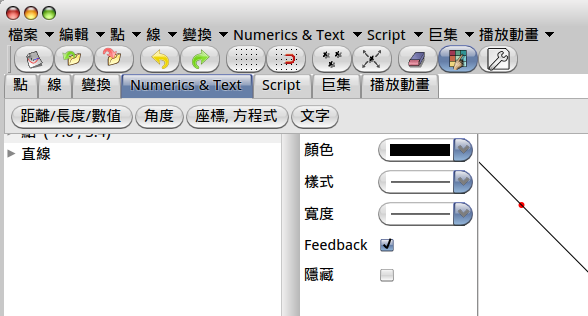
Good questions! Does FreeType manages fonts? Selecting an alternate font when the asked glyph is absent? No idea, and I am curious to know how it is managed at the OS level.
On Linux this is managed system-wide with fontconfig, however I have no idea how it is actually implemented (and thus if Pharo could reuse it or if it would have to implement it on its own).
For DrGeo, at startup time, I load different font depending on the language of the OS host, about copy pasting chinese text it does not work for me. I got unicode values: \u81fa\u5317\u5e02 and not èºåå¸.
But may be a problem of my host.
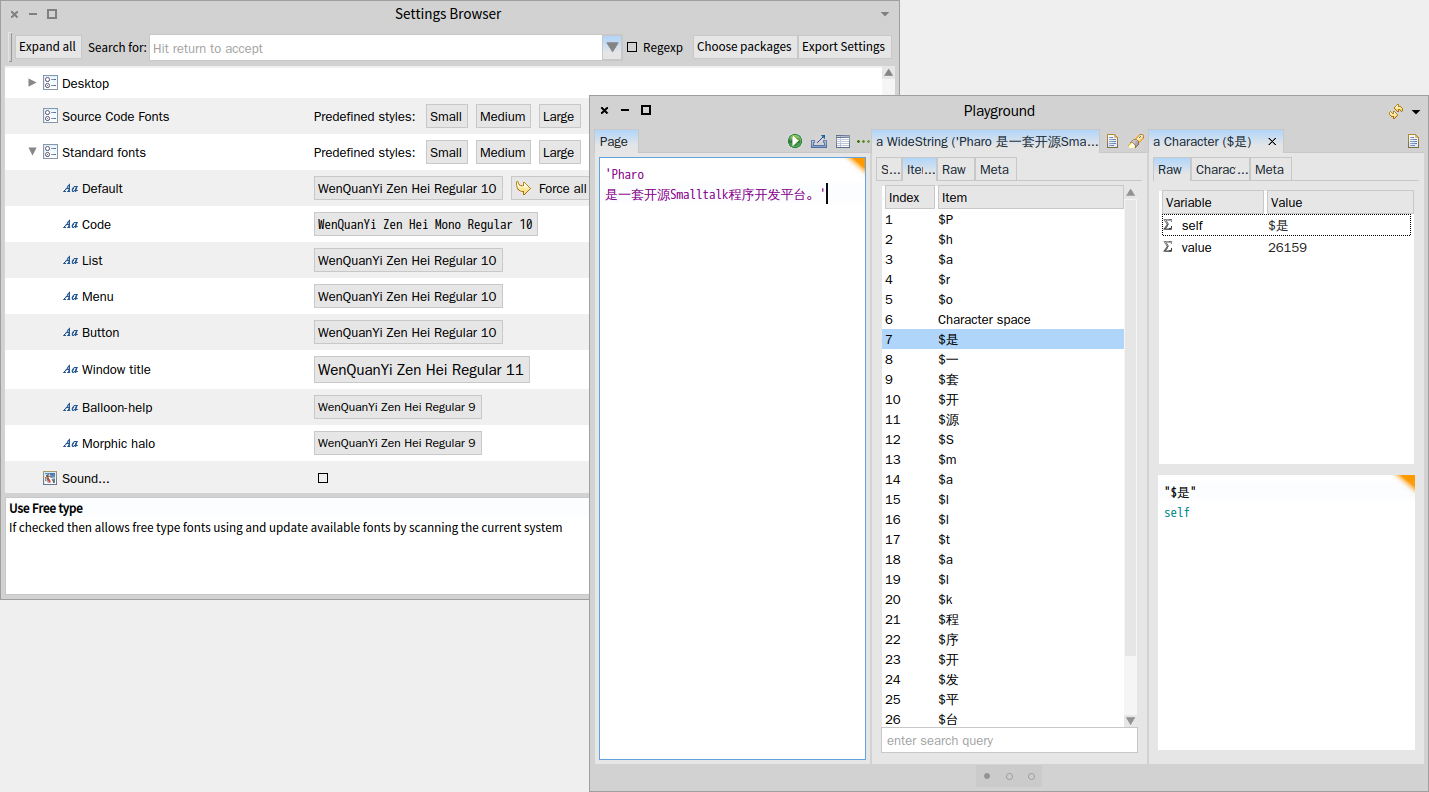
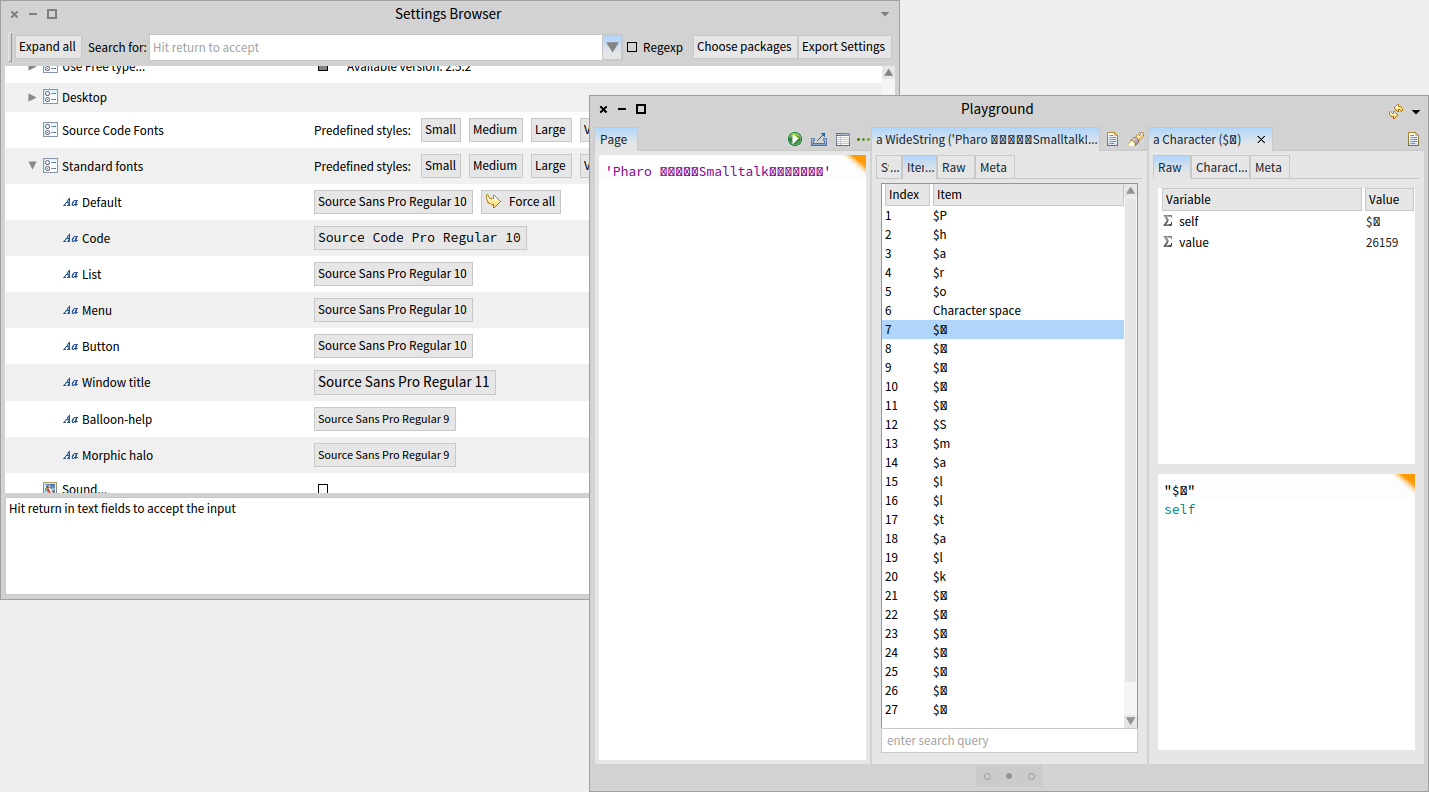
What OS? Because Linux VM by default is NOT set to Unicode, which does cause issues. in any case, default font: CJK-friendly font: Peter â
Le 18/08/2015 15:06, Peter Uhnák a écrit :
What OS? Because Linux VM by default is NOT set to Unicode, which does cause issues.
With DrGeo (Linux Pharo 3.0 based with utf8 encoding set in the VM parameters) with chinese GUI, copying pasting in the workspace does not work. Hilaire -- Dr. Geo http://drgeo.eu http://google.com/+DrgeoEu
Le 18/08/2015 15:06, Peter Uhnák a écrit :
What OS? Because Linux VM by default is NOT set to Unicode, which does cause issues.
With DrGeo (Linux Pharo 3.0 based with utf8 encoding set in the VM parameters) with chinese GUI, copying pasting in the workspace does not work. Hilaire -- Dr. Geo http://drgeo.eu http://google.com/+DrgeoEu

Yes, it should work with the right font:
On 18 Aug 2015, at 04:17, Sean P. DeNigris <sean@clipperadams.com> wrote:
Can I e.g. paste Chinese characters from a web page and save as data? I don't need to be able to use Chinese characters for code. I see pasting creates a wide string but the characters do not display. I assume this is because my font does not support them, but in the Settings Browser I only see 3 choices on Mac, none of which seem to display them.
----- Cheers, Sean -- View this message in context: http://forum.world.st/Chinese-Character-Data-tp4843635.html Sent from the Pharo Smalltalk Users mailing list archive at Nabble.com.
Sven Van Caekenberghe-2 wrote
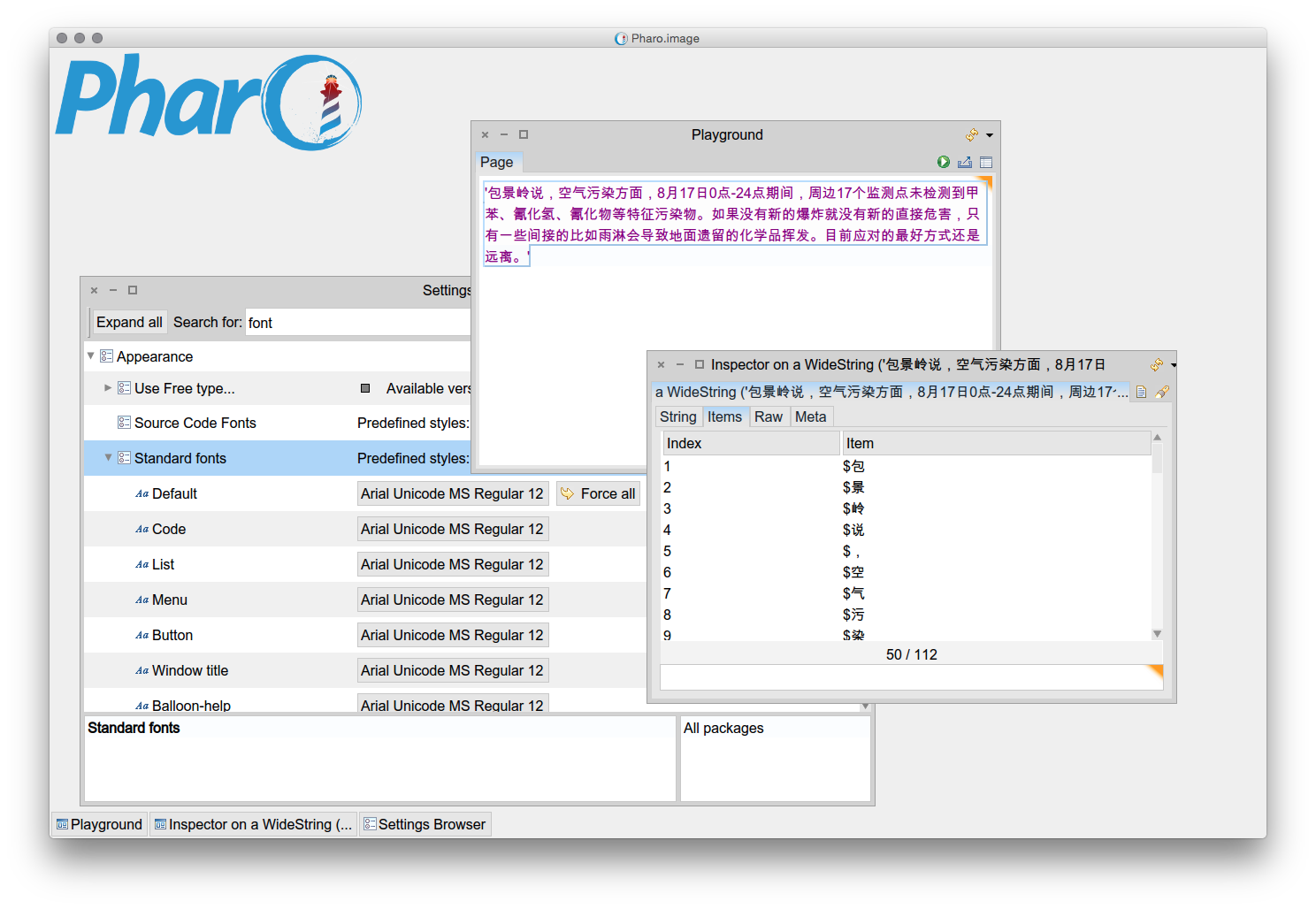
Yes, it should work with the right font
Thanks to all! Yes, changing the "default" font to e.g. "Arial Unicode MS" did the trick for e.g. GT Inspector display, and changing the "code" font to same made pasting work as expected. ----- Cheers, Sean -- View this message in context: http://forum.world.st/Chinese-Character-Data-tp4843635p4843896.html Sent from the Pharo Smalltalk Users mailing list archive at Nabble.com.
participants (4)
-
 Hilaire
 -
 Peter Uhnák
 -
 Sean P. DeNigris
 -
 Sven Van Caekenberghe