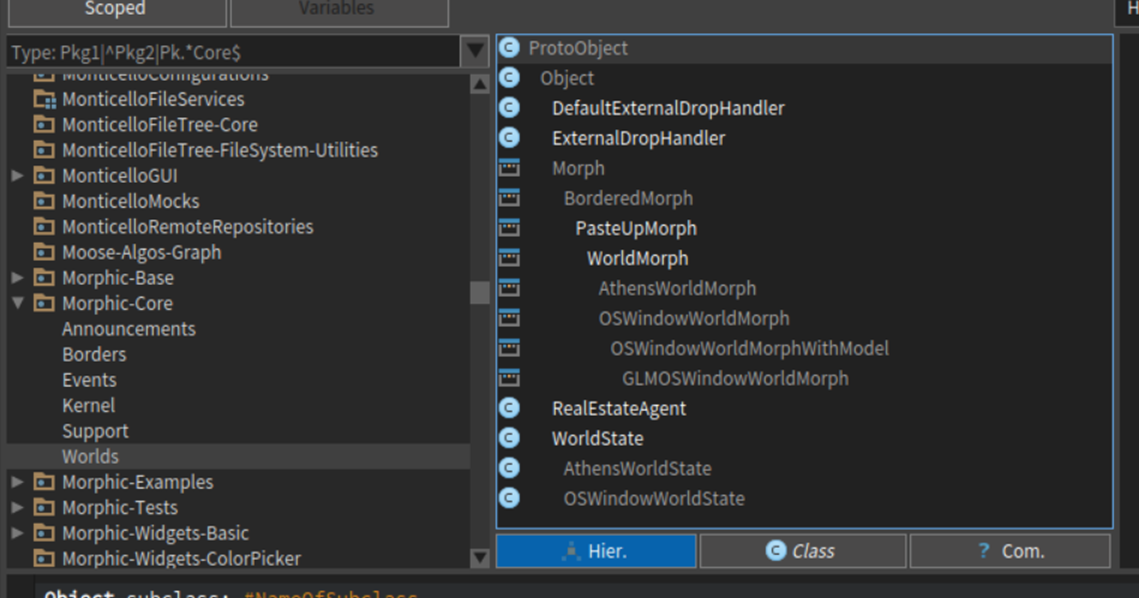
Changing ClassWidget>>#showHierarchy to: showHierarchy: aBoolean | all | (showHierarchy := aBoolean) ifFalse: [ ^ self ]. all := IdentitySet new. model selectedPackageGroup asNautilusSelection classes do: [ :cls | all addAll: cls allSuperclasses; addAll: cls withAllSubclasses ]. self cachedHierarchy: (SortHierarchically buildHierarchyForClasses: all) Will make the hierarchy button show the tree for all classes in that package/tag. [cid:image001.png@01D26292.CA436F50] Best regards, Henrik From: Pharo-users [mailto:pharo-users-bounces@lists.pharo.org] On Behalf Of Tim Mackinnon Sent: Wednesday, December 28, 2016 5:24 PM To: Any question about pharo is welcome <pharo-users@lists.pharo.org> Subject: Re: [Pharo-users] How to view hierarchy of multiple classes in a package? This seems to have generated a bit of conversation which has helped me quite a bit. Denis, your picture has made me realise that the System browser is a bit better than I realised. However the example I was looking at was a package that had a series of Announcement subclasses, AND what wasn't obvious was that they were all subclasses of the same parent "Announcement", as that isn't shown - you just get a series of classes not rooted under some parent (even if it was object). I'm guessing that just things that are subclasses of each other in the same package are shown? I was hoping that pane might show - Announcement + A + B + C I'm now wondering what it will show if you had a few different subclasses of the different collection classes (ok it's a bad idea to subclass them, but my point is if you had a few models at different points in a hierarchy)? I'm guessing you would see the same flat list - but I will go and try that to help me learn a bit more. Tim