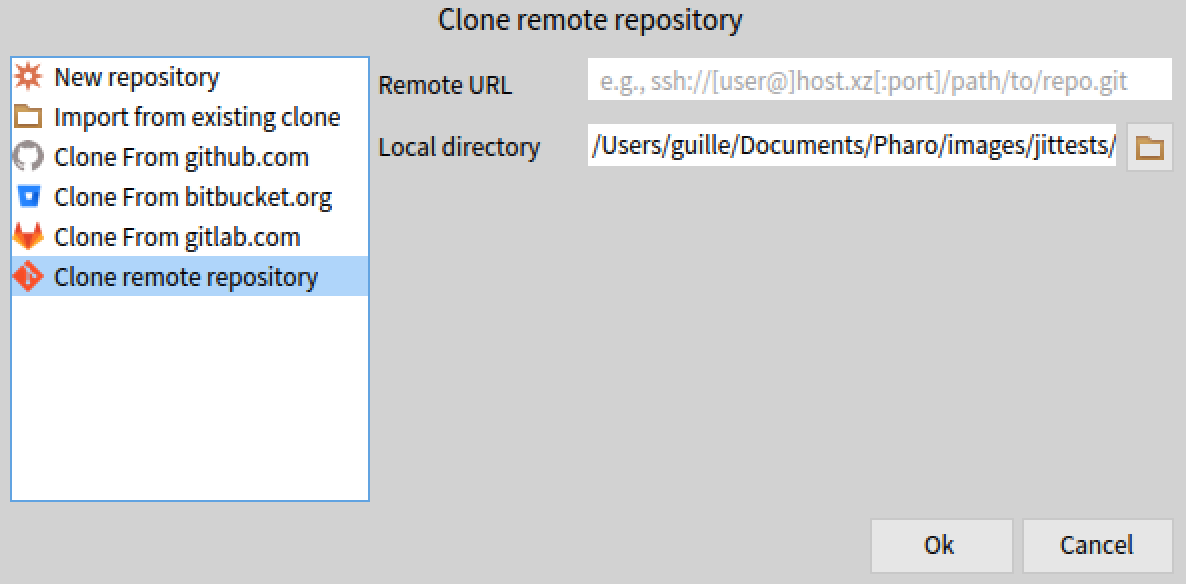
Hi Sanjay, This is a bug in Iceberg github integration that tries to access the repository to get metadata using Github REST API using anonymous access apparently. And since your project is private, this fails. As a workaroung, I suggest you to clone using the last option that requires an url only: This option will not use the Github API, so you should find no problems. Iâm planning doing an Iceberg sprint and fix many issues in the coming weeks. (Also if somebody wants to join, this is an open call :)) Guille
El 17 abr 2020, a las 12:49, Sanjay Minni <sm@planage.com> escribió:
Using Pharo 8 64 bit on Windows 10
I am trying to setup a new project on Github using Iceberg following the document "Manage your code with Iceberg dtd 25 March 2019)
After creating the project in github when I try to clone from Github as (I am at doc item1.4) The system throws an error and the project does not appear in iceberg although the files are downloaded. This happen in both cases whether I use HTTP or SSH
What is going wrong ?
also: assuming the clone is made, as per next item in doc 1.5, the directory "src" is created after the clone is made. is that correct ?... then how will the packages sources be mapped to ..\src
<http://forum.world.st/file/t368721/1-GettingFirstEmptyProjFromGit.jpg>
<http://forum.world.st/file/t368721/0-GithubProjectCreation.jpg>
----- cheers, Sanjay -- Sent from: http://forum.world.st/Pharo-Smalltalk-Users-f1310670.html