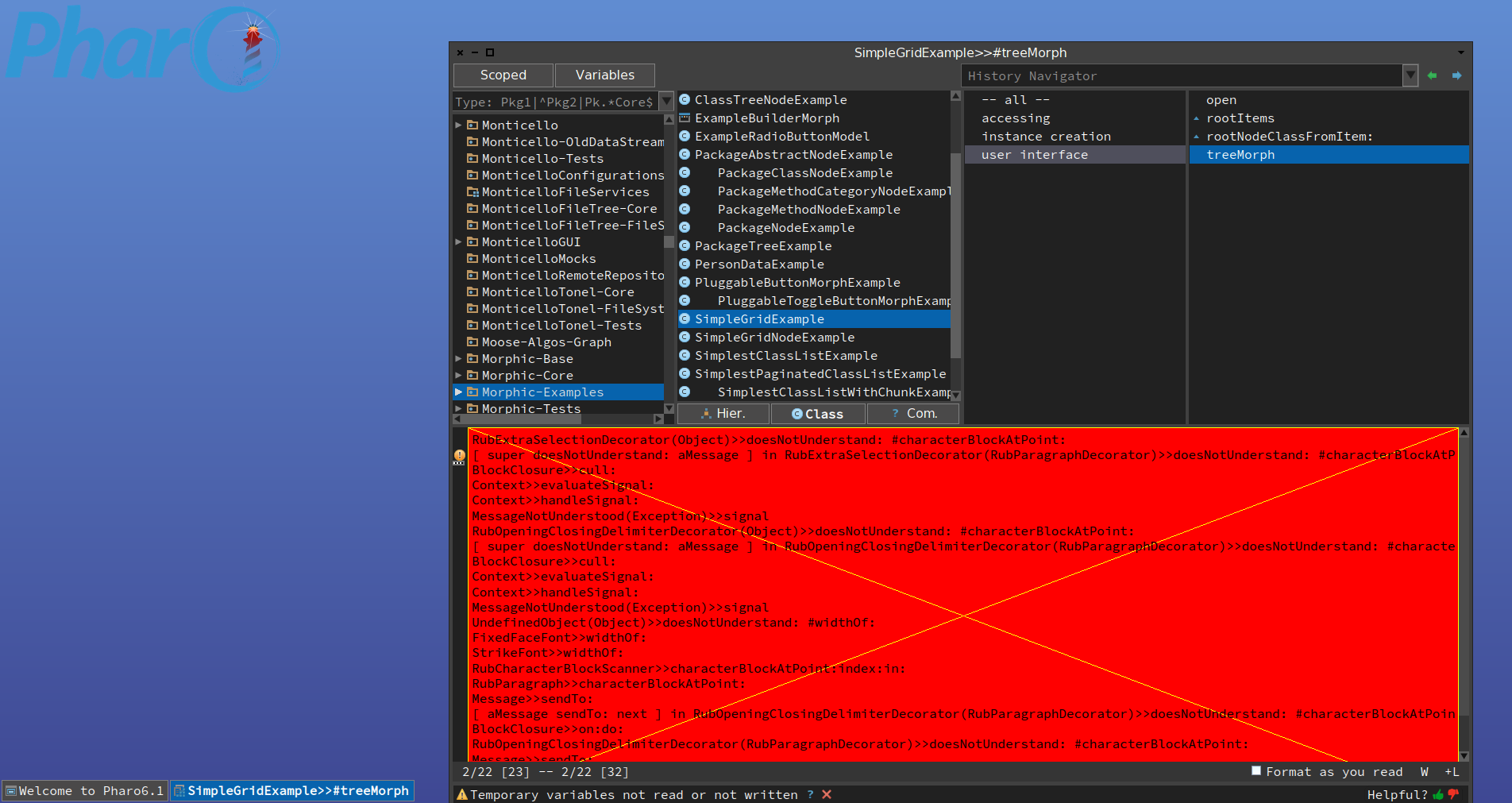
Apart from my OSX MacMini, (which has other problems,still, as i wrote about earlier) I also use a PC Windows 10 system mainly for games and doing other awful complicated things like filling out German Tax forms... There is an error depending on resolution. While my PC, Windows 10, is connected to a 4K screen: [ -downloaded Pharo 6.1 from https://pharo.org/web/download -started Pharo with the downloaded vanilla image. -fonts too small to be comfortable readable so changed all to a larger font size (in the image, Appearance) -found the font edges to be a bit blurry on a 4K screen, therefore used this https://imgur.com/7G1sEtz Which lets -as far as i can tell- let the app take care of its dpi scaling. now everything was ok. Font edges where now sharp exactly what I want. -saved the image, thereby overwriting the vanilla image, not using "save as" (this because I want may base image always to contain Seaside and Postgress DB (not yet done here) , mainly because I'd like to make Smalltalk stand-alone apps in a three layer system that is DB<=>Pharo<=>Browser (a web browser is a super nice user interface)) so user-interaction is exclusively over (local)host] later at night, I like to be in gaming (like Eve Online) so the ritual is to disconnect my 4K 3840 x 2160 monitor and then reconnect my PC via HDMI 1920 x 1080 to my TV. This works flawlessly. Windows automagically changes resolution to 1920 x 1080 and even reorders all my desktop icons. Then later, after being a bit bored with gaming, thought of Pharo again, and attempted to reload it, being still in 1920 x 1080 resolution on the TV. then this Pharo window appears: [image: Inline image 1] I then tried to close this System Browser but this didn't work as it emits many windows with errors. Impossible to continue, thus I then closed Pharo *without saving the image*. Later, the next day, when restarting Pharo again in 4K resolution, everything works normally. Could it be that some logic within Pharo does not handle resolution changes correctly? You could try to reproduce this error, using the same procedure as described above. Kind Regards Ted van Gaalen Speyer Germany