2015-06-11 13:23 GMT+02:00 Jigyasa Grover <grover.jigyasa1@gmail.com>:
Hi
I am using Spec to build the UI for an application. It would be great if anyone could help me put up nice background and images (just like we can do in Morphs).
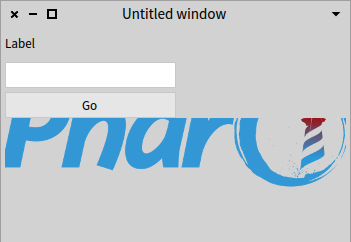
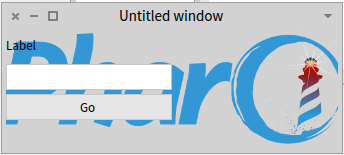
I think spec does not support this. It could work (see example) but sadly the layout for creates non-translucent panels, and therefore you can not see between the controls: | ui layout | ui := DynamicComposableModel new. ui instantiateModels: #(#logo #ImageModel #input #TextInputFieldModel #label #LabelModel #button1 ButtonModel). ui label label: 'Label'. ui button1 label: 'Go'. ui logo image: PolymorphSystemSettings pharoLogoForm. layout := SpecLayout composed add: #logo top: 0 bottom: 1; newRow:[:c | c newColumn:[:r | r add: #label; add: #input; add: #button1] left:0.5] height:90; yourself. ui openWithSpecLayout: layout. see screenshot (PharoScreenshot.png) if the PanelMorphs are translucent, it would look like the second screenshot (PharoScreenshot.1.png)
Thanks Jigyasa
PS: Can I put up an image like this ? (It doesnt seem to work) /ImageModel new image: (Form fromFileNamed: FileSystem workingDirectory / 'header.gif'); openWithSpec./
What does not work in this example?
-- View this message in context: http://forum.world.st/Styling-UI-using-Spec-tp4831673.html Sent from the Pharo Smalltalk Users mailing list archive at Nabble.com.