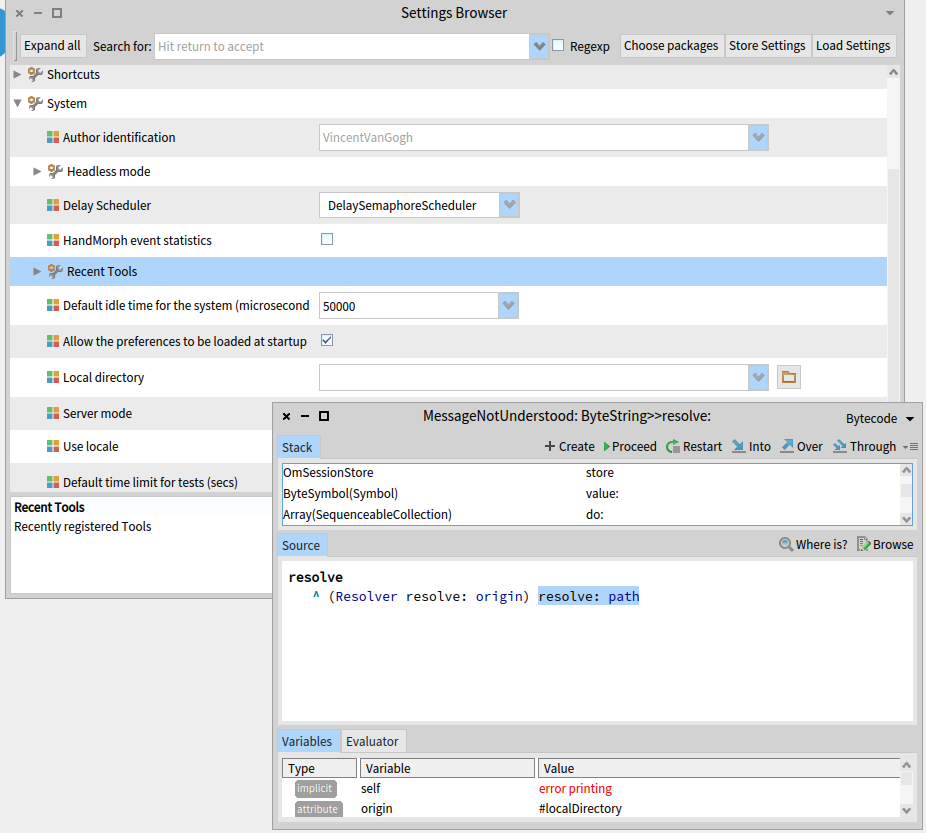
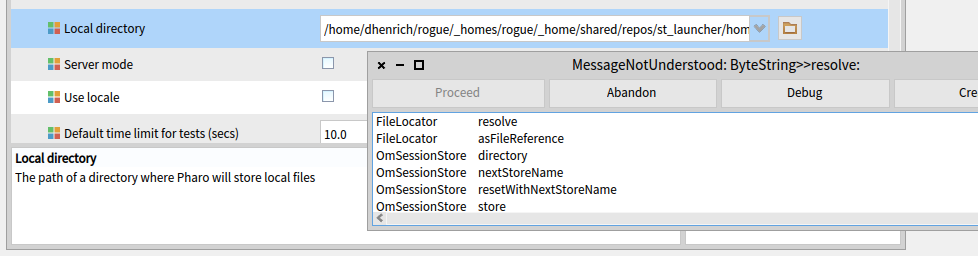
... the last time we talked[1], I was wondering why my System >> Local directory setting was pointing to a location that dated back to a project I abandoned 6 months ago and learned that that path was stashed in $HOME/.config/pharo ... I've finally found the cycles to work on the Pharo portion of my project. I've deleted the whole $HOME/.config/pharo and re-downloaded a fresh set of image and changes files (the previous image and changes files had been polluted by the previously cached values) and discovered that the act of starting the image automagically populates the System >> local directory with a full path to a directory in my current directory ... which is not quite as bad as pointing off to a "local directory" located in "outer space" ... but I assume that I will have the same problem that I had before[2] which is a walkback when attempting to use the .image file on a machine where the saved local directory path will not exist (similar stack BTW as already reported against pharo in this bug report[3]. What I want to do is create a Pharo.image (i.e., load some code into the image) in such a way that I can ship the image file to users on a completely different system and have them successfully execute the code in the image ... I assume there is a way to do this, since the images I download don't suffer from this problem ... I naively cleared the Local directory field in the system browser, saved and quit the image and then got this error: which is presumably a relative of this error[3]. I used the folder icon to select my local directory again ... saved the image and restarted only to get the same walkback: Keep in mind the ultimate goal ... shipping an image to another user and making it possible for them to use it ... Thanks in advance for any help, Dale [1] http://forum.world.st/where-are-system-settings-stored-td5101501.html [2] https://travis-ci.org/dalehenrich/st_launcher/builds/561863077#L603 [3] https://github.com/pharo-project/pharo-launcher/issues/37