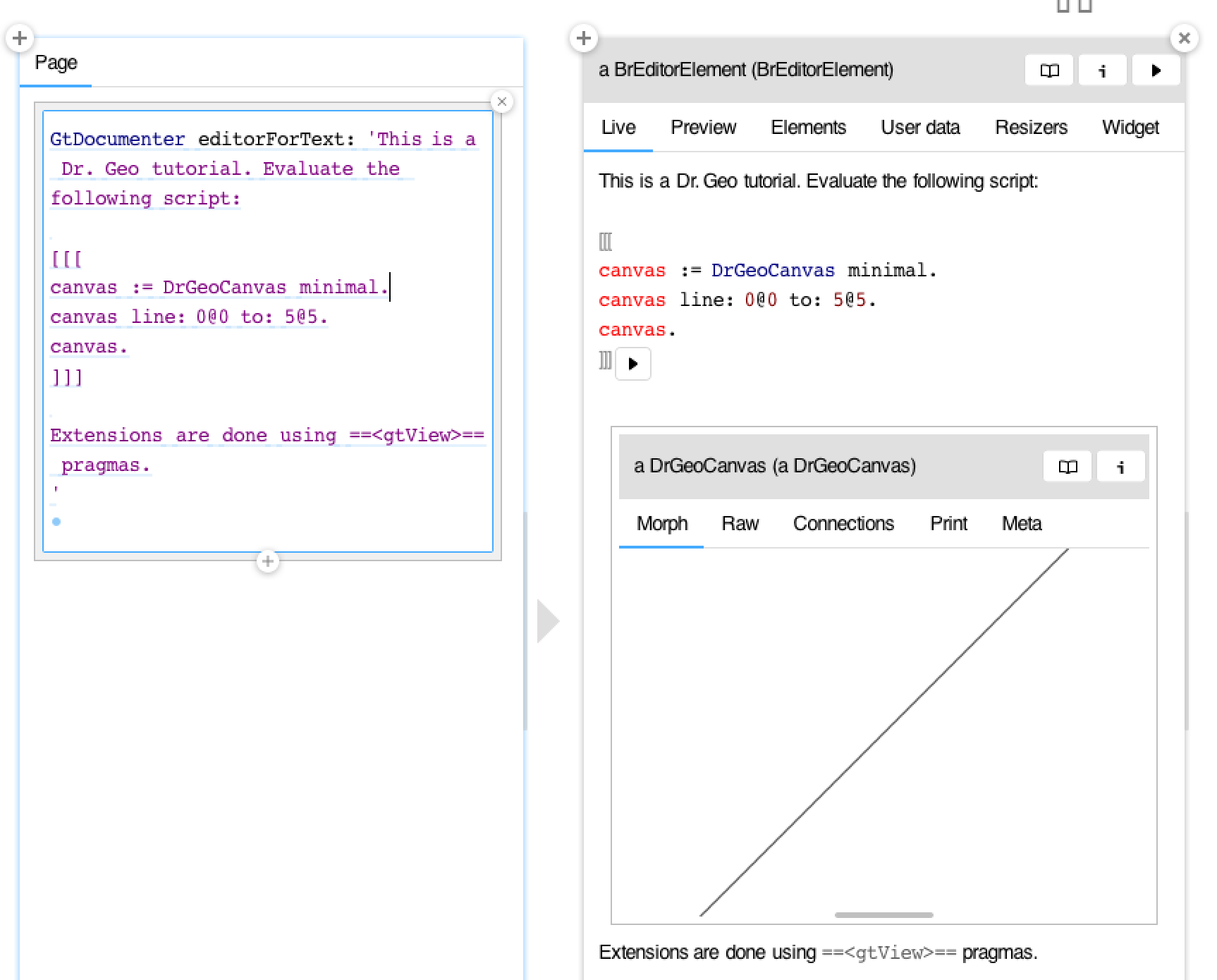
Hi Hilaire, You can create extension similar to one you have here: DrGeoCanvas>>#gtInspectorCanvasIn: DrGeoCanvas>>#gtCanvasIn: aView <gtView> ^ self view ifNil: [ aView empty ] ifNotNil: [ :aMorph | aMorph gtMorphFor: aView ] Then you can obtain Documenter views like this: Juraj
On Sep 30, 2018, at 06:07, Hilaire <hilaire@drgeo.eu> wrote:
For DSL geometric sketch, I use the DrGeoCanvas class. When instantiated with the #minimal message, it holds a view with only the sketch and no widget. Therefore It is an interactive geometric sketch in a Morph, it can be obtained with the #view message.
Inspected methods with the <gtView> pragma indicate a BLelement is expected as a view.
Therefore, how can I embed DrGeoCanvas interactive moprh in Documenter?
For example, how to deal with an example as bellow?
| canvas |
canvas := DrGeoCanvas minimal.
canvas line: 0@0 to: 5@5.
minimal view "get the view if necessary"
Hilaire
Le 29/09/2018 à 15:49, Juraj Kubelka via Pharo-users a écrit :
Well, there are basically two ways to start using Documenter. In both cases it happens in the GT Inspector.
First, you can inspect a class and write a Documenter document as a class comment (Comment inspector tab). Second, you can create a a-file.pillar local file and inspect it (âa-file.pillarâ asFileReference).
Let me know if it helps.
-- Dr. Geo http://drgeo.eu