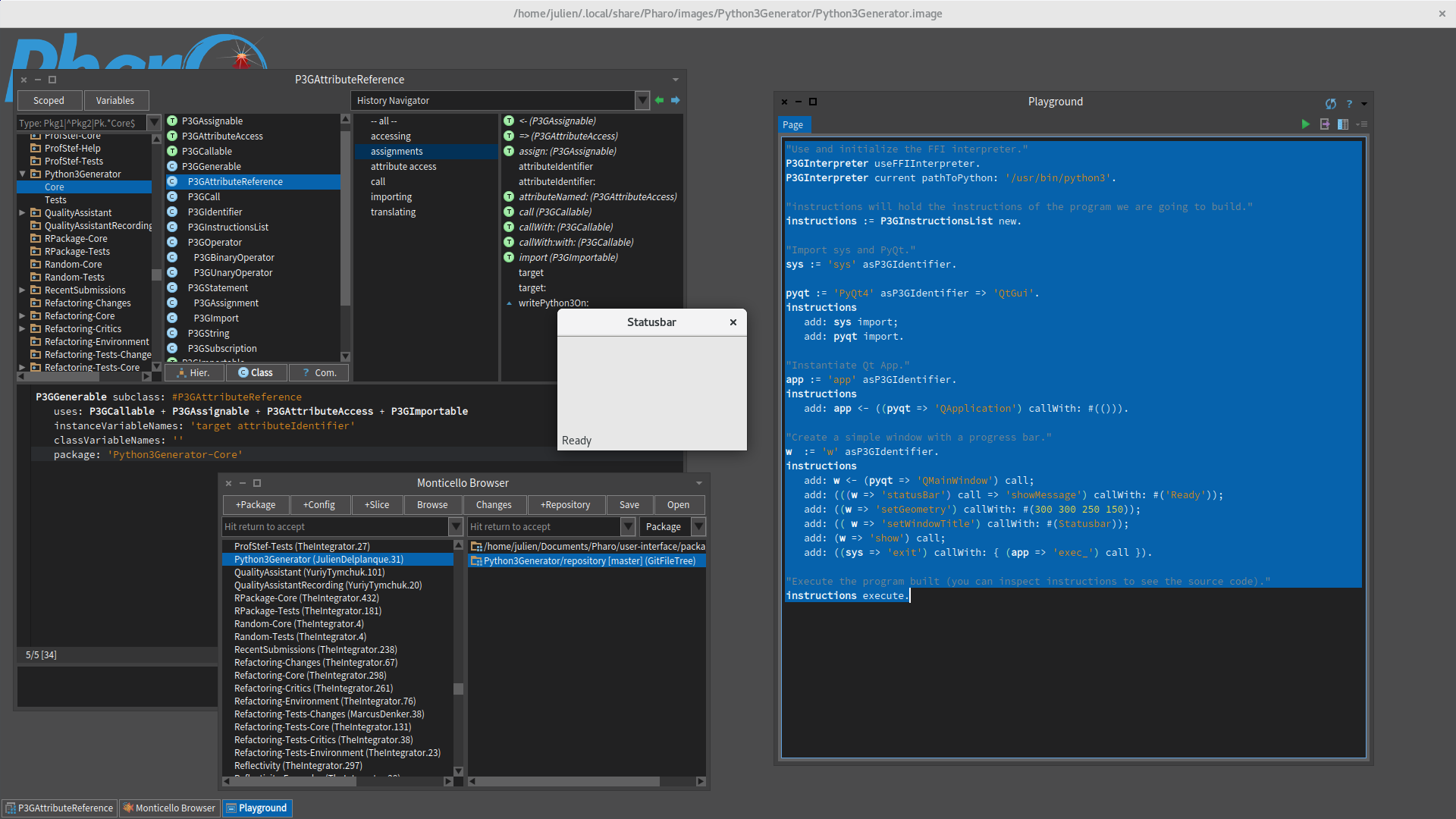
Hello, Some month ago I did a project that allows to generate python code from Pharo, Python3Generator [1]. I used it to play with Matplotlib [2] and it works pretty well (I should announce these projects one day... :-) ). Seeing your mail, I took a look at it to see if it was possible to make a PyQt windows pop using it and it works (I'll put the source code to try by yourself at the end of this mail). Of course, once you start Qt events loop, the image is frozen (see the screenshot attached to this mail). :-) Nevertheless, P3G is not complete and yet, you can not retrieve values from Python side, it is just used to generate and execute code without getting results back from an execution. I guess this will be problematic for buttons callbacks for example. But it could probably be extended to retrieve these values... P3G can use your Atlas Python interpreter but, I could not get a window to pop with it. I don't know why since the interpreter returns no error. Julien Links: [1]: https://github.com/juliendelplanque/Python3Generator [2]: https://github.com/juliendelplanque/MatplotLibBridge Load P3G: Metacello new baseline: 'Python3Generator'; repository: 'github://juliendelplanque/Python3Generator/repository'; load The source code (#<- message is used to build an assignation, #=> is used to access the attribute of an object): "Use and initialize the FFI interpreter." P3GInterpreter useFFIInterpreter. P3GInterpreter current pathToPython: '/usr/bin/python3'. "instructions will hold the instructions of the program we are going to build." instructions := P3GInstructionsList new. "Import sys and PyQt." sys := 'sys' asP3GIdentifier. pyqt := 'PyQt4' asP3GIdentifier => 'QtGui'. instructions add: sys import; add: pyqt import. "Instantiate Qt App." app := 'app' asP3GIdentifier. instructions add: app <- ((pyqt => 'QApplication') callWith: #(())). "Create a simple window with a progress bar." w := 'w' asP3GIdentifier. instructions add: w <- (pyqt => 'QMainWindow') call; add: (((w => 'statusBar') call => 'showMessage') callWith: #('Ready')); add: ((w => 'setGeometry') callWith: #(300 300 250 150)); add: (( w => 'setWindowTitle') callWith: #(Statusbar)); add: (w => 'show') call; add: ((sys => 'exit') callWith: { (app => 'exec_') call }). "Execute the program built (you can inspect instructions to see the source code)." instructions execute. On 02/06/17 22:00, Dimitris Chloupis wrote:
There is a way to make this into a small task
One of my experiments of testing my Pharo to Python bridge (What I have named project "Atlas") was to build a QT hello world example. It created a problem because I was using python threads that QT does not like (it offers its own kind of threads) but after changing the code to use no threads, it worked.
My bridge is not like UFFI where anything has to be wrapped because unlike C , Python is a dynamic language so there is no need for wrappers because Atlas allows dynamic execution of code. But of course there is the issues of data types and how they can be mapped to Pharo and the fact that PyQT free version is GPL and commercial is 500 dollars which sits of course on top of the commercial version of QT. So at the time I decided to not pursue it.
I will give it a try and see how far it can goes, at worst I may offer a partial solution to using QT with Pharo. Then someone else can take it from there if there is genuine interest and expand it to more features.
On Fri, Jun 2, 2017 at 12:01 AM Stephane Ducasse <stepharo.self@gmail.com> wrote:
Hi dimitris
We would love to have that. We could have a Spec binding and build automatically applications in QT for people willing. Esteban always wanted to have a Cocoa binding used the same way. But this is large task
Stef
On Thu, Jun 1, 2017 at 2:44 PM, Hilaire <hilaire@drgeo.eu> wrote:
A must for any serious dekstop application with Pharo, but it is a hudge task
Le 29/05/2017 à 14:35, Dimitris Chloupis a écrit :
Is there an interest for working with QT from Pharo ? I make no promises just something I was interested in trying. -- Dr. Geo http://drgeo.eu