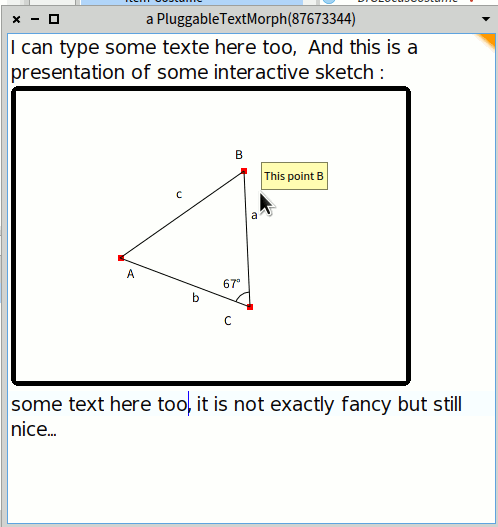
Hi Nicolai, Thanks for the tips! I tried it out with DrGeo and it gives interesting result (screenshot). Text can be edited and the DrGeo view is fully interactive. It is very close to what I am looking for. Hilaire PS: The used code was: |text block c ptA ptB ptC angle segA segB segC|    c := DrGeoCanvas minimal.    ptA := c point: 0@0.    ptA name: 'A'.    ptB := c point: 4@3.    ptB name: 'B'.    ptC := c point: 4@0.    ptC name: 'C'.    angle := c angle: ptB to: ptC to: ptA.    angle show.    c segment: ptC to: ptA.    segA :=c segment: ptC to: ptB.    segA name: 'a'.    segB := c segment: ptC to: ptA.    segB name: 'b'.    segC := c segment: ptA to: ptB.    segC name: 'c'.    block := [ Morph new asText, ' some text'].    text:=(Smalltalk ui theme builder newTextEditorFor: block getText: #value setText: nil).    text openInWindow. Le 07/10/2018 à 16:31, Nicolai Hess a écrit :
The "old" way, a Morph asText, still works. I don't know if this is still fully usable with normal text operations:
|text block| block := [ Morph new asText, ' some text']. text:=(Smalltalk ui theme builder newTextEditorFor: block getText: #value setText: nil). text openInWindow.
-- Dr. Geo http://drgeo.eu