2015-04-17 11:13 GMT+02:00 Peter Uhnák <i.uhnak@gmail.com>:
Speaking of examples, what is the point of having the "play" button on the class side examples, when they are not actually usable examples? Is it related to a different discussion about (gt)examples in another thread?
Yes, and we tried to clean this up. Are there still examples with a play button that don't work ? (All Classside>>#exampleXXX method should have a working play button. The gtExample methods used by the inspector and spotter should have been renamed to use a #SOMEOTHERWORDexample method name.)
But the forms (and their api) do look nice compared to spec/moprhic. I wonder how this could be merged. (After all Brick seems to be based on Morphs and Spec is above Morphs.)
Peter
On Fri, Apr 17, 2015 at 10:57 AM, Nicolai Hess <nicolaihess@web.de> wrote:
2015-04-17 10:28 GMT+02:00 Tudor Girba <tudor@tudorgirba.com>:
Hi,
It's in the release because it is useful :).
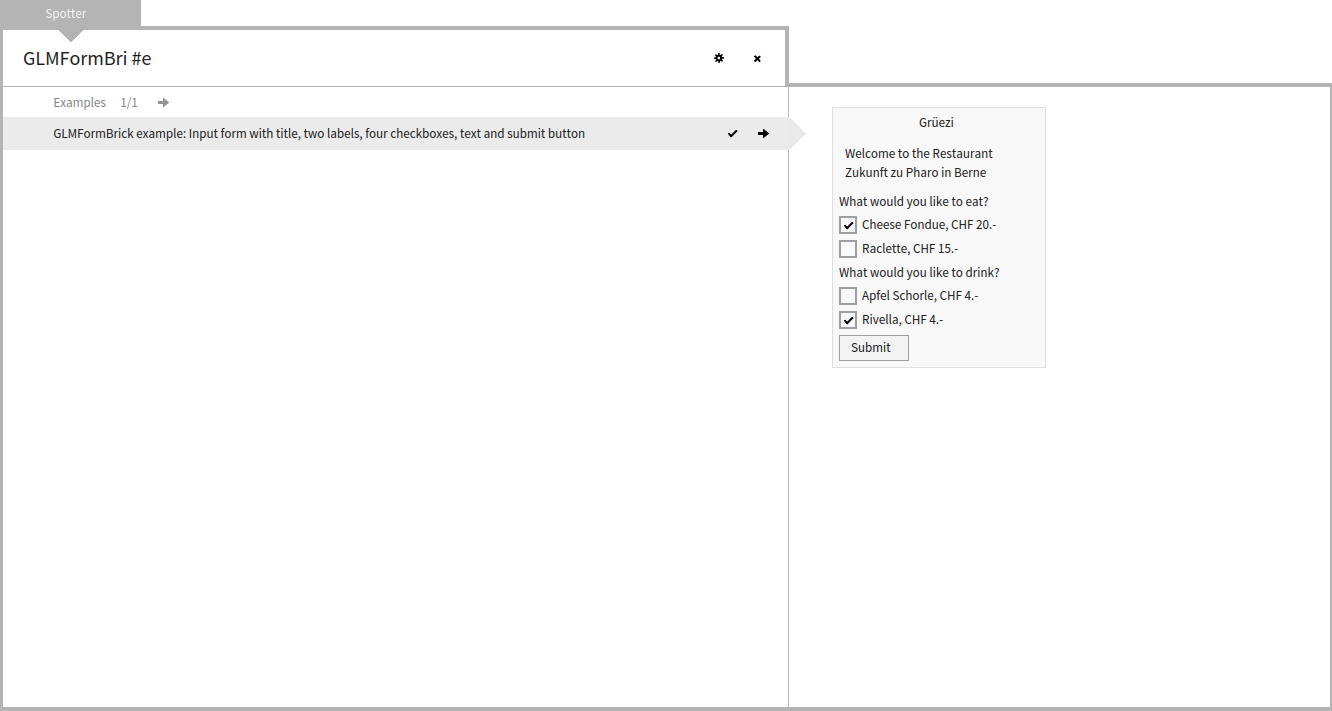
Indeed, some previews related to fonts do not render well, but you get the same problem in the Inspector. But, most previews are not that bad. See for example: [image: Inline image 1]
But, there is another point. This mechanism allows people to hook their examples in the basic spotter. For example, Roassal examples can be found there.
Indeed, for this example it looks really good (and is useful).
I was afraid all examples, rendering some UI-Component, would look so ugly. How it comes the other examples doesn't look like this one?
Cheers, Doru
On Fri, Apr 17, 2015 at 12:48 AM, Nicolai Hess <nicolaihess@web.de> wrote:
Why is this in the release?
GTSpotter now shows the result of gtExamples in the preview. This looks so ugly. (for example browse the "Examples" cateogry for GLMCompositeBrick)
If new features aren't mentioned anywhere, it is pretty difficult to test or to review them.
-- www.tudorgirba.com
"Every thing has its own flow"