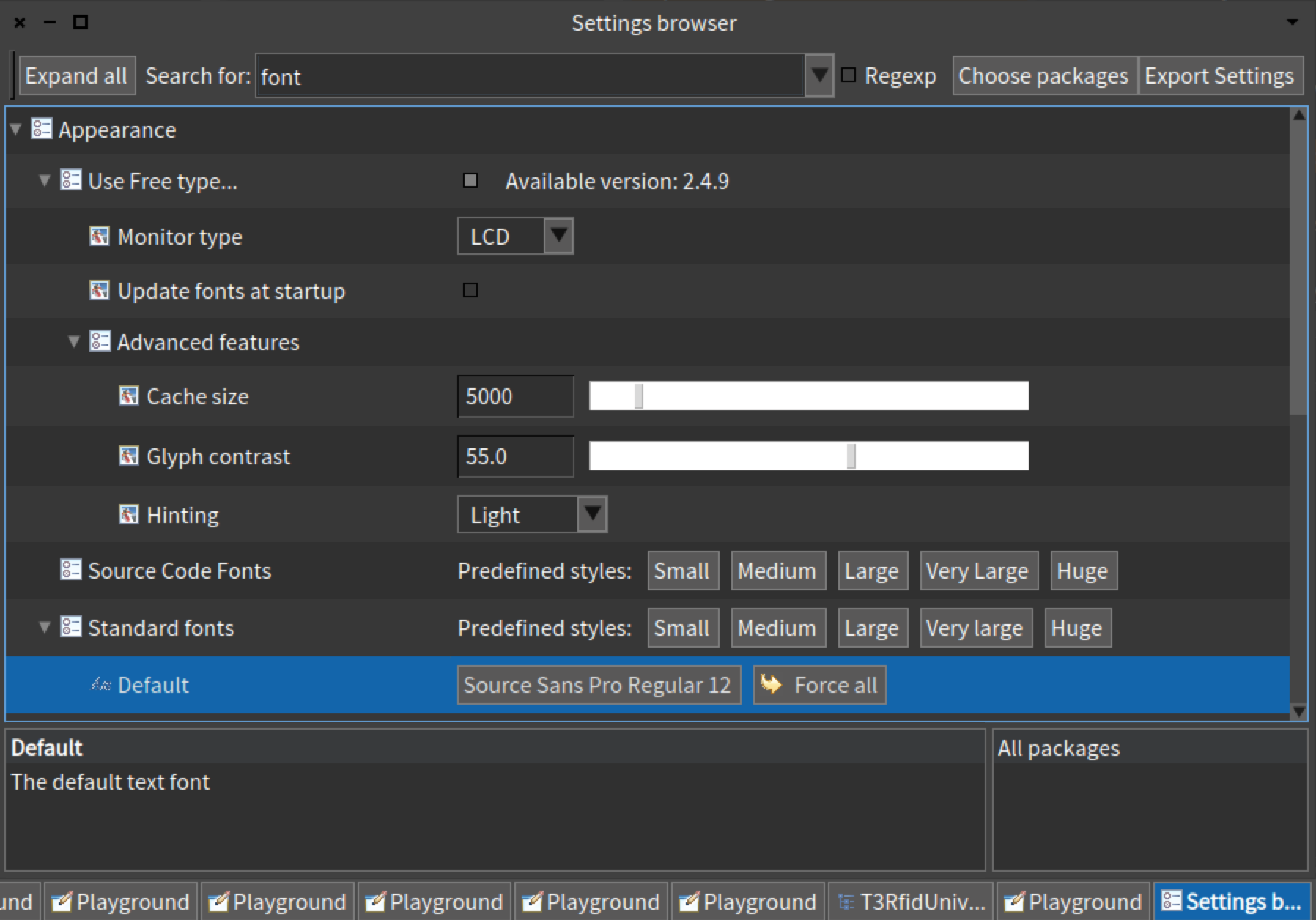
On 30 Nov 2016, at 11:23, Tim Mackinnon <tim@testit.works> wrote:
Adding this to the Dev user group - is there really no solution for this? I read a few old messages from 2012 about different fonts but nothing seemed to work from what I could see.
Has everyone just been putting up with the fuzziness and got used to it?
The majority of Pharo developers are on macOS, most of them with Retina screens. I know that we do have some problems in that area, but I personally consider the current situation acceptable. This is a screenshot of my current work image (still Pharo 4) in actual size: Is this (too) fuzzy for you ?
As a new Retina display user, I love the clarity in other apps and find it quite jarring in Pharo. I was going to do a brown bag session on Smalltalk with the current team Iâm working with, however as they all have retina Macs, I think I may reconsider this as unless you love the language its another thing for people to throw stones at.
As Stephan mentions below, were Tobiasâ changes not viable? Is there anything we can do to help get them safely in - or can I try it on an experimental branch?
Tim
On 29 Nov 2016, at 21:02, Stephan Eggermont <stephan@stack.nl> wrote:
On 29/11/16 00:34, Tim Mackinnon wrote:
Or is this still the same issue thatâs been hanging around for a long time as its hard to easily fix?
Tobias Pape wrote some vm changes that solved the problem this summer, and they somehow interfered, so were reverted. I posted some pictures on twitter 10/11-7 of it working with both Pharo & Squeak.
Stephan
Hi Guys - its been a while since Iâve had a chance to get back into some coding in Smalltalk, and took the plunge again with a new laptop and Pharo 5, however the screen is really blurry?
Doing a google search, I can see this same question raised back in 2012, but has there been no progress in this intervening years or has a workaround not been documented for google to find? Or has everyone just got used to it, and I need to hand in there...
I have tried using a different font - but not sure what constitutes a true-type font (are these the same as free-type mentioned in the Settings Browser?). Has anyone found a font that makes everything look crisp (I tried Helvetica but its only marginally better).
Or is this still the same issue thatâs been hanging around for a long time as its hard to easily fix?
Tim