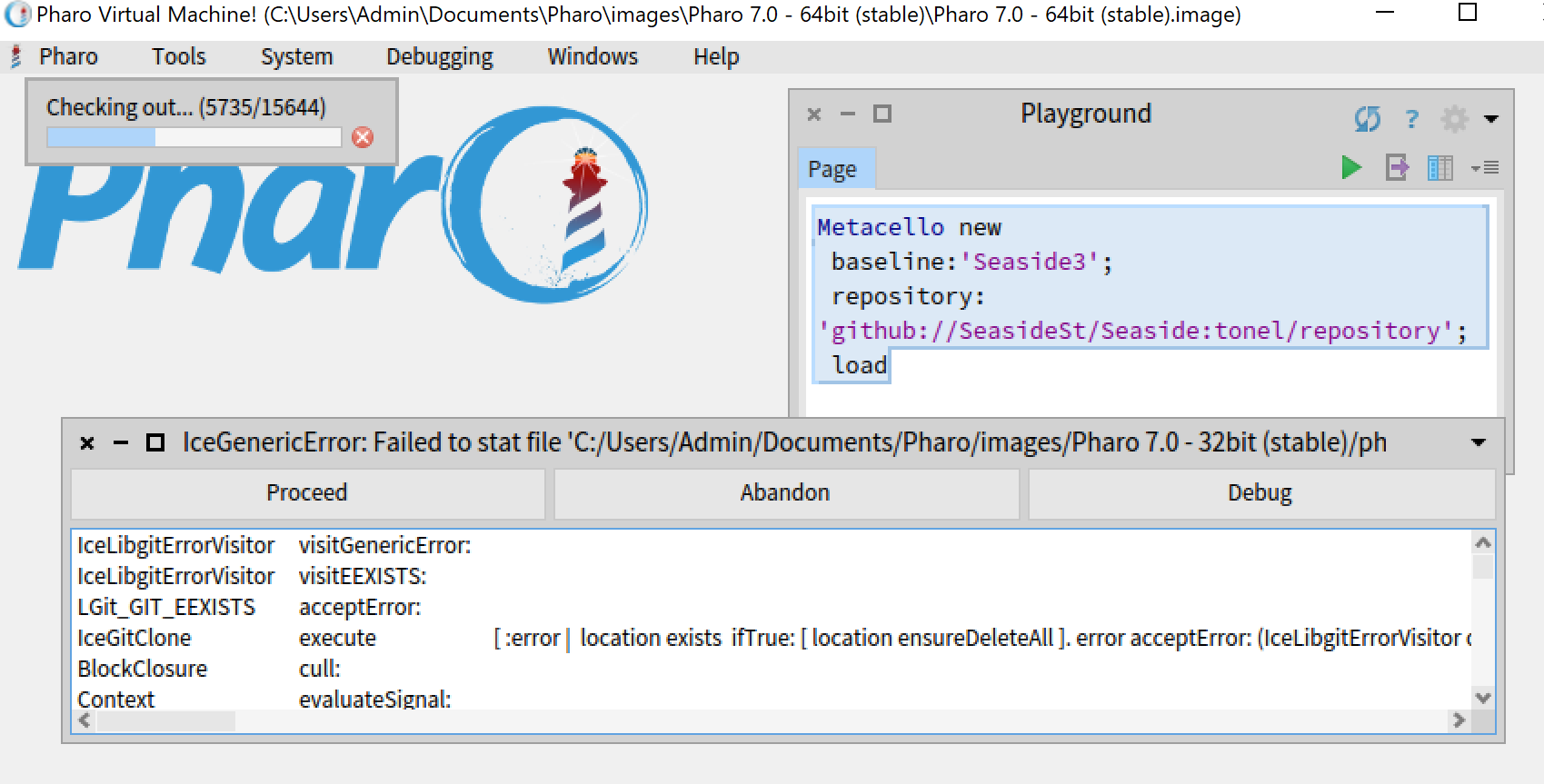
Hi, Windows users of Pharo have been hit by an Iceberg error "IceGenericError: failed to stat file ... The filename or extension is too long" as seen in attached screenshot (for instance when loading Seaside from the original SeasideSt/Seaside master branch). Initially the long filename (who make trouble on Windows according to the message) were blamed - and it was suggested to have Seaside (or other projects) in Tonel format. Johan wanted to try this - but initially it was not possible as Esteban had to provide a fix for the Tonel converter first. This is now available. Following this fix today Johan provided a "tonel" branch of Seaside to check. Roelof Wobben and Mike Davis tried with me on Discord a few combinations and it seems there is a different cause. It seems to be more related to having the image or image path including spaces AND dots. So for instance Pharo Launcher suggests the download of Pharo 7 from the official distribution to be named "Pharo 7.0 - 32bit (stable)". When you just accept the name the Pharo Launcher suggests then you may hit the problem. When you start such an image and try to load the FileTree (master) or Tonel version (tonel branch) of Seaside using Metacello new baseline:'Seaside3'; repository: 'github://SeasideSt/Seaside:master/repository'; load or Metacello new baseline:'Seaside3'; repository: 'github://SeasideSt/Seaside:tonel/repository'; load you will get the error. If you use "Foo" as the name for image it seems to work. Requires some more testing but I guess it is related to the naming in Pharo Launcher with "dots" AND "spaces" instead of the long filenames. "pharo 7.0 (stable)" fails "seaside.test" works "seaside test" works also "seaside. test" works also "seaside-test" works also "seaside(test)" works also Maybe more people can try other combinations on their Windows machines too. If our finding is true it would be good if Laucher on Windows could nuke the dot/space combinations for instance by using underlines. Thanks T. (aka astares)