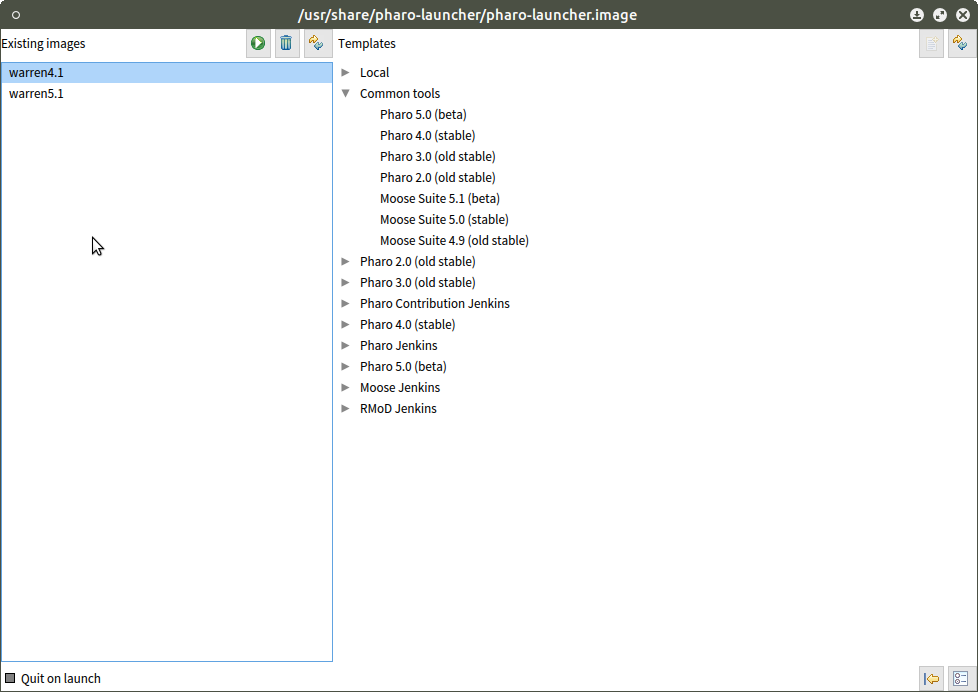
That is precisely what I did. Here's the screenshot attached. My image 'warren4.1' is a Pharo 4.0 image. Robert On 10/12/2015 09:52 AM, phil@highoctane.be wrote:
I used these instructions:
http://pharo.org/gnu-linux-installation#ubuntu-ppa-headless-vm
Can you post a screenshot showing what you launch from the launcher?
Phil
On Mon, Oct 12, 2015 at 3:41 PM, Robert Withers <robert.w.withers@gmail.com <mailto:robert.w.withers@gmail.com>> wrote:
I am brand new to Ubuntu, as well. I am pretty lost with versions. How would I check? I installed whatever came with apt-get.
Oh, I tried a image/changes for the launcher dated 2015.09.14, if that helps. It segfaulted.
- Robert
On 10/12/2015 09:36 AM, phil@highoctane.be <mailto:phil@highoctane.be> wrote:
I am using Ubuntu 14.04 and Pharo Launcher without issues.
Which image ? 4.0?
Phil
On Mon, Oct 12, 2015 at 3:27 PM, Robert Withers <robert.w.withers@gmail.com <mailto:robert.w.withers@gmail.com>> wrote:
Hello, I am new to Pharo and just getting into it.
I have Ubuntu and used PPA to install Pharo. The launcher is failing with a segfault crash.dmp when trying to launch. It is the UnixOSProcessAccessor>>forkAndExec... that is segaulting. I looked in /usr/lib/pharo-vm and do not see a UnixOSProcess plugin. Is it internal?
I am able to launch an image from outside the launcher.
-- thanks, Robert
-- thanks, Robert
-- thanks, Robert