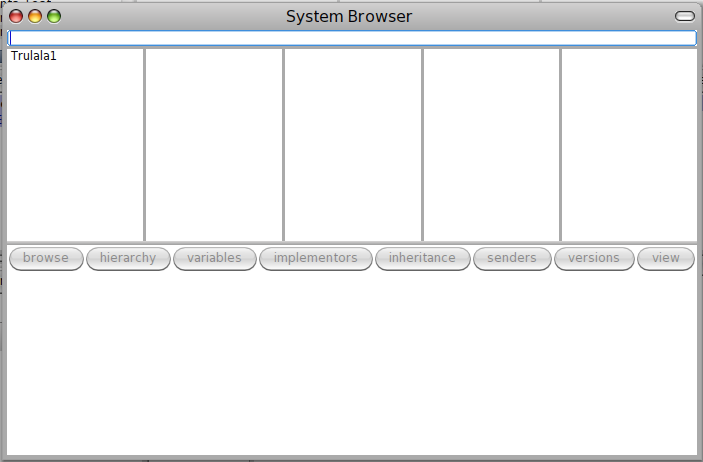
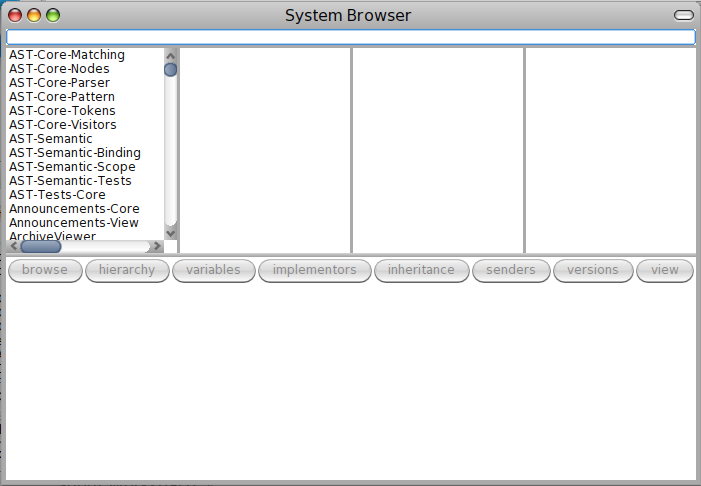
Hi everyone, I'm trying to add one column in the navigationPanel (I'll extend OBSystemBrowser, just for the examples lets say OBMySystemBrowser) The current behaviour is (from left to right) [image: 4columns.png] || Column A || Column B || Column C || Column D || || Categories in Smalltalk globals || Classes in the selected category || Method categories of the selected class || Methods in the selected method category || I want to add a column in the left (the column that has Trulala1) , *and maintain the behaviour of the columns 2 to 5 * * * *|| Column 1 || Column 2 || Column 3 || Column 4 || Column 5 ||* || Environments in Smalltalk || Column A (Categories in the selected environment) || Column B || Column C || Column D || [image: 5columns.png] The question is, *where I define the order and the behaviour of the columns? * ** I think I need to create a new node in *OBMySystemBrowser >> defaultRootNode * and in *OBMySystemBrowser >> defaultMetaNode*. But in some point an OBMetagraphBuilder set up the root node and I'm lost there because the only "constructor" that has is #on:class:comment:metaclass:. The order and the dependencies of the columns are implicit in the structure of the node? Please enlight me :$ Cheers -- Germán Leiva LeivaGerman@gmail.com