
Hello What is the status of this project? https://github.com/jmari/JupyterTalk Hannes

On Sat, Jul 28, 2018 at 11:21 AM H. Hirzel <hannes.hirzel@gmail.com> wrote:
Hello
What is the status of this project?
âYou can ask the author of the software, Jesus Mari Aguirre. He is quite active. W âe talk together about be able to use Jupytalk with Tensorflow and PolyMath. He was able to reproduce part of my talk about Tensorflow: https://htmlpreview.github.io/?https://github.com/jmari/JupyterTalk/blob/mas... -- Serge Stinckwich UMI UMMISCO 209 (SU/IRD/UY1) "Programs must be written for people to read, and only incidentally for machines to execute."http://www.doesnotunderstand.org/
Thank you Serge, good to see that there is progress with Tensorflow and PolyMath. I have problems installing Jupytertalk into a pristine 6.1 (I follow the instructions) Metacello new baseline: 'JupyterTalk'; repository: 'github://jmari/JupyterTalk'; load:'all' gives an error message 'Could not resolve: BaselineOfJupyterTalk' Is there something else which needs to be installed first? --Hannes On 7/28/18, Serge Stinckwich <serge.stinckwich@gmail.com> wrote:
On Sat, Jul 28, 2018 at 11:21 AM H. Hirzel <hannes.hirzel@gmail.com> wrote:
Hello
What is the status of this project?
âYou can ask the author of the software, Jesus Mari Aguirre. He is quite active. W âe talk together about be able to use Jupytalk with Tensorflow and PolyMath.
He was able to reproduce part of my talk about Tensorflow: https://htmlpreview.github.io/?https://github.com/jmari/JupyterTalk/blob/mas...
-- Serge Stinckwich UMI UMMISCO 209 (SU/IRD/UY1) "Programs must be written for people to read, and only incidentally for machines to execute."http://www.doesnotunderstand.org/

Try: Metacello new githubUser: 'jmari' project: 'JupyterTalk' commitish: 'master' path: 'repository'; baseline: 'JupyterTalk'; load -- Sent from: http://forum.world.st/Pharo-Smalltalk-Users-f1310670.html
Thank you, Evan, for an alternative load script. Unfortunately it gives the same error message. I use a recent, pristine Pharo 6.1 installation on a 64bit Ubuntu based Linux. On 8/4/18, Evan Donahue <emdonahu@gmail.com> wrote:
Try:
Metacello new githubUser: 'jmari' project: 'JupyterTalk' commitish: 'master' path: 'repository'; baseline: 'JupyterTalk'; load
-- Sent from: http://forum.world.st/Pharo-Smalltalk-Users-f1310670.html
P.S. Some notes and links how Jupyter notebooks relate to the Dynabook idea here http://wiki.squeak.org/squeak/1318 My aim is to use nteract as client (https://nteract.io/ ) together with a Pharo based Smalltalk "kernel" (i.e. server acting as the "scripting engine") On 8/7/18, H. Hirzel <hannes.hirzel@gmail.com> wrote:
Thank you, Evan, for an alternative load script.
Unfortunately it gives the same error message.
I use a recent, pristine Pharo 6.1 installation on a 64bit Ubuntu based Linux.
On 8/4/18, Evan Donahue <emdonahu@gmail.com> wrote:
Try:
Metacello new githubUser: 'jmari' project: 'JupyterTalk' commitish: 'master' path: 'repository'; baseline: 'JupyterTalk'; load
-- Sent from: http://forum.world.st/Pharo-Smalltalk-Users-f1310670.html

Somewhat related - but the Pharo equivalent (said naively - as Iâve only seen demos of Jupyter and not used it in anger myself) is gtDocumentor which looks to be the concept reimagined in Smalltalk. Apologies if you already know about it - but its so cool its worth checking out if you havenât - https://github.com/feenkcom/gtoolkit-documenter <https://github.com/feenkcom/gtoolkit-documenter> (note - take note of the bottom comment and load all of glamourous toolkit to get the full impression). Tim
On 7 Aug 2018, at 08:11, H. Hirzel <hannes.hirzel@gmail.com> wrote:
P.S. Some notes and links how Jupyter notebooks relate to the Dynabook idea here
http://wiki.squeak.org/squeak/1318
My aim is to use nteract as client (https://nteract.io/ ) together with a Pharo based Smalltalk "kernel" (i.e. server acting as the "scripting engine")
On 8/7/18, H. Hirzel <hannes.hirzel@gmail.com> wrote:
Thank you, Evan, for an alternative load script.
Unfortunately it gives the same error message.
I use a recent, pristine Pharo 6.1 installation on a 64bit Ubuntu based Linux.
On 8/4/18, Evan Donahue <emdonahu@gmail.com> wrote:
Try:
Metacello new githubUser: 'jmari' project: 'JupyterTalk' commitish: 'master' path: 'repository'; baseline: 'JupyterTalk'; load
-- Sent from: http://forum.world.st/Pharo-Smalltalk-Users-f1310670.html
On Tue, Aug 7, 2018 at 9:24 AM Tim Mackinnon <tim@testit.works> wrote:
Somewhat related - but the Pharo equivalent (said naively - as Iâve only seen demos of Jupyter and not used it in anger myself) is gtDocumentor which looks to be the concept reimagined in Smalltalk. Apologies if you already know about it - but its so cool its worth checking out if you havenât - https://github.com/feenkcom/gtoolkit-documenter (note - take note of the bottom comment and load all of glamourous toolkit to get the full impression).
Thank you Tim. Yes i know about GTDocumenter and really like the idea. Nevertheless, this is still interesting to have Jupyter support in Pharo because it allows you to run Pharo in a browser and share notebooks with other people. Be able to run Pharo in Jupyter notebook is also interesting to have a wider audience. I would like to see in the future more connections between GTDocumenter and Jupyter. Cheers, -- Serge Stinckwich UMI UMMISCO 209 (SU/IRD/UY1) "Programs must be written for people to read, and only incidentally for machines to execute."http://www.doesnotunderstand.org/

Hannes Hirzel wrote
P.S. Some notes and links how Jupyter notebooks relate to the Dynabook idea here http://wiki.squeak.org/squeak/1318
From the swiki: "A Jupyter Notebook is⦠similar to Active Essays kept in a Smalltalk based Dynabook."
I've understood a key point of the Dynabook dream (and Smalltalk as prototype Dynabook software) is that as you drill down to something facing the end user, you keep the full power of the computer. For example, when Alan Kay presents, he doesn't use Powerpoint, but Squeak. Hence, the slides are each fully functioning World where one can e.g. bring up halos, inspectors, class browsers. Is that the case with Jupiter Notebooks? I assumed not since the notebooks seem to be saved as JSON, unless maybe it's used for object serialization like STON? ----- Cheers, Sean -- Sent from: http://forum.world.st/Pharo-Smalltalk-Users-f1310670.html

Grafoscopio exists due to various limitations of Jupyter, particularly the lack of real support for objects in its core language - Python. JSON is not equivalent to STON even in terms of storing JavaScript, it's mainly a data format. On 8/7/18, 2:14 PM, "Pharo-users on behalf of Sean P. DeNigris" <pharo-users-bounces@lists.pharo.org on behalf of sean@clipperadams.com> wrote: Hannes Hirzel wrote > P.S. Some notes and links how Jupyter notebooks relate to the Dynabook > idea here > http://wiki.squeak.org/squeak/1318 From the swiki: "A Jupyter Notebook is⦠similar to Active Essays kept in a Smalltalk based Dynabook." I've understood a key point of the Dynabook dream (and Smalltalk as prototype Dynabook software) is that as you drill down to something facing the end user, you keep the full power of the computer. For example, when Alan Kay presents, he doesn't use Powerpoint, but Squeak. Hence, the slides are each fully functioning World where one can e.g. bring up halos, inspectors, class browsers. Is that the case with Jupiter Notebooks? I assumed not since the notebooks seem to be saved as JSON, unless maybe it's used for object serialization like STON? ----- Cheers, Sean -- Sent from: http://forum.world.st/Pharo-Smalltalk-Users-f1310670.html
Jupyter notebooks are not limited to Python, there are more than 40 https://github.com/jupyter/jupyter/wiki/Jupyter-kernels Pharo Smalltalk is one of them https://github.com/jmari/JupyterTalk I'd like to get it up and running.... On 8/7/18, Andrew Glynn <aglynn42@gmail.com> wrote:
Grafoscopio exists due to various limitations of Jupyter, particularly the lack of real support for objects in its core language - Python. JSON is not equivalent to STON even in terms of storing JavaScript, it's mainly a data format.
On 8/7/18, 2:14 PM, "Pharo-users on behalf of Sean P. DeNigris" <pharo-users-bounces@lists.pharo.org on behalf of sean@clipperadams.com> wrote:
Hannes Hirzel wrote > P.S. Some notes and links how Jupyter notebooks relate to the Dynabook > idea here > http://wiki.squeak.org/squeak/1318
From the swiki: "A Jupyter Notebook is⦠similar to Active Essays kept in a Smalltalk based Dynabook."
I've understood a key point of the Dynabook dream (and Smalltalk as prototype Dynabook software) is that as you drill down to something facing the end user, you keep the full power of the computer. For example, when Alan Kay presents, he doesn't use Powerpoint, but Squeak. Hence, the slides are each fully functioning World where one can e.g. bring up halos, inspectors, class browsers.
Is that the case with Jupiter Notebooks? I assumed not since the notebooks seem to be saved as JSON, unless maybe it's used for object serialization like STON?
----- Cheers, Sean -- Sent from: http://forum.world.st/Pharo-Smalltalk-Users-f1310670.html

Hi, Yes, Grafoscopio exist to overcome limitations of Jupyter as Andrew says, its lack of a object model but also its overcomplicated architecture[0]. I have said that in some way, Grafoscopio and JupyterLab[1] are following opposite paths. The last started as an interactive notebook and is trying to become an IDE (with "I" for Interactive, not for Integrated) and the former started from the Pharo IDE and is trying to provide interactive notebook capabilities. [0] http://mutabit.com/offray/static/blog/output/posts/grafoscopio-idea-and-init... [1] https://github.com/jupyterlab/jupyterlab At some point is also a deconstruction over the idea of the Active Essay proposed by Alan Kay and his team. I think that the problem with the Dynabook is that is so rooted into the future that, when time passes and the present occupies the place of the vision from the past, it usually does with some subobtimal but popular technology (the web, Java, CORBA, you name it). At some point I think that this is because, despite of the Dynabook being from children from 6 to 100 years, most of the research was done with children and teenagers and the adult world was occupied by those other popular technologies and because the world is inherited by the majority of adults to children we have the world that we have today. I wonder what happen with the Dynabook kids? How are they now as adults? It seems that the role of becoming and adult (or being already one) was not deeply deployed by the Dynabook and there is a lot of room to do in that place, for teachers (as DrGeo and Hilaire writings are showing), for researchers, journalists, investigators, activists, as Grafoscopio is trying to show. At some point I would like better integration between Grafoscopio and GTDocumenter, but is a project that advances slowly with a solo main developer and with not wide use in the Pharo community (I think is because the use of Markdown instead of Pillar, among other reasons) or other commit contributions. In that sense is pretty similar to other FLOSS projects that are coded by one or two developers. But for the last quarter of this year the local community is going to make some kind of anti-bootcamp and I hope to show some advances in Grafoscopio in the end of the year as a result of this. With Pharo 7 and the eventual integration of GTDocumenter in future Pharo releases I think we could be approach/deconstruct the Dynabook even more. Cheers, Offray On 07/08/18 14:00, Andrew Glynn wrote:
Grafoscopio exists due to various limitations of Jupyter, particularly the lack of real support for objects in its core language - Python. JSON is not equivalent to STON even in terms of storing JavaScript, it's mainly a data format.
On 8/7/18, 2:14 PM, "Pharo-users on behalf of Sean P. DeNigris" <pharo-users-bounces@lists.pharo.org on behalf of sean@clipperadams.com> wrote:
Hannes Hirzel wrote > P.S. Some notes and links how Jupyter notebooks relate to the Dynabook > idea here > http://wiki.squeak.org/squeak/1318
From the swiki: "A Jupyter Notebook is⦠similar to Active Essays kept in a Smalltalk based Dynabook."
I've understood a key point of the Dynabook dream (and Smalltalk as prototype Dynabook software) is that as you drill down to something facing the end user, you keep the full power of the computer. For example, when Alan Kay presents, he doesn't use Powerpoint, but Squeak. Hence, the slides are each fully functioning World where one can e.g. bring up halos, inspectors, class browsers.
Is that the case with Jupiter Notebooks? I assumed not since the notebooks seem to be saved as JSON, unless maybe it's used for object serialization like STON?
----- Cheers, Sean -- Sent from: http://forum.world.st/Pharo-Smalltalk-Users-f1310670.html

Hi Hannes, I did not find a nice way to solve the problem but you will be able to load jupytertalk following these simple steps: - Try to load it executing Metacello new baseline: 'JupyterTalk'; repository: 'github://jmari/JupyterTalk'; load:'all' - It will fail...open Iceberg, there must be a new repository "JupyterTalk" in. - Edit the repository (cmd+E) and add "repository" to the code subdirectory field. - Try to execute this again, Metacello new baseline: 'JupyterTalk'; repository: 'github://jmari/JupyterTalk'; load:'all' ------ Befor installing Jupytertalk, you need ZeroMQ and Jupyter installed in your system and you must create a the folder '/usr/local/share/jupyter/kernels/pharo'. and a file 'kernel.json' with the contents like that... '{ "argv": [ "/Applications/Pharo6.1-64_ZeroMQ.app/Contents/MacOS/Pharo", "/Applications/Pharo6.1-64_ZeroMQ.app/Contents/Resources/Pharo6.1-64.image", "ipharo", "{connection_file}" ], "display_name": "Pharo Smalltalk", "language": "smalltalk" }' feel free to ask more questions, I'll be glad to help! -- Sent from: http://forum.world.st/Pharo-Smalltalk-Users-f1310670.html
I found it...you just have to add the subdirectory to the repository path Metacello new baseline: 'JupyterTalk'; repository: 'github://jmari/JupyterTalk/repository/'; load:#all -- Sent from: http://forum.world.st/Pharo-Smalltalk-Users-f1310670.html
That worked for me Metacello new baseline: 'JupyterTalk'; repository: 'github://jmari/JupyterTalk:master/repository'; load:'all' I will correct the github readme page. -- Sent from: http://forum.world.st/Pharo-Smalltalk-Users-f1310670.html
Hello Jesús Marà and others Thank you for the updated Metacello script. This brings some steps forward. The use case: 1. I started with http://pharo.org/web/download curl https://get.pharo.org/64/ | bash 2. Open pharo with ./pharo-ui 3. JupyterTalk installation I pasted Metacello new baseline: 'JupyterTalk'; repository: 'github://jmari/JupyterTalk:master/repository'; load:'all' 4. A problem came up, see screen shot JupyterTalk_Installation I hit 'proceed' 5. I wanted to save the image and did 'save and quit'. Then an additional error popped up See screen shot 'Error_after_choosing_save_and_quit' Help is appreciated. Regards Hannes On 8/13/18, Jesús Marà <jmariaguirre@gmail.com> wrote:
That worked for me
Metacello new baseline: 'JupyterTalk'; repository: 'github://jmari/JupyterTalk:master/repository'; load:'all'
I will correct the github readme page.
-- Sent from: http://forum.world.st/Pharo-Smalltalk-Users-f1310670.html


P.S. I see that the Metacello script installs a lot in one go. I might be easier to identify the problem if the installation can be done in steps, i.e. several load scripts in sequence. On 8/15/18, H. Hirzel <hannes.hirzel@gmail.com> wrote:
Hello Jesús Marà and others
Thank you for the updated Metacello script. This brings some steps forward.
The use case:
1. I started with http://pharo.org/web/download
curl https://get.pharo.org/64/ | bash
2. Open pharo with ./pharo-ui
3. JupyterTalk installation I pasted
Metacello new baseline: 'JupyterTalk'; repository: 'github://jmari/JupyterTalk:master/repository'; load:'all'
4. A problem came up, see screen shot JupyterTalk_Installation I hit 'proceed'
5. I wanted to save the image and did 'save and quit'. Then an additional error popped up See screen shot 'Error_after_choosing_save_and_quit'
Help is appreciated.
Regards Hannes
On 8/13/18, Jesús Marà <jmariaguirre@gmail.com> wrote:
That worked for me
Metacello new baseline: 'JupyterTalk'; repository: 'github://jmari/JupyterTalk:master/repository'; load:'all'
I will correct the github readme page.
-- Sent from: http://forum.world.st/Pharo-Smalltalk-Users-f1310670.html
Also useful would be a catalog entry. On 8/15/18, H. Hirzel <hannes.hirzel@gmail.com> wrote:
P.S. I see that the Metacello script installs a lot in one go.
I might be easier to identify the problem if the installation can be done in steps, i.e. several load scripts in sequence.
On 8/15/18, H. Hirzel <hannes.hirzel@gmail.com> wrote:
Hello Jesús Marà and others
Thank you for the updated Metacello script. This brings some steps forward.
The use case:
1. I started with http://pharo.org/web/download
curl https://get.pharo.org/64/ | bash
2. Open pharo with ./pharo-ui
3. JupyterTalk installation I pasted
Metacello new baseline: 'JupyterTalk'; repository: 'github://jmari/JupyterTalk:master/repository'; load:'all'
4. A problem came up, see screen shot JupyterTalk_Installation I hit 'proceed'
5. I wanted to save the image and did 'save and quit'. Then an additional error popped up See screen shot 'Error_after_choosing_save_and_quit'
Help is appreciated.
Regards Hannes
On 8/13/18, Jesús Marà <jmariaguirre@gmail.com> wrote:
That worked for me
Metacello new baseline: 'JupyterTalk'; repository: 'github://jmari/JupyterTalk:master/repository'; load:'all'
I will correct the github readme page.
-- Sent from: http://forum.world.st/Pharo-Smalltalk-Users-f1310670.html

H. Hirzel <hannes.hirzel@gmail.com> wrote:
P.S. I see that the Metacello script installs a lot in one go.
I might be easier to identify the problem if the installation can be done in steps, i.e. several load scripts in sequence.
You already have all the information you need. RT classes missing. Is this supposed to be run in Moose only? Stephan
On 8/15/18, Stephan Eggermont <stephan@stack.nl> wrote:
H. Hirzel <hannes.hirzel@gmail.com> wrote:
P.S. I see that the Metacello script installs a lot in one go.
I might be easier to identify the problem if the installation can be done in steps, i.e. several load scripts in sequence.
You already have all the information you need. RT classes missing. Good point. I was assuming the script pulls in Roassal in case it is needed.
HH
After loading Roassal2 through the Pharo 6.1 catalog and re-executing the Metacello load script Metacello new baseline: 'JupyterTalk'; repository: 'github://jmari/JupyterTalk:master/repository'; load:'all' All loaded fine. I found 2 tests. (Result attached). One of them fails. The question is now how to proceed. On https://github.com/jmari/JupyterTalk/blob/master/README.md writing the installation procedure is noted on the 'ToDo' list. I suggest that we just develop the procedure in this mail thread. Most important question now is: How do I start the Pharo Smalltalk Jupyter kernel? HH. On 8/15/18, H. Hirzel <hannes.hirzel@gmail.com> wrote:
On 8/15/18, Stephan Eggermont <stephan@stack.nl> wrote:
H. Hirzel <hannes.hirzel@gmail.com> wrote:
P.S. I see that the Metacello script installs a lot in one go.
I might be easier to identify the problem if the installation can be done in steps, i.e. several load scripts in sequence.
You already have all the information you need. RT classes missing. Good point. I was assuming the script pulls in Roassal in case it is needed.
HH
Attachement shows the result of a successful installation into Pharo 6.1 On 8/15/18, H. Hirzel <hannes.hirzel@gmail.com> wrote:
After loading Roassal2 through the Pharo 6.1 catalog and re-executing the Metacello load script
Metacello new baseline: 'JupyterTalk'; repository: 'github://jmari/JupyterTalk:master/repository'; load:'all'
All loaded fine.
I found 2 tests. (Result attached). One of them fails.
The question is now how to proceed.
On https://github.com/jmari/JupyterTalk/blob/master/README.md
writing the installation procedure is noted on the 'ToDo' list.
I suggest that we just develop the procedure in this mail thread.
Most important question now is:
How do I start the Pharo Smalltalk Jupyter kernel?
HH.
On 8/15/18, H. Hirzel <hannes.hirzel@gmail.com> wrote:
On 8/15/18, Stephan Eggermont <stephan@stack.nl> wrote:
H. Hirzel <hannes.hirzel@gmail.com> wrote:
P.S. I see that the Metacello script installs a lot in one go.
I might be easier to identify the problem if the installation can be done in steps, i.e. several load scripts in sequence.
You already have all the information you need. RT classes missing. Good point. I was assuming the script pulls in Roassal in case it is needed.
HH

To clarify my question: I read the tutorial http://htmlpreview.github.io/?https://github.com/jmari/JupyterTalk/blob/mast... My question is: How do I start JupyterTalk and how to I connect then to the Pharo Smalltalk kernelt from an nteract (https://nteract.io/desktop) client HH On 8/15/18, H. Hirzel <hannes.hirzel@gmail.com> wrote:
Attachement shows the result of a successful installation into Pharo 6.1
On 8/15/18, H. Hirzel <hannes.hirzel@gmail.com> wrote:
After loading Roassal2 through the Pharo 6.1 catalog and re-executing the Metacello load script
Metacello new baseline: 'JupyterTalk'; repository: 'github://jmari/JupyterTalk:master/repository'; load:'all'
All loaded fine.
I found 2 tests. (Result attached). One of them fails.
The question is now how to proceed.
On https://github.com/jmari/JupyterTalk/blob/master/README.md
writing the installation procedure is noted on the 'ToDo' list.
I suggest that we just develop the procedure in this mail thread.
Most important question now is:
How do I start the Pharo Smalltalk Jupyter kernel?
HH.
On 8/15/18, H. Hirzel <hannes.hirzel@gmail.com> wrote:
On 8/15/18, Stephan Eggermont <stephan@stack.nl> wrote:
H. Hirzel <hannes.hirzel@gmail.com> wrote:
P.S. I see that the Metacello script installs a lot in one go.
I might be easier to identify the problem if the installation can be done in steps, i.e. several load scripts in sequence.
You already have all the information you need. RT classes missing. Good point. I was assuming the script pulls in Roassal in case it is needed.
HH
First screenshot shows a warning because JupyterTalk script doesn't care about if Roassal or Polymath are installed or not, only tries to add some methods to several of its classes...for sure you will be interested in these frameworks combined with Jupyter, I suggest you to install them before JupyterTalk. If you are not planning to work with them, you just have to press "PROCEED" button. The error in the second screenshot is because JupyterTalk has to free the ZeroMQ context before closing the Pharo Image but It can not find the library...did you install Jupyter and ZeroMQ in your system? I have only tested on Mac Os X...There is a package called ZeroMQ , find LibZeroMQ class and check the unix64ModuleName and unixModuleName, it returns 'libzmq.so' but sure this is not the correct name!. Look for the correct module name in your system and test this package (this could hang the image, save it before) The last thing is to configure Jupyter for the new kernel. You need to find the correct path for the kernel configuration files. In Mac Os is "/usr/local/share/jupyter/kernels", you have to create a new folder inside named "pharo" containing a configuration file named "kernel.json" like this. '{ "argv": [ "/Path/to/Paro/executable/Pharo", "/Path/to/Pharo/Image/File/Pharo6.1-64.image", "ipharo", "{connection_file}" ], "display_name": "Pharo Smalltalk", "language": "smalltalk" }' Optionally, in the same folder you can place an image named "logo-64x64.png" with a Pharo logo so you will see the logo left to the logout button. -- Sent from: http://forum.world.st/Pharo-Smalltalk-Users-f1310670.html
Jesús Marà <jmariaguirre@gmail.com> wrote:
First screenshot shows a warning because JupyterTalk script doesn't care about if Roassal or Polymath are installed or not, only tries to add some methods to several of its classes...for sure you will be interested in these frameworks combined with Jupyter, I suggest you to install them before JupyterTalk. If you are not planning to work with them, you just have to press "PROCEED" button.
No. Fix the baseline. Read up on Metacello. You need to add some groups Stephan
Yes, you are right, indeed there are three groups in the baseline so you can install only JupyterTalk package doing Metacello new baseline: 'JupyterTalk'; repository: 'github://jmari/JupyterTalk:master/repository'; load:'default' This is the right way. ---------------------------- group: 'default' with: #('JupyterTalk'); group: 'roassalSupport' with: #('JupyterTalk-Roassal'); group: 'all' with: #('JupyterTalk-Roassal'). -- Sent from: http://forum.world.st/Pharo-Smalltalk-Users-f1310670.html
Hello Jesús Marà Your most recent note about the different groups for the Metacello command clarifies the situation. Thank you also for your two answers yesterday 15th. You asked if I installed Jupyter and and ZeroMQ in your system? The answer is no: I was assuming Jupytertalk (your Pharo Smalltalk implementation) will provide a standalone setup for a Jupyter kernel. Look at how nteract works (https://nteract.io/) works. I download one executable file and that contains the client (the electron packed web browser) and a kernel (nodejs). No Python Jupyter installation necessary. If I want to add a R kernel I execute what is given in https://nteract.io/kernels/r Within R install.packages(c('repr', 'IRdisplay', 'evaluate', 'crayon', 'pbdZMQ', 'devtools', 'uuid', 'digest')) devtools::install_github('IRkernel/IRkernel') IRkernel::installspec() So I thought it is similar with Pharo Smalltalk Jupytertalk. This does not seem to be the case. A full Jupyter installation is 600MB as I have seen so far. I could go for that at the moment but actually I prefer a smaller solution. So my follow up question is: How do I install the ZeroMQ asynchronous messaging library for Pharo? Is that sufficient? I understand that the ZeroMQ installation is a prerequisite for the Pharo Smalltalk Jupytertalk installation but that the Metacello script does not load that (or only part of it) --Hannes On 8/16/18, Jesús Marà <jmariaguirre@gmail.com> wrote:
Yes, you are right, indeed there are three groups in the baseline so you can install only JupyterTalk package doing
Metacello new baseline: 'JupyterTalk'; repository: 'github://jmari/JupyterTalk:master/repository'; load:'default'
This is the right way.
---------------------------- group: 'default' with: #('JupyterTalk'); group: 'roassalSupport' with: #('JupyterTalk-Roassal'); group: 'all' with: #('JupyterTalk-Roassal').
-- Sent from: http://forum.world.st/Pharo-Smalltalk-Users-f1310670.html
I have experience in other kernels and if I am not wrong there aren't any kernel that installs Jupyter at all. In the case of IRKernel, R installs the needed packages and then you have to execute a command in order to make the kernel available for Jupyter, please, take a look at https://irkernel.github.io/requirements/. You always need Jupyter on your system, a kernel is just a part in the complete Jupyter ecosystem, a kernel is totally unuseful by itself. Jupyter installs ZeroMQ because it uses this library to communicate with kernels so you don't need to install ZeroMQ. There are almost two ways to install Jupyter, in any case you need Python, you can do installing Python and the PIP ( python package manager) or installing a very complete data science ecosystem called anaconda https://www.anaconda.com/what-is-anaconda/ -- Sent from: http://forum.world.st/Pharo-Smalltalk-Users-f1310670.html
Hello again, Jesús Marà On 8/18/18, Jesús Marà <jmariaguirre@gmail.com> wrote:
I have experience in other kernels and if I am not wrong there aren't any kernel that installs Jupyter at all.
Actually nteract (https://nteract.io/desktop) contains everything in one 50MB package. Webclient and nodejs server. No Python needed if you are fine with JavaScript. So I thought maybe I could just add a Smalltalk kernel
In the case of IRKernel, R installs the needed packages and then you have to execute a command in order to make the kernel available for Jupyter, please, take a look at https://irkernel.github.io/requirements/.
OK
You always need Jupyter on your system, a kernel is just a part in the complete Jupyter ecosystem, a kernel is totally unuseful by itself.
I went for the full anaconda installation in a pristine Ubuntu 18.04.1 https://www.anaconda.com/download/#linux It is a Python distribution hundreds of packages including the Jupyter notebook
Jupyter installs ZeroMQ because it uses this library to communicate with kernels so you don't need to install ZeroMQ.
OK Now jupyter notebook brings up what the screen shot shows. However there is no path /usr/local/share/jupyter/kernels/ as the README.md on https://github.com/jmari/JupyterTalk says. How did you get it working? --Hannes
On 8/22/18, H. Hirzel <hannes.hirzel@gmail.com> wrote:
Hello again, Jesús MarÃ
On 8/18/18, Jesús Marà <jmariaguirre@gmail.com> wrote:
I have experience in other kernels and if I am not wrong there aren't any kernel that installs Jupyter at all.
Actually nteract (https://nteract.io/desktop) contains everything in one 50MB package. Webclient and nodejs server. No Python needed if you are fine with JavaScript. So I thought maybe I could just add a Smalltalk kernel
In the case of IRKernel, R installs the needed packages and then you have to execute a command in order to make the kernel available for Jupyter, please, take a look at https://irkernel.github.io/requirements/.
OK
You always need Jupyter on your system, a kernel is just a part in the complete Jupyter ecosystem, a kernel is totally unuseful by itself.
I went for the full anaconda installation in a pristine Ubuntu 18.04.1 https://www.anaconda.com/download/#linux It is a Python distribution hundreds of packages including the Jupyter notebook
Jupyter installs ZeroMQ because it uses this library to communicate with kernels so you don't need to install ZeroMQ.
OK
Now jupyter notebook brings up what the screen shot shows.
However there is no path /usr/local/share/jupyter/kernels/
as the README.md on
https://github.com/jmari/JupyterTalk
says.
How did you get it working?
--Hannes
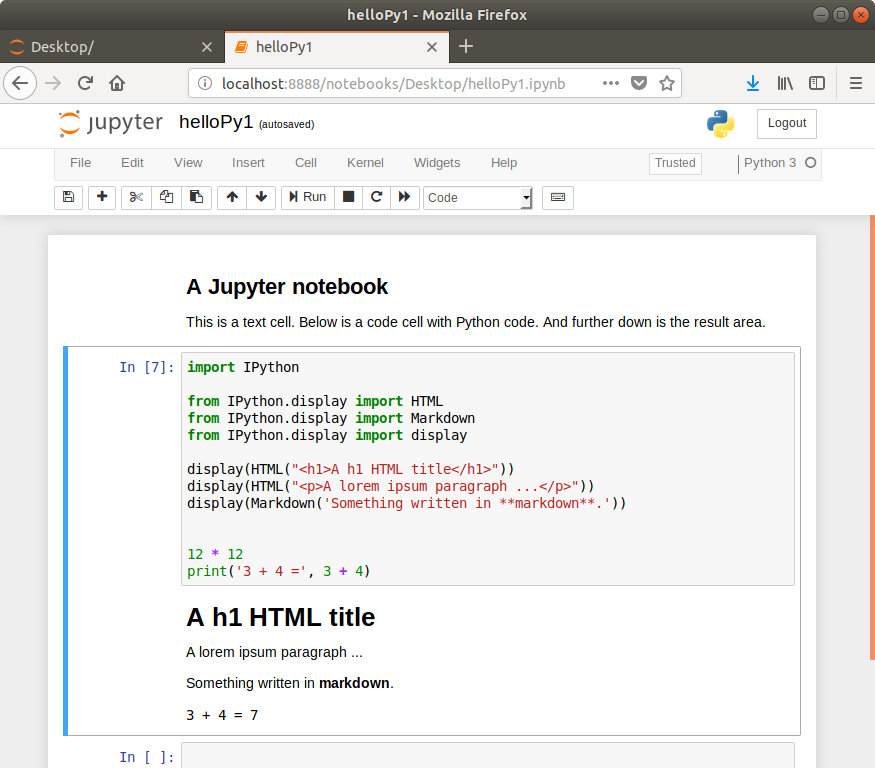
The installation progressed, success seems to be near, but still a problem The process so far: 1. Ubuntu 18.04.1 (64bit Bionic beaver) 2. Anaconda python distribution which includes the Jupyter notebook https://www.anaconda.com/download/#linux (Version for 3.6) 3. Pharo 6.1 64 bit 4. In a playground evaluate Metacello new baseline: 'JupyterTalk'; repository: 'github://jmari/JupyterTalk:master/repository'; load:'all' 5. Hit proceed for skipping the complaint about missing Roassal classes. 6. Save and quit image --> error message pops up, --> hit proceed. 7. Restart image. 8. Start Jupyter on command line with jupyter notebook The result is that a browser window is opened which allows to connect to the pharo kernel (see screen shot) 9. A crash when opening the new notebook [details below]. Suggestions how to proceed are welcome! --Hannes ---------------------------------------------------------------------------------------------------------------- The Pharo stack from the debugger ---------------------------------------------------------------------------------------------------------------- ExternalLibraryFunction(Object)>>error: ExternalLibraryFunction(Object)>>externalCallFailed ExternalLibraryFunction(ExternalFunction)>>invokeWithArguments: ZmqApi class>>apiZmqVersion:minor:patch: FFICalloutAPI>>function:module: ZmqApi class(Object)>>ffiCall:module: ZmqApi class>>apiZmqVersion:minor:patch: ZmqApi class>>version ZmqApi class>>forCurrentVersion ZmqContext>>initialize ZmqContext class(Behavior)>>new ZmqContext class>>new ZmqContext class>>current IPharoCommandLineHandler>>activate IPharoCommandLineHandler class(CommandLineHandler class)>>activateWith: [ aCommandLinehandler activateWith: commandLine ] in PharoCommandLineHandler(BasicCommandLineHandler)>>activateSubCommand: in Block: [ aCommandLinehandler activateWith: commandLine ] BlockClosure>>on:do: PharoCommandLineHandler(BasicCommandLineHandler)>>activateSubCommand: PharoCommandLineHandler(BasicCommandLineHandler)>>handleSubcommand PharoCommandLineHandler(BasicCommandLineHandler)>>handleArgument: [ self handleArgument: (self arguments ifEmpty: [ '' ] ifNotEmpty: [ :arguments | arguments first ]) ] in PharoCommandLineHandler(BasicCommandLineHandler)>>activate in Block: [ self... BlockClosure>>on:do: PharoCommandLineHandler(BasicCommandLineHandler)>>activate PharoCommandLineHandler>>activate PharoCommandLineHandler class(CommandLineHandler class)>>activateWith: [ super activateWith: aCommandLine ] in PharoCommandLineHandler class>>activateWith: in Block: [ super activateWith: aCommandLine ] WorldState>>runStepMethodsIn: WorldMorph>>runStepMethods WorldState>>doOneCycleNowFor: WorldState>>doOneCycleFor:


P.S. Probably noteworthy is that for some reason a second instance of Pharo was opened. Probably by the command jupyter notebook I could close one but after closing the other instance it was opened automatically again. On 8/22/18, H. Hirzel <hannes.hirzel@gmail.com> wrote:
The installation progressed, success seems to be near, but still a problem
The process so far:
1. Ubuntu 18.04.1 (64bit Bionic beaver)
2. Anaconda python distribution which includes the Jupyter notebook https://www.anaconda.com/download/#linux (Version for 3.6)
3. Pharo 6.1 64 bit
4. In a playground evaluate Metacello new baseline: 'JupyterTalk'; repository: 'github://jmari/JupyterTalk:master/repository'; load:'all'
5. Hit proceed for skipping the complaint about missing Roassal classes.
6. Save and quit image --> error message pops up, --> hit proceed.
7. Restart image.
8. Start Jupyter on command line with
jupyter notebook
The result is that a browser window is opened which allows to connect to the pharo kernel (see screen shot)
9. A crash when opening the new notebook [details below].
Suggestions how to proceed are welcome!
--Hannes
---------------------------------------------------------------------------------------------------------------- The Pharo stack from the debugger ----------------------------------------------------------------------------------------------------------------
ExternalLibraryFunction(Object)>>error: ExternalLibraryFunction(Object)>>externalCallFailed ExternalLibraryFunction(ExternalFunction)>>invokeWithArguments: ZmqApi class>>apiZmqVersion:minor:patch: FFICalloutAPI>>function:module: ZmqApi class(Object)>>ffiCall:module: ZmqApi class>>apiZmqVersion:minor:patch: ZmqApi class>>version ZmqApi class>>forCurrentVersion ZmqContext>>initialize ZmqContext class(Behavior)>>new ZmqContext class>>new ZmqContext class>>current IPharoCommandLineHandler>>activate IPharoCommandLineHandler class(CommandLineHandler class)>>activateWith: [ aCommandLinehandler activateWith: commandLine ] in PharoCommandLineHandler(BasicCommandLineHandler)>>activateSubCommand: in Block: [ aCommandLinehandler activateWith: commandLine ] BlockClosure>>on:do: PharoCommandLineHandler(BasicCommandLineHandler)>>activateSubCommand: PharoCommandLineHandler(BasicCommandLineHandler)>>handleSubcommand PharoCommandLineHandler(BasicCommandLineHandler)>>handleArgument: [ self handleArgument: (self arguments ifEmpty: [ '' ] ifNotEmpty: [ :arguments | arguments first ]) ] in PharoCommandLineHandler(BasicCommandLineHandler)>>activate in Block: [ self... BlockClosure>>on:do: PharoCommandLineHandler(BasicCommandLineHandler)>>activate PharoCommandLineHandler>>activate PharoCommandLineHandler class(CommandLineHandler class)>>activateWith: [ super activateWith: aCommandLine ] in PharoCommandLineHandler class>>activateWith: in Block: [ super activateWith: aCommandLine ] WorldState>>runStepMethodsIn: WorldMorph>>runStepMethods WorldState>>doOneCycleNowFor: WorldState>>doOneCycleFor:
I restarted the machine and DID NOT start Pharo. Just jupyter notebook. and then in the browser 'New ' / 'Pharo Smalltalk' --> Pharo was started up automatically. But the error is still there. More details see screen shot On 8/22/18, H. Hirzel <hannes.hirzel@gmail.com> wrote:
P.S. Probably noteworthy is that for some reason a second instance of Pharo was opened. Probably by the command
jupyter notebook
I could close one but after closing the other instance it was opened automatically again.
On 8/22/18, H. Hirzel <hannes.hirzel@gmail.com> wrote:
The installation progressed, success seems to be near, but still a problem
The process so far:
1. Ubuntu 18.04.1 (64bit Bionic beaver)
2. Anaconda python distribution which includes the Jupyter notebook https://www.anaconda.com/download/#linux (Version for 3.6)
3. Pharo 6.1 64 bit
4. In a playground evaluate Metacello new baseline: 'JupyterTalk'; repository: 'github://jmari/JupyterTalk:master/repository'; load:'all'
5. Hit proceed for skipping the complaint about missing Roassal classes.
6. Save and quit image --> error message pops up, --> hit proceed.
7. Restart image.
8. Start Jupyter on command line with
jupyter notebook
The result is that a browser window is opened which allows to connect to the pharo kernel (see screen shot)
9. A crash when opening the new notebook [details below].
Suggestions how to proceed are welcome!
--Hannes
---------------------------------------------------------------------------------------------------------------- The Pharo stack from the debugger ----------------------------------------------------------------------------------------------------------------
ExternalLibraryFunction(Object)>>error: ExternalLibraryFunction(Object)>>externalCallFailed ExternalLibraryFunction(ExternalFunction)>>invokeWithArguments: ZmqApi class>>apiZmqVersion:minor:patch: FFICalloutAPI>>function:module: ZmqApi class(Object)>>ffiCall:module: ZmqApi class>>apiZmqVersion:minor:patch: ZmqApi class>>version ZmqApi class>>forCurrentVersion ZmqContext>>initialize ZmqContext class(Behavior)>>new ZmqContext class>>new ZmqContext class>>current IPharoCommandLineHandler>>activate IPharoCommandLineHandler class(CommandLineHandler class)>>activateWith: [ aCommandLinehandler activateWith: commandLine ] in PharoCommandLineHandler(BasicCommandLineHandler)>>activateSubCommand: in Block: [ aCommandLinehandler activateWith: commandLine ] BlockClosure>>on:do: PharoCommandLineHandler(BasicCommandLineHandler)>>activateSubCommand: PharoCommandLineHandler(BasicCommandLineHandler)>>handleSubcommand PharoCommandLineHandler(BasicCommandLineHandler)>>handleArgument: [ self handleArgument: (self arguments ifEmpty: [ '' ] ifNotEmpty: [ :arguments | arguments first ]) ] in PharoCommandLineHandler(BasicCommandLineHandler)>>activate in Block: [ self... BlockClosure>>on:do: PharoCommandLineHandler(BasicCommandLineHandler)>>activate PharoCommandLineHandler>>activate PharoCommandLineHandler class(CommandLineHandler class)>>activateWith: [ super activateWith: aCommandLine ] in PharoCommandLineHandler class>>activateWith: in Block: [ super activateWith: aCommandLine ] WorldState>>runStepMethodsIn: WorldMorph>>runStepMethods WorldState>>doOneCycleNowFor: WorldState>>doOneCycleFor:

If I'm following right, you found jupyter/kernel folder and you created the kernel.json file, so you are very close to have everything running. In the screenshot,t Pharo is not able to find zeromq library libzmq.so.3, maybe anaconda installs other version. Please check for your libzmq.so file name, it must be in /usr/local/lib or any other folder added in the dynamic library path in your system, then you can create a link from your lib to libzmq.so.3, or simply change LibZeroMQ unix64ModuleName to return the correct library name. -- Sent from: http://forum.world.st/Pharo-Smalltalk-Users-f1310670.html
please try the updated version. I have just uploaded a new version of libZeroMQ class that searches for the correct lib through the LD_LIBRARY_PATH. -- Sent from: http://forum.world.st/Pharo-Smalltalk-Users-f1310670.html
if you stop/kill the process (closing pharo), jupyter start it again. By now kernel.json file do not open pharo in "headless" mode, because JupiterTalk is not released and I'm suddenly updating the code, anyway...there's nothing like Pharo debugger... Did you find libzeromq.so ? what version do you have? -- Sent from: http://forum.world.st/Pharo-Smalltalk-Users-f1310670.html
I'll take a look to *nteract*, seems that it uses the same protocol to communicate with kernels. -- Sent from: http://forum.world.st/Pharo-Smalltalk-Users-f1310670.html
On 8/23/18, Jesús Marà <jmariaguirre@gmail.com> wrote:
I'll take a look to *nteract*, seems that it uses the same protocol to communicate with kernels.
Good, actually my goal is to have a simple installation in a new Linux installation, something like a) download nteract (https://nteract.io/desktop), a 50MB executable file b) set up Pharo 6.1 with JupyterTalk c) whatever else is necessary, hopefully not to much
Hello On 8/24/18, H. Hirzel <hannes.hirzel@gmail.com> wrote:
On 8/23/18, Jesús Marà <jmariaguirre@gmail.com> wrote:
I'll take a look to *nteract*, seems that it uses the same protocol to communicate with kernels.
Good, actually my goal is to have a simple installation in a new Linux installation, something like
a) download nteract (https://nteract.io/desktop), a 50MB executable file b) set up Pharo 6.1 with JupyterTalk c) whatever else is necessary, hopefully not to much
I have now a working JupyterTalk installation, see the attached screen shot. What needs to be done is to come up with a reviewed, reproducible, easy to use installation process. The steps I used are a) a fresh new Ubuntu 18.04.1 64 bit bionic beaver installation then sudo apt-get update b) python --version Command 'python' not found, but can be installed with: python3 --version Python 3.6.5 b) Instead of anaconda I tried then pip3 approach sudo apt install python3-pip python3 -m pip install jupyter But jupyter notebook did not work. After sudo apt install jupyter-core sudo apt install jupyter-notebook This only downloaded 50MB instead of the 600MB for anaconda The command jupyter-notebook worked. Note the dash, i.e. it is a different command Then sudo apt-get install curl and the Pharo 6.1 64 bit installation curl get.pharo.org/64/61+vm | bash Then the Metacello installation taken from https://github.com/jmari/JupyterTalk. Creation of the kernel.json file as described in https://github.com/jmari/JupyterTalk was not necessary The content of ls /usr/share/jupyter/kernels/ is only python3 Interestingly, no entry for a Pharo kernel. The CLI command jupyter-notebook brings up a working Jupyter dashboard with the Pharo Smalltalk menu entry installed in the 'New' menu. --Hannes On 8/24/18, H. Hirzel <hannes.hirzel@gmail.com> wrote:
On 8/23/18, Jesús Marà <jmariaguirre@gmail.com> wrote:
I'll take a look to *nteract*, seems that it uses the same protocol to communicate with kernels.
Good, actually my goal is to have a simple installation in a new Linux installation, something like
a) download nteract (https://nteract.io/desktop), a 50MB executable file b) set up Pharo 6.1 with JupyterTalk c) whatever else is necessary, hopefully not to much
Last update works also on *nteract* In the other hand, I could not understand how Jupyter knows about Pharo kernel without the configuration file!!! Unbelievable! -- Sent from: http://forum.world.st/Pharo-Smalltalk-Users-f1310670.html
Actually there is a probably a configuration file, but not in the place where I checked, I assume. I have Ubuntu or Ubuntu based test installations in partitions sda6,7,8,9,10. I can not recall in which partition in actually happened. However I found out about the command [1] jupyter --paths And I did this in some of the different test installations [2] In sda8 I have user8@Latitude2:~$ ls /usr/share/jupyter kernels nbextensions user8@Latitude2:~$ ls /usr/share/jupyter/kernels python3 user8@Latitude2:~$ ls /usr/local/share/jupyter/kernels pharo So the probable explanation is that there was actually a configuration file but not in /usr/local/share/jupyter/kernels/pharo as you indicate in https://github.com/jmari/JupyterTalk/blob/master/README.md but in /usr/share/jupyter/kernels So my guess is that a download *nteract* (https://www.nteract.io/) alone and pharo6.1 with Juyptertalk (thus no python notebook) should work in a new Linux installation if there is a a kernel.json file with Pharo Smalltalk [3] in either /usr/local/share/jupyter/kernels/pharo OR /usr/share/jupyter/kernels/pharo I will test that and report to the list. --Hannes [1] jupyter help ================= user10@Latitude2:~$ jupyter --help usage: jupyter [-h] [--version] [--config-dir] [--data-dir] [--runtime-dir] [--paths] [--json] [subcommand] Jupyter: Interactive Computing positional arguments: subcommand the subcommand to launch optional arguments: -h, --help show this help message and exit --version show the jupyter command's version and exit --config-dir show Jupyter config dir --data-dir show Jupyter data dir --runtime-dir show Jupyter runtime dir --paths show all Jupyter paths. Add --json for machine-readable format. --json output paths as machine-readable json Available subcommands: bundlerextension console kernel kernelspec migrate nbconvert nbextension notebook qtconsole run serverextension troubleshoot trust [2] jupyter paths in different test installations ================================================= sda7 ----- jupyter --paths config: /home/user25/.jupyter /home/user25/anaconda3/etc/jupyter /usr/local/etc/jupyter /etc/jupyter data: /home/user25/.local/share/jupyter /home/user25/anaconda3/share/jupyter /usr/local/share/jupyter /usr/share/jupyter runtime: /run/user/1000/jupyter sda8 ------- jupyter --paths config: /home/user8/.jupyter /usr/etc/jupyter /usr/local/etc/jupyter /etc/jupyter data: /home/user8/.local/share/jupyter /usr/local/share/jupyter /usr/share/jupyter runtime: /run/user/1000/jupyter user8@Latitude2:~$ ls /usr/share/jupyter kernels nbextensions user8@Latitude2:~$ ls /usr/share/jupyter/kernels python3 user8@Latitude2:~$ ls /usr/local/share/jupyter/kernels pharo user8@Latitude2:~$ sda10 ----- user10@Latitude2:~$ jupyter --paths config: /home/user10/.jupyter /usr/etc/jupyter /usr/local/etc/jupyter /etc/jupyter data: /home/user10/.local/share/jupyter /usr/local/share/jupyter /usr/share/jupyter runtime: /run/user/1000/jupyter [3] Example kernel.json file for Pharo ====================================== ls /usr/local/share/jupyter/kernels/pharo kernel.json user8@Latitude2:~$ cat /usr/local/share/jupyter/kernels/pharo/kernel.json { "argv": [ "/home/user8/pharo-vm/bin/pharo", "/home/user8/Pharo.image", "ipharo", "{connection_file}" ], "display_name": "Pharo Smalltalk", "language": "smalltalk" } On 8/24/18, Jesús Marà <jmariaguirre@gmail.com> wrote:
Last update works also on *nteract*
In the other hand, I could not understand how Jupyter knows about Pharo kernel without the configuration file!!! Unbelievable!
-- Sent from: http://forum.world.st/Pharo-Smalltalk-Users-f1310670.html
Hello Jesús Marà The JavaScript kernel has custom output functions [1] such as $$.html(htmlString) $$.svg(svgString) $$.png(base64String) $$.jpeg(base64String) $$.mime(mimeBundle) What is the equivalent for $$.svg(svgString) for example? Regards Hannes [1] http://n-riesco.github.io/ijavascript/doc/custom.ipynb.html On 8/27/18, H. Hirzel <hannes.hirzel@gmail.com> wrote:
Actually there is a probably a configuration file, but not in the place where I checked, I assume.
I have Ubuntu or Ubuntu based test installations in partitions sda6,7,8,9,10. I can not recall in which partition in actually happened.
However I found out about the command [1]
jupyter --paths
And I did this in some of the different test installations [2]
In sda8 I have
user8@Latitude2:~$ ls /usr/share/jupyter kernels nbextensions
user8@Latitude2:~$ ls /usr/share/jupyter/kernels python3
user8@Latitude2:~$ ls /usr/local/share/jupyter/kernels pharo
So the probable explanation is that there was actually a configuration file but not in
/usr/local/share/jupyter/kernels/pharo
as you indicate in https://github.com/jmari/JupyterTalk/blob/master/README.md
but in
/usr/share/jupyter/kernels
So my guess is that a download *nteract* (https://www.nteract.io/) alone and pharo6.1 with Juyptertalk (thus no python notebook) should work in a new Linux installation if there is a
a kernel.json file with Pharo Smalltalk [3]
in either
/usr/local/share/jupyter/kernels/pharo OR /usr/share/jupyter/kernels/pharo
I will test that and report to the list.
--Hannes
[1] jupyter help =================
user10@Latitude2:~$ jupyter --help usage: jupyter [-h] [--version] [--config-dir] [--data-dir] [--runtime-dir] [--paths] [--json] [subcommand]
Jupyter: Interactive Computing
positional arguments: subcommand the subcommand to launch
optional arguments: -h, --help show this help message and exit --version show the jupyter command's version and exit --config-dir show Jupyter config dir --data-dir show Jupyter data dir --runtime-dir show Jupyter runtime dir --paths show all Jupyter paths. Add --json for machine-readable format. --json output paths as machine-readable json
Available subcommands: bundlerextension console kernel kernelspec migrate nbconvert nbextension notebook qtconsole run serverextension troubleshoot trust
[2] jupyter paths in different test installations =================================================
sda7 ----- jupyter --paths config: /home/user25/.jupyter /home/user25/anaconda3/etc/jupyter /usr/local/etc/jupyter /etc/jupyter data: /home/user25/.local/share/jupyter /home/user25/anaconda3/share/jupyter /usr/local/share/jupyter /usr/share/jupyter runtime: /run/user/1000/jupyter
sda8 -------
jupyter --paths config: /home/user8/.jupyter /usr/etc/jupyter /usr/local/etc/jupyter /etc/jupyter data: /home/user8/.local/share/jupyter /usr/local/share/jupyter /usr/share/jupyter runtime: /run/user/1000/jupyter
user8@Latitude2:~$ ls /usr/share/jupyter kernels nbextensions user8@Latitude2:~$ ls /usr/share/jupyter/kernels python3 user8@Latitude2:~$ ls /usr/local/share/jupyter/kernels pharo user8@Latitude2:~$
sda10 -----
user10@Latitude2:~$ jupyter --paths config: /home/user10/.jupyter /usr/etc/jupyter /usr/local/etc/jupyter /etc/jupyter data: /home/user10/.local/share/jupyter /usr/local/share/jupyter /usr/share/jupyter runtime: /run/user/1000/jupyter
[3] Example kernel.json file for Pharo ======================================
ls /usr/local/share/jupyter/kernels/pharo kernel.json user8@Latitude2:~$ cat /usr/local/share/jupyter/kernels/pharo/kernel.json { "argv": [ "/home/user8/pharo-vm/bin/pharo", "/home/user8/Pharo.image", "ipharo", "{connection_file}" ], "display_name": "Pharo Smalltalk", "language": "smalltalk" }
On 8/24/18, Jesús Marà <jmariaguirre@gmail.com> wrote:
Last update works also on *nteract*
In the other hand, I could not understand how Jupyter knows about Pharo kernel without the configuration file!!! Unbelievable!
-- Sent from: http://forum.world.st/Pharo-Smalltalk-Users-f1310670.html
You can display text or html using self display openInJupyter:'*hello world in bolt*' or anything in a morph (a jpg, png ..a Roassal drawing). self display openInJupyter: aMorph you can expecify the extent self display openInJupyter: aMorph extent: aPoint. if you have installed Roassal group (it's a hack of many Roassal Classes) then you can visualize Interactive Roassal drawings doing: "this will load a modified version of Roassal.js that opens a Roassal view inside <div>" self loadScript: IPRoassal js. self display interactionOn; openInJupyter: aRoassalView. -- Sent from: http://forum.world.st/Pharo-Smalltalk-Users-f1310670.html
On 8/29/18, Jesús Marà <jmariaguirre@gmail.com> wrote:
You can display text or html using
self display openInJupyter:'*hello world in bolt*'
or anything in a morph (a jpg, png ..a Roassal drawing). self display openInJupyter: aMorph
you can expecify the extent self display openInJupyter: aMorph extent: aPoint.
Thanks! This is convenient!
if you have installed Roassal group (it's a hack of many Roassal Classes) then you can visualize Interactive Roassal drawings doing:
"this will load a modified version of Roassal.js that opens a Roassal view inside <div>" self loadScript: IPRoassal js.
self display interactionOn; openInJupyter: aRoassalView.
I've been playing with nteract and surprissently it uses the same kernels than Jupyter, it means all of your kernels published in /use/local/share/jupyter/kernels are usables by nteract. With a very simple change in session initialization Jupytertalk works on nteract except visualizations of graphics...mmm may be It will work with a little effort. -- Sent from: http://forum.world.st/Pharo-Smalltalk-Users-f1310670.html
I've been playing with nteract and surprissently it uses the same kernels than Jupyter, it means all of your kernels published in /use/local/share/jupyter/kernels are usable by nteract. Whith a very simple change in session initialization Jupytertalk works on nteract. -- Sent from: http://forum.world.st/Pharo-Smalltalk-Users-f1310670.html
In the group with Roassal you should load the (symbolic) version of Roassal you need. Stephan
Maybe...I will study what is the best option, prevent installation or install Roassal...lot of work to do. -- Sent from: http://forum.world.st/Pharo-Smalltalk-Users-f1310670.html
Tutorial files placed on Github are notebooks written on jupyter using JupyterTalk Kernel. They are not an installation procedure. I have just ran it in a new linux machine an now it works also on linux. I have done using pharo-launcher on a 64 bits image. - kernel description file must be placed in "/usr/local/share/jupyter/kernels/Pharo" as you can see in the screenshot. Take a look to the kernel.json file, you have to create this file and save it in "/usr/local/share/jupyter/kernels/Pharo". <http://forum.world.st/file/t369275/Captura_de_pantalla_2018-08-15_a_las_20.p...> - ZeroMQ module name is libzmq.so.3 almost in my ubuntu linux after jupyter installation. I have updated github repo, so now it is working also on linux. Try again, let me know if it's working for you. -- Sent from: http://forum.world.st/Pharo-Smalltalk-Users-f1310670.html
participants (9)
-
 Andrew Glynn
 -
 Evan Donahue
 -
 H. Hirzel
 -
 Jesús MarÃ
Jesús Marà -
 Offray Vladimir Luna Cárdenas
 -
 Sean P. DeNigris
 -
 Serge Stinckwich
 -
 Stephan Eggermont
 -
 Tim Mackinnon