
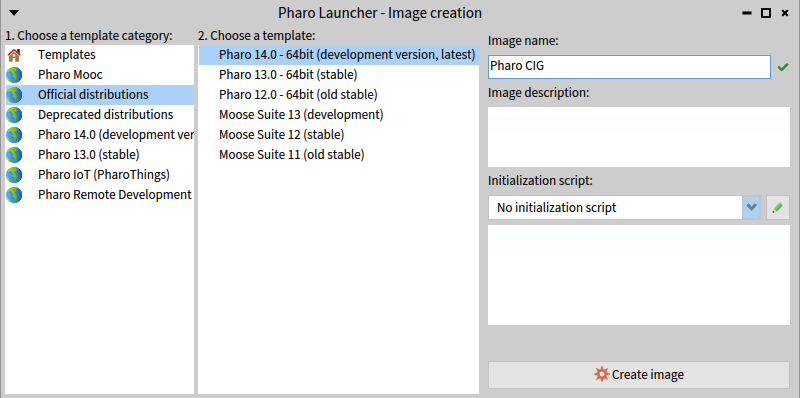
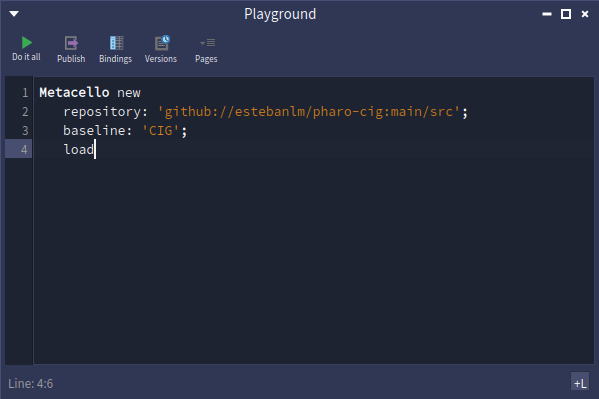
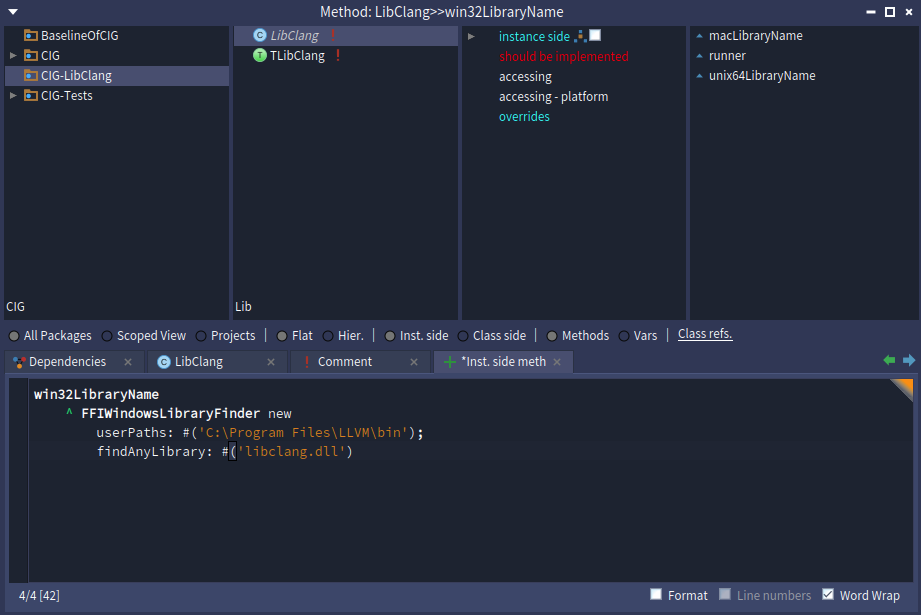
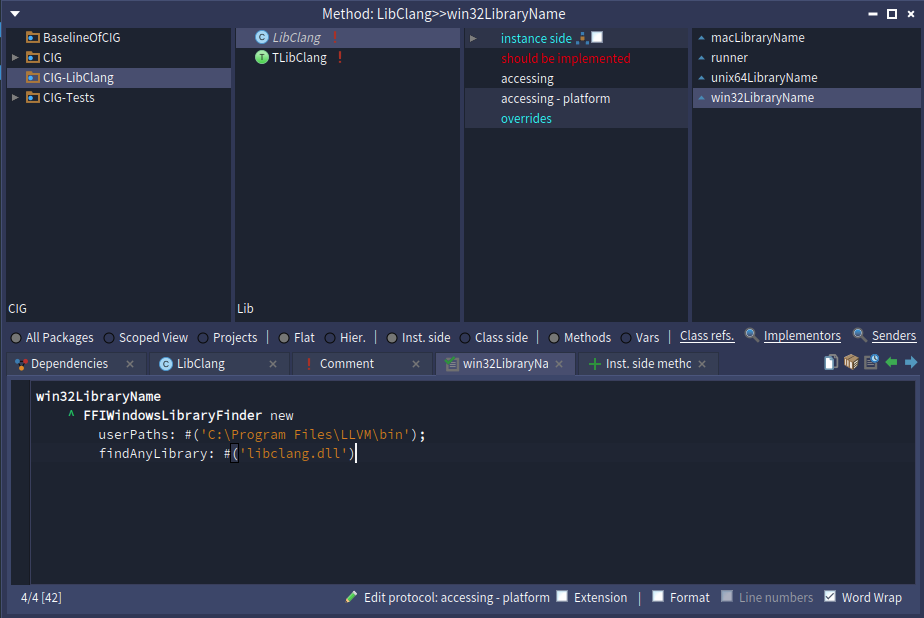
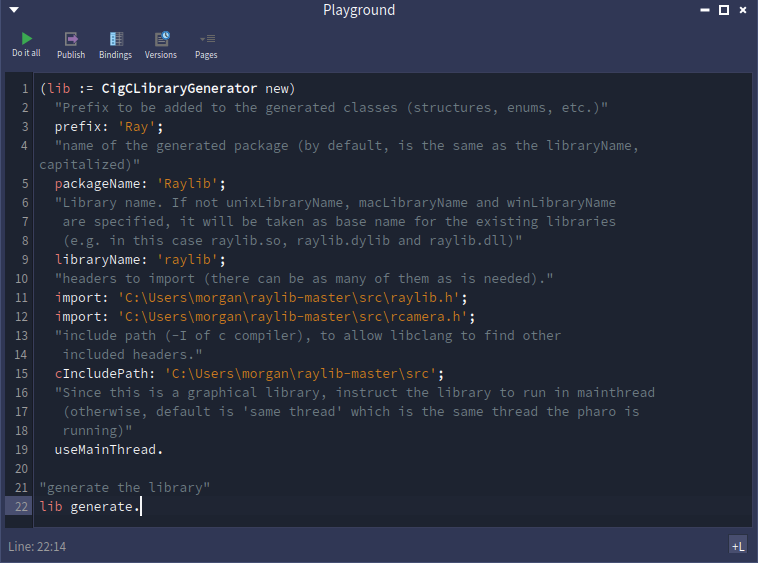
Forwarding the original email. ________________________________ From: MORGAN LEE GUAN HAN <1211107272@student.mmu.edu.my> Sent: Saturday, November 29, 2025 12:08 AM To: Aik-Siong Koh <askoh@askoh.com> Subject: Pharo CIG Crash Issue Dear Pharo Team, I am currently attempting to replicate what Esteban Lorenzano did for this Youtube Video<https://www.youtube.com/watch?v=U9fpvZJaFx4> (Esteban Lorenzano - Pharo-CIG: C++ Interface Generator - 23 April 2025), which is to generate C Bindings for Pharo uFFI to call, in Windows 11. Unfortunately, I am unable to replicate the results of the video. The results of my attempts leads to Pharo's Virtual Machine crashing and exiting abruptly to the launcher. I am unable to find any logs for this, and would appreciate your support for this matter. OS: Windows 11 Clang: https://github.com/llvm/llvm-project/releases/tag/llvmorg-18.1.8 (LLVM-18.1.8-win64.exe) Pharo Template: Pharo 14.0 - 64bit (development version, latest) Pharo CIG Github: https://github.com/pharo-cig/pharo-cig Raylib: https://github.com/raysan5/raylib Steps to Reproduce Step 1: Create Image [cid:1a4a23bb-52e6-47a5-b0a7-b251d6ddc8ea] Step 2: Installing Pharo CIG Open Playground wtih 'Ctrl + O + P' (or 'Cmd + O + P'). Copy and paste the Installation Code from the Pharo CIG Github<https://github.com/pharo-cig/pharo-cig>. Click the "Do it All" green triangle button on the top left of the Playground Window. [cid:2a667f99-b808-4950-a40a-798054e502e4] Step 3: Installing Clang Download and run the Pre-built binaries from this Github page<https://github.com/llvm/llvm-project/releases/tag/llvmorg-18.1.8> according to your platform. The folder named LLVM should be in your "C:\Program Files" directory after installation for Windows 11. Other installation methods may be used according to your preference. Step 4: Installing raylib Download or clone the raylib Github repository<https://github.com/raysan5/raylib>. Extract the folder ('raylib-master') if you are downloading the repository. Place the folder in a directory of your preference. E.g "C:\Users\morgan\raylib-master" Step 5: Setting Pharo CIG Requirements CIG needs to be able to find the clang library. If it cannot find it automatically, set the location in LibClang>>unix64LibraryName, e.g. - Pharo CIG Github<https://github.com/pharo-cig/pharo-cig> Open System Browser with 'Ctrl + O + B' (or 'Cmd + O + B'). Create a "win32LibraryName" method in the LibClang class under the CIG-LibClang package to set your "libclang.dll" location. This method is missing from the default installation. Paste in this code (There may be whitespace character issues): win32LibraryName ^ FFIWindowsLibraryFinder new userPaths: #('C:\Program Files\LLVM\bin'); findAnyLibrary: #('libclang.dll') [cid:3241b208-b515-4b7b-98fc-45312ec65c82] Save and create the method with 'Ctrl + S' (or 'Cmd + S'). [cid:7d0e72f0-4086-411a-8e27-c2b11c4df817] Step 6: The Example Recipe from Github Open Playground wtih 'Ctrl + O + P' (or 'Cmd + O + P'). Copy and paste the example recipe from Github <https://github.com/pharo-cig/pharo-cig?tab=readme-ov-file> into the Playground. Configure the example recipe from Github<https://github.com/pharo-cig/pharo-cig?tab=readme-ov-file>. Change "import:" and "cIncludedPath:" directories according to your file structure. E.g '/home/esteban/dev/vm/raylib/src/raylib.h' â 'C:\Users\morgan\raylib-master\src\raylib.h' Click the "Do it All" green triangle button on the top left of the Playground Window. This should cause the Virtual Machine to abruptly exit or crash. Code Snippet (There may be whitespace character issues): (lib := CigCLibraryGenerator new) "Prefix to be added to the generated classes (structures, enums, etc.)" prefix: 'Ray'; "name of the generated package (by default, is the same as the libraryName, capitalized)" packageName: 'Raylib'; "Library name. If not unixLibraryName, macLibraryName and winLibraryName are specified, it will be taken as base name for the existing libraries (e.g. in this case raylib.so, raylib.dylib and raylib.dll)" libraryName: 'raylib'; "headers to import (there can be as many of them as is needed)." import: 'C:\Users\morgan\raylib-master\src\raylib.h'; import: 'C:\Users\morgan\raylib-master\src\rcamera.h'; "include path (-I of c compiler), to allow libclang to find other included headers." cIncludePath: 'C:\Users\morgan\raylib-master\src'; "Since this is a graphical library, instruct the library to run in mainthread (otherwise, default is 'same thread' which is the same thread the pharo is running)" useMainThread. "generate the library" lib generate. [cid:55b4605c-3b19-45f0-8ed8-ef9093b6fa89] End of email.
participants (1)
-
 MORGAN LEE GUAN HAN