
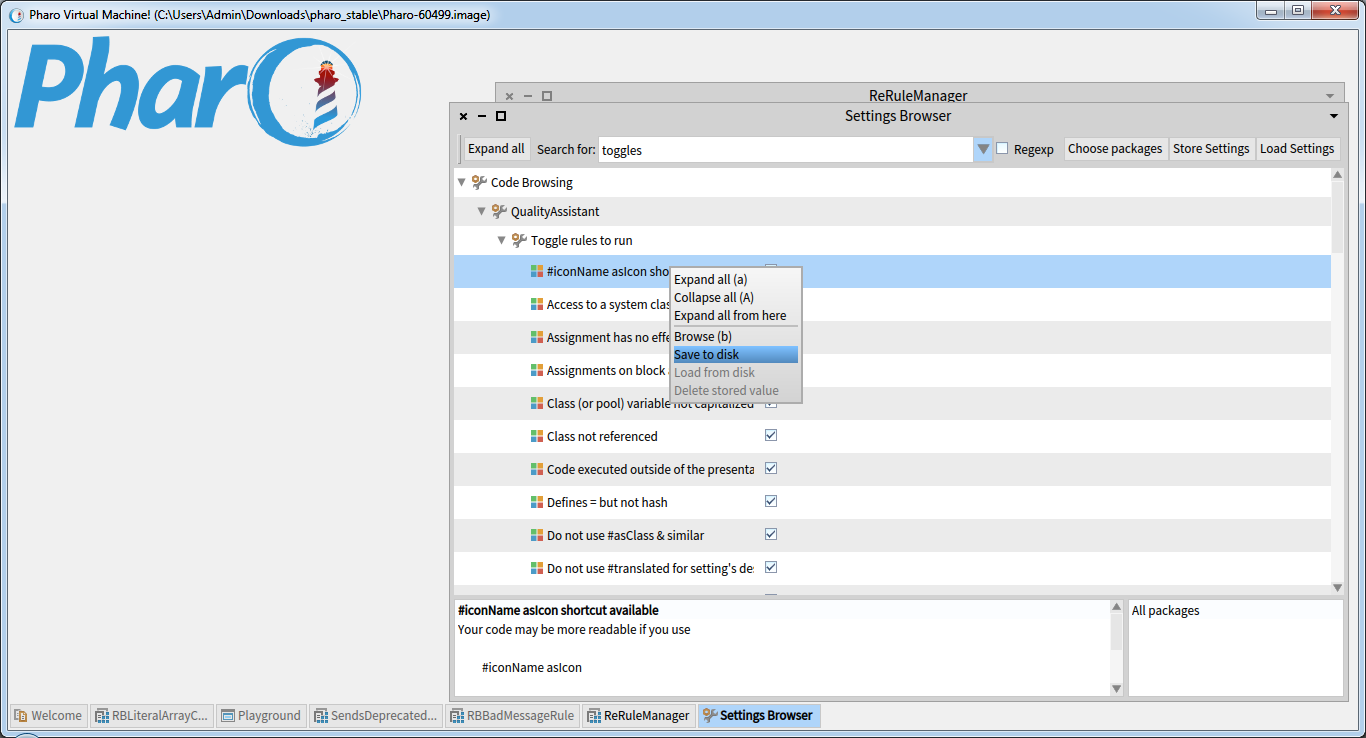
For my GSoC project I've been working on the rule toggle so I created a setting that bans a rule for the whole image. But I'm thinking that some of you might want to disable a certain rule for all the following images too. Hence my question: how to save a setting programatically so that the same setting would immediately work for the next image as well? For now I only know how to do it manually but I need a more elegant way to do this: [image: Inline images 2] Any help or advice would be much appreciated. Regards, Myroslava.

Why dont you use preferences (check the chapter in deep into pharo). Preferences are managed across images. Stef On Sat, Jun 24, 2017 at 1:50 PM, Myroslava Romaniuk <romaniuk@ucu.edu.ua> wrote:
For my GSoC project I've been working on the rule toggle so I created a setting that bans a rule for the whole image.
But I'm thinking that some of you might want to disable a certain rule for all the following images too.
Hence my question: how to save a setting programatically so that the same setting would immediately work for the next image as well?
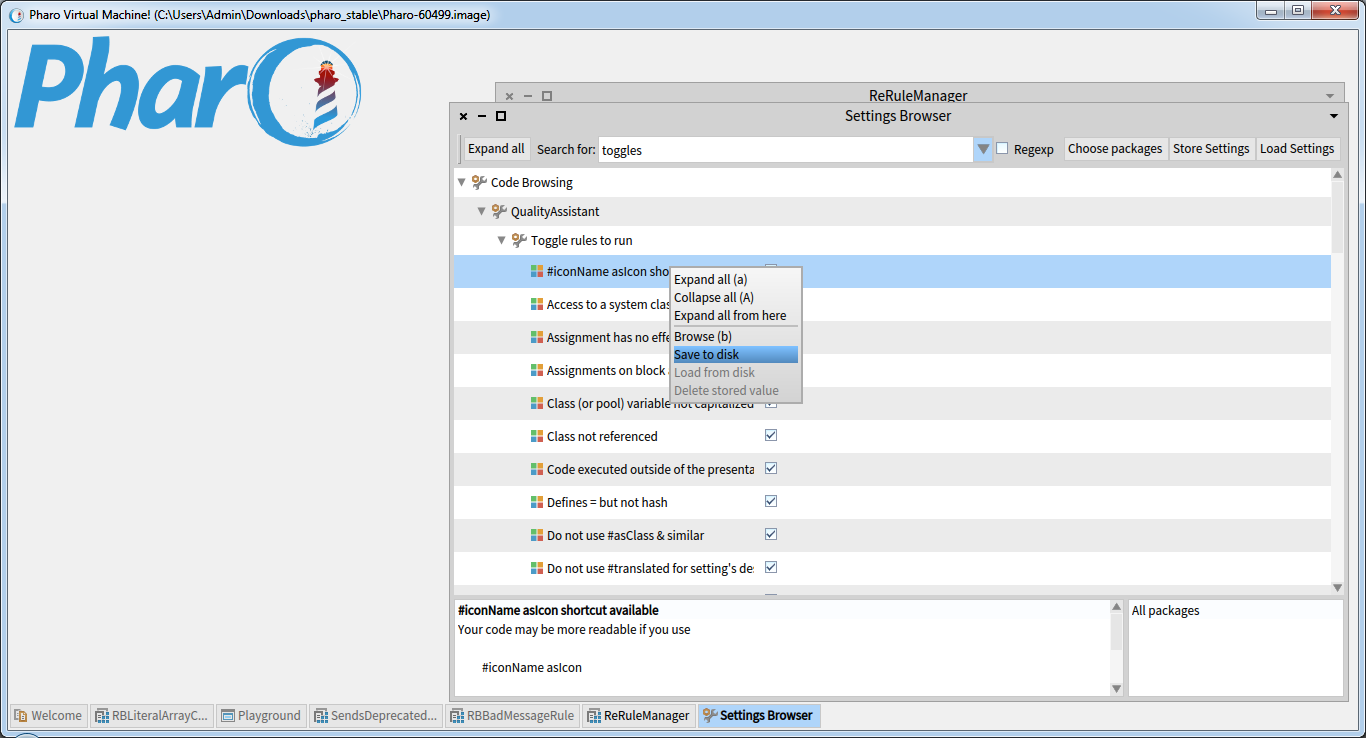
For now I only know how to do it manually but I need a more elegant way to do this: [image: Inline images 2]
Any help or advice would be much appreciated.
Regards, Myroslava.
startUpPreferences On Sat, Jun 24, 2017 at 9:18 PM, Stephane Ducasse <stepharo.self@gmail.com> wrote:
Why dont you use preferences (check the chapter in deep into pharo). Preferences are managed across images. Stef
On Sat, Jun 24, 2017 at 1:50 PM, Myroslava Romaniuk <romaniuk@ucu.edu.ua> wrote:
For my GSoC project I've been working on the rule toggle so I created a setting that bans a rule for the whole image.
But I'm thinking that some of you might want to disable a certain rule for all the following images too.
Hence my question: how to save a setting programatically so that the same setting would immediately work for the next image as well?
For now I only know how to do it manually but I need a more elegant way to do this: [image: Inline images 2]
Any help or advice would be much appreciated.
Regards, Myroslava.
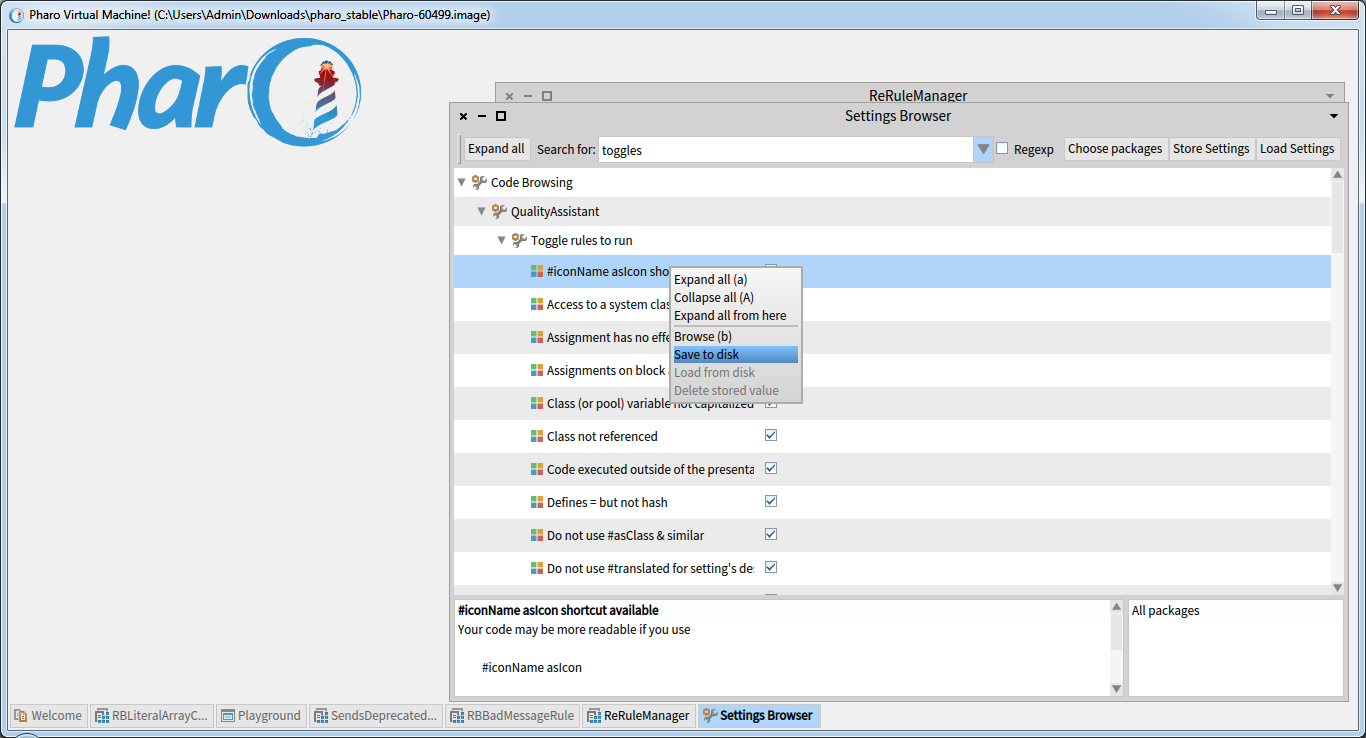

Hey Stef, Myroslava uses the preferences framework (as you can see in the screenshot). The question is how to programmatically persist a single preference (without the preference browser). Uko Sent from my iPhone
On 24 Jun 2017, at 21:18, Stephane Ducasse <stepharo.self@gmail.com> wrote:
Why dont you use preferences (check the chapter in deep into pharo). Preferences are managed across images. Stef
On Sat, Jun 24, 2017 at 1:50 PM, Myroslava Romaniuk <romaniuk@ucu.edu.ua> wrote: For my GSoC project I've been working on the rule toggle so I created a setting that bans a rule for the whole image.
But I'm thinking that some of you might want to disable a certain rule for all the following images too.
Hence my question: how to save a setting programatically so that the same setting would immediately work for the next image as well?
For now I only know how to do it manually but I need a more elegant way to do this:
Any help or advice would be much appreciated.
Regards, Myroslava.
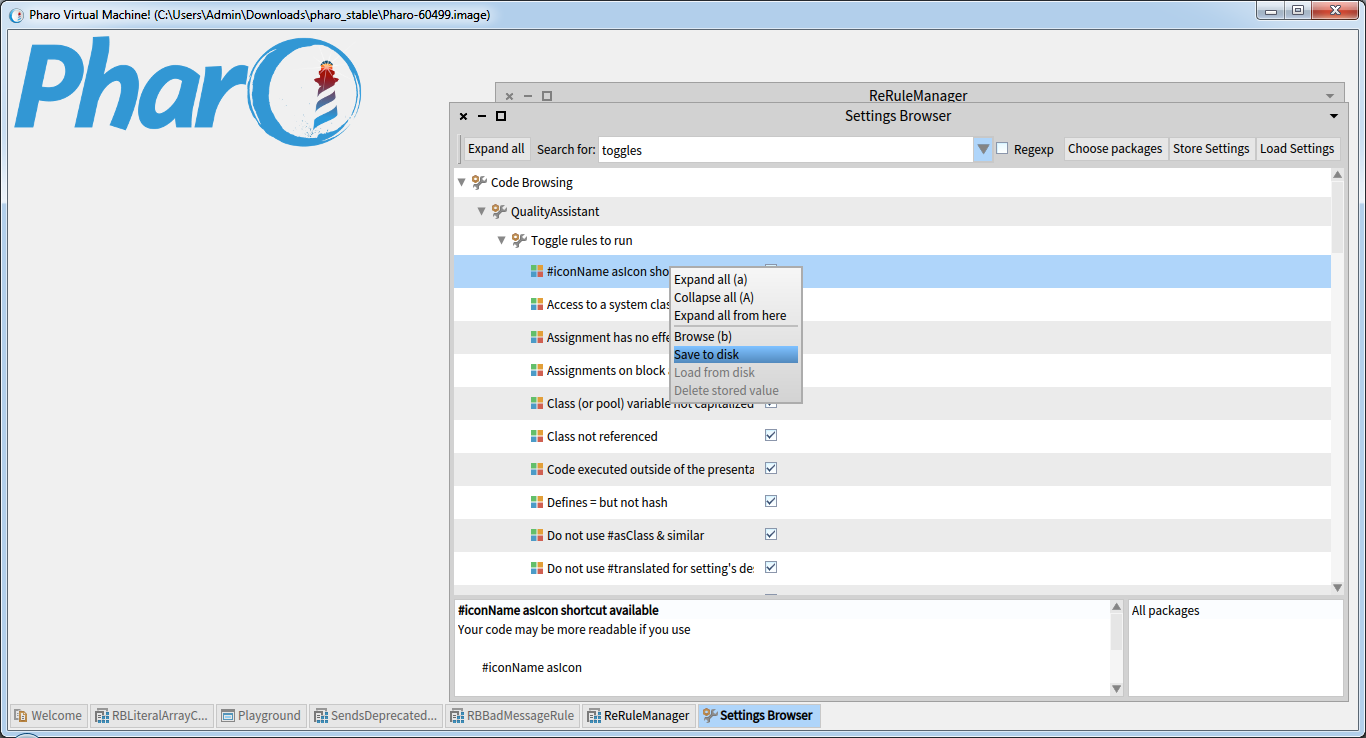

Hi Myroslava, it should be possible by SystemSettingsPersistence storeIdentifier: #settingId Maybe the easiest way to pick your id is to look at the setting file. I do not remember how it is generated. There are a few more methods, depending on what object you have in hand. Check storing protocol. Regards, Juraj
El 24-06-2017, a las 13:50, Myroslava Romaniuk <romaniuk@ucu.edu.ua> escribió:
For my GSoC project I've been working on the rule toggle so I created a setting that bans a rule for the whole image.
But I'm thinking that some of you might want to disable a certain rule for all the following images too.
Hence my question: how to save a setting programatically so that the same setting would immediately work for the next image as well?
For now I only know how to do it manually but I need a more elegant way to do this: <image.png>
Any help or advice would be much appreciated.
Regards, Myroslava.
Thanks Juraj, it should be exactly what I need. I'll check it out. On 25 June 2017 at 13:36, Juraj Kubelka <juraj.kubelka@icloud.com> wrote:
Hi Myroslava,
it should be possible by
SystemSettingsPersistence storeIdentifier: #settingId
Maybe the easiest way to pick your id is to look at the setting file. I do not remember how it is generated.
There are a few more methods, depending on what object you have in hand. Check storing protocol.
Regards, Juraj
El 24-06-2017, a las 13:50, Myroslava Romaniuk <romaniuk@ucu.edu.ua> escribió:
For my GSoC project I've been working on the rule toggle so I created a setting that bans a rule for the whole image.
But I'm thinking that some of you might want to disable a certain rule for all the following images too.
Hence my question: how to save a setting programatically so that the same setting would immediately work for the next image as well?
For now I only know how to do it manually but I need a more elegant way to do this: <image.png>
Any help or advice would be much appreciated.
Regards, Myroslava.
-- РповагоÑ, ÐиÑоÑлава РоманÑк.
participants (4)
-
 Juraj Kubelka
 -
 Myroslava Romaniuk
 -
 Stephane Ducasse
 -
 Yuriy Tymchuk