[ANN] Pharo Launcher 2.0 released!

Hi all, Pharo Launcher 2.0 has just been released! It is available from http://pharo.org/download <http://pharo.org/download>. This new version introduces major changes: The UI has been fully rewritten using the new Spec2 framework <https://github.com/pharo-spec/Spec> and the Commander2 library <https://github.com/pharo-spec/Commander2>. UI has been revamped to increase usability, especially for newcomers. The main window is now composed of a toolbar and the list of images. The template list is now available when clicking on the new image button. Documentation web site : All Pharo Launcher features are now explained in the new documentation available at https://pharo-project.github.io/pharo-launcher. You can contribute easily by clicking the *edit on GitHub* button. You can now have many launch configurations for an image (VM to use, vm and image arguments). It means you can use headless Pharo VM from Pharo Launcher. When creating a new image, you can specify an initialisation script that will be run once at the first image launch. It is useful to load your project code in a stock Pharo image for example. See https://pharo-project.github.io/pharo-launcher/create-images/#image-initiali... You can now define your own template sources in addition to official sources (see https://pharo-project.github.io/pharo-launcher/templates/#create-your-own-li...), including authenticated sources. Improved image metadata. Pharo Launcher now manages all image metadata in a single STON file (including description, Pharo version). Big thanks to all contributors, including issue reports. It is also the opportunity to thanks Damien Cassou, the original author of Pharo Launcher. Here is the changelog: Pharo Launcher v2.0 <https://github.com/pharo-project/pharo-launcher/releases/tag/2.0> The list of closed issue is too long (68) to be listed but you can browse it here: https://github.com/pharo-project/pharo-launcher/issues?q=is%3Aissue+is%3Aclo... Here are some highlights: New features: Documentation web site Image initialisation script Launch configurations, headless VM support User template file in addition to the official template file Jenkins server template now support pipeline projects Support of private Jenkins server Support of authenticated HTTP server Improvements: Monitoring of image launch failures to give back the error message (if any) Newly created image is automatically selected in the image list Allow to set image description at creation time Better error management (you will have the choice to ignore them or debug them) Add a poor version column in image list Speedup (especially when image repository has a lot of images) Bug fixes: Fix use of system unzip on Windows Regards, The Pharo team.

Great Job. It looks indeed nicer. I found the docs great too (https://pharo-project.github.io/pharo-launcher <https://pharo-project.github.io/pharo-launcher>). One suggestion would be to add the help contextually. I tried to look at. There is description of commands and SpLinkPresenter but donât think itâs easy to add. I wanted to add the ling in the help description. For instance, the one to create an image for template: WebBrowser openOn: 'https://pharo-project.github.io/pharo-launcher/create-images/â Any way of doing that ? Cheers, Cédrick
Le 17 avr. 2020 à 18:08, Christophe Demarey <christophe.demarey@inria.fr> a écrit :
Hi all,
Pharo Launcher 2.0 has just been released! It is available from http://pharo.org/download <http://pharo.org/download>.
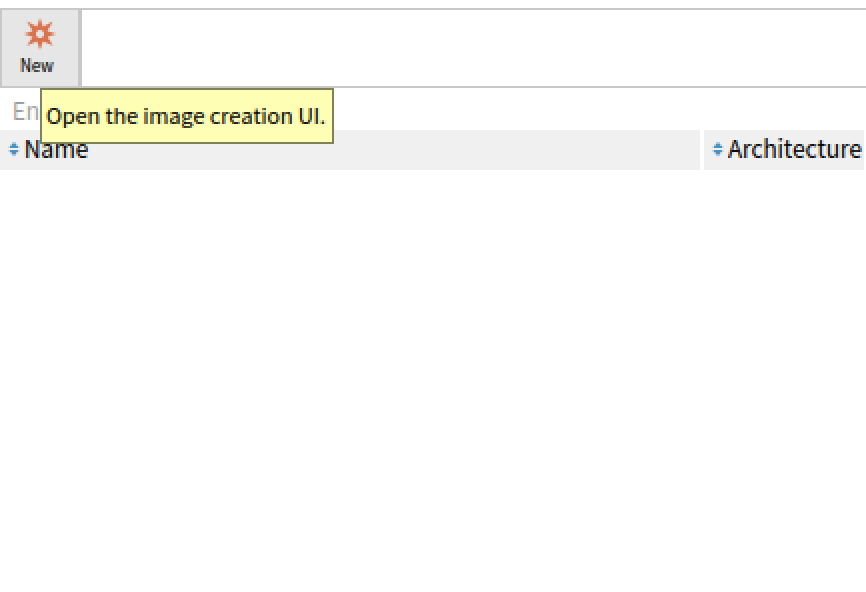
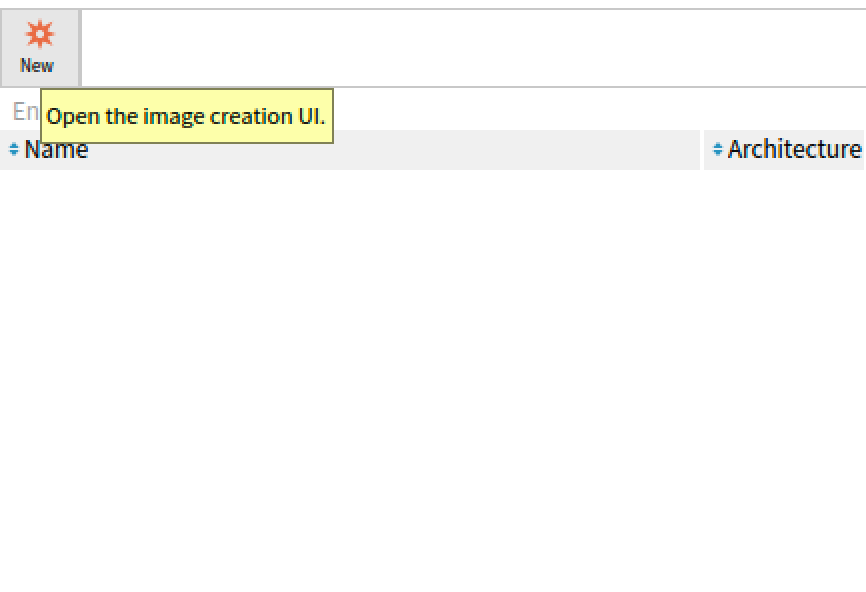
This new version introduces major changes: The UI has been fully rewritten using the new Spec2 framework <https://github.com/pharo-spec/Spec> and the Commander2 library <https://github.com/pharo-spec/Commander2>. UI has been revamped to increase usability, especially for newcomers. The main window is now composed of a toolbar and the list of images. The template list is now available when clicking on the new image button. Documentation web site : All Pharo Launcher features are now explained in the new documentation available at https://pharo-project.github.io/pharo-launcher <https://pharo-project.github.io/pharo-launcher>. You can contribute easily by clicking the *edit on GitHub* button. You can now have many launch configurations for an image (VM to use, vm and image arguments). It means you can use headless Pharo VM from Pharo Launcher. When creating a new image, you can specify an initialisation script that will be run once at the first image launch. It is useful to load your project code in a stock Pharo image for example. See https://pharo-project.github.io/pharo-launcher/create-images/#image-initiali... <https://pharo-project.github.io/pharo-launcher/create-images/#image-initiali...> You can now define your own template sources in addition to official sources (see https://pharo-project.github.io/pharo-launcher/templates/#create-your-own-li... <https://pharo-project.github.io/pharo-launcher/templates/#create-your-own-li...>), including authenticated sources. Improved image metadata. Pharo Launcher now manages all image metadata in a single STON file (including description, Pharo version).
Big thanks to all contributors, including issue reports. It is also the opportunity to thanks Damien Cassou, the original author of Pharo Launcher.
Here is the changelog: Pharo Launcher v2.0 <https://github.com/pharo-project/pharo-launcher/releases/tag/2.0>
The list of closed issue is too long (68) to be listed but you can browse it here: https://github.com/pharo-project/pharo-launcher/issues?q=is%3Aissue+is%3Aclo... <https://github.com/pharo-project/pharo-launcher/issues?q=is%3Aissue+is%3Aclo...> Here are some highlights: New features:
Documentation web site Image initialisation script Launch configurations, headless VM support User template file in addition to the official template file Jenkins server template now support pipeline projects Support of private Jenkins server Support of authenticated HTTP server Improvements:
Monitoring of image launch failures to give back the error message (if any) Newly created image is automatically selected in the image list Allow to set image description at creation time Better error management (you will have the choice to ignore them or debug them) Add a poor version column in image list Speedup (especially when image repository has a lot of images)
Bug fixes:
Fix use of system unzip on Windows
Regards, The Pharo team.

Hi This looks like a major update with some very welcome features and improved UI. Very welcome and thanks for the work! One item I would like to see is a mention in the help on implications of upgrading from the existing Pharo launcher. Bit nervous to install when I don't know what will become of existing configurations in the old one. I am assuming that the new one is independent and will simply start off blank. It would be nice to have this tackled in the documentation. Maybe a short section on "Moving your configurations / images from the old Launcher". Great job! Thanks Graham
Cédrick Béler <mailto:cdrick65@gmail.com> 18 April 2020 at 10:09 Great Job. It looks indeed nicer.
I found the docs great too (https://pharo-project.github.io/pharo-launcher).
One suggestion would be to add the help contextually. I tried to look at. There is description of commands and SpLinkPresenter but donât think itâs easy to add. I wanted to add the ling in the help description.
For instance, the one to create an image for template: WebBrowser openOn: 'https://pharo-project.github.io/pharo-launcher/create-images/â <https://pharo-project.github.io/pharo-launcher/create-images/%E2%80%98>
Any way of doing that ?
Cheers,
Cédrick
Christophe Demarey <mailto:christophe.demarey@inria.fr> 17 April 2020 at 18:08 Hi all,
Pharo Launcher 2.0 has just been released! It is available from http://pharo.org/download.
This new version introduces major changes:
* The UI has been fully rewritten using the new Spec2 framework <https://github.com/pharo-spec/Spec>Â and the Commander2 library <https://github.com/pharo-spec/Commander2>. UI has been revamped to increase usability, especially for newcomers. The main window is now composed of a toolbar and the list of images. The template list is now available when clicking on the new image button. * Documentation web site : All Pharo Launcher features are now explained in the new documentation available at https://pharo-project.github.io/pharo-launcher. You can contribute easily by clicking the *edit on GitHub* button. * You can now have many launch configurations for an image (VM to use, vm and image arguments). It means you can use headless Pharo VM from Pharo Launcher. * When creating a new image, you can specify an initialisation script that will be run once at the first image launch. It is useful to load your project code in a stock Pharo image for example. See https://pharo-project.github.io/pharo-launcher/create-images/#image-initiali... * You can now define your own template sources in addition to official sources (see https://pharo-project.github.io/pharo-launcher/templates/#create-your-own-li...), including authenticated sources. * Improved image metadata. Pharo Launcher now manages all image metadata in a single STON file (including description, Pharo version).
Big thanks to all contributors, including issue reports. It is also the opportunity to thanks Damien Cassou, the original author of Pharo Launcher.
Here is the changelog: Pharo Launcher v2.0 <https://github.com/pharo-project/pharo-launcher/releases/tag/2.0>
The list of closed issue is too long (68) to be listed but you can browse it here: https://github.com/pharo-project/pharo-launcher/issues?q=is%3Aissue+is%3Aclo... Here are some highlights:
New features:
* Documentation web site * Image initialisation script * Launch configurations, headless VM support * User template file in addition to the official template file * Jenkins server template now support pipeline projects * Support of private Jenkins server * Support of authenticated HTTP server
Improvements:
* Monitoring of image launch failures to give back the error message (if any) * Newly created image is automatically selected in the image list * Allow to set image description at creation time * Better error management (you will have the choice to ignore them or debug them) * Add a poor version column in image list * Speedup (especially when image repository has a lot of images)
Bug fixes:
* Fix use of system unzip on Windows
Regards, The Pharo team.
Hi Graham,
Le 18 avr. 2020 à 11:30, Graham McLeod <graham@inspired.org> a écrit :
Hi
This looks like a major update with some very welcome features and improved UI. Very welcome and thanks for the work!
One item I would like to see is a mention in the help on implications of upgrading from the existing Pharo launcher. Bit nervous to install when I don't know what will become of existing configurations in the old one. I am assuming that the new one is independent and will simply start off blank. It would be nice to have this tackled in the documentation. Maybe a short section on "Moving your configurations / images from the old Launcher ».
Yes, youâre right! Pharo Launcher is mostly compatible with the previous one. When using Pharo Launcher 2.0, image metadata will be converted from the old format to the new one. I added an upgrade section on Pharo Launcher documentation: https://pharo-project.github.io/pharo-launcher/installation/#upgrade-notes Tell me if this is enough. Regards, Christophe

Thanks, I will check it as soon as Pharo.org gets back online! [1] https://downforeveryoneorjustme.com/pharo.org Esteban A. Maringolo On Sat, Apr 18, 2020 at 10:48 AM Christophe Demarey <christophe.demarey@inria.fr> wrote:
Hi Graham,
Le 18 avr. 2020 à 11:30, Graham McLeod <graham@inspired.org> a écrit :
Hi
This looks like a major update with some very welcome features and improved UI. Very welcome and thanks for the work!
One item I would like to see is a mention in the help on implications of upgrading from the existing Pharo launcher. Bit nervous to install when I don't know what will become of existing configurations in the old one. I am assuming that the new one is independent and will simply start off blank. It would be nice to have this tackled in the documentation. Maybe a short section on "Moving your configurations / images from the old Launcher ».
Yes, youâre right! Pharo Launcher is mostly compatible with the previous one. When using Pharo Launcher 2.0, image metadata will be converted from the old format to the new one. I added an upgrade section on Pharo Launcher documentation: https://pharo-project.github.io/pharo-launcher/installation/#upgrade-notes
Tell me if this is enough. Regards, Christophe
Hi Cédrick,
Le 18 avr. 2020 à 10:09, Cédrick Béler <cdrick65@gmail.com> a écrit :
Great Job. It looks indeed nicer.
I found the docs great too (https://pharo-project.github.io/pharo-launcher <https://pharo-project.github.io/pharo-launcher>).
One suggestion would be to add the help contextually. I tried to look at. There is description of commands and SpLinkPresenter but donât think itâs easy to add. I wanted to add the ling in the help description.
Indeed, good idea. Unfortunately, Spec2 does not yet allow to mix text and links. Probably a new presenter would be needed to support this scenario. Also, it depends on what is doable with the gtk backend. Esteban? Cheers, Christophe
For instance, the one to create an image for template: WebBrowser openOn: 'https://pharo-project.github.io/pharo-launcher/create-images/â <https://pharo-project.github.io/pharo-launcher/create-images/%E2%80%98>
Any way of doing that ?
<GraphiqueCollé-7.png>
Cheers,
Cédrick
Le 17 avr. 2020 à 18:08, Christophe Demarey <christophe.demarey@inria.fr <mailto:christophe.demarey@inria.fr>> a écrit :
Hi all,
Pharo Launcher 2.0 has just been released! It is available from http://pharo.org/download <http://pharo.org/download>.
This new version introduces major changes: The UI has been fully rewritten using the new Spec2 framework <https://github.com/pharo-spec/Spec> and the Commander2 library <https://github.com/pharo-spec/Commander2>. UI has been revamped to increase usability, especially for newcomers. The main window is now composed of a toolbar and the list of images. The template list is now available when clicking on the new image button. Documentation web site : All Pharo Launcher features are now explained in the new documentation available at https://pharo-project.github.io/pharo-launcher <https://pharo-project.github.io/pharo-launcher>. You can contribute easily by clicking the *edit on GitHub* button. You can now have many launch configurations for an image (VM to use, vm and image arguments). It means you can use headless Pharo VM from Pharo Launcher. When creating a new image, you can specify an initialisation script that will be run once at the first image launch. It is useful to load your project code in a stock Pharo image for example. See https://pharo-project.github.io/pharo-launcher/create-images/#image-initiali... <https://pharo-project.github.io/pharo-launcher/create-images/#image-initiali...> You can now define your own template sources in addition to official sources (see https://pharo-project.github.io/pharo-launcher/templates/#create-your-own-li... <https://pharo-project.github.io/pharo-launcher/templates/#create-your-own-li...>), including authenticated sources. Improved image metadata. Pharo Launcher now manages all image metadata in a single STON file (including description, Pharo version).
Big thanks to all contributors, including issue reports. It is also the opportunity to thanks Damien Cassou, the original author of Pharo Launcher.
Here is the changelog: Pharo Launcher v2.0 <https://github.com/pharo-project/pharo-launcher/releases/tag/2.0>
The list of closed issue is too long (68) to be listed but you can browse it here: https://github.com/pharo-project/pharo-launcher/issues?q=is%3Aissue+is%3Aclo... <https://github.com/pharo-project/pharo-launcher/issues?q=is%3Aissue+is%3Aclo...> Here are some highlights: New features:
Documentation web site Image initialisation script Launch configurations, headless VM support User template file in addition to the official template file Jenkins server template now support pipeline projects Support of private Jenkins server Support of authenticated HTTP server Improvements:
Monitoring of image launch failures to give back the error message (if any) Newly created image is automatically selected in the image list Allow to set image description at creation time Better error management (you will have the choice to ignore them or debug them) Add a poor version column in image list Speedup (especially when image repository has a lot of images)
Bug fixes:
Fix use of system unzip on Windows
Regards, The Pharo team.

Super cool Thanks a lot christophe for your effort. PharoLauncher changes our life. S.
On 17 Apr 2020, at 18:08, Christophe Demarey <Christophe.Demarey@inria.fr> wrote:
Hi all,
Pharo Launcher 2.0 has just been released! It is available from http://pharo.org/download <http://pharo.org/download>.
This new version introduces major changes: The UI has been fully rewritten using the new Spec2 framework <https://github.com/pharo-spec/Spec> and the Commander2 library <https://github.com/pharo-spec/Commander2>. UI has been revamped to increase usability, especially for newcomers. The main window is now composed of a toolbar and the list of images. The template list is now available when clicking on the new image button. Documentation web site : All Pharo Launcher features are now explained in the new documentation available at https://pharo-project.github.io/pharo-launcher <https://pharo-project.github.io/pharo-launcher>. You can contribute easily by clicking the *edit on GitHub* button. You can now have many launch configurations for an image (VM to use, vm and image arguments). It means you can use headless Pharo VM from Pharo Launcher. When creating a new image, you can specify an initialisation script that will be run once at the first image launch. It is useful to load your project code in a stock Pharo image for example. See https://pharo-project.github.io/pharo-launcher/create-images/#image-initiali... <https://pharo-project.github.io/pharo-launcher/create-images/#image-initiali...> You can now define your own template sources in addition to official sources (see https://pharo-project.github.io/pharo-launcher/templates/#create-your-own-li... <https://pharo-project.github.io/pharo-launcher/templates/#create-your-own-li...>), including authenticated sources. Improved image metadata. Pharo Launcher now manages all image metadata in a single STON file (including description, Pharo version).
Big thanks to all contributors, including issue reports. It is also the opportunity to thanks Damien Cassou, the original author of Pharo Launcher.
Here is the changelog: Pharo Launcher v2.0 <https://github.com/pharo-project/pharo-launcher/releases/tag/2.0>
The list of closed issue is too long (68) to be listed but you can browse it here: https://github.com/pharo-project/pharo-launcher/issues?q=is%3Aissue+is%3Aclo... <https://github.com/pharo-project/pharo-launcher/issues?q=is%3Aissue+is%3Aclo...> Here are some highlights: New features:
Documentation web site Image initialisation script Launch configurations, headless VM support User template file in addition to the official template file Jenkins server template now support pipeline projects Support of private Jenkins server Support of authenticated HTTP server Improvements:
Monitoring of image launch failures to give back the error message (if any) Newly created image is automatically selected in the image list Allow to set image description at creation time Better error management (you will have the choice to ignore them or debug them) Add a poor version column in image list Speedup (especially when image repository has a lot of images)
Bug fixes:
Fix use of system unzip on Windows
Regards, The Pharo team.
-------------------------------------------- Stéphane Ducasse http://stephane.ducasse.free.fr / http://www.pharo.org 03 59 35 87 52 Assistant: Julie Jonas FAX 03 59 57 78 50 TEL 03 59 35 86 16 S. Ducasse - Inria 40, avenue Halley, Parc Scientifique de la Haute Borne, Bât.A, Park Plaza Villeneuve d'Ascq 59650 France

On 18 Apr 2020, at 10:40, Stéphane Ducasse <stephane.ducasse@inria.fr> wrote:
Super cool Thanks a lot christophe for your effort. PharoLauncher changes our life.
+10
S.
On 17 Apr 2020, at 18:08, Christophe Demarey <Christophe.Demarey@inria.fr> wrote:
Hi all,
Pharo Launcher 2.0 has just been released! It is available from http://pharo.org/download.
This new version introduces major changes: ⢠The UI has been fully rewritten using the new Spec2 framework and the Commander2 library. UI has been revamped to increase usability, especially for newcomers. The main window is now composed of a toolbar and the list of images. The template list is now available when clicking on the new image button. ⢠Documentation web site : All Pharo Launcher features are now explained in the new documentation available at https://pharo-project.github.io/pharo-launcher. You can contribute easily by clicking the *edit on GitHub* button. ⢠You can now have many launch configurations for an image (VM to use, vm and image arguments). It means you can use headless Pharo VM from Pharo Launcher. ⢠When creating a new image, you can specify an initialisation script that will be run once at the first image launch. It is useful to load your project code in a stock Pharo image for example. See https://pharo-project.github.io/pharo-launcher/create-images/#image-initiali... ⢠You can now define your own template sources in addition to official sources (see https://pharo-project.github.io/pharo-launcher/templates/#create-your-own-li...), including authenticated sources. ⢠Improved image metadata. Pharo Launcher now manages all image metadata in a single STON file (including description, Pharo version).
Big thanks to all contributors, including issue reports. It is also the opportunity to thanks Damien Cassou, the original author of Pharo Launcher.
Here is the changelog: Pharo Launcher v2.0
The list of closed issue is too long (68) to be listed but you can browse it here: https://github.com/pharo-project/pharo-launcher/issues?q=is%3Aissue+is%3Aclo... Here are some highlights: New features:
⢠Documentation web site ⢠Image initialisation script ⢠Launch configurations, headless VM support ⢠User template file in addition to the official template file ⢠Jenkins server template now support pipeline projects ⢠Support of private Jenkins server ⢠Support of authenticated HTTP server Improvements:
⢠Monitoring of image launch failures to give back the error message (if any) ⢠Newly created image is automatically selected in the image list ⢠Allow to set image description at creation time ⢠Better error management (you will have the choice to ignore them or debug them) ⢠Add a poor version column in image list ⢠Speedup (especially when image repository has a lot of images)
Bug fixes:
⢠Fix use of system unzip on Windows
Regards, The Pharo team.
-------------------------------------------- Stéphane Ducasse http://stephane.ducasse.free.fr / http://www.pharo.org 03 59 35 87 52 Assistant: Julie Jonas FAX 03 59 57 78 50 TEL 03 59 35 86 16 S. Ducasse - Inria 40, avenue Halley, Parc Scientifique de la Haute Borne, Bât.A, Park Plaza Villeneuve d'Ascq 59650 France
Hi all, Pharo Launcher 2.2 has just been released! It is available from http://pharo.org/download. It is mostly a bug fix release but it comes with some enhancements. Full log is available at https://github.com/pharo-project/pharo-launcher/releases/tag/2.2 and https://github.com/pharo-project/pharo-launcher/releases/tag/2.1 (not announced, was buggy). Regards
Le 17 avr. 2020 à 18:08, Christophe Demarey <christophe.demarey@inria.fr> a écrit :
Hi all,
Pharo Launcher 2.0 has just been released! It is available from http://pharo.org/download <http://pharo.org/download>.
This new version introduces major changes: The UI has been fully rewritten using the new Spec2 framework <https://github.com/pharo-spec/Spec> and the Commander2 library <https://github.com/pharo-spec/Commander2>. UI has been revamped to increase usability, especially for newcomers. The main window is now composed of a toolbar and the list of images. The template list is now available when clicking on the new image button. Documentation web site : All Pharo Launcher features are now explained in the new documentation available at https://pharo-project.github.io/pharo-launcher <https://pharo-project.github.io/pharo-launcher>. You can contribute easily by clicking the *edit on GitHub* button. You can now have many launch configurations for an image (VM to use, vm and image arguments). It means you can use headless Pharo VM from Pharo Launcher. When creating a new image, you can specify an initialisation script that will be run once at the first image launch. It is useful to load your project code in a stock Pharo image for example. See https://pharo-project.github.io/pharo-launcher/create-images/#image-initiali... <https://pharo-project.github.io/pharo-launcher/create-images/#image-initiali...> You can now define your own template sources in addition to official sources (see https://pharo-project.github.io/pharo-launcher/templates/#create-your-own-li... <https://pharo-project.github.io/pharo-launcher/templates/#create-your-own-li...>), including authenticated sources. Improved image metadata. Pharo Launcher now manages all image metadata in a single STON file (including description, Pharo version).
Big thanks to all contributors, including issue reports. It is also the opportunity to thanks Damien Cassou, the original author of Pharo Launcher.
Here is the changelog: Pharo Launcher v2.0 <https://github.com/pharo-project/pharo-launcher/releases/tag/2.0>
The list of closed issue is too long (68) to be listed but you can browse it here: https://github.com/pharo-project/pharo-launcher/issues?q=is%3Aissue+is%3Aclo... <https://github.com/pharo-project/pharo-launcher/issues?q=is%3Aissue+is%3Aclo...> Here are some highlights: New features:
Documentation web site Image initialisation script Launch configurations, headless VM support User template file in addition to the official template file Jenkins server template now support pipeline projects Support of private Jenkins server Support of authenticated HTTP server Improvements:
Monitoring of image launch failures to give back the error message (if any) Newly created image is automatically selected in the image list Allow to set image description at creation time Better error management (you will have the choice to ignore them or debug them) Add a poor version column in image list Speedup (especially when image repository has a lot of images)
Bug fixes:
Fix use of system unzip on Windows
Regards, The Pharo team.
participants (6)
-
 Christophe Demarey
 -
 Cédrick Béler
 -
 Esteban Maringolo
 -
 Graham McLeod
 -
 Stéphane Ducasse
 -
 Sven Van Caekenberghe